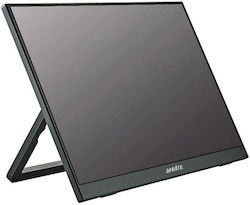
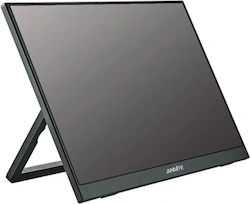
Anmite A160W24H IPS HDR Portable Monitor 16" QHD 2560x1600 144Hz with Response Time 5ms GTG Grey
Refresh Rate: 144Hz, Response Time: 5ms
from162,19 € at 4 stores


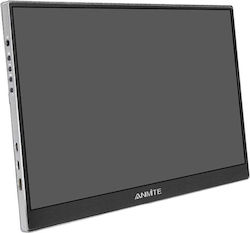
Anmite A160W03H IPS Monitor 16" FHD 1920x1200 144Hz with Response Time 1ms GTG Silver
Refresh Rate: 144Hz, Response Time: 1ms


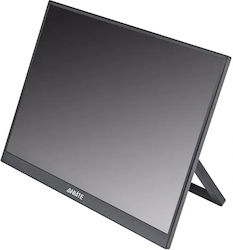
Anmite A160W04H IPS Portable Monitor 16" FHD 1920x1200 165Hz with Response Time 1ms GTG
Refresh Rate: 165Hz, Response Time: 1ms
Filters
Clear- OLED: Perfect black performance, extremely natural images and great color accuracy. Suitable for movies, casual gaming and competitive gaming.
- IPS: Vibrant colors, wide viewing angles, energy-efficient. Suitable for video and image editing.
- QD-OLED: Combines OLED technology with quantum dots, offering superior contrast, more vibrant colors, and greater brightness compared to traditional OLED or LCD monitors.
- Nano IPS: It is the "gold standard" for gamers and Fast IPS or Nano IPS monitors. It ensures an exceptionally smooth experience in competitive gaming without noticeable delays.
- VA: High refresh rate and contrast with vivid colors. Slightly faster response times than TN. Suitable for movies and casual gaming.
- TN: Short response times make them suitable for both casual and competitive gaming. Lower color quality and narrow viewing angles.
- Gaming Monitor: Monitors designed for gamers, with a high refresh rate (Hz), low response time, and technologies such as G-Sync or FreeSync for smooth gameplay.
- Portable Monitor: Lightweight and slim screens, ideal for portable use with a laptop or mobile devices via USB-C or HDMI.
- Smart Monitor: Monitors with built-in smart features (e.g., Wi-Fi, apps, streaming, browser) that can operate without a computer.
- TV Monitor: Hybrid devices that function as both a television and a computer monitor, usually with a built-in tuner and remote control.
- 144 Hz: The most popular refresh rate for gaming. It offers a competitive advantage compared to screens with lower refresh rates as the image is clearer (less motion blur).
- 165 Hz: It offers a slight improvement compared to 144Hz. If the computer does not exceed 144fps (frames per second) in games, there is no difference.
- 240 Hz and above: It offers a slight improvement compared to the 165Hz. If the computer does not exceed 165fps (frames per second) in games, there is no difference.
- Curved: They offer a more natural viewing experience, greater image depth, and a wider field of view. They help reduce eye strain. Recommended for screen sizes of 27" and above.
- UltraWide: Long screens with a 21:9 aspect ratio, suitable for tasks with multiple open windows, multitasking & video editing. They replace the use of multiple screens.
- HDR: Image with higher contrast and color accuracy.
- up to 1ms response time: Screens ideal for gaming. They can switch from one shade of gray to the next in 1ms, offering faster response to our actions (input lag) and a cleaner image (less ghosting).
- Eye Comfort: Monitors with built-in Eye Comfort function or flicker-free or built-in blue light filter for eye protection.
- FreeSync: Eliminates tremors using an AMD graphics card that supports the function.
- HDMI 2.1: Newer HDMI standard, necessary for utilizing features (such as 120Hz) offered by the new Sony PlayStation 5 & Microsoft Xbox Series X|S consoles.
- G-Sync: Eliminates tremors using a GeForce GTX graphics card.
- The time it takes for a pixel to change shades. Low response time means less ghosting and better performance in gaming.
- Under 0.1ms: This is the top speed found almost exclusively in OLED panels. It offers maximum possible clarity in fast motion with no ghosting at all.
- 2 - 5ms: It is the typical value for general-purpose monitors and mainstream gaming. Motion appears clear for the average user, although slight blurring may be noticeable during very fast transitions.
- Over 5ms: This usually refers to office monitors or older panels that focus on color accuracy rather than speed. Not recommended for action games, as motion may appear somewhat "heavy" or blurry.
- Tilt Adjustment: Refers to the ability of the monitor to tilt forward or backward. This feature allows the user to adjust the screen angle to avoid reflections and improve visibility, depending on the position of the seat and desk.
- Horizontal Rotation: Ability to rotate the screen left and right around the vertical axis of the stand, allowing the user to adjust the screen's position without needing to move the stand.
- Vertical Rotation: It refers to the screen's rotation by 90° to be positioned vertically (portrait mode). This feature is useful for specific tasks, such as reading documents, coding, or editing photos and videos.
- Height Adjustment: Height adjustment allows the screen to be adjusted up and down to eye level, reducing neck strain and improving posture.
- Everyday Use & Office: Reliable solutions for work and home. We focus on large screens (24"+) with clear Full HD image, ideal for office applications, browsing, and remote work.
- Enthusiast Gaming: The elite monitors for gamers seeking the ultimate experience. Includes panels with 2K, 4K, or Ultrawide resolutions and a refresh rate of 165Hz+, ensuring top-notch clarity and motion without ghosting.
- Graphic Design & Photo Editing: Designed for digital content creators. They focus on color accuracy through IPS panels and offer an increased workspace with 2K resolution and above, ensuring precision in every pixel.
- Video Production & Hardcore Editing: Professional tools for video editors and colorists. With support for 4K resolution, cutting-edge technologies (OLED/Mini-LED), and Ultrawide formats, they offer the necessary space for timelines and maximum detail in HDR.
- Casual Gaming: The "golden ratio" for smooth gameplay. Ideal choices in Full HD resolution with a refresh rate of 144Hz-165Hz, offering the speed you need for the most popular titles on the market.
- Flexibility & Travel: The solution for those who work on the go. Lightweight and slim monitors under 18", easily connected to your laptop via USB-C/Thunderbolt, offering a second screen anywhere.
- 16:9: The standard widescreen format, the safest choice for general use, gaming, movie watching, and office work.
- 21:9: Ultrawide screen for comfortably opening multiple windows side by side and for a more immersive experience in movies and gaming.
- 32:9: Extremely wide screen (Super Ultrawide) that fully replaces two standard monitors, for ultimate multitasking and simulation gaming (simulators).
- 4:3: The traditional, almost “square” aspect ratio, mainly suitable for retro gaming, point-of-sale (POS) systems, and older applications.
- 5:4: Even more “square” than 4:3, it is now used almost exclusively in older professional, medical, or industrial equipment.
- 16:10: Slightly taller than the classic screen, it offers more vertical space, making it ideal for programming and document editing.