Flight Simulators

Logitech G Saitek PRO Flight Multi Panel for PC

Fly with autopilot in real-time. Take off with this full LED autopilot screen that operates in real-time on major flight simulation software. There are no complex control commands, and the screen is...

Fly with autopilot in real-time. Take off with this full LED autopilot screen that operates in real-time on major flight simulation software. There are no complex control commands, and the screen is ready for installation on the Logitech G flight yoke system or your custom cockpit setup. An integrated switch adjusts frequency units for faster selection....

See full description See full description

Description

Description

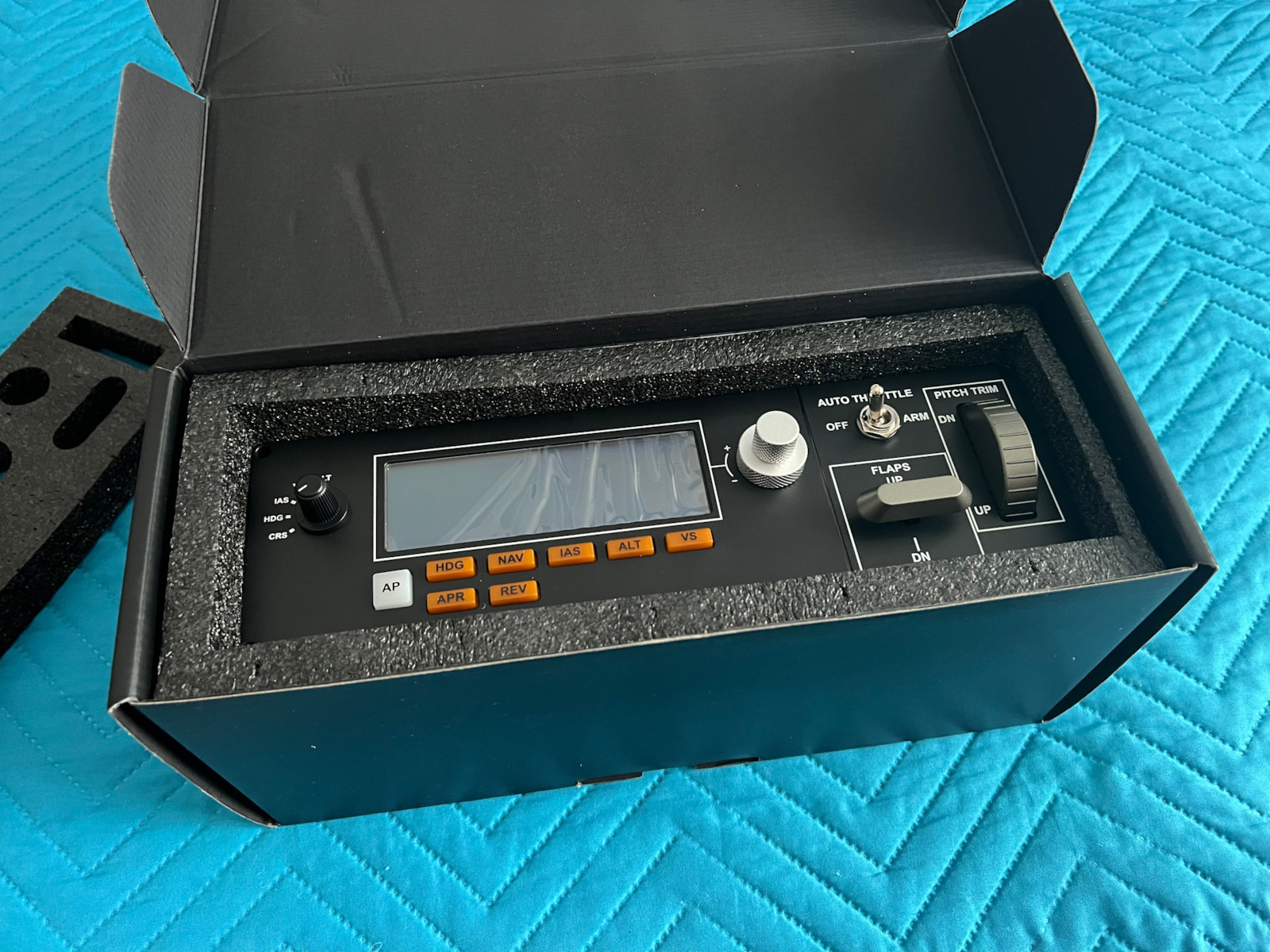
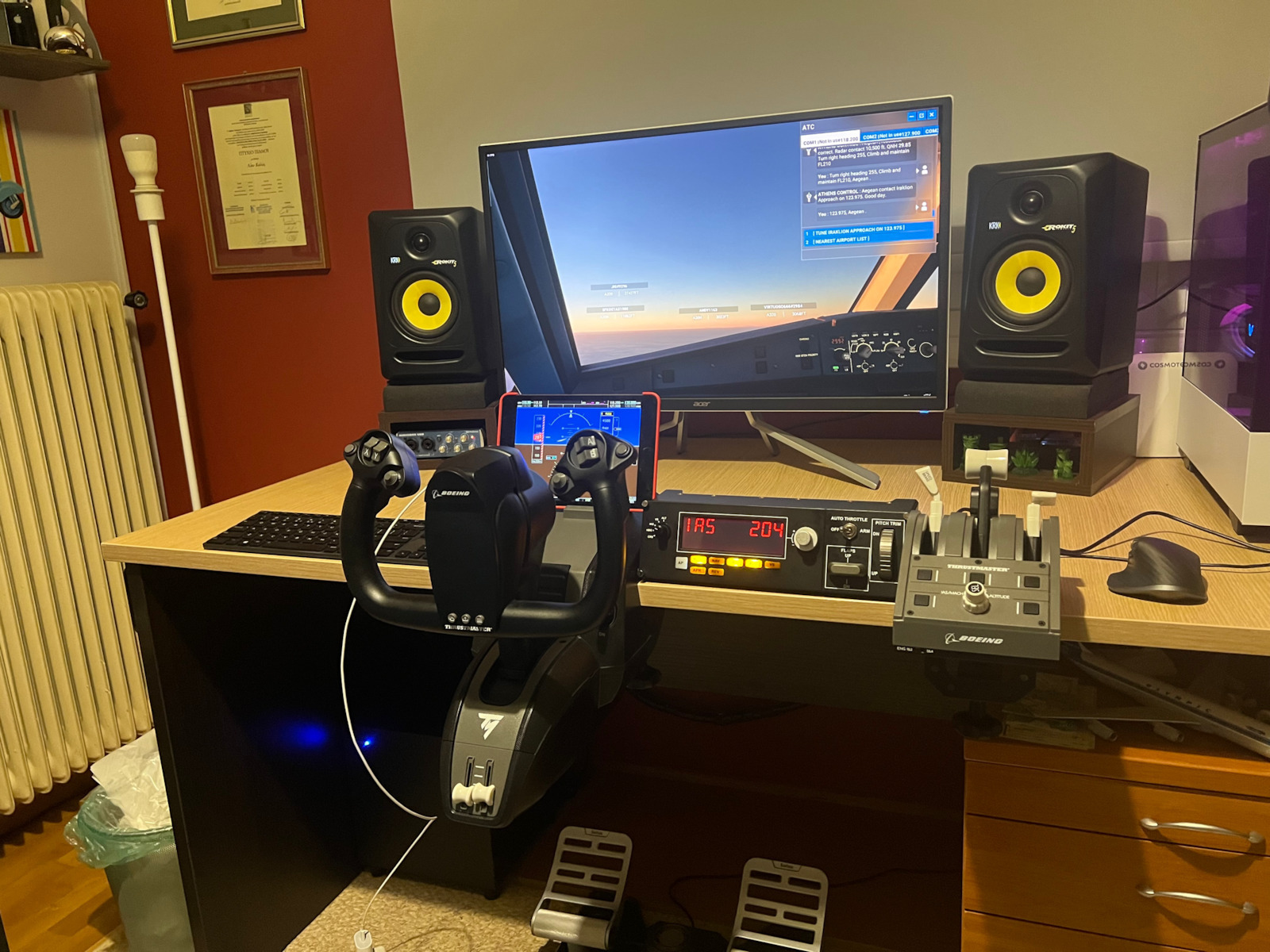
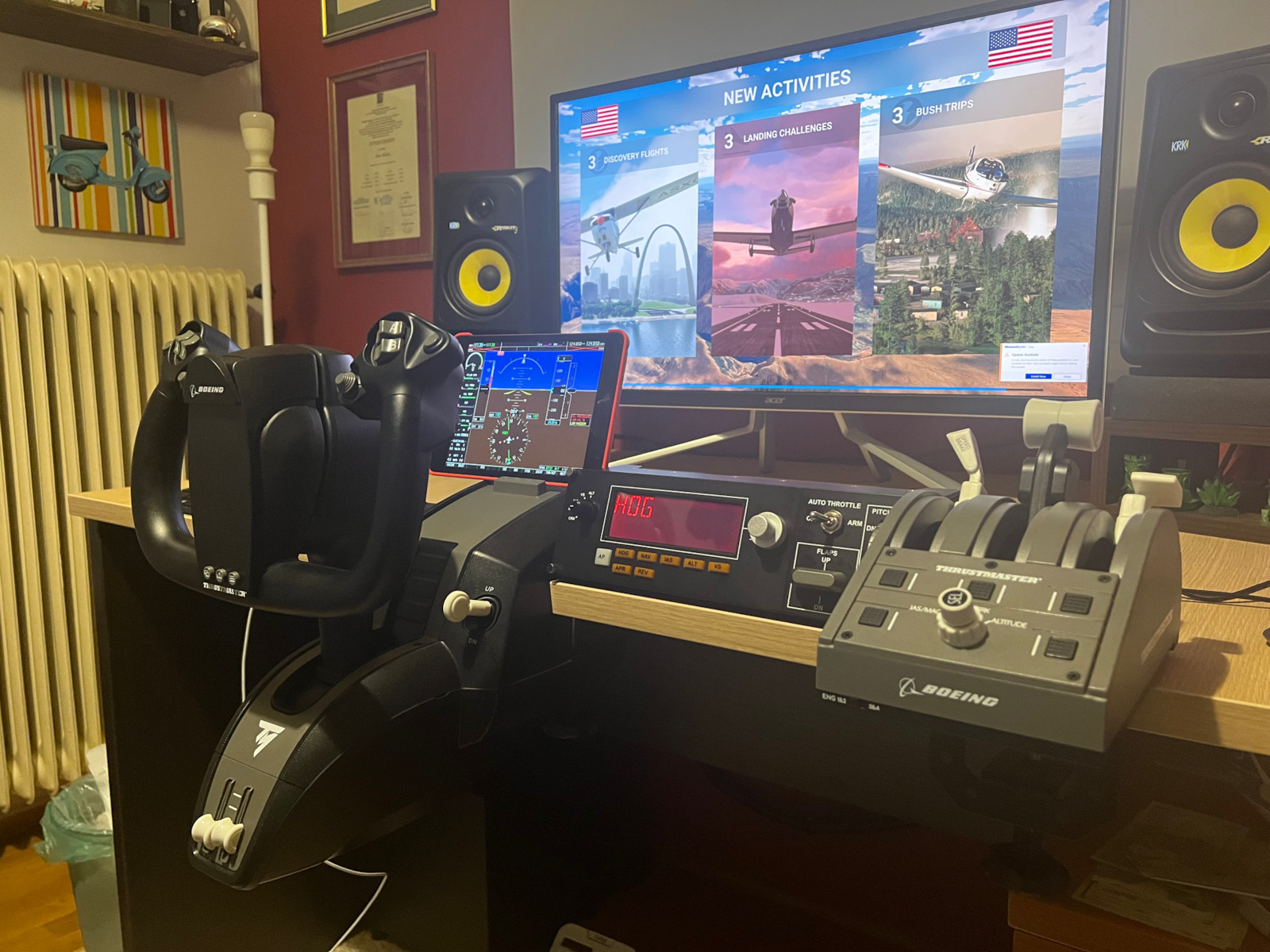
Fly with autopilot in real-time. Take off with this full LED autopilot screen that operates in real-time on major flight simulation software. There are no complex control commands, and the screen is ready for installation on the Logitech G flight yoke system or your custom cockpit setup. An integrated switch adjusts frequency units for faster selection. Additional functions help easily set the acceleration, flaps, and pitch trim of your aircraft.

Ready for Microsoft Flight Simulator

Conquer the skies and enjoy the best possible flight experience in the next-generation Microsoft Flight Simulator by using Logitech G flight equipment. Travel around the world rendered in incredible detail, featuring 37,000 airports, 2 million cities, 1.5 billion buildings, real mountains, roads, trees, rivers, traffic, and much more. Test your skills as a pilot by facing night flight conditions, real-time atmospheric simulation, and changing weather in a dynamic, living world.

Activate actions within the simulation with a touch

Extremely simple operation control. The full autopilot screen with real-time LED indicators gives you immediate control over a range of settings in FSX, X-Plane*, and Prepar3D software. There is no need to zoom in on on-screen commands to make adjustments. Add a multi-panel to your flight setup and you will be able to handle autopilot settings with real dials and buttons.

Precision control at every altitude

Exclusive control elements for essential functions. Easily customize aircraft controls such as auto-throttle, flaps, and trim with a dual precision switch. For more precision in pitch control, an integrated trim wheel —providing just the right amount of resistance— allows you to maintain the desired altitude.

Manufacturer

See full description

Specifications

Specifications

Compatible Console
PC

Important information

Specifications are collected from official manufacturer websites. Please verify the specifications before proceeding with your final purchase. If you notice any problem you can report it here.

See all specifications

Reviews (3)

Reviews

  1. 3
  2. 4 stars
    0
  3. 3 stars
    0
  4. 2 stars
    0
  5. 1 star
    0
Review this product

Reviews photos

Reviews photos
Reviews photos
Reviews photos

Reviews by our members

  • Jimmy_Dimi

    Verified purchase

    Very good for its price, the only downside is the change of the button to see each flight option since it has a display

    Translated from Greek ·
    Did you find this review helpful?
  • GeoDimas
    5
    6 out of 6 members found this review helpful

    Verified purchase

    A reliable and essential tool for every flight simulation enthusiast. It works perfectly with Microsoft Flight Simulator 2020 and so far I haven't found anything negative about the product. The build quality is quite good and the rotary encoder is metallic. The rotary switch on the left requires some force to rotate, but I don't consider it a problem. The trim wheel is very good with a great feel, and the flaps switch is functional but nothing special. For this price, you won't find anything better unless you build it yourself.

    Translated from Greek ·
    Did you find this review helpful?
  • akela
    5
    2 out of 10 members found this review helpful

    It is a basic tool for anyone involved in flight simulation.
    The job it does is to have a wireless aircraft radio easily and quickly accessible.
    While before you had to go to the screen, move the mouse to the wireless aircraft and waste time until you turned the numbers by taking the mouse, now it's like having a real wireless next to you, quite large with clear screens and it's almost like the real wireless that an aircraft has

    Translated from Greek ·
    Did you find this review helpful?
  • Very good for its price, the only downside is the change of the button to see each flight option since it has a display

    Translated from Greek ·
    0
  • A reliable and essential tool for every flight simulation enthusiast. It works perfectly with Microsoft Flight Simulator 2020 and so far I haven't found anything negative about the product. The build quality is quite good and the rotary encoder is metallic. The rotary switch on the left requires some force to rotate, but I don't consider it a problem. The trim wheel is very good with a great feel, and the flaps switch is functional but nothing special. For this price, you won't find anything better unless you build it yourself.

    Translated from Greek ·
    6
  • It is a basic tool for anyone involved in flight simulation.
    The job it does is to have a wireless aircraft radio easily and quickly accessible.
    While before you had to go to the screen, move the mouse to the wireless aircraft and waste time until you turned the numbers by taking the mouse, now it's like having a real wireless next to you, quite large with clear screens and it's almost like the real wireless that an aircraft has

    Translated from Greek ·
    2
  • See all

Description & Specifications

Fly with autopilot in real-time. Take off with this full LED autopilot screen that operates in real-time on major flight simulation software. There are no complex control commands, and the screen is ready for installation on the Logitech G flight yoke system or your custom cockpit setup. An integrated switch adjusts frequency units for faster selection. Additional functions help easily set the acceleration, flaps, and pitch trim of your aircraft.

Ready for Microsoft Flight Simulator

Conquer the skies and enjoy the best possible flight experience in the next-generation Microsoft Flight Simulator by using Logitech G flight equipment. Travel around the world rendered in incredible detail, featuring 37,000 airports, 2 million cities, 1.5 billion buildings, real mountains, roads, trees, rivers, traffic, and much more. Test your skills as a pilot by facing night flight conditions, real-time atmospheric simulation, and changing weather in a dynamic, living world.

Activate actions within the simulation with a touch

Extremely simple operation control. The full autopilot screen with real-time LED indicators gives you immediate control over a range of settings in FSX, X-Plane*, and Prepar3D software. There is no need to zoom in on on-screen commands to make adjustments. Add a multi-panel to your flight setup and you will be able to handle autopilot settings with real dials and buttons.

Precision control at every altitude

Exclusive control elements for essential functions. Easily customize aircraft controls such as auto-throttle, flaps, and trim with a dual precision switch. For more precision in pitch control, an integrated trim wheel —providing just the right amount of resistance— allows you to maintain the desired altitude.

Manufacturer

Compatible Console
PC

Important information

Specifications are collected from official manufacturer websites. Please verify the specifications before proceeding with your final purchase. If you notice any problem you can report it here.

Reviews (3)

  1. 3
  2. 4 stars
    0
  3. 3 stars
    0
  4. 2 stars
    0
  5. 1 star
    0
Review this product

Reviews photos

Reviews photos
Reviews photos
Reviews photos

Reviews by our members

  • Jimmy_Dimi

    Verified purchase

    Very good for its price, the only downside is the change of the button to see each flight option since it has a display

    Translated from Greek ·
    Did you find this review helpful?
  • GeoDimas
    5
    6 out of 6 members found this review helpful

    Verified purchase

    A reliable and essential tool for every flight simulation enthusiast. It works perfectly with Microsoft Flight Simulator 2020 and so far I haven't found anything negative about the product. The build quality is quite good and the rotary encoder is metallic. The rotary switch on the left requires some force to rotate, but I don't consider it a problem. The trim wheel is very good with a great feel, and the flaps switch is functional but nothing special. For this price, you won't find anything better unless you build it yourself.

    Translated from Greek ·
    Did you find this review helpful?
  • akela
    5
    2 out of 10 members found this review helpful

    It is a basic tool for anyone involved in flight simulation.
    The job it does is to have a wireless aircraft radio easily and quickly accessible.
    While before you had to go to the screen, move the mouse to the wireless aircraft and waste time until you turned the numbers by taking the mouse, now it's like having a real wireless next to you, quite large with clear screens and it's almost like the real wireless that an aircraft has

    Translated from Greek ·
    Did you find this review helpful?
  • Very good for its price, the only downside is the change of the button to see each flight option since it has a display

    Translated from Greek ·
    0
  • A reliable and essential tool for every flight simulation enthusiast. It works perfectly with Microsoft Flight Simulator 2020 and so far I haven't found anything negative about the product. The build quality is quite good and the rotary encoder is metallic. The rotary switch on the left requires some force to rotate, but I don't consider it a problem. The trim wheel is very good with a great feel, and the flaps switch is functional but nothing special. For this price, you won't find anything better unless you build it yourself.

    Translated from Greek ·
    6
  • It is a basic tool for anyone involved in flight simulation.
    The job it does is to have a wireless aircraft radio easily and quickly accessible.
    While before you had to go to the screen, move the mouse to the wireless aircraft and waste time until you turned the numbers by taking the mouse, now it's like having a real wireless next to you, quite large with clear screens and it's almost like the real wireless that an aircraft has

    Translated from Greek ·
    2
  • See all
148,53 €
14,00 €   shipping cost