


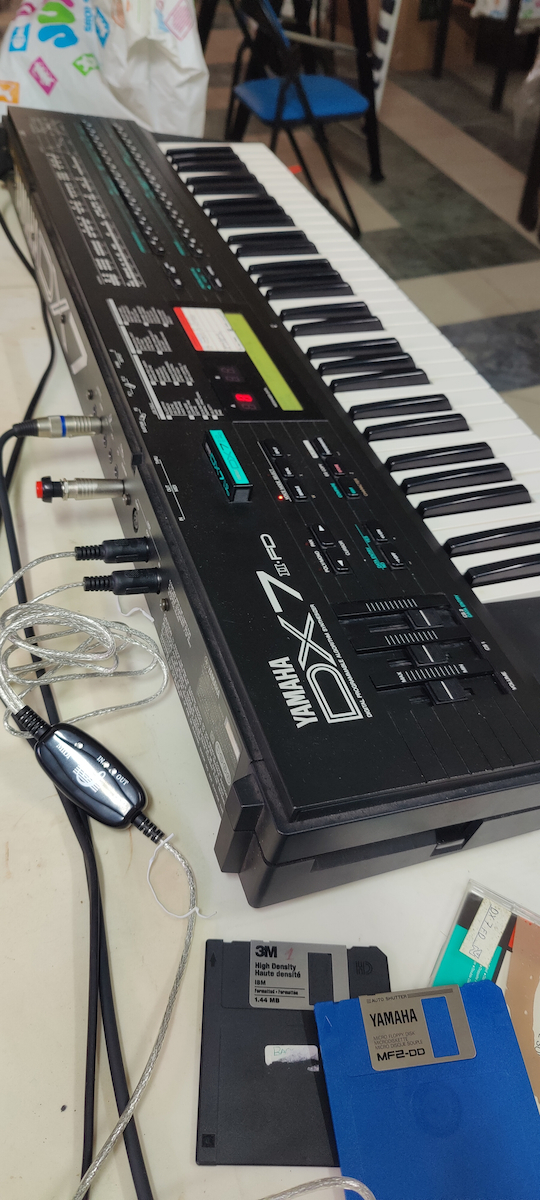
- Connection with piano, electric piano, synthesizer, and other electronic musical devices and computers.
- Suitable for connection from USB 3.0 to MIDI
- Features 1 MIDI input and 1 MIDI output
- No external power supply required
- Supports Windows XP/7/8/10/Vista and Mac OS X operating systems
- Cable length: 1.8 m


Description
Specifications
Transform your computer into a music studio by connecting a midi keyboard to your computer with the USB to MIDI Keyboard Interface.
Features
- Connection with piano, electric piano, synthesizer, and other electronic musical devices and computers.
- Suitable for connection from USB 3.0 to MIDI
- Features 1 MIDI input and 1 MIDI output
- No external power supply required
- Supports Windows XP/7/8/10/Vista and Mac OS X operating systems
- Cable length: 1.8 m
Instructions for use
- Connect the cable labeled "IN" to the MIDI "OUT" port of a MIDI keyboard (or MIDI device)
- Connect the cable labeled "OUT" to the MIDI "IN" port of a MIDI keyboard (or MIDI device)
- Connect the USB cable to any free USB port on your computer. The red LED will light up when it is working
- Open the music software program, e.g., Cubase, Sonar, MIDI, etc.
- Set the music programs MIDI In and Out to "USB Audio Device"
- The USB to MIDI interface is now ready for use
*To avoid potential problems, it is recommended that the interface always be connected to the same USB port as it was originally installed, to prevent multiple driver installations.
Manufacturer
OEM- Type
- Midi Interface
- Colour
- Black
Important information
Specifications are collected from official manufacturer websites. Please verify the specifications before proceeding with your final purchase. If you notice any problem you can report it here.