


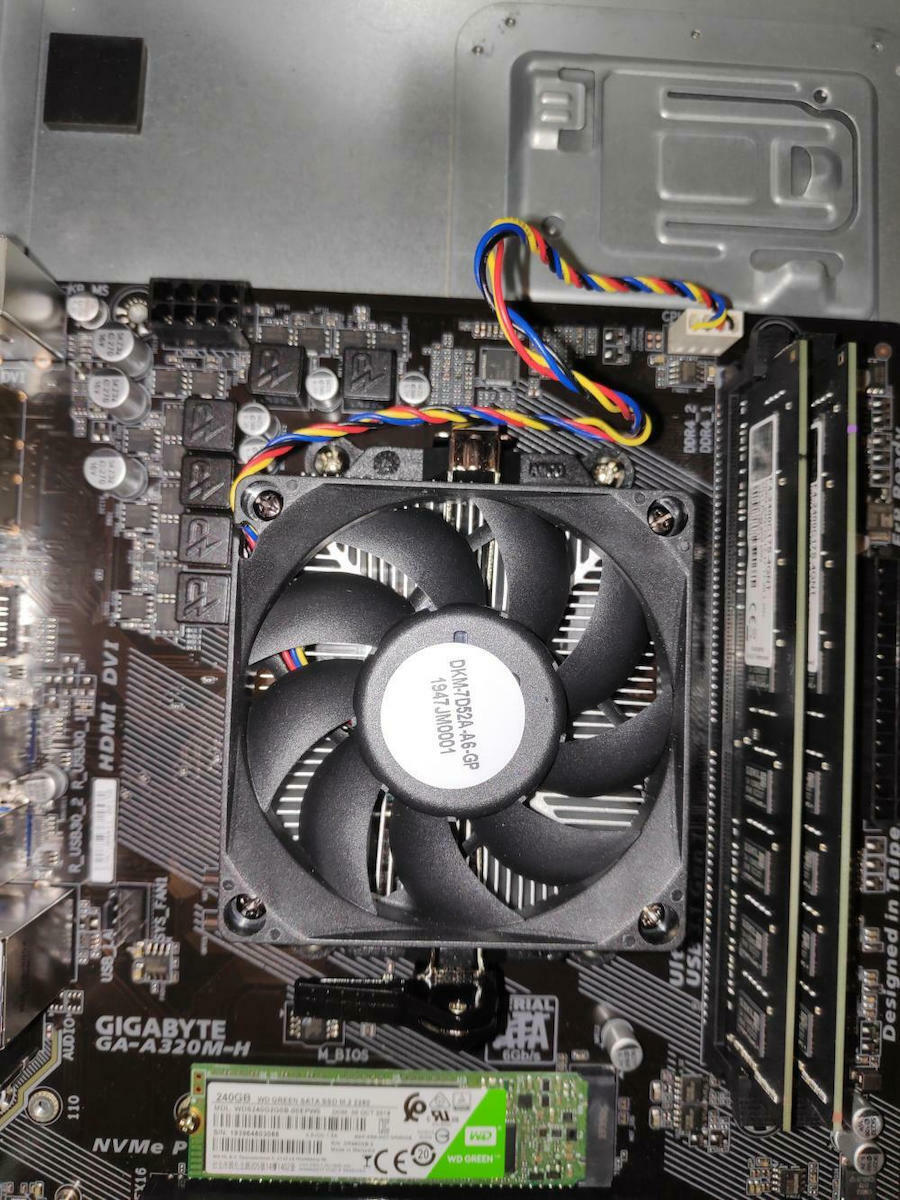
GIGABYTE AM4 motherboards are ready to support the latest generation AMD Ryzen 3000 processors and are compatible with AMD Ryzen 2000 and 1000 processors. With a rich list of features such as Ultra Durable Armor for PCIe/memory slots, USB Type-C on selected motherboards, refined audio quality, high-speed Ethernet, and the latest WIFI implementation, GIGABYTE AM4 motherboards are ideal for users who want to build the best AMD platform systems.

Specifications
Description
Product Details
- Size
- Micro ATX
- Type
- Desktop
Processor
- Supported Processors
- AMD
- Models
- A-Series, Ryzen, Athlon X4
- Supported CPU Generation
- Zen, Excavator, Zen+
- Socket
- AM4
Chipset
- Model
- AMD A320
Memory
- Memory type
- DDR4
- Quantity
- 2 DIMM Slots
- Memory Speeds
- 2133, 2400, 2667, 2933OC, 3200OC
- Memory Channels
- Dual Channel
Internal Connectors
- PCI Express x16 3.0
- 1 Slot
- SATA III 6Gb/s
- 4 Port
- M.2 Type
- 1 PCIe 3.0 Port
- M.2 Slots
- 0
External Connectors
- Rear USB-A outputs
- 2 USB 2.0 Ports, 4 USB 3.1 Ports
- Ethernet (LAN)
- 1
- Screen Connections
- HDMI, DVI-D, VGA
Specifications
- RGB Lighting
- No
- Wi-Fi/Bluetooth
- No
Sound
- Sound Card Channels
- 7.1
- Additional Audio Connections
- -
Top Specs
- Memory
- -
Important information
Specifications are collected from official manufacturer websites. Please verify the specifications before proceeding with your final purchase. If you notice any problem you can report it here.
Description
Support for AMD 1st, 2nd, and 3rd Gen Ryzen
Support for 1st and 2nd Gen Ryzen with Radeon Vega Graphics
Support for Athlon with Vega Graphics
Support for CPU 7th Gen A-series/ Athlon X4
Dual Channel DDR4, 2 DIMMs
Intel® GbE LAN with cFosSpeed Internet Accelerator software
Smart Fan 5 with 5 temperature sensors and 2 Hybrid Fan Headers
APP Center
GIGABYTE UEFI BIOS
Get ready for the new Ryzen 3000 series processors
GIGABYTE AM4 motherboards are ready to support the latest generation AMD Ryzen 3000 processors and are compatible with AMD Ryzen 2000 and 1000 processors. With a rich list of features such as Ultra Durable Armor for PCIe/memory slots, USB Type-C on selected motherboards, refined audio quality, high-speed Ethernet, and the latest WIFI implementation, GIGABYTE AM4 motherboards are ideal for users who want to build the best AMD platform systems.

Fast data transfer with m.2 PCIe storage reaching 32 Gb/S
Smart Fan 5
With Smart Fan 5, users can ensure that their computer can maintain its performance while staying cool. Smart Fan 5, with 5 different sensors that you can switch to different locations on the motherboard for different thermal behavior, gives you full control of the board's condition.
Hybrid Fan Pin Headers
All Hybrid Fan Headers can automatically detect the type of cooling device, whether it is a fan or a pump with different PWM or Voltage operation.
New Smart fan 5 software
Select different modes, silent or full speed, to match the usage of your system. For each fan or pump, you can use the fan curve to set the activation threshold of the cooling systems
Interoperable sensors and fans
- Each fan can be customized to operate at different speeds according to any defined temperature input source (except for the CPU fan)
Fan curve
- Adjust the fan curves based on specific temperatures with the graphical interface provided to you
Intel® GbE LAN with cFosSpeed Internet Accelerator software
Featuring cFosSpeed, a network traffic management application, the circuit helps improve latency and maintain low ping times for better performance in environments with crowded LANs.
Refreshed Bios
BIOS configuration is necessary for users during initial installation to achieve optimal settings. With a new GUI and user-friendly features, GIGABYTE has been able to reinvent the BIOS to provide users with a better experience when building their new system.
3D OSD
The 3D OSD automatically detects and displays your system information during gaming, allowing you to easily access information about your system without switching between screens.
@BIOS
The @BIOS application allows you to update your system's BIOS through Windows using a simple graphical interface. @BIOS can automatically download the latest version from GIGABYTE servers or you can update the BIOS from a file on your computer. @BIOS also allows you to save the current BIOS to a file, retrieve the previous BIOS, and create BIOS backups.
EasyTune
The GIGABYTE EasyTune is a simple and user-friendly application that allows users to optimize their system settings or adjust the clocks and voltages of the system and memory in a Windows environment.