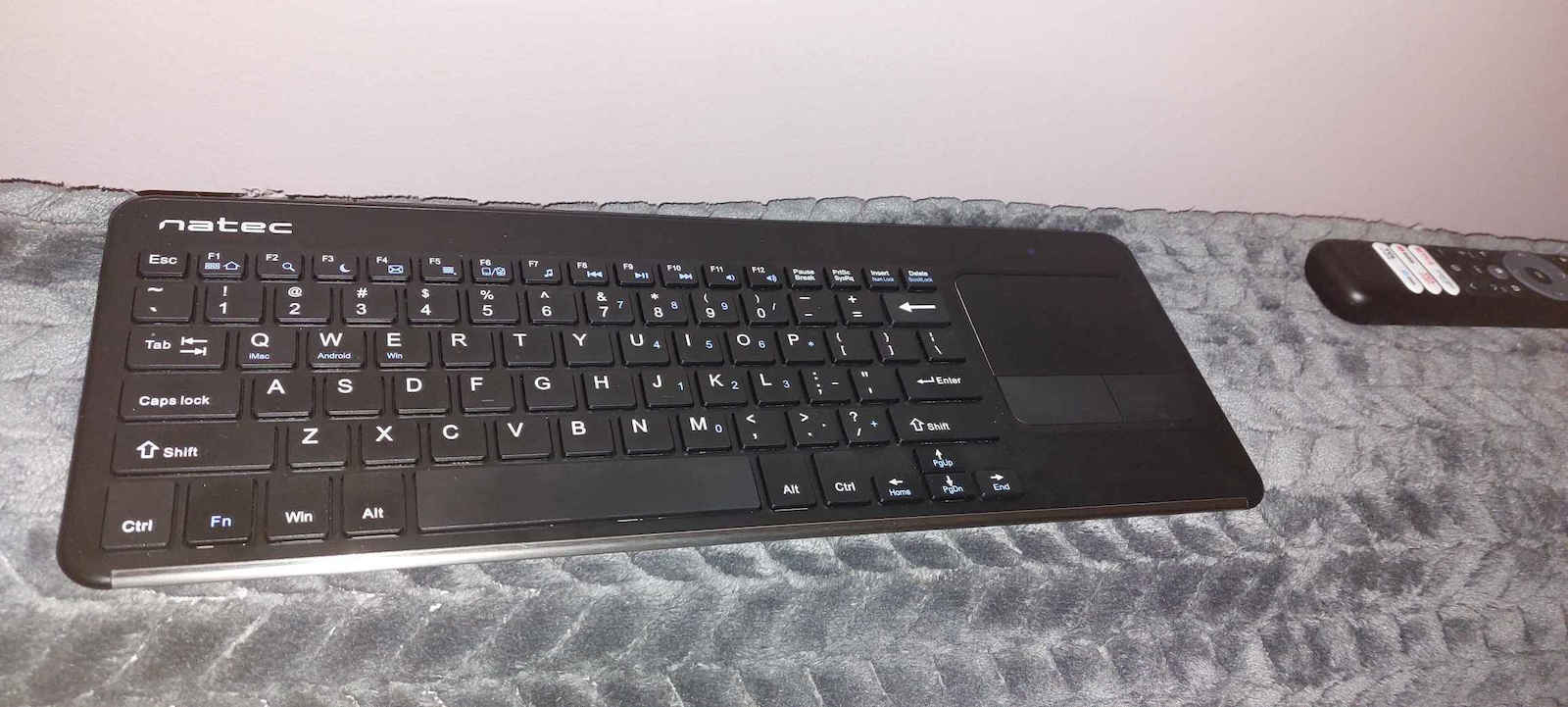
So I deleted the previous comment and I'm writing an update here.
I was disappointed but eventually I saw that things are not exactly like that.
So one reason that bothered me was because I bought this keyboard to be able to write in Greek and English on my TV box. I have the H96 max x3 box. And I couldn't make the keyboard write in Greek. That bothered me. However, I tried another keyboard and had the same result. So obviously, this difficulty of being able to write in Greek does not concern this specific keyboard but the boxes and the Android.
I downloaded the external keyboard helper app and I can write in Greek, but without spell check. I don't know if I'm doing something wrong. I will look into this for spell check.
So that was one reason that disappointed me about this specific keyboard, but if it applies to all, then obviously it's not a reason.
Then the other issue concerns the actions. With one finger on the touchpad, when we drag it upwards, sometimes, intentionally done by the company, it gets stuck and if you continue dragging, it opens the browser. Although we're talking about Android, if we press the Win+B key on the keyboard, the browser opens. So exactly the same thing happens when we drag one finger upwards, sometimes it seems like the scrolling gets locked.
However, at the same time, it has other interesting actions. For example, with two fingers, it does a nice scroll up or down accordingly. Also, with more fingers, when we swipe left or right, it minimizes the application we are viewing and opens the next one or the next ones if we continue doing it. So the other actions are fine, it's just this one-finger action that opens the browser that seems prohibitive to use the keyboard. However, I downloaded the button mapper app and the problem was somewhat reduced. Meaning that only in the applications where I need to write, this difficulty may appear. In the others, I disabled this action. Maybe I will find another program to completely disable it.
And finally, because this keyboard can be used with other devices as well, not just for TV boxes, I rate it with 4 stars.
I wrote all this text using this keyboard, through the browser on the TV box, typing blindly, and it's okay. Quite silent compared to others.
Λοιπόν έσβησα το προηγούμενο σχόλιο και γράφω εδώ ενημέρωση.
Είχα απογοητευτεί αλλά τελικά εντάξει είδα πως δεν είναι ακριβώς έτσι τα πράγματα.
Λοιπόν ένας λόγος που με είχε ενοχλήσει ήταν επειδή αγόρασα αυτό το πληκτρολόγιο για να μπορώ να γράφω ελληνικά και αγγλικά στο tv box. Έχω το μποξάκι H96 max x3. Και δε μπόρεσα να κάνω το πληκτρολόγιο να γράφει ελληνικά. Με είχε ενοχλήσει αυτό. Τελικά όμως δοκίμασα και άλλο πληκτρολόγιο και είχα το ίδιο αποτέλεσμα. Έτσι προφανώς η δυσκολία αυτή, του να μπορεί κανεις να γράψει ελληνικά, δεν αφορά το συγκεκριμένο πληκτρολόγιο αλλά τα μποξάκια και το andoid.
Κατέβασα την εφαρμογή external keyboard helper και μπορώ να γράφω ελληνικά, αλλά χωρίς ορθογραφία. Δε ξέρω αν κάνω κάποιο λάθος. Θα το ψάξω αυτό για την ορθογραφία.
Λοιπόν αυτός ήταν ο ένας λόγος που με είχε απογοητεύσει το συγκεκριμένο πληκτρολόγιο αλλά αν ισχύει για όλα το ίδιο προφανώς και δεν είναι λόγος.
Μετά το άλλο αφορά τα actions. Με ένα δάχτυλο στο touchpad όταν το σέρνουμε προς τα πάνω, κάποιες φορές, επίτηδες το έχει κάνει έτσι δηλαδή η εταιρεία, κάποιιες φορές κολλάει και αν συνεχίσεις να το σέρνεις ανοίγει browser. Παρότι μιλάμε για android αν πατήσουμε στο πληκτρολογιο το πλήκτρο που γράφει Win+B ανοίγει ο browser. Ε ακριβώς το ίδιο συμβαίνει και όταν σέρνουμε το ένα δάκτυλο προς τα πάνω κάποιος φορές που δείχνει σαν να κλειδώνει το σύρσιμο.
Όμως ταυτόχρονα έχει και άλλα actions που είναι ενδιαφέροντα. Δηλαδή δυο δάχτυλα κάνει ωραιο σκρολ προς τα πάνω ή προς τα κάτω ανάλογα. Επίσης περισσότερα δάχτυλα όταν τα πάμε δεξιά αριστερά κάνει minimize την εφαρμογή που βλέπουμε και μας ανοιγει την επόμενη ή τις επόμενες αν συνεχίζουμε να το κάνουμε. Δηλαδή τα υπόλοιπα actions είναι οκ απλά αυτό με το ένα δάκτυλο που σου ανοίγει ο browser δείχνει απαγορευτικό για να χρησιμοποιήσεις το πληκτρολόγιο. Όμως κατέβασα την εφαρμογή button mapper και κάπως μειώθηκε το πρόβλημα. Δηλαδή μόνο στις εφαρμογές που χρειάζεται να γράφω πλέον μπορει να εμφανίζεται αυ΄τή η δυσκολία. Στις υπόλοιπες το απενεργοποίησα αυτό το action. Ίσως βρω και άλλο πρόγραμμα που να μπορέσω να το απενεργοποιήσω εντελώς..
Και τέλος επειδή μπορεί να χρησιμοποιηθεί και με άλλες συσκευές αυτό το πληκτρολόγιο, και όχι μόνο για tv box το βαθμολογώ με 4 αστεράκια.
Όλο αυτό το κείμενο το έγραψα χρησιμοποιώντας αυτό το πληκτρολόγιο, μέσα από browser από το tv box, γράφω με τυφλό σύστημα, και είναι οκ. Αρκετά αθόρυβο σε σχέση με άλλα.