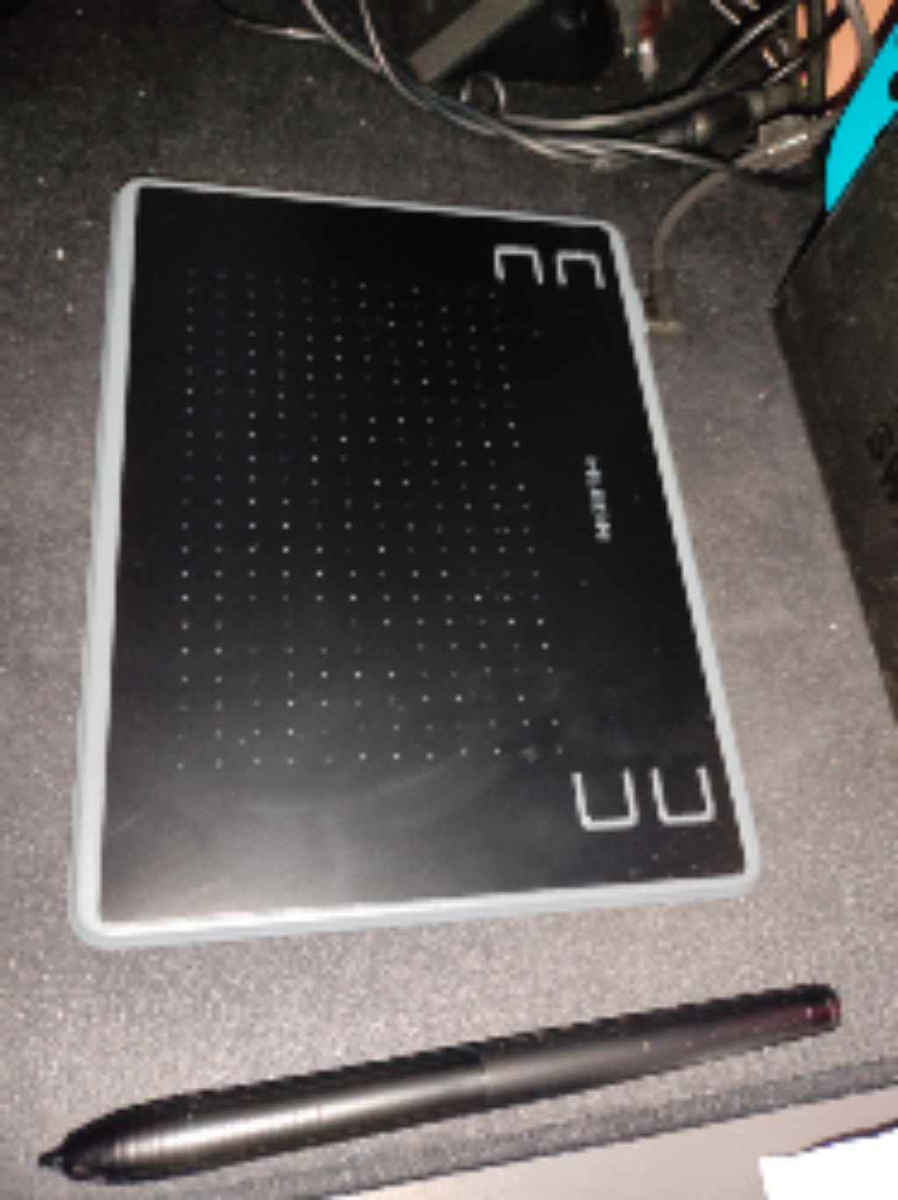
I had the Wacom Intuos Pro (medium size) for a while, and it was excellent. Unfortunately, I had to sell it due to financial problems. However, since it was impossible for me to create what I wanted without a drawing tablet, I decided to take a risk and buy a smaller and cheaper one.
Necessary clarification.
This review was written on the first day I bought it. Therefore, I don't know if it will have any problems in the future or how serious they will be.
Also, I would like to add that personally, I use these devices for Illustrator and Photoshop.
And I rate them based on how much they help me as tools for these specific software.
I will not compare it to the Wacom I had because that was a Pro version, and the comparison would be pointless. I judge it solely as a product that I purchased for Illustrator/Photoshop.
So, with complete honesty, I must say that I am amazed by how good of a device it is.
-Price: 5 stars. I bought it for 35.90 Euros, and it does everything I want perfectly.
-Build quality, plastics, etc.: 4 stars. It is very small and lightweight. If it falls, I will probably have a problem. However, I believe that those of us who use similar products take care of them like the apple of our eye.
-Installation: 5 stars. I went to the Huion website, easily found the drivers, downloaded them in a zip file within seconds. As soon as I extracted it and tried to "run" it, a message popped up saying, "We recommend closing all design, image editing programs, etc., and disabling the antivirus for a 100% successful installation." I paused the antivirus for a few seconds, the installation was completed, and I immediately turned it back on. A shortcut called "Huion Tablet" with a corresponding icon was created on my desktop.
-Huion Tablet application: 5 stars. (See the photos I uploaded)
The application excels in everything. It is extremely user-friendly, has countless options, and the interface is simple and beautiful. This is where I truly got excited. In this application, we can choose what each button on the Huion does.
It has 4 buttons on the surface and 2 on the pen. We can also determine the pressure sensitivity ourselves, both with Huion's predefined presets and by creating our own easily.
However, what really impressed me is that we can create different profiles for each different software. Personally, I created one profile for Photoshop and a different one for Illustrator. The amazing thing is that I closed the application, opened both software simultaneously, and the device automatically changes profiles on its own, depending on which program I am using at any given moment.
For example, if I'm drawing in Illustrator, the top right button selects the Brush tool. If I switch to Photoshop, the same button selects the Pen tool. And all of this happens within the application, without having to save preferences or anything. As soon as you choose what you want a button to do, it automatically applies and that's it. When creating a new profile, the application has a drop-down menu for you to choose whether you want that specific profile you created to apply to all your programs or just a specific one. If you click "add program," it gives you a list of the most popular ones, but you also have the option to browse your PC to select another program that may not be in the application's initial mini-list.
It also changes the color of the environment, you can export the profiles you create if you want, and you can also return to default settings.
-Device response, ease of design, sensitivity, all 5 stars so far. I designed in Illustrator, worked for testing in Photoshop, and also browsed with login/logout, etc. to check it as a mouse. And everything is perfect here. However, this review was written on the first day of its operation.
In summary.
I paid 35.90 euros and bought a device that is not only fully functional, responsive without any glitches, etc., but also has many extra options that will impress those who want a device that works with custom settings depending on the program they use. Honestly, the application and the dozens of possibilities inside it elevate the product. In Illustrator and Photoshop, where I used it all afternoon, it performs flawlessly. If it withstands the test of time, then we will be talking about a perfect purchase, and very importantly, at an excellent price.
Well done to HUION.
Είχα για καιρο το Intuos Pro της Wacom (μεσαιο μεγεθος), και ηταν αριστο. Δυστυχως το πουλησα αναγκαστικα λογω οικονομικων προβληματων. Επειδη ομως ηταν αδυνατο να δημιουργησω αυτα που ηθελα χωρις γραφιδα σχεδιασης, αποφασισα να ρισκαρω αγοραζοντας μια μικροτερη και φτηνοτερη.
Απαραιτητη διευκρινηση.
Αυτο εδω το review γραφτηκε την πρωτη μερα που το αγορασα. Επομενως στο μελλον δεν ξερω αν θα παρουσιασει προβληματα ή οχι, και ποσο σοβαρα θα ειναι αυτα.
Επισης να προσθεσω οτι προσωπικα τις συσκευες αυτες τις χρησιμοποιω για Illustrator και Photoshop.
Kαι τα βαθμολογω με βαση το ποσο με βοηθανε ως εργαλεια πανω στα συγκεκριμενα software.
Δεν θα την συγκρινω με την Wacom που ειχα καθως εκεινη ηταν Pro εκδοση και θα ηταν ανουσια η συγκριση. Την κρινω αποκλειστικα ως προιον το οποιο το αγορασα για Illustrator/Photoshop.
Με καθε ειλικρινια λοιπον, σας καταθετω οτι εχω εκπλαγει απο το ποσο καλη συσκευη ειναι.
-Τιμη. 5 αστερια. Την πηρα 35,90 Ευρω. Και ολα οσα ηθελα να κανει, τα κανει μια χαρα.
-Ποιοτητα κατασκευης, πλαστικά, κτλ. 4 αστερια. Ειναι πολυ μικρη και ελαφρια. Αμα μου πεσει κατω, λογικα θα εχω προβλημα. Πιστευω ομως οτι οσοι χρησιμοποιουμε αντιστοιχα προιοντα, τα προσεχουμε ουτως ή αλλως σαν κορες οφθαλμου.
-Εγκατασταση. 5 αστερια. Μπηκα στο σαιτ της Huion, βρηκα πανευκολα τους drivers, κατεβηκανε σε δευτερολεπτα μεσα σε zipακι. Μολις το αποσυμπιεσα και πηγα να το "τρεξω", μου εβγαλε μηνυμα, "Σας προτεινουμε να κλεισετε ολα τα προγραμματα σχεδιασμου, επεξεργασιας εικονας κτλ και να κλεισετε το antivirus για 100% εγγυημενα πετυχημενη εγκατασταση. Εκανα παυση στο antivirus για ελαχιστα δευτερολεπτα, εγινε η εγκατασταση και το ξανανοιξα αμεσως. Δημιουργηθηκε στο desktop μου συντομευση Huion Tablet με αντιστοιχο εικονιδιο.
-Εφαρμογη Huion Tablet. 5 αστερια. (Δείτε τις φωτογραφίες που ανέβασα)
Η εφαρμογη παιρνει άριστα σε όλα. Ειναι πανευκολη, εχει αμετρητες επιλογες και το περιβαλλον ειναι απλο και ομορφο. Εδω ειναι που πραγματικα ενθουσιαστηκα. Στην εφαρμογη αυτη, μπορουμε να διαλεξουμε εμεις το τι θελουμε να κανει καθε κουμπι του Huion.
Eχει 4 πληκτρα πανω στην επιφανεια, και άλλα δυο πανω στο pen. Eπισης μπορουμε να καθορισουμε εμεις το pressure sensitivity, και με προεπιλεγμενα presets της Huion, αλλα και φτιαχνοντας τα δικα μας ευκολα.
Εκεινο ομως που με ενθουσιασε πραγματικα, ειναι οτι μπορουμε να φτιαξουμε διαφορετικα προφιλ για καθε διαφορετικο software. Προσωπικα εφτιαξα ενα προφιλ για το Photoshop και ενα διαφορετικο για το Illustrator. Kαι το καταπληκτικο ειναι οτι εκλεισα την εφαρμογη, ανοιξα και τα δυο software ταυτοχρονα, και η συσκευη αλλαζει προφιλ αυτοματα μονη της, αναλογα με το ποιο προγραμμα χρησιμοποιω καθε στιγμη.
Παραδειγμα, σχεδιαζω στο Illustrator και το πανω δεξια πληκτρο διαλεγει το Βrush tool. Αμα μπω στο Photoshop, το ιδιο πληκτρο διαλεγει το Pen tool. Και ολα αυτα γινονται μεσα στην εφαρμογη, χωρις να κανεις save preferences η οτιδηποτε. Μολις διαλεξεις τι θελεις να κανεις ενα πληκτρο, εγινε αυτοματα και τελος. Οταν φτιαχνεις νεο προφιλ, η εφαρμογη εχει drop down menu για να διαλεξεις αν θελεις το συγκεκριμενο προφιλ που εφτιαξες να ισχυει για ολα τα προγραμματα σου, ή για καποιο συγκεκριμενο. Αν πατησεις add program σου βγαζει λιστα με τα πιο γνωστα, αλλά και επιλογη browse your pc για να διαλεξεις εσυ καποιο αλλο που τυχον δεν εχει η αρχικη μινι λιστα της εφαρμογης.
Αλλαζει επισης χρωμα το περιβαλλον της, μπορεις να κανεις export τα προφιλ που φτιαχνεις αν θες, και μπορεις επισης να κανεις return to default settings.
-Αποκριση συσκευης, ευκολια σχεδιασμου, ευαισθησια, ολα 5 αστερια μεχρι στιγμης. Σχεδιασα στο Illustrator, δουλεψα για τεστ μεσα στο Photoshop και εκανα επισης browsing με login/logout κτλ για να την τσεκαρω και ως ποντικι. Και εδω ολα αψογα. Ξανα ομως, αυτη εδω η κριτικη γραφτηκε την πρωτη ημερα λειτουργιας της.
Ρεζουμε.
Εδωσα 35,90 ευρω και αγορασα μια συσκευη που οχι μονο ειναι απολυτα λειτουργικη, ανταποκρινεται με μηδεν κολληματα κτλ, αλλα εχει και πολλες εξτρα επιλογες οι οποιες θα ενθουσιασουν οσους θελουν μια συσκευη η οποια να δουλευει με custom settings αναλογα το προγραμμα που χρησιμοποιουνε. Ειλικρινα η εφαρμογη και οι δεκαδες δυνατοτητες εκει μεσα, απογειωνουν το προιον. Στα Illustrator και Photoshop που την χρησιμοποιησα ολοκληρο απογευμα, πετάει. Αν αντεξει και το τεστ του χρονου, τοτε θα μιλαμε για μια τελεια αγορα, και πολυ σημαντικο, με αψογη τιμη.
Μπραβο στην ΗUION.