Review after 1 year of use exactly.
The best mouse you can buy. I really haven't found a single flaw or something that I don't personally like about this mouse. Let's go into detail:
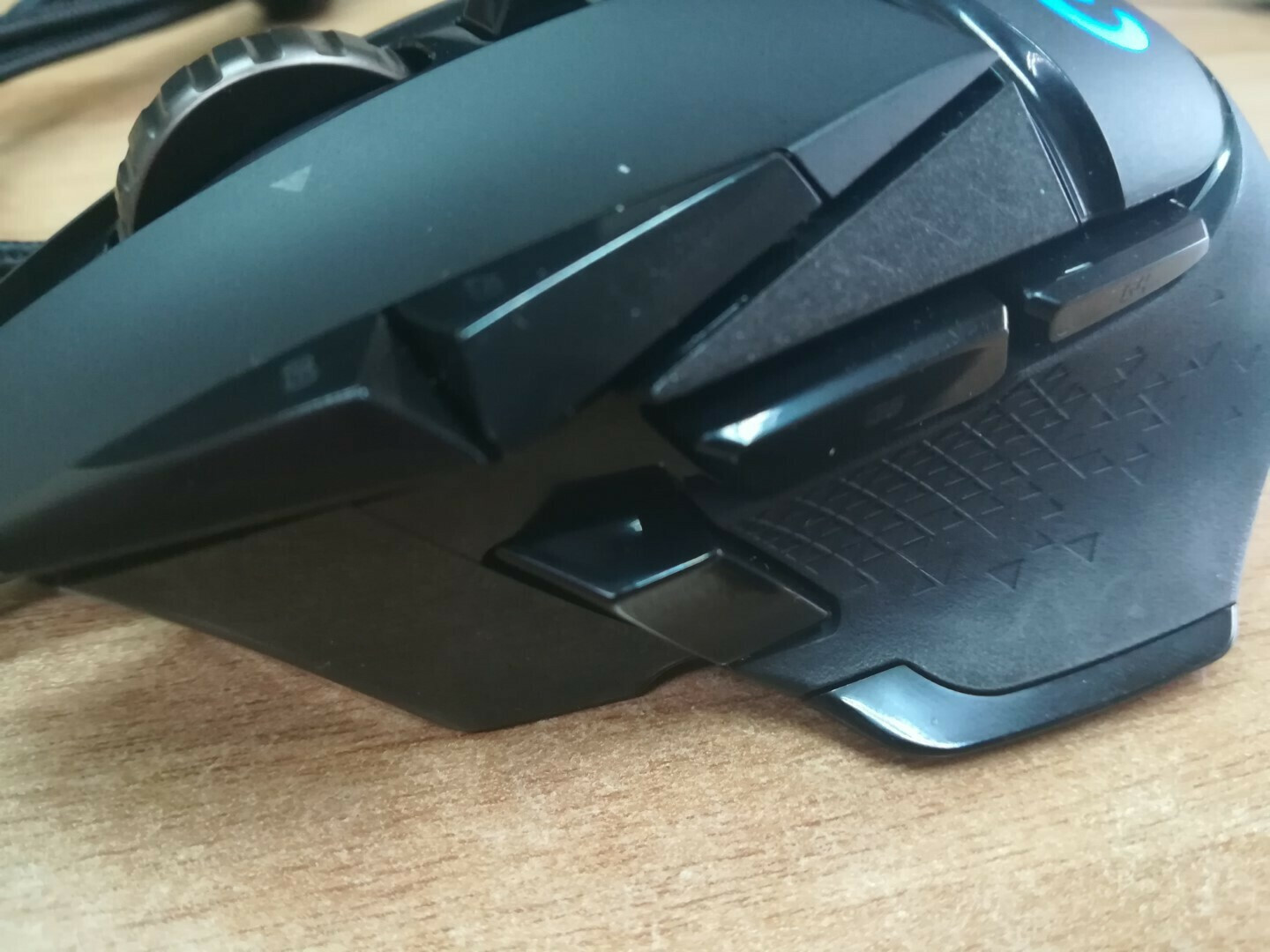
- The build quality is truly incredible. I've had the mouse for 1 year with heavy use, 3-4 hours or more daily, and it still feels like new. The rubber grips on the sides haven't worn out at all and still have their texture.
- It fits perfectly in the hand. Personally, I have relatively small palms for a man, but it still feels perfect, just the way I would want it. If you have large or heavy hands, I believe it will fit even better. The dimensions of the mouse are height: 132 mm, width: 75mm, depth: 40 mm. Overall, it's quite large and covers the entire palm. If you are someone who holds the mouse with your fingers bent upwards, then you won't have a problem because the side grips are very large.
- The sensor is of very high quality, offering 400+ IPS across the entire range of 100 - 16,000 DPI, with zero smoothing, filtering, or acceleration. Personally, I play at 800 dpi. It also works even on a glass desk without a mousepad, which I found incredible at first. From the ghub program, the dpi can go up to 25,600. I don't see the reason for needing this feature, I'm just mentioning it. The maximum acceleration is > 40 G according to Logitech.
- The report rate can be set up to the funny number of 125 reports per second through ghub if you are very demanding, especially in FPS games. Personally, I have left it at 1000 because I don't play FPS games that much where this feature is particularly useful (you can set it to 1000-500-250-125).
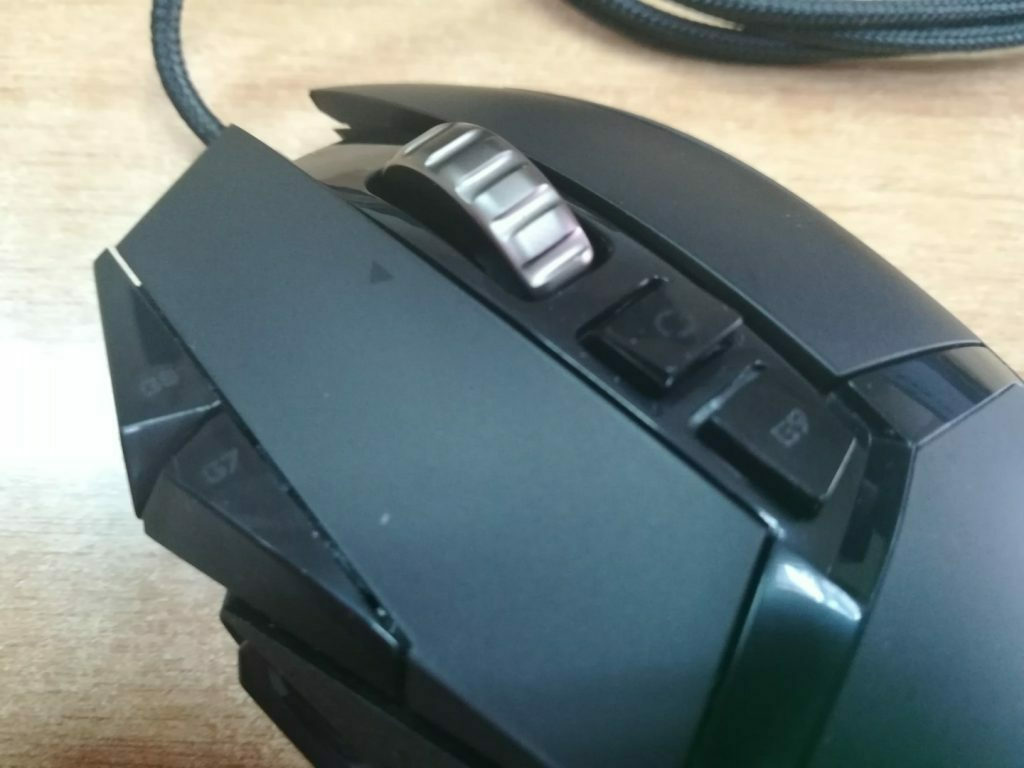
- The 11 buttons it has are fully programmable, not just for games. For example, I have set one of the side buttons to open a new tab in Chrome and the other to go to the desktop. Also, when I have a specific program open, the buttons change functionality based on the program if you have set them up that way. For example, when I open Blender, I have set one button to switch to rendered view, etc., while I have set the scroll wheel to change the orientation on the y-axis of the object when I scroll it to the right. If you play FPS games like Warzone, which have many weapons and sometimes require very low dpi for accuracy, it has a button on the thumb that, when pressed, lowers the dpi to 400 (which is what I have set, but you can set it to 100 if you want), so when the enemy is far away, you can have great accuracy. At first, I thought I wouldn't use such gimmicks, but I actually really like it as a feature. The main buttons, i.e., the clicks and the scroll wheel, are rated for 50 million clicks.
- The scroll wheel has a button that allows you to release it to scroll freely, and if you have a huge document with code, it is very easy to quickly go to the line you want. I wouldn't say I use it that much for the web, but it can be useful for you. Also, I have set it so that when I press it to the left, it goes to the right tab of the code or the tab in Chrome, and vice versa.
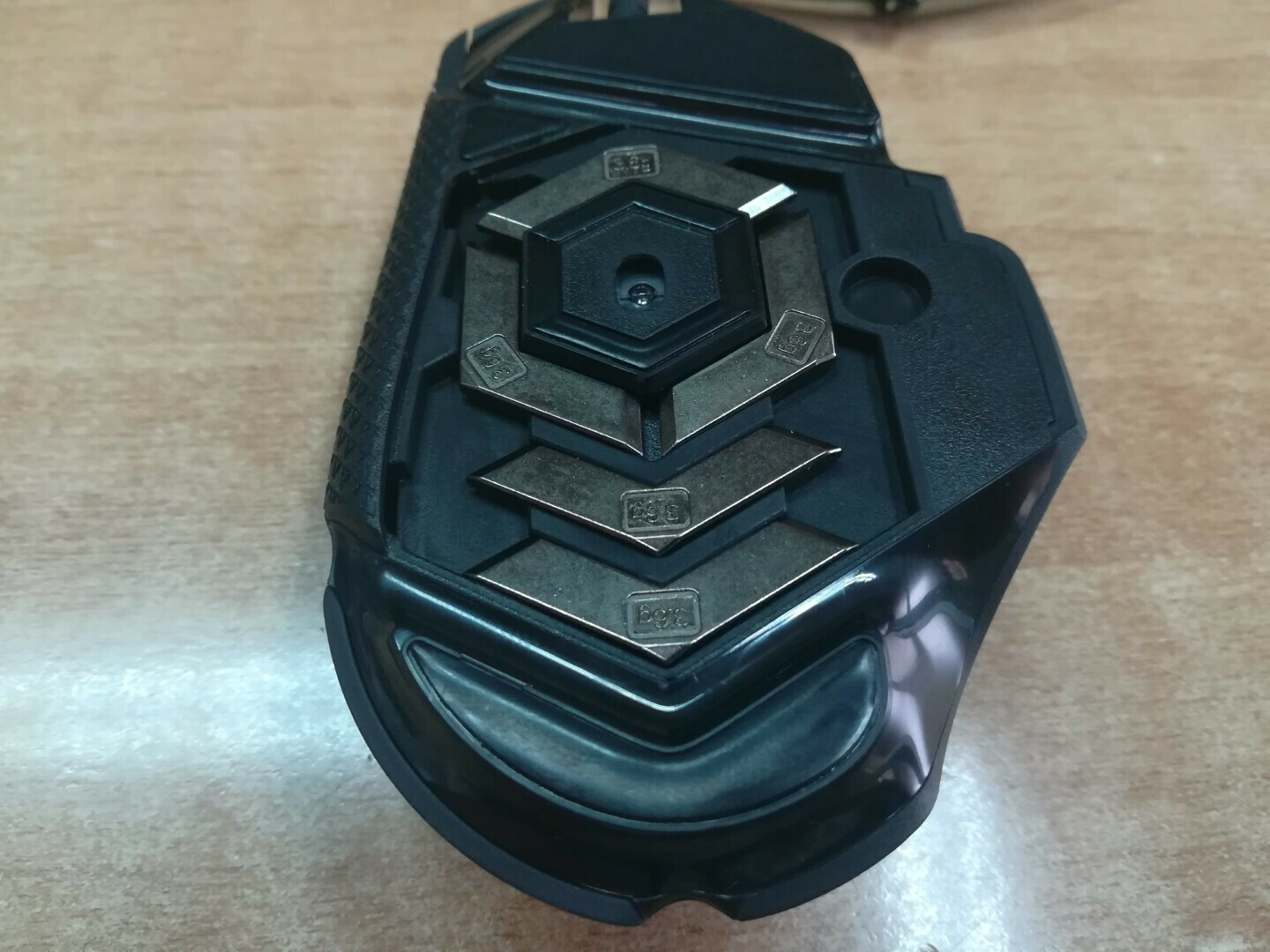
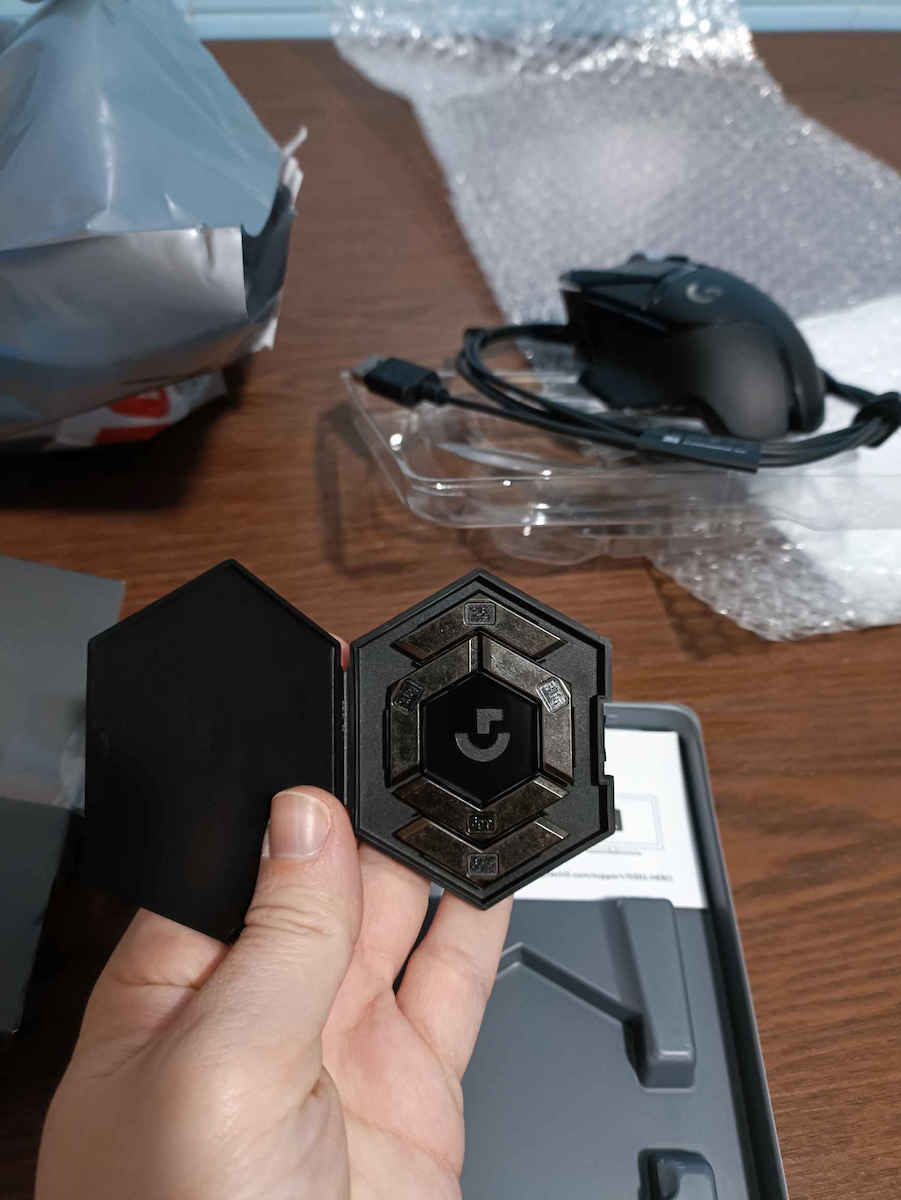
- The package includes five 3.6-gram weights, allowing you to adjust the weight of the mouse to your liking, forward, backward, left, right, and center. It's already very good without any weights, but if you want it a bit more sturdy, I would recommend putting them on the right and left. Without weights, the mouse weighs a satisfactory 121 grams. And I say satisfactory because other mice don't even have a button and weigh 110 grams. However, it is not the lightest mouse out there, and that's why it is recommended for professional use. Personally, the weight seems just right to me.
-Logitech claims that the feet on the Logitech G240 mousepad can withstand over 250 kilometers. I don't know how many I've done, but I don't use a mousepad and the feet haven't worn out significantly, they just lost a bit of their texture since I got it. I plan on getting a mousepad soon so they don't wear out. I would recommend getting a mousepad along with the purchase to prevent them from losing their texture. (Not that anything has changed, but still)
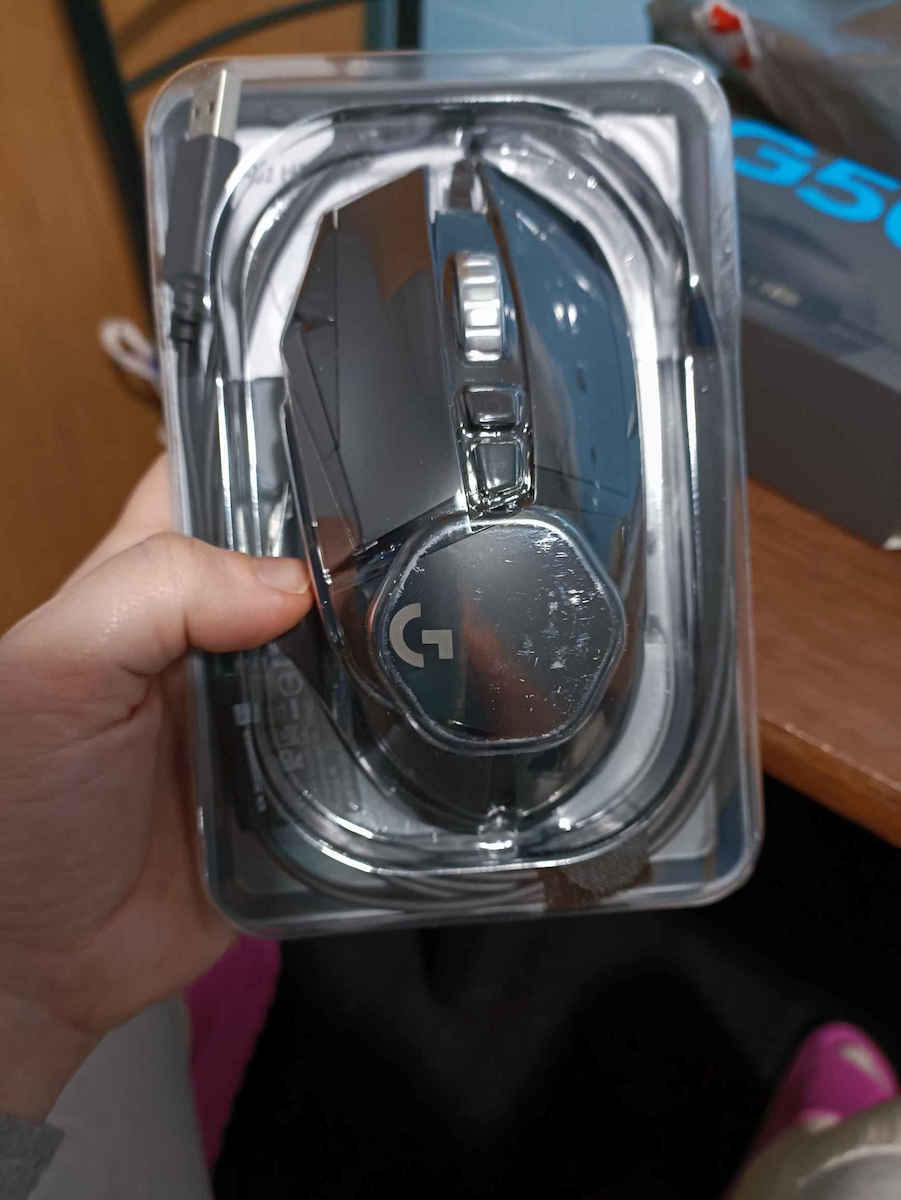
-The cable is made of fabric fibers and has a strap to tie it somewhere if you want. It hasn't had any issues so far. The cable is about 2.10 meters long. Overall, it doesn't tangle and doesn't exert force on the mouse when it's at an angle.
-For lighting, you can set a different logo color and a different color for the lines that indicate the DPI level you're on. I set it up so that when all 3 lines are lit, I'm at 800 DPI, which I usually use to make it look nice. You can also add various effects, have it respond to sound intensity, or take on the color of a specific part of the screen that you define. Overall, it's very beautiful and as it should be. Some games work with the mouse and change the lighting automatically depending on what you're doing in the game. For example, in Overwatch, if you choose Genji, it turns green, and in Factorio, it turns orange. If you want, you can turn it off completely or set it to turn on only when playing specific games or programs. If you're AFK for a while (I haven't figured out how long), it turns off on its own and turns back on when you move the mouse.
-I haven't encountered any problems with the ghub software, and I really like it. It's user-friendly and easy to learn. If you don't want it running constantly on your PC, you can save your settings in the mouse's onboard memory and completely close it. That way, you only open it if you want to change something later. Personally, I have it open. If you plug the mouse into another PC, it retains the settings even if the PC doesn't have ghub installed. Its memory can store 5 profiles. I use 2, one for regular use and one for FPS games where I've set it to increase the report rate and slightly lower the DPI. If you have any issues with the software, simply save the settings to the onboard memory, and you're good to go. Although personally, installation went smoothly, and I've installed it 2-3 times due to formatting, and nothing has gone wrong, at least for me.
-Now, as for noise, the mouse generally doesn't belong to the quiet category. The clicks have a very nice feel and I would say they are very clicky. It's a bit on the noisy side, meaning it has that characteristic click noise, although it can't be heard beyond about 5-8 meters, so it's not audible in the next room, obviously. However, if your PC is right next to someone who is sleeping and you spam click like crazy, it will likely bother them. The scroll wheel also makes some noise when it's not free, although its sound is a bit deeper, but when it's free, it's completely silent. Overall, if you're looking for something generally quiet, this is definitely not it.
-It works fine on consoles, although Logitech doesn't officially declare it. Anyway, if you set the settings on the PC through ghub and save them on the mouse, it keeps them on the console. Now, what happens with the report rate on consoles, I have no idea.
- If you don't pay attention to it, like all mice, it can collect some dust in the grooves and feet. It cleans perfectly with a brush or brush anyway.
If something comes up in the future, I will update the review.
At the price it is, buy it without hesitation, guys, don't even think about it.
Update 25/5/2021
The mouse is still like new, it has not had any problems at all so far. The new update on Logitech G HUB has made macro creation very easy, and you can also set timers if you want and assign the macros to the default mouse buttons. I consider it a very useful feature.
Update 17/2022
The mouse is still functioning flawlessly and I am very satisfied. The clicks are the same, nothing has changed since I got it, and I haven't encountered any problems. There have been some updates on ghub mainly aimed at fixing bugs, but nothing new has been added for the mouse, it runs perfectly.
Κριτική μετά από 1 χρόνο χρήσης ακριβώς.
Το καλύτερο ποντικί που μπορεί κάνεις να αγοράσει. Πραγματικά δεν έχω βρει ούτε ένα ελάττωμα ή έστω κάτι που να μην μου αρέσει προσωπικά στο συγκεκριμένο ποντική. Εχουμε και λεμε:
-Ποιότητα κατασκευής είναι πραγματικά απίστευτη. Έχω το ποντικί 1 χρόνο με βάρια χρήση, 3-4 ώρες και παραπάνω καθημερινά και είναι πραγματικά σαν καινούριο. Τα λαστιχενια grips στα πλαϊνά δεν εχουν παθει απολυτως τιποτα και εχουν ακομα το texture τους.
-Κάθετε τέλεια στο χέρι. Προσωπικά έχω σχετικά μικρή παλάμη για άντρα άλλα και πάλι μου φαίνεται τέλειο, όπως θα το ήθελα Αν έχετε μεγάλο ή βάρη χέρι τότε πιστεύω θα σας βολέψει ακόμα καλύτερα. Οι διαστάσεις του ποντικιού είναι ύψος: 132 mm, πλάτος: 75mm, βάθος: 40 mm. Γενικά είναι αρκετά μεγαλο και αγκαλιάζει όλη την παλάμη Αν είστε από αυτούς που κρατάνε το ποντικι με τα δάχτυλα λυγισμένα προς τα πάνω τοτε δεν θα εχετε πρόβλημα διότι τα πλαϊνά grips είναι πολύ μεγάλα.
-Ο αισθητήρας είναι πολύ ποιοτικός, προσφέρει 400+ IPS σε όλο το εύρος 100 - 16.000 DPI, με μηδενική εξομάλυνση, φιλτράρισμα ή επιτάχυνση. Προσωπικά παίζω στα 800 dpi. Επίσης δουλεύει ακόμα και σε γυάλινο γραφείο χωρίς mousepad πράγμα που μου φάνηκε απίστευτο στην αρχή. Από το πρόγραμμα ghub τα dpi μπορούν να φτάσουν στα 25600. Δεν βρίσκω το λόγο να χρειαστεί αυτό το χαρακτηριστικό σε κάποιον, άπλα το αναφέρω. Η μέγιστη επιτάχυνση ειναι > 40 G συμφωνα με την Logitech.
-Το report rate μέσα από το ghub μπορεί να φτάσει μέχρι και το αστείο νούμερο των 125 report per sec εάν είστε πολύ απαιτητικός, κυρίως σε fps games. Προσωπικά το έχω αφήσει στα 1000 διότι δεν παίζω τόσο πολύ fps οπού είναι ιδιαίτερα χρήσιμο το χαρακτηριστικό (μπορείτε να το ρυθμίσετε στα 1000-500-250-125)
-Τα 11 πλήκτρα που διαθέτει είναι πλήρη προγραμματιζόμενα και όχι μονό για games, για παράδειγμα εγώ έχω βάλει τα πλαινα το ένα να ανοίγει νέα καρτέλα στο chrome και το άλλο να πάει στο desktop. Επίσης όταν έχω κάποιο πρόγραμμα ανοιχτό τα πλήκτρα αλλάζουν λειτουργικότητα με βάση το πρόγραμμα εάν εσείς τα έχετε ορίσει πχ οταν ανοιξω το blender εχω βαλει το ενα να με παει σε rendered view κτλ., ενω εχω βάλει την ροδέλα οταν την κανω δεξια να μου αλλάζει το orientetion στον αξονα y του αντικειμένου. Εαν παιζεται fps οπως warzone που εχει πανω σου πολλά όπλα και κάποιες φορές πχ με sniper θες πολύ λίγα dpi για ακρίβεια έχει ένα κουμπί στον αντίχειρα που οταν το πατάς σου ριχνει τα dpi στα 400(που το εχω βαλει εγω, μπορείτε να το βάλετε και στα 100 αν θελετε) ετσι οταν ειναι πολύ μακριά ο άλλος μπορείς να εχεις τρομερή ακρίβεια. Στην αρχή έλεγα σιγά μην χρησιμοποιήσω τέτοιες βλακείες τελικά μου αρέσει πολύ σαν χαρακτηριστικό. Τα βασικα πληκτρα δηλαδη τα clicks και η ροδελα ειναι rated για 50 milion clicks.
-Ο ροδελα εχει κουμπακι που μπορεις να την απελευθερώσεις για να παει σαν μουρλή και εαν εχετε ενα τεράστιο doc με κωδικα ειναι πολυ ευκολο να πατε στην γραμμή που θέλετε γρήγορα. Για Web δεν θα ελεγα οτι το χρησιμοποιώ τοσο αλλα μπορεις εσάς να σας βολέψει. Επισης εγω την εχω ρυθμισει οταν την πιεζω αριστερα να παει στο δεξιο tab κωδικα ή tab του chrome και αντιστοιχα στα δεξια.
-Μεσα στην συσκευασία παρέχεται μαζί με πέντε βαρίδια των 3,6 γραμμαρίων επιτρέποντάς σας να ρυθμίσετε το βάρος του ποντικιού στην θέση που θέλετε εμπρός, πίσω, αριστερά, δεξιά και στο κέντρο. Χωρίς καθόλου είναι πολυ καλο παντως, εαν θελετε λιγο πιο στιβαρό θα πρότεινα να τα βάλετε δέξια αριστερά. Χωρίς βαρίδια το ποντικί είναι στα ικανοποιητικά 121 γραμμάρια. Και λέω ικανοποιητικά διότι άλλα ποντίκια δεν έχουν ούτε ένα κουμπί και είναι στα 110 γραμμάρια. Πάντως δεν είναι και το ελαφρύτερο mouse εκεί έξω και γι'αυτο συνιστάτε και για επαγγελματική χρήση Προσωπικά το βάρος του μου φαίνεται just right.
-Η logitech ισχυρίζεται ότι τα πέλματα στο logitech g240 mousepad αντέχουν > 250 χιλιόμετρα. Δεν ξερω ποσα εχω κανει εγω παντως δεν χρησιμοποιώ mousepad και τα πέλματα δεν εχουν φθαρεί ιδιαίτερα άπλα έχουν χάσει λίγο την ύφη που είχαν όταν το πείρα Σκοπεύω να πάρω ενα mousepad σύντομα μιας και δεν θελω να φθαρουν.Θα πρότεινα μαζί με την αγορά να πάρετε και εσείς ένα mousepad για να αποφύγετε να χάσουν την ύφη τους.(οχι οτι εχει αλλάξει κατι αλλα νταξει)
-Το καλώδιο ειναι υφασμάτινων ινών και έχει και ένα skrats για να το δέσετε κάπου αν θέλετε Δεν έχει πάθει τίποτα μέχρι τώρα μια χαρά. Το καλωδιο ειναι γυρω στα 2.10 μετρα. Γενικα παντως δεν μπερδευεται και ουτε ασκει δυναμη στο mouse οταν ειναι σε γωνια.
-Απο φωτισμό μπορείτε να βάλετε διαφορετικό στο λογότυπο και διαφορετικό στις γραμμές που δείχνουν σε ποιο dpi level είστε Εγω το ρύθμισα ώστε όταν είναι και οι 3 γραμμές αναμμένες να είμαι στα 800 dpi που χρησιμοποιώ συνήθως για να φαίνεται όμορφο Μπορείτε να βάλετε και διάφορα εφέ, να εχει ένταση με βαση τον ήχο ή να παιρνει το χρωμα ενος κομματιού της οθόνης που θα ορίσετε. Γενικά είναι πολύ όμορφο και όπως πρέπει Κάποια games συνεργάζονται με το ποντικί και αλλάζουν μονά τους τον φωτισμό ανάλογα τι κάνεις στο game. πχ στο overwatch αν πάρεις genji γίνεται πράσινος και στο factorio γίνεται πορτοκαλί. Αν θέλετε μπορείτε να τον κλείσετε τελείως ή να τον βάλετε να ανάβει όταν παίζεται κάποια συγκεκριμένα games ή προγράμματα. Αν είστε afk για αρκετή ώρα(δεν έχω καταλάβει ποσό) κλείνει μονός του και ξανανάβει όταν κουνήσετε το mouse.
-Το πρόγραμμα ghub δεν εχω αντιμετωπίσει κάποιο πρόβλημα και μου αρεσει πολυ. Ειναι εύχρηστο και εύκολο να το μάθεις. Εαν θελετε να μην τρέχει συνεχεία στο PC σας μπορειτε να αποθηκεύσετε τις ρυθμίσεις σας στην μνήμη που εχει μεσα το ποντικι και να το κλείσετε τελείως. Ετσι το ανοιγετε μονο αν θελετε να αλλαξετε κατι μετα. Εγω προσωπικα το εχω ανοιχτω. Αν βάλετε το ποντικι σε αλλο pc κραταει τις ρυθμίσεις και ας μην εχει το ghub μεσα το pc. Η μνημη του χωράει 5 προφίλ Εγω χρησιμοποιώ 2, ενα για απλη χρηση, και ενα για fps games που το έχω βάλει να ανεβάζει το report rate και να χαμηλώνει λιγο τα dpi. Εαν εχετε προβλημα με το λογισμικο απλα βαλτε τις ρυθμισεις στο onboard memοry και ειστε πενα. Αν και προσωπικα μια χαρα εγινε εγκατασταση και λογο format το εχω βαλει 2-3 φορες και δεν εχει προκυψει κατι τουλαχιστον σε μενα.
-Από θόρυβο τώρα το mouse γενικά δεν ανήκει στην ήσυχη κατηγορία. Τα clicks έχουν πολύ ωραία αίσθηση και θα έλεγα πως είναι πολύ clicky. Είναι λίγο στην θορυβώδης μεριά δηλαδή έχουν αυτό το χαρακτηριστικό click στον θόρυβο αν και δεν μπορεί να ακουστεί πέρα από 5-8 μετρά περίπου δηλαδή δεν ακούγεται στο διπλά δωμάτιο προφανώς ωστόσο αν το PC σας είναι διπλά σε κάποιον που κοιμάται ακριβώς και εσείς spammαρεται click σαν τρελος λογικά θα τον ενοχλήσει. Η ροδέλα όταν δεν είναι ελεύθερη κάνει επίσης λίγο φασαρία αν και ο ήχος της είναι λίγο πιο μπασατος άλλα όταν είναι ελεύθερη δεν ακούγεται καθόλου. Πάντως αν ψάχνετε κάτι γενικά αθόρυβο σίγουρα δεν είναι αυτό.
-Δουλευει κανονικα και σε κονσολα αν και η Logitech δεν το δηλωνει επισημα. Παντως αν φτιαξετε τα settings στο pc απο ghub και τα αποθυκευσετε στο ποντικι μετα τα κραταει στην κονσολα. Τωρα τι γινεται με το report rate στις κονσολες δεν εχω ιδεα
-Αν δεν το προσέχετε όπως και όλα τα ποντίκια μπορούν να πιάσουν λίγη σκόνη στις εγκοπές και στα πέλματα. Με ενα βουρτσάκι ή πινελάκι καθαρίζει τέλεια πάντως.
Σε περίπτωση που προκύψει κάτι στο μέλλον θα ανανεώσω το review.
Στην τιμή που είναι αγοράστετω με κλειστά ματιά παιδιά, τζάμπα το σκέφτεστε.
Update 25/5/2021
Το ποντίκι είναι ακόμα σαν καινούργιο, δεν έχει παρουσιάσει κανένα απολύτως πρόβλημα μέχρι στιγμής. Το νέο update στο logitech G HUB έχει κάνει την δημιουργία macros πολύ εύκολη και μπορείς να θέσεις και timers άμα θες και να αναθέσεις τα macros ακόμα και στα default πλήκτρα του ποντικιού. Πολύ χρήσιμο χαρακτηριστικό θεωρώ.
Update 17/2022
Το ποντίκι λειτουργεί ακόμα απροβληματιστα και είμαι πολύ ικανοποιημένος. Τα κλικ είναι το ίδιο δεν έχει αλλάξει κάτι από όταν το πήρα ούτε έχω συναντήσει οποιοδήποτε πρόβλημα. Έχουν γίνει κάποια update στο ghub που κυρίως είχαν σκοπό την διόρθωση bugs αλλά δεν έχει προστεθεί κάτι νέο για το ποντίκι, τρέχει μια χαρά.