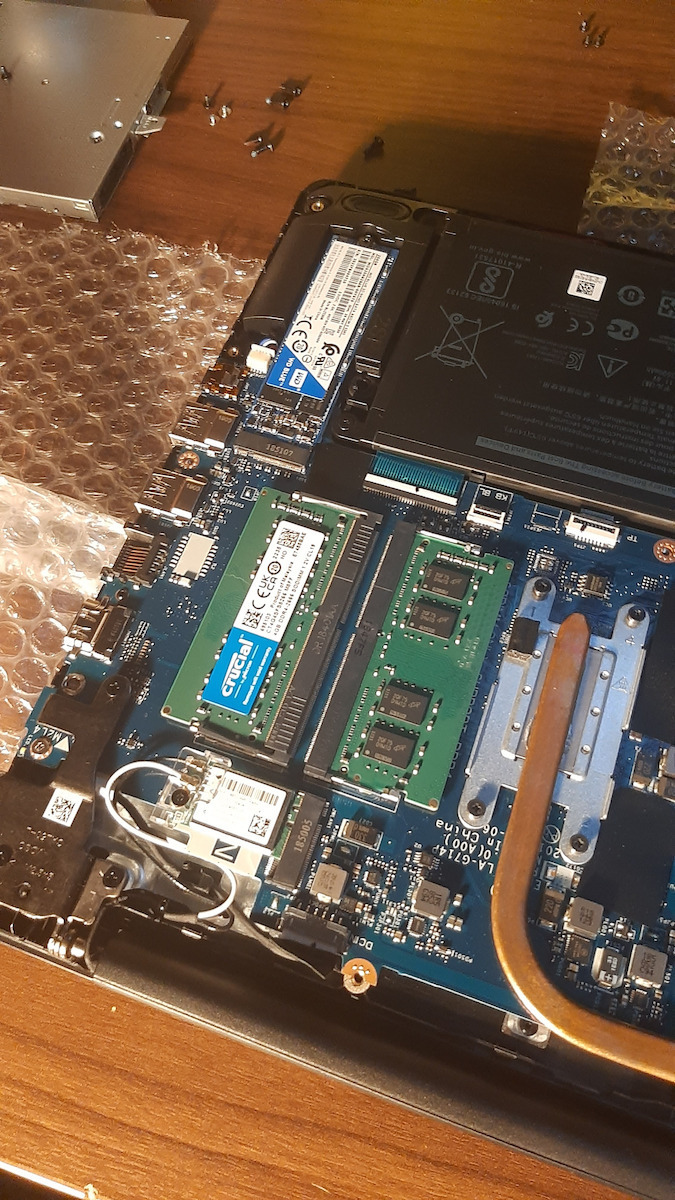
Upgrade your laptop or mini PC with Crucial SO-DIMM DDR4 RAM, increasing the execution speeds of all your processes.
DDR4
DDR4 is the fourth generation of RAM technology for computers. It replaces DDR3 and offers increased speeds and capacity.
It offers operating speeds from 2133MT/s to 4800MT/s, response time (CAS Latency) from CL 9 to CL 22, while its capacity has increased up to 32GB per memory module.
For speed (MT/s) and capacity (GB), the larger size we choose, the better performance we will have in our system, while for response time (CL), we want the smallest size for the speed (MT/s) we have chosen.
The above characteristics should be compatible with the specifications of our motherboard.
The Crucial SODIMM DDR4 provides a speed of 2666MT/s, with CL19 and 4GB per memory module.
Compatibility
DDR4 technology is compatible with specific motherboards and processors. Indicatively, DDR4 is compatible with Intel Skylake, Kaby Lake, Coffee Lake series processors and the latest Intel processors, as well as AMD Ryzen and Threadripper series processors.
However, for compatibility with your motherboard, you need to ensure that your motherboard supports DDR4 technology from the manufacturer. Compatibility depends on the processor platform and the type of motherboard you are using.
Easy Installation
For installation, you only need a screwdriver and your laptop's user manual. By watching a video for your specific laptop model, you will be able to upgrade your RAM without any problems and additional charges.
Specifications are collected from official manufacturer websites. Please verify the specifications before proceeding with your final purchase. If you notice any problem you can report it here.
Users rate the memory very highly, mainly praising its seamless operation and easy compatibility with laptops and Synology NAS devices. They report that it is recognized immediately and improves performance after upgrades, and that it is also used in other NAS devices. However, some note that it may run at 2400 MHz instead of 2666 MHz in certain laptops.
I installed it on a Synology ds224+ NAS without any issues in the operation of the machine.
There is nothing that leads you to consider getting the company's official proposal. It's great!!!
Το έβαλα σε ένα NAS Synology ds224+ χωρίς κανένα πρόβλημα στην λειτουργία του μηχανήματος.
Δεν υπάρχει κάτι που να σε οδηγεί να πάρεις την επίσημη πρόταση της εταιρίας. Είναι μια χαρά!!!
I upgraded my laptop from 1 x 4 = 4gb to 2 x 4 = 8gb RAM. These specific RAM memories are worth it and everything runs smoothly. Overall, I am satisfied.
Αναβάθμισα το λάπτοπ μου απο 1 x 4 = 4gb σε 2 x 4 = 8gb ram. Δείχνουν άξιες οι συγκεκριμένες μνήμες ram και τρέχουν τα πάντα απροβλημάτιστα. Γενικά έχω μείνει ευχαριστημένος.
Used on Synology NAS DS220+. It has been in use for 18 months without any issues and allows the NAS to run Docker services smoothly.
EDIT: With this DSM, it does not display the "incompatible memory" message. On a second DS220+ where I installed a Kingston, it works but displays an incompatible memory message in the alerts. So if you are looking for one, Crucial is probably better, at least with DSM 7.1
Χρησιμοποιήθηκε σε Synology NAS DS220+. Είναι σε χρήση 18 μήνες χωρίς προβλήματα και επιτρέπει στο NAS να τρέχει και docker services χωρίς προβλήματα.
EDIT: Με αυτή το DSM δεν βγάζει το μήνυμα "μη συμβατής μνήμης". Σε δεύτερο DS220+ που έβαλα μια Kingston δουλεύει αλλά βγάζει μήνυμα ασυμβάτης μνήμης στα alerts. Αν είσαστε σε αναζήτηση λοιπόν τότε μάλλον είναι καλύτερη η Crucial, τουλάχιστον με το DSM 7.1
Used on DS920+ -> https://www.skroutz.gr/s/24110424/Synology-DiskStation-DS920.html
Works without any issues. This particular model is not supported by Synology, so be aware that if you encounter a problem and need their support, the first thing they will tell you is to remove the RAM because it is not compatible. If the problem persists, THEN they will investigate it.
But there is plenty of support on the internet (especially Reddit) regarding DiskStations. There, they don't automatically assume that the issue is the RAM and they will actually help you if there is a problem.
In general, during the 6 months of using the DS920+, this specific RAM has not caused any issues, let alone issues that required assistance from Synology Support. So, go ahead and get it without a second thought.
Update: After 1.5 years of use, the NAS is still working perfectly fine. Rest assured if you use it for this purpose.
Χρησιμοποιήθηκε σε DS920+ -> https://www.skroutz.gr/s/24110424/Synology-DiskStation-DS920.html
Δουλεύει χωρίς κανένα πρόβλημα. Το συγκεκριμένο μοντέλο δεν υποστηρίζεται από την Synology, οπότε να γνωρίζετε ότι αν υπάρξει πρόβλημα και χρειαστείτε το Support τους, το πρώτο πράγμα που θα σας πουν είναι να βγάλετε τη RAM γιατί δεν είναι συμβατή. Αν συνεχίσει το πρόβλημα, ΤΟΤΕ θα το ψάξουν.
Αλλά υπάρχει πολύ support στο internet (ιδιαίτερα reddit) σχετικά με τα DiskStation. Όπου εκεί δεν θεωρούν αυτόματα πως το θέμα είναι η RAM και όντως θα σας βοηθήσουν αν υπάρξει θέμα.
Γενικά στους 6 μήνες χρήσης του DS920+, η συγκεκριμένη RAM δεν έβγαλε κανένα πρόβλημα, πόσο μάλλον πρόβλημα που να χρειαστώ βοήθεια από Support Synology. Οπότε πάρτε την χωρίς δεύτερη σκέψη.
Update: Μετά από 1.5 χρόνο χρήσης, εξακολουθεί να δουλεύει μια χαρά το NAS. Μείνετε ήσυχοι αν την χρησιμοποιήσετε για αυτό το σκοπό.
I put it in an HP PAVILION X360 laptop, from 4 RAM it became 8 RAM.
It had a different brand of RAM inside the laptop, but there was no problem, everything works perfectly
Την εβαλα σε HP PAVILION X360 λαπτοπ, απο 4 RAM που ειχα εγιναν 8 RAM.
Αλλη μαρκα RAM ειχε μεσα στο λαπτοπ,αλλα δεν υπηρξε προβλημα , δουλευουν ολα τελεια
I have nothing to add nor anything to remove. It simply does what anyone expects from a memory upgrade. Specifically, it was installed to expand the memory on the Synology DS420+ as the initial 2GB it had reached high usage percentages, resulting in strain on the disk operation among other things. After the addition, it was immediately recognized, the memory usage percentage dropped significantly and ranges between 9% - 15%, while at the same time the overall operation of the machine was stabilized. I hope this continues to happen for many years so that ... they live well and others even better.
Ούτε κάτι να προσθέσω έχω αλλά και ούτε κάτι να αφαιρέσω έχω. Κάνει απλώς αυτό που αναμένει ο οποιοσδήποτε από την αγορά μνήμης. Πιο συγκεκριμένα, τοποθετήθηκε για επέκταση μνήμης στο synology ds420+ καθότι με τα αρχικά 2gb που διέθετε έφτανε σε υψηλά ποσοστά λειτουργίας με αποτέλεσμα να καταπονείται μεταξύ άλλων και η λειτουργία των δίσκων. Μετά την προσθήκη, αναγνωρίστηκε άμεσα, το ποσοστό χρήσης μνήμης έπεσε δραστικά και κυμαίνεται μεταξύ 9%-15% ενώ ταυτόχρονα ομαλοποιήθηκε και η υπόλοιπη λειτουργία του μηχανήματος. Ελπίζω αυτό να συνεχίσει να συμβαίνει για αρκετά χρόνια ώστε να ... ζήσουν αυτοί καλά και οι άλλοι καλύτερα.
The memory is very good, I installed it on a Dell Inspiron 3583 from 8GB to 16GB. The FPS increased by 10 in all games, applications and multitasking programs run beautifully, but my laptop completely changed.... I recommend it!
πολυ καλη η μνημη την εβαλα σε ενα dell inspiron 3583 απο 8 gb πηγα σε 16. τα fps ανεβηκαν κατα 10 σε ολα τα games οι εφαρομογες και multitasking programms τρεχουν πανεμορφα αλλαξε ολο το λαπτοπ μου.... τη συνιστω!
Excellent quality but...
You won't see clock speed at 2666 MHz in almost any laptop since the memory runs at 2400 MHz.
To see 2666, you need to overclock the memory through XMP profile, which is impossible in 95% of laptops.
It is unacceptable that Crucial, being a top company in RAM memory, sells 2666 MHz memory that requires overclock settings to reach this frequency...
Εξαιρετική ποιότητα αλλά...
Δεν πρόκειται να δείτε ταχύτητα χρονισμού στα 2666 MHz σχεδόν σε κανένα laptop μιας και η μνήμη τρέχει στα 2400 MHz.
Για να δείτε τα 2666 πρέπει να κάνετε overclock την μνήμη μέσω XMP profile, πράγμα αδύνατον στο 95 % των φορητών υπολογιστών.
Είναι απαράδεκτο το ότι η Crucial ενώ είναι κορυφαία εταιρεία στις μνήμες RAM, εμπορεύεται σαν 2666 MHz, μνήμες που για να φτάσουν αυτή την συχνότητα, θέλουν ρυθμίσεις overclock...
I installed it on a Synology ds224+ NAS without any issues in the operation of the machine.
There is nothing that leads you to consider getting the company's official proposal. It's great!!!
Το έβαλα σε ένα NAS Synology ds224+ χωρίς κανένα πρόβλημα στην λειτουργία του μηχανήματος.
Δεν υπάρχει κάτι που να σε οδηγεί να πάρεις την επίσημη πρόταση της εταιρίας. Είναι μια χαρά!!!
I upgraded my laptop from 1 x 4 = 4gb to 2 x 4 = 8gb RAM. These specific RAM memories are worth it and everything runs smoothly. Overall, I am satisfied.
Αναβάθμισα το λάπτοπ μου απο 1 x 4 = 4gb σε 2 x 4 = 8gb ram. Δείχνουν άξιες οι συγκεκριμένες μνήμες ram και τρέχουν τα πάντα απροβλημάτιστα. Γενικά έχω μείνει ευχαριστημένος.
Upgrade your laptop or mini PC with Crucial SO-DIMM DDR4 RAM, increasing the execution speeds of all your processes.
DDR4
DDR4 is the fourth generation of RAM technology for computers. It replaces DDR3 and offers increased speeds and capacity.
It offers operating speeds from 2133MT/s to 4800MT/s, response time (CAS Latency) from CL 9 to CL 22, while its capacity has increased up to 32GB per memory module.
For speed (MT/s) and capacity (GB), the larger size we choose, the better performance we will have in our system, while for response time (CL), we want the smallest size for the speed (MT/s) we have chosen.
The above characteristics should be compatible with the specifications of our motherboard.
The Crucial SODIMM DDR4 provides a speed of 2666MT/s, with CL19 and 4GB per memory module.
Compatibility
DDR4 technology is compatible with specific motherboards and processors. Indicatively, DDR4 is compatible with Intel Skylake, Kaby Lake, Coffee Lake series processors and the latest Intel processors, as well as AMD Ryzen and Threadripper series processors.
However, for compatibility with your motherboard, you need to ensure that your motherboard supports DDR4 technology from the manufacturer. Compatibility depends on the processor platform and the type of motherboard you are using.
Easy Installation
For installation, you only need a screwdriver and your laptop's user manual. By watching a video for your specific laptop model, you will be able to upgrade your RAM without any problems and additional charges.
Specifications are collected from official manufacturer websites. Please verify the specifications before proceeding with your final purchase. If you notice any problem you can report it here.
Users rate the memory very highly, mainly praising its seamless operation and easy compatibility with laptops and Synology NAS devices. They report that it is recognized immediately and improves performance after upgrades, and that it is also used in other NAS devices. However, some note that it may run at 2400 MHz instead of 2666 MHz in certain laptops.
I installed it on a Synology ds224+ NAS without any issues in the operation of the machine.
There is nothing that leads you to consider getting the company's official proposal. It's great!!!
Το έβαλα σε ένα NAS Synology ds224+ χωρίς κανένα πρόβλημα στην λειτουργία του μηχανήματος.
Δεν υπάρχει κάτι που να σε οδηγεί να πάρεις την επίσημη πρόταση της εταιρίας. Είναι μια χαρά!!!
I upgraded my laptop from 1 x 4 = 4gb to 2 x 4 = 8gb RAM. These specific RAM memories are worth it and everything runs smoothly. Overall, I am satisfied.
Αναβάθμισα το λάπτοπ μου απο 1 x 4 = 4gb σε 2 x 4 = 8gb ram. Δείχνουν άξιες οι συγκεκριμένες μνήμες ram και τρέχουν τα πάντα απροβλημάτιστα. Γενικά έχω μείνει ευχαριστημένος.
Used on Synology NAS DS220+. It has been in use for 18 months without any issues and allows the NAS to run Docker services smoothly.
EDIT: With this DSM, it does not display the "incompatible memory" message. On a second DS220+ where I installed a Kingston, it works but displays an incompatible memory message in the alerts. So if you are looking for one, Crucial is probably better, at least with DSM 7.1
Χρησιμοποιήθηκε σε Synology NAS DS220+. Είναι σε χρήση 18 μήνες χωρίς προβλήματα και επιτρέπει στο NAS να τρέχει και docker services χωρίς προβλήματα.
EDIT: Με αυτή το DSM δεν βγάζει το μήνυμα "μη συμβατής μνήμης". Σε δεύτερο DS220+ που έβαλα μια Kingston δουλεύει αλλά βγάζει μήνυμα ασυμβάτης μνήμης στα alerts. Αν είσαστε σε αναζήτηση λοιπόν τότε μάλλον είναι καλύτερη η Crucial, τουλάχιστον με το DSM 7.1
Used on DS920+ -> https://www.skroutz.gr/s/24110424/Synology-DiskStation-DS920.html
Works without any issues. This particular model is not supported by Synology, so be aware that if you encounter a problem and need their support, the first thing they will tell you is to remove the RAM because it is not compatible. If the problem persists, THEN they will investigate it.
But there is plenty of support on the internet (especially Reddit) regarding DiskStations. There, they don't automatically assume that the issue is the RAM and they will actually help you if there is a problem.
In general, during the 6 months of using the DS920+, this specific RAM has not caused any issues, let alone issues that required assistance from Synology Support. So, go ahead and get it without a second thought.
Update: After 1.5 years of use, the NAS is still working perfectly fine. Rest assured if you use it for this purpose.
Χρησιμοποιήθηκε σε DS920+ -> https://www.skroutz.gr/s/24110424/Synology-DiskStation-DS920.html
Δουλεύει χωρίς κανένα πρόβλημα. Το συγκεκριμένο μοντέλο δεν υποστηρίζεται από την Synology, οπότε να γνωρίζετε ότι αν υπάρξει πρόβλημα και χρειαστείτε το Support τους, το πρώτο πράγμα που θα σας πουν είναι να βγάλετε τη RAM γιατί δεν είναι συμβατή. Αν συνεχίσει το πρόβλημα, ΤΟΤΕ θα το ψάξουν.
Αλλά υπάρχει πολύ support στο internet (ιδιαίτερα reddit) σχετικά με τα DiskStation. Όπου εκεί δεν θεωρούν αυτόματα πως το θέμα είναι η RAM και όντως θα σας βοηθήσουν αν υπάρξει θέμα.
Γενικά στους 6 μήνες χρήσης του DS920+, η συγκεκριμένη RAM δεν έβγαλε κανένα πρόβλημα, πόσο μάλλον πρόβλημα που να χρειαστώ βοήθεια από Support Synology. Οπότε πάρτε την χωρίς δεύτερη σκέψη.
Update: Μετά από 1.5 χρόνο χρήσης, εξακολουθεί να δουλεύει μια χαρά το NAS. Μείνετε ήσυχοι αν την χρησιμοποιήσετε για αυτό το σκοπό.
I put it in an HP PAVILION X360 laptop, from 4 RAM it became 8 RAM.
It had a different brand of RAM inside the laptop, but there was no problem, everything works perfectly
Την εβαλα σε HP PAVILION X360 λαπτοπ, απο 4 RAM που ειχα εγιναν 8 RAM.
Αλλη μαρκα RAM ειχε μεσα στο λαπτοπ,αλλα δεν υπηρξε προβλημα , δουλευουν ολα τελεια
I have nothing to add nor anything to remove. It simply does what anyone expects from a memory upgrade. Specifically, it was installed to expand the memory on the Synology DS420+ as the initial 2GB it had reached high usage percentages, resulting in strain on the disk operation among other things. After the addition, it was immediately recognized, the memory usage percentage dropped significantly and ranges between 9% - 15%, while at the same time the overall operation of the machine was stabilized. I hope this continues to happen for many years so that ... they live well and others even better.
Ούτε κάτι να προσθέσω έχω αλλά και ούτε κάτι να αφαιρέσω έχω. Κάνει απλώς αυτό που αναμένει ο οποιοσδήποτε από την αγορά μνήμης. Πιο συγκεκριμένα, τοποθετήθηκε για επέκταση μνήμης στο synology ds420+ καθότι με τα αρχικά 2gb που διέθετε έφτανε σε υψηλά ποσοστά λειτουργίας με αποτέλεσμα να καταπονείται μεταξύ άλλων και η λειτουργία των δίσκων. Μετά την προσθήκη, αναγνωρίστηκε άμεσα, το ποσοστό χρήσης μνήμης έπεσε δραστικά και κυμαίνεται μεταξύ 9%-15% ενώ ταυτόχρονα ομαλοποιήθηκε και η υπόλοιπη λειτουργία του μηχανήματος. Ελπίζω αυτό να συνεχίσει να συμβαίνει για αρκετά χρόνια ώστε να ... ζήσουν αυτοί καλά και οι άλλοι καλύτερα.
The memory is very good, I installed it on a Dell Inspiron 3583 from 8GB to 16GB. The FPS increased by 10 in all games, applications and multitasking programs run beautifully, but my laptop completely changed.... I recommend it!
πολυ καλη η μνημη την εβαλα σε ενα dell inspiron 3583 απο 8 gb πηγα σε 16. τα fps ανεβηκαν κατα 10 σε ολα τα games οι εφαρομογες και multitasking programms τρεχουν πανεμορφα αλλαξε ολο το λαπτοπ μου.... τη συνιστω!
Excellent quality but...
You won't see clock speed at 2666 MHz in almost any laptop since the memory runs at 2400 MHz.
To see 2666, you need to overclock the memory through XMP profile, which is impossible in 95% of laptops.
It is unacceptable that Crucial, being a top company in RAM memory, sells 2666 MHz memory that requires overclock settings to reach this frequency...
Εξαιρετική ποιότητα αλλά...
Δεν πρόκειται να δείτε ταχύτητα χρονισμού στα 2666 MHz σχεδόν σε κανένα laptop μιας και η μνήμη τρέχει στα 2400 MHz.
Για να δείτε τα 2666 πρέπει να κάνετε overclock την μνήμη μέσω XMP profile, πράγμα αδύνατον στο 95 % των φορητών υπολογιστών.
Είναι απαράδεκτο το ότι η Crucial ενώ είναι κορυφαία εταιρεία στις μνήμες RAM, εμπορεύεται σαν 2666 MHz, μνήμες που για να φτάσουν αυτή την συχνότητα, θέλουν ρυθμίσεις overclock...
I installed it on a Synology ds224+ NAS without any issues in the operation of the machine.
There is nothing that leads you to consider getting the company's official proposal. It's great!!!
Το έβαλα σε ένα NAS Synology ds224+ χωρίς κανένα πρόβλημα στην λειτουργία του μηχανήματος.
Δεν υπάρχει κάτι που να σε οδηγεί να πάρεις την επίσημη πρόταση της εταιρίας. Είναι μια χαρά!!!
I upgraded my laptop from 1 x 4 = 4gb to 2 x 4 = 8gb RAM. These specific RAM memories are worth it and everything runs smoothly. Overall, I am satisfied.
Αναβάθμισα το λάπτοπ μου απο 1 x 4 = 4gb σε 2 x 4 = 8gb ram. Δείχνουν άξιες οι συγκεκριμένες μνήμες ram και τρέχουν τα πάντα απροβλημάτιστα. Γενικά έχω μείνει ευχαριστημένος.