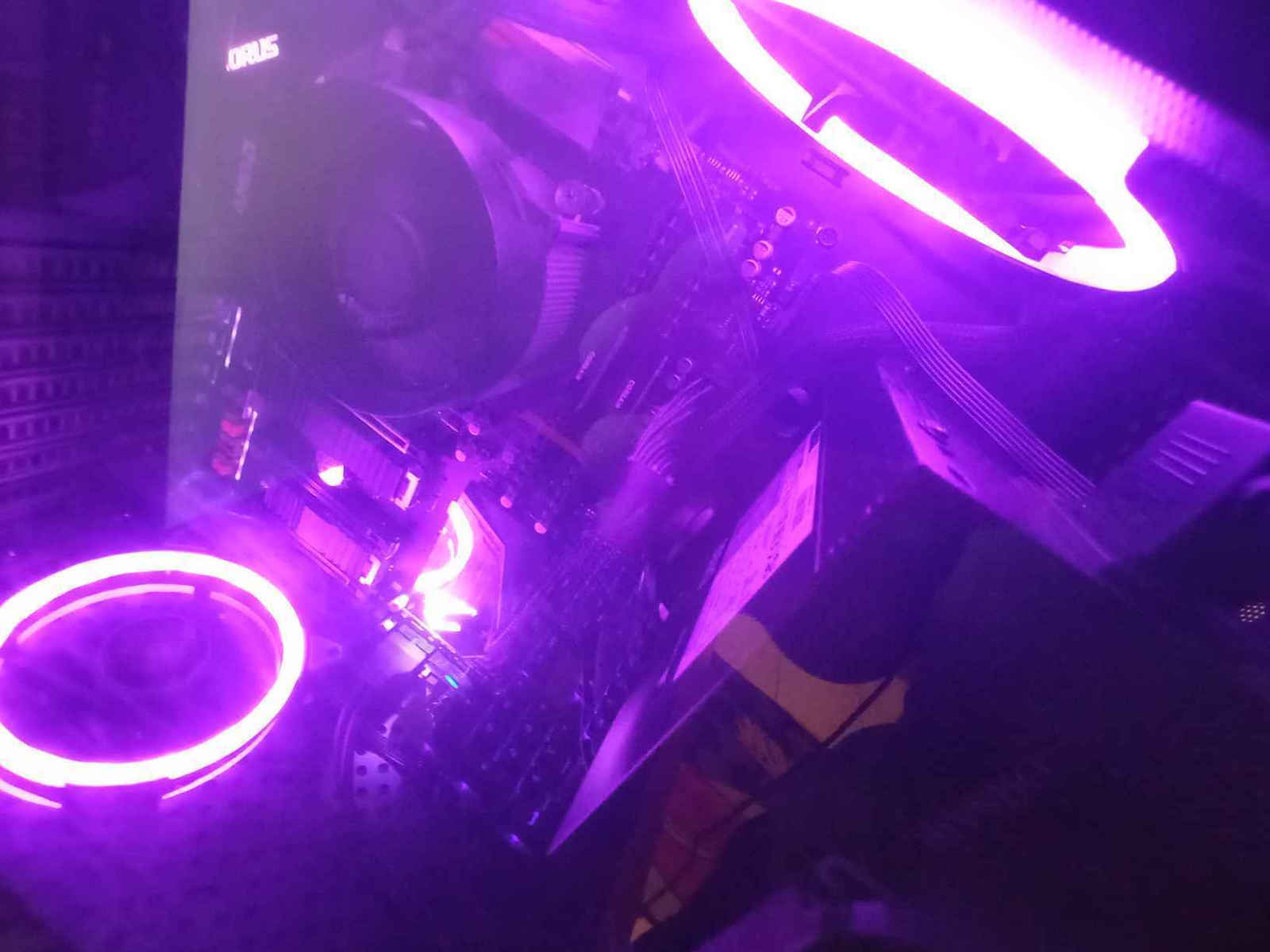
I have the above case for about 6 months and overall I am satisfied. It looks very nice. I was disappointed when I found out (after the purchase) that it has one of the worst airflows among cases in 2019 (tested by "gamers nexus" on YouTube). The reason is that even though it has holes everywhere and seems to have good airflow, each side ends up being 70% metal and 30% holes because there is a large distance between the holes. Until then, I hadn't noticed any temperature issues, but afterwards, I realized that there is indeed a small problem. I have a Ryzen 5 3600 and an MSI RX 580. Initially, the temperatures were 70+ degrees Celsius for the CPU and 75+ degrees Celsius for the GPU under load, and the stock AMD cooler was struggling.
So, I bought some 140mm fans for the case, which I recommend everyone to buy and include in their budget (or 120mm), and a CPU cooler (optional). On the case's website, CoolerMaster says that it doesn't support 140mm fans in the front and bottom, but there are holes for:
Top: 2x 140/120 mm
Bottom: 1x 140/120mm + PSU | 2x 140/120mm
Front: 1x 140/120mm + PSU | 2x 140/120mm
Rear: 1x 120mm
The PSU can be installed either at the bottom or on the right-top, and depending on that, there is space for 1 or 2 fans.
⚠ If you install the PSU at the bottom, the entire ATX motherboard won't fit. For ATX, the PSU must be installed on the right-top.
It comes with one 120mm fan at the back, of average quality.
⚠ On the bottom side, even though it has holes, if you install a 140mm fan, it may "hit" and you won't be able to screw it in (at least my fan, which is 27mm in height). I recommend using a 120mm or slim 140mm fan for the bottom.
edit: in the photos, it seems that it barely doesn't touch the front panel connector, but it hits the bottom part of the motherboard, so it can't fit below the motherboard and there is a small overlap. The 120mm fan doesn't screw in below the motherboard but in the front, so it won't have any issues.
⚠ Since the case has holes everywhere for airflow, you can tie the cables with zip ties to them (they don't fit perfectly) a bit to the side, and you won't be bothered by the holes. That's what I did. Also, it can fit a 140mm fan in the front, even though it's not mentioned on the website, but be careful if your PSU is long, like the Corsair HX Series HX1200, the 140mm fan may not fit.
As for cable management, it's generally a difficult case, but it has a lot of space at the back. There are many points to hide cables and route them to the back, so you can have a visually pleasing result. For me, it was the most challenging cable management I've done, but it turned out very nice.
The PSU mount is also a bit strange. Don't confuse the screws because some are small and go through the inside. When I switched from a full wired to a semi-modular PSU, because the cables would be somewhat visible, with a semi-modular PSU, the result is much nicer visually.
The front panel can be mounted in 3 positions: top, right, and bottom.
⚠ If someone wants to mount the front panel from the top and pull the USB3 to the bottom side of the motherboard (where the connector often is), the cable won't reach to pass it behind the motherboard and below. You will need an extension or the cable shouldn't go behind and be in the middle (boo! for the last option). I recommend mounting it on the right side so that it covers the PSU cables a bit.
I saw in videos that it supposedly doesn't have good build quality. It's actually fine. It's not made of steel, but for a budget case, it's very good, and everything is in its place. The side panel is not tempered glass, which I don't like.
The PCI caps are metallic and screw-on, not glued on, which eliminates the need for breaking them.
It is not a disaster as often presented on YouTube, even without the case fans. The Ryzen 5 3600 starts throttling at 95C, and I wasn't even close to that. On my GPU, the fans didn't go above 75%, which means there was room for more. Sometimes it just made a little more noise before I installed the case fans.
edit: with an upgrade to the MSI 5600xt gaming X, which has a thick cooler, the GPU fans don't even start, and I can barely reach 70 degrees, and then they start to lower it (I haven't adjusted the fan curve).
After all this, I wouldn't recommend the case. Today, at 70 euros plus an additional 15-20 euros for fans, we reach 85-90 euros. With that money, you can definitely get a case with better airflow and tempered glass on the side, which are available within this budget.
If someone, like me, really likes the design, then go for it. It's not a disaster and it's very nice to play with.
Έχω το παραπάνω κουτί περίπου 6 μήνες και σε γενικές γραμμές είμαι ευχαριστημένος. Εμφανισιακά είναι πολύ ωραίο. Ξενέρωσα αρκετά όταν έμαθα( μετά την αγορά) ότι έχει από τα χειρότερα air flow σε κουτιά του 2019 (test από "gamers nexus" στο youtube). O λογος ειναι οτι παρολο που εχει παντου τρυπες και μοιαζει να εχει καλο airflow, καθε πλευρα καταληγει να ειναι 70% μεταλο και 30% τρυπες επειδη υπαρχει μεγαλη αποσταση μεταξυ των τρυπων. Έως τότε δεν είχα δει θερμοκρασίες, και μετά είδα ότι όντως υπάρχει μικρό πρόβλημα. Έχω έναν ryzen 5 3600 και msi rx 580. Αρχικά οι θερμοκρασίες ήταν 70+ cpu και 75+ gpu under load, και η stock ψήκτρα της AMD ζοριζόταν.
Αγόρασα λοιπόν μερικά 140mm fans για το κουτί, τα οποία προτείνω σε όλους να αγοράσουν και να τα συμπεριλάβουν στο budget(ή 120mm) και μια ψήκτρα για cpu(optional) . Στη σελίδα του κουτιού η coolermaster λέει ότι μπροστά και κάτω δε παίρνει 140mm fans αλλά υπάρχουν τρύπες για :
πάνω: 2x 140/120 mm
κάτω: 1x 140/120mm + psu | 2x 140/120mm
μπροστά: 1x140/120mm + psu | 2x 140/120mm
πίσω: 1x120mm
To psu μπαίνει είτε κατω, είτε δεξιά-πάνω και ανάλογα υπάρχει χώρος για 1 ή 2 fan.
⚠ Αν βάλεις το PSU κάτω δε χωράει ολόκληρη η ATX μητρική. Για ΑΤΧ το psu υποχρεωτικά πάνω δεξιά-πάνω.
Έχει μαζί με το κουτί πίσω 1 fan 120mm, μέτριας ποιότητας.
⚠ Στην κάτω πλευρά παρόλο που έχει τις τρύπες, αν βάλεις 140mm fan, με atx μητρική μπορεί να "βρίσκει" και να μην μπορείς να τον βιδώσεις (το δικό μου fan τουλάχιστον που είναι 27mm ύψος) . Προτείνω αν γίνετε 120mm ή slim 140mm fan για κάτω.
edit: στις φωτο φαίνεται πως οριακά δεν αγγίζει το front panel connector, αλλά βρίσκει στο κάτω μέρος της μητρικής, με αποτέλεσμα να μην μπορεί να μπει κάτω από την μητρική και υπάρχει ένα μικρό overlap. To 120mm δεν βιδώνει κάτω από την μητρική αλλά μπροστά, οπότε δεν θα έχει θέμα.
⚠ Επειδή το κουτί έχει παντού τρύπες για airflow, μπορείς να τον δέσεις και με δεματικά σε αυτές(δεν ταιριάζουν ακριβώς) λίγο δίπλα και να μην σε νοιάζουν οι τρύπες. Εγώ αυτό έκανα. Μπροστά επίσης παίρνει 140mm fan κανονικά, παρόλο που δε το λέει στο site αλλά προσοχή αν είναι μακρύ το psu όπως το Corsair HX Series HX1200 μπορεί να μην χωράει ο 140mm.
Όσο αναφορά το cable management, γενικά είναι δύσκολο κουτί αλλά έχει πάρα πολύ χώρο από πίσω. Υπάρχουν πολλά σημεία για να κρύψεις καλώδια και να τα περάσεις πίσω, ώστε να έχεις ένα όμορφο αποτέλεσμα οπτικά. Για μένα ήταν το πιο δύσκολο cable management που έχω κάνει αλλά τελικά βγήκε πολύ ωραίο.
Το mount για το τροφοδοτικό επίσης είναι λίγο περίεργο. Μην μπερδέψετε τις βίδες επειδή μερικές είναι μικρές και περνάνε από μέσα. Όταν άλλαξα από full wired σε semi modular τροφοδοτικό, επειδή τα καλώδια λίγο πολύ θα φαίνονται, με semi modular είναι πολύ πιο ωραίο οπτικά το αποτέλεσμα.
Το front panel μπορεί να μπέι σε 3 θέσεις, πάνω, δεξιά και κάτω.
⚠ Αν θέλει κανείς να βάλει το front panel από την πάνω μεριά, και να τραβήξει το usb3 στην κάτω πλευρά της μητρικής (εκεί είναι ο connector συχνά) , δε φτάνει το καλώδιο να περάσει πίσω από την μητρική και κάτω. Χρειάζεται extension ή να μην πάει το καλώδιο από πίσω και να είναι στην μέση( μπουυυυυ! στο τελευταίο ).Προτείνω δεξιά το front panel ώστε να καλύπτει λίγο και τα καλώδια του τροφοδοτικού.
Είδα στα βίντεο ότι και καλά δεν έχει καλό build quality. Μια χαρά είναι. Δεν είναι ατσάλινο αλλά για budget κουτί πολύ καλό, και όλα στη θέση τους.
Το side panel δεν είναι tempered glass που δεν μου αρέσει.
Τα pci καπακια ειναι μεταλικα και βιδωτα και οχι κολλημενα που χρειαζονται σπασιμο.
Δεν είναι καταστροφή όπως παρουσιάζετε συχνά στο YouTube, και χωρίς τα case fans. Ο ryzen 5 3600 ξεκινάει το throttling στους 95C και δεν ήμουνα ούτε καν κοντά σε αυτό. Στη gpu μου τα fans δεν είχαν πάει πάνω από 75% που σημαίνει ότι υπήρχε περιθώριο. Μερικές φορές απλά ακουγόταν λίγο παραπάνω πριν βάλω τα case fans.
edit: με αναβάθμιση σε MSI 5600xt gaming X, που έχει πολύ χοντρό cooler, τα fan της GPU δεν ξεκινάνε καν, με το ζόρι να δω 70 βαθμούς, και τότε ξεκινάνε να το ρίξουν(δεν εχω φτιάξει το fan curve).
Μετά από όλα αυτά, δε θα πρότεινα το κουτί. Σήμερα στα 70 ευρώ +15-20 ευρώ τουλάχιστον για fans φτάνουμε στα 85-90. Με αυτά τα λεφτά μπορείς να πάρεις σίγουρα κάποιο κουτί με καλύτερο air flow και tempered glass στο πλάι, που υπάρχουν σε αυτό το budget.
Αν σε κάποιον, όπως εμένα, άρεσε πολύ το design, τότε go for it. Δεν είναι καταστροφή και είναι πολύ ωραίο για να παίξεις.