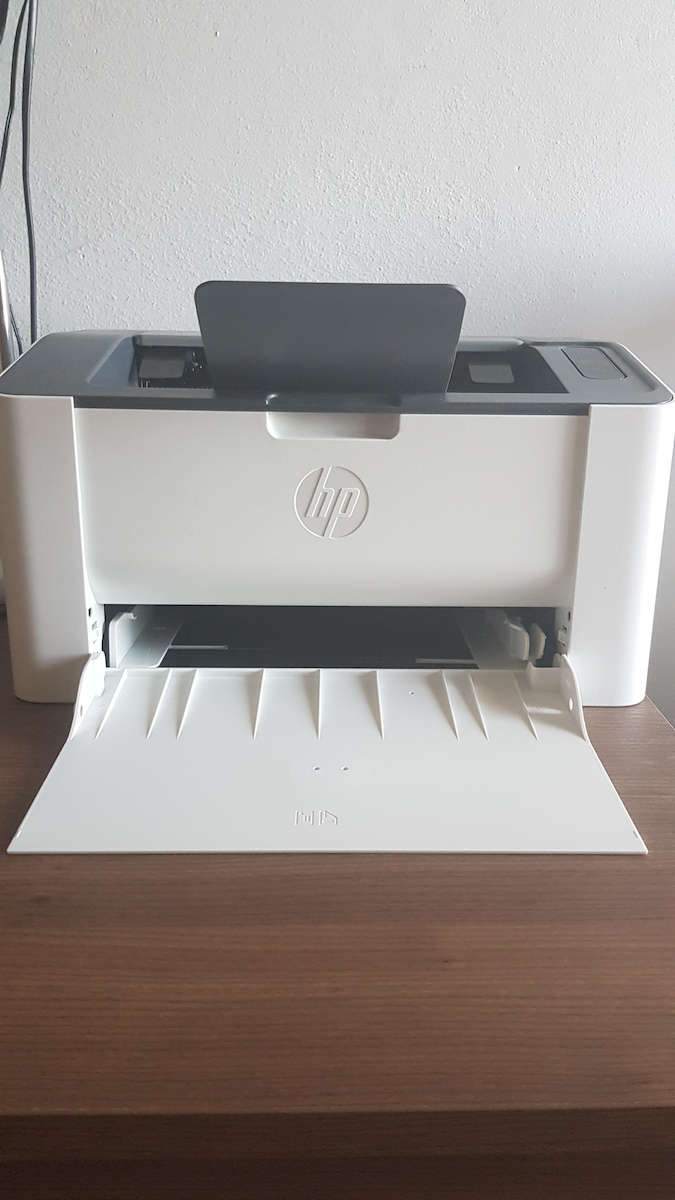
I bought it after seeing the positive comments and because it's an HP, which provides excellent support for Linux (I wasn't interested in connecting with Windows).
The reason I ended up with a laser printer is because I always had a multifunction printer with a scanner and a color printer, but I hardly ever printed color documents. As for the scanner, I never used it, especially now that we have smartphones that do it just fine. So the HP Laser 107w suited my needs perfectly.
The connection to WiFi can be tricky for beginners, but not for experienced users. The process involves downloading the application and once you open it and click on "add new printer," you'll need to go to the WiFi settings on your mobile device, find the HP_Wifi, and after connecting to it, it will ask you to select your home WiFi network to complete the connection.
TIP: Once connected to WiFi, you can press and hold the middle button (between the WiFi and power button) for 10 seconds, and it will print out information about the printer. There you will also see its IP address to connect through your browser. There, you can click on "login" in the top right corner and it will prompt you to sign in. The default username is "admin" and the password is left blank.
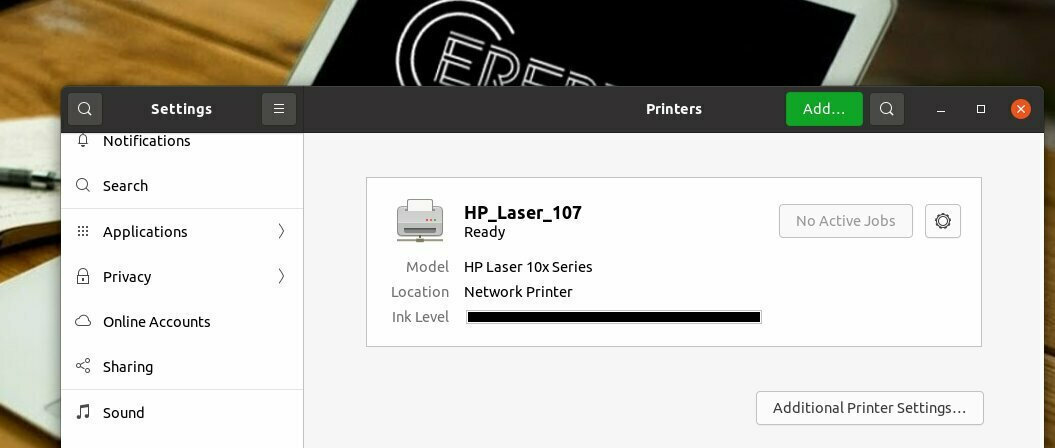
The printing is indeed very fast compared to inkjet printers. For those of you using Linux, search on Google for "HP Laser 107w Connection on Linux" for detailed instructions. When connected, it will also show you the toner level, as shown in the image
Το αγόρασα μετά από τα θετικά σχόλια που είδα και επειδή είναι HP η οποία παρέχει άψογη υποστήριξη για Linux (δεν με ενδιέφερε η σύνδεση με Windows).
Ο λόγος που κατέληξα σε laser είναι επειδή είχα πάντα πολυμηχάνημα με scaner και έγχρωμο εκτυπωτή αλλά ζήτημα να είχα εκτυπώσει 10 έγχρωμα έγραφα. Για το σκάνερ δε, ούτε το χρησιμοποίησα ποτέ, ειδικά τώρα που έχουμε κινητά που το κάνουν μια χαρά. Οπότε το P Laser 107w έκατσε κουτί στις ανάγκες μου.
Η σύνδεση με το Wifi πράγματι θα παιδέψει τους αρχάριους αλλά όχι τους έμπειρους. Η διαδικασία περιλαμβάνει λήψη της εφαρμογής και αφού το ανοίξετε και πατήσετε προσθήκη νέου εκτυπωτή, θα χρειαστεί να πάτε στο Wifi του κινητού σας, να βρείτε το HP_Wifi, και αφού συνδεθείτε σε αυτό θα σας ζητήσει να επιλέξετε πάλι το Wifi του σπιτιού σας για να ολοκληρωθεί η σύνδεση.
TIP: Μόλις συνδεθεί στο Wifi μπορείτε να πατήσετε παρατεταμένα για 10 δευτερόλεπτα το μεσαίο κουμπί (ανάμεσα στο wifi και το κουμπί κλεισίματος) και θα σας εκτυπώσει πληροφορίες για τον εκτυπωτή. Εκεί θα δείτε και την IP του για να συνδεθείτε μέσω του browser σας. Εκεί μπορείτε να πατήσετε δεξιά επάνω το login και θα σας ζητήσει να συνδεθείτε. Τα εργοστασιακά είναι username: admin και password: αφήστε το κενό.
Η εκτύπωση είναι όντως ταχύτατη σε σχέση με τους inkjet. Για όσους έχετε Linux ψάξτε στο Google "HP Laser 107w Σύνδεση σε Linux" για αναλυτικές οδηγίες. Όταν θα συνδεθεί θα σας δείχνει και την στάθμη του toner όπως φαίνεται και στην εικόνα