4 external omnidirectional antennas tested for accuracy, with carefully designed internal structure and configuration
Significantly improve transmission performance, even in complex environments
Shipping costs and delivery speed are calculated based on the delivery location.



Key features:
Top specs
Enjoy dual-band wireless speed for faster and smoother internet access. With 300Mbps from the 2.4GHz band and 867Mbps from the 5GHz band, the maximum wireless speed is up to 1167Mbps
4 external omnidirectional antennas tested for accuracy, with carefully designed internal structure and configuration
Significantly improve transmission performance, even in complex environments

A specially processed metal substrate is combined with nanomaterials with exceptional thermal radiation characteristics. It offers excellent heat absorption and dissipation capabilities for effective chip temperature reduction and improved system stability.
The 2.4GHz and 5GHz wireless chipset integrates PA and LNA. The PA (power amplifier) effectively boosts the signal transmission power, while the LNA (low noise amplifier) can improve the signal receiver sensitivity. It allows for signal transmission over longer distances, with better wall penetration and wider coverage.
The 5GHz band supports the LDPC error correction algorithm to enhance anti-interference capabilities during data transmission.
Significantly improved Wi-Fi signal coverage for enhanced data transmission performance.
With memory up to 64MB, data transmission is more stable, ensuring the smooth operation of a larger number of functions, as well as the stable connectivity of more smart devices.
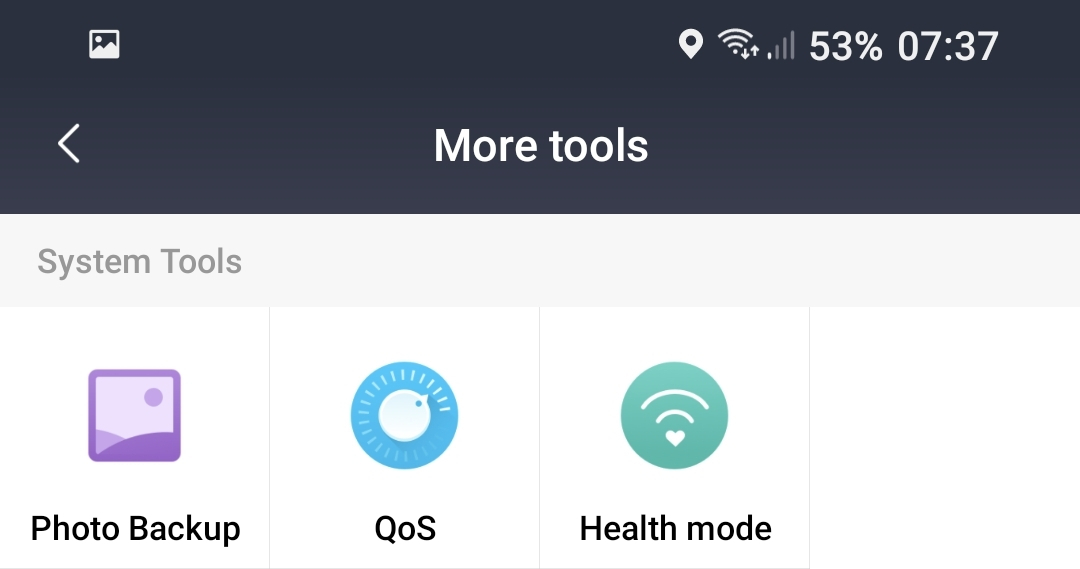
You can choose the automated configuration of the router or allow the Mi Router 4A to perform smart optimization, so you can have a smoother experience playing games, watching videos, or browsing the Web. For a better online experience, you can prioritize the network bandwidth to a single device.
Guarantee of higher Internet speed
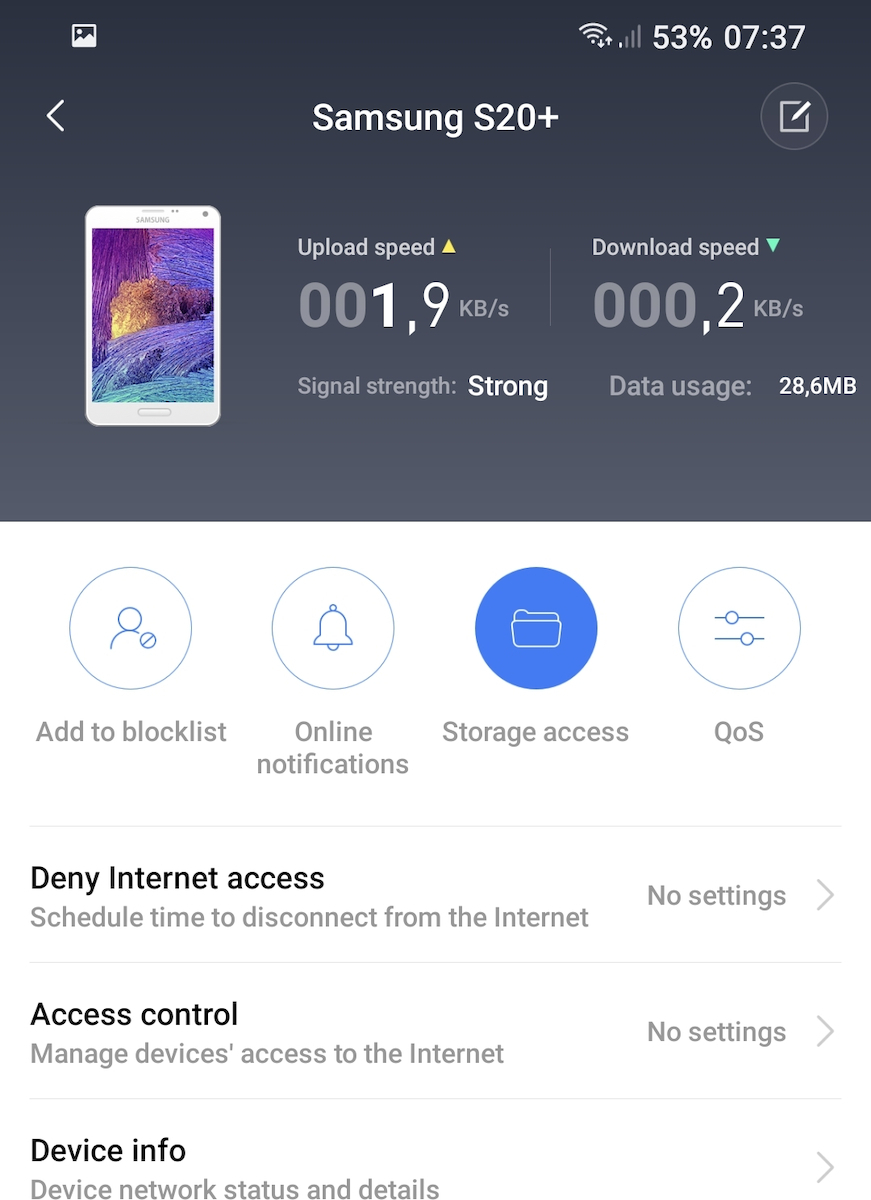
Most cases of unauthorized access to Wi-Fi are due to weak passwords or installed network sharing software. The Mi Router 4A will notify you when a new device connects to the network. If a suspicious device attempts to connect to the network, depending on the security level, the connection will be blocked or you will be asked to add the device to the blacklist.
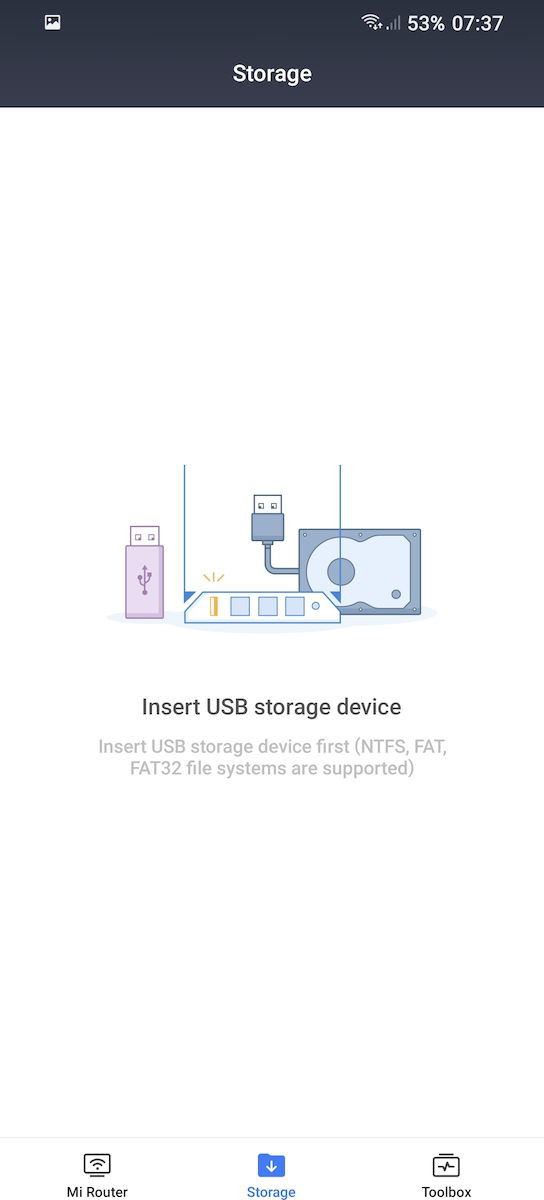
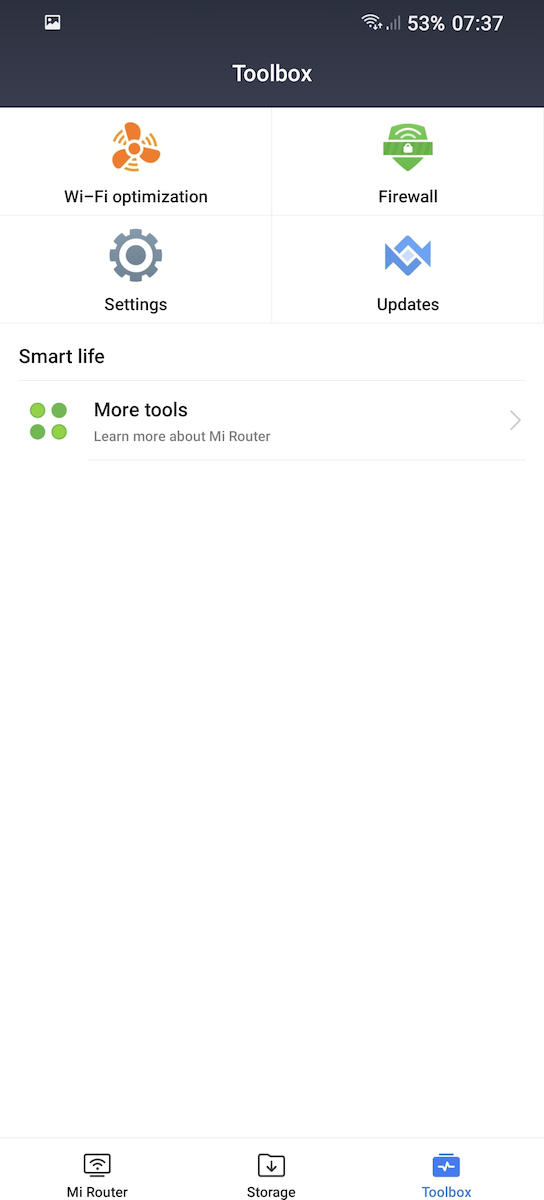
To boost your network speed, open the Mi WiFi app, go to the toolbox, and simply click on "Wi-Fi Optimization" to automatically monitor and optimize the Wi-Fi channel in multiple dimensions.
Specifications are collected from official manufacturer websites. Please verify the specifications before proceeding with your final purchase. If you notice any problem you can report it here.

This is the Xiaomi Mi Router 4A – International / 100M (R4AC). This particular router is not suitable for openwrt installation (and generally for experimentation):
Flash: 8MB, RAM: 64MB and SoC: MediaTek MT7628AN.
The service from skroutz and the store was excellent!
Πρόκειται για το Xiaomi Mi Router 4A – International / 100M (R4AC). Το συγκεκριμένο ρούτερ δεν ενδείκνυται για εγκατάσταση openwrt (και γενικά για πειραματισμούς):
Flash: 8MB, RAM: 64MB και SoC: MediaTek MT7628AN.
Η εξυπηρέτηση από το skroutz και από το κατάστημα άψογη!
Very good as a WiFi AP in combination with a Cosmote router, with very good range. However, from what I see compared to the Speedport 2, they have slightly less power behind walls and metals. I had it to stream games from my PC to my mobile and I was very satisfied.
Πολύ καλό σαν WiFi AP σε συνδυασμό με ρούτερ της cosmote, με πολύ καλό range. Απότι βλέπω όμως σε σύγκριση με τα Speedport 2 έχουν λίγο λιγότερη ισχύ πίσω από τοίχους και μέταλλα. Το είχα για να κάνω streaming games από το PC στο κινητό μου και έμεινα πολύ ικανοποιημένος.

Every home should have two! You connect it to the LAN of the provider’s modem (yes, the Xiaomi does not take calls as it does not support VOIP, it’s a router) and you turn off the wireless network broadcast of the provider, so that only the Mi Router 4A broadcasts. For a 6-year-old device, it has satisfactory configurations for the average user. Excellent Mi WiFi app that doesn’t require you to connect with an address or ethernet + laptop! It supports VPN but does not have a kill switch. I do not recommend installing OpenWRT as it can very easily become bricked (irreversible). I use the second one as a WiFi access point for the first and I cover 200m2 without major losses.
Κάθε σπιτι πρέπει να έχει δυο! Το συνδέεις πάνω στo lan του modem του παρόχου (ναι το xiaomi δεν παίρνει κλήσεις καθώς δεν υποστηρίζει voip, router είναι) και κλείνεις την ασύρματη εκπομπή δικτύου του παρόχου, ώστε να εκπέμπε μόνο το mi router 4A. Για 6 ετών συσκευή εχει ικανοποιητικές παραμετροποιήσεις για τον απλό χρήστη. Εξαιρετική εφαρμογή mi wifi app που δεν χρειάζεται να συνδέεσαι με address ή ethernet + laptop! Παίρνει vpn αλλά δεν έχει kill switch. Δεν προτείνω εγκατάσταση openwrt καθώς γίνεται πολύ εύκολα brick (μη αναστρέψιμο). Το δεύτερο το χρησιμοποιώ ως wifi access point του πρώτου και καλύπτω 200m2 χωρίς μεγάλες απώλειες.
With the stock firmware it's ok. Much better than the provider's router at least.
With open wrt firmware it becomes much better with many more features!
Με το μαμά firmware είναι οκ. Πολύ καλύτερο από ρούτερ παρόχου τουλάχιστον.
Με open wrt firmware γίνεται πολύ καλύτερο με πολύ περισσότερες λειτουργίες!
I have a 300Mbps fiber at my house and I have the router on the upper floor. I wanted to use the Xiaomi as an extender basically to get better signal on the lower floor. Without the Xiaomi, I was getting 78Mbps and with the Xiaomi, I only get 42Mbps. So not only did it not maintain the speed that my router was providing downstairs, but it also cut it in half. It's not worth it for any reason. It's better to get a power line and connect a cheaper router on top.
Έχω 300αρα ίνα στο σπίτι μου και έχω στον πάνω όροφο το ρουτερ. Ήθελα να χρησιμοποιήσω το Xiaomi σαν extender ουσιαστικά για να πιάνω καλύτερο σημα στον κάτω όροφο. Χωρίς το Xiaomi έπιανα 78 και με το Xiaomi 42. Δηλαδή όχι μόνο δεν μου κράτησε την ταχύτητα που έδινε κάτω το ρουτερ μου την έριξε και στο μισό. Δεν αξίζει για κανένα λόγο. Καλύτερα πάρτε ένα power line και κουμπώσατε πάνω ένα πιο φθηνό ρουτερ.
Easy installation, I have Vodafone and because I didn't have good signal in the rooms, I decided to buy it after reading the reviews. The main modem connected relatively easily. I don't think the signal changes much.
I want to test the signal quality with video calls because I had issues with freezing. I will come back.
Εύκολη εγκατάσταση, έχω vodafone και επειδή δεν είχα καλό σήμα στα δωμάτια αποφάσισα να το αγοράσω μετά τις κριτικές που διάβασα. Συνδέθηκε σχετικά εύκολα το μητρικό μόντεμ. Δεν νομίζω πως αλλάζουν και πολλά στο σήμα.
Ποιότητα σήματος θέλω να δοκιμάσω με βιντεοκλησεις γιατί εκεί είχα θέμα όλο κόλλαγε. Θα επανέλθω.

It is impressive how simple the management interface is in repeater mode and it makes sense. Again, when connecting it as a repeater, you need to connect it to the LAN port of the provider's router first, get an IP, and connect with the Xiaomi application. These are pleasantly simple and function very well
Είναι εντυπωσιακό πόσο απλό interface διαχείρισης έχει σε repeater mode και έχει λογική αυτό. Πάλι, συνδέοντάς το σαν repeater, πρεπει να το συνδέσεις σε LAN θύρα του ρουτερ του παρόχου πρώτα, να πάρει ΙΡ και να συνδεθείς με την εφαρμογή της Xiaomi. Αυτά, ευχάριστα απλό και λειτουργικά πολύ καλο
Verified purchase
When I installed it, it gave me quite a hard time. I bought it to use it as a repeater, but it didn't connect at first. It couldn't detect the 5g network of the router. At some point, it detected and connected, and it worked flawlessly for about a month. Three days ago, it got stuck, so I reset it. It installed successfully on the first try, but today it did the same thing again, and I can't install it. The provider's 5g network is still not being detected, and I think that's the problem.
Όταν το εγκατέστησα με δυσκόλεψε αρκετά, το πήρα για να το χρησιμοποιήσω σαν repeater, δεν συνδεόταν στην αρχή, δε μπορούσε να εντοπίσει το δίκτυο 5g του ρούτερ, κάποια στιγμή το εντόπισε και συνδέθηκε, δούλεψε απροβληματιστα για κάνα μήνα, πριν τρεις μέρες κόλλησε, το έκανα reset, εγκαταστάθηκε με τη πρώτη προσπάθεια, σήμερα έκανε πάλι το ίδιο αλλά δε μπορώ να το εγκαταστήσω.. πάλι δεν εντοπίζεται το 5g του παρόχου και νομίζω αυτό είναι το πρόβλημα .
Basically, I'm not a tech-savvy user with custom firmware, etc. I plug it in, remove all the limiters, and make simple changes to settings. This specific router is advertised as having a maximum WiFi speed of 876mb/s on 5GHz, but it doesn't even come close. I stand right in front of the router, reboot the router, modem, PC, but nothing. On the wired connection, it almost reaches gigabit as promised with a 5-7% deviation, but I'm okay with that. So, minus one star for the out of specs WiFi. Other than that, no disconnections, decent WiFi signal (nothing amazing), and a good price for what it offers. By the way, I've had it for 2.5 years.
βασικά δεν είμαι ψαγμενος χρήστης με custom firmware κλπ. το βάζω στην πρίζα βγάζω όλα τα limiters και γενικά κάνω απλές αλλαγές σε ρυθμίσεις. το συγκεκριμένο ρούτερ διαφημίζεται ως μέγιστο wifi speed στα 5GHZ 876mb/. δεν τα πλησιάζει καν,πάω μπροστά στο router,κάνω reboot router,modem,pc αλλά τίποτα. στο ενσύρματο κοντεύει το gigabit όπως υπόσχεται με μια απόκλιση 5-7% αλλά είμαι ο.κ. με αυτό. μείον 1αστερι λοιπόν για το out of specs wifi. κατά τα άλλα 0 αποσυνδεσεις, τίμιο σήμα wifi(όχι κάτι τρελό) και καλή τιμή για αυτά που προσφέρει.
btw το έχω 2.5χρονια.


I, in turn, wanted to comment on the fact that apart from being a Router, it can also be used as a repeater (with both wired and wireless connections) with the corresponding settings.
Otherwise, it is a great device with many functionalities such as guest connections, monitoring who is connected to the network, device-specific speeds, etc.
Εγω με την σειρά μου ήθελα να σχολιάσω το γεγονός ότι πέρα απο Router, μπορεί να χρησιμοποιηθεί και ως repeater (με καλώδιο αλλλά και ασύρματα) με τις αντίστοιχες ρυθμίσεις.
Κατά τα άλλα ειναι μια χαρά συσκευή με πολλά functionalities σε σύνδεση guests, έλεγχο ποιος συνδέεται στο δίκτυο, ταχύτητες ανά συσκευή, κα.
Put OpenWRT and it will work with IPv6 (which the stock version does not have). For me, it works perfectly as I want it to receive internet from WiFi and provide it to my PC on the LAN.
Βάλτε OpenWRT και θα δουλέψει και το ipv6 (που δεν το έχει το stock). Για μένα δουλεύει άψογα που θέλω να παίρνει ιντερνετ από το wifi και να δίνει στο lan στο PC μου.
Very good price. Very good that it has mobile management from wherever you are
Πολύ καλή τιμή. Πολύ καλό το γεγονός ότι έχει την διαχείριση από το κινητό από όπου και αν βρίσκεσαι
Give a little more money and get a TP-Link, the range on this one is equivalent to that of the provider's router.
Δώστε λίγα παραπάνω λεφτά και πάρτε ένα TP-Link, η εμβέλεια σε αυτό είναι ισάξια του ρούτερ του παρόχου.
A very good router for those who want an upgraded experience in their wireless connection at home. However, I had some issues with port forwarding, so I gave it to a friend who wanted a better router. If you are looking for something simple, easy to set up, and that will work without causing any trouble, then I definitely recommend it!
Ένα πολύ καλό router για όσους θέλουν μια αναβαθμισμένη εμπειρία στην ασύρματη σύνδεση τους μέσα στο σπίτι. Βέβαια, είχα κάποια θεματάκια με port forwarding και έτσι το έδωσα σε έναν φίλο που ήθελε ένα καλύτερο router. Αν ψάχνεις κάτι απλό, εύκολο στο setup και που θα λειτουργεί χωρίς να σου δημιουργεί φασαρίες, τότε στο προτείνω άφοβα!
It's fine with its own firmware.
Because it runs many xiaomi, I tried to change it to openwrt but it couldn't be done with the new firmware, it's locked.
Μια χαρά με το δικό του firmware.
Επειδή τρέχει πολλά xiaomi πήγα να το αλλάξω σε openwrt αλλά δεν γίνονταν με το νέο firmware είναι κλειδωμένο.
I have this specific router for about 6 months, I won't waste time, what I will say is that for the 25 euros I bought it, it's just OK. Its features are quite good and you can experiment a lot, it has VPN, you can adjust the mbps that each device will receive, it has a setting for priority (for games, browsing, etc.) which is a pretty good feature. The reason why I haven't rated it higher is because at the beginning I had the following issue: When I entered, for example, Twitter, it wouldn't load and required a refresh, the same happened with other websites, however, I possibly identified the issue as coming from the priorities I mentioned earlier, so it's better to leave it on auto if you have issues. The second negative and more significant aspect is the range, come on guys, it has 4 antennas, I have it in the room and whether the door is open or closed, if I move away from 4-5 meters, it only reaches 80mbps, 10 at most, I bought it for a greater range and power and the issue wasn't solved. Anyway, you can get it and play with the settings like I did and you will get results if you have patience. I hope I helped
Το εχω το συγκεκριμενο ρουτερ γυρω στους 6 μηνες , δεν θα μακρυγορησω αυτο που θα πω ειναι οτι για τα 25 ευρω που το πηρα ειναι απλα ΟΚ .Στα χαρακτηριστικα του ειναι αρκετα καλο και πειραματιζεσαι πολυ , εχει VPN , εχει να ρυθμισεις τα mbps που θα παιρνει η καθε συσκευη , εχει ρυθμιση για priority ( για games , για browsing κλπ ) που ειναι αρκετα καλο χαρακτηριστικο . Ο λογος που δεν το εχω βαλει πολυ ψηλα στη βαθμολογια ειναι γιατι στις αρχες ειχα το εξης προβλημα: Οταν εμπαινα π.χ. στο twitter δεν φορτωνε και ηθελε refresh , το ιδιο και σε αλλα sites ωστοσο το προβλημα το εντοπισα πιθανον να προερχεται απο τα priorities που σας ανεφερα παραπανω οποτε καλυτερα αφηστε το auto αν εχετε θεματα .Το δευτερο αρνητικο και πιο σημαντικο ειναι η εμβελεια , που ρε παιδια 4 κεραίες εχει , το εχω στο δωματιο και ειτε με ανοιχτη πορτα ειτε με κλειστει αν φυγω απο τα 4-5 μετρα πιανει απο 80mbps , 10 με το ζορι δηλαδη το πηρα για μεγαλυτερη εμβελεια ισχυ και το προβλημα δεν λυθηκε . Τελος παντων μπορειτε να το παρετε και να παιξετε με τις ρυθμισεις οπως εκανα και γω και θα βγαλετε αποτελεσμα αν εχετε υπομονη. Αυτα ελπιζω να βοηθησα
Expert mode off: A simple router in the range of €40 (purchased 5 months ago for €20). Easy to install, user-friendly interface, management app. You don't expect much from a router in this price range. Isn't that right?
Expert mode on: The software is nothing special. Flash OpenWRT and you essentially have a MikroTik imitation for €20. OpenVPN/WireGuard, security (WPA3/WPA Enterprise), speed, absolute flexibility, and the ability to customize it as you want, and above all, no communication with servers in China.
For those who don't know what I'm talking about: https://openwrt.org/
Joking aside, the router alone, with this modification, is literally value for money. However, this particular software requires some knowledge regarding networks. Keep that in mind :)
Expert mode off: Ένα απλό router της τάξης των 40€ (αγοράστηκε πριν από 5 μήνες στα 20€). Εύκολο στην εγκατάσταση, φιλικό-προς-τον-χρήστη περιβάλλον, διαχειριστικό app. Για router της παραπάνω τάξης δεν περιμένεις πολλά. Έτσι δεν είναι?
Expert mode on: Σιγά το software. Flash OpenWRT και έχεις στην ουσία μια απομίμηση MikroTik με 20€. OpenVPN/WireGuard, ασφάλεια (WPA3/WPA Enterprise), ταχύτητα, απόλυτη ευελιξία και δυνατότητα να το φέρεις στα μέτρα σου όπως εσύ θες, και πάνω απ' όλα όχι επικοινωνίες με servers στην Κίνα.
Για όσους δεν ξέρουν για τι πράγμα μιλάω: https://openwrt.org/
Πέρα απ' την πλάκα, το router και μόνο με αυτή την τροποποίηση είναι στην κυριολεξία VFM. Ωστόσο το συγκεκριμένο software απαιτεί μερική γνώση όσο αφορά τα δίκτυα. Να το έχετε υπόψιν :)
Guys, I had the provider's product and it was constantly freezing. While my line is very good and fast, the WiFi part was terrible. I got this one, connected it with a cable and now I access WiFi through it. It never freezes, day and night! It's cheap and for the use I wanted, it's the best choice. Now, for other uses, it has some disadvantages. Only having 2 Ethernets at the back is a bit restrictive.
Παιδιά είχα του παρόχου και όλη την ώρα κόλλαγε. Ενώ η γραμμή μου είναι πολύ καλή και γρήγορη το κομμάτι του WiFi ήταν τραγικό. Πήρα αυτό τα ένωσα με καλώδιο και μπαίνω στο WiFi από αυτό. Η μέρα με την νύχτα δεν κολλάει ποτέ! Φτηνουτσικο είναι και για την χρήση που ήθελα εγώ η καλύτερη επιλογή. Τώρα για άλλη χρήση έχει κάποια μειονεκτήματα. Μόνο 2 Ethernets από πίσω είναι λίγο περιοριστικό.
I got it to install openwrt and it's simply excellent. For anyone who wants to get involved and upgrade their home network, it's excellent. I didn't try it at all stock.
Το πήρα για να περάσω openwrt και ειναι απλά εξαιρετικό. Για οποιον θέλει να ασχοληθεί και να αναβαθμίσει το οικιακό του δίκτυο ειναι εξαιρετικό. Δεν το δοκιμασα καθόλου στοκ.
Very good router, slim and lightweight, very stable. It does its job. Simple functions and options. It doesn't do anything special nor does it have such a good signal to stand out.
Πολύ καλό rooter, λεπτό και ελαφρύ, πολύ σταθερό. Κάνει τη δουλειά του. Απλές λειτουργίες και επιλογές. Δεν κάνει κάτι ιδιαίτερο ούτε έχει τόσο καλό σήμα ώστε να ξεχωρίζει....
It could be easier and have more functions in its connection. We struggled a bit to set it up.
Θα μπορούσε να είναι πιο έυκολο και με περισσότερες λειτουργίες στη σύνδεσή του. Παιδευτήκαμε λίγο να το ρυθμίσουμε.
Cheap and good router with a very good management application from Xiaomi. Connected to the Cosmote modem router via ethernet and everything worked on the first try. Just be careful with devices that have static IP, from 192.168.1.*** that the Cosmote router gave, you need to change it to 192.168.31.*** that the Xiaomi router gives.
Φτηνό και καλό router με πολύ καλή εφαρμογή διαχείρισης από την Xiaomi. Σύνδεση με το modem router της Cosmote με ethernet και όλα έπαιξαν με την πρώτη. Μόνο προσοχή στις συσκευές που έχετε με static ip, από 192.168.1.*** που έδινε το router της cosmote πρέπει να το αλλάξετε σε 192.168.31.*** που δίνει το router της Xiaomi.
Okay, we got something! :)
Εντάξει κάτι πιάσαμε! :)

Excellent router! I highly recommend it. I bought it not so much to improve my WiFi since I already have good coverage at home, but for its application on my mobile and as a test unit to load OpenWRT on it and avoid having to test on the provider's router.
Regarding speeds, I haven't noticed any improvements or worsened compared to the provider's. In some areas of the house that are further away from the router and with walls in between, it has a better signal but nothing extraordinary.
It is important to know that it is a router and not a modem/router like all the providers, which means that you connect it to your provider's router. It is an easy process that takes a few minutes.
Whether you use the online application or the mobile version, both are user-friendly and have several useful features (guest network, reboot timer, etc.).
To be fair, the things this little router does are things that a typical provider router has been doing since '18 and onwards. It just does them a little easier and faster.
Great value for money and I would definitely buy it again!
Εξαιρετικό router! Το συνιστώ ανεπιφύλακτα. Το αγόρασα όχι τόσο για να βελτιώσω το WiFi μου καθώς έχω αρκετά καλή κάλυψη στο σπίτι, αλλά για την εφαρμογή στο κινητό και σαν test μονάδα για να του φορτώσω OpenWRT και να μην χρειαστεί να κάνω δοκιμές επάνω στο router του παρόχου.
Αναφορικά με τις ταχύτητες δεν έχω παρατηρήσει καλύτερες αλλά ούτε και χειρότερες σχετικά με του παρόχου. Σε μερικά σημεία του σπιτιού που είναι πιο μακρυά από το router και με τοίχους ενδιάμεσα έχει καλύτερο σήμα αλλά όχι κάτι το φοβερό.
Σημαντικό είναι να γνωρίζετε πως είναι router και όχι modem/router όπως όλων των παροχών που σημαίνει ότι πάει και συνδέετε επάνω στο router του παρόχου σας. Είναι εύκολη διαδικασία που παίρνει μερικά λεπτά.
Είτε χρησιμοποιήσετε την online εφαρμογή είτε την mobile έκδοση και οι 2 είναι φιλικές προς τον χρήστη και με αρκετές χρήσιμες λειτουργίες (guest network, reboot timer κ.ά.).
Για να πούμε και του στραβού του δίκιο αυτά που κάνει το routerάκι είναι πράγματα που κάνει και ένα τυπικό router παρόχου από το '18 και μετά. Απλώς τα κάνει λίγο πιο εύκολα και γρήγορα.
VFM και σίγουρα θα το ξανά αγόραζα!
I was looking for a way to boost the Wi-Fi signal in my house. As a modem router, I had an old (provider) one that didn't perform well in simultaneous connections. My connection is 100 Mbps and I never reached above 60-65 Mbps. As soon as I installed it, the Wi-Fi is blazing fast. 96+ For its price, it is the ultimate value for money. I highly recommend it without hesitation.
Έψαχνα με κάποιο τρόπο να ενισχύσω το σήμα Wi-Fi του σπιτιού μου. Σαν μόντεμ ρουτερ είχα ένα παλιό (παρόχου) που δεν τα πήγαινε πολύ καλά σε ταυτόχρονες συνδέσεις. Η σύνδεση μου είναι 100αρα και δεν έπιανα ποτε πάνω από 60-65. Με το που το εβαλα, το Wi-Fi πάει τάπα. 96+ Για τα λεφτά του είναι το απόλυτο VFM. Το συνιστώ με κλειστά ματια.
Good only if it is in the room you are in, otherwise if you go to another room it loses signal up to 100%. From my personal experience, it is rubbish..... It's not worth buying it, it's better to spend a little more money and go for a TP-LINK which is much better especially in terms of signal.
Καλο μονο εαν ειναι στο δωματιο που ειστε διαφορετικα αν πατε σε αλλο δωματιο χανει το σημα εως 100% για μενα απο προσωπικη εμπειρια ειναι ΜΑΠΑ..... δεν εχει νοιμα να το παρετε καλυτερα να βαλετε λιγα χρηματα παραπανω και να πατε σε κανα ΤΠ ΛΙΝΚ που ειναι πολυ πιο καλο σε οτι αφορα το σημα ειδικα..
I will only reply to those friends who say that it is not connected to the application. If you don't sign up and then scan the router, well, yes, it doesn't connect to anything. So, sign up definitely and then the connection is very easy unless you are a fool. If you are still a fool, ask someone else to do it for you. I completely agree about the range. It doesn't easily penetrate walls like the corresponding Tenda that I have connected to the Fritzbox. It is super fast but you have to be close, my dear mother.
Θα απαντήσω μόνο σε εκείνους τους φίλους που λένε πως δεν συνδέεται με την εφαρμογή. Αν δεν κάνεις sign up και μετα scanning του router, ε ναι δε συνδέεται με τίποτα. Άρα λοιπόν sign up οπωσδήποτε και μετά η ΄συνδεση είναι πανεύκολη εκτός αν είσαι μπούφος. Αν πάλι είσαι μπούφος, ζήτησε απο κάποιον άλλο να τον κάνει για σένα. Θα συμφωνήσω απόλυτα για την εμβέλεια. Δεν διαπερνά εύκολα τοίχους όπως το αντίστοιχο της tenda που έχω συνδέσει στο fritzbox. Απο ταχύτητα σκίζει αλλά πρέπει να είσαι κοντά μάνα μου.
For its price, it is perfect.
It gave me a hard time during installation as it needs to be done through a mobile application.
To download it, I struggled. The page was in Chinese.
You can't change many things. Especially the fact that the subnet is locked at 192.168.31.* is a big hassle. At least I couldn't find a way to change it.
On the positive side, you can see the speed of the users connected to it, you can block users, you can receive notifications when a new user connects, you can set it to turn off at certain times for power saving.
I got it to boost the signal in my house and it does exactly what I wanted. Especially for the price of <20€, I highly recommend it
Για τα λεφτά του είναι τέλειο.
Με ζόρισε στην εγκατάσταση καθώς πρέπει να γίνει από εφαρμογή στο κινητό.
Για να την κατεβάσω είδα και έπαθα. Η σελίδα ήταν στα Κινέζικα.
Δεν μπορείς να πειράξεις πολλά πράγματα. Ειδικά το ο,τι το subnet είναι κλειδωμένο στο 192.168.31.* είναι μεγάλος μπελάς. Τουλάχιστον εγώ δεν βρήκα τρόπο να το αλλάξω.
Στα θετικά είναι πως μπορείς να βλέπεις την ταχύτητα των χρηστών που είναι συνδεδεμένοι σε αυτό, μπορείς να μπλοκάρεις χρήστες, μπορούν να σου έρχονται ειδοποιήσεις όταν συνδέεται ένας νέος χρήστης, μπορείς να το ρυθμίσεις να κλείνει κάποιες ώρες και καλά για εξοικονόμηση ρεύματος.
Το πήρα για να ενισχύσω το σήμα στο σπίτι μου και κάνει ακριβώς που ήθελα. Ειδικά για την τιμή <20€ το συνιστώ ανεπιφύλακτα
In a 200Mbps fiber connection, I have seen download speeds of 265 and upload speeds of 310 in Thessaloniki. I believe the connection is worth its money.
Σε 200άρα ιναλάν σύνδεση έχω δει κατέβασμα 265 upload 310 Θεσσαλονίκη η σύνδεση πιστεύω αξίζει τα λεφτά του.

It is a shame how good this device with openwrt is for the 20 euros it costs.
But only with openwrt. If you plan to leave it with the factory firmware, know that half of your bandwidth will be consumed to send telemetry to China.
Είναι ντροπή πόσο καλό είναι αυτό το μαραφέτι με openwrt για τα 20 ευρώ που κοστίζει.
Αλλά μόνο με openwrt. Αν σκοπεύεις να το αφήσεις με το εργοστασιακό firmware, να ξέρεις ότι το μισό bandwidth της γραμμής σου θα στο τρώει για να στέλνει τηλεμετρία στη Κίνα.
This is the Xiaomi Mi Router 4A – International / 100M (R4AC). This particular router is not suitable for openwrt installation (and generally for experimentation):
Flash: 8MB, RAM: 64MB and SoC: MediaTek MT7628AN.
The service from skroutz and the store was excellent!
Πρόκειται για το Xiaomi Mi Router 4A – International / 100M (R4AC). Το συγκεκριμένο ρούτερ δεν ενδείκνυται για εγκατάσταση openwrt (και γενικά για πειραματισμούς):
Flash: 8MB, RAM: 64MB και SoC: MediaTek MT7628AN.
Η εξυπηρέτηση από το skroutz και από το κατάστημα άψογη!
Very good as a WiFi AP in combination with a Cosmote router, with very good range. However, from what I see compared to the Speedport 2, they have slightly less power behind walls and metals. I had it to stream games from my PC to my mobile and I was very satisfied.
Πολύ καλό σαν WiFi AP σε συνδυασμό με ρούτερ της cosmote, με πολύ καλό range. Απότι βλέπω όμως σε σύγκριση με τα Speedport 2 έχουν λίγο λιγότερη ισχύ πίσω από τοίχους και μέταλλα. Το είχα για να κάνω streaming games από το PC στο κινητό μου και έμεινα πολύ ικανοποιημένος.
Every home should have two! You connect it to the LAN of the provider’s modem (yes, the Xiaomi does not take calls as it does not support VOIP, it’s a router) and you turn off the wireless network broadcast of the provider, so that only the Mi Router 4A broadcasts. For a 6-year-old device, it has satisfactory configurations for the average user. Excellent Mi WiFi app that doesn’t require you to connect with an address or ethernet + laptop! It supports VPN but does not have a kill switch. I do not recommend installing OpenWRT as it can very easily become bricked (irreversible). I use the second one as a WiFi access point for the first and I cover 200m2 without major losses.
Κάθε σπιτι πρέπει να έχει δυο! Το συνδέεις πάνω στo lan του modem του παρόχου (ναι το xiaomi δεν παίρνει κλήσεις καθώς δεν υποστηρίζει voip, router είναι) και κλείνεις την ασύρματη εκπομπή δικτύου του παρόχου, ώστε να εκπέμπε μόνο το mi router 4A. Για 6 ετών συσκευή εχει ικανοποιητικές παραμετροποιήσεις για τον απλό χρήστη. Εξαιρετική εφαρμογή mi wifi app που δεν χρειάζεται να συνδέεσαι με address ή ethernet + laptop! Παίρνει vpn αλλά δεν έχει kill switch. Δεν προτείνω εγκατάσταση openwrt καθώς γίνεται πολύ εύκολα brick (μη αναστρέψιμο). Το δεύτερο το χρησιμοποιώ ως wifi access point του πρώτου και καλύπτω 200m2 χωρίς μεγάλες απώλειες.
With the stock firmware it's ok. Much better than the provider's router at least.
With open wrt firmware it becomes much better with many more features!
Με το μαμά firmware είναι οκ. Πολύ καλύτερο από ρούτερ παρόχου τουλάχιστον.
Με open wrt firmware γίνεται πολύ καλύτερο με πολύ περισσότερες λειτουργίες!
I have a 300Mbps fiber at my house and I have the router on the upper floor. I wanted to use the Xiaomi as an extender basically to get better signal on the lower floor. Without the Xiaomi, I was getting 78Mbps and with the Xiaomi, I only get 42Mbps. So not only did it not maintain the speed that my router was providing downstairs, but it also cut it in half. It's not worth it for any reason. It's better to get a power line and connect a cheaper router on top.
Έχω 300αρα ίνα στο σπίτι μου και έχω στον πάνω όροφο το ρουτερ. Ήθελα να χρησιμοποιήσω το Xiaomi σαν extender ουσιαστικά για να πιάνω καλύτερο σημα στον κάτω όροφο. Χωρίς το Xiaomi έπιανα 78 και με το Xiaomi 42. Δηλαδή όχι μόνο δεν μου κράτησε την ταχύτητα που έδινε κάτω το ρουτερ μου την έριξε και στο μισό. Δεν αξίζει για κανένα λόγο. Καλύτερα πάρτε ένα power line και κουμπώσατε πάνω ένα πιο φθηνό ρουτερ.
Enjoy dual-band wireless speed for faster and smoother internet access. With 300Mbps from the 2.4GHz band and 867Mbps from the 5GHz band, the maximum wireless speed is up to 1167Mbps
4 external omnidirectional antennas tested for accuracy, with carefully designed internal structure and configuration
Significantly improve transmission performance, even in complex environments
A specially processed metal substrate is combined with nanomaterials with exceptional thermal radiation characteristics. It offers excellent heat absorption and dissipation capabilities for effective chip temperature reduction and improved system stability.
The 2.4GHz and 5GHz wireless chipset integrates PA and LNA. The PA (power amplifier) effectively boosts the signal transmission power, while the LNA (low noise amplifier) can improve the signal receiver sensitivity. It allows for signal transmission over longer distances, with better wall penetration and wider coverage.
The 5GHz band supports the LDPC error correction algorithm to enhance anti-interference capabilities during data transmission.
Significantly improved Wi-Fi signal coverage for enhanced data transmission performance.
With memory up to 64MB, data transmission is more stable, ensuring the smooth operation of a larger number of functions, as well as the stable connectivity of more smart devices.
You can choose the automated configuration of the router or allow the Mi Router 4A to perform smart optimization, so you can have a smoother experience playing games, watching videos, or browsing the Web. For a better online experience, you can prioritize the network bandwidth to a single device.
Guarantee of higher Internet speed
Most cases of unauthorized access to Wi-Fi are due to weak passwords or installed network sharing software. The Mi Router 4A will notify you when a new device connects to the network. If a suspicious device attempts to connect to the network, depending on the security level, the connection will be blocked or you will be asked to add the device to the blacklist.
To boost your network speed, open the Mi WiFi app, go to the toolbox, and simply click on "Wi-Fi Optimization" to automatically monitor and optimize the Wi-Fi channel in multiple dimensions.
Specifications are collected from official manufacturer websites. Please verify the specifications before proceeding with your final purchase. If you notice any problem you can report it here.
This is the Xiaomi Mi Router 4A – International / 100M (R4AC). This particular router is not suitable for openwrt installation (and generally for experimentation):
Flash: 8MB, RAM: 64MB and SoC: MediaTek MT7628AN.
The service from skroutz and the store was excellent!
Πρόκειται για το Xiaomi Mi Router 4A – International / 100M (R4AC). Το συγκεκριμένο ρούτερ δεν ενδείκνυται για εγκατάσταση openwrt (και γενικά για πειραματισμούς):
Flash: 8MB, RAM: 64MB και SoC: MediaTek MT7628AN.
Η εξυπηρέτηση από το skroutz και από το κατάστημα άψογη!
Very good as a WiFi AP in combination with a Cosmote router, with very good range. However, from what I see compared to the Speedport 2, they have slightly less power behind walls and metals. I had it to stream games from my PC to my mobile and I was very satisfied.
Πολύ καλό σαν WiFi AP σε συνδυασμό με ρούτερ της cosmote, με πολύ καλό range. Απότι βλέπω όμως σε σύγκριση με τα Speedport 2 έχουν λίγο λιγότερη ισχύ πίσω από τοίχους και μέταλλα. Το είχα για να κάνω streaming games από το PC στο κινητό μου και έμεινα πολύ ικανοποιημένος.
Every home should have two! You connect it to the LAN of the provider’s modem (yes, the Xiaomi does not take calls as it does not support VOIP, it’s a router) and you turn off the wireless network broadcast of the provider, so that only the Mi Router 4A broadcasts. For a 6-year-old device, it has satisfactory configurations for the average user. Excellent Mi WiFi app that doesn’t require you to connect with an address or ethernet + laptop! It supports VPN but does not have a kill switch. I do not recommend installing OpenWRT as it can very easily become bricked (irreversible). I use the second one as a WiFi access point for the first and I cover 200m2 without major losses.
Κάθε σπιτι πρέπει να έχει δυο! Το συνδέεις πάνω στo lan του modem του παρόχου (ναι το xiaomi δεν παίρνει κλήσεις καθώς δεν υποστηρίζει voip, router είναι) και κλείνεις την ασύρματη εκπομπή δικτύου του παρόχου, ώστε να εκπέμπε μόνο το mi router 4A. Για 6 ετών συσκευή εχει ικανοποιητικές παραμετροποιήσεις για τον απλό χρήστη. Εξαιρετική εφαρμογή mi wifi app που δεν χρειάζεται να συνδέεσαι με address ή ethernet + laptop! Παίρνει vpn αλλά δεν έχει kill switch. Δεν προτείνω εγκατάσταση openwrt καθώς γίνεται πολύ εύκολα brick (μη αναστρέψιμο). Το δεύτερο το χρησιμοποιώ ως wifi access point του πρώτου και καλύπτω 200m2 χωρίς μεγάλες απώλειες.
With the stock firmware it's ok. Much better than the provider's router at least.
With open wrt firmware it becomes much better with many more features!
Με το μαμά firmware είναι οκ. Πολύ καλύτερο από ρούτερ παρόχου τουλάχιστον.
Με open wrt firmware γίνεται πολύ καλύτερο με πολύ περισσότερες λειτουργίες!
I have a 300Mbps fiber at my house and I have the router on the upper floor. I wanted to use the Xiaomi as an extender basically to get better signal on the lower floor. Without the Xiaomi, I was getting 78Mbps and with the Xiaomi, I only get 42Mbps. So not only did it not maintain the speed that my router was providing downstairs, but it also cut it in half. It's not worth it for any reason. It's better to get a power line and connect a cheaper router on top.
Έχω 300αρα ίνα στο σπίτι μου και έχω στον πάνω όροφο το ρουτερ. Ήθελα να χρησιμοποιήσω το Xiaomi σαν extender ουσιαστικά για να πιάνω καλύτερο σημα στον κάτω όροφο. Χωρίς το Xiaomi έπιανα 78 και με το Xiaomi 42. Δηλαδή όχι μόνο δεν μου κράτησε την ταχύτητα που έδινε κάτω το ρουτερ μου την έριξε και στο μισό. Δεν αξίζει για κανένα λόγο. Καλύτερα πάρτε ένα power line και κουμπώσατε πάνω ένα πιο φθηνό ρουτερ.
Easy installation, I have Vodafone and because I didn't have good signal in the rooms, I decided to buy it after reading the reviews. The main modem connected relatively easily. I don't think the signal changes much.
I want to test the signal quality with video calls because I had issues with freezing. I will come back.
Εύκολη εγκατάσταση, έχω vodafone και επειδή δεν είχα καλό σήμα στα δωμάτια αποφάσισα να το αγοράσω μετά τις κριτικές που διάβασα. Συνδέθηκε σχετικά εύκολα το μητρικό μόντεμ. Δεν νομίζω πως αλλάζουν και πολλά στο σήμα.
Ποιότητα σήματος θέλω να δοκιμάσω με βιντεοκλησεις γιατί εκεί είχα θέμα όλο κόλλαγε. Θα επανέλθω.
It is impressive how simple the management interface is in repeater mode and it makes sense. Again, when connecting it as a repeater, you need to connect it to the LAN port of the provider's router first, get an IP, and connect with the Xiaomi application. These are pleasantly simple and function very well
Είναι εντυπωσιακό πόσο απλό interface διαχείρισης έχει σε repeater mode και έχει λογική αυτό. Πάλι, συνδέοντάς το σαν repeater, πρεπει να το συνδέσεις σε LAN θύρα του ρουτερ του παρόχου πρώτα, να πάρει ΙΡ και να συνδεθείς με την εφαρμογή της Xiaomi. Αυτά, ευχάριστα απλό και λειτουργικά πολύ καλο
Verified purchase
When I installed it, it gave me quite a hard time. I bought it to use it as a repeater, but it didn't connect at first. It couldn't detect the 5g network of the router. At some point, it detected and connected, and it worked flawlessly for about a month. Three days ago, it got stuck, so I reset it. It installed successfully on the first try, but today it did the same thing again, and I can't install it. The provider's 5g network is still not being detected, and I think that's the problem.
Όταν το εγκατέστησα με δυσκόλεψε αρκετά, το πήρα για να το χρησιμοποιήσω σαν repeater, δεν συνδεόταν στην αρχή, δε μπορούσε να εντοπίσει το δίκτυο 5g του ρούτερ, κάποια στιγμή το εντόπισε και συνδέθηκε, δούλεψε απροβληματιστα για κάνα μήνα, πριν τρεις μέρες κόλλησε, το έκανα reset, εγκαταστάθηκε με τη πρώτη προσπάθεια, σήμερα έκανε πάλι το ίδιο αλλά δε μπορώ να το εγκαταστήσω.. πάλι δεν εντοπίζεται το 5g του παρόχου και νομίζω αυτό είναι το πρόβλημα .
Basically, I'm not a tech-savvy user with custom firmware, etc. I plug it in, remove all the limiters, and make simple changes to settings. This specific router is advertised as having a maximum WiFi speed of 876mb/s on 5GHz, but it doesn't even come close. I stand right in front of the router, reboot the router, modem, PC, but nothing. On the wired connection, it almost reaches gigabit as promised with a 5-7% deviation, but I'm okay with that. So, minus one star for the out of specs WiFi. Other than that, no disconnections, decent WiFi signal (nothing amazing), and a good price for what it offers. By the way, I've had it for 2.5 years.
βασικά δεν είμαι ψαγμενος χρήστης με custom firmware κλπ. το βάζω στην πρίζα βγάζω όλα τα limiters και γενικά κάνω απλές αλλαγές σε ρυθμίσεις. το συγκεκριμένο ρούτερ διαφημίζεται ως μέγιστο wifi speed στα 5GHZ 876mb/. δεν τα πλησιάζει καν,πάω μπροστά στο router,κάνω reboot router,modem,pc αλλά τίποτα. στο ενσύρματο κοντεύει το gigabit όπως υπόσχεται με μια απόκλιση 5-7% αλλά είμαι ο.κ. με αυτό. μείον 1αστερι λοιπόν για το out of specs wifi. κατά τα άλλα 0 αποσυνδεσεις, τίμιο σήμα wifi(όχι κάτι τρελό) και καλή τιμή για αυτά που προσφέρει.
btw το έχω 2.5χρονια.
I, in turn, wanted to comment on the fact that apart from being a Router, it can also be used as a repeater (with both wired and wireless connections) with the corresponding settings.
Otherwise, it is a great device with many functionalities such as guest connections, monitoring who is connected to the network, device-specific speeds, etc.
Εγω με την σειρά μου ήθελα να σχολιάσω το γεγονός ότι πέρα απο Router, μπορεί να χρησιμοποιηθεί και ως repeater (με καλώδιο αλλλά και ασύρματα) με τις αντίστοιχες ρυθμίσεις.
Κατά τα άλλα ειναι μια χαρά συσκευή με πολλά functionalities σε σύνδεση guests, έλεγχο ποιος συνδέεται στο δίκτυο, ταχύτητες ανά συσκευή, κα.
Put OpenWRT and it will work with IPv6 (which the stock version does not have). For me, it works perfectly as I want it to receive internet from WiFi and provide it to my PC on the LAN.
Βάλτε OpenWRT και θα δουλέψει και το ipv6 (που δεν το έχει το stock). Για μένα δουλεύει άψογα που θέλω να παίρνει ιντερνετ από το wifi και να δίνει στο lan στο PC μου.
Very good price. Very good that it has mobile management from wherever you are
Πολύ καλή τιμή. Πολύ καλό το γεγονός ότι έχει την διαχείριση από το κινητό από όπου και αν βρίσκεσαι
Give a little more money and get a TP-Link, the range on this one is equivalent to that of the provider's router.
Δώστε λίγα παραπάνω λεφτά και πάρτε ένα TP-Link, η εμβέλεια σε αυτό είναι ισάξια του ρούτερ του παρόχου.
A very good router for those who want an upgraded experience in their wireless connection at home. However, I had some issues with port forwarding, so I gave it to a friend who wanted a better router. If you are looking for something simple, easy to set up, and that will work without causing any trouble, then I definitely recommend it!
Ένα πολύ καλό router για όσους θέλουν μια αναβαθμισμένη εμπειρία στην ασύρματη σύνδεση τους μέσα στο σπίτι. Βέβαια, είχα κάποια θεματάκια με port forwarding και έτσι το έδωσα σε έναν φίλο που ήθελε ένα καλύτερο router. Αν ψάχνεις κάτι απλό, εύκολο στο setup και που θα λειτουργεί χωρίς να σου δημιουργεί φασαρίες, τότε στο προτείνω άφοβα!
It's fine with its own firmware.
Because it runs many xiaomi, I tried to change it to openwrt but it couldn't be done with the new firmware, it's locked.
Μια χαρά με το δικό του firmware.
Επειδή τρέχει πολλά xiaomi πήγα να το αλλάξω σε openwrt αλλά δεν γίνονταν με το νέο firmware είναι κλειδωμένο.
I have this specific router for about 6 months, I won't waste time, what I will say is that for the 25 euros I bought it, it's just OK. Its features are quite good and you can experiment a lot, it has VPN, you can adjust the mbps that each device will receive, it has a setting for priority (for games, browsing, etc.) which is a pretty good feature. The reason why I haven't rated it higher is because at the beginning I had the following issue: When I entered, for example, Twitter, it wouldn't load and required a refresh, the same happened with other websites, however, I possibly identified the issue as coming from the priorities I mentioned earlier, so it's better to leave it on auto if you have issues. The second negative and more significant aspect is the range, come on guys, it has 4 antennas, I have it in the room and whether the door is open or closed, if I move away from 4-5 meters, it only reaches 80mbps, 10 at most, I bought it for a greater range and power and the issue wasn't solved. Anyway, you can get it and play with the settings like I did and you will get results if you have patience. I hope I helped
Το εχω το συγκεκριμενο ρουτερ γυρω στους 6 μηνες , δεν θα μακρυγορησω αυτο που θα πω ειναι οτι για τα 25 ευρω που το πηρα ειναι απλα ΟΚ .Στα χαρακτηριστικα του ειναι αρκετα καλο και πειραματιζεσαι πολυ , εχει VPN , εχει να ρυθμισεις τα mbps που θα παιρνει η καθε συσκευη , εχει ρυθμιση για priority ( για games , για browsing κλπ ) που ειναι αρκετα καλο χαρακτηριστικο . Ο λογος που δεν το εχω βαλει πολυ ψηλα στη βαθμολογια ειναι γιατι στις αρχες ειχα το εξης προβλημα: Οταν εμπαινα π.χ. στο twitter δεν φορτωνε και ηθελε refresh , το ιδιο και σε αλλα sites ωστοσο το προβλημα το εντοπισα πιθανον να προερχεται απο τα priorities που σας ανεφερα παραπανω οποτε καλυτερα αφηστε το auto αν εχετε θεματα .Το δευτερο αρνητικο και πιο σημαντικο ειναι η εμβελεια , που ρε παιδια 4 κεραίες εχει , το εχω στο δωματιο και ειτε με ανοιχτη πορτα ειτε με κλειστει αν φυγω απο τα 4-5 μετρα πιανει απο 80mbps , 10 με το ζορι δηλαδη το πηρα για μεγαλυτερη εμβελεια ισχυ και το προβλημα δεν λυθηκε . Τελος παντων μπορειτε να το παρετε και να παιξετε με τις ρυθμισεις οπως εκανα και γω και θα βγαλετε αποτελεσμα αν εχετε υπομονη. Αυτα ελπιζω να βοηθησα
Expert mode off: A simple router in the range of €40 (purchased 5 months ago for €20). Easy to install, user-friendly interface, management app. You don't expect much from a router in this price range. Isn't that right?
Expert mode on: The software is nothing special. Flash OpenWRT and you essentially have a MikroTik imitation for €20. OpenVPN/WireGuard, security (WPA3/WPA Enterprise), speed, absolute flexibility, and the ability to customize it as you want, and above all, no communication with servers in China.
For those who don't know what I'm talking about: https://openwrt.org/
Joking aside, the router alone, with this modification, is literally value for money. However, this particular software requires some knowledge regarding networks. Keep that in mind :)
Expert mode off: Ένα απλό router της τάξης των 40€ (αγοράστηκε πριν από 5 μήνες στα 20€). Εύκολο στην εγκατάσταση, φιλικό-προς-τον-χρήστη περιβάλλον, διαχειριστικό app. Για router της παραπάνω τάξης δεν περιμένεις πολλά. Έτσι δεν είναι?
Expert mode on: Σιγά το software. Flash OpenWRT και έχεις στην ουσία μια απομίμηση MikroTik με 20€. OpenVPN/WireGuard, ασφάλεια (WPA3/WPA Enterprise), ταχύτητα, απόλυτη ευελιξία και δυνατότητα να το φέρεις στα μέτρα σου όπως εσύ θες, και πάνω απ' όλα όχι επικοινωνίες με servers στην Κίνα.
Για όσους δεν ξέρουν για τι πράγμα μιλάω: https://openwrt.org/
Πέρα απ' την πλάκα, το router και μόνο με αυτή την τροποποίηση είναι στην κυριολεξία VFM. Ωστόσο το συγκεκριμένο software απαιτεί μερική γνώση όσο αφορά τα δίκτυα. Να το έχετε υπόψιν :)
Guys, I had the provider's product and it was constantly freezing. While my line is very good and fast, the WiFi part was terrible. I got this one, connected it with a cable and now I access WiFi through it. It never freezes, day and night! It's cheap and for the use I wanted, it's the best choice. Now, for other uses, it has some disadvantages. Only having 2 Ethernets at the back is a bit restrictive.
Παιδιά είχα του παρόχου και όλη την ώρα κόλλαγε. Ενώ η γραμμή μου είναι πολύ καλή και γρήγορη το κομμάτι του WiFi ήταν τραγικό. Πήρα αυτό τα ένωσα με καλώδιο και μπαίνω στο WiFi από αυτό. Η μέρα με την νύχτα δεν κολλάει ποτέ! Φτηνουτσικο είναι και για την χρήση που ήθελα εγώ η καλύτερη επιλογή. Τώρα για άλλη χρήση έχει κάποια μειονεκτήματα. Μόνο 2 Ethernets από πίσω είναι λίγο περιοριστικό.
I got it to install openwrt and it's simply excellent. For anyone who wants to get involved and upgrade their home network, it's excellent. I didn't try it at all stock.
Το πήρα για να περάσω openwrt και ειναι απλά εξαιρετικό. Για οποιον θέλει να ασχοληθεί και να αναβαθμίσει το οικιακό του δίκτυο ειναι εξαιρετικό. Δεν το δοκιμασα καθόλου στοκ.
Very good router, slim and lightweight, very stable. It does its job. Simple functions and options. It doesn't do anything special nor does it have such a good signal to stand out.
Πολύ καλό rooter, λεπτό και ελαφρύ, πολύ σταθερό. Κάνει τη δουλειά του. Απλές λειτουργίες και επιλογές. Δεν κάνει κάτι ιδιαίτερο ούτε έχει τόσο καλό σήμα ώστε να ξεχωρίζει....
It could be easier and have more functions in its connection. We struggled a bit to set it up.
Θα μπορούσε να είναι πιο έυκολο και με περισσότερες λειτουργίες στη σύνδεσή του. Παιδευτήκαμε λίγο να το ρυθμίσουμε.
Cheap and good router with a very good management application from Xiaomi. Connected to the Cosmote modem router via ethernet and everything worked on the first try. Just be careful with devices that have static IP, from 192.168.1.*** that the Cosmote router gave, you need to change it to 192.168.31.*** that the Xiaomi router gives.
Φτηνό και καλό router με πολύ καλή εφαρμογή διαχείρισης από την Xiaomi. Σύνδεση με το modem router της Cosmote με ethernet και όλα έπαιξαν με την πρώτη. Μόνο προσοχή στις συσκευές που έχετε με static ip, από 192.168.1.*** που έδινε το router της cosmote πρέπει να το αλλάξετε σε 192.168.31.*** που δίνει το router της Xiaomi.
Okay, we got something! :)
Εντάξει κάτι πιάσαμε! :)
Excellent router! I highly recommend it. I bought it not so much to improve my WiFi since I already have good coverage at home, but for its application on my mobile and as a test unit to load OpenWRT on it and avoid having to test on the provider's router.
Regarding speeds, I haven't noticed any improvements or worsened compared to the provider's. In some areas of the house that are further away from the router and with walls in between, it has a better signal but nothing extraordinary.
It is important to know that it is a router and not a modem/router like all the providers, which means that you connect it to your provider's router. It is an easy process that takes a few minutes.
Whether you use the online application or the mobile version, both are user-friendly and have several useful features (guest network, reboot timer, etc.).
To be fair, the things this little router does are things that a typical provider router has been doing since '18 and onwards. It just does them a little easier and faster.
Great value for money and I would definitely buy it again!
Εξαιρετικό router! Το συνιστώ ανεπιφύλακτα. Το αγόρασα όχι τόσο για να βελτιώσω το WiFi μου καθώς έχω αρκετά καλή κάλυψη στο σπίτι, αλλά για την εφαρμογή στο κινητό και σαν test μονάδα για να του φορτώσω OpenWRT και να μην χρειαστεί να κάνω δοκιμές επάνω στο router του παρόχου.
Αναφορικά με τις ταχύτητες δεν έχω παρατηρήσει καλύτερες αλλά ούτε και χειρότερες σχετικά με του παρόχου. Σε μερικά σημεία του σπιτιού που είναι πιο μακρυά από το router και με τοίχους ενδιάμεσα έχει καλύτερο σήμα αλλά όχι κάτι το φοβερό.
Σημαντικό είναι να γνωρίζετε πως είναι router και όχι modem/router όπως όλων των παροχών που σημαίνει ότι πάει και συνδέετε επάνω στο router του παρόχου σας. Είναι εύκολη διαδικασία που παίρνει μερικά λεπτά.
Είτε χρησιμοποιήσετε την online εφαρμογή είτε την mobile έκδοση και οι 2 είναι φιλικές προς τον χρήστη και με αρκετές χρήσιμες λειτουργίες (guest network, reboot timer κ.ά.).
Για να πούμε και του στραβού του δίκιο αυτά που κάνει το routerάκι είναι πράγματα που κάνει και ένα τυπικό router παρόχου από το '18 και μετά. Απλώς τα κάνει λίγο πιο εύκολα και γρήγορα.
VFM και σίγουρα θα το ξανά αγόραζα!
I was looking for a way to boost the Wi-Fi signal in my house. As a modem router, I had an old (provider) one that didn't perform well in simultaneous connections. My connection is 100 Mbps and I never reached above 60-65 Mbps. As soon as I installed it, the Wi-Fi is blazing fast. 96+ For its price, it is the ultimate value for money. I highly recommend it without hesitation.
Έψαχνα με κάποιο τρόπο να ενισχύσω το σήμα Wi-Fi του σπιτιού μου. Σαν μόντεμ ρουτερ είχα ένα παλιό (παρόχου) που δεν τα πήγαινε πολύ καλά σε ταυτόχρονες συνδέσεις. Η σύνδεση μου είναι 100αρα και δεν έπιανα ποτε πάνω από 60-65. Με το που το εβαλα, το Wi-Fi πάει τάπα. 96+ Για τα λεφτά του είναι το απόλυτο VFM. Το συνιστώ με κλειστά ματια.
Good only if it is in the room you are in, otherwise if you go to another room it loses signal up to 100%. From my personal experience, it is rubbish..... It's not worth buying it, it's better to spend a little more money and go for a TP-LINK which is much better especially in terms of signal.
Καλο μονο εαν ειναι στο δωματιο που ειστε διαφορετικα αν πατε σε αλλο δωματιο χανει το σημα εως 100% για μενα απο προσωπικη εμπειρια ειναι ΜΑΠΑ..... δεν εχει νοιμα να το παρετε καλυτερα να βαλετε λιγα χρηματα παραπανω και να πατε σε κανα ΤΠ ΛΙΝΚ που ειναι πολυ πιο καλο σε οτι αφορα το σημα ειδικα..
I will only reply to those friends who say that it is not connected to the application. If you don't sign up and then scan the router, well, yes, it doesn't connect to anything. So, sign up definitely and then the connection is very easy unless you are a fool. If you are still a fool, ask someone else to do it for you. I completely agree about the range. It doesn't easily penetrate walls like the corresponding Tenda that I have connected to the Fritzbox. It is super fast but you have to be close, my dear mother.
Θα απαντήσω μόνο σε εκείνους τους φίλους που λένε πως δεν συνδέεται με την εφαρμογή. Αν δεν κάνεις sign up και μετα scanning του router, ε ναι δε συνδέεται με τίποτα. Άρα λοιπόν sign up οπωσδήποτε και μετά η ΄συνδεση είναι πανεύκολη εκτός αν είσαι μπούφος. Αν πάλι είσαι μπούφος, ζήτησε απο κάποιον άλλο να τον κάνει για σένα. Θα συμφωνήσω απόλυτα για την εμβέλεια. Δεν διαπερνά εύκολα τοίχους όπως το αντίστοιχο της tenda που έχω συνδέσει στο fritzbox. Απο ταχύτητα σκίζει αλλά πρέπει να είσαι κοντά μάνα μου.
For its price, it is perfect.
It gave me a hard time during installation as it needs to be done through a mobile application.
To download it, I struggled. The page was in Chinese.
You can't change many things. Especially the fact that the subnet is locked at 192.168.31.* is a big hassle. At least I couldn't find a way to change it.
On the positive side, you can see the speed of the users connected to it, you can block users, you can receive notifications when a new user connects, you can set it to turn off at certain times for power saving.
I got it to boost the signal in my house and it does exactly what I wanted. Especially for the price of <20€, I highly recommend it
Για τα λεφτά του είναι τέλειο.
Με ζόρισε στην εγκατάσταση καθώς πρέπει να γίνει από εφαρμογή στο κινητό.
Για να την κατεβάσω είδα και έπαθα. Η σελίδα ήταν στα Κινέζικα.
Δεν μπορείς να πειράξεις πολλά πράγματα. Ειδικά το ο,τι το subnet είναι κλειδωμένο στο 192.168.31.* είναι μεγάλος μπελάς. Τουλάχιστον εγώ δεν βρήκα τρόπο να το αλλάξω.
Στα θετικά είναι πως μπορείς να βλέπεις την ταχύτητα των χρηστών που είναι συνδεδεμένοι σε αυτό, μπορείς να μπλοκάρεις χρήστες, μπορούν να σου έρχονται ειδοποιήσεις όταν συνδέεται ένας νέος χρήστης, μπορείς να το ρυθμίσεις να κλείνει κάποιες ώρες και καλά για εξοικονόμηση ρεύματος.
Το πήρα για να ενισχύσω το σήμα στο σπίτι μου και κάνει ακριβώς που ήθελα. Ειδικά για την τιμή <20€ το συνιστώ ανεπιφύλακτα
In a 200Mbps fiber connection, I have seen download speeds of 265 and upload speeds of 310 in Thessaloniki. I believe the connection is worth its money.
Σε 200άρα ιναλάν σύνδεση έχω δει κατέβασμα 265 upload 310 Θεσσαλονίκη η σύνδεση πιστεύω αξίζει τα λεφτά του.
It is a shame how good this device with openwrt is for the 20 euros it costs.
But only with openwrt. If you plan to leave it with the factory firmware, know that half of your bandwidth will be consumed to send telemetry to China.
Είναι ντροπή πόσο καλό είναι αυτό το μαραφέτι με openwrt για τα 20 ευρώ που κοστίζει.
Αλλά μόνο με openwrt. Αν σκοπεύεις να το αφήσεις με το εργοστασιακό firmware, να ξέρεις ότι το μισό bandwidth της γραμμής σου θα στο τρώει για να στέλνει τηλεμετρία στη Κίνα.
This is the Xiaomi Mi Router 4A – International / 100M (R4AC). This particular router is not suitable for openwrt installation (and generally for experimentation):
Flash: 8MB, RAM: 64MB and SoC: MediaTek MT7628AN.
The service from skroutz and the store was excellent!
Πρόκειται για το Xiaomi Mi Router 4A – International / 100M (R4AC). Το συγκεκριμένο ρούτερ δεν ενδείκνυται για εγκατάσταση openwrt (και γενικά για πειραματισμούς):
Flash: 8MB, RAM: 64MB και SoC: MediaTek MT7628AN.
Η εξυπηρέτηση από το skroutz και από το κατάστημα άψογη!
Very good as a WiFi AP in combination with a Cosmote router, with very good range. However, from what I see compared to the Speedport 2, they have slightly less power behind walls and metals. I had it to stream games from my PC to my mobile and I was very satisfied.
Πολύ καλό σαν WiFi AP σε συνδυασμό με ρούτερ της cosmote, με πολύ καλό range. Απότι βλέπω όμως σε σύγκριση με τα Speedport 2 έχουν λίγο λιγότερη ισχύ πίσω από τοίχους και μέταλλα. Το είχα για να κάνω streaming games από το PC στο κινητό μου και έμεινα πολύ ικανοποιημένος.
Every home should have two! You connect it to the LAN of the provider’s modem (yes, the Xiaomi does not take calls as it does not support VOIP, it’s a router) and you turn off the wireless network broadcast of the provider, so that only the Mi Router 4A broadcasts. For a 6-year-old device, it has satisfactory configurations for the average user. Excellent Mi WiFi app that doesn’t require you to connect with an address or ethernet + laptop! It supports VPN but does not have a kill switch. I do not recommend installing OpenWRT as it can very easily become bricked (irreversible). I use the second one as a WiFi access point for the first and I cover 200m2 without major losses.
Κάθε σπιτι πρέπει να έχει δυο! Το συνδέεις πάνω στo lan του modem του παρόχου (ναι το xiaomi δεν παίρνει κλήσεις καθώς δεν υποστηρίζει voip, router είναι) και κλείνεις την ασύρματη εκπομπή δικτύου του παρόχου, ώστε να εκπέμπε μόνο το mi router 4A. Για 6 ετών συσκευή εχει ικανοποιητικές παραμετροποιήσεις για τον απλό χρήστη. Εξαιρετική εφαρμογή mi wifi app που δεν χρειάζεται να συνδέεσαι με address ή ethernet + laptop! Παίρνει vpn αλλά δεν έχει kill switch. Δεν προτείνω εγκατάσταση openwrt καθώς γίνεται πολύ εύκολα brick (μη αναστρέψιμο). Το δεύτερο το χρησιμοποιώ ως wifi access point του πρώτου και καλύπτω 200m2 χωρίς μεγάλες απώλειες.
With the stock firmware it's ok. Much better than the provider's router at least.
With open wrt firmware it becomes much better with many more features!
Με το μαμά firmware είναι οκ. Πολύ καλύτερο από ρούτερ παρόχου τουλάχιστον.
Με open wrt firmware γίνεται πολύ καλύτερο με πολύ περισσότερες λειτουργίες!
I have a 300Mbps fiber at my house and I have the router on the upper floor. I wanted to use the Xiaomi as an extender basically to get better signal on the lower floor. Without the Xiaomi, I was getting 78Mbps and with the Xiaomi, I only get 42Mbps. So not only did it not maintain the speed that my router was providing downstairs, but it also cut it in half. It's not worth it for any reason. It's better to get a power line and connect a cheaper router on top.
Έχω 300αρα ίνα στο σπίτι μου και έχω στον πάνω όροφο το ρουτερ. Ήθελα να χρησιμοποιήσω το Xiaomi σαν extender ουσιαστικά για να πιάνω καλύτερο σημα στον κάτω όροφο. Χωρίς το Xiaomi έπιανα 78 και με το Xiaomi 42. Δηλαδή όχι μόνο δεν μου κράτησε την ταχύτητα που έδινε κάτω το ρουτερ μου την έριξε και στο μισό. Δεν αξίζει για κανένα λόγο. Καλύτερα πάρτε ένα power line και κουμπώσατε πάνω ένα πιο φθηνό ρουτερ.