Digitizers

Wacom Cintiq Stylus pen with Display FHD 21.5"

Tablet with stylus

  • Connectivity technology: Wireless
  • Included pen: YES
  • Pressure levels: 8192

Display

  • Diagonal: 21.5"
  • Aspect ratio: 16:9
  • Pixel pitch: 1920 x 1080 pixels
  • Viewing angle, vertical: 178°...

Tablet with stylus

  • Connectivity technology: Wireless
  • Included pen: YES
  • Pressure levels: 8192

Display

  • Diagonal: 21.5"
  • Aspect ratio: 16:9
  • Pixel pitch: 1920 x 1080 pixels
  • Viewing angle, vertical: 178°
  • Viewing angle, horizontal: 178°
  • Contrast ratio: 1000:1
  • Brightness: 210cd/m²
  • Refresh response time: 22ms
  • Number of display colors: 16.78 million colours
  • Color...
See full description See full description

Description

Description

Tablet with stylus

  • Connectivity technology: Wireless
  • Included pen: YES
  • Pressure levels: 8192

Display

  • Diagonal: 21.5"
  • Aspect ratio: 16:9
  • Pixel pitch: 1920 x 1080 pixels
  • Viewing angle, vertical: 178°
  • Viewing angle, horizontal: 178°
  • Contrast ratio: 1000:1
  • Brightness: 210cd/m²
  • Refresh response time: 22ms
  • Number of display colors: 16.78 million colours
  • Color gamut: 72%

Connectivity

  • Number of HDMI ports: 1
  • Number of USB 2.0 ports: 1

Features

  • Product color: Black
  • Tilt angle: 16 - 82°

System Requirements

  • Supported Windows operating systems: Windows 10, Windows 7, Windows 8, Windows 8.1
  • Supported Mac operating systems: Mac OS X 10.12 Sierra, Mac OS X 10.13 High Sierra, Mac OS X 10.14 Mojave

Power Management

  • AC adapter output voltage: 12V
  • AC adapter output current: 3A
  • AC adapter power consumption: 36W

Weight and Dimensions

  • Width: 570mm
  • Depth: 40mm
  • Height: 359mm
  • Tablet weight: 5579.186g

Package Content

  • Included cables: AC, HDMI, USB
  • Power cable length: 1.8m
  • USB cable length: 2m
  • HDMI cable length: 2m

Manufacturer

See full description

Specifications

Specifications

Main Specifications

Type
Pen Display
Colour
Black
Weight
5600 gr

Technical Specifications

Screen Diagonal
21.5 "
Screen Resolution
1920 x 1080 pixels
Pen Resolution
5080 LPI
Pen Type
Without Battery
Pressure Sensitivity
8192
Multi-touch
No
Power
External Power Supply
Connectivity
HDMI, USB
Compatibility
Mac OS, Windows

Active Surface

Width
476.64 mm
Length
268.11 mm

Dimensions

Length
570 mm
Width
359 mm
Thickness
40 mm

Important information

Specifications are collected from official manufacturer websites. Please verify the specifications before proceeding with your final purchase. If you notice any problem you can report it here.

See all specifications

Reviews (9)

Reviews

  1. 7
  2. 1
  3. 1
  4. 2 stars
    0
  5. 1 star
    0
Review this product
  • Size
  • Pressure sensitivity
  • Response time
  • Construction quality
  • Value for money
  • Large number of functions/settings

Reviews photos

Reviews photos
Reviews photos
Reviews photos

Reviews by our members

  • Kon_Athan
    5
    2 out of 2 members found this review helpful

    Verified purchase

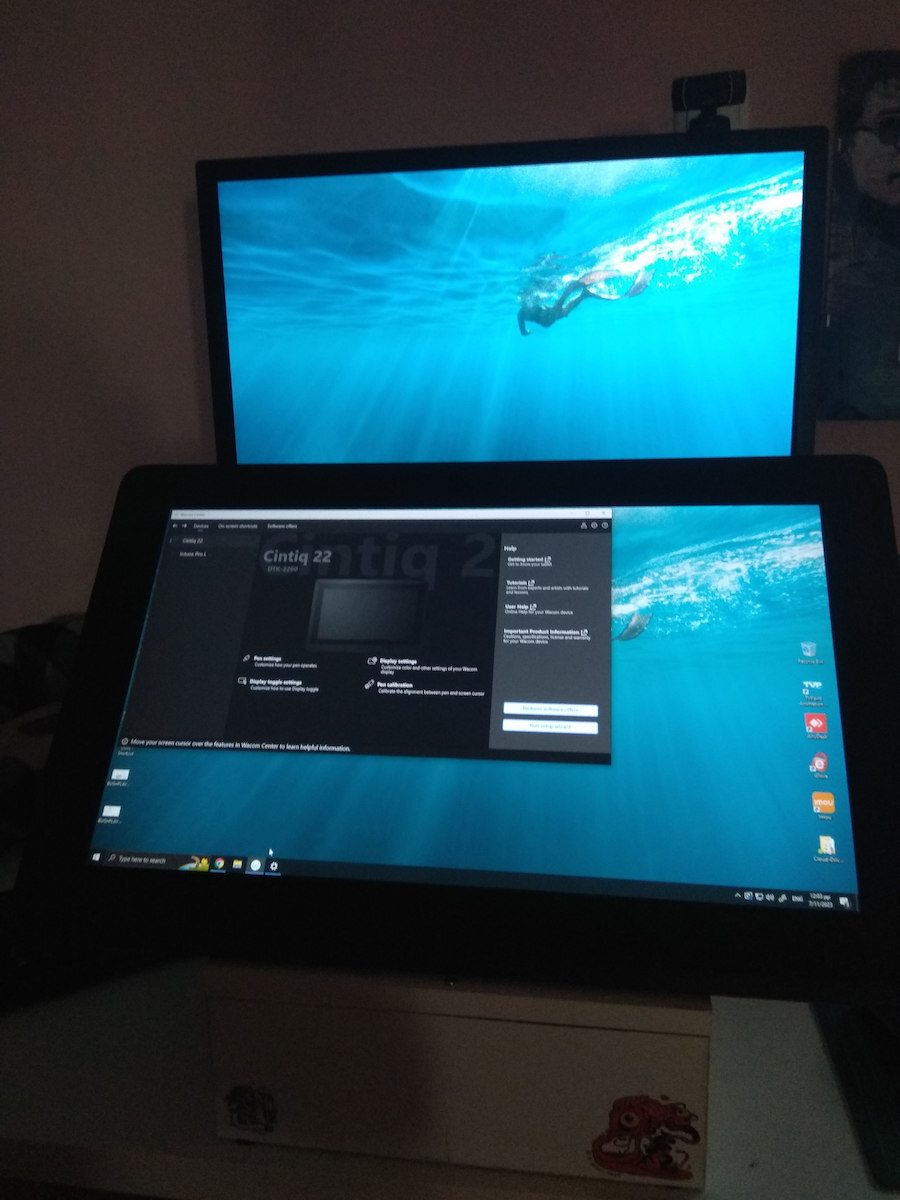
    Very satisfied with this specific Wacom. I have had it for 5 months now and use it every day without any problems, in combination with a 27" monitor mainly for programs like Photoshop.
    The size of it for such programs is very convenient - for editing programs that have even more complexity in their interface, a larger screen would probably be more suitable, although the prices there are quite high.
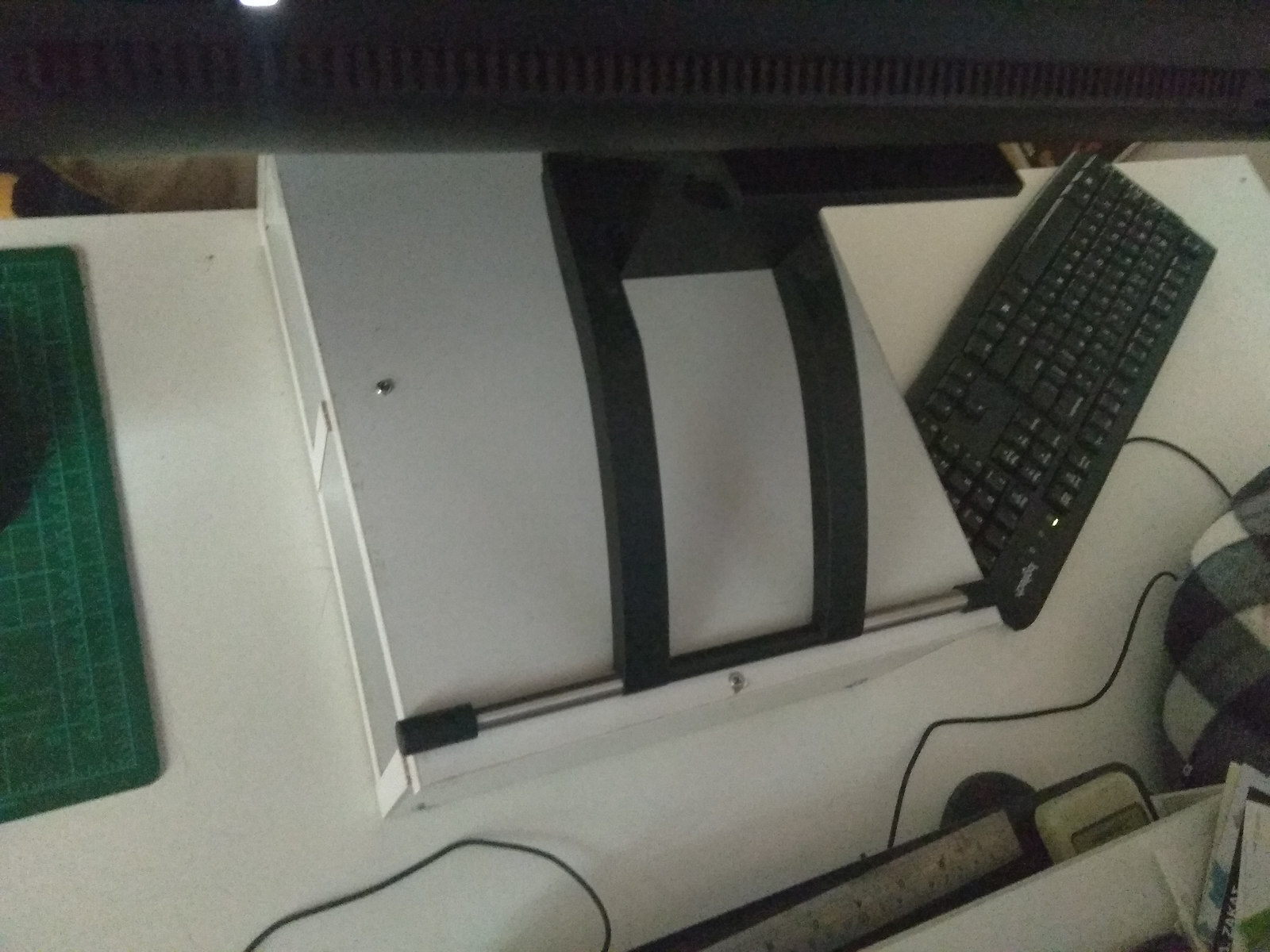
    It comes with its own stand (so you don't need to buy extra like in the 16" model).
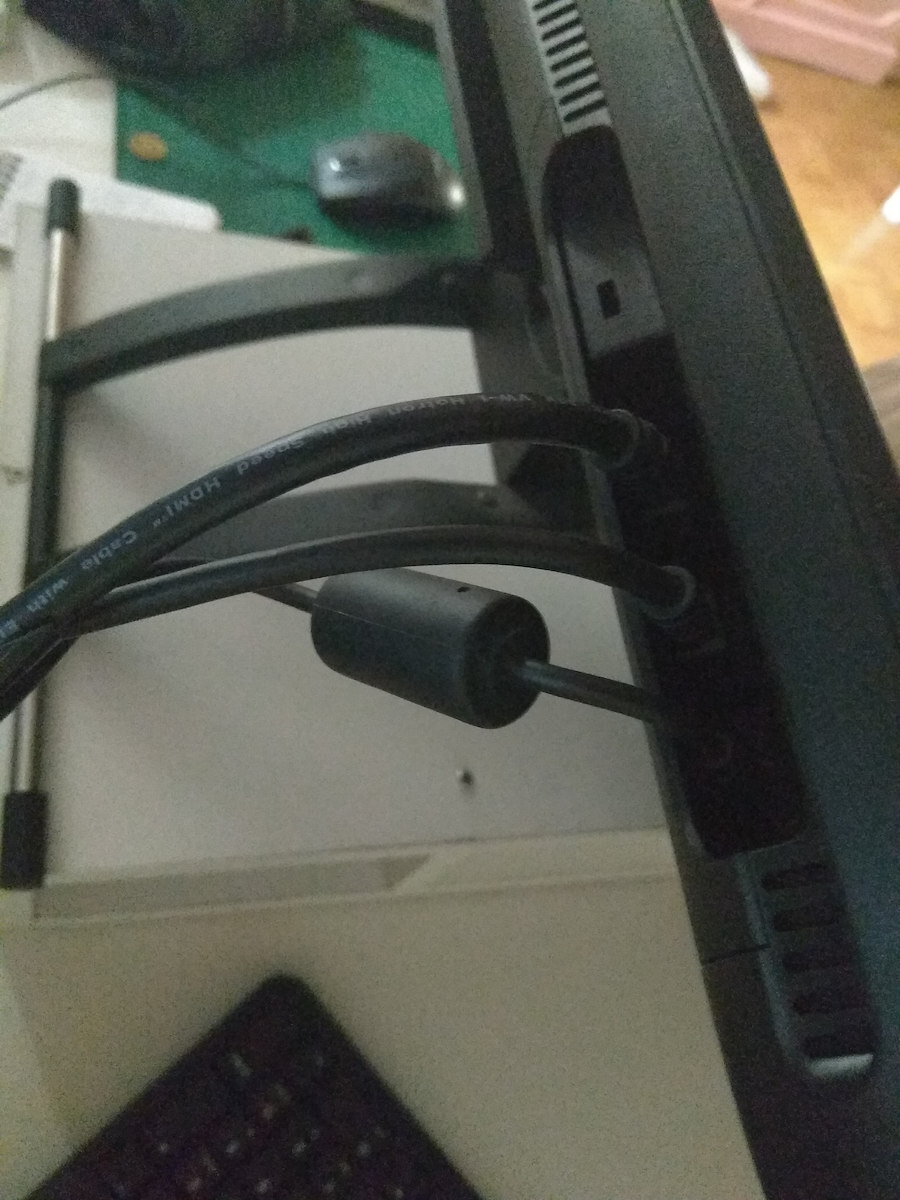
    One small negative is that it requires you to connect it with 3 different cables (compared to the 16" model where these 3 cables end up in one connection, making cable management a bit easier).

    Translated from Greek ·
    • Size
    • Construction quality
    • Large number of functions/settings
    • Pressure sensitivity
    • Response time
    Did you find this review helpful?
  • DARFONICUS
    3
    4 out of 5 members found this review helpful
    This review is about the screen size: 16 "

    Outdated wiring, unacceptable price for outdated technology, invest in a more expensive model, regardless of size make sure it is as modern as possible.

    Translated from Greek ·
    • Size
    • Construction quality
    • Pressure sensitivity
    • Response time
    • Moderate number of functions/settings
    • Value for money
    Did you find this review helpful?
  • Avokeido
    5
    5 out of 5 members found this review helpful
    This review is about the screen size: 16 "

    It was worth every euro! A graphic designer by profession, I have had it for two years and it has truly solved my hands. I was coming from Wacom intuos 4 small and Wacom pen and touch devices and the transition to a screen was just what I needed. Of course, within all this is also the expected quality of Wacom. In other words, it will give you a decade of work.

    Translated from Greek ·
    • Size
    • Construction quality
    • Large number of functions/settings
    • Pressure sensitivity
    • Response time
    • Value for money
    Did you find this review helpful?
  • GeorgePlat
    5
    9 out of 20 members found this review helpful
    This review is about the screen size: 16 "

    It left me speechless. Generally, I am involved with digital art, however, this device made me love it even more. Especially during quarantine, it is nice to kill time by being creative. It has several differences compared to traditional painting:
    - Firstly, it has different color effects and filters.
    - You don't waste paper, so you save money.
    - If you don't like the result, you press reset and do it again, without having to erase it for hours.
    - If you delete something you didn't want, you press back and it happens again.
    - It is a very good investment for amateurs who want to get involved now, but also for professionals.

    Translated from Greek ·
    • Size
    • Construction quality
    • Large number of functions/settings
    • Pressure sensitivity
    • Response time
    • Value for money
    Did you find this review helpful?
  • Phoebe_Flessas
    5
    10 out of 10 members found this review helpful
    This review is about the screen size: 16 "

    Amazing machine, very easy installation and user-friendly, simple to use. It works perfectly and plays nicely with various programs such as Photoshop, Phoenix, and Open Studio. Very good screen response without any glitches. It would be great if it had a few buttons for hotkeys, but the stylus provides a simple and flexible way to input hotkeys with just one button.

    Translated from Greek ·
    • Size
    • Construction quality
    • Large number of functions/settings
    • Pressure sensitivity
    • Response time
    • Value for money
    Did you find this review helpful?
  • Angelica_98
    5
    27 out of 30 members found this review helpful

    Verified purchase

    This review is about the screen size: 16 "

    Amazing tablet and really exceptional in construction. The stylus is the best I have ever used. It doesn't have that "bouncy" effect that bothered me so much when I was drawing on paper with pens, and that's what I like the most. It has many levels of sensitivity and the connection between the screen and the stylus is never lost, no matter what angle you hold it. The feeling when drawing is very satisfying, very smooth, and the screen doesn't feel like a mobile screen at all, in the sense that it doesn't slide in the same way and doesn't leave fingerprints on it. It doesn't reflect light, which is very useful when working in a very bright room or under a light fixture. The only complaint about the design is that I would prefer it to have some express keys to save time while working, but that's the least and only minor flaw I can find. Otherwise, I highly recommend it to anyone involved in digital art or considering upgrading to something better.

    Translated from Greek ·
    • Size
    • Construction quality
    • Large number of functions/settings
    • Pressure sensitivity
    • Response time
    • Value for money
    Did you find this review helpful?
  • This review is about the screen size: 16 "

  • This review is about the screen size: 16 "

    • Size
    • Pressure sensitivity
    • Construction quality
    • Moderate number of functions/settings
    • Value for money
  • Verified purchase

    This review is about the screen size: 16 "

    • Size
    • Construction quality
    • Pressure sensitivity
    • Response time
    • Value for money
    • Moderate number of functions/settings
  • Very satisfied with this specific Wacom. I have had it for 5 months now and use it every day without any problems, in combination with a 27" monitor mainly for programs like Photoshop.
    The size of it for such programs is very convenient - for editing programs that have even more complexity in their interface, a larger screen would probably be more suitable, although the prices there are quite high.
    It comes with its own stand (so you don't need to buy extra like in the 16" model).
    One small negative is that it requires you to connect it with 3 different cables (compared to the 16" model where these 3 cables end up in one connection, making cable management a bit easier).

    Translated from Greek ·
    2
  • Outdated wiring, unacceptable price for outdated technology, invest in a more expensive model, regardless of size make sure it is as modern as possible.

    Translated from Greek ·
    4
  • It was worth every euro! A graphic designer by profession, I have had it for two years and it has truly solved my hands. I was coming from Wacom intuos 4 small and Wacom pen and touch devices and the transition to a screen was just what I needed. Of course, within all this is also the expected quality of Wacom. In other words, it will give you a decade of work.

    Translated from Greek ·
    5
  • It left me speechless. Generally, I am involved with digital art, however, this device made me love it even more. Especially during quarantine, it is nice to kill time by being creative. It has several differences compared to traditional painting:
    - Firstly, it has different color effects and filters.
    - You don't waste paper, so you save money.
    - If you don't like the result, you press reset and do it again, without having to erase it for hours.
    - If you delete something you didn't want, you press back and it happens again.
    - It is a very good investment for amateurs who want to get involved now, but also for professionals.

    Translated from Greek ·
    9
  • Amazing machine, very easy installation and user-friendly, simple to use. It works perfectly and plays nicely with various programs such as Photoshop, Phoenix, and Open Studio. Very good screen response without any glitches. It would be great if it had a few buttons for hotkeys, but the stylus provides a simple and flexible way to input hotkeys with just one button.

    Translated from Greek ·
    10
  • See all

Description & Specifications

Tablet with stylus

  • Connectivity technology: Wireless
  • Included pen: YES
  • Pressure levels: 8192

Display

  • Diagonal: 21.5"
  • Aspect ratio: 16:9
  • Pixel pitch: 1920 x 1080 pixels
  • Viewing angle, vertical: 178°
  • Viewing angle, horizontal: 178°
  • Contrast ratio: 1000:1
  • Brightness: 210cd/m²
  • Refresh response time: 22ms
  • Number of display colors: 16.78 million colours
  • Color gamut: 72%

Connectivity

  • Number of HDMI ports: 1
  • Number of USB 2.0 ports: 1

Features

  • Product color: Black
  • Tilt angle: 16 - 82°

System Requirements

  • Supported Windows operating systems: Windows 10, Windows 7, Windows 8, Windows 8.1
  • Supported Mac operating systems: Mac OS X 10.12 Sierra, Mac OS X 10.13 High Sierra, Mac OS X 10.14 Mojave

Power Management

  • AC adapter output voltage: 12V
  • AC adapter output current: 3A
  • AC adapter power consumption: 36W

Weight and Dimensions

  • Width: 570mm
  • Depth: 40mm
  • Height: 359mm
  • Tablet weight: 5579.186g

Package Content

  • Included cables: AC, HDMI, USB
  • Power cable length: 1.8m
  • USB cable length: 2m
  • HDMI cable length: 2m

Manufacturer

Main Specifications

Type
Pen Display
Colour
Black
Weight
5600 gr

Technical Specifications

Screen Diagonal
21.5 "
Screen Resolution
1920 x 1080 pixels
Pen Resolution
5080 LPI
Pen Type
Without Battery
Pressure Sensitivity
8192
Multi-touch
No
Power
External Power Supply
Connectivity
HDMI, USB
Compatibility
Mac OS, Windows

Active Surface

Width
476.64 mm
Length
268.11 mm

Dimensions

Length
570 mm
Width
359 mm
Thickness
40 mm

Important information

Specifications are collected from official manufacturer websites. Please verify the specifications before proceeding with your final purchase. If you notice any problem you can report it here.

Reviews (9)

  1. 7
  2. 1
  3. 1
  4. 2 stars
    0
  5. 1 star
    0
Review this product
  • Size
  • Pressure sensitivity
  • Response time
  • Construction quality
  • Value for money
  • Large number of functions/settings

Reviews photos

Reviews photos
Reviews photos
Reviews photos

Reviews by our members

  • Kon_Athan
    5
    2 out of 2 members found this review helpful

    Verified purchase

    Very satisfied with this specific Wacom. I have had it for 5 months now and use it every day without any problems, in combination with a 27" monitor mainly for programs like Photoshop.
    The size of it for such programs is very convenient - for editing programs that have even more complexity in their interface, a larger screen would probably be more suitable, although the prices there are quite high.
    It comes with its own stand (so you don't need to buy extra like in the 16" model).
    One small negative is that it requires you to connect it with 3 different cables (compared to the 16" model where these 3 cables end up in one connection, making cable management a bit easier).

    Translated from Greek ·
    • Size
    • Construction quality
    • Large number of functions/settings
    • Pressure sensitivity
    • Response time
    Did you find this review helpful?
  • DARFONICUS
    3
    4 out of 5 members found this review helpful
    This review is about the screen size: 16 "

    Outdated wiring, unacceptable price for outdated technology, invest in a more expensive model, regardless of size make sure it is as modern as possible.

    Translated from Greek ·
    • Size
    • Construction quality
    • Pressure sensitivity
    • Response time
    • Moderate number of functions/settings
    • Value for money
    Did you find this review helpful?
  • Avokeido
    5
    5 out of 5 members found this review helpful
    This review is about the screen size: 16 "

    It was worth every euro! A graphic designer by profession, I have had it for two years and it has truly solved my hands. I was coming from Wacom intuos 4 small and Wacom pen and touch devices and the transition to a screen was just what I needed. Of course, within all this is also the expected quality of Wacom. In other words, it will give you a decade of work.

    Translated from Greek ·
    • Size
    • Construction quality
    • Large number of functions/settings
    • Pressure sensitivity
    • Response time
    • Value for money
    Did you find this review helpful?
  • GeorgePlat
    5
    9 out of 20 members found this review helpful
    This review is about the screen size: 16 "

    It left me speechless. Generally, I am involved with digital art, however, this device made me love it even more. Especially during quarantine, it is nice to kill time by being creative. It has several differences compared to traditional painting:
    - Firstly, it has different color effects and filters.
    - You don't waste paper, so you save money.
    - If you don't like the result, you press reset and do it again, without having to erase it for hours.
    - If you delete something you didn't want, you press back and it happens again.
    - It is a very good investment for amateurs who want to get involved now, but also for professionals.

    Translated from Greek ·
    • Size
    • Construction quality
    • Large number of functions/settings
    • Pressure sensitivity
    • Response time
    • Value for money
    Did you find this review helpful?
  • Phoebe_Flessas
    5
    10 out of 10 members found this review helpful
    This review is about the screen size: 16 "

    Amazing machine, very easy installation and user-friendly, simple to use. It works perfectly and plays nicely with various programs such as Photoshop, Phoenix, and Open Studio. Very good screen response without any glitches. It would be great if it had a few buttons for hotkeys, but the stylus provides a simple and flexible way to input hotkeys with just one button.

    Translated from Greek ·
    • Size
    • Construction quality
    • Large number of functions/settings
    • Pressure sensitivity
    • Response time
    • Value for money
    Did you find this review helpful?
  • Angelica_98
    5
    27 out of 30 members found this review helpful

    Verified purchase

    This review is about the screen size: 16 "

    Amazing tablet and really exceptional in construction. The stylus is the best I have ever used. It doesn't have that "bouncy" effect that bothered me so much when I was drawing on paper with pens, and that's what I like the most. It has many levels of sensitivity and the connection between the screen and the stylus is never lost, no matter what angle you hold it. The feeling when drawing is very satisfying, very smooth, and the screen doesn't feel like a mobile screen at all, in the sense that it doesn't slide in the same way and doesn't leave fingerprints on it. It doesn't reflect light, which is very useful when working in a very bright room or under a light fixture. The only complaint about the design is that I would prefer it to have some express keys to save time while working, but that's the least and only minor flaw I can find. Otherwise, I highly recommend it to anyone involved in digital art or considering upgrading to something better.

    Translated from Greek ·
    • Size
    • Construction quality
    • Large number of functions/settings
    • Pressure sensitivity
    • Response time
    • Value for money
    Did you find this review helpful?
  • This review is about the screen size: 16 "

  • This review is about the screen size: 16 "

    • Size
    • Pressure sensitivity
    • Construction quality
    • Moderate number of functions/settings
    • Value for money
  • Verified purchase

    This review is about the screen size: 16 "

    • Size
    • Construction quality
    • Pressure sensitivity
    • Response time
    • Value for money
    • Moderate number of functions/settings
  • Very satisfied with this specific Wacom. I have had it for 5 months now and use it every day without any problems, in combination with a 27" monitor mainly for programs like Photoshop.
    The size of it for such programs is very convenient - for editing programs that have even more complexity in their interface, a larger screen would probably be more suitable, although the prices there are quite high.
    It comes with its own stand (so you don't need to buy extra like in the 16" model).
    One small negative is that it requires you to connect it with 3 different cables (compared to the 16" model where these 3 cables end up in one connection, making cable management a bit easier).

    Translated from Greek ·
    2
  • Outdated wiring, unacceptable price for outdated technology, invest in a more expensive model, regardless of size make sure it is as modern as possible.

    Translated from Greek ·
    4
  • It was worth every euro! A graphic designer by profession, I have had it for two years and it has truly solved my hands. I was coming from Wacom intuos 4 small and Wacom pen and touch devices and the transition to a screen was just what I needed. Of course, within all this is also the expected quality of Wacom. In other words, it will give you a decade of work.

    Translated from Greek ·
    5
  • It left me speechless. Generally, I am involved with digital art, however, this device made me love it even more. Especially during quarantine, it is nice to kill time by being creative. It has several differences compared to traditional painting:
    - Firstly, it has different color effects and filters.
    - You don't waste paper, so you save money.
    - If you don't like the result, you press reset and do it again, without having to erase it for hours.
    - If you delete something you didn't want, you press back and it happens again.
    - It is a very good investment for amateurs who want to get involved now, but also for professionals.

    Translated from Greek ·
    9
  • Amazing machine, very easy installation and user-friendly, simple to use. It works perfectly and plays nicely with various programs such as Photoshop, Phoenix, and Open Studio. Very good screen response without any glitches. It would be great if it had a few buttons for hotkeys, but the stylus provides a simple and flexible way to input hotkeys with just one button.

    Translated from Greek ·
    10
  • See all
1.188,30 €
20,00 €   shipping cost