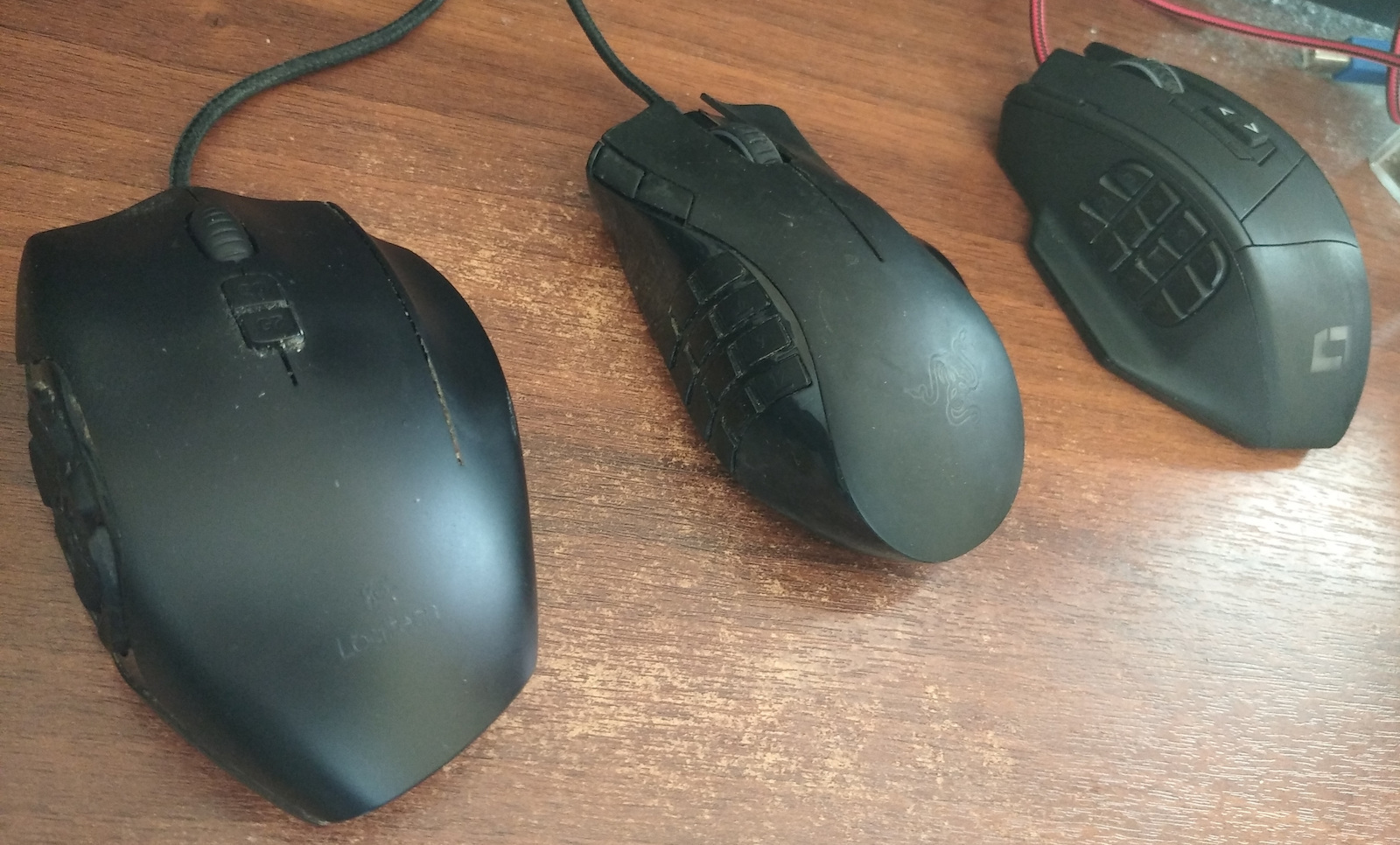
Gaming Mice

Logitech G600 Laser Gaming Mouse 8200 DPI Black

It has 20 keys, with 12 of them-in two groups of 6-in a special thumb panel, all within easy reach for instant, high-speed, blind-press play. The mouse has 3 basic profiles, two for MMO gaming and one

It has 20 keys, with 12 of them-in two groups of 6-in a special thumb panel, all within easy reach for instant, high-speed, blind-press play. The mouse has 3 basic profiles, two for MMO gaming and one for general gaming, so once you plug it in it's up and running without the need for extra drivers.

See full description See full description
  • See all
This product does not exist at Skroutz anymore

Description

Description

It has 20 keys, with 12 of them-in two groups of 6-in a special thumb panel, all within easy reach for instant, high-speed, blind-press play. The mouse has 3 basic profiles, two for MMO gaming and one for general gaming, so once you plug it in it's up and running without the need for extra drivers. Additionally, it has a G-shift function that doubles the available key functions, for ultimate control over every player's favorite MMO.

20 buttons for MMO

Configured for optimal MMO use right out of the box. The G600 includes three main buttons, 12 thumb buttons, a clickable scroll wheel that tilts and a G-switch to double up and dominate. Use the optional Logitech G HUB for full programming and customization.

Thumb panel

Put instant access to all 12 core MMO skills under your thumb. The unique thumb panel design was developed with direct feedback from both MMO gamers and leading MMO game developers. Testing resulted in two carefully placed sets of six buttons, helping to reduce both learning time and time actions. And the activation force is carefully tuned to minimize errors.

G-Shift button

Use the G-Shift button to double the total number of customisable modes. In the default setting, holding down the G-shift button activates a second mode on each G key. Or set G-Shift to temporarily change the DPI settings for extra cursor precision

Lightsync RGB

Use the lightsync technology to adjust the illumination of the Thumb panel for a clear visual reference of up to 3 active profiles and 3 different sub-functions. With the Logitech G HUB you can choose from approximately 16.8 million colors and assign a unique color to each profile, profile mode and mode style in the same game. Make colors fade in and out or cycle continuously.

Built-in memory

Program up to three profiles with custom DPI settings to suit your favourite games and save them directly to the mouse, so when you take the G600 with you, your profile settings will go with it.

Quick DPI selection

It allows you to switch between sensitivity settings with one click, from 250 DPI pixel precision targeting to 8,200 DPI fast manoeuvre. Use the G HUB to customize DPI settings to suit your gaming style. Also, the DPI cycle allows you to select up to five DPI settings during gameplay

Manufacturer

See full description

Specifications

Specifications

Technical Specifications

Sensor Type
Laser
Sensor Resolution
8200 DPI
Number of Buttons
20
Weight Adjustment
No
RGB Lighting
No
Colour
Black
Design
Right-Handers
Bundle
-
Programmable Buttons
20
Sniper Button
No
Weight
133 gr
Polling Rate
-
Mechanical Switches
-
Charging Dock
-

Connectivity

Connection Method
Wired
Connector
-

Dimensions

Length
118 mm
Width
75 mm
Height
41 mm

Important information

Specifications are collected from official manufacturer websites. Please verify the specifications before proceeding with your final purchase. If you notice any problem you can report it here.

See all specifications

Reviews (31)

Reviews

  1. 25
  2. 4
  3. 1
  4. 2 stars
    0
  5. 1
Review this product
  • Precision
  • Value for money
  • Durability
  • Comfort
  • Ideal weight
  • Silent

Reviews by our members

  • Dalsheel
    1
    2 out of 2 members found this review helpful

    Verified purchase

    I bought my first G600 8 years ago and it lasted me 7 years. I replaced it with another G600.

    The first thing I noticed about the new one compared to the old one was the cable. The old G600 had a braided reinforced cable, which is almost like new on the old mouse. The new one has a simple cheap plastic cable.

    The result was that in 6 months the cable broke where it connects to the mouse AND at the USB port, which is stationary in the computer box.

    Translated from Greek ·
    • Comfort
    • Precision
    • Moderate noise
    • Normal weight
    • Durability
    • Value for money
    Did you find this review helpful?
  • twicetreasuredgr
    5
    1 out of 1 members found this review helpful

    Verified purchase

    The best gaming mouse for me by far. I bought it for the second time after almost 10 years that the first one lasted. Ideal for a female hand, I also use it at the office for macros, the speed of completing office tasks cannot be compared to a regular mouse. The difference compared to the previous G600 is in the cable, the one I got now has a plastic cable, while the old one had the cord.

    Translated from Greek ·
    • Comfort
    • Precision
    • Silent
    • Durability
    • Ideal weight
    • Value for money
    Did you find this review helpful?
  • Nikolaos_Saragias
    5
    1 out of 1 members found this review helpful

    Verified purchase

    First, let me mention that I do not use the mouse for gaming but for video and photo editing programs.
    The side buttons have taken over various keyboard shortcuts.
    It takes a little time, of course, to remember what you have assigned to each of them, but once you do, everything becomes much faster.
    Everything is adjustable through the Logitech software, which is very user-friendly, I must say. Through G-Hub, you can change DPI, customize the lighting on the buttons, and create different profiles with which, depending on the application running in the foreground, the buttons acquire the functions you have defined.
    A very good purchase at €46!

    Translated from Greek ·
    • Comfort
    • Precision
    • Durability
    • Ideal weight
    • Value for money
    • Moderate noise
    Did you find this review helpful?
  • Konstantinos_Daf
    4
    3 out of 4 members found this review helpful

    Verified purchase

    Owner for about a month.
    I had the g502. (Perfect mouse).
    I got the g600 for the buttons because of WoW.
    Good, I have big hands and it suits me.
    I would give it a 6/10 in terms of quality, while the g502 would be a 9/10.
    It's a bit heavy but it's not something negative (you get used to it easily).
    The side buttons are very convenient for gaming,
    at first it feels strange but you get used to it quickly.
    In general, the side buttons are very useful for MMO games.
    However, before you buy it, I would recommend trying out other similar mice before blindly purchasing it.
    Also, if you play Warcraft, don't think too much about it. The side buttons are almost essential.

    Translated from Greek ·
    • Comfort
    • Precision
    • Silent
    • Value for money
    • Normal weight
    Did you find this review helpful?
  • gemab

    Verified purchase

    It would be more flexible if the buttons had programming capability and in relation to mouse movement like several models of Logitech (such as the MX) (1 button would correspond to 5 different options).

    Translated from Greek ·
    • Comfort
    • Precision
    • Ideal weight
    • Value for money
    • Moderate noise
    Did you find this review helpful?
  • The grip, although I preferred the previous mouse I had from the same company, is absolutely comfortable and overall it served me better. Its software is a bit difficult to use at first, but once you get used to it, it's okay. Personally, I didn't have any trouble. You can customize the buttons separately for each program.

    Translated from Greek ·
    • Precision
    • Silent
    • Ideal weight
    • Value for money
    • Comfort
    Did you find this review helpful?
  • vag_an
    5
    1 out of 3 members found this review helpful

    Verified purchase

    Very strange program this one has to adjust them, I never learned it, if anyone learns it, they will do wonders

    Translated from Greek ·
    • Comfort
    • Precision
    • Durability
    • Ideal weight
    • Value for money
    • Noisy
    Did you find this review helpful?
  • I have had this specific mouse for 3 years, it is very good, nothing has broken on it, of course I take care of it. I recommend it fully for wow players.
    edit. After 5 years, I can say that I am completely satisfied. The only thing that broke is the scroll wheel click because I used it a lot, but I changed the mouse.

    Translated from Greek ·
    • Comfort
    • Precision
    • Ideal weight
    • Value for money
    • Moderate noise
    • Durability
    Did you find this review helpful?
  • VSB
    5
    2 out of 2 members found this review helpful

    The mouse, for what it is intended to do, is amazing. It is fully customizable and with Logitech G HUB, I didn't encounter any problems at all.
    A HUGE plus for me is that the scroll wheel has right and left click, designated as mouse buttons 4 and 5, which you can also customize as you wish.

    Translated from Greek ·
    • Comfort
    • Precision
    • Durability
    • Ideal weight
    • Value for money
    • Moderate noise
    Did you find this review helpful?
  • pagos
    5
    10 out of 10 members found this review helpful

    I have this specific mouse since 2012 mainly for wow. It's the best thing I ever bought and I never changed it. Now I have 3 of the same with the fear that production will stop at some point. I'm thinking of making them 4. I wouldn't change it for anything. I highly recommend it. Once you learn the side buttons, you can do wonders no matter what you play.

    Translated from Greek ·
    • Comfort
    • Precision
    • Silent
    • Durability
    • Ideal weight
    • Value for money
    Did you find this review helpful?
  • Άγγελής Τασινός
    5
    14 out of 14 members found this review helpful

    Verified purchase

    I bought the G600 3 years ago and I am satisfied. After a lot of daily use, the left and right click started double-clicking on their own, which was annoying. I bought clickers and only changed the springs, which cost me around 2 euros for 5 from eBay, and now it's like new.

    Also, it's very easy to remove the weights and make it lighter.

    eBay search: 5 Pcs D2FC-F-7N 20M Micro Switch For Mouse Replacement Substitute Tested

    This YouTube link shows you how to fix the clicker's spring.

    watch?v=eDoXMJyimDU

    Translated from Greek ·
    • Comfort
    • Precision
    • Silent
    • Durability
    • Ideal weight
    • Value for money
    Did you find this review helpful?
  • giorgosomg
    5
    3 out of 4 members found this review helpful

    Owner of this particular mouse since 2012, flawless in all aspects... perhaps the best for me as an Mmo gaming mouse, especially for WoW, etc. The only problem I have, which I noticed other users have as well, is that after years of use, the Middle Mouse button doesn't work anymore, so I've set it as a macro on another button. I recommend it 100%, if something more serious breaks, I would still buy the same one

    Translated from Greek ·
    • Comfort
    • Precision
    • Silent
    • Durability
    • Ideal weight
    • Value for money
    Did you find this review helpful?
  • chris_Panas
    5
    4 out of 4 members found this review helpful

    I have been using it for 2 years now for MMOs, previously owning a Naga and Trust GXT166. Quality, ease of use, and reliability. The extra right button is very convenient. If something happens to it, I will buy the same one.

    Translated from Greek ·
    • Comfort
    • Precision
    • Silent
    • Durability
    • Ideal weight
    • Value for money
    Did you find this review helpful?
  • capricorne
    5
    5 out of 5 members found this review helpful

    Verified purchase

    Having been a user for many years:

    - Razer Naga
    - Lioncast LM-30
    - Logitech G600

    I consider the G600 to be by far the best MMO gaming mouse on the market in terms of durability, ergonomics, and quality. I have had it since 2015, it has a sturdy construction and feels perfect in the hand. It will take you about 2-3 weeks to get used to the 12 side buttons. A must-have for MMO games.

    Translated from Greek ·
    • Comfort
    • Precision
    • Silent
    • Durability
    • Ideal weight
    • Value for money
    Did you find this review helpful?
  • nikos.markidis.73
    5
    5 out of 5 members found this review helpful

    I bought this mouse about a year ago for the specific use it is intended for, which is playing mmorpg games, and I was completely satisfied. I used all the available buttons and now I can't imagine playing such games with a mouse that offers fewer options. But even beyond gaming, you can program the extra buttons to execute commands of Windows or web browsers, such as copy/paste, close/open tab, etc.
    It may take some time to get used to the 12 side buttons, but it is easy to find which one you want to press due to their design, and they are hard enough not to be pressed accidentally. The only problem that occurred after a year of use was with the middle-click, which no longer works. I don't know if it's my fault or the product's build quality, which otherwise seems good, but for now, I have simply assigned the function of the middle-click to another button as I hesitate to part with this particular mouse.

    Translated from Greek ·
    Did you find this review helpful?
  • Verified purchase

    It is the second one I bought after 10 years, perfect quality

    Translated from Greek ·
    • Comfort
    • Precision
    • Silent
    • Durability
    • Ideal weight
    • Value for money
    Did you find this review helpful?
  • Verified purchase

    • Comfort
    • Precision
    • Silent
    • Ideal weight
    • Value for money
    • Durability
  • Verified purchase

    • Comfort
    • Precision
    • Silent
    • Durability
    • Value for money
    • Normal weight
  • Verified purchase

    • Comfort
    • Precision
    • Silent
    • Durability
    • Ideal weight
    • Value for money
  • Verified purchase

    • Comfort
    • Precision
    • Silent
    • Durability
    • Ideal weight
    • Value for money
    • Comfort
    • Precision
    • Silent
    • Durability
    • Ideal weight
    • Value for money
  • Verified purchase

    • Precision
    • Silent
    • Ideal weight
    • Value for money
    • Comfort
    • Comfort
    • Precision
    • Durability
    • Ideal weight
    • Value for money
    • Moderate noise
    • Comfort
    • Precision
    • Durability
    • Ideal weight
    • Value for money
    • Moderate noise
    • Precision
    • Durability
    • Value for money
    • Comfort
    • Moderate noise
    • Normal weight
  • I bought my first G600 8 years ago and it lasted me 7 years. I replaced it with another G600.

    The first thing I noticed about the new one compared to the old one was the cable. The old G600 had a braided reinforced cable, which is almost like new on the old mouse. The new one has a simple cheap plastic cable.

    The result was that in 6 months the cable broke where it connects to the mouse AND at the USB port, which is stationary in the computer box.

    Translated from Greek ·
    2
  • The best gaming mouse for me by far. I bought it for the second time after almost 10 years that the first one lasted. Ideal for a female hand, I also use it at the office for macros, the speed of completing office tasks cannot be compared to a regular mouse. The difference compared to the previous G600 is in the cable, the one I got now has a plastic cable, while the old one had the cord.

    Translated from Greek ·
    1
  • First, let me mention that I do not use the mouse for gaming but for video and photo editing programs.
    The side buttons have taken over various keyboard shortcuts.
    It takes a little time, of course, to remember what you have assigned to each of them, but once you do, everything becomes much faster.
    Everything is adjustable through the Logitech software, which is very user-friendly, I must say. Through G-Hub, you can change DPI, customize the lighting on the buttons, and create different profiles with which, depending on the application running in the foreground, the buttons acquire the functions you have defined.
    A very good purchase at €46!

    Translated from Greek ·
    1
  • Owner for about a month.
    I had the g502. (Perfect mouse).
    I got the g600 for the buttons because of WoW.
    Good, I have big hands and it suits me.
    I would give it a 6/10 in terms of quality, while the g502 would be a 9/10.
    It's a bit heavy but it's not something negative (you get used to it easily).
    The side buttons are very convenient for gaming,
    at first it feels strange but you get used to it quickly.
    In general, the side buttons are very useful for MMO games.
    However, before you buy it, I would recommend trying out other similar mice before blindly purchasing it.
    Also, if you play Warcraft, don't think too much about it. The side buttons are almost essential.

    Translated from Greek ·
    3
  • It would be more flexible if the buttons had programming capability and in relation to mouse movement like several models of Logitech (such as the MX) (1 button would correspond to 5 different options).

    Translated from Greek ·
    0
  • See all

Description & Specifications

It has 20 keys, with 12 of them-in two groups of 6-in a special thumb panel, all within easy reach for instant, high-speed, blind-press play. The mouse has 3 basic profiles, two for MMO gaming and one for general gaming, so once you plug it in it's up and running without the need for extra drivers. Additionally, it has a G-shift function that doubles the available key functions, for ultimate control over every player's favorite MMO.

20 buttons for MMO

Configured for optimal MMO use right out of the box. The G600 includes three main buttons, 12 thumb buttons, a clickable scroll wheel that tilts and a G-switch to double up and dominate. Use the optional Logitech G HUB for full programming and customization.

Thumb panel

Put instant access to all 12 core MMO skills under your thumb. The unique thumb panel design was developed with direct feedback from both MMO gamers and leading MMO game developers. Testing resulted in two carefully placed sets of six buttons, helping to reduce both learning time and time actions. And the activation force is carefully tuned to minimize errors.

G-Shift button

Use the G-Shift button to double the total number of customisable modes. In the default setting, holding down the G-shift button activates a second mode on each G key. Or set G-Shift to temporarily change the DPI settings for extra cursor precision

Lightsync RGB

Use the lightsync technology to adjust the illumination of the Thumb panel for a clear visual reference of up to 3 active profiles and 3 different sub-functions. With the Logitech G HUB you can choose from approximately 16.8 million colors and assign a unique color to each profile, profile mode and mode style in the same game. Make colors fade in and out or cycle continuously.

Built-in memory

Program up to three profiles with custom DPI settings to suit your favourite games and save them directly to the mouse, so when you take the G600 with you, your profile settings will go with it.

Quick DPI selection

It allows you to switch between sensitivity settings with one click, from 250 DPI pixel precision targeting to 8,200 DPI fast manoeuvre. Use the G HUB to customize DPI settings to suit your gaming style. Also, the DPI cycle allows you to select up to five DPI settings during gameplay

Manufacturer

Technical Specifications

Sensor Type
Laser
Sensor Resolution
8200 DPI
Number of Buttons
20
Weight Adjustment
No
RGB Lighting
No
Colour
Black
Design
Right-Handers
Bundle
-
Programmable Buttons
20
Sniper Button
No
Weight
133 gr
Polling Rate
-
Mechanical Switches
-
Charging Dock
-

Connectivity

Connection Method
Wired
Connector
-

Dimensions

Length
118 mm
Width
75 mm
Height
41 mm

Important information

Specifications are collected from official manufacturer websites. Please verify the specifications before proceeding with your final purchase. If you notice any problem you can report it here.

Reviews (31)

  1. 25
  2. 4
  3. 1
  4. 2 stars
    0
  5. 1
Review this product
  • Precision
  • Value for money
  • Durability
  • Comfort
  • Ideal weight
  • Silent

Reviews by our members

  • Dalsheel
    1
    2 out of 2 members found this review helpful

    Verified purchase

    I bought my first G600 8 years ago and it lasted me 7 years. I replaced it with another G600.

    The first thing I noticed about the new one compared to the old one was the cable. The old G600 had a braided reinforced cable, which is almost like new on the old mouse. The new one has a simple cheap plastic cable.

    The result was that in 6 months the cable broke where it connects to the mouse AND at the USB port, which is stationary in the computer box.

    Translated from Greek ·
    • Comfort
    • Precision
    • Moderate noise
    • Normal weight
    • Durability
    • Value for money
    Did you find this review helpful?
  • twicetreasuredgr
    5
    1 out of 1 members found this review helpful

    Verified purchase

    The best gaming mouse for me by far. I bought it for the second time after almost 10 years that the first one lasted. Ideal for a female hand, I also use it at the office for macros, the speed of completing office tasks cannot be compared to a regular mouse. The difference compared to the previous G600 is in the cable, the one I got now has a plastic cable, while the old one had the cord.

    Translated from Greek ·
    • Comfort
    • Precision
    • Silent
    • Durability
    • Ideal weight
    • Value for money
    Did you find this review helpful?
  • Nikolaos_Saragias
    5
    1 out of 1 members found this review helpful

    Verified purchase

    First, let me mention that I do not use the mouse for gaming but for video and photo editing programs.
    The side buttons have taken over various keyboard shortcuts.
    It takes a little time, of course, to remember what you have assigned to each of them, but once you do, everything becomes much faster.
    Everything is adjustable through the Logitech software, which is very user-friendly, I must say. Through G-Hub, you can change DPI, customize the lighting on the buttons, and create different profiles with which, depending on the application running in the foreground, the buttons acquire the functions you have defined.
    A very good purchase at €46!

    Translated from Greek ·
    • Comfort
    • Precision
    • Durability
    • Ideal weight
    • Value for money
    • Moderate noise
    Did you find this review helpful?
  • Konstantinos_Daf
    4
    3 out of 4 members found this review helpful

    Verified purchase

    Owner for about a month.
    I had the g502. (Perfect mouse).
    I got the g600 for the buttons because of WoW.
    Good, I have big hands and it suits me.
    I would give it a 6/10 in terms of quality, while the g502 would be a 9/10.
    It's a bit heavy but it's not something negative (you get used to it easily).
    The side buttons are very convenient for gaming,
    at first it feels strange but you get used to it quickly.
    In general, the side buttons are very useful for MMO games.
    However, before you buy it, I would recommend trying out other similar mice before blindly purchasing it.
    Also, if you play Warcraft, don't think too much about it. The side buttons are almost essential.

    Translated from Greek ·
    • Comfort
    • Precision
    • Silent
    • Value for money
    • Normal weight
    Did you find this review helpful?
  • gemab

    Verified purchase

    It would be more flexible if the buttons had programming capability and in relation to mouse movement like several models of Logitech (such as the MX) (1 button would correspond to 5 different options).

    Translated from Greek ·
    • Comfort
    • Precision
    • Ideal weight
    • Value for money
    • Moderate noise
    Did you find this review helpful?
  • The grip, although I preferred the previous mouse I had from the same company, is absolutely comfortable and overall it served me better. Its software is a bit difficult to use at first, but once you get used to it, it's okay. Personally, I didn't have any trouble. You can customize the buttons separately for each program.

    Translated from Greek ·
    • Precision
    • Silent
    • Ideal weight
    • Value for money
    • Comfort
    Did you find this review helpful?
  • vag_an
    5
    1 out of 3 members found this review helpful

    Verified purchase

    Very strange program this one has to adjust them, I never learned it, if anyone learns it, they will do wonders

    Translated from Greek ·
    • Comfort
    • Precision
    • Durability
    • Ideal weight
    • Value for money
    • Noisy
    Did you find this review helpful?
  • I have had this specific mouse for 3 years, it is very good, nothing has broken on it, of course I take care of it. I recommend it fully for wow players.
    edit. After 5 years, I can say that I am completely satisfied. The only thing that broke is the scroll wheel click because I used it a lot, but I changed the mouse.

    Translated from Greek ·
    • Comfort
    • Precision
    • Ideal weight
    • Value for money
    • Moderate noise
    • Durability
    Did you find this review helpful?
  • VSB
    5
    2 out of 2 members found this review helpful

    The mouse, for what it is intended to do, is amazing. It is fully customizable and with Logitech G HUB, I didn't encounter any problems at all.
    A HUGE plus for me is that the scroll wheel has right and left click, designated as mouse buttons 4 and 5, which you can also customize as you wish.

    Translated from Greek ·
    • Comfort
    • Precision
    • Durability
    • Ideal weight
    • Value for money
    • Moderate noise
    Did you find this review helpful?
  • pagos
    5
    10 out of 10 members found this review helpful

    I have this specific mouse since 2012 mainly for wow. It's the best thing I ever bought and I never changed it. Now I have 3 of the same with the fear that production will stop at some point. I'm thinking of making them 4. I wouldn't change it for anything. I highly recommend it. Once you learn the side buttons, you can do wonders no matter what you play.

    Translated from Greek ·
    • Comfort
    • Precision
    • Silent
    • Durability
    • Ideal weight
    • Value for money
    Did you find this review helpful?
  • Άγγελής Τασινός
    5
    14 out of 14 members found this review helpful

    Verified purchase

    I bought the G600 3 years ago and I am satisfied. After a lot of daily use, the left and right click started double-clicking on their own, which was annoying. I bought clickers and only changed the springs, which cost me around 2 euros for 5 from eBay, and now it's like new.

    Also, it's very easy to remove the weights and make it lighter.

    eBay search: 5 Pcs D2FC-F-7N 20M Micro Switch For Mouse Replacement Substitute Tested

    This YouTube link shows you how to fix the clicker's spring.

    watch?v=eDoXMJyimDU

    Translated from Greek ·
    • Comfort
    • Precision
    • Silent
    • Durability
    • Ideal weight
    • Value for money
    Did you find this review helpful?
  • giorgosomg
    5
    3 out of 4 members found this review helpful

    Owner of this particular mouse since 2012, flawless in all aspects... perhaps the best for me as an Mmo gaming mouse, especially for WoW, etc. The only problem I have, which I noticed other users have as well, is that after years of use, the Middle Mouse button doesn't work anymore, so I've set it as a macro on another button. I recommend it 100%, if something more serious breaks, I would still buy the same one

    Translated from Greek ·
    • Comfort
    • Precision
    • Silent
    • Durability
    • Ideal weight
    • Value for money
    Did you find this review helpful?
  • chris_Panas
    5
    4 out of 4 members found this review helpful

    I have been using it for 2 years now for MMOs, previously owning a Naga and Trust GXT166. Quality, ease of use, and reliability. The extra right button is very convenient. If something happens to it, I will buy the same one.

    Translated from Greek ·
    • Comfort
    • Precision
    • Silent
    • Durability
    • Ideal weight
    • Value for money
    Did you find this review helpful?
  • capricorne
    5
    5 out of 5 members found this review helpful

    Verified purchase

    Having been a user for many years:

    - Razer Naga
    - Lioncast LM-30
    - Logitech G600

    I consider the G600 to be by far the best MMO gaming mouse on the market in terms of durability, ergonomics, and quality. I have had it since 2015, it has a sturdy construction and feels perfect in the hand. It will take you about 2-3 weeks to get used to the 12 side buttons. A must-have for MMO games.

    Translated from Greek ·
    • Comfort
    • Precision
    • Silent
    • Durability
    • Ideal weight
    • Value for money
    Did you find this review helpful?
  • nikos.markidis.73
    5
    5 out of 5 members found this review helpful

    I bought this mouse about a year ago for the specific use it is intended for, which is playing mmorpg games, and I was completely satisfied. I used all the available buttons and now I can't imagine playing such games with a mouse that offers fewer options. But even beyond gaming, you can program the extra buttons to execute commands of Windows or web browsers, such as copy/paste, close/open tab, etc.
    It may take some time to get used to the 12 side buttons, but it is easy to find which one you want to press due to their design, and they are hard enough not to be pressed accidentally. The only problem that occurred after a year of use was with the middle-click, which no longer works. I don't know if it's my fault or the product's build quality, which otherwise seems good, but for now, I have simply assigned the function of the middle-click to another button as I hesitate to part with this particular mouse.

    Translated from Greek ·
    Did you find this review helpful?
  • Verified purchase

    It is the second one I bought after 10 years, perfect quality

    Translated from Greek ·
    • Comfort
    • Precision
    • Silent
    • Durability
    • Ideal weight
    • Value for money
    Did you find this review helpful?
  • Verified purchase

    • Comfort
    • Precision
    • Silent
    • Ideal weight
    • Value for money
    • Durability
  • Verified purchase

    • Comfort
    • Precision
    • Silent
    • Durability
    • Value for money
    • Normal weight
  • Verified purchase

    • Comfort
    • Precision
    • Silent
    • Durability
    • Ideal weight
    • Value for money
  • Verified purchase

    • Comfort
    • Precision
    • Silent
    • Durability
    • Ideal weight
    • Value for money
    • Comfort
    • Precision
    • Silent
    • Durability
    • Ideal weight
    • Value for money
  • Verified purchase

    • Precision
    • Silent
    • Ideal weight
    • Value for money
    • Comfort
    • Comfort
    • Precision
    • Durability
    • Ideal weight
    • Value for money
    • Moderate noise
    • Comfort
    • Precision
    • Durability
    • Ideal weight
    • Value for money
    • Moderate noise
    • Precision
    • Durability
    • Value for money
    • Comfort
    • Moderate noise
    • Normal weight
  • I bought my first G600 8 years ago and it lasted me 7 years. I replaced it with another G600.

    The first thing I noticed about the new one compared to the old one was the cable. The old G600 had a braided reinforced cable, which is almost like new on the old mouse. The new one has a simple cheap plastic cable.

    The result was that in 6 months the cable broke where it connects to the mouse AND at the USB port, which is stationary in the computer box.

    Translated from Greek ·
    2
  • The best gaming mouse for me by far. I bought it for the second time after almost 10 years that the first one lasted. Ideal for a female hand, I also use it at the office for macros, the speed of completing office tasks cannot be compared to a regular mouse. The difference compared to the previous G600 is in the cable, the one I got now has a plastic cable, while the old one had the cord.

    Translated from Greek ·
    1
  • First, let me mention that I do not use the mouse for gaming but for video and photo editing programs.
    The side buttons have taken over various keyboard shortcuts.
    It takes a little time, of course, to remember what you have assigned to each of them, but once you do, everything becomes much faster.
    Everything is adjustable through the Logitech software, which is very user-friendly, I must say. Through G-Hub, you can change DPI, customize the lighting on the buttons, and create different profiles with which, depending on the application running in the foreground, the buttons acquire the functions you have defined.
    A very good purchase at €46!

    Translated from Greek ·
    1
  • Owner for about a month.
    I had the g502. (Perfect mouse).
    I got the g600 for the buttons because of WoW.
    Good, I have big hands and it suits me.
    I would give it a 6/10 in terms of quality, while the g502 would be a 9/10.
    It's a bit heavy but it's not something negative (you get used to it easily).
    The side buttons are very convenient for gaming,
    at first it feels strange but you get used to it quickly.
    In general, the side buttons are very useful for MMO games.
    However, before you buy it, I would recommend trying out other similar mice before blindly purchasing it.
    Also, if you play Warcraft, don't think too much about it. The side buttons are almost essential.

    Translated from Greek ·
    3
  • It would be more flexible if the buttons had programming capability and in relation to mouse movement like several models of Logitech (such as the MX) (1 button would correspond to 5 different options).

    Translated from Greek ·
    0
  • See all