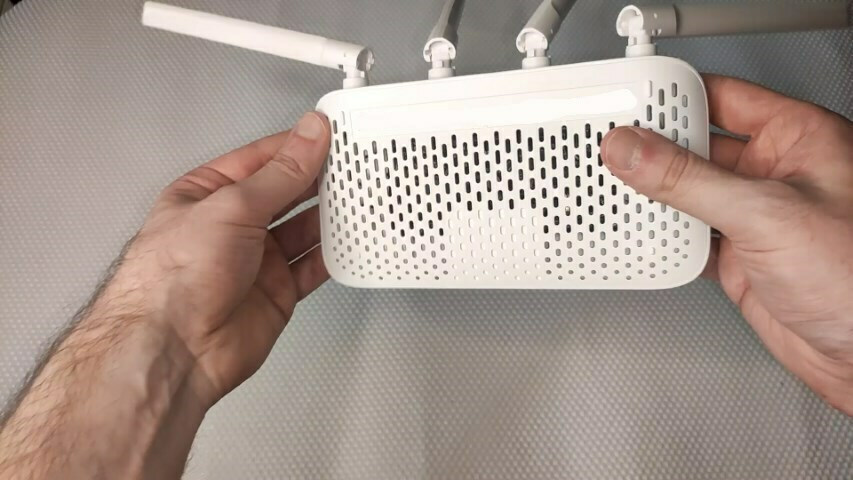
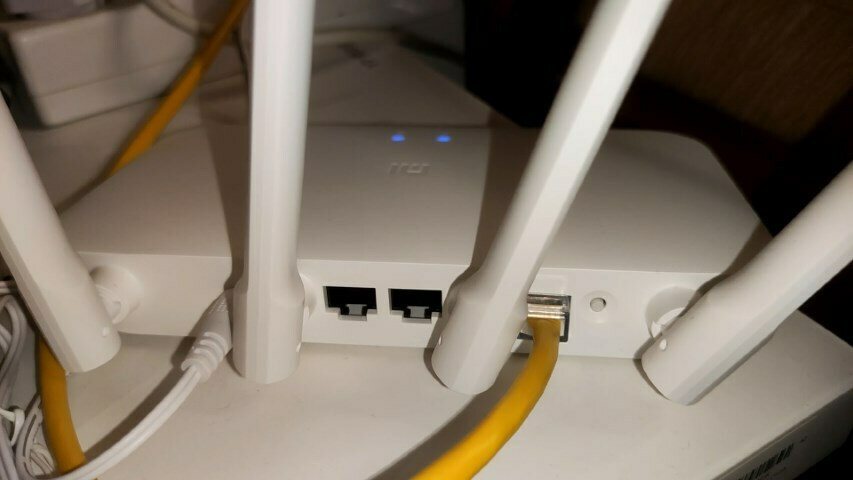
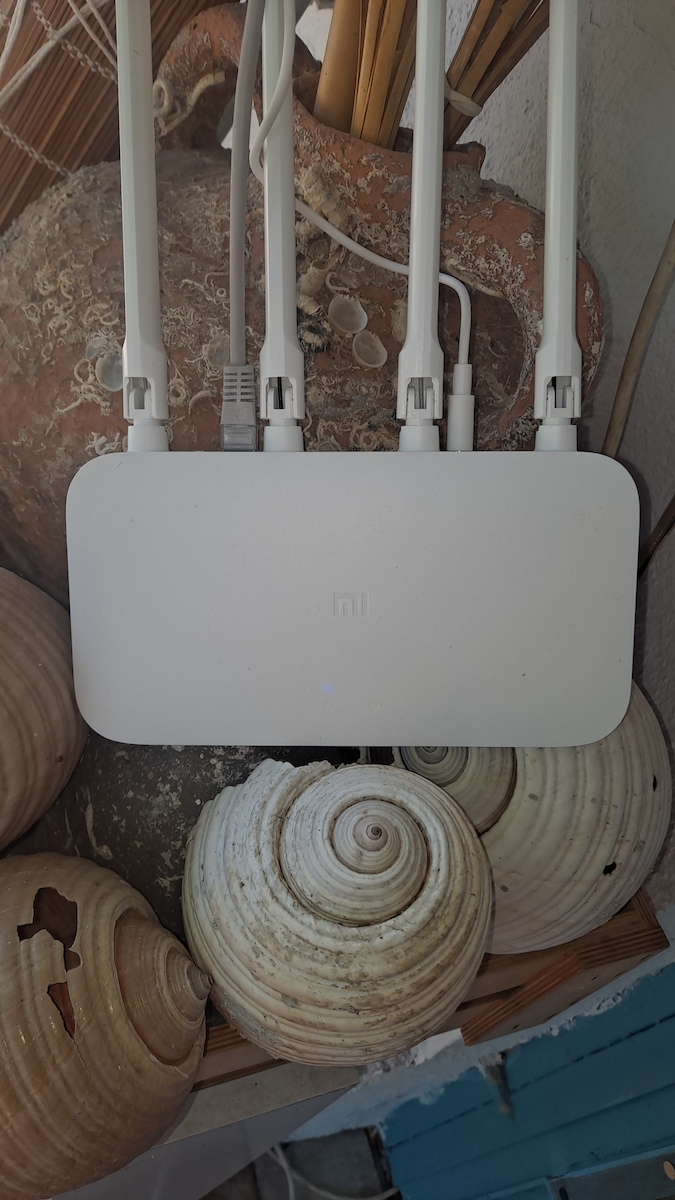
4 external omnidirectional antennas tested for accuracy, with carefully designed internal structure and configuration
Significantly improve transmission performance, even in complex environments
Shipping costs and delivery speed are calculated based on the delivery location.


Key features:
Top specs
Enjoy dual-band wireless speed for faster and smoother internet access. With 300Mbps from the 2.4GHz band and 867Mbps from the 5GHz band, the maximum wireless speed is up to 1167Mbps
4 external omnidirectional antennas tested for accuracy, with carefully designed internal structure and configuration
Significantly improve transmission performance, even in complex environments

A specially processed metal substrate is combined with nanomaterials with exceptional thermal radiation characteristics. It offers excellent heat absorption and dissipation capabilities for effective reduction of chip temperature and improved system stability.
The 2.4GHz and 5GHz wireless chipset integrates PA and LNA. The PA (power amplifier) effectively boosts the signal transmission power, while the LNA (low noise amplifier) can improve the signal receiver sensitivity. It allows signal transmission over longer distances, with better wall penetration and wider coverage.
The 5GHz band supports the LDPC error correction algorithm to enhance anti-interference capabilities during data transmission.
Significantly improved Wi-Fi signal coverage for enhanced data transmission performance.
With memory up to 64MB, data transmission is more stable, ensuring the smooth operation of a larger number of functions, as well as the stable connectivity of more smart devices.
You can choose the automated configuration of the router or allow the Mi Router 4A to perform smart optimization, so you can have a smoother experience playing games, watching videos, or browsing the Web. For a better online experience, you can prioritize the network bandwidth to a single device.
Guarantee of higher Internet speed
Most cases of unauthorized access to Wi-Fi are due to weak passwords or installed network sharing software. The Mi Router 4A will notify you when a new device connects to the network. If a suspicious device attempts to connect to the network, depending on the security level, the connection will be blocked or you will be asked to add the device to the blacklist.
To boost your network speed, open the Mi WiFi app, go to the toolbox, and simply click on "Wi-Fi Optimization" to automatically monitor and optimize the Wi-Fi channel in multiple dimensions.
Specifications are collected from official manufacturer websites. Please verify the specifications before proceeding with your final purchase. If you notice any problem you can report it here.

Now that connections have skyrocketed in speed, it's not worth the money. You won't see speeds above 100mbps even though it claims a maximum Wireless speed of 1167.
Τώρα που οι συνδέσεις έχουν εκτοξευθεί σε ταχύτητα, δεν αξίζει τα λεφτά του. Δεν θα δείτε ταχύτητες πάνω απο 100mbps κι ας λέει για 1167 μέγιστη ταχύτητα Wireless.
With 20 euros, I acquired a reliable wifi at home. The range was immediately extended and it became much faster and more reliable.
Με 20 ευρώ, απεκτησα ενα αξιόπιστο wifi στο σπίτι. Αμεσως επεκτάθηκε και η εμβέλεια και έγινε πολυ πιο γρήγορο και αξιόπιστο.
Decent for its price. It does its job.
It has quite a few options for such a cheap router (firewall, QoS, etc.)
Installation is not difficult but it has some quirks.
The main problem is that the technical specifications are misleading:
2.4GHz Wi-Fi: 2x2, IEEE 802.11n, up to 300Mbps
5GHz Wi-Fi: 2x2, IEEE 802.11ac, up to 867Mbps
The company simply lists the theoretical maximums of the protocol (which the router does not reach because it has 100Mbps LAN-WAN).
The maximum transmission rate is 100Mbps, in practice it reaches around 90.
Αξιόλογο για τα χρήματά του. Κάνει την δουλειά του.
Εχει αρκετές επιλογές για τόσο φθηνό ρούτερ (firewall, qos κλπ)
Η εγκατάσταση δεν είναι δύσκολη αλλά έχει κάποιες ιδιοτροπίες.
Το βασικό πρόβλημα είναι ότι τα τεχνικά χαρακτηριστικά είναι παραπλανητικά:
2.4GHz Wi-Fi: 2x2, IEEE 802.11n, έως 300Mbps
5GHz Wi-Fi: 2x2, IEEE 802.11ac, έως 867Mbps
Απλά η εταιρεία αραδιάζει θα θεωρητικά μέγιστα του πρωτοκόλου (τα οποία όμως δεν τα πιάνει το router γιατί έχει 100άρα lan-wan.
Ο μέγιστος ρυθμός μετάδοσης είναι 100Mbps, πρακτικά πιάνει γύρω στα 90.
It did the job. You just need to manually enter the network details and go into the app to connect it as a router-extender and not as a "replacement" for the modem router. It was connected via ethernet. For me, there was a delay in the ping. The speeds were ok.
Έκανε δουλειά. Απλά θέλει χειροκίνητα να περάσεις τα στοιχεία του δικτύου κ να μπεις στο app για να το συνδέσεις ως router- extender κ όχι ως "αντικατάσταση " του modem router. Συνδέθηκε με ethernet. Σε εμένα είχε καθυστέρηση στο ping. Στις ταχύτητες ήταν οκ.
Verified purchase
Convenient and relatively easy to install, with good range and relatively good price, just the only "minus" I have noticed is that on some pages it did not load properly or at all, which if I changed the network to another router or data it loaded normally, it may have to do with DNS and perhaps can be fixed with other custom firmware, etc.
Βολικό και εύκολο σχετικά στην εγκατάσταση, με καλή εμβέλεια και καλή σχετικά τιμή, απλά το μόνο "μείον" που έχω παρατηρήσει είναι ότι σε κάποιες σελίδες δεν τις φόρτωνε σωστά ή και καθόλου, που αν άλλαζα το δίκτυο σε άλλο ρούτερ ή δεδομένα φόρτωνε κανονικά, μπορεί να έχει να κάνει με DNS αυτό και ίσως και να διορθώνεται με άλλα custom firmware κλπ.
One router, my opinions are divided.
We won't talk about open source firmware, etc., we'll talk about setup and running for a regular user.
I've set it up as the main router for the house and I've set up an identical one as an Access Point with a cable. Also, I've configured the Wi-Fi channels so that they don't overlap with others, and I turned off the Wi-Fi of the provider's modem. I should also add that the cabling (Ethernet, computer, AP) is with fast cat 7 cables, overkill really, to avoid losses, interference, and to be future-proof.
So as you can see, I've done a perfect setup and very carefully.
On the positive side, it indeed increased the speed and eliminated errors because it handles all the communication with the modem (the modem isn't good for this job), stable speed both wired and wireless, and improved connection quality.
On the negative side, sometimes it has its issues and needs a restart because the speed drops on the wireless; generally, it has a problem with its Wi-Fi.
Is it worth buying?
Of course! It will solve your problems, and I say this because I had daily issues for so many years and did resets, etc., and I don't even touch this one, and it works non-stop.
Ένα ρούτερ μου οι απόψεις διίστανται.
Δεν θα μιλήσουμε για open source firmware κλπ θα μιλήσουμε για setup και τρέξιμο σε έναν απλό χρήστη.
Το έχω σεταρει σαν βασικό ρούτερ του σπιτιού και έχω σεταρει και ένα ίδιο σαν Access Point με καλώδιο. Επίσης, έχω φτιάξει και στο wifi του τα κανάλια ώστε να μην πέφτει πάνω σε άλλα + έκλεισα το wifi του modem του παρόχου. Να προσθέσω επίσης ότι οι καλωδιώσεις του (των erthenet, υπολογιστή, ap) είναι με γρήγορα καλώδια τύπου cat 7, overkill δηλαδή, για να μην έχουμε απώλειες, παρεμβολές και για να είναι future proof.
Οπότε όπως βλέπετε έχω κάνει ένα τέλειο σεταρισμα και πολύ προσεγμένο.
Στα θετικά του ότι όντως ανέβασε την ταχύτητα και μηδένισε τα σφάλματα διότι αναλαμβάνει όλο το πάρε δώσε με το μόντεμ (το μόντεμ δεν είναι καλό σε αυτήν την δουλειά), σταθερή ταχύτητα και ασύρματα και βελτιωμένη ποιότητα σύνδεσης.
Στα αρνητικά ότι μερικές φορές παθαίνει τα δικά του και χρειάζεται επανεκκίνηση διότι χαλάει η ταχύτητα στα ασύρματα, γενικά στο wifi του έχει θέμα.
Αξίζει η αγορά του?
Φυ-σι-κά! θα σας λύσει τα χέρια και το λέω επειδή είχα τόσα χρόνια προβλήματα κάθε μέρα και έκανα resets κλπ και αυτό δεν το ακουμπάω καν και δουλεύει ασταμάτητα.
I have been using it as an extender for about 3 years now. It also provides connection to a stable PC via the ethernet port. In the beginning, for some reason, it kept disconnecting, but after a couple of months, it stabilized. Since then, I haven't had to deal with it, and it works continuously. Obviously, it is not for heavy use where many people will be connected. However, for a home that will serve 3-4 devices, it is good.
Το δουλεύω σαν extender εδώ και 3 χρόνια περίπου. Δίνει και σε ένα σταθερό pc μέσω της θύρας ethernet. Στις αρχές για κάποιο λόγο έκανε συνέχεια αποσυνδέσεις αλλά για κάποιο λόγο μετά από κανα 2 μήνες έστρωσε. Από τότε δεν έχω ξανασχοληθεί και δουλεύει ανελλιπώς.
Προφανώς δεν είναι για βαριά χρήση όπου θα συνδέονται πολλά άτομα. Για ένα σπίτι που θα εξυπηρετεί 3-4 συσκευές όμως είναι καλό.
Moderate to good, positive that you can tweak it and install OpenWrt but for someone who doesn't want to "tweak" it, then quite basic. Its range is much smaller compared to other routers of the same category. For an average user, satisfactory
Μετριο προς καλο, θετικο το οτι μπορεις να το πειραξεις και να βαλεις Openwrt αλλα για καποιον που δεν εχει ορεξη να το "πειραξει" τοτε αρκετα basic. Η εμβελεια του ειναι πολυ μικροτερη σε σχεση με αλλα ρουτερ ιδιας κατηγοριας. Για εναν μεσο χρηστη ικανοποιητικο
I have it here for almost 1 month....quite good and the connection doesn't get lost at all. It also reaches a long distance...
Το έχω εδώ και σχεδόν 1 μήνα....αρκετά καλό και δεν χάνεται η σύνδεση του καθόλου. Πιάνει και σε μεγάλη απόσταση...
A cheap router with several quirks in the configuration. The wifi has a small range. The configuration is the most problematic I have seen.
In access point mode and with the DHCP server disabled, it becomes a mess (it requires a static IP and connection to one of the two simple ethernet ports), as while it does work, you lose access to the admin menu (the only way to reconnect to the router management is to set a static IP of 192.168.31.2 on the computer).
Perhaps in the future, I will switch to openwrt.
For now, it is inferior to the TP-link c20 I had in the past
Ένα router φτηνό, με αρκετές παραξενιες στην ρύθμιση.
Το wifi εχει μικρή εμβέλεια. Το configuration ειναι οτι πιο προβληματικό εχω δει.
Σε λειτουργία access point και απενεργοποιημενο τον dhcp server του, τα κανει μαντάρα (θέλει στατικη IP και σύνδεση σε ενα απο τα 2 απλα ethernet ports), αφού δουλεύει μεν, χάνεις την προσβαση στο admin menu (ο μόνος τρόπος για να ξανασυνδεθεις στην διαχείριση του router ειναι να βαλεις στατικη ip 192.168.31.2 στον υπολογιστή).
Ίσως στο μελλον του περασω openwrt.
Προς το παρον ειναι κατωτερο του TP-link c20 που ειχα στο παρελθον
Excellent. You put OpenWRT on it and you have full control over anything you want. VPN client with one click where all connected devices will be anonymous. VPN server for easy remote connection to home devices (even on the main router). DNS adblock with lists (limited by RAM here because it loads them on every boot and if it exceeds, it crashes so you put a few lists). And most importantly, SQM (the equivalent of QoS that routers don't have these days). Really, you enable SQM and no device ever gets stuck even if another one is downloading at full speed. It runs continuously for 40 days without any crashes even if there is a power outage. Easily configurable for the average user, not so much, but with effort and reset, everything can be learned.
The only negatives for me are the 100 LAN, which is okay, I don't need it yet, and I would like more RAM for more DNS lists
άριστο. του βάζεις OpenWRT και έχεις πλήρη έλεγχο για οτιδήποτε θες. VPN client με ενα κλικ όπου όλες οι συνδεδεμένες συσκευές θα είναι ανωνυμες. VPN server για εύκολη σύνδεση στις συσκευές του σπιτιού απομακρυσμενα (ακόμα και στο αρχικό ρούτερ). DNS adblock με λιστες (το περιοριζει η ram εδώ γιατί τις φορτώνει σε κάθε boot και άμα ξεφύγει κρασαρει οπότε βάζεις λίγες λιστες). και το κυριότερο SQM(το αντίστοιχο Qos που δεν έχουν τα ρούτερ αυτές τις μέρες). πραγματικά ενεργοποιείτε το SQM και δεν κολλάει ποτέ καμία συσκευή κ ας κατεβάζει μια άλλη με όλη τη ταχύτητα. επαίζε αδιακοπα 40 μέρες χωρίς κολλήματα όπου έγινε διακοπή ρεύματος. εύκολα παραμετροποιησιμο για τον μέσο χρήστη δεν το λες, αλλά με προσπάθεια και reset όλα μαθαίνονται.
τα μόνα αρνητικά για μένα είναι η 100αρα lan που οκ δεν μου χρειάζεται ακόμα και θα ήθελα μεγαλυτερη ram για περισσότερες λίστες dns
It works perfectly on 2.4G for smart devices, alarms, etc., also perfectly on 5G for mobiles, tablets, and PCs.
You download its application and simply connect the ethernet cable from the main router to it.
Very very fast, without getting stuck anywhere and without wondering why I can't figure it out.
Δουλεύει άψογα στα 2,4G για έξυπνες συσκευές, συναγερμό κτλ, επίσης άψογα στα 5G για κινητά, τάμπλετ και pc.
Κατεβάζεις την εφαρμογή του και απλά συνδέεις το καλώδιο ethernet από το μητρικό router επάνω σε αυτό.
πααααρα πολύ γρήγορα όλα χωρίς να κολλήσεις κάπου και να πεις γιατί δεν βγάζω άκρη.
My internet modem is at my grandma's house and I pull a cable from there to my house (a wall apart) for my computer. I bought this router because I didn't have a good signal at all, which seemed logical to me. I got this one here and I can say I am amazed
το μοντεμ το ιντερνετ μου ειναι στο σπιτι της γιαγιας μου και τραβαω καλωδιο απο εκει μεχρι το σπιτι μου (ενας τοιχος διαφορα) για τον υπολογιστη το ρουτερ αυτο το πηρα για τον λογο οτι δεν ειχα καθολου καλο σημα λογικο μου φαινοταν πηρα αυτο εδω και μπορω να πω εχω μεινει αφονος
If you play and connect more than 3 devices, it struggles resulting in poor ping. I definitely do not recommend it for gaming as the quos it has shown that it does not work at all
αν παιζεις και συνδεσεις πανω απο 3 συκσευες ζοριζεται με αποτελεσμα να μην εχεις καλο πινγκ, σιγουρα δεν το προτεινω σε games καθως το quos που εχει δειχνει οτι δεν δουλευει καθολου
I use this router as a wireless adapter for my second desktop computer because the power lines I had were frustrating due to disconnections.
First of all, I have to say that its wifi has very good performance. However, the range is not that great.
Second and most importantly for me, it is very stable. The operating system it runs on is OpenWRT, and for those who don't know, it is much more stable and has better performance than the firmware of basic routers.
Unfortunately, even though it is based on OpenWRT, it is not very customizable, as many functions are locked. There is the possibility to flash OpenWRT, but it is not easy on this particular device.
Nevertheless, at this price, it is the best option, and you can't complain.
If you don't need more than 2 ports and Gigabit Ethernet, then go for it without hesitation
Το ρούτερ αυτο το χρησιμοποιώ ως wireless adapter για τον δεύτερο μου σταθερό μου υπολογιστή, γιατι τα power lines που ειχα μου σπασαν τα νεύρα απο τις αποσυνδέσεις.
Αρχικά να πω πως το wifi του εχει πολύ καλο performance. Η εμβέλεια δε λεει και πολλά βέβαια.
Δεύτερο και σημαντικότερο για μενα, είναι πολύ σταθερό. Το os που τρέχει ειναι το OpenWRT, και για όσους δε το ξέρουν ειναι πολύ πιο σταθερό και έχει καλύτερο performance απο τα firmware των βασικών router.
Δυστυχώς όμως παρολο που βασίζεται σε OpenWRT, δε το λες και πολυ παραμετροποιήσιμο, καθώς πολλες λειτουργίες είναι κλειδωμένες. Υπάρχει δυνατότητα να φλασαρετε OpenWRT, αλλα στο συγκεκριμένο μηχάνημα δεν ειναι καθόλου εύκολο.
Όπως και να έχει, σε αυτή την τιμή είναι ότι καλύτερο, και δε μπορεις να εχεις παράπονο.
Αν δε χρειάζεστε πανω απο 2 πόρτες και Gigabit Ethernet, τότε πάρτε το αφοβα
Easy connection, good range (ideal with placement in the center of the house), works perfectly. For connections over 100mbit, go for the Xiaomi Mi Router 4A (Gigabit Version)
Πανεύκολη σύνδεση, καλή εμβέλεια (ιδανικά με τοποθέτηση στο κέντρο του σπιτιού), δουλεύει άψογα. Για συνδέσεις πάνω απο 100mbit, πηγαίνετε στο Xiaomi Mi Router 4A (Gigabit Version)
2 were purchased to be used as access points in mesh networking.
Openwrt was installed and they work flawlessly.
The range with 2.4 GHz is quite large but it does not offer high speeds.
At 5 GHz, it easily reaches 100 Mbps ports, so if you have file sharing, etc. via WiFi, I would recommend the gigabit version.
I have seen many people recommend having the antennas in different directions, but in a deep review, I read that it supports beamforming, which requires all antennas to be in the same direction.
With the factory software, you can easily set it up without having any special knowledge in networking, and with its application (which has 3 stars on Google Play, but I didn't experience any problems), you can manage multiple APs via the cloud... It also supports QoS, but if you want more advanced settings, you will need to install Openwrt.
It comes with a 12-volt power supply and user instructions, and without a network cable... for its price, I expected much fewer capabilities.
Αγοραστηκαν 2 για να χρησιμοποιηθουν ως access points σε mesh δικτυωση.
Περαστηκε openwrt και δουλευουν αψεγαδιαστα.
Η εμβελεια με 2.4 ghz ειναι αρκετα μεγαλη αλλα δεν προσφερει μεγαλες ταχυτητες.
Στα 5ghz τερματιζει τις 100mbps θυρες ανετα οποτε αν εχετε να κανετε file sharing κτλπ μεσω wifi θα προτεινα την gigabit εκδοση.
Πολλοι εχω δει να προτεινουν να εχουν τις κεραιες σε διαφορετικες κατευθυνσεις αλλα σε deep review διαβασα πως υποστηριζει beam forming το οποιο χρειαζεται ολες τις κεραιες στην ιδια κατευθυνση.
Με το εργοστασικο λογισμικο το σεταρεις πανευκολα χωρις να εχεις ιδιαιτερες γνωσεις στα δικτυα και με την εφαρμογη του(η οποια εχει 3 αστερια στο google play αλλα σε εμενα δεν εμφανισε κανενα απολυτως προβλημα) μπορεις να διαχειριζεσαι πολλα AP μεσω cloud...επισης υποστηριζει και qos αλλα αν θελετε λιγο πιο προχωρημενες ρυθμισεις θα χρειαστει να περασετε openwrt.
Ερχεται με 12βολτο τροφοδοτικο και οδηγιες χρησης και χωρις καλωδιο δικτυου...για την τιμη του περιμενα αρκετα λιγοτερες δυνατοτητες.
(To avoid confusion, it is understood that the review refers to the current version, NOT the gigabit version).
This product solved the Wi-Fi problem in a 50 sqm house with a Γ-shaped layout.
The modem/router is located at the entrance of the house (i.e., on one side of the Γ), and the issue was how to provide fast and reliable Wi-Fi on the other side of the Γ. So, this router was connected via Ethernet (LAN1 port on the Speedport Entry 2i, WAN port on the Xiaomi) and took over the function of transmitting Wi-Fi (I disabled Wi-Fi on the Speedport, which is problematic, unstable, and has poor range). The Speedport is now used to provide internet to the Xiaomi and for VoIP telephony (the connection is PSTN).
So, not used as a repeater, exclusively as a router (I'm not sure if I'm using the correct term, I don't think it's an access point, I didn't set up PPPoE, etc.). I simply connected it and configured it using the application.
In the middle of the Γ, I also added the dual-band repeater TP-LINK RE200 v4, which performs exceptionally well on both frequencies and is very stable, unlike the Xiaomi Pro 300M WiFi Extender and TP-LINK TL-WA860RE v5, which did not work well with the Speedport.
Now the house has good and fast Wi-Fi everywhere on both frequencies. The 5 GHz frequency is transmitted perfectly everywhere, despite its nature (not favored by distances and obstacles). The 2.4 GHz frequency is only used for devices that do not support 5 GHz.
In conclusion, this product improves the connection and provides dual-band frequencies. It is stable and fast, at a very good price (~20 €), with easy settings from a mobile device (Mi WiFi app) and computer (192.168.31.1).
UPDATE about 1 year later: I changed its mode, now it is used as a Wi-Fi (wireless) repeater. And in this role, it performs excellently.
(Για να μην υπάρχει μπέρδεμα, εννοείται ότι η κριτική αφορά την παρούσα έκδοση, δηλαδή ΟΧΙ τη gigabit).
Το προϊόν αυτό έλυσε το πρόβλημα του WiFI σε σπίτι 50 τ.μ. με διάταξη σχήματος Γ.
Το modem/router είναι στην είσοδο του σπιτιού (δηλαδή στη 1 πλευρά του Γ) και το θέμα ήταν πώς θα φτάσει γρήγορο και αξιόπιστο WiFi στην άλλη πλευρά του Γ. Το router αυτό λοιπόν συνδέθηκε με ethernet (θύρα LAN1 στο σάπιο Speedport Entry 2i, θύρα WAN στο xiaomi) και ανέλαβε λειτουργία μετάδοσης του WiFi (στο Speedport έκλεισα το WiFi πλέον, το οποίο είναι προβληματικό, κολλάει και δεν έχει καθόλου καλή εμβέλεια). Το Speedport πλέον χρησιμοποιείται για να δίνει internet στο xiaomi και για τη voip τηλεφωνία (η σύνδεση είναι PSTN).
Όχι χρήση σαν repeater λοιπόν, αποκλειστικά router (δεν ξέρω αν το λέω σωστά, δε νομίζω να είναι access point, δεν σέταρα ppoee κλπ). Απλά το συνέδεσα και το ρύθμισα με την εφαρμογή.
Στη μέση του Γ μπήκε και το dual band repeater TP-LINK RE200 v4, το οποίο κάνει εξαιρετική αναπαραγωγή και των 2 συχνοτήτων και είναι σταθερότατο, σε αντίθεση πχ με το Xiaomi Pro 300M WiFi Extender και το TP-LINK TL-WA860RE v5, τα οποία δε λειτουργούσαν καλά με το Speedport.
Πλέον το σπίτι έχει παντού καλό και γρήγορο WiFi και στις 2 συχνότητες. Η 5 GHz μεταδίδεται παντού τέλεια, παρά τη φύση της (δεν ευνοείται από αποστάσεις και εμπόδια). Η 2.4 GHz χρησιμοποιείται μόνο για συσκευές που δεν υποστηρίζουν την 5 GHz.
Εν κατακλείδι, το προϊόν βελτιώνει τη σύνδεση και χαρίζει dual band συχνότητες. Σταθερό και γρήγορο, σε πολύ καλή τιμή (~20 €), με εύκολες ρυθμίσεις από κινητό (εφαρμογή Mi WiFi) και υπολογιστή (192.168.31.1)
UPDATE περίπου 1 χρόνο μετά: Άλλαξα το mode του, πλέον χρησιμοποιείται σαν WiFi (wireless) repeater. Και σε αυτόν τον ρόλο τα καταφέρνει περίφημα.
The set is very good, I set it up very easily and quickly. It replaced an old one that had many interruptions with the Xiaomi, it never interrupted again!
παρα πολυ καλο το σεταρισα πολυ ευκολα και γρηγορα. αντικατεστησε ενα παλιο που ειχε πολες διακοπες με το xiaomi δεν ξαναεκανε διακοπη!!
An affordable solution only for WiFi. It doesn't have many control settings, but it does its job correctly. If you want more control over settings, it is good to prefer another router.
Μια οικονομική λύση μονο για WiFi. Δεν έχει πολλές ρυθμίσεις ελέγχου, όμως κάνει σωστά την δουλειά του. Εάν θέλεις περισσότερο έλεγχο σε ρυθμίσεις καλό είναι να προτιμήσεις κάποιο άλλο router.
Flawless! It's worth its money... very economical and a great upgrade compared to the provider's router
'Άψογο! Αξίζει τα λεφτά του... πολύ οικονομικό και αποτελεί μεγάλη αναβάθμιση σε σχέση με το router του παρόχου
The device has very good build quality for its price and overall gives you the impression that it belongs to the category of expensive ones. It has 4 large antennas (non-removable) that rotate in all directions and deliver a maximum speed of 1167Mbps. It emits a very strong signal in 2 bands, 2.4GHz and 5GHz, which you can adjust each feature of. Even though I have it placed in a corner with a large piece of furniture in front, the WiFi strength is great.
The mobile application is complete with many functions such as WPS, extender/repeater, QoS, VPN, DDNS, firewall, scheduling for automatic shutdown/opening, and many more. Since the day I installed it (3 months ago), I haven't experienced any disconnections or freezes, and I have connected over 15 devices. With the provider's modem router, with more than 5 simultaneous device connections, the WiFi freezes and disconnects.
On a 20Mbps ADSL connection, I measured a difference of 3.2Mbps higher on WiFi compared to the provider's ZTE ZXHN H108N. The Xiaomi router doesn't heat up at all. In this video, you will find a detailed review with speed measurement tests, as well as a detailed installation guide that can be useful for other Xiaomi routers as well. (Link: https://www.youtube.com/watch?v=XZCm6rQsq1M)
Η συσκευή έχει πολύ καλή ποιότητα κατασκευής για την τιμή της και γενικά σου δίνει την εντύπωση οτι ανήκει στην κατηγορία των ακριβών. Έχει 4 μεγάλες κεραίες (μη αποσπώμενες) που περιστρέφονται προς όλες τις κατευθύνσεις και αποδίδουν μέγιστη ταχύτητα 1167Mbps. Εκπέμπει πολύ δυνατο σήμα σε 2 μπάντες 2.4GHz, 5GHz που μπορείς να ρυθμίσεις κάθε χαρακτηριστικό τους. Αν και το έχω τοποθετημένο σε γωνία με μεγάλο έπιπλο μπροστά η ισχύς του wifi είναι μεγάλη.
Η εφαρμογή για κινητά είναι πλήρης με πολλές λειτουργίες όπως WPS, extender/repeater, QoS, VPN, DDNS, firewall, προγραμματισμό για αυτόματο κλείσιμο/ανοιγμα και πολλά άλλα. Απο την ημέρα που το έβαλα (3 μήνες πριν) δεν έχω δει καμία αποσύνδεση ή κόλλημα και έχω συνδεσει πάνω απο 15 συσκευές. Στο modem router του παρόχου με πάνω απο 5 ταυτόχρονες συνδέσεις συσκευών το wifi κολλάει και αποσυνδέεται.
Σε σύνδεση ADSL 20Mbps μέτρησα στο wifi διαφορά 3.2Μbps πάνω, σε σχέση με το ZTE ZXHN H108N του πάροχου. Το ρούτερ της xiaomi δεν ζεσταίνεται καθόλου. Στο βίντεο αυτό θα βρείτε αναλυτικό review με τεστ μετρησης ταχύτητας, όπως επίσης και αναλυτικό οδηγό εγκατάστασης που μπορεί να φανεί χρήσιμος και για τα άλλα router της Xiaomi https://www.youtube.com/watch?v=XZCm6rQsq1M

The product has a major issue with its installation.
I bought 2. One to use as a router, the other as a repeater to send signal to the opposite apartment building which is about 30 meters away.
I really struggled for a day to set up both of them.
Since I didn't burn them, it's fine.
I really don't know how I connected them.. I tried everything.. and I don't remember, maybe I don't know what I did and they started working.
Neither through the computer nor through the company's application does it work.
The way I managed to connect them (after the updates) was to put them on top of the modem and connect both with an Ethernet cable.. To make both of them routers. To create two different networks that will send internet. Then I changed the mode of one and made it a repeater. The second one, in other words, would receive the Internet signal and retransmit it. I struggled for about 10 hours.
Since they started functioning, they work great. I have no complaints about the signal quality or interruptions.
If you have the desire, energy, and patience, go ahead and get it.
Το προϊόν έχει μεγαλο θέμα στην εγκατάσταση του.
Πήρα 2. Ενα να το κάνω router, το άλλο repeater για να στέλνω σήμα στην απέναντι πολυκατοικία που είναι κάπου στα 30 μέτρα..
Πραγματικά πάλευα μια μέρα να σεταρω και τα 2.
Αφού δεν τα έκαψα,καλα ειναι.
πραγματικά δεν ξέρω να σας πω πως τα συνδεσα..δοκίμασα τα πάντα..και δεν θυμάμαι,μάλλον δεν ξέρω τι έκανα και δούλεψαν.
Ούτε μέσο της υπολογιστή ούτε μέσο της εφαρμογής της εταιρίας γίνεται δουλειά.
Ο τρόπος που κατάφερα να τα συνδέσω (μετά τα update) ήταν να τα βάλω πάνω στο μόντεμ και τα 2 με καλώδιο Ethernet..Να κάνω και τα 2 ρούτερ.Να κάνω δηλαδή 2 διαφορετικά δίκτυα που θα στέλνουν internet.έπειτα άλλαξα την λειτουργία του ενός και να το έκανα repeater.το δεύτερο δηλαδή να πέρνει το σήμα του Ίντερνετ και να το ξαναεκπεμπει.παλευα κάνα 10ωρο.
Από την στιγμή που μπήκανε σε λειτουργία δουλεύουν μια χαρά.δεν έχω παροπονο ούτε από την ποιότητα του σήματος,ούτε με διακοπές.
Αν έχετε όρεξη, ενέργεια και υπομονή,να το πάρετε.
When you install it, watch this video and adjust your router and on the 2.4ghz it will go like the 5ghz, I was disappointed at first.
Video: https://youtu.be/50pLhiNjkWY
Οταν κανετε την εγκατάσταση μπείτε δείτε αυτο το βιντεο και ρυθμίστε το ρουτερ σας και στο 2.4ghz θα πηγενει σαν το 5ghz ειχα ξενερώσει στην αρχη
Βιντεο: https://youtu.be/50pLhiNjkWY
I bought it for 12€. I connected it in just a few minutes.
The pros:
It stopped disconnecting my wifi! It used to disconnect every few minutes before.
The wifi is faster.
The cons:
Well, I just wish it had better range.
1) Power cable 2) ethernet cable from my modem to the xiaomi 3) xiaomi wifi app and in 5-10 minutes it was ready.
It's worth the money.
Το πήρα 12€. Το σύνδεσα σε ελάχιστα λεπτά.
Τα καλά :
Σταμάτησε να αποσυνδέεται το wifi μου! Αποσυνδεόταν κάθε λίγα λεπτά πριν.
Πιο γρήγορο το wifi
Τα αρνητικά :
εεεε απλά πως δεν έχω καλύτερη εμβέλεια.
1) Καλώδιο για ρεύμα 2) ethernet καλώδιο από το modem μου στο xiaomi 3) εφαρμογή xiaomi wifi και σε 5-10 λεπτά ήταν έτοιμο.
Αξίζει για τα λεφτά του.
It connects and adjusts easily.
It connected to the Cosmote modem to extend the network in the rooms (via WiFi).
With the connection, it provides its own IP. With other routers I had (TP-link), the printer (WiFi) was visible from devices connected to the modem's network, but not with this one.
Also, the Cosmote smart remote did not detect the decoder when the mobile was connected to the router (the decoder is connected to the modem), while it works fine with TP-link.
Συνδέεται και ρυθμίζεται εύκολα.
Συνδεθηκε πάνω στο modem της cosmote για να κάνει extend το δίκτυο στα δώμάτια (με wfi).
Με την σύνδεση δίνει την δική του IP. Με άλλα router που είχα (TP-link) ο εκτυπωτής (wifi) φαινόταν και από συσκευές συνδεδεμένες πάνω στο δίκτυο του modem ενω σε αυτό όχι.
Επίσης το smart remote της cosmote δεν έβλεπε τον αποκωδικοποιητή οταν το κινητό ήταν συνδεδεμένο με το router (ο αποκωδικοποιητής ειναι συδεδεμένος στο modem), ενώ στο TP-link δουλεύει κανονικά.
Now don't expect a 20 euro product to do the job if it's bearable with a 50 euro line. It starts to play around after a day or two of simple use, it's fine, but I had it as a basic router for a 50 euro connection with 8 connected computers and six Wi-Fi devices, and it said it was loading and freezing at some point in the menu. It can also restart without reason, not much for that reason, that's why I gave you a 10 for better quality for simple use, but it's not worth it. However, for 10 euros, it's the best. Thank you
τώρα μην περιμένετε με 10 ευρώ εικοσάρικο να σε κάνει δουλειά αν το υποφερτός είτε με 50άρα γραμμή αρχίζει και τα παίζει μία εικοσάρα για απλή χρήση για δυο-τρεις μέρες είναι μία χαρά αλλά εγώ το είχα βάλει για βασικό ρούτερ σε πενηντάρα σύνδεση 8 υπολογιστές συνδεδεμένες και έξι wi-fi συσκευές και είπε φορτωνόταν και κολλάει σε κάποια φάση το μενού όλα και δεύτερη μοίρα μπορεί να κάνει και επανεκκίνηση χωρίς λόγο δεν για πολλά-πολλά για αυτό σε έκανα 10 πιο καλύτερης ποιότητας σου δώσω για απλή χρήση δεν αξίζει όμως για 10 ευρώ είναι ότι καλύτερο ευχαριστώ
Much better than the router provided by the telecommunications company. Easy installation through the browser. BUT do not set it to simultaneously transmit on 2.4 and 5GHz and let it choose which band to use. For some reason, in this mode, I experienced slower wireless speeds. If you leave it on default, transmitting on two separate networks, it performs at its maximum on each band. You just have to manually select which network to connect to. The smart TV with the provider's router reached a maximum of 30Mbps, and now it reaches 47-50. Additionally, Netflix loads the required speed for 4K faster. Great value for a medium-sized home.
Πολύ καλύτερο από το router που δίνει η εταιρεία τηλεπικοινωνιών. Εύκολη εγκατάσταση μέσα από τον browser. ΑΛΛΑ μη το ρυθμίσετε να εκπέμπει ταυτόχρονα στα 2,4 και 5GHz και να επιλέγει αυτό ποια μπάντα θα δώσει. Για κάποιο λόγο σε αυτό το mode έπιανα χαμηλότερη ταχύτητα στην ασύρματη σύνδεση. Αν το αφήσετε στην προεπιλογή ,να εκπέμπει δλδ 2 ξεχωριστα δίκτυα ,τότε αποδίδει στην κάθε μπάντα το μέγιστο. Απλά θα επιλέγετε μόνοι σας σε ποιο δικτυο θα συνδεθείτε. Η smart TV με το ρούτερ του παρόχου έπιανε 30Mbps μέγιστο και τώρα πιάνει 47-50 .Επίσης Το Netflix πιάνει πιο γρήγορα την απαιτούμενη ταχύτητα για 4Κ. VFM για μεσαίο σπίτι.
It is only a router, which means that it alone does not work, you need a modem as well. In its 5G function, it is quite fast but only for very short distances. In regular operation, it is slower and also not suitable for long distances.
Ειναι μονο router που σημαινει οτι μονο του δεν κανει δουλεια θες και modem. Στην λειτουργία του 5g ειναι αρκετά γρήγορο αλλα για πολυ κοντινη αποσταση. Στην κανονικη λειτουργια πιο αργο και επισης οχι για μεγάλες αποστασεις.
The best Router I have ever bought for this price. Very long range, stable connection without wifi interruptions. Also, the router's management page is very user-friendly and easy to use for the average user. It is a very honest choice for its price. If you have a voip phone as your main router, do not choose it as it does not support this specific function.
Το καλύτερο Router που έχω αγοράσει ποτέ σε αυτά τα χρήματα. Πολύ μεγάλη εμβέλεια, σταθερότητα στην σύνδεση χωρίς να κάνει διακοπές το wifi. Επίσης η σελίδα διαχείρισης του router είναι πολύ φιλική και εύχρηστη για τον μέσο χρήστη. Είναι πολύ τίμια επιλογή για τα χρήματα της. Για κύριο router αν έχετε voip τηλέφωνο μην το προτιμήσετε μιας και δεν υποστηρίζει την συγκεκριμένη λειτουργεία.
Now that connections have skyrocketed in speed, it's not worth the money. You won't see speeds above 100mbps even though it claims a maximum Wireless speed of 1167.
Τώρα που οι συνδέσεις έχουν εκτοξευθεί σε ταχύτητα, δεν αξίζει τα λεφτά του. Δεν θα δείτε ταχύτητες πάνω απο 100mbps κι ας λέει για 1167 μέγιστη ταχύτητα Wireless.
With 20 euros, I acquired a reliable wifi at home. The range was immediately extended and it became much faster and more reliable.
Με 20 ευρώ, απεκτησα ενα αξιόπιστο wifi στο σπίτι. Αμεσως επεκτάθηκε και η εμβέλεια και έγινε πολυ πιο γρήγορο και αξιόπιστο.
Decent for its price. It does its job.
It has quite a few options for such a cheap router (firewall, QoS, etc.)
Installation is not difficult but it has some quirks.
The main problem is that the technical specifications are misleading:
2.4GHz Wi-Fi: 2x2, IEEE 802.11n, up to 300Mbps
5GHz Wi-Fi: 2x2, IEEE 802.11ac, up to 867Mbps
The company simply lists the theoretical maximums of the protocol (which the router does not reach because it has 100Mbps LAN-WAN).
The maximum transmission rate is 100Mbps, in practice it reaches around 90.
Αξιόλογο για τα χρήματά του. Κάνει την δουλειά του.
Εχει αρκετές επιλογές για τόσο φθηνό ρούτερ (firewall, qos κλπ)
Η εγκατάσταση δεν είναι δύσκολη αλλά έχει κάποιες ιδιοτροπίες.
Το βασικό πρόβλημα είναι ότι τα τεχνικά χαρακτηριστικά είναι παραπλανητικά:
2.4GHz Wi-Fi: 2x2, IEEE 802.11n, έως 300Mbps
5GHz Wi-Fi: 2x2, IEEE 802.11ac, έως 867Mbps
Απλά η εταιρεία αραδιάζει θα θεωρητικά μέγιστα του πρωτοκόλου (τα οποία όμως δεν τα πιάνει το router γιατί έχει 100άρα lan-wan.
Ο μέγιστος ρυθμός μετάδοσης είναι 100Mbps, πρακτικά πιάνει γύρω στα 90.
It did the job. You just need to manually enter the network details and go into the app to connect it as a router-extender and not as a "replacement" for the modem router. It was connected via ethernet. For me, there was a delay in the ping. The speeds were ok.
Έκανε δουλειά. Απλά θέλει χειροκίνητα να περάσεις τα στοιχεία του δικτύου κ να μπεις στο app για να το συνδέσεις ως router- extender κ όχι ως "αντικατάσταση " του modem router. Συνδέθηκε με ethernet. Σε εμένα είχε καθυστέρηση στο ping. Στις ταχύτητες ήταν οκ.
Convenient and relatively easy to install, with good range and relatively good price, just the only "minus" I have noticed is that on some pages it did not load properly or at all, which if I changed the network to another router or data it loaded normally, it may have to do with DNS and perhaps can be fixed with other custom firmware, etc.
Βολικό και εύκολο σχετικά στην εγκατάσταση, με καλή εμβέλεια και καλή σχετικά τιμή, απλά το μόνο "μείον" που έχω παρατηρήσει είναι ότι σε κάποιες σελίδες δεν τις φόρτωνε σωστά ή και καθόλου, που αν άλλαζα το δίκτυο σε άλλο ρούτερ ή δεδομένα φόρτωνε κανονικά, μπορεί να έχει να κάνει με DNS αυτό και ίσως και να διορθώνεται με άλλα custom firmware κλπ.
Enjoy dual-band wireless speed for faster and smoother internet access. With 300Mbps from the 2.4GHz band and 867Mbps from the 5GHz band, the maximum wireless speed is up to 1167Mbps
4 external omnidirectional antennas tested for accuracy, with carefully designed internal structure and configuration
Significantly improve transmission performance, even in complex environments
A specially processed metal substrate is combined with nanomaterials with exceptional thermal radiation characteristics. It offers excellent heat absorption and dissipation capabilities for effective reduction of chip temperature and improved system stability.
The 2.4GHz and 5GHz wireless chipset integrates PA and LNA. The PA (power amplifier) effectively boosts the signal transmission power, while the LNA (low noise amplifier) can improve the signal receiver sensitivity. It allows signal transmission over longer distances, with better wall penetration and wider coverage.
The 5GHz band supports the LDPC error correction algorithm to enhance anti-interference capabilities during data transmission.
Significantly improved Wi-Fi signal coverage for enhanced data transmission performance.
With memory up to 64MB, data transmission is more stable, ensuring the smooth operation of a larger number of functions, as well as the stable connectivity of more smart devices.
You can choose the automated configuration of the router or allow the Mi Router 4A to perform smart optimization, so you can have a smoother experience playing games, watching videos, or browsing the Web. For a better online experience, you can prioritize the network bandwidth to a single device.
Guarantee of higher Internet speed
Most cases of unauthorized access to Wi-Fi are due to weak passwords or installed network sharing software. The Mi Router 4A will notify you when a new device connects to the network. If a suspicious device attempts to connect to the network, depending on the security level, the connection will be blocked or you will be asked to add the device to the blacklist.
To boost your network speed, open the Mi WiFi app, go to the toolbox, and simply click on "Wi-Fi Optimization" to automatically monitor and optimize the Wi-Fi channel in multiple dimensions.
Specifications are collected from official manufacturer websites. Please verify the specifications before proceeding with your final purchase. If you notice any problem you can report it here.
Now that connections have skyrocketed in speed, it's not worth the money. You won't see speeds above 100mbps even though it claims a maximum Wireless speed of 1167.
Τώρα που οι συνδέσεις έχουν εκτοξευθεί σε ταχύτητα, δεν αξίζει τα λεφτά του. Δεν θα δείτε ταχύτητες πάνω απο 100mbps κι ας λέει για 1167 μέγιστη ταχύτητα Wireless.
With 20 euros, I acquired a reliable wifi at home. The range was immediately extended and it became much faster and more reliable.
Με 20 ευρώ, απεκτησα ενα αξιόπιστο wifi στο σπίτι. Αμεσως επεκτάθηκε και η εμβέλεια και έγινε πολυ πιο γρήγορο και αξιόπιστο.
Decent for its price. It does its job.
It has quite a few options for such a cheap router (firewall, QoS, etc.)
Installation is not difficult but it has some quirks.
The main problem is that the technical specifications are misleading:
2.4GHz Wi-Fi: 2x2, IEEE 802.11n, up to 300Mbps
5GHz Wi-Fi: 2x2, IEEE 802.11ac, up to 867Mbps
The company simply lists the theoretical maximums of the protocol (which the router does not reach because it has 100Mbps LAN-WAN).
The maximum transmission rate is 100Mbps, in practice it reaches around 90.
Αξιόλογο για τα χρήματά του. Κάνει την δουλειά του.
Εχει αρκετές επιλογές για τόσο φθηνό ρούτερ (firewall, qos κλπ)
Η εγκατάσταση δεν είναι δύσκολη αλλά έχει κάποιες ιδιοτροπίες.
Το βασικό πρόβλημα είναι ότι τα τεχνικά χαρακτηριστικά είναι παραπλανητικά:
2.4GHz Wi-Fi: 2x2, IEEE 802.11n, έως 300Mbps
5GHz Wi-Fi: 2x2, IEEE 802.11ac, έως 867Mbps
Απλά η εταιρεία αραδιάζει θα θεωρητικά μέγιστα του πρωτοκόλου (τα οποία όμως δεν τα πιάνει το router γιατί έχει 100άρα lan-wan.
Ο μέγιστος ρυθμός μετάδοσης είναι 100Mbps, πρακτικά πιάνει γύρω στα 90.
It did the job. You just need to manually enter the network details and go into the app to connect it as a router-extender and not as a "replacement" for the modem router. It was connected via ethernet. For me, there was a delay in the ping. The speeds were ok.
Έκανε δουλειά. Απλά θέλει χειροκίνητα να περάσεις τα στοιχεία του δικτύου κ να μπεις στο app για να το συνδέσεις ως router- extender κ όχι ως "αντικατάσταση " του modem router. Συνδέθηκε με ethernet. Σε εμένα είχε καθυστέρηση στο ping. Στις ταχύτητες ήταν οκ.
Verified purchase
Convenient and relatively easy to install, with good range and relatively good price, just the only "minus" I have noticed is that on some pages it did not load properly or at all, which if I changed the network to another router or data it loaded normally, it may have to do with DNS and perhaps can be fixed with other custom firmware, etc.
Βολικό και εύκολο σχετικά στην εγκατάσταση, με καλή εμβέλεια και καλή σχετικά τιμή, απλά το μόνο "μείον" που έχω παρατηρήσει είναι ότι σε κάποιες σελίδες δεν τις φόρτωνε σωστά ή και καθόλου, που αν άλλαζα το δίκτυο σε άλλο ρούτερ ή δεδομένα φόρτωνε κανονικά, μπορεί να έχει να κάνει με DNS αυτό και ίσως και να διορθώνεται με άλλα custom firmware κλπ.
One router, my opinions are divided.
We won't talk about open source firmware, etc., we'll talk about setup and running for a regular user.
I've set it up as the main router for the house and I've set up an identical one as an Access Point with a cable. Also, I've configured the Wi-Fi channels so that they don't overlap with others, and I turned off the Wi-Fi of the provider's modem. I should also add that the cabling (Ethernet, computer, AP) is with fast cat 7 cables, overkill really, to avoid losses, interference, and to be future-proof.
So as you can see, I've done a perfect setup and very carefully.
On the positive side, it indeed increased the speed and eliminated errors because it handles all the communication with the modem (the modem isn't good for this job), stable speed both wired and wireless, and improved connection quality.
On the negative side, sometimes it has its issues and needs a restart because the speed drops on the wireless; generally, it has a problem with its Wi-Fi.
Is it worth buying?
Of course! It will solve your problems, and I say this because I had daily issues for so many years and did resets, etc., and I don't even touch this one, and it works non-stop.
Ένα ρούτερ μου οι απόψεις διίστανται.
Δεν θα μιλήσουμε για open source firmware κλπ θα μιλήσουμε για setup και τρέξιμο σε έναν απλό χρήστη.
Το έχω σεταρει σαν βασικό ρούτερ του σπιτιού και έχω σεταρει και ένα ίδιο σαν Access Point με καλώδιο. Επίσης, έχω φτιάξει και στο wifi του τα κανάλια ώστε να μην πέφτει πάνω σε άλλα + έκλεισα το wifi του modem του παρόχου. Να προσθέσω επίσης ότι οι καλωδιώσεις του (των erthenet, υπολογιστή, ap) είναι με γρήγορα καλώδια τύπου cat 7, overkill δηλαδή, για να μην έχουμε απώλειες, παρεμβολές και για να είναι future proof.
Οπότε όπως βλέπετε έχω κάνει ένα τέλειο σεταρισμα και πολύ προσεγμένο.
Στα θετικά του ότι όντως ανέβασε την ταχύτητα και μηδένισε τα σφάλματα διότι αναλαμβάνει όλο το πάρε δώσε με το μόντεμ (το μόντεμ δεν είναι καλό σε αυτήν την δουλειά), σταθερή ταχύτητα και ασύρματα και βελτιωμένη ποιότητα σύνδεσης.
Στα αρνητικά ότι μερικές φορές παθαίνει τα δικά του και χρειάζεται επανεκκίνηση διότι χαλάει η ταχύτητα στα ασύρματα, γενικά στο wifi του έχει θέμα.
Αξίζει η αγορά του?
Φυ-σι-κά! θα σας λύσει τα χέρια και το λέω επειδή είχα τόσα χρόνια προβλήματα κάθε μέρα και έκανα resets κλπ και αυτό δεν το ακουμπάω καν και δουλεύει ασταμάτητα.
I have been using it as an extender for about 3 years now. It also provides connection to a stable PC via the ethernet port. In the beginning, for some reason, it kept disconnecting, but after a couple of months, it stabilized. Since then, I haven't had to deal with it, and it works continuously. Obviously, it is not for heavy use where many people will be connected. However, for a home that will serve 3-4 devices, it is good.
Το δουλεύω σαν extender εδώ και 3 χρόνια περίπου. Δίνει και σε ένα σταθερό pc μέσω της θύρας ethernet. Στις αρχές για κάποιο λόγο έκανε συνέχεια αποσυνδέσεις αλλά για κάποιο λόγο μετά από κανα 2 μήνες έστρωσε. Από τότε δεν έχω ξανασχοληθεί και δουλεύει ανελλιπώς.
Προφανώς δεν είναι για βαριά χρήση όπου θα συνδέονται πολλά άτομα. Για ένα σπίτι που θα εξυπηρετεί 3-4 συσκευές όμως είναι καλό.
Moderate to good, positive that you can tweak it and install OpenWrt but for someone who doesn't want to "tweak" it, then quite basic. Its range is much smaller compared to other routers of the same category. For an average user, satisfactory
Μετριο προς καλο, θετικο το οτι μπορεις να το πειραξεις και να βαλεις Openwrt αλλα για καποιον που δεν εχει ορεξη να το "πειραξει" τοτε αρκετα basic. Η εμβελεια του ειναι πολυ μικροτερη σε σχεση με αλλα ρουτερ ιδιας κατηγοριας. Για εναν μεσο χρηστη ικανοποιητικο
I have it here for almost 1 month....quite good and the connection doesn't get lost at all. It also reaches a long distance...
Το έχω εδώ και σχεδόν 1 μήνα....αρκετά καλό και δεν χάνεται η σύνδεση του καθόλου. Πιάνει και σε μεγάλη απόσταση...
A cheap router with several quirks in the configuration. The wifi has a small range. The configuration is the most problematic I have seen.
In access point mode and with the DHCP server disabled, it becomes a mess (it requires a static IP and connection to one of the two simple ethernet ports), as while it does work, you lose access to the admin menu (the only way to reconnect to the router management is to set a static IP of 192.168.31.2 on the computer).
Perhaps in the future, I will switch to openwrt.
For now, it is inferior to the TP-link c20 I had in the past
Ένα router φτηνό, με αρκετές παραξενιες στην ρύθμιση.
Το wifi εχει μικρή εμβέλεια. Το configuration ειναι οτι πιο προβληματικό εχω δει.
Σε λειτουργία access point και απενεργοποιημενο τον dhcp server του, τα κανει μαντάρα (θέλει στατικη IP και σύνδεση σε ενα απο τα 2 απλα ethernet ports), αφού δουλεύει μεν, χάνεις την προσβαση στο admin menu (ο μόνος τρόπος για να ξανασυνδεθεις στην διαχείριση του router ειναι να βαλεις στατικη ip 192.168.31.2 στον υπολογιστή).
Ίσως στο μελλον του περασω openwrt.
Προς το παρον ειναι κατωτερο του TP-link c20 που ειχα στο παρελθον
Excellent. You put OpenWRT on it and you have full control over anything you want. VPN client with one click where all connected devices will be anonymous. VPN server for easy remote connection to home devices (even on the main router). DNS adblock with lists (limited by RAM here because it loads them on every boot and if it exceeds, it crashes so you put a few lists). And most importantly, SQM (the equivalent of QoS that routers don't have these days). Really, you enable SQM and no device ever gets stuck even if another one is downloading at full speed. It runs continuously for 40 days without any crashes even if there is a power outage. Easily configurable for the average user, not so much, but with effort and reset, everything can be learned.
The only negatives for me are the 100 LAN, which is okay, I don't need it yet, and I would like more RAM for more DNS lists
άριστο. του βάζεις OpenWRT και έχεις πλήρη έλεγχο για οτιδήποτε θες. VPN client με ενα κλικ όπου όλες οι συνδεδεμένες συσκευές θα είναι ανωνυμες. VPN server για εύκολη σύνδεση στις συσκευές του σπιτιού απομακρυσμενα (ακόμα και στο αρχικό ρούτερ). DNS adblock με λιστες (το περιοριζει η ram εδώ γιατί τις φορτώνει σε κάθε boot και άμα ξεφύγει κρασαρει οπότε βάζεις λίγες λιστες). και το κυριότερο SQM(το αντίστοιχο Qos που δεν έχουν τα ρούτερ αυτές τις μέρες). πραγματικά ενεργοποιείτε το SQM και δεν κολλάει ποτέ καμία συσκευή κ ας κατεβάζει μια άλλη με όλη τη ταχύτητα. επαίζε αδιακοπα 40 μέρες χωρίς κολλήματα όπου έγινε διακοπή ρεύματος. εύκολα παραμετροποιησιμο για τον μέσο χρήστη δεν το λες, αλλά με προσπάθεια και reset όλα μαθαίνονται.
τα μόνα αρνητικά για μένα είναι η 100αρα lan που οκ δεν μου χρειάζεται ακόμα και θα ήθελα μεγαλυτερη ram για περισσότερες λίστες dns
It works perfectly on 2.4G for smart devices, alarms, etc., also perfectly on 5G for mobiles, tablets, and PCs.
You download its application and simply connect the ethernet cable from the main router to it.
Very very fast, without getting stuck anywhere and without wondering why I can't figure it out.
Δουλεύει άψογα στα 2,4G για έξυπνες συσκευές, συναγερμό κτλ, επίσης άψογα στα 5G για κινητά, τάμπλετ και pc.
Κατεβάζεις την εφαρμογή του και απλά συνδέεις το καλώδιο ethernet από το μητρικό router επάνω σε αυτό.
πααααρα πολύ γρήγορα όλα χωρίς να κολλήσεις κάπου και να πεις γιατί δεν βγάζω άκρη.
My internet modem is at my grandma's house and I pull a cable from there to my house (a wall apart) for my computer. I bought this router because I didn't have a good signal at all, which seemed logical to me. I got this one here and I can say I am amazed
το μοντεμ το ιντερνετ μου ειναι στο σπιτι της γιαγιας μου και τραβαω καλωδιο απο εκει μεχρι το σπιτι μου (ενας τοιχος διαφορα) για τον υπολογιστη το ρουτερ αυτο το πηρα για τον λογο οτι δεν ειχα καθολου καλο σημα λογικο μου φαινοταν πηρα αυτο εδω και μπορω να πω εχω μεινει αφονος
If you play and connect more than 3 devices, it struggles resulting in poor ping. I definitely do not recommend it for gaming as the quos it has shown that it does not work at all
αν παιζεις και συνδεσεις πανω απο 3 συκσευες ζοριζεται με αποτελεσμα να μην εχεις καλο πινγκ, σιγουρα δεν το προτεινω σε games καθως το quos που εχει δειχνει οτι δεν δουλευει καθολου
I use this router as a wireless adapter for my second desktop computer because the power lines I had were frustrating due to disconnections.
First of all, I have to say that its wifi has very good performance. However, the range is not that great.
Second and most importantly for me, it is very stable. The operating system it runs on is OpenWRT, and for those who don't know, it is much more stable and has better performance than the firmware of basic routers.
Unfortunately, even though it is based on OpenWRT, it is not very customizable, as many functions are locked. There is the possibility to flash OpenWRT, but it is not easy on this particular device.
Nevertheless, at this price, it is the best option, and you can't complain.
If you don't need more than 2 ports and Gigabit Ethernet, then go for it without hesitation
Το ρούτερ αυτο το χρησιμοποιώ ως wireless adapter για τον δεύτερο μου σταθερό μου υπολογιστή, γιατι τα power lines που ειχα μου σπασαν τα νεύρα απο τις αποσυνδέσεις.
Αρχικά να πω πως το wifi του εχει πολύ καλο performance. Η εμβέλεια δε λεει και πολλά βέβαια.
Δεύτερο και σημαντικότερο για μενα, είναι πολύ σταθερό. Το os που τρέχει ειναι το OpenWRT, και για όσους δε το ξέρουν ειναι πολύ πιο σταθερό και έχει καλύτερο performance απο τα firmware των βασικών router.
Δυστυχώς όμως παρολο που βασίζεται σε OpenWRT, δε το λες και πολυ παραμετροποιήσιμο, καθώς πολλες λειτουργίες είναι κλειδωμένες. Υπάρχει δυνατότητα να φλασαρετε OpenWRT, αλλα στο συγκεκριμένο μηχάνημα δεν ειναι καθόλου εύκολο.
Όπως και να έχει, σε αυτή την τιμή είναι ότι καλύτερο, και δε μπορεις να εχεις παράπονο.
Αν δε χρειάζεστε πανω απο 2 πόρτες και Gigabit Ethernet, τότε πάρτε το αφοβα
Easy connection, good range (ideal with placement in the center of the house), works perfectly. For connections over 100mbit, go for the Xiaomi Mi Router 4A (Gigabit Version)
Πανεύκολη σύνδεση, καλή εμβέλεια (ιδανικά με τοποθέτηση στο κέντρο του σπιτιού), δουλεύει άψογα. Για συνδέσεις πάνω απο 100mbit, πηγαίνετε στο Xiaomi Mi Router 4A (Gigabit Version)
2 were purchased to be used as access points in mesh networking.
Openwrt was installed and they work flawlessly.
The range with 2.4 GHz is quite large but it does not offer high speeds.
At 5 GHz, it easily reaches 100 Mbps ports, so if you have file sharing, etc. via WiFi, I would recommend the gigabit version.
I have seen many people recommend having the antennas in different directions, but in a deep review, I read that it supports beamforming, which requires all antennas to be in the same direction.
With the factory software, you can easily set it up without having any special knowledge in networking, and with its application (which has 3 stars on Google Play, but I didn't experience any problems), you can manage multiple APs via the cloud... It also supports QoS, but if you want more advanced settings, you will need to install Openwrt.
It comes with a 12-volt power supply and user instructions, and without a network cable... for its price, I expected much fewer capabilities.
Αγοραστηκαν 2 για να χρησιμοποιηθουν ως access points σε mesh δικτυωση.
Περαστηκε openwrt και δουλευουν αψεγαδιαστα.
Η εμβελεια με 2.4 ghz ειναι αρκετα μεγαλη αλλα δεν προσφερει μεγαλες ταχυτητες.
Στα 5ghz τερματιζει τις 100mbps θυρες ανετα οποτε αν εχετε να κανετε file sharing κτλπ μεσω wifi θα προτεινα την gigabit εκδοση.
Πολλοι εχω δει να προτεινουν να εχουν τις κεραιες σε διαφορετικες κατευθυνσεις αλλα σε deep review διαβασα πως υποστηριζει beam forming το οποιο χρειαζεται ολες τις κεραιες στην ιδια κατευθυνση.
Με το εργοστασικο λογισμικο το σεταρεις πανευκολα χωρις να εχεις ιδιαιτερες γνωσεις στα δικτυα και με την εφαρμογη του(η οποια εχει 3 αστερια στο google play αλλα σε εμενα δεν εμφανισε κανενα απολυτως προβλημα) μπορεις να διαχειριζεσαι πολλα AP μεσω cloud...επισης υποστηριζει και qos αλλα αν θελετε λιγο πιο προχωρημενες ρυθμισεις θα χρειαστει να περασετε openwrt.
Ερχεται με 12βολτο τροφοδοτικο και οδηγιες χρησης και χωρις καλωδιο δικτυου...για την τιμη του περιμενα αρκετα λιγοτερες δυνατοτητες.
(To avoid confusion, it is understood that the review refers to the current version, NOT the gigabit version).
This product solved the Wi-Fi problem in a 50 sqm house with a Γ-shaped layout.
The modem/router is located at the entrance of the house (i.e., on one side of the Γ), and the issue was how to provide fast and reliable Wi-Fi on the other side of the Γ. So, this router was connected via Ethernet (LAN1 port on the Speedport Entry 2i, WAN port on the Xiaomi) and took over the function of transmitting Wi-Fi (I disabled Wi-Fi on the Speedport, which is problematic, unstable, and has poor range). The Speedport is now used to provide internet to the Xiaomi and for VoIP telephony (the connection is PSTN).
So, not used as a repeater, exclusively as a router (I'm not sure if I'm using the correct term, I don't think it's an access point, I didn't set up PPPoE, etc.). I simply connected it and configured it using the application.
In the middle of the Γ, I also added the dual-band repeater TP-LINK RE200 v4, which performs exceptionally well on both frequencies and is very stable, unlike the Xiaomi Pro 300M WiFi Extender and TP-LINK TL-WA860RE v5, which did not work well with the Speedport.
Now the house has good and fast Wi-Fi everywhere on both frequencies. The 5 GHz frequency is transmitted perfectly everywhere, despite its nature (not favored by distances and obstacles). The 2.4 GHz frequency is only used for devices that do not support 5 GHz.
In conclusion, this product improves the connection and provides dual-band frequencies. It is stable and fast, at a very good price (~20 €), with easy settings from a mobile device (Mi WiFi app) and computer (192.168.31.1).
UPDATE about 1 year later: I changed its mode, now it is used as a Wi-Fi (wireless) repeater. And in this role, it performs excellently.
(Για να μην υπάρχει μπέρδεμα, εννοείται ότι η κριτική αφορά την παρούσα έκδοση, δηλαδή ΟΧΙ τη gigabit).
Το προϊόν αυτό έλυσε το πρόβλημα του WiFI σε σπίτι 50 τ.μ. με διάταξη σχήματος Γ.
Το modem/router είναι στην είσοδο του σπιτιού (δηλαδή στη 1 πλευρά του Γ) και το θέμα ήταν πώς θα φτάσει γρήγορο και αξιόπιστο WiFi στην άλλη πλευρά του Γ. Το router αυτό λοιπόν συνδέθηκε με ethernet (θύρα LAN1 στο σάπιο Speedport Entry 2i, θύρα WAN στο xiaomi) και ανέλαβε λειτουργία μετάδοσης του WiFi (στο Speedport έκλεισα το WiFi πλέον, το οποίο είναι προβληματικό, κολλάει και δεν έχει καθόλου καλή εμβέλεια). Το Speedport πλέον χρησιμοποιείται για να δίνει internet στο xiaomi και για τη voip τηλεφωνία (η σύνδεση είναι PSTN).
Όχι χρήση σαν repeater λοιπόν, αποκλειστικά router (δεν ξέρω αν το λέω σωστά, δε νομίζω να είναι access point, δεν σέταρα ppoee κλπ). Απλά το συνέδεσα και το ρύθμισα με την εφαρμογή.
Στη μέση του Γ μπήκε και το dual band repeater TP-LINK RE200 v4, το οποίο κάνει εξαιρετική αναπαραγωγή και των 2 συχνοτήτων και είναι σταθερότατο, σε αντίθεση πχ με το Xiaomi Pro 300M WiFi Extender και το TP-LINK TL-WA860RE v5, τα οποία δε λειτουργούσαν καλά με το Speedport.
Πλέον το σπίτι έχει παντού καλό και γρήγορο WiFi και στις 2 συχνότητες. Η 5 GHz μεταδίδεται παντού τέλεια, παρά τη φύση της (δεν ευνοείται από αποστάσεις και εμπόδια). Η 2.4 GHz χρησιμοποιείται μόνο για συσκευές που δεν υποστηρίζουν την 5 GHz.
Εν κατακλείδι, το προϊόν βελτιώνει τη σύνδεση και χαρίζει dual band συχνότητες. Σταθερό και γρήγορο, σε πολύ καλή τιμή (~20 €), με εύκολες ρυθμίσεις από κινητό (εφαρμογή Mi WiFi) και υπολογιστή (192.168.31.1)
UPDATE περίπου 1 χρόνο μετά: Άλλαξα το mode του, πλέον χρησιμοποιείται σαν WiFi (wireless) repeater. Και σε αυτόν τον ρόλο τα καταφέρνει περίφημα.
The set is very good, I set it up very easily and quickly. It replaced an old one that had many interruptions with the Xiaomi, it never interrupted again!
παρα πολυ καλο το σεταρισα πολυ ευκολα και γρηγορα. αντικατεστησε ενα παλιο που ειχε πολες διακοπες με το xiaomi δεν ξαναεκανε διακοπη!!
An affordable solution only for WiFi. It doesn't have many control settings, but it does its job correctly. If you want more control over settings, it is good to prefer another router.
Μια οικονομική λύση μονο για WiFi. Δεν έχει πολλές ρυθμίσεις ελέγχου, όμως κάνει σωστά την δουλειά του. Εάν θέλεις περισσότερο έλεγχο σε ρυθμίσεις καλό είναι να προτιμήσεις κάποιο άλλο router.
Flawless! It's worth its money... very economical and a great upgrade compared to the provider's router
'Άψογο! Αξίζει τα λεφτά του... πολύ οικονομικό και αποτελεί μεγάλη αναβάθμιση σε σχέση με το router του παρόχου
The device has very good build quality for its price and overall gives you the impression that it belongs to the category of expensive ones. It has 4 large antennas (non-removable) that rotate in all directions and deliver a maximum speed of 1167Mbps. It emits a very strong signal in 2 bands, 2.4GHz and 5GHz, which you can adjust each feature of. Even though I have it placed in a corner with a large piece of furniture in front, the WiFi strength is great.
The mobile application is complete with many functions such as WPS, extender/repeater, QoS, VPN, DDNS, firewall, scheduling for automatic shutdown/opening, and many more. Since the day I installed it (3 months ago), I haven't experienced any disconnections or freezes, and I have connected over 15 devices. With the provider's modem router, with more than 5 simultaneous device connections, the WiFi freezes and disconnects.
On a 20Mbps ADSL connection, I measured a difference of 3.2Mbps higher on WiFi compared to the provider's ZTE ZXHN H108N. The Xiaomi router doesn't heat up at all. In this video, you will find a detailed review with speed measurement tests, as well as a detailed installation guide that can be useful for other Xiaomi routers as well. (Link: https://www.youtube.com/watch?v=XZCm6rQsq1M)
Η συσκευή έχει πολύ καλή ποιότητα κατασκευής για την τιμή της και γενικά σου δίνει την εντύπωση οτι ανήκει στην κατηγορία των ακριβών. Έχει 4 μεγάλες κεραίες (μη αποσπώμενες) που περιστρέφονται προς όλες τις κατευθύνσεις και αποδίδουν μέγιστη ταχύτητα 1167Mbps. Εκπέμπει πολύ δυνατο σήμα σε 2 μπάντες 2.4GHz, 5GHz που μπορείς να ρυθμίσεις κάθε χαρακτηριστικό τους. Αν και το έχω τοποθετημένο σε γωνία με μεγάλο έπιπλο μπροστά η ισχύς του wifi είναι μεγάλη.
Η εφαρμογή για κινητά είναι πλήρης με πολλές λειτουργίες όπως WPS, extender/repeater, QoS, VPN, DDNS, firewall, προγραμματισμό για αυτόματο κλείσιμο/ανοιγμα και πολλά άλλα. Απο την ημέρα που το έβαλα (3 μήνες πριν) δεν έχω δει καμία αποσύνδεση ή κόλλημα και έχω συνδεσει πάνω απο 15 συσκευές. Στο modem router του παρόχου με πάνω απο 5 ταυτόχρονες συνδέσεις συσκευών το wifi κολλάει και αποσυνδέεται.
Σε σύνδεση ADSL 20Mbps μέτρησα στο wifi διαφορά 3.2Μbps πάνω, σε σχέση με το ZTE ZXHN H108N του πάροχου. Το ρούτερ της xiaomi δεν ζεσταίνεται καθόλου. Στο βίντεο αυτό θα βρείτε αναλυτικό review με τεστ μετρησης ταχύτητας, όπως επίσης και αναλυτικό οδηγό εγκατάστασης που μπορεί να φανεί χρήσιμος και για τα άλλα router της Xiaomi https://www.youtube.com/watch?v=XZCm6rQsq1M
The product has a major issue with its installation.
I bought 2. One to use as a router, the other as a repeater to send signal to the opposite apartment building which is about 30 meters away.
I really struggled for a day to set up both of them.
Since I didn't burn them, it's fine.
I really don't know how I connected them.. I tried everything.. and I don't remember, maybe I don't know what I did and they started working.
Neither through the computer nor through the company's application does it work.
The way I managed to connect them (after the updates) was to put them on top of the modem and connect both with an Ethernet cable.. To make both of them routers. To create two different networks that will send internet. Then I changed the mode of one and made it a repeater. The second one, in other words, would receive the Internet signal and retransmit it. I struggled for about 10 hours.
Since they started functioning, they work great. I have no complaints about the signal quality or interruptions.
If you have the desire, energy, and patience, go ahead and get it.
Το προϊόν έχει μεγαλο θέμα στην εγκατάσταση του.
Πήρα 2. Ενα να το κάνω router, το άλλο repeater για να στέλνω σήμα στην απέναντι πολυκατοικία που είναι κάπου στα 30 μέτρα..
Πραγματικά πάλευα μια μέρα να σεταρω και τα 2.
Αφού δεν τα έκαψα,καλα ειναι.
πραγματικά δεν ξέρω να σας πω πως τα συνδεσα..δοκίμασα τα πάντα..και δεν θυμάμαι,μάλλον δεν ξέρω τι έκανα και δούλεψαν.
Ούτε μέσο της υπολογιστή ούτε μέσο της εφαρμογής της εταιρίας γίνεται δουλειά.
Ο τρόπος που κατάφερα να τα συνδέσω (μετά τα update) ήταν να τα βάλω πάνω στο μόντεμ και τα 2 με καλώδιο Ethernet..Να κάνω και τα 2 ρούτερ.Να κάνω δηλαδή 2 διαφορετικά δίκτυα που θα στέλνουν internet.έπειτα άλλαξα την λειτουργία του ενός και να το έκανα repeater.το δεύτερο δηλαδή να πέρνει το σήμα του Ίντερνετ και να το ξαναεκπεμπει.παλευα κάνα 10ωρο.
Από την στιγμή που μπήκανε σε λειτουργία δουλεύουν μια χαρά.δεν έχω παροπονο ούτε από την ποιότητα του σήματος,ούτε με διακοπές.
Αν έχετε όρεξη, ενέργεια και υπομονή,να το πάρετε.
When you install it, watch this video and adjust your router and on the 2.4ghz it will go like the 5ghz, I was disappointed at first.
Video: https://youtu.be/50pLhiNjkWY
Οταν κανετε την εγκατάσταση μπείτε δείτε αυτο το βιντεο και ρυθμίστε το ρουτερ σας και στο 2.4ghz θα πηγενει σαν το 5ghz ειχα ξενερώσει στην αρχη
Βιντεο: https://youtu.be/50pLhiNjkWY
I bought it for 12€. I connected it in just a few minutes.
The pros:
It stopped disconnecting my wifi! It used to disconnect every few minutes before.
The wifi is faster.
The cons:
Well, I just wish it had better range.
1) Power cable 2) ethernet cable from my modem to the xiaomi 3) xiaomi wifi app and in 5-10 minutes it was ready.
It's worth the money.
Το πήρα 12€. Το σύνδεσα σε ελάχιστα λεπτά.
Τα καλά :
Σταμάτησε να αποσυνδέεται το wifi μου! Αποσυνδεόταν κάθε λίγα λεπτά πριν.
Πιο γρήγορο το wifi
Τα αρνητικά :
εεεε απλά πως δεν έχω καλύτερη εμβέλεια.
1) Καλώδιο για ρεύμα 2) ethernet καλώδιο από το modem μου στο xiaomi 3) εφαρμογή xiaomi wifi και σε 5-10 λεπτά ήταν έτοιμο.
Αξίζει για τα λεφτά του.
It connects and adjusts easily.
It connected to the Cosmote modem to extend the network in the rooms (via WiFi).
With the connection, it provides its own IP. With other routers I had (TP-link), the printer (WiFi) was visible from devices connected to the modem's network, but not with this one.
Also, the Cosmote smart remote did not detect the decoder when the mobile was connected to the router (the decoder is connected to the modem), while it works fine with TP-link.
Συνδέεται και ρυθμίζεται εύκολα.
Συνδεθηκε πάνω στο modem της cosmote για να κάνει extend το δίκτυο στα δώμάτια (με wfi).
Με την σύνδεση δίνει την δική του IP. Με άλλα router που είχα (TP-link) ο εκτυπωτής (wifi) φαινόταν και από συσκευές συνδεδεμένες πάνω στο δίκτυο του modem ενω σε αυτό όχι.
Επίσης το smart remote της cosmote δεν έβλεπε τον αποκωδικοποιητή οταν το κινητό ήταν συνδεδεμένο με το router (ο αποκωδικοποιητής ειναι συδεδεμένος στο modem), ενώ στο TP-link δουλεύει κανονικά.
Now don't expect a 20 euro product to do the job if it's bearable with a 50 euro line. It starts to play around after a day or two of simple use, it's fine, but I had it as a basic router for a 50 euro connection with 8 connected computers and six Wi-Fi devices, and it said it was loading and freezing at some point in the menu. It can also restart without reason, not much for that reason, that's why I gave you a 10 for better quality for simple use, but it's not worth it. However, for 10 euros, it's the best. Thank you
τώρα μην περιμένετε με 10 ευρώ εικοσάρικο να σε κάνει δουλειά αν το υποφερτός είτε με 50άρα γραμμή αρχίζει και τα παίζει μία εικοσάρα για απλή χρήση για δυο-τρεις μέρες είναι μία χαρά αλλά εγώ το είχα βάλει για βασικό ρούτερ σε πενηντάρα σύνδεση 8 υπολογιστές συνδεδεμένες και έξι wi-fi συσκευές και είπε φορτωνόταν και κολλάει σε κάποια φάση το μενού όλα και δεύτερη μοίρα μπορεί να κάνει και επανεκκίνηση χωρίς λόγο δεν για πολλά-πολλά για αυτό σε έκανα 10 πιο καλύτερης ποιότητας σου δώσω για απλή χρήση δεν αξίζει όμως για 10 ευρώ είναι ότι καλύτερο ευχαριστώ
Much better than the router provided by the telecommunications company. Easy installation through the browser. BUT do not set it to simultaneously transmit on 2.4 and 5GHz and let it choose which band to use. For some reason, in this mode, I experienced slower wireless speeds. If you leave it on default, transmitting on two separate networks, it performs at its maximum on each band. You just have to manually select which network to connect to. The smart TV with the provider's router reached a maximum of 30Mbps, and now it reaches 47-50. Additionally, Netflix loads the required speed for 4K faster. Great value for a medium-sized home.
Πολύ καλύτερο από το router που δίνει η εταιρεία τηλεπικοινωνιών. Εύκολη εγκατάσταση μέσα από τον browser. ΑΛΛΑ μη το ρυθμίσετε να εκπέμπει ταυτόχρονα στα 2,4 και 5GHz και να επιλέγει αυτό ποια μπάντα θα δώσει. Για κάποιο λόγο σε αυτό το mode έπιανα χαμηλότερη ταχύτητα στην ασύρματη σύνδεση. Αν το αφήσετε στην προεπιλογή ,να εκπέμπει δλδ 2 ξεχωριστα δίκτυα ,τότε αποδίδει στην κάθε μπάντα το μέγιστο. Απλά θα επιλέγετε μόνοι σας σε ποιο δικτυο θα συνδεθείτε. Η smart TV με το ρούτερ του παρόχου έπιανε 30Mbps μέγιστο και τώρα πιάνει 47-50 .Επίσης Το Netflix πιάνει πιο γρήγορα την απαιτούμενη ταχύτητα για 4Κ. VFM για μεσαίο σπίτι.
It is only a router, which means that it alone does not work, you need a modem as well. In its 5G function, it is quite fast but only for very short distances. In regular operation, it is slower and also not suitable for long distances.
Ειναι μονο router που σημαινει οτι μονο του δεν κανει δουλεια θες και modem. Στην λειτουργία του 5g ειναι αρκετά γρήγορο αλλα για πολυ κοντινη αποσταση. Στην κανονικη λειτουργια πιο αργο και επισης οχι για μεγάλες αποστασεις.
The best Router I have ever bought for this price. Very long range, stable connection without wifi interruptions. Also, the router's management page is very user-friendly and easy to use for the average user. It is a very honest choice for its price. If you have a voip phone as your main router, do not choose it as it does not support this specific function.
Το καλύτερο Router που έχω αγοράσει ποτέ σε αυτά τα χρήματα. Πολύ μεγάλη εμβέλεια, σταθερότητα στην σύνδεση χωρίς να κάνει διακοπές το wifi. Επίσης η σελίδα διαχείρισης του router είναι πολύ φιλική και εύχρηστη για τον μέσο χρήστη. Είναι πολύ τίμια επιλογή για τα χρήματα της. Για κύριο router αν έχετε voip τηλέφωνο μην το προτιμήσετε μιας και δεν υποστηρίζει την συγκεκριμένη λειτουργεία.
Now that connections have skyrocketed in speed, it's not worth the money. You won't see speeds above 100mbps even though it claims a maximum Wireless speed of 1167.
Τώρα που οι συνδέσεις έχουν εκτοξευθεί σε ταχύτητα, δεν αξίζει τα λεφτά του. Δεν θα δείτε ταχύτητες πάνω απο 100mbps κι ας λέει για 1167 μέγιστη ταχύτητα Wireless.
With 20 euros, I acquired a reliable wifi at home. The range was immediately extended and it became much faster and more reliable.
Με 20 ευρώ, απεκτησα ενα αξιόπιστο wifi στο σπίτι. Αμεσως επεκτάθηκε και η εμβέλεια και έγινε πολυ πιο γρήγορο και αξιόπιστο.
Decent for its price. It does its job.
It has quite a few options for such a cheap router (firewall, QoS, etc.)
Installation is not difficult but it has some quirks.
The main problem is that the technical specifications are misleading:
2.4GHz Wi-Fi: 2x2, IEEE 802.11n, up to 300Mbps
5GHz Wi-Fi: 2x2, IEEE 802.11ac, up to 867Mbps
The company simply lists the theoretical maximums of the protocol (which the router does not reach because it has 100Mbps LAN-WAN).
The maximum transmission rate is 100Mbps, in practice it reaches around 90.
Αξιόλογο για τα χρήματά του. Κάνει την δουλειά του.
Εχει αρκετές επιλογές για τόσο φθηνό ρούτερ (firewall, qos κλπ)
Η εγκατάσταση δεν είναι δύσκολη αλλά έχει κάποιες ιδιοτροπίες.
Το βασικό πρόβλημα είναι ότι τα τεχνικά χαρακτηριστικά είναι παραπλανητικά:
2.4GHz Wi-Fi: 2x2, IEEE 802.11n, έως 300Mbps
5GHz Wi-Fi: 2x2, IEEE 802.11ac, έως 867Mbps
Απλά η εταιρεία αραδιάζει θα θεωρητικά μέγιστα του πρωτοκόλου (τα οποία όμως δεν τα πιάνει το router γιατί έχει 100άρα lan-wan.
Ο μέγιστος ρυθμός μετάδοσης είναι 100Mbps, πρακτικά πιάνει γύρω στα 90.
It did the job. You just need to manually enter the network details and go into the app to connect it as a router-extender and not as a "replacement" for the modem router. It was connected via ethernet. For me, there was a delay in the ping. The speeds were ok.
Έκανε δουλειά. Απλά θέλει χειροκίνητα να περάσεις τα στοιχεία του δικτύου κ να μπεις στο app για να το συνδέσεις ως router- extender κ όχι ως "αντικατάσταση " του modem router. Συνδέθηκε με ethernet. Σε εμένα είχε καθυστέρηση στο ping. Στις ταχύτητες ήταν οκ.
Convenient and relatively easy to install, with good range and relatively good price, just the only "minus" I have noticed is that on some pages it did not load properly or at all, which if I changed the network to another router or data it loaded normally, it may have to do with DNS and perhaps can be fixed with other custom firmware, etc.
Βολικό και εύκολο σχετικά στην εγκατάσταση, με καλή εμβέλεια και καλή σχετικά τιμή, απλά το μόνο "μείον" που έχω παρατηρήσει είναι ότι σε κάποιες σελίδες δεν τις φόρτωνε σωστά ή και καθόλου, που αν άλλαζα το δίκτυο σε άλλο ρούτερ ή δεδομένα φόρτωνε κανονικά, μπορεί να έχει να κάνει με DNS αυτό και ίσως και να διορθώνεται με άλλα custom firmware κλπ.