DSL Modems / Routers

Huawei WS5200 Wireless Router Wi‑Fi 5 with 4 Gigabit Ethernet Ports

Key features:

  • Router
  • Maximum Wi-Fi speed 1200Mbps
  • Maximum LAN speed 1000Mbps
  • Dual Band (2.4 & 5GHz) Wi‑Fi 5
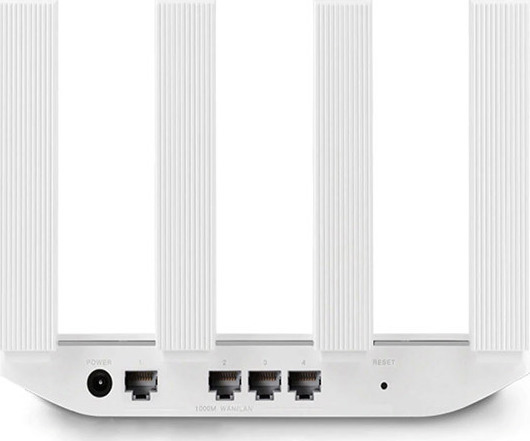
  • 4 ethernet ports
  • 4 antennas
See full description

Top specs

  • See all
The product is not available for shipping to the selected country.

Description

Description

The Honor WS5200 router is primarily aimed at home users seeking a reliable and fast wireless internet connection. With Wi-Fi 5 AC speeds, it offers high data transfer rates, greater range, and reliable connectivity for multiple devices simultaneously.

It is suitable for home networks with high demands on device speed and connectivity, such as computers, smartphones, televisions, gaming consoles, and other devices that use a wireless connection. Additionally, it is ideal for families with many devices connected to their network at the same time, as it can handle data traffic efficiently.

Accelerated speed up to 1300 Mbps

The HUAWEI WiFi WS5200 NEW allows you to enjoy incredible dual-band Wi-Fi speeds of 1300 Mbps (max 400 Mbps on 2.4 GHz + max 867 Mbps on 5 GHz). It also offers Gigabit Ethernet connection for speeds that are as fast and stable as possible. Play online games with minimal latency, stream high-definition movies without buffering, and download large files almost instantly.

Automatic WAN/LAN Adjustment

The HUAWEI WiFi WS5200 NEW features four Gigabit Ethernet ports, each supporting automatic WAN/LAN2 adaptation, eliminating the need to distinguish between them and making broadband connections a breeze.

Connect More Devices

With the ability to connect up to 64 devices, the HUAWEI WiFi WS5200 NEW brings fast internet to your phone, tablet, or laptop.
Let your whole family decide what they want to do online, from online learning to gaming and video streaming.

Automatic connection to the best Wi-Fi

The HUAWEI WiFi WS5200 NEW features 5 GHz and 2.4 GHz bands that operate simultaneously. Your devices will automatically switch between the 5 GHz and 2.4 GHz bands for optimal performance. The 5 GHz band is ideal for fast gaming and streaming, while the 2.4 GHz band offers wider coverage.

Visualized Wi-Fi Coverage, One-Click Troubleshooting

Manage your entire home Wi-Fi network and identify and troubleshoot network issues, all with a few taps of the HUAWEI AI Life App.

Integrated parental control

Thanks to parental control, you can monitor your family's online activities even when you're not at home. With just a few taps on your phone, the HUAWEI WiFi WS5200 NEW can block inappropriate websites and restrict access to selected devices.

The package includes

  • HUAWEI WiFi WS5200
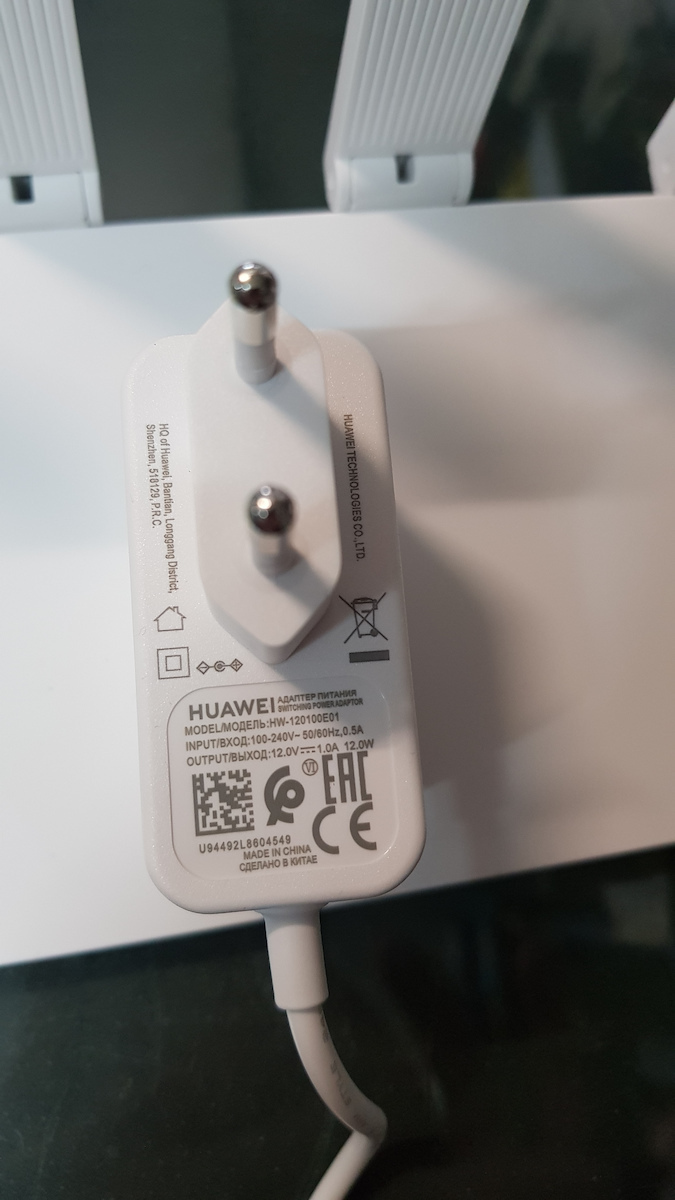
  • Power Adapter
  • Quick Start
  • Ethernet Cable 

Manufacturer

See full description

Specifications

Specifications

Network Specifications

Type
Router
Maximum Wireless Speed
1200 Mbps
Maximum LAN Speed
1000 Mbps
Portable Hotspot
No
Wi-Fi Generation
Wi‑Fi 5
Network Standards
IEEE 802.11a, IEEE 802.11 b/g/n, IEEE 802.11ac, IEEE 802.3ab, IEEE 802.3/3u
Wi-Fi Frequency
Dual Band (2.4 & 5GHz)

Connectivity

Wireless network
Yes
Ethernet LAN connections
4
ISDN Connection
No
SIM slot
No
WAN Port
-
GPON Port (Direct Fiber)
-

Security

Encryption Protocols
WPA-Personal, WPA2-Personal
MAC Address Filtering
No

Extras

Virtual Private Network (VPN)
No
VoIP
No
Mesh
Yes

Important information

Specifications are collected from official manufacturer websites. Please verify the specifications before proceeding with your final purchase. If you notice any problem you can report it here.

See all specifications

Reviews (8)

Reviews

  1. 6
  2. 4 stars
    0
  3. 1
  4. 1
  5. 1 star
    0
Review this product
  • Operational stability
  • Speed
  • Value for money
  • Ease of installation

Reviews photos

Reviews photos
Reviews photos
Reviews photos

Reviews by our members

  • Alexis_Vardikos
    2
    2 out of 4 members found this review helpful

    A friend gave it to me because he won it in a contest. It offers various types of routing for how exactly you want to use it. At first, I was a little lost but eventually I found what I wanted. The signal it provides is very poor. In a space of 60 square meters, when I go to another room, the signal drops to 1 or 2 bars even at 2.4Ghz. It surprised me because before I was using an old ZTE repeater from a provider and I always had full signal.

    Translated from Greek ·
    • Operational Stability
    • Ease of installation
    • Speed
    • Value for money
    Did you find this review helpful?
  • ΓΙΩΡΓΟΣ
    5
    5 out of 5 members found this review helpful

    Verified purchase

    I have it for six months now.
    I had bought it for 35 euros, today the price is lower and this makes it even more tempting.
    It is very good.
    Stable in its operation and with a strong signal, having tested it with two other smaller plug repeaters,
    a Xiaomi and a BlitzWolf, also very good, but they failed to send a strong and stable signal
    on the upper floor, due to interference from reinforced walls and concrete slabs.
    I thought when I saw it if it's worth spending so much money.
    But when I read the reviews it had abroad, I said I will get it no matter what, and in the end I didn't regret it.
    I didn't need to intervene even once, not even to unplug it.
    Also during power outages, I didn't need to do anything, as soon as the power comes back
    it keeps the settings saved and connects immediately.
    11-01-2022
    it continues to work perfectly.

    Translated from Greek ·
    • Operational stability
    • Ease of installation
    • Speed
    • Value for money
    Did you find this review helpful?
  • vasilis2945
    5
    10 out of 10 members found this review helpful

    Good evening, I was interested in a router with repeater function as my Xiaomi Mi 3 was starting to have issues. After searching, I ended up with this specific one. I simply took it out of the box, plugged it into the socket without connecting it with a cable to the provider's modem. I waited for the red light to turn on. I connected my mobile phone to the wireless network of the Huawei Router, opened the browser (using Chrome), entered a random page, which redirected me to its own page. I scrolled down the page, selected the repeater mode and automatic updates, it asked me to enter a management password (my own), then it searched for networks, I selected mine, entered the wifi password, and after a while, the light turned green. Ready!!! I moved it to the desired location. So far, I am very satisfied with the coverage, although this is subjective depending on each person's needs and space. The network is stable without disconnections, and despite the distance between the modem and the router, I have exactly the same measurements on speedtest. My line is 24, overall I am very satisfied with the performance and simplicity of it. Time will tell the rest. In my opinion, it is better than the Xiaomi Mi 3 I had. I hope I helped!

    Translated from Greek ·
    • Operational stability
    • Ease of installation
    • Speed
    • Value for money
    Did you find this review helpful?
  • Chris_Taklis
    5
    9 out of 12 members found this review helpful

    Very good experience. As soon as you connect it, it asks you if you want to use it as a regular router or as a repeater (which I have connected through walls up to about 40 meters away).

    It can also use both frequencies simultaneously (2.4 GHz and 5 GHz). It loads quickly whatever I want (e.g. Netflix). Definitely worth its money.

    Translated from Greek ·
    • Operational stability
    • Ease of installation
    • Speed
    • Value for money
    Did you find this review helpful?
  • 5
    1 out of 3 members found this review helpful

    Verified purchase

    Very good product, I recommend it

    Translated from Greek ·
    • Operational stability
    • Ease of installation
    • Speed
    • Value for money
    Did you find this review helpful?
    • Operational stability
    • Ease of installation
    • Speed
    • Value for money
    • Operational stability
    • Speed
    • Value for money
    • Ease of installation
    • Operational stability
    • Ease of installation
    • Speed
    • Value for money
  • A friend gave it to me because he won it in a contest. It offers various types of routing for how exactly you want to use it. At first, I was a little lost but eventually I found what I wanted. The signal it provides is very poor. In a space of 60 square meters, when I go to another room, the signal drops to 1 or 2 bars even at 2.4Ghz. It surprised me because before I was using an old ZTE repeater from a provider and I always had full signal.

    Translated from Greek ·
    2
  • I have it for six months now.
    I had bought it for 35 euros, today the price is lower and this makes it even more tempting.
    It is very good.
    Stable in its operation and with a strong signal, having tested it with two other smaller plug repeaters,
    a Xiaomi and a BlitzWolf, also very good, but they failed to send a strong and stable signal
    on the upper floor, due to interference from reinforced walls and concrete slabs.
    I thought when I saw it if it's worth spending so much money.
    But when I read the reviews it had abroad, I said I will get it no matter what, and in the end I didn't regret it.
    I didn't need to intervene even once, not even to unplug it.
    Also during power outages, I didn't need to do anything, as soon as the power comes back
    it keeps the settings saved and connects immediately.
    11-01-2022
    it continues to work perfectly.

    Translated from Greek ·
    5
  • Good evening, I was interested in a router with repeater function as my Xiaomi Mi 3 was starting to have issues. After searching, I ended up with this specific one. I simply took it out of the box, plugged it into the socket without connecting it with a cable to the provider's modem. I waited for the red light to turn on. I connected my mobile phone to the wireless network of the Huawei Router, opened the browser (using Chrome), entered a random page, which redirected me to its own page. I scrolled down the page, selected the repeater mode and automatic updates, it asked me to enter a management password (my own), then it searched for networks, I selected mine, entered the wifi password, and after a while, the light turned green. Ready!!! I moved it to the desired location. So far, I am very satisfied with the coverage, although this is subjective depending on each person's needs and space. The network is stable without disconnections, and despite the distance between the modem and the router, I have exactly the same measurements on speedtest. My line is 24, overall I am very satisfied with the performance and simplicity of it. Time will tell the rest. In my opinion, it is better than the Xiaomi Mi 3 I had. I hope I helped!

    Translated from Greek ·
    10
  • Very good experience. As soon as you connect it, it asks you if you want to use it as a regular router or as a repeater (which I have connected through walls up to about 40 meters away).

    It can also use both frequencies simultaneously (2.4 GHz and 5 GHz). It loads quickly whatever I want (e.g. Netflix). Definitely worth its money.

    Translated from Greek ·
    9
  • Very good product, I recommend it

    Translated from Greek ·
    1
  • See all

Description & Specifications

The Honor WS5200 router is primarily aimed at home users seeking a reliable and fast wireless internet connection. With Wi-Fi 5 AC speeds, it offers high data transfer rates, greater range, and reliable connectivity for multiple devices simultaneously.

It is suitable for home networks with high demands on device speed and connectivity, such as computers, smartphones, televisions, gaming consoles, and other devices that use a wireless connection. Additionally, it is ideal for families with many devices connected to their network at the same time, as it can handle data traffic efficiently.

Accelerated speed up to 1300 Mbps

The HUAWEI WiFi WS5200 NEW allows you to enjoy incredible dual-band Wi-Fi speeds of 1300 Mbps (max 400 Mbps on 2.4 GHz + max 867 Mbps on 5 GHz). It also offers Gigabit Ethernet connection for speeds that are as fast and stable as possible. Play online games with minimal latency, stream high-definition movies without buffering, and download large files almost instantly.
Automatic WAN/LAN Adjustment

The HUAWEI WiFi WS5200 NEW features four Gigabit Ethernet ports, each supporting automatic WAN/LAN2 adaptation, eliminating the need to distinguish between them and making broadband connections a breeze.

Connect More Devices

With the ability to connect up to 64 devices, the HUAWEI WiFi WS5200 NEW brings fast internet to your phone, tablet, or laptop.
Let your whole family decide what they want to do online, from online learning to gaming and video streaming.

Automatic connection to the best Wi-Fi

The HUAWEI WiFi WS5200 NEW features 5 GHz and 2.4 GHz bands that operate simultaneously. Your devices will automatically switch between the 5 GHz and 2.4 GHz bands for optimal performance. The 5 GHz band is ideal for fast gaming and streaming, while the 2.4 GHz band offers wider coverage.

Visualized Wi-Fi Coverage, One-Click Troubleshooting

Manage your entire home Wi-Fi network and identify and troubleshoot network issues, all with a few taps of the HUAWEI AI Life App.

Integrated parental control

Thanks to parental control, you can monitor your family's online activities even when you're not at home. With just a few taps on your phone, the HUAWEI WiFi WS5200 NEW can block inappropriate websites and restrict access to selected devices.

The package includes

  • HUAWEI WiFi WS5200
  • Power Adapter
  • Quick Start
  • Ethernet Cable 

Manufacturer

Network Specifications

Type
Router
Maximum Wireless Speed
1200 Mbps
Maximum LAN Speed
1000 Mbps
Portable Hotspot
No
Wi-Fi Generation
Wi‑Fi 5
Network Standards
IEEE 802.11a, IEEE 802.11 b/g/n, IEEE 802.11ac, IEEE 802.3ab, IEEE 802.3/3u
Wi-Fi Frequency
Dual Band (2.4 & 5GHz)

Connectivity

Wireless network
Yes
Ethernet LAN connections
4
ISDN Connection
No
SIM slot
No
WAN Port
-
GPON Port (Direct Fiber)
-

Security

Encryption Protocols
WPA-Personal, WPA2-Personal
MAC Address Filtering
No

Extras

Virtual Private Network (VPN)
No
VoIP
No
Mesh
Yes

Important information

Specifications are collected from official manufacturer websites. Please verify the specifications before proceeding with your final purchase. If you notice any problem you can report it here.

Reviews (8)

  1. 6
  2. 4 stars
    0
  3. 1
  4. 1
  5. 1 star
    0
Review this product
  • Operational stability
  • Speed
  • Value for money
  • Ease of installation

Reviews photos

Reviews photos
Reviews photos
Reviews photos

Reviews by our members

  • Alexis_Vardikos
    2
    2 out of 4 members found this review helpful

    A friend gave it to me because he won it in a contest. It offers various types of routing for how exactly you want to use it. At first, I was a little lost but eventually I found what I wanted. The signal it provides is very poor. In a space of 60 square meters, when I go to another room, the signal drops to 1 or 2 bars even at 2.4Ghz. It surprised me because before I was using an old ZTE repeater from a provider and I always had full signal.

    Translated from Greek ·
    • Operational Stability
    • Ease of installation
    • Speed
    • Value for money
    Did you find this review helpful?
  • ΓΙΩΡΓΟΣ
    5
    5 out of 5 members found this review helpful

    Verified purchase

    I have it for six months now.
    I had bought it for 35 euros, today the price is lower and this makes it even more tempting.
    It is very good.
    Stable in its operation and with a strong signal, having tested it with two other smaller plug repeaters,
    a Xiaomi and a BlitzWolf, also very good, but they failed to send a strong and stable signal
    on the upper floor, due to interference from reinforced walls and concrete slabs.
    I thought when I saw it if it's worth spending so much money.
    But when I read the reviews it had abroad, I said I will get it no matter what, and in the end I didn't regret it.
    I didn't need to intervene even once, not even to unplug it.
    Also during power outages, I didn't need to do anything, as soon as the power comes back
    it keeps the settings saved and connects immediately.
    11-01-2022
    it continues to work perfectly.

    Translated from Greek ·
    • Operational stability
    • Ease of installation
    • Speed
    • Value for money
    Did you find this review helpful?
  • vasilis2945
    5
    10 out of 10 members found this review helpful

    Good evening, I was interested in a router with repeater function as my Xiaomi Mi 3 was starting to have issues. After searching, I ended up with this specific one. I simply took it out of the box, plugged it into the socket without connecting it with a cable to the provider's modem. I waited for the red light to turn on. I connected my mobile phone to the wireless network of the Huawei Router, opened the browser (using Chrome), entered a random page, which redirected me to its own page. I scrolled down the page, selected the repeater mode and automatic updates, it asked me to enter a management password (my own), then it searched for networks, I selected mine, entered the wifi password, and after a while, the light turned green. Ready!!! I moved it to the desired location. So far, I am very satisfied with the coverage, although this is subjective depending on each person's needs and space. The network is stable without disconnections, and despite the distance between the modem and the router, I have exactly the same measurements on speedtest. My line is 24, overall I am very satisfied with the performance and simplicity of it. Time will tell the rest. In my opinion, it is better than the Xiaomi Mi 3 I had. I hope I helped!

    Translated from Greek ·
    • Operational stability
    • Ease of installation
    • Speed
    • Value for money
    Did you find this review helpful?
  • Chris_Taklis
    5
    9 out of 12 members found this review helpful

    Very good experience. As soon as you connect it, it asks you if you want to use it as a regular router or as a repeater (which I have connected through walls up to about 40 meters away).

    It can also use both frequencies simultaneously (2.4 GHz and 5 GHz). It loads quickly whatever I want (e.g. Netflix). Definitely worth its money.

    Translated from Greek ·
    • Operational stability
    • Ease of installation
    • Speed
    • Value for money
    Did you find this review helpful?
  • 5
    1 out of 3 members found this review helpful

    Verified purchase

    Very good product, I recommend it

    Translated from Greek ·
    • Operational stability
    • Ease of installation
    • Speed
    • Value for money
    Did you find this review helpful?
    • Operational stability
    • Ease of installation
    • Speed
    • Value for money
    • Operational stability
    • Speed
    • Value for money
    • Ease of installation
    • Operational stability
    • Ease of installation
    • Speed
    • Value for money
  • A friend gave it to me because he won it in a contest. It offers various types of routing for how exactly you want to use it. At first, I was a little lost but eventually I found what I wanted. The signal it provides is very poor. In a space of 60 square meters, when I go to another room, the signal drops to 1 or 2 bars even at 2.4Ghz. It surprised me because before I was using an old ZTE repeater from a provider and I always had full signal.

    Translated from Greek ·
    2
  • I have it for six months now.
    I had bought it for 35 euros, today the price is lower and this makes it even more tempting.
    It is very good.
    Stable in its operation and with a strong signal, having tested it with two other smaller plug repeaters,
    a Xiaomi and a BlitzWolf, also very good, but they failed to send a strong and stable signal
    on the upper floor, due to interference from reinforced walls and concrete slabs.
    I thought when I saw it if it's worth spending so much money.
    But when I read the reviews it had abroad, I said I will get it no matter what, and in the end I didn't regret it.
    I didn't need to intervene even once, not even to unplug it.
    Also during power outages, I didn't need to do anything, as soon as the power comes back
    it keeps the settings saved and connects immediately.
    11-01-2022
    it continues to work perfectly.

    Translated from Greek ·
    5
  • Good evening, I was interested in a router with repeater function as my Xiaomi Mi 3 was starting to have issues. After searching, I ended up with this specific one. I simply took it out of the box, plugged it into the socket without connecting it with a cable to the provider's modem. I waited for the red light to turn on. I connected my mobile phone to the wireless network of the Huawei Router, opened the browser (using Chrome), entered a random page, which redirected me to its own page. I scrolled down the page, selected the repeater mode and automatic updates, it asked me to enter a management password (my own), then it searched for networks, I selected mine, entered the wifi password, and after a while, the light turned green. Ready!!! I moved it to the desired location. So far, I am very satisfied with the coverage, although this is subjective depending on each person's needs and space. The network is stable without disconnections, and despite the distance between the modem and the router, I have exactly the same measurements on speedtest. My line is 24, overall I am very satisfied with the performance and simplicity of it. Time will tell the rest. In my opinion, it is better than the Xiaomi Mi 3 I had. I hope I helped!

    Translated from Greek ·
    10
  • Very good experience. As soon as you connect it, it asks you if you want to use it as a regular router or as a repeater (which I have connected through walls up to about 40 meters away).

    It can also use both frequencies simultaneously (2.4 GHz and 5 GHz). It loads quickly whatever I want (e.g. Netflix). Definitely worth its money.

    Translated from Greek ·
    9
  • Very good product, I recommend it

    Translated from Greek ·
    1
  • See all