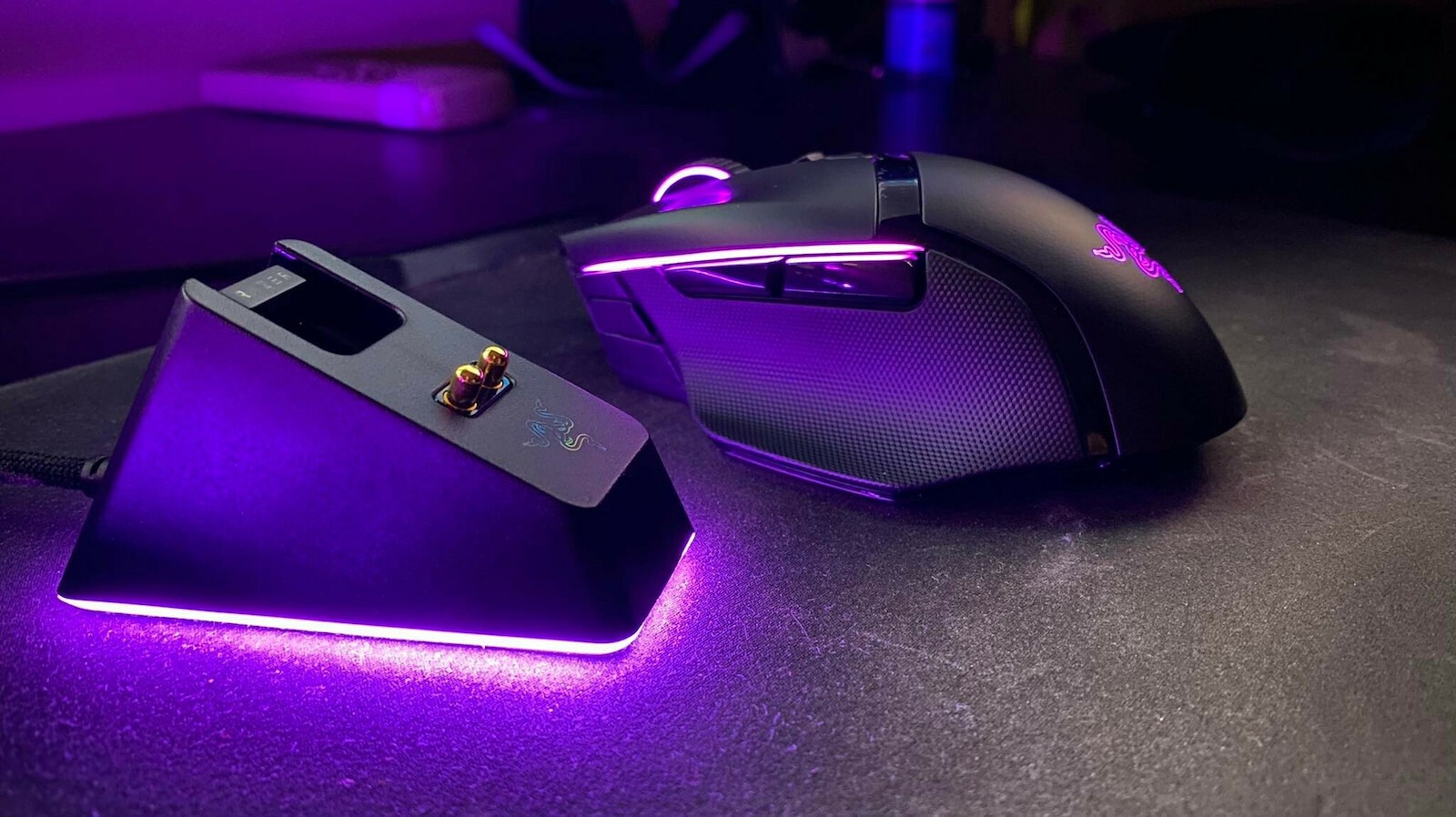
I will go through the positives and negatives immediately:
POSITIVES:
- Very nice design
- Lightning-fast response
- Comfortable in the hand
- You can adjust the resistance of the scroll wheel (from pushing it and making it turn on its own until it feels like it will break)
- Durable (I haven't even bought it yet and it has already fallen once).. I didn't see any marks.
- It is beautiful
- Plenty of programmable buttons (especially through synapse 3.0, you can set, for example, when you turn the scroll wheel to the right, the K key is pressed, and in a game like CS:GO, you can set the K key to be the grenade... or you can set it so that when you press a button, it "types" continuously... for example, you press it once and it essentially "types" 3 letters... It helps in some games... for example: A Way Out
NEGATIVES:
- Price... obviously you get what you pay for, but with 15-20 euros less it would have been much better, as 152+ shipping for a mouse is a bit painful... There are other options, but I believe that for this price, you don't just get a mouse to move it around...
- I would have liked a slightly larger battery as the RGB and high brightness level drains the battery quite quickly.
Overall, it is a mouse that is aimed at gamers or professionals who want to have a comfortable hand throughout the day. If you just want a mouse to do your work, obviously you don't need to look at it as you can find something good for 30 euros without going for the 5 euro mice.
I will mention measurements that I have recorded for the battery and charging:
First of all, I use the effect: wave, which constantly changes colors and MIGHT consume more battery than if it was steady. I just mention it, although I don't think there are significant differences.
Let's move on to the numbers:
With the brightness level at 50%:
- Consumption during regular use (scrolling/photoshop) is around: 4.8% / hour
- Consumption during gaming (CS:GO, continuous use without leaving the mouse) is around: 7.1% / hour
With the brightness level at 20%:
- Consumption during regular use (scrolling/photoshop) is around: 2.1% / hour
- Consumption during gaming (CS:GO, continuous use without leaving the mouse) is around: 3.1% / hour
I didn't measure at 100% because I don't think anyone would have it at 100% as it might not even last a day of use.
Now let's talk about charging:
Charging, either on the dock station or with a cable, takes 3 hours and 3 minutes for a full charge (0-100).. Of course, I didn't let the mouse go to 0%, but using the three-method, I calculated the charging time. I did one charge (10% to 100%) and one charge (23% to 100%). Using the three-method for both charges, the result was that a full charge takes 3 hours and 3 minutes.
I would also like to mention that there are two very important options within the program:
1) You can set after how many minutes of inactivity the lights on the mouse will turn off, from 1-15 minutes (it is available as an option).
2) You can set when the mouse goes into sleep mode (from 1 to 15 minutes).. We cannot disable this option. If you exceed this time and move the mouse, then the mouse has a slight lag, but very little.. This time can be 0.5 to 1.5 seconds.
PS: With the appropriate settings, such as setting the lights to turn off in the first few minutes (1st or 2nd minute) and putting the mouse into sleep mode again in the first few minutes (3rd or 4th minute), you definitely save a lot of battery if you simply do scrolling or watch videos or movies... Maybe then the battery will last you several days without charging.
Overall, I would say it is worth it for what it offers. However, if it goes down by 20 euros, it would be even better because it would be able to compete almost equally with the g pro wireless, which is 40 euros cheaper.
Θα περάσω στα θετικά και αρνητικά αμέσως:
ΘΕΤΙΚΑ:
- πολύ ωραίος σχεδιασμός
- αστραπιαία απόκριση
- άνετο στο χέρι
- μπορείς να ρυθμίσεις την αντίσταση της ροδέλας(απο το να την σπρώχνεις και να κάνει στροφές μόνη της μέχρι σε σημείο που να νομίζεις ότι θα την τσακίσεις)
- Ανθεκτικό (ακόμα δεν το πήρα και μου έπεσε μια φορά κάτω).. Δεν είδα κανένα σημάδι.
- Είναι πανέμορφο
- Αρκετά προγραμματιζόμενα πλήκτρα(ειδικά μέσα από το synapse 3.0 μπορείς να βάλεις πχ όταν κάνεις την ροδέλα στα δεξιά να πατιέται το Κ και μέσα πχ στο csgo να έχεις βάλει το Κ να είναι το grenade...η να βάλεις όσο πατάς ένα πλήκτρο να "πληκτρολογεί" συνεχόμενα...πχ πατάς ένα κλικ και στην ουσία "πληκτρολογεί" 3 γράμματα... Σε κάποια παιχνίδια βοηθάει..πχ : A Way Out
ΑΡΝΗΤΙΚΑ:
- Τιμή...προφανώς ότι πληρώνεις παίρνεις, όμως με 15-20 ευρώ πιο κάτω θα ήταν αρκετά καλύτερα καθώς 152+ μεταφορικά για ποντίκι είναι λίγο πόνος....Υπάρχουν και άλλες επιλογές αλλά πιστεύω ότι σε αυτά τα χρήματα δεν παίρνεις ποντίκι απλά για να κουνάς το ποντίκι..
- Λίγο μεγαλύτερη μπαταρία θα την ήθελα η αλήθεια είναι καθώς το rgb και σε υψηλό επίπεδο φωτεινότητας ρουφάει την μπαταρία αρκετά γρήγορα.
Γενικά είναι ένα ποντίκι που απευθύνεται σε gamers ή επαγγελματίες για να έχουν ξεκούραστο χέρι κατά την διάρκεια της ημέρας. Αν θέλετε απλά ένα ποντίκι να κάνετε την δουλειά σας προφανώς και δεν χρειάζεται ούτε να το κοιτάτε καθώς μπορείτε και με 30 ευρώ να βρείτε κάτι καλό για να μην πάτε στα ποντίκια του 5ευρου.
Θα αναφέρω μετρήσεις που έχω καταγράψει για την μπαταρία του καθώς και για την φόρτιση του:
Καταρχάς να αναφέρω ότι χρησιμοποιώ το effect: wave που αλλάζει συνεχώς τα χρώματα και ΙΣΩΣ να καταναλώνει παραπάνω μπαταρία από ότι αν ήταν σταθερό. Απλά το αναφέρω αν και δεν νομίζω να υπάρχουν μεγάλες διαφορές.
Πάμε τώρα στους αριθμούς:
Με το επίπεδο φωτεινότητας να είναι στο 50%:
η κατανάλωση σε απλή χρήση (scrolling/photoshop) είναι κοντά στο: 4,8% / ώρα
η κατανάλωση σε gaming (csgo "δηλαδή συνεχόμενη χρήση χωρίς να αφήνεις το ποντίκι) είναι κοντά στο : 7,1% / ώρα
Με το επίπεδο φωτεινότητας να είναι στο 20%:
η κατανάλωση σε απλή χρήση (scrolling/photoshop) είναι κοντά στο: 2,1% / ώρα
η κατανάλωση σε gaming (csgo "δηλαδή συνεχόμενη χρήση χωρίς να αφήνεις το ποντίκι) είναι κοντά στο : 3,1% / ώρα
Στο 100% δεν έκανα μετρήσεις γιατί δεν πιστεύω κανένας να το έχει στο 100% καθώς μπορεί να μην του βγάζει ούτε μια μέρα χρήσης.
Πάμε στην φόρτιση τώρα:
Η φόρτιση είτε στο dock station είτε με καλώδιο είναι στις 3 ώρες και 3 λεπτά για μία πλήρη φόρτιση (0-100).. Φυσικά δεν άφησα το ποντίκι να πάει στο 0% αλλά με την μέθοδο των τριών υπολόγισα τον χρόνο φόρτισης. Έκανα μια φόρτιση (10% εως 100%) και μία φόρτιση (23% εως 100%). Με την μέθοδο των τριών και οι δύο φορτίσεις έβγαζαν αποτέλεσμα ότι μια πλήρη φόρτιση θέλει 3 ώρες και 3 λεπτά.
Να αναφέρω επίσης ότι μέσα στο πρόγραμμα υπάρχουν δύο πολύ σημαντικές επιλογές:
1) Μπορείς να ρυθμίσεις μετά από πόση ώρα αδράνειας θα κλείσουν τα φώτα στο ποντίκι από 1-15 λεπτά (υπάρχει σαν επιλογή).
2) Μπορείς να ρυθμίσεις πότε να "πέφτει" το ποντίκι σε sleep mode (από 1 εως 15 λεπτά)..Αυτη την επιλογή δεν μπορούμε να την απενεργοποιήσουμε. Εκεί αν περάσεις τον χρόνο αυτόν και κουνήσεις το ποντίκι τότε το ποντίκι έχει λίγο lag αλλά πάρα πολύ λίγο..Μπορεί ο χρόνος αυτός να είναι 0,5 με 1,5 δευτερόλεπτα.
ΥΓ: Με τις κατάλληλες ρυθμίσεις..πχ να βάζεις να κλείνουν τα φώτα στα πρώτα λεπτά(1ο ή 2ο λεπτό) και το να μπαίνει το ποντίκι σε sleep mode πάλι από τα πρώτα λεπτά(3ο ή 4ο λεπτό) τότε σίγουρα κερδίζεις πολύ σε μπαταρία αν απλά κάνεις Scrolling η βλέπεις βίντεο ή ταινία... Ίσως τότε η μπαταρία να σου βγάλει αρκετές μέρες χωρίς φόρτιση.
Σε γενικές γραμμές θα έλεγα ότι αξίζει για αυτά που προσφέρει. Αν πέσει όμως και 20 ευρώ κάτω θα είναι ακόμα καλύτερα γιατί θα μπορεί να χτυπήσει g pro wireless σχεδόν στα ίσα το οποίο έχει 40€ λιγότερα.