Nice, since the positives have already been listed by others, let me give the negatives as well.
Attention!
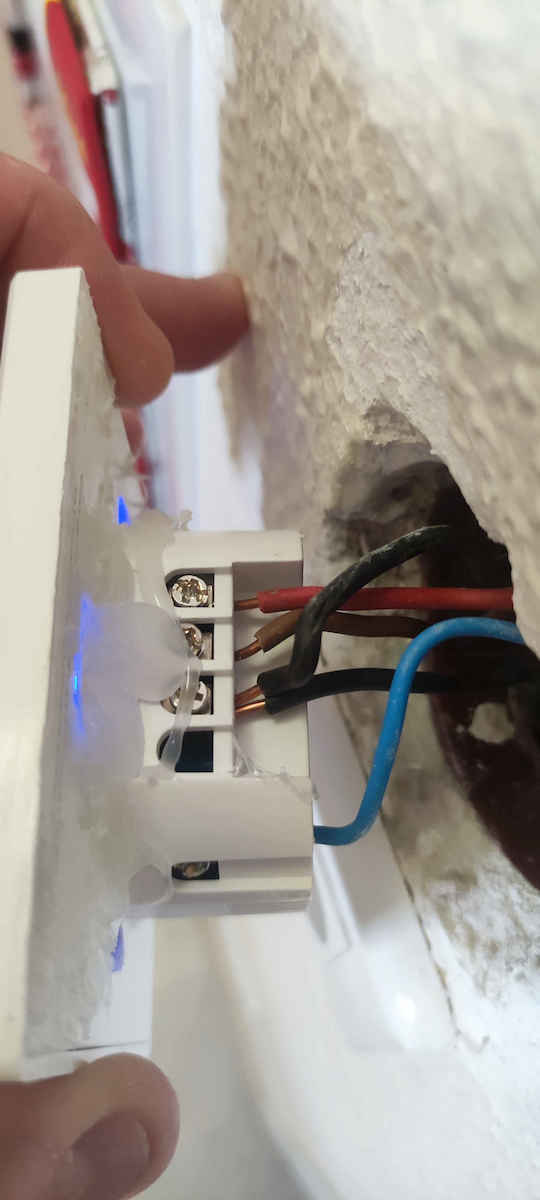
Installation only in new recessed wall boxes.
If you have the old ones, the ones that were secured with screw hooks that opened on the sides, the switch cannot be secured.
The only solution is either to change the internal boxes, which is expensive and tiring work, or to install it in the old box and then glue it to the wall with adhesive.
If you glue it, be careful to make it completely flush with the wall, otherwise the external glass will either come off easily under pressure or, at worst, break.
The screws that secure the wires are completely useless, they get damaged with the first wrong screwdriver.
Prefer multi-strand cables, because the plastic part of the switch is very soft, and especially if we want to connect the triple switch that requires 5 wires, if they are single-strand, it will be difficult to fit it in the casing and even more difficult to keep it straight, resulting in the glass easily coming off.
* Now, if you want to connect them to wifi and you have the 100-star router from Cosmote (Sercom Speedport Plus), forget it, they don't connect.*
## After a lot of searching, I finally found the way to connect.
To add a device to ewelink:
1. Press and hold the switch until you hear the second beep and the wireless light flashes 3 times.
2. Press and hold again until you hear the second beep and see the wireless light flashing quickly and continuously.
3. Go to the application and search.
4. Once it finds it, on your phone, you need to disconnect from our wifi network and connect to the switch's network (I think it's called ITEAM ***) and set the password to 12345678.
5. Even though it will give us a network error 3 times, it will eventually disconnect the phone from the switch's wireless network, and when the wireless light of the switch remains on, it will automatically reconnect to our wifi and work fine.##
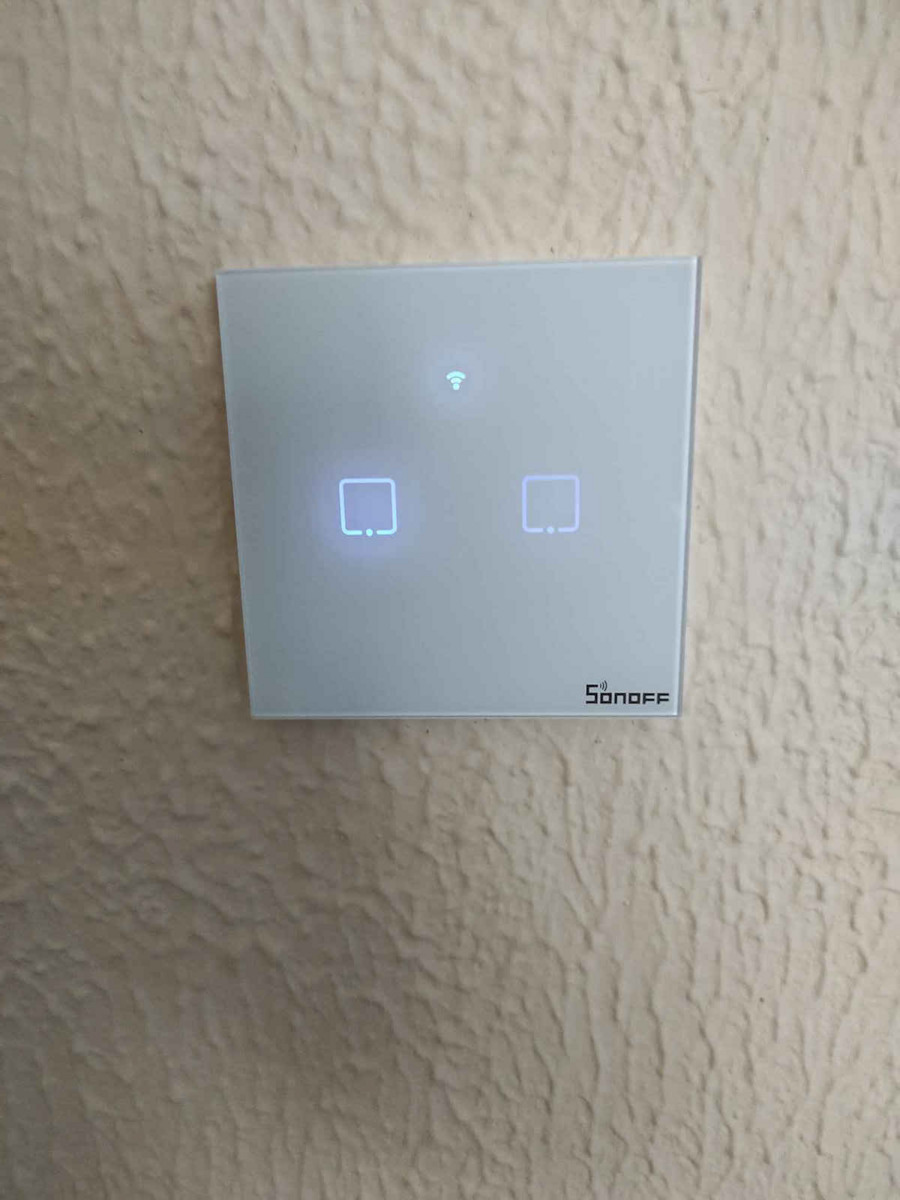
The blue lights that indicate which switch it is, at least in the white models, are not visible at all during the day.
The difference between the lit light of the active switch and the low light of the closed one is minimal and it is not easy to distinguish the open from the closed one, apart from the fact that the brightness of the switches is not uniform, some are brightly lit, some moderately, and some hardly at all.
The response to touch is not good, many times you need to touch the switch two or three times for it to register. If we take into account that the response from the moment the switch is touched until the lights come on is about half a second, we understand why - especially the elderly - can press the switch even ten times before the light comes on.
The ewelink application for managing the switches is very basic, even in its full version.
Finally, I don't know if it was a material defect or just my luck, but out of the 10 switches, two didn't work and had to be replaced.
Ωραια, αφου τα θετικα τα απαριθμησαν οι υπολοιποι, ας δωσω κι εγω τα αρνητικα.
Προσοχη!
Εγκατασταση μονο σε καινουργια χωνευτα κουτια τοιχου.
Εαν εχετε τα παλια, αυτα που ο διακοπτης στερεονονταν με τα βιδωτα γαντζακια που ανοιγαν στα πλαγια, ο διακοπτης δεν στερεωνεται.
Η μονη λυση ειναι ή η αλλαγη των εσωτερικων κουτιων, δηλαδη πολυεξοδη και κουραστικη δουλεια, ή εγκατασταση στο παλιο κουτι και μετα κολλημα στον τοιχο με θερμοκολλα.
Αν θερμοκολλησετε, προσοχη να μπουν εντελως επιπεδα με τον τοιχο, αλλοιως με την πιεση ειτε ξεκολλαει το εξωτερικο τζαμακι, ειτε στην χειροτερη σπαει.
Τα βιδακια της που στερεωνουμε τα καλωδια, ειναι εντελως της πλακας, τρωγονται με την πρωτη στραβοκατσαβιδια.
Προτιμηστε πολυκλωνα καλωδια, επειδη το πλαστικο μερος του διακοπτη ειναι πολυ μαλακο, και ειδικα αν θελουμε να συνδεσουμε τον τριπλο διακοπτη που χρειαζεται 5 καλωδια, αν αυτα ειναι μονοκλωνα, δυσκολα θα μπει στην θηκη και ακομα πιο δυσκολα να μεινει ισιος, με αποτελεσμα το τζαμακι να ξεκολλησει πολυ ευκολα.
* Τωρα, αν θελετε να τις συνδεσετε στο wifi και εχετε το 100σταρι ρουτερ της Cosmote (Sercom Speedport Plus) ξεχαστε το, δεν συνδεονται.*
##Μετα απο πολυ ψαξιμο βρηκα τελικα τον τροπο συνδεσης.
Για να προσθεσουμε συσκευη στο ewelink:
1. Παταμε παρατεταμενα τον διακοπτη μεχρι να ακουσουμε το δευτερο μπιπ και να αναβοσβηνει το φωτακι του wireless 3 φορες.
2. Ξαναπαταμε παρατεταμενα, μεχρι να ακουσουμε το δευτερο μπιπ και να δουμε το φωτακι του wireless να αναβοσβηνει γρηγορα και διαρκως.
3. Παμε στην εφαρμογη και κανουμε search.
4. Μολις το βρει θα πρεπει στο κινητο να βγουμε απο το δικο μας wifi δικτυο και να μπουμε στο δυκτιο του διακοπτη (νομιζω λεγεται ΙΤΕΑΜ ***) και να βαλουμε για password το 12345678
5. Αν και θα μας δωσει 3 φορες network error, τελικα θα αποσυνδεθει το κινητο απο το ασυρματο δικτυο του διακοπτη και οταν το λαμπακι wireless του διακοπτη μεινει αναμμενο, τοτε θα ξανασυνδεθει αυτοματα στο δικο μας wifi και θα δουλεψει μια χαρα.##
Τα μπλε φωτακια που δειχνουν που ειναι ο καθε διακοπτης, τουλαχιστον στα λευκα μοντελα δεν φαινονται καθολου την ημερα.
Η διαφορα απο το αναμενο φωτακι του ενεργου διακοπτη απο το χαμηλο του κλειστου ειναι μηδαμινη και δεν ξεχωριζει ευκολα ο ανοιχτος απο τον κλειστο, ξεχωρα που η φωτεινοτητα των διακοπτων δεν ειναι ομοιομορφη, αλλος ειναι εντονα φωτισμενος, αλλος μετρια και αλλος σχεδον καθολου.
Η ανταποκριση στο αγγιγμα δεν ειναι καλη, πολλες φορες χρειαζεται να ακουμπησεις δυο και τρεις φορες τον διακοπτη, για να το καταγραψει. Αν συνυπολογισουμε οτι η ανταποκριση απο την στιγμη που αντιλιφθει ο διακοπτης το αγγιγμα μεχρι το αναμα των φωτων ειναι περιπου μισο δευτερολεπτο, καταλαβαινουμε γιατι -ειδικα οι ηλικιωμενοι- μπορουν να πατανε τον διακοπτη ακομα και δεκα φορες μεχρι να αναψει το φως.
Η εφαρμογη ewelink για την διαχειριση των διακοπτων πολυ βασικη, ακομα και στην πληρη εκδοση της.
Τελος, δεν ξερω αν ηταν αστοχια υλικου ή η τυχη μου, αλλα στους 10 διακοπτες οι δυο δεν δουλευαν και επρεπε να αντικατασταθουν.