Monitors

Asus ProArt Display PA248QV IPS Monitor 24.1" FHD 1920x1200 with Response Time 5ms GTG

The ProArt Display PA248QV is a 24.1-inch monitor designed to meet the needs of creative professionals, from photo and video editing to graphic design.

The ProArt Display PA248QV is a 24.1-inch monitor designed to meet the needs of creative professionals, from photo and video editing to graphic design.

See full description See full description
  • See all
Available purchase options

Description

Description

The ProArt Display PA248QV is a 24.1-inch monitor designed to meet the needs of creative professionals, from photo and video editing to graphic design.

The ProArt Display PA248QV is factory calibrated and Calman Verified for outstanding color accuracy (ΔE < 2). It also provides industry-standard 100% sRGB / 100% Rec. 709 color space coverage. With exclusive ASUS features like ProArt Preset and ProArt Palette with six-axis color, black level, and brightness adjustments, the PA248QV makes it easy to achieve the precise look you desire quickly, easily, and accurately.

Showcase the true beauty of your images

The ProArt monitor offers industry-standard 100% sRGB and 100% Rec. 709 color gamut for rich, vibrant reproduction that ensures every detail of your photos is clear and vivid.

Color Accuracy

Enjoy clear, expressive shades thanks to precise, true-to-life color reproduction. ProArt monitors achieve ΔE < 2, so your images are accurately reproduced on the screen – allowing you to see exactly how your work will look when finished.

True color, out of the box

Calman Certification

Color professionals rely on monitors with color accuracy to ensure their creations look exactly as intended. The ProArt Display PA248QV is factory calibrated and Calman Verified to guarantee top-tier color accuracy. Every ProArt monitor undergoes stringent, meticulous testing to ensure smoother color gradation. As a professional consumer, you are assured of viewing and content creation experiences with color accuracy.

Personalized Processing Experience

The ASUS ProArt palette allows you to customize your monitor through a wide range of parameters, including hue, temperature, and gamma settings – all easily accessible via user-friendly on-screen menus. There are also two-point grayscale sliders and adjustments for all six colors, providing greater flexibility in color tuning than many competing monitors. The ProArt palette enables you to produce quickly and consistently and facilitates the management of your color control.

Rich Connectivity

The ProArt Display PA248QV offers rich connectivity with DisplayPort 1.2, HDMI (v1.4), D-Sub ports, and an integrated USB hub, making it easy to connect a wide variety of devices and enjoy ultra-fast transfer speeds with external storage – meeting every content creation demand.

Manufacturer

See full description

Specifications

Specifications

Main Specifications

Panel
IPS
HDR
No
Curved
No
UltraWide
No
Diagonal
24.1 "
Resolution
1920x1200
Contrast
1000 :1
Response Time (GTG)
5 ms
Refresh Rate
75 Hz
Aspect Ratio
16:10

Ergonomics

Tilt Adjustment
No
Height Adjustment
No
Vertical Rotation
Yes
Horizontal Rotation
No
Wall Mountable (Vesa)
100 x 100 mm

Connectivity

Connection
DisplayPort, HDMI, VGA (D-sub)

Additional Specifications

Speakers
Yes
Features & Functions
USB Hub
Eye Comfort
Yes
Colour
Black
Camera
No

Energy Label

Energy Consumption
28 kWh/1000h
Energy Class
G

Important information

Specifications are collected from official manufacturer websites. Please verify the specifications before proceeding with your final purchase. If you notice any problem you can report it here.

See all specifications

Reviews (5)

Reviews

  1. 5
  2. 4 stars
    0
  3. 3 stars
    0
  4. 2 stars
    0
  5. 1 star
    0
Review this product
  • Comfort
  • Picture
  • Response time
  • Viewing angle
  • Menu
  • Value for money

Reviews by our members

  • Panel Quality (IPS Black): The contrast is excellent. The black is truly deep, which greatly helps with reading text and code (especially with thin fonts).

    120Hz: The motion is incredibly smooth. If you are used to gaming monitors with high refresh rates, the transition to this one will not bother you at all.

    Eye Comfort: The 5-star eye certification is not just marketing, the monitor is genuinely comfortable even after 8+ hours of work.

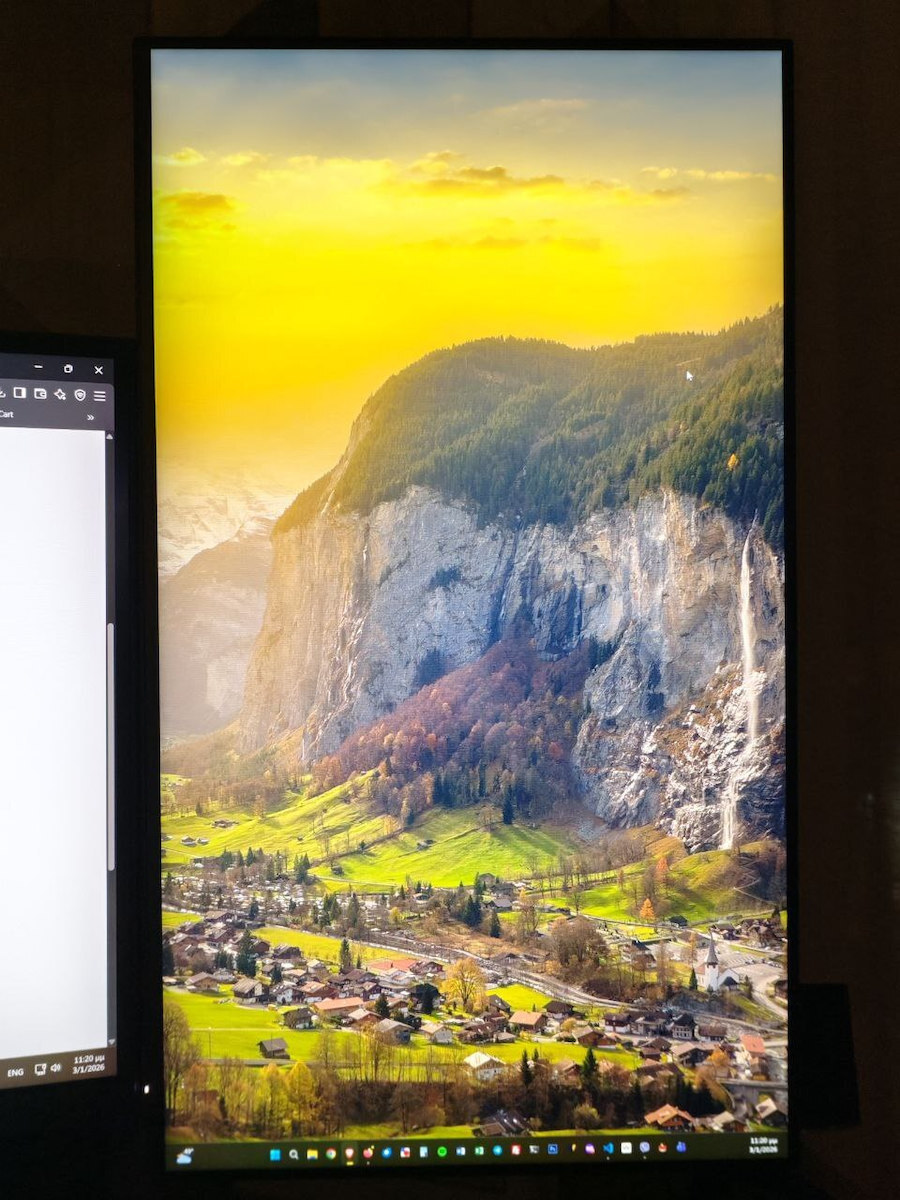
    Resolution & Usage: Let me clarify that its resolution (Full HD) obviously does not compare to the resolution of my main monitor (Samsung Odyssey). However, I bought it for a specific use (coding and auxiliary tasks) and in this area it satisfies me completely. For 24 inches, the clarity is just right for comfortable reading.

    What you need to watch out for (Cables & Setup):
    If you plan to mount it on an arm (monitor arm), you will definitely need extra equipment:

    Longer HDMI cable: The included cable is too short for proper cable management through an arm. I bought an HDMI 2.1 (3m) to be sure and to fully utilize its resolution.

    Longer USB (Upstream) cable: For the monitor's USB ports (hub) to work, it must be connected to the PC. The provided cable is short for an arm setup and for now I can't use the ports until I get a longer one.

    Conclusion: Ideal as a secondary monitor and for professional use. Just factor in the cost of 2-3 longer cables if you don't have it on its own stand and close to the PC Tower.

    Translated from Greek ·
    Did you find this review helpful?
  • I have had it since 2023 and nothing has happened to it
    It is very good!!

    Translated from Greek ·
    Did you find this review helpful?
  • 5
    1 out of 2 members found this review helpful

    Verified purchase

    Flawless for photo editing! It's worth the money.

    Translated from Greek ·
    • Comfort
    • Picture
    • Response time
    • Viewing angle
    • Menu
    • Value for money
    Did you find this review helpful?
  • Verified purchase

    • Comfort
    • Picture
    • Response time
    • Viewing angle
    • Menu
    • Value for money
  • Panel Quality (IPS Black): The contrast is excellent. The black is truly deep, which greatly helps with reading text and code (especially with thin fonts).

    120Hz: The motion is incredibly smooth. If you are used to gaming monitors with high refresh rates, the transition to this one will not bother you at all.

    Eye Comfort: The 5-star eye certification is not just marketing, the monitor is genuinely comfortable even after 8+ hours of work.

    Resolution & Usage: Let me clarify that its resolution (Full HD) obviously does not compare to the resolution of my main monitor (Samsung Odyssey). However, I bought it for a specific use (coding and auxiliary tasks) and in this area it satisfies me completely. For 24 inches, the clarity is just right for comfortable reading.

    What you need to watch out for (Cables & Setup):
    If you plan to mount it on an arm (monitor arm), you will definitely need extra equipment:

    Longer HDMI cable: The included cable is too short for proper cable management through an arm. I bought an HDMI 2.1 (3m) to be sure and to fully utilize its resolution.

    Longer USB (Upstream) cable: For the monitor's USB ports (hub) to work, it must be connected to the PC. The provided cable is short for an arm setup and for now I can't use the ports until I get a longer one.

    Conclusion: Ideal as a secondary monitor and for professional use. Just factor in the cost of 2-3 longer cables if you don't have it on its own stand and close to the PC Tower.

    Translated from Greek ·
    0
  • I have had it since 2023 and nothing has happened to it
    It is very good!!

    Translated from Greek ·
    0
  • Flawless for photo editing! It's worth the money.

    Translated from Greek ·
    1
  • 0
  • 0
  • See all

Description & Specifications

The ProArt Display PA248QV is a 24.1-inch monitor designed to meet the needs of creative professionals, from photo and video editing to graphic design.

The ProArt Display PA248QV is factory calibrated and Calman Verified for outstanding color accuracy (ΔE < 2). It also provides industry-standard 100% sRGB / 100% Rec. 709 color space coverage. With exclusive ASUS features like ProArt Preset and ProArt Palette with six-axis color, black level, and brightness adjustments, the PA248QV makes it easy to achieve the precise look you desire quickly, easily, and accurately.

Showcase the true beauty of your images

The ProArt monitor offers industry-standard 100% sRGB and 100% Rec. 709 color gamut for rich, vibrant reproduction that ensures every detail of your photos is clear and vivid.

Color Accuracy

Enjoy clear, expressive shades thanks to precise, true-to-life color reproduction. ProArt monitors achieve ΔE < 2, so your images are accurately reproduced on the screen – allowing you to see exactly how your work will look when finished.

True color, out of the box

Calman Certification

Color professionals rely on monitors with color accuracy to ensure their creations look exactly as intended. The ProArt Display PA248QV is factory calibrated and Calman Verified to guarantee top-tier color accuracy. Every ProArt monitor undergoes stringent, meticulous testing to ensure smoother color gradation. As a professional consumer, you are assured of viewing and content creation experiences with color accuracy.

Personalized Processing Experience

The ASUS ProArt palette allows you to customize your monitor through a wide range of parameters, including hue, temperature, and gamma settings – all easily accessible via user-friendly on-screen menus. There are also two-point grayscale sliders and adjustments for all six colors, providing greater flexibility in color tuning than many competing monitors. The ProArt palette enables you to produce quickly and consistently and facilitates the management of your color control.

Rich Connectivity

The ProArt Display PA248QV offers rich connectivity with DisplayPort 1.2, HDMI (v1.4), D-Sub ports, and an integrated USB hub, making it easy to connect a wide variety of devices and enjoy ultra-fast transfer speeds with external storage – meeting every content creation demand.

Manufacturer

Main Specifications

Panel
IPS
HDR
No
Curved
No
UltraWide
No
Diagonal
24.1 "
Resolution
1920x1200
Contrast
1000 :1
Response Time (GTG)
5 ms
Refresh Rate
75 Hz
Aspect Ratio
16:10

Ergonomics

Tilt Adjustment
No
Height Adjustment
No
Vertical Rotation
Yes
Horizontal Rotation
No
Wall Mountable (Vesa)
100 x 100 mm

Connectivity

Connection
DisplayPort, HDMI, VGA (D-sub)

Additional Specifications

Speakers
Yes
Features & Functions
USB Hub
Eye Comfort
Yes
Colour
Black
Camera
No

Energy Label

Energy Consumption
28 kWh/1000h
Energy Class
G

Important information

Specifications are collected from official manufacturer websites. Please verify the specifications before proceeding with your final purchase. If you notice any problem you can report it here.

Reviews (5)

  1. 5
  2. 4 stars
    0
  3. 3 stars
    0
  4. 2 stars
    0
  5. 1 star
    0
Review this product
  • Comfort
  • Picture
  • Response time
  • Viewing angle
  • Menu
  • Value for money

Reviews by our members

  • Panel Quality (IPS Black): The contrast is excellent. The black is truly deep, which greatly helps with reading text and code (especially with thin fonts).

    120Hz: The motion is incredibly smooth. If you are used to gaming monitors with high refresh rates, the transition to this one will not bother you at all.

    Eye Comfort: The 5-star eye certification is not just marketing, the monitor is genuinely comfortable even after 8+ hours of work.

    Resolution & Usage: Let me clarify that its resolution (Full HD) obviously does not compare to the resolution of my main monitor (Samsung Odyssey). However, I bought it for a specific use (coding and auxiliary tasks) and in this area it satisfies me completely. For 24 inches, the clarity is just right for comfortable reading.

    What you need to watch out for (Cables & Setup):
    If you plan to mount it on an arm (monitor arm), you will definitely need extra equipment:

    Longer HDMI cable: The included cable is too short for proper cable management through an arm. I bought an HDMI 2.1 (3m) to be sure and to fully utilize its resolution.

    Longer USB (Upstream) cable: For the monitor's USB ports (hub) to work, it must be connected to the PC. The provided cable is short for an arm setup and for now I can't use the ports until I get a longer one.

    Conclusion: Ideal as a secondary monitor and for professional use. Just factor in the cost of 2-3 longer cables if you don't have it on its own stand and close to the PC Tower.

    Translated from Greek ·
    Did you find this review helpful?
  • I have had it since 2023 and nothing has happened to it
    It is very good!!

    Translated from Greek ·
    Did you find this review helpful?
  • 5
    1 out of 2 members found this review helpful

    Verified purchase

    Flawless for photo editing! It's worth the money.

    Translated from Greek ·
    • Comfort
    • Picture
    • Response time
    • Viewing angle
    • Menu
    • Value for money
    Did you find this review helpful?
  • Verified purchase

    • Comfort
    • Picture
    • Response time
    • Viewing angle
    • Menu
    • Value for money
  • Panel Quality (IPS Black): The contrast is excellent. The black is truly deep, which greatly helps with reading text and code (especially with thin fonts).

    120Hz: The motion is incredibly smooth. If you are used to gaming monitors with high refresh rates, the transition to this one will not bother you at all.

    Eye Comfort: The 5-star eye certification is not just marketing, the monitor is genuinely comfortable even after 8+ hours of work.

    Resolution & Usage: Let me clarify that its resolution (Full HD) obviously does not compare to the resolution of my main monitor (Samsung Odyssey). However, I bought it for a specific use (coding and auxiliary tasks) and in this area it satisfies me completely. For 24 inches, the clarity is just right for comfortable reading.

    What you need to watch out for (Cables & Setup):
    If you plan to mount it on an arm (monitor arm), you will definitely need extra equipment:

    Longer HDMI cable: The included cable is too short for proper cable management through an arm. I bought an HDMI 2.1 (3m) to be sure and to fully utilize its resolution.

    Longer USB (Upstream) cable: For the monitor's USB ports (hub) to work, it must be connected to the PC. The provided cable is short for an arm setup and for now I can't use the ports until I get a longer one.

    Conclusion: Ideal as a secondary monitor and for professional use. Just factor in the cost of 2-3 longer cables if you don't have it on its own stand and close to the PC Tower.

    Translated from Greek ·
    0
  • I have had it since 2023 and nothing has happened to it
    It is very good!!

    Translated from Greek ·
    0
  • Flawless for photo editing! It's worth the money.

    Translated from Greek ·
    1
  • 0
  • 0
  • See all
164,41 €
35,00 €   shipping cost