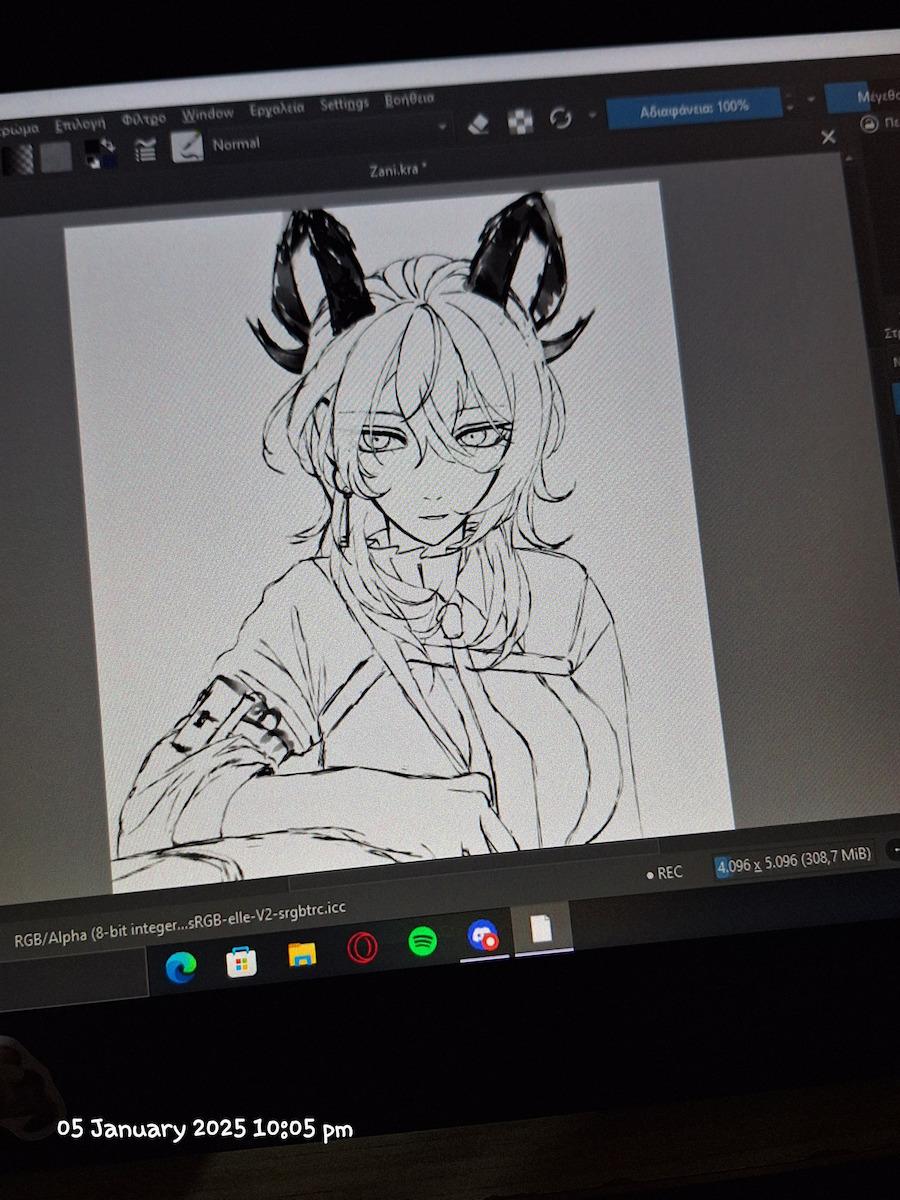
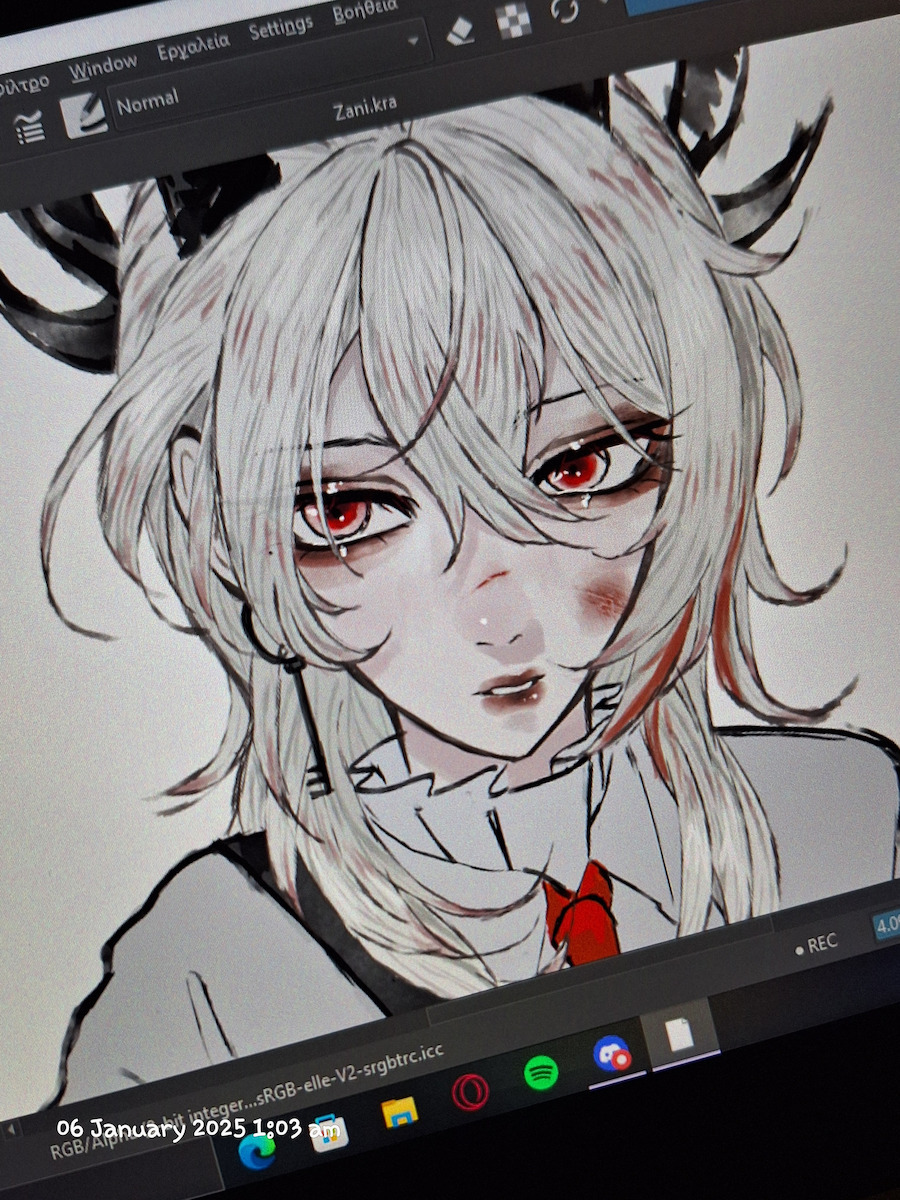
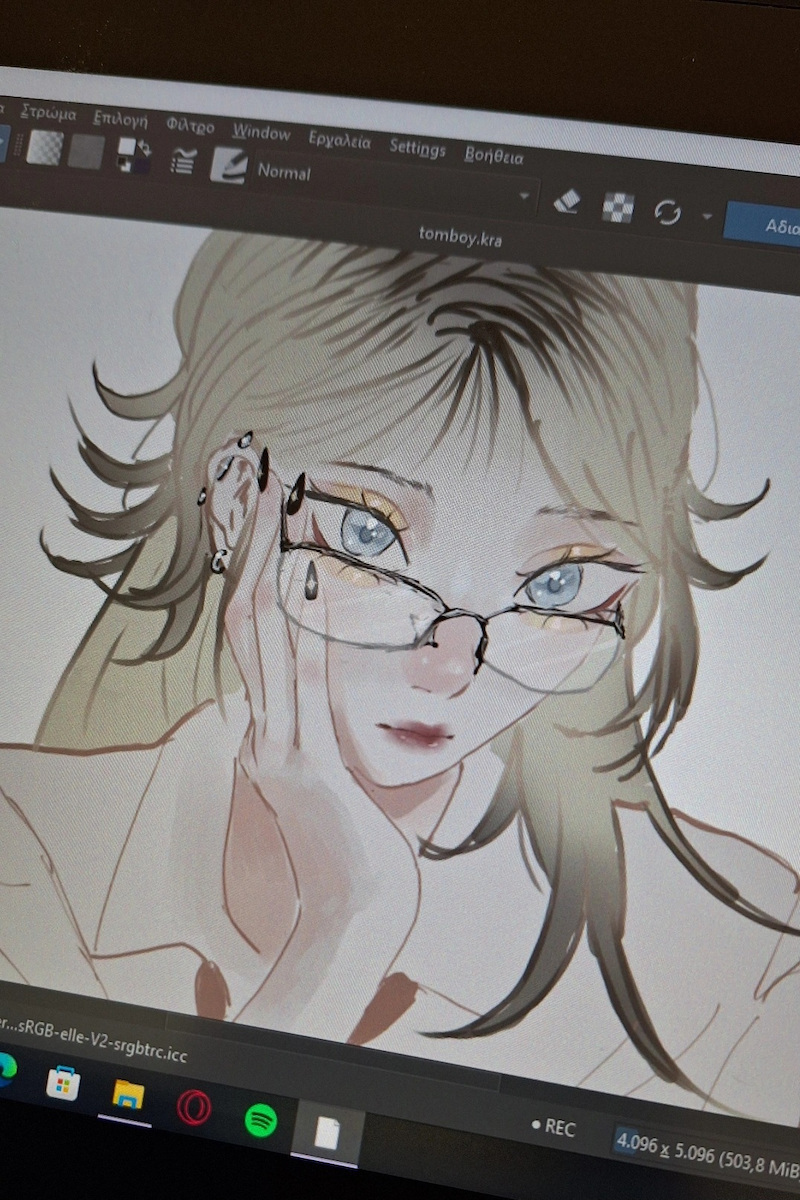
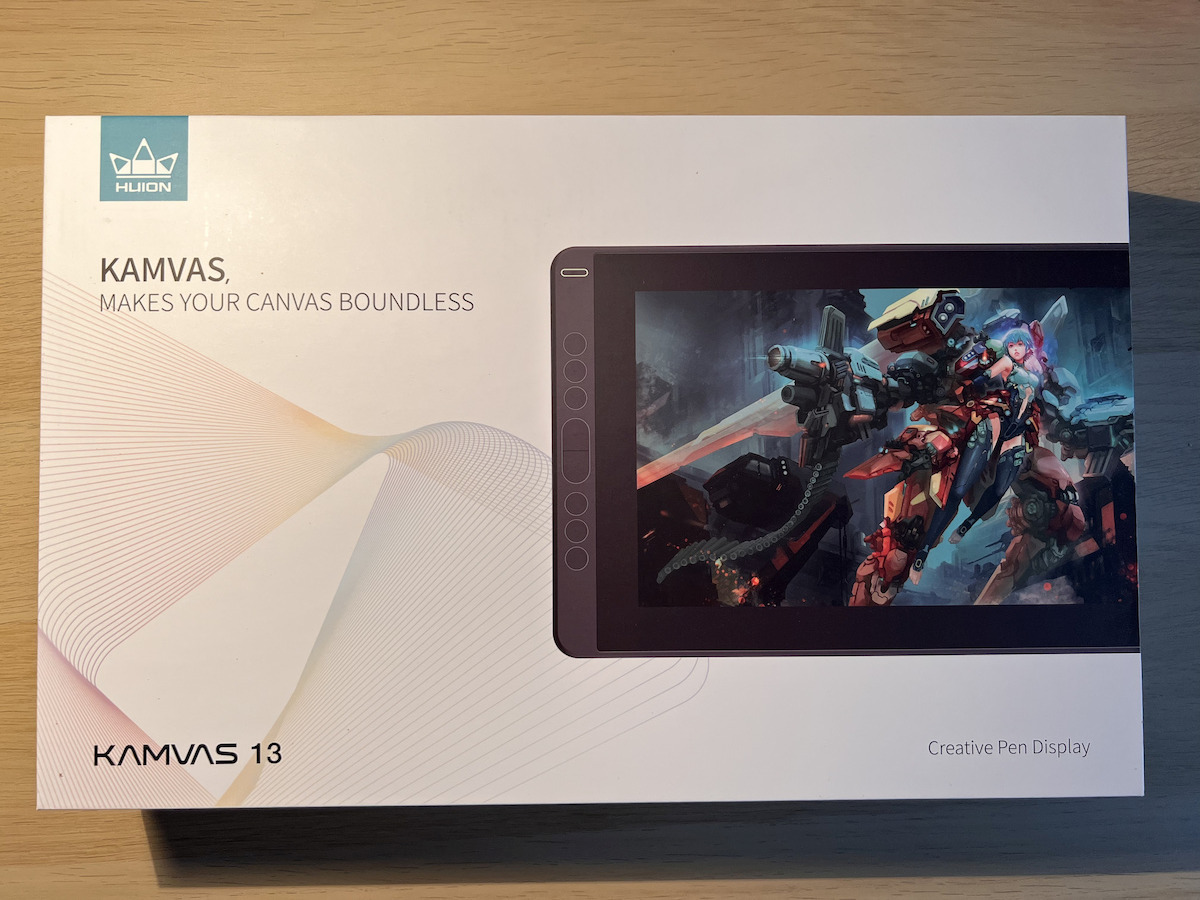
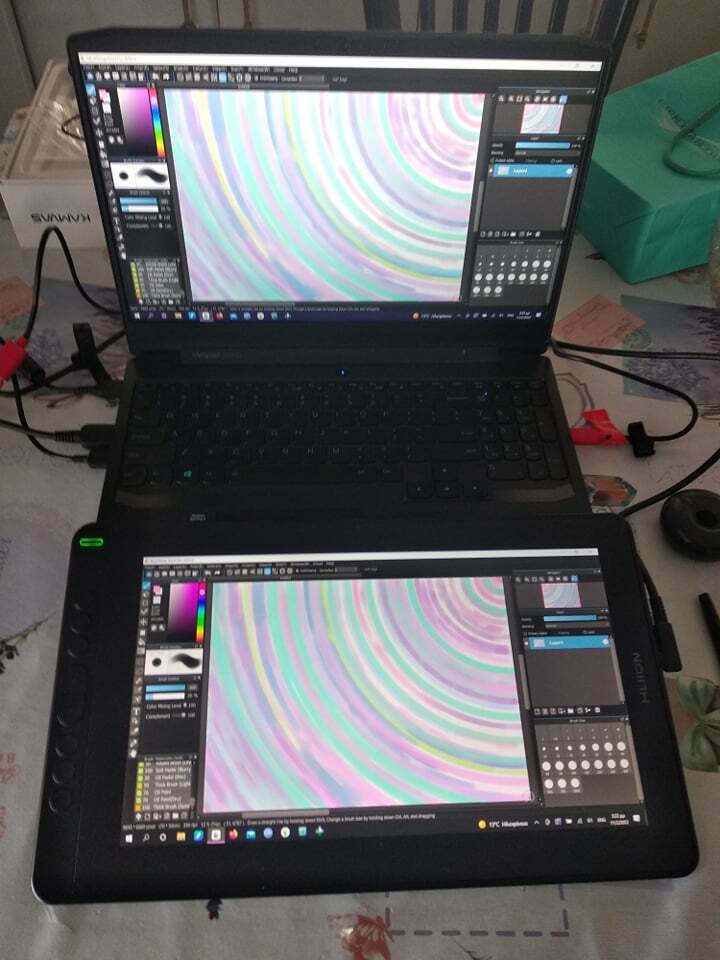
The Huion drawing pen features a 13.3-inch screen and a battery-free stylus that does not require charging and will never leave you in the middle of a design. The pen has high pressure sensitivity, allowing you to precisely determine the thickness of the line depending on the pressure you apply to the pad.
This feature is particularly important if you want to engage in illustration or digital painting. The pen's resolution of 5080 LPI is considered high and offers detailed and accurate rendering on the computer.
It can be used in various design and creation applications, such as:
Graphics and design: You can use it to create graphics and designs in software like Adobe Photoshop, Illustrator, or CorelDRAW.
Animation: If you are interested in creating animations, you can use the Huion Kamvas 13 in software like Adobe Animate or Toon Boom Harmony.
Architecture and interior design: It can also be used for designing architectural plans or interior designs in software like SketchUp or AutoCAD.
Interactive lessons: The Huion Kamvas 13 can also be used for conducting interactive lessons, such as presentations or lectures.
Whether you are a traditional artist, beginner, teacher, or someone with no experience in digital art, you can quickly get started with the Huion Kamvas 13 screen, which is easy to use.
Full Protection
It comes with a pre-installed anti-glare protective film that helps keep the screen clean and transparent even under bright light.
Colorful in every detail
The IPS Full HD screen features a wide color gamut of 120% sRGB and 16.7 million screen colors, ensuring vivid and realistic colors with details.
Enjoy Stability with PenTech 3.0
Featuring Huion's new PenTech 3.0 technology, the battery-free PW517 pen provides better stability with a lower-positioned nib to offer you a vivid drawing experience. It also supports ±60° tilt function and 8192 levels of pressure sensitivity.
Organized space
You can connect your desktop computer, laptop, Mac, or even Android devices to the Kamvas 13 via the 3-in-1 cable or the USB-C to USB-C cable, which can help you get rid of clutter and achieve a tidy workspace.
Increase your efficiency
The 8 programmable pressure keys support various functions, such as zoom in/out, brush switching, etc., you can customize any of these shortcuts as needed to improve your efficiency.
Right size to carry everywhere
The Kamvas 13 is extremely thin at 11.8 millimeters and weighs only 980 grams, making it easy to carry for outdoor design.
One tablet, two uses
Kamvas 13 can easily switch between two modes, Pen Display or Pen Tablet. The Pen Tablet mode will be activated when the screen of Kamvas 13 is turned off, which not only helps save energy but also offers users another way to express their creativity.
Specifications are collected from official manufacturer websites. Please verify the specifications before proceeding with your final purchase. If you notice any problem you can report it here.
Very good, it is exactly what anyone who wants to engage professionally or amateurishly with art needs (that's what I've used it for only). I haven't had any problems with it in the three years I've had it. Simply perfect for its price. The only problem is the size. I would have liked it if it were bigger but still it works wonderfully
Πολύ καλό, είναι οτι πρεπει για οποιονδήποτε θέλει να ασχοληθεί επαγγελματικά ή ερασιτεχνικά με την τέχνη (γιαυτο το έχω χρησιμοποιήσει μόνο). Δεν μου έχει εμφανίσει πρόβλημα που το έχω κάπου στα 3 χρόνια. Απλά τέλειο για την τιμή του. Το μόνο πρόβλημα είναι το μέγεθος. Θα μου άρεσε άμα ήταν μεγαλύτερο αλλά και πάλι δουλεύει υπέροχα
Very good stylus! I would say that it is ideal for someone to start digital painting. Very important that it has hot keys on it (besides the 2-3 that the pen already has).
Πολύ καλή γραφίδα! Θα έλεγα ότι είναι η ιδανική για να ξεκινήσει κάποιος το digital painting. Πολύ σημαντικό ότι έχει hot keys πάνω της (εκτός από τα 2-3 που έχει ήδη το στιλό).
I have had the pen for 1 year. I study Graphic Design (so I use it quite a lot) and overall the pen works very well.
I mainly use it for freehand drawing in the Krita program and for image editing in Adobe Photoshop. The only difficulty I faced was setting up the pen for left-handed users. It does not have any specific settings that I could use other than rotating the pen's screen (as stated in the manual), so I had to do it manually. I experimented with the computer settings, mainly by changing the screen orientation. It was quite difficult until I found it, but now it happens automatically when I connect the pen. The buttons on the side are helpful and you do not need to have the computer keyboard close to you.
Apart from the lack of settings for left-handed users (there are some helpful videos on youtube), I highly recommend it and it is worth the money, compared to similar pens from other companies.
Έχω τη γραφίδα 1 χρόνο. Σπουδάζω Γραφιστική (άρα την χρησιμοποιώ αρκετά) και σε γενικές γραμμές η γραφίδα δουλεύει πολύ καλά.
Τη χρησιμοποιώ, κυρίως, για ελεύθερο σχέδιο στο πρόγραμμα Krita και για επεξεργασία εικόνων στο Adobe Photoshop. Η μόνη δυσκολία που αντιμετώπισα είναι η ρύθμιση της γραφίδας για αριστερόχειρες. Δεν έχει κάποιες συγκεκριμένες ρυθμίσεις που θα μπορούσα να χρησιμοποιήσω εκτός από την περιστροφή οθόνης της γραφίδας (όπως έλεγε στο εγχειρίδιο), οπότε έπρεπε να το κάνω manually. Πειραματίστηκα από τις ρυθμίσεις του υπολογιστή, κυρίως αλλάζοντας τον προσανατολισμό της οθόνης. Ήταν αρκετά δύσκολο μέχρι να το βρω, αλλά τώρα γίνεται αυτόματα όταν συνδέω τη γραφίδα. Τα κουμπιά που έχει στο πλάι είναι βοηθητικά και δε χρειάζεται να έχεις το πληκτρολόγιο του υπολογιστή κοντά σου.
Πέρα από την έλλειψη ρυθμίσεων για αριστερόχειρες (υπάρχουν σχετικά βοηθητικά βίντεο και στο youtube), τη συνιστώ ανεπιφύλακτα και αξίζει τα χρήματά της, σε σχέση με αντίστοιχες γραφίδες από άλλες εταιρείες.
Stay away. It's not worth even fifty euros. They stole my money.
The support base was not included in the package, even though it is mentioned in the photos and in the menu. The connection with Android is problematic.
The cables are of low quality and not enough.
The screen never turned on. There is no power supply inside. Nor a full type C cable.
If you want it for use with Android like me, you will really feel like they are fooling you.
μείνετε μακριά. δεν αξίζει ούτε πενήντα ευρώ. Κλέων τα λεφτά μου.
βάση στήριξης δεν είχε μέσα η συσκευασία παρόλο που στις φωτογραφίες αλλά και στο μένου την αναφέρει. η σύνδεση με android προβληματική.
τα καλώδια χαμηλής ποιότητας και δεν φτάνουν.
η οθόνη δεν άναψε ποτέ. δεν υπάρχει τροφοδοτικό μέσα. ούτε καλώδιο φουλ type c.
αν το θέλετε για χρήση με android όπως εγώ. θα νιώσετε ότι σας κοροϊδεύουν πραγματικά.
I have been using it for over a year for digital art, I would say that I am satisfied, except for the size which generally feels a bit large for me personally. It does its job, no complaints, it gets a little warm after hours of use but that doesn't bother me. I don't regret buying it, even though I hesitated at first, because I had never bought a stylus before, but in the end, it's really nice.
Update 05/01/25
It still works, I have never encountered any problems, I love it. And honestly, I don't mind the size so much anymore.
το χρησημοποιω πανω απο εναν χρονο για digital art, θα ελεγα πως ειμαι ευχαριστημενη, εκτως απο το μεγεθος που γενικα μου ερχεται λιγο μεγαλο προσωπικα. Τη δουλεια του την κανει, μια χαρα κανενα παραπονο, ζεστενεται λιγο μετα απο ωρες χρησης αλλα εμενα δεν με ενοχλει. Δε μετανιωσα που το πηρα, παρολο που δισταζα στην αρχη, γιατι δεν ειχα ξανα αγορασει γραφιδα, αλλα στη τελικη, πολλα ωραιο.
Update 05/01/25
Ακόμα δουλεύει, δεν αντιμετώπισα ποτέ κανένα πρόβλημα, το αγαπώ. Και honestly το περνώ πίσω δεν με ενοχλεί και τόσο το μέγεθος .
It is the first pen I have ever bought and I can say that it has surprised me, I have no complaints and it is very convenient, although it takes me a little while to get used to it, but I think this is due to the fact that I have never used a pen before, I will try it out in order to practice until I reach the level and knowledge to evolve and get the huion kamvas 16 pro, (I hope it is still available at that time 0'w'0). It has impressed me and I have no complaints, in my opinion it is worth its money.
Είναι η πρώτη γραφίδα που αγοράζω ποτέ και μπορώ να πω ότι με έχει εκπλήξει, δεν έχω κανένα παράπονο και είναι πολύ βολική, αν και μου περνει λίγο να την συνηθησω, αλλά αυτό νομίζω ότι οφείλεται στο γεγονός ότι δεν έχω ξανά χρησιμοποιήσει γραφίδα, την πείρα για να μπορέσω να εξασκειθώ μέχρι να φτάσω στο επίπεδο και στην γνώση για να εξελιχθώ και να πάρω το huion kamvas 16 pro, (ελπίζω να είναι ακόμα διαθέσιμη εκείνη την στιγμή 0'w'0). Με έχει καταβολεψει και δεν έχω κανένα παράπονο, κατά την γνώμη μου αξίζει τα λεφτά της.
It is very good both in terms of its price and its performance!!! Its size, although many say it is small, does not bother me. It does the job properly. For someone who wants to engage as a hobby, it is perfect! For someone who wants something more professional, it would be more convenient than 16 inches and above!
Είναι πολύ καλό και για τα χρήματα του και την απόδοση του !!! Το μέγεθος του ενώ πολλοί λένε ότι είναι μικρό, έμενα δεν με ενοχλεί. Γίνεται κανονικά η δουλειά. Για κάποιον που θέλει ασχοληθεί ως χόμπι είναι τέλειο! Για κάποιον που θέλει πιο επαγγελματικά θα ήταν πιο βολικό από 16’ inch και πάνω !
It is the first stylus I have bought, so I do not have experience with other models, but I will give my opinion based on the period of time I have been using it. First of all, I find it very user-friendly that you can see where you are drawing (compared to a digitizer without a screen) and although 13 inches may sound small, it pleasantly surprised me, you can easily get work done. The software is excellent, programmable buttons, the ability to change them for each application, overall I found the customization to be very good. As for the build quality, I can't say it's the best, but for the price, I think it's okay, both for the stylus and the screen. Speaking of the screen, it is bright, with good resolution (1080p), but it seems to lose some clarity due to the membrane covering it. Of course, this does not have any impact when drawing, but it does affect the user experience somewhat. In general, I am very satisfied, always in relation to the price, and I think it is a good opportunity for someone interested in starting to engage in digital art or any other activity that requires drawing on the computer, as the movement of the hand with the stylus is much more natural and effortless compared to the computer mouse, but this also depends on the programs and the individual's needs.
P.S. I definitely recommend using a stand, the inclined surface makes a big difference and it is easy to get used to. There are many options, you can choose one for either a tablet or a laptop.
Είναι η πρώτη γραφίδα που αγοράζω, οπότε δεν έχω την εμπειρία επάνω σε άλλα μοντέλα, αλλά θα πω την γνώμη μου με βάση το χρονικό διάστημα που την χρησιμοποιώ. Καταρχάς βρίσκω πολύ εύχρηστο το γεγονός οτι μπορείς να βλέπεις πού σχεδιάζεις (σε σύγκριση με ένα digitizer χωρίς οθόνη) και αν και οι 13 ίντσες ακούγονται μικρές, με εξέπληξε ευχάριστα, μπορείς να κάνεις εύκολα δουλειά. Το software είναι εξαιρετικό, προγραμματιζόμενα πλήκτρα, δυνατότητα αλλαγής τους σε κάθε εφαρμογή, γενικά όσο αφορά την παραμετροποίηση την βρήκα πολύ καλή. Για την ποιότητα κατασκευής, δεν μπορώ να πω ότι είναι και η καλύτερη, αλλά για την τιμή θεωρώ πως είναι οκ, τόσο για την γραφίδα, όσο και για την οθόνη. Μιλόντας για την οθόνη, είναι μεν φωτεινή, με καλή ανάλυση (1080p) , αλλά μου φαίνεται πως εξετίας της μεμβράνης που την καλύπτει χάνει αρκετά από ευκρίνεια. βέβαια αυτό δεν έχει κάποιο αντίκτυπο την ώρα που σχεδιάζεις αλλά επηρεάζει κάπως την εμπειρία χρήσης. Σε γενικες γραμμές, έμεινα πολύ ικανοποιημένος, πάντα σε σχέση με την τιμή, και θεωρώ πως είναι μια καλή ευκαιρία για κάποιον που ενδιαφέρεται να ξεκινήσει να ασχολείται με digital art ή όποια άλλη ασχολία απαιτεί σχεδιο στον υπολογιστή καθώς η κίνηση του χεριού με την γραφίδα είναι πολύ πιο φυσική και αβίαστη σε σχέση με το ποντίκι του υπολογιστή, αλλά αυτό εξαρτάται και από τα προγράμματα και τις ανάγκες του καθενός.
Υ.Γ. Σίγουρα προτείνω την χρήση stand, θα κάνει μεγάλη διαφορά η κεκλιμένη επιφάνεια και συνιθίζεται εύκολα. Υπάρχουν πολλά, μπορείτε να διαλέξετε είται ένα για tablet ή για laptop.
For anyone who wants to get into the field of digital art, I suggest starting here. A stylus at a very good price compared to other styluses (such as Wacom One, Cintiq 16) and it also has the same quality as those. There is no deviation from where the pen is located and where the cursor appears, and the matte screen gives a nice feeling. The pen is convenient and supports 8000+ levels of pressure, which is more than enough. It also supports USB-C, but it requires a specific type that transfers data and power, and it needs to fit into the hole it has, so I suggest not bothering and just using the cables that come with the stylus (HDMI, USB-A). It covers ALL the needs of an amateur or someone who is learning professionally, it is not worth getting a more expensive one unless you are a professional designer, and even for that, this one is good enough.
Για όποιον θέλει να ασχοληθεί με το αντικείμενο του digital art προτείνω να ξεκινήσει από εδώ. Μία γραφίδα σε πολύ καλή τιμή σε σχέση με άλλες γραφίδες (πχ Wacom One, Cintiq 16) και έχει και ποιότητα που άνετα συγκρίνεται με αυτές. Δεν υπάρχει απόκλιση από εκεί που βρίσκεται η πένα και εκεί που εμφανίζεται ο κέρσορας και η matte οθόνη δίνει μια ωραία αίσθηση. Το στυλό είναι βολικό και υποστηρίζει 8000+ επίπεδα πίεσης, τα οποία είναι υπέρ-αρκετά. Υποστηρίζει και USB-C αλλά θέλει συγκεκριμένο είδος που να μεταφέρει data και power, και πρέπει να χωράει στην τρύπα που έχει, οπότε προτείνω να μην μπείτε στον κόπο και απλά να χρησιμοποιήσετε τα καλώδια που έρχονται με την γραφίδα (HDMI, USB-A). Καλύπτει ΟΛΕΣ της ανάγκες ενός ερασιτέχνη ή κάποιου που μαθαίνει επαγγελματικά, δεν αξίζει να πάρετε άλλη ακριβότερη παρα μόνο αν είστε επαγγελματίας designer που και για εκεί καλή είναι αυτή.
I got it directly from Huion along with the stand, the size is relatively small, 13 inches, it fits comfortably on the desk, it is inconvenient to draw due to its size, the screen is relatively small and the drawing/painting surface is A5 (I had to get the 13 instead of the 16 due to its price).
The Kamvas 13 is worth its price because it has more positives than negatives. The build quality is proportional to the price, specifically mine had a stuck pixel (Photo 1) which doesn't bother me nor is it very noticeable, so I didn't bother sending it back. The colors are very accurate! but the screen is not very bright.
The pen is very good and high-quality and works without a battery, just like the stand which is simple and high-quality. The downside is that the accessories are very expensive, meaning if the pen breaks, replacing it with the same one will cost you around 70 euros. The pen that comes with it supports Tilt control, model PW517, which you can find from a third-party seller abroad for 20-25 euros instead of paying 70.
The cable that comes with it is very high-quality, it requires 2 USB ports and an HDMI, it also works with an adapter, I use it with a DisplayPort to HDMI without any issues. (Sorry for the spelling mistakes)
Is it worth buying? Yes, if you have the money, go for a larger size.
Το πηρα κατευθείαν από την Huion μαζί με την βαση, το μέγεθος ειναι σχετικά μικρο 13 ιντσών χωράει ανετα στο γραφείο, ειναι αβολο στο να σχεδιάζεις λογο του μεγέθους, η οθονη ειναι σχετικά μικρη και η επιφάνια που σχεδιάζεις/ζωγραφίζεις είναι Α5, (αναγκάστηκα να παρω το 13 αντι του 16 λογο της τιμης του)
Το Kamvas 13 αξιζει για την τιμη του γιατι εχει περισσότερα θετικά παρα αρνητικά. η ποιότητα κατασκευής ειναι ανάλογη της τιμής, συγκεκριμένα το δικο μου ειχε κολλημένο Pixel (Φωτο 1) το οποιο δεν με ενοχλεί ουτε φαίνεται τόσο οπότε δεν μπήκα στο κόπο να το στείλω πίσω, Τα χρώματα ειναι πολυ accurate ! αλλα η οθόνη δεν ειναι και τρελα Φωτεινή.
Η πενα ειναι πολυ καλη και ποιοτική και δουλεύει χωρίς μπαταρία, όπως και η βαση ειναι απλη και ποιοτική, το κακο ειναι πως τα αξεσουάρ ειναι πολυ ακριβά, δηλαδή σε περίπτωση που χαλάσει η πενα, για να την αλλάξεις με την ιδια θα σου κοστίσει γύρο στα 70 ευρώ, η πένα που έρχεται μαζι υποστηρίζει Tilt control μοντέλο PW517 το οποιο μπορείτε να το βρειτε απο 3ο πωλητή στο εξωτερικό στα 20-25 ευρώ για να μην δώσετε τα 70.
Το καλώδιο που ερχεται μαζι ειναι πολυ ποιοτικό θελει 2 θύρες USB και μια HDMI δουλεύει και με ανταπτορα εγω το δουλεύω με DisplayPort to HDMI χωρείς θέμα. (Σόρρυ για τα ορθογραφικά)
Αξίζει να το αγοράσεις; Ναι, Αν έχεις και τα λεφτά πανε σε μεγαλύτερο μέγεθος.
Ποιότητα κατασκευής: 6/10
Ποιότητα Οθόνης: 8/10
Ποιότητα των αξεσουάρ: 9/10
Λειτουργικότητα: 9/10
Τιμή 10/10
Excellent tablet at all levels. I use it on a desktop PC but I will soon try it on a laptop as well. Short distance between the screen and the tip of the stylus. Very important for me, as well as the matte coating on the screen without reflections, with a light textured feel for ideal natural gliding. Straight lines without trembling in both slow and fast movements. Very good colors and uniformity without changes in shades in different parts of the screen. 8 custom buttons.
The only negatives are that the 13" is a restrictive space for me, also a bit cumbersome menu for screen settings and finally the thick bottom part of the stylus. The application is very easy for changes in responsiveness, button changes, etc. Easily the best tablet for this price.
Εξαιρετική ταμπλέτα σε όλα τα επίπεδα. Την χρησιμοποιώ σε desktop PC αλλά σύντομα θα την δοκιμάσω και για laptop. Μικρή απόσταση μεταξύ οθόνης και μύτης του στυλού. Πολύ βασικό για μένα όπως επίσης και η ματ στρώση στην οθόνη χωρίς αντανακλάσεις με μια ελαφρύ ζαγρέ αίσθηση για ιδανικό φυσικό γλύστριμα. Ίσιες γραμμές χωρίς τρέμουλο και σε αργή και γρήγορη κίνηση. Πολύ καλά χρώματα και ομοιομορφία χωρίς εναλλαγές αποχρώσεων σε διάφορα μέρη της οθόνης. 8 custom κουμπιά.
Τα μόνα αρνητικά είναι ότι η 13" είναι περιοριστικός χώρος για μένα, επίσης λίγο δύσχρηστο μενού για ρυθμίσεις της οθόνης και τέλος το χοντρό κάτω κομμάτι του στυλού. Η εφαρμογή είναι πολύ εύκολη για αλλαγές στην απόκριση, αλλαγή κουμπιών κλπ. Άνετα η καλύτερη ταμπλέτα σε αυτά τα χρήματα.
Very good, it is exactly what anyone who wants to engage professionally or amateurishly with art needs (that's what I've used it for only). I haven't had any problems with it in the three years I've had it. Simply perfect for its price. The only problem is the size. I would have liked it if it were bigger but still it works wonderfully
Πολύ καλό, είναι οτι πρεπει για οποιονδήποτε θέλει να ασχοληθεί επαγγελματικά ή ερασιτεχνικά με την τέχνη (γιαυτο το έχω χρησιμοποιήσει μόνο). Δεν μου έχει εμφανίσει πρόβλημα που το έχω κάπου στα 3 χρόνια. Απλά τέλειο για την τιμή του. Το μόνο πρόβλημα είναι το μέγεθος. Θα μου άρεσε άμα ήταν μεγαλύτερο αλλά και πάλι δουλεύει υπέροχα
Very good stylus! I would say that it is ideal for someone to start digital painting. Very important that it has hot keys on it (besides the 2-3 that the pen already has).
Πολύ καλή γραφίδα! Θα έλεγα ότι είναι η ιδανική για να ξεκινήσει κάποιος το digital painting. Πολύ σημαντικό ότι έχει hot keys πάνω της (εκτός από τα 2-3 που έχει ήδη το στιλό).
I have had the pen for 1 year. I study Graphic Design (so I use it quite a lot) and overall the pen works very well.
I mainly use it for freehand drawing in the Krita program and for image editing in Adobe Photoshop. The only difficulty I faced was setting up the pen for left-handed users. It does not have any specific settings that I could use other than rotating the pen's screen (as stated in the manual), so I had to do it manually. I experimented with the computer settings, mainly by changing the screen orientation. It was quite difficult until I found it, but now it happens automatically when I connect the pen. The buttons on the side are helpful and you do not need to have the computer keyboard close to you.
Apart from the lack of settings for left-handed users (there are some helpful videos on youtube), I highly recommend it and it is worth the money, compared to similar pens from other companies.
Έχω τη γραφίδα 1 χρόνο. Σπουδάζω Γραφιστική (άρα την χρησιμοποιώ αρκετά) και σε γενικές γραμμές η γραφίδα δουλεύει πολύ καλά.
Τη χρησιμοποιώ, κυρίως, για ελεύθερο σχέδιο στο πρόγραμμα Krita και για επεξεργασία εικόνων στο Adobe Photoshop. Η μόνη δυσκολία που αντιμετώπισα είναι η ρύθμιση της γραφίδας για αριστερόχειρες. Δεν έχει κάποιες συγκεκριμένες ρυθμίσεις που θα μπορούσα να χρησιμοποιήσω εκτός από την περιστροφή οθόνης της γραφίδας (όπως έλεγε στο εγχειρίδιο), οπότε έπρεπε να το κάνω manually. Πειραματίστηκα από τις ρυθμίσεις του υπολογιστή, κυρίως αλλάζοντας τον προσανατολισμό της οθόνης. Ήταν αρκετά δύσκολο μέχρι να το βρω, αλλά τώρα γίνεται αυτόματα όταν συνδέω τη γραφίδα. Τα κουμπιά που έχει στο πλάι είναι βοηθητικά και δε χρειάζεται να έχεις το πληκτρολόγιο του υπολογιστή κοντά σου.
Πέρα από την έλλειψη ρυθμίσεων για αριστερόχειρες (υπάρχουν σχετικά βοηθητικά βίντεο και στο youtube), τη συνιστώ ανεπιφύλακτα και αξίζει τα χρήματά της, σε σχέση με αντίστοιχες γραφίδες από άλλες εταιρείες.
Stay away. It's not worth even fifty euros. They stole my money.
The support base was not included in the package, even though it is mentioned in the photos and in the menu. The connection with Android is problematic.
The cables are of low quality and not enough.
The screen never turned on. There is no power supply inside. Nor a full type C cable.
If you want it for use with Android like me, you will really feel like they are fooling you.
μείνετε μακριά. δεν αξίζει ούτε πενήντα ευρώ. Κλέων τα λεφτά μου.
βάση στήριξης δεν είχε μέσα η συσκευασία παρόλο που στις φωτογραφίες αλλά και στο μένου την αναφέρει. η σύνδεση με android προβληματική.
τα καλώδια χαμηλής ποιότητας και δεν φτάνουν.
η οθόνη δεν άναψε ποτέ. δεν υπάρχει τροφοδοτικό μέσα. ούτε καλώδιο φουλ type c.
αν το θέλετε για χρήση με android όπως εγώ. θα νιώσετε ότι σας κοροϊδεύουν πραγματικά.
I have been using it for over a year for digital art, I would say that I am satisfied, except for the size which generally feels a bit large for me personally. It does its job, no complaints, it gets a little warm after hours of use but that doesn't bother me. I don't regret buying it, even though I hesitated at first, because I had never bought a stylus before, but in the end, it's really nice.
Update 05/01/25
It still works, I have never encountered any problems, I love it. And honestly, I don't mind the size so much anymore.
το χρησημοποιω πανω απο εναν χρονο για digital art, θα ελεγα πως ειμαι ευχαριστημενη, εκτως απο το μεγεθος που γενικα μου ερχεται λιγο μεγαλο προσωπικα. Τη δουλεια του την κανει, μια χαρα κανενα παραπονο, ζεστενεται λιγο μετα απο ωρες χρησης αλλα εμενα δεν με ενοχλει. Δε μετανιωσα που το πηρα, παρολο που δισταζα στην αρχη, γιατι δεν ειχα ξανα αγορασει γραφιδα, αλλα στη τελικη, πολλα ωραιο.
Update 05/01/25
Ακόμα δουλεύει, δεν αντιμετώπισα ποτέ κανένα πρόβλημα, το αγαπώ. Και honestly το περνώ πίσω δεν με ενοχλεί και τόσο το μέγεθος .
The Huion drawing pen features a 13.3-inch screen and a battery-free stylus that does not require charging and will never leave you in the middle of a design. The pen has high pressure sensitivity, allowing you to precisely determine the thickness of the line depending on the pressure you apply to the pad.
This feature is particularly important if you want to engage in illustration or digital painting. The pen's resolution of 5080 LPI is considered high and offers detailed and accurate rendering on the computer.
It can be used in various design and creation applications, such as:
Graphics and design: You can use it to create graphics and designs in software like Adobe Photoshop, Illustrator, or CorelDRAW.
Animation: If you are interested in creating animations, you can use the Huion Kamvas 13 in software like Adobe Animate or Toon Boom Harmony.
Architecture and interior design: It can also be used for designing architectural plans or interior designs in software like SketchUp or AutoCAD.
Interactive lessons: The Huion Kamvas 13 can also be used for conducting interactive lessons, such as presentations or lectures.
Whether you are a traditional artist, beginner, teacher, or someone with no experience in digital art, you can quickly get started with the Huion Kamvas 13 screen, which is easy to use.
Full Protection
It comes with a pre-installed anti-glare protective film that helps keep the screen clean and transparent even under bright light.
Colorful in every detail
The IPS Full HD screen features a wide color gamut of 120% sRGB and 16.7 million screen colors, ensuring vivid and realistic colors with details.
Enjoy Stability with PenTech 3.0
Featuring Huion's new PenTech 3.0 technology, the battery-free PW517 pen provides better stability with a lower-positioned nib to offer you a vivid drawing experience. It also supports ±60° tilt function and 8192 levels of pressure sensitivity.
Organized space
You can connect your desktop computer, laptop, Mac, or even Android devices to the Kamvas 13 via the 3-in-1 cable or the USB-C to USB-C cable, which can help you get rid of clutter and achieve a tidy workspace.
Increase your efficiency
The 8 programmable pressure keys support various functions, such as zoom in/out, brush switching, etc., you can customize any of these shortcuts as needed to improve your efficiency.
Right size to carry everywhere
The Kamvas 13 is extremely thin at 11.8 millimeters and weighs only 980 grams, making it easy to carry for outdoor design.
One tablet, two uses
Kamvas 13 can easily switch between two modes, Pen Display or Pen Tablet. The Pen Tablet mode will be activated when the screen of Kamvas 13 is turned off, which not only helps save energy but also offers users another way to express their creativity.
Specifications are collected from official manufacturer websites. Please verify the specifications before proceeding with your final purchase. If you notice any problem you can report it here.
Very good, it is exactly what anyone who wants to engage professionally or amateurishly with art needs (that's what I've used it for only). I haven't had any problems with it in the three years I've had it. Simply perfect for its price. The only problem is the size. I would have liked it if it were bigger but still it works wonderfully
Πολύ καλό, είναι οτι πρεπει για οποιονδήποτε θέλει να ασχοληθεί επαγγελματικά ή ερασιτεχνικά με την τέχνη (γιαυτο το έχω χρησιμοποιήσει μόνο). Δεν μου έχει εμφανίσει πρόβλημα που το έχω κάπου στα 3 χρόνια. Απλά τέλειο για την τιμή του. Το μόνο πρόβλημα είναι το μέγεθος. Θα μου άρεσε άμα ήταν μεγαλύτερο αλλά και πάλι δουλεύει υπέροχα
Very good stylus! I would say that it is ideal for someone to start digital painting. Very important that it has hot keys on it (besides the 2-3 that the pen already has).
Πολύ καλή γραφίδα! Θα έλεγα ότι είναι η ιδανική για να ξεκινήσει κάποιος το digital painting. Πολύ σημαντικό ότι έχει hot keys πάνω της (εκτός από τα 2-3 που έχει ήδη το στιλό).
I have had the pen for 1 year. I study Graphic Design (so I use it quite a lot) and overall the pen works very well.
I mainly use it for freehand drawing in the Krita program and for image editing in Adobe Photoshop. The only difficulty I faced was setting up the pen for left-handed users. It does not have any specific settings that I could use other than rotating the pen's screen (as stated in the manual), so I had to do it manually. I experimented with the computer settings, mainly by changing the screen orientation. It was quite difficult until I found it, but now it happens automatically when I connect the pen. The buttons on the side are helpful and you do not need to have the computer keyboard close to you.
Apart from the lack of settings for left-handed users (there are some helpful videos on youtube), I highly recommend it and it is worth the money, compared to similar pens from other companies.
Έχω τη γραφίδα 1 χρόνο. Σπουδάζω Γραφιστική (άρα την χρησιμοποιώ αρκετά) και σε γενικές γραμμές η γραφίδα δουλεύει πολύ καλά.
Τη χρησιμοποιώ, κυρίως, για ελεύθερο σχέδιο στο πρόγραμμα Krita και για επεξεργασία εικόνων στο Adobe Photoshop. Η μόνη δυσκολία που αντιμετώπισα είναι η ρύθμιση της γραφίδας για αριστερόχειρες. Δεν έχει κάποιες συγκεκριμένες ρυθμίσεις που θα μπορούσα να χρησιμοποιήσω εκτός από την περιστροφή οθόνης της γραφίδας (όπως έλεγε στο εγχειρίδιο), οπότε έπρεπε να το κάνω manually. Πειραματίστηκα από τις ρυθμίσεις του υπολογιστή, κυρίως αλλάζοντας τον προσανατολισμό της οθόνης. Ήταν αρκετά δύσκολο μέχρι να το βρω, αλλά τώρα γίνεται αυτόματα όταν συνδέω τη γραφίδα. Τα κουμπιά που έχει στο πλάι είναι βοηθητικά και δε χρειάζεται να έχεις το πληκτρολόγιο του υπολογιστή κοντά σου.
Πέρα από την έλλειψη ρυθμίσεων για αριστερόχειρες (υπάρχουν σχετικά βοηθητικά βίντεο και στο youtube), τη συνιστώ ανεπιφύλακτα και αξίζει τα χρήματά της, σε σχέση με αντίστοιχες γραφίδες από άλλες εταιρείες.
Stay away. It's not worth even fifty euros. They stole my money.
The support base was not included in the package, even though it is mentioned in the photos and in the menu. The connection with Android is problematic.
The cables are of low quality and not enough.
The screen never turned on. There is no power supply inside. Nor a full type C cable.
If you want it for use with Android like me, you will really feel like they are fooling you.
μείνετε μακριά. δεν αξίζει ούτε πενήντα ευρώ. Κλέων τα λεφτά μου.
βάση στήριξης δεν είχε μέσα η συσκευασία παρόλο που στις φωτογραφίες αλλά και στο μένου την αναφέρει. η σύνδεση με android προβληματική.
τα καλώδια χαμηλής ποιότητας και δεν φτάνουν.
η οθόνη δεν άναψε ποτέ. δεν υπάρχει τροφοδοτικό μέσα. ούτε καλώδιο φουλ type c.
αν το θέλετε για χρήση με android όπως εγώ. θα νιώσετε ότι σας κοροϊδεύουν πραγματικά.
I have been using it for over a year for digital art, I would say that I am satisfied, except for the size which generally feels a bit large for me personally. It does its job, no complaints, it gets a little warm after hours of use but that doesn't bother me. I don't regret buying it, even though I hesitated at first, because I had never bought a stylus before, but in the end, it's really nice.
Update 05/01/25
It still works, I have never encountered any problems, I love it. And honestly, I don't mind the size so much anymore.
το χρησημοποιω πανω απο εναν χρονο για digital art, θα ελεγα πως ειμαι ευχαριστημενη, εκτως απο το μεγεθος που γενικα μου ερχεται λιγο μεγαλο προσωπικα. Τη δουλεια του την κανει, μια χαρα κανενα παραπονο, ζεστενεται λιγο μετα απο ωρες χρησης αλλα εμενα δεν με ενοχλει. Δε μετανιωσα που το πηρα, παρολο που δισταζα στην αρχη, γιατι δεν ειχα ξανα αγορασει γραφιδα, αλλα στη τελικη, πολλα ωραιο.
Update 05/01/25
Ακόμα δουλεύει, δεν αντιμετώπισα ποτέ κανένα πρόβλημα, το αγαπώ. Και honestly το περνώ πίσω δεν με ενοχλεί και τόσο το μέγεθος .
It is the first pen I have ever bought and I can say that it has surprised me, I have no complaints and it is very convenient, although it takes me a little while to get used to it, but I think this is due to the fact that I have never used a pen before, I will try it out in order to practice until I reach the level and knowledge to evolve and get the huion kamvas 16 pro, (I hope it is still available at that time 0'w'0). It has impressed me and I have no complaints, in my opinion it is worth its money.
Είναι η πρώτη γραφίδα που αγοράζω ποτέ και μπορώ να πω ότι με έχει εκπλήξει, δεν έχω κανένα παράπονο και είναι πολύ βολική, αν και μου περνει λίγο να την συνηθησω, αλλά αυτό νομίζω ότι οφείλεται στο γεγονός ότι δεν έχω ξανά χρησιμοποιήσει γραφίδα, την πείρα για να μπορέσω να εξασκειθώ μέχρι να φτάσω στο επίπεδο και στην γνώση για να εξελιχθώ και να πάρω το huion kamvas 16 pro, (ελπίζω να είναι ακόμα διαθέσιμη εκείνη την στιγμή 0'w'0). Με έχει καταβολεψει και δεν έχω κανένα παράπονο, κατά την γνώμη μου αξίζει τα λεφτά της.
It is very good both in terms of its price and its performance!!! Its size, although many say it is small, does not bother me. It does the job properly. For someone who wants to engage as a hobby, it is perfect! For someone who wants something more professional, it would be more convenient than 16 inches and above!
Είναι πολύ καλό και για τα χρήματα του και την απόδοση του !!! Το μέγεθος του ενώ πολλοί λένε ότι είναι μικρό, έμενα δεν με ενοχλεί. Γίνεται κανονικά η δουλειά. Για κάποιον που θέλει ασχοληθεί ως χόμπι είναι τέλειο! Για κάποιον που θέλει πιο επαγγελματικά θα ήταν πιο βολικό από 16’ inch και πάνω !
It is the first stylus I have bought, so I do not have experience with other models, but I will give my opinion based on the period of time I have been using it. First of all, I find it very user-friendly that you can see where you are drawing (compared to a digitizer without a screen) and although 13 inches may sound small, it pleasantly surprised me, you can easily get work done. The software is excellent, programmable buttons, the ability to change them for each application, overall I found the customization to be very good. As for the build quality, I can't say it's the best, but for the price, I think it's okay, both for the stylus and the screen. Speaking of the screen, it is bright, with good resolution (1080p), but it seems to lose some clarity due to the membrane covering it. Of course, this does not have any impact when drawing, but it does affect the user experience somewhat. In general, I am very satisfied, always in relation to the price, and I think it is a good opportunity for someone interested in starting to engage in digital art or any other activity that requires drawing on the computer, as the movement of the hand with the stylus is much more natural and effortless compared to the computer mouse, but this also depends on the programs and the individual's needs.
P.S. I definitely recommend using a stand, the inclined surface makes a big difference and it is easy to get used to. There are many options, you can choose one for either a tablet or a laptop.
Είναι η πρώτη γραφίδα που αγοράζω, οπότε δεν έχω την εμπειρία επάνω σε άλλα μοντέλα, αλλά θα πω την γνώμη μου με βάση το χρονικό διάστημα που την χρησιμοποιώ. Καταρχάς βρίσκω πολύ εύχρηστο το γεγονός οτι μπορείς να βλέπεις πού σχεδιάζεις (σε σύγκριση με ένα digitizer χωρίς οθόνη) και αν και οι 13 ίντσες ακούγονται μικρές, με εξέπληξε ευχάριστα, μπορείς να κάνεις εύκολα δουλειά. Το software είναι εξαιρετικό, προγραμματιζόμενα πλήκτρα, δυνατότητα αλλαγής τους σε κάθε εφαρμογή, γενικά όσο αφορά την παραμετροποίηση την βρήκα πολύ καλή. Για την ποιότητα κατασκευής, δεν μπορώ να πω ότι είναι και η καλύτερη, αλλά για την τιμή θεωρώ πως είναι οκ, τόσο για την γραφίδα, όσο και για την οθόνη. Μιλόντας για την οθόνη, είναι μεν φωτεινή, με καλή ανάλυση (1080p) , αλλά μου φαίνεται πως εξετίας της μεμβράνης που την καλύπτει χάνει αρκετά από ευκρίνεια. βέβαια αυτό δεν έχει κάποιο αντίκτυπο την ώρα που σχεδιάζεις αλλά επηρεάζει κάπως την εμπειρία χρήσης. Σε γενικες γραμμές, έμεινα πολύ ικανοποιημένος, πάντα σε σχέση με την τιμή, και θεωρώ πως είναι μια καλή ευκαιρία για κάποιον που ενδιαφέρεται να ξεκινήσει να ασχολείται με digital art ή όποια άλλη ασχολία απαιτεί σχεδιο στον υπολογιστή καθώς η κίνηση του χεριού με την γραφίδα είναι πολύ πιο φυσική και αβίαστη σε σχέση με το ποντίκι του υπολογιστή, αλλά αυτό εξαρτάται και από τα προγράμματα και τις ανάγκες του καθενός.
Υ.Γ. Σίγουρα προτείνω την χρήση stand, θα κάνει μεγάλη διαφορά η κεκλιμένη επιφάνεια και συνιθίζεται εύκολα. Υπάρχουν πολλά, μπορείτε να διαλέξετε είται ένα για tablet ή για laptop.
For anyone who wants to get into the field of digital art, I suggest starting here. A stylus at a very good price compared to other styluses (such as Wacom One, Cintiq 16) and it also has the same quality as those. There is no deviation from where the pen is located and where the cursor appears, and the matte screen gives a nice feeling. The pen is convenient and supports 8000+ levels of pressure, which is more than enough. It also supports USB-C, but it requires a specific type that transfers data and power, and it needs to fit into the hole it has, so I suggest not bothering and just using the cables that come with the stylus (HDMI, USB-A). It covers ALL the needs of an amateur or someone who is learning professionally, it is not worth getting a more expensive one unless you are a professional designer, and even for that, this one is good enough.
Για όποιον θέλει να ασχοληθεί με το αντικείμενο του digital art προτείνω να ξεκινήσει από εδώ. Μία γραφίδα σε πολύ καλή τιμή σε σχέση με άλλες γραφίδες (πχ Wacom One, Cintiq 16) και έχει και ποιότητα που άνετα συγκρίνεται με αυτές. Δεν υπάρχει απόκλιση από εκεί που βρίσκεται η πένα και εκεί που εμφανίζεται ο κέρσορας και η matte οθόνη δίνει μια ωραία αίσθηση. Το στυλό είναι βολικό και υποστηρίζει 8000+ επίπεδα πίεσης, τα οποία είναι υπέρ-αρκετά. Υποστηρίζει και USB-C αλλά θέλει συγκεκριμένο είδος που να μεταφέρει data και power, και πρέπει να χωράει στην τρύπα που έχει, οπότε προτείνω να μην μπείτε στον κόπο και απλά να χρησιμοποιήσετε τα καλώδια που έρχονται με την γραφίδα (HDMI, USB-A). Καλύπτει ΟΛΕΣ της ανάγκες ενός ερασιτέχνη ή κάποιου που μαθαίνει επαγγελματικά, δεν αξίζει να πάρετε άλλη ακριβότερη παρα μόνο αν είστε επαγγελματίας designer που και για εκεί καλή είναι αυτή.
I got it directly from Huion along with the stand, the size is relatively small, 13 inches, it fits comfortably on the desk, it is inconvenient to draw due to its size, the screen is relatively small and the drawing/painting surface is A5 (I had to get the 13 instead of the 16 due to its price).
The Kamvas 13 is worth its price because it has more positives than negatives. The build quality is proportional to the price, specifically mine had a stuck pixel (Photo 1) which doesn't bother me nor is it very noticeable, so I didn't bother sending it back. The colors are very accurate! but the screen is not very bright.
The pen is very good and high-quality and works without a battery, just like the stand which is simple and high-quality. The downside is that the accessories are very expensive, meaning if the pen breaks, replacing it with the same one will cost you around 70 euros. The pen that comes with it supports Tilt control, model PW517, which you can find from a third-party seller abroad for 20-25 euros instead of paying 70.
The cable that comes with it is very high-quality, it requires 2 USB ports and an HDMI, it also works with an adapter, I use it with a DisplayPort to HDMI without any issues. (Sorry for the spelling mistakes)
Is it worth buying? Yes, if you have the money, go for a larger size.
Το πηρα κατευθείαν από την Huion μαζί με την βαση, το μέγεθος ειναι σχετικά μικρο 13 ιντσών χωράει ανετα στο γραφείο, ειναι αβολο στο να σχεδιάζεις λογο του μεγέθους, η οθονη ειναι σχετικά μικρη και η επιφάνια που σχεδιάζεις/ζωγραφίζεις είναι Α5, (αναγκάστηκα να παρω το 13 αντι του 16 λογο της τιμης του)
Το Kamvas 13 αξιζει για την τιμη του γιατι εχει περισσότερα θετικά παρα αρνητικά. η ποιότητα κατασκευής ειναι ανάλογη της τιμής, συγκεκριμένα το δικο μου ειχε κολλημένο Pixel (Φωτο 1) το οποιο δεν με ενοχλεί ουτε φαίνεται τόσο οπότε δεν μπήκα στο κόπο να το στείλω πίσω, Τα χρώματα ειναι πολυ accurate ! αλλα η οθόνη δεν ειναι και τρελα Φωτεινή.
Η πενα ειναι πολυ καλη και ποιοτική και δουλεύει χωρίς μπαταρία, όπως και η βαση ειναι απλη και ποιοτική, το κακο ειναι πως τα αξεσουάρ ειναι πολυ ακριβά, δηλαδή σε περίπτωση που χαλάσει η πενα, για να την αλλάξεις με την ιδια θα σου κοστίσει γύρο στα 70 ευρώ, η πένα που έρχεται μαζι υποστηρίζει Tilt control μοντέλο PW517 το οποιο μπορείτε να το βρειτε απο 3ο πωλητή στο εξωτερικό στα 20-25 ευρώ για να μην δώσετε τα 70.
Το καλώδιο που ερχεται μαζι ειναι πολυ ποιοτικό θελει 2 θύρες USB και μια HDMI δουλεύει και με ανταπτορα εγω το δουλεύω με DisplayPort to HDMI χωρείς θέμα. (Σόρρυ για τα ορθογραφικά)
Αξίζει να το αγοράσεις; Ναι, Αν έχεις και τα λεφτά πανε σε μεγαλύτερο μέγεθος.
Ποιότητα κατασκευής: 6/10
Ποιότητα Οθόνης: 8/10
Ποιότητα των αξεσουάρ: 9/10
Λειτουργικότητα: 9/10
Τιμή 10/10
Excellent tablet at all levels. I use it on a desktop PC but I will soon try it on a laptop as well. Short distance between the screen and the tip of the stylus. Very important for me, as well as the matte coating on the screen without reflections, with a light textured feel for ideal natural gliding. Straight lines without trembling in both slow and fast movements. Very good colors and uniformity without changes in shades in different parts of the screen. 8 custom buttons.
The only negatives are that the 13" is a restrictive space for me, also a bit cumbersome menu for screen settings and finally the thick bottom part of the stylus. The application is very easy for changes in responsiveness, button changes, etc. Easily the best tablet for this price.
Εξαιρετική ταμπλέτα σε όλα τα επίπεδα. Την χρησιμοποιώ σε desktop PC αλλά σύντομα θα την δοκιμάσω και για laptop. Μικρή απόσταση μεταξύ οθόνης και μύτης του στυλού. Πολύ βασικό για μένα όπως επίσης και η ματ στρώση στην οθόνη χωρίς αντανακλάσεις με μια ελαφρύ ζαγρέ αίσθηση για ιδανικό φυσικό γλύστριμα. Ίσιες γραμμές χωρίς τρέμουλο και σε αργή και γρήγορη κίνηση. Πολύ καλά χρώματα και ομοιομορφία χωρίς εναλλαγές αποχρώσεων σε διάφορα μέρη της οθόνης. 8 custom κουμπιά.
Τα μόνα αρνητικά είναι ότι η 13" είναι περιοριστικός χώρος για μένα, επίσης λίγο δύσχρηστο μενού για ρυθμίσεις της οθόνης και τέλος το χοντρό κάτω κομμάτι του στυλού. Η εφαρμογή είναι πολύ εύκολη για αλλαγές στην απόκριση, αλλαγή κουμπιών κλπ. Άνετα η καλύτερη ταμπλέτα σε αυτά τα χρήματα.
Very good, it is exactly what anyone who wants to engage professionally or amateurishly with art needs (that's what I've used it for only). I haven't had any problems with it in the three years I've had it. Simply perfect for its price. The only problem is the size. I would have liked it if it were bigger but still it works wonderfully
Πολύ καλό, είναι οτι πρεπει για οποιονδήποτε θέλει να ασχοληθεί επαγγελματικά ή ερασιτεχνικά με την τέχνη (γιαυτο το έχω χρησιμοποιήσει μόνο). Δεν μου έχει εμφανίσει πρόβλημα που το έχω κάπου στα 3 χρόνια. Απλά τέλειο για την τιμή του. Το μόνο πρόβλημα είναι το μέγεθος. Θα μου άρεσε άμα ήταν μεγαλύτερο αλλά και πάλι δουλεύει υπέροχα
Very good stylus! I would say that it is ideal for someone to start digital painting. Very important that it has hot keys on it (besides the 2-3 that the pen already has).
Πολύ καλή γραφίδα! Θα έλεγα ότι είναι η ιδανική για να ξεκινήσει κάποιος το digital painting. Πολύ σημαντικό ότι έχει hot keys πάνω της (εκτός από τα 2-3 που έχει ήδη το στιλό).
I have had the pen for 1 year. I study Graphic Design (so I use it quite a lot) and overall the pen works very well.
I mainly use it for freehand drawing in the Krita program and for image editing in Adobe Photoshop. The only difficulty I faced was setting up the pen for left-handed users. It does not have any specific settings that I could use other than rotating the pen's screen (as stated in the manual), so I had to do it manually. I experimented with the computer settings, mainly by changing the screen orientation. It was quite difficult until I found it, but now it happens automatically when I connect the pen. The buttons on the side are helpful and you do not need to have the computer keyboard close to you.
Apart from the lack of settings for left-handed users (there are some helpful videos on youtube), I highly recommend it and it is worth the money, compared to similar pens from other companies.
Έχω τη γραφίδα 1 χρόνο. Σπουδάζω Γραφιστική (άρα την χρησιμοποιώ αρκετά) και σε γενικές γραμμές η γραφίδα δουλεύει πολύ καλά.
Τη χρησιμοποιώ, κυρίως, για ελεύθερο σχέδιο στο πρόγραμμα Krita και για επεξεργασία εικόνων στο Adobe Photoshop. Η μόνη δυσκολία που αντιμετώπισα είναι η ρύθμιση της γραφίδας για αριστερόχειρες. Δεν έχει κάποιες συγκεκριμένες ρυθμίσεις που θα μπορούσα να χρησιμοποιήσω εκτός από την περιστροφή οθόνης της γραφίδας (όπως έλεγε στο εγχειρίδιο), οπότε έπρεπε να το κάνω manually. Πειραματίστηκα από τις ρυθμίσεις του υπολογιστή, κυρίως αλλάζοντας τον προσανατολισμό της οθόνης. Ήταν αρκετά δύσκολο μέχρι να το βρω, αλλά τώρα γίνεται αυτόματα όταν συνδέω τη γραφίδα. Τα κουμπιά που έχει στο πλάι είναι βοηθητικά και δε χρειάζεται να έχεις το πληκτρολόγιο του υπολογιστή κοντά σου.
Πέρα από την έλλειψη ρυθμίσεων για αριστερόχειρες (υπάρχουν σχετικά βοηθητικά βίντεο και στο youtube), τη συνιστώ ανεπιφύλακτα και αξίζει τα χρήματά της, σε σχέση με αντίστοιχες γραφίδες από άλλες εταιρείες.
Stay away. It's not worth even fifty euros. They stole my money.
The support base was not included in the package, even though it is mentioned in the photos and in the menu. The connection with Android is problematic.
The cables are of low quality and not enough.
The screen never turned on. There is no power supply inside. Nor a full type C cable.
If you want it for use with Android like me, you will really feel like they are fooling you.
μείνετε μακριά. δεν αξίζει ούτε πενήντα ευρώ. Κλέων τα λεφτά μου.
βάση στήριξης δεν είχε μέσα η συσκευασία παρόλο που στις φωτογραφίες αλλά και στο μένου την αναφέρει. η σύνδεση με android προβληματική.
τα καλώδια χαμηλής ποιότητας και δεν φτάνουν.
η οθόνη δεν άναψε ποτέ. δεν υπάρχει τροφοδοτικό μέσα. ούτε καλώδιο φουλ type c.
αν το θέλετε για χρήση με android όπως εγώ. θα νιώσετε ότι σας κοροϊδεύουν πραγματικά.
I have been using it for over a year for digital art, I would say that I am satisfied, except for the size which generally feels a bit large for me personally. It does its job, no complaints, it gets a little warm after hours of use but that doesn't bother me. I don't regret buying it, even though I hesitated at first, because I had never bought a stylus before, but in the end, it's really nice.
Update 05/01/25
It still works, I have never encountered any problems, I love it. And honestly, I don't mind the size so much anymore.
το χρησημοποιω πανω απο εναν χρονο για digital art, θα ελεγα πως ειμαι ευχαριστημενη, εκτως απο το μεγεθος που γενικα μου ερχεται λιγο μεγαλο προσωπικα. Τη δουλεια του την κανει, μια χαρα κανενα παραπονο, ζεστενεται λιγο μετα απο ωρες χρησης αλλα εμενα δεν με ενοχλει. Δε μετανιωσα που το πηρα, παρολο που δισταζα στην αρχη, γιατι δεν ειχα ξανα αγορασει γραφιδα, αλλα στη τελικη, πολλα ωραιο.
Update 05/01/25
Ακόμα δουλεύει, δεν αντιμετώπισα ποτέ κανένα πρόβλημα, το αγαπώ. Και honestly το περνώ πίσω δεν με ενοχλεί και τόσο το μέγεθος .