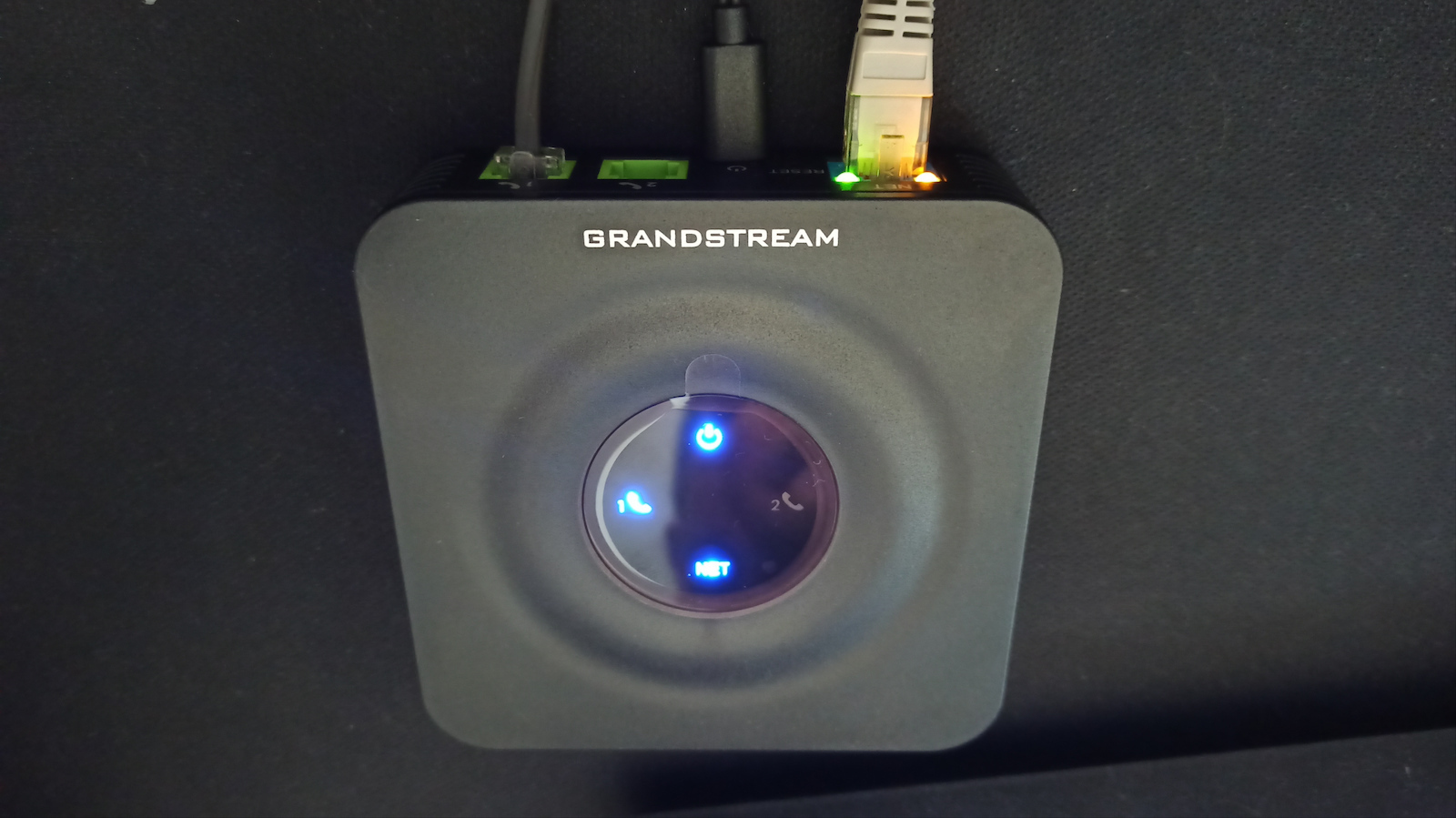
The Grandstream HT802 offers routing capabilities, allowing users to connect their analog telephone devices to a managed and powerful VoIP network. It features two user-friendly FXS ports, encryption...
The Grandstream HT802 offers routing capabilities, allowing users to connect their analog telephone devices to a managed and powerful VoIP network. It features two user-friendly FXS ports, encryption with a unique security certificate per device, and automated provisioning for mass deployment and management.
The Grandstream HT802 offers routing capabilities, allowing users to connect their analog telephone devices to a managed and powerful VoIP network. It features two user-friendly FXS ports, encryption with a unique security certificate per device, and automated provisioning for mass deployment and management.
SIP Account Connection and Management
Fully leverage the power of the internet with the Grandstream HT802, which supports two SIP profiles through its two FXS ports. Network connection is simple via a RJ45 Ethernet 10/100Mbps port with auto-sensing technology, ensuring a stable data flow. Additionally, it offers three-way conferencing, allowing you to communicate with two people simultaneously, making your business discussions more efficient than ever.
Unmatched Security and Reliability
Your data security is guaranteed thanks to TLS and SRTP encryption technology, which protects your calls and accounts from malicious actions. For complete peace of mind, the Gateway features an automatic failover function to a secondary SIP server in case the main one loses connection. Configuration is a breeze with automated provisioning options, such as the TR-069 protocol and XML configuration files, offering a solution that always operates at its maximum potential.
Features
Supports advanced telephony features such as call transfer, call forwarding, call waiting, do not disturb, message waiting indicator, and more.
Caller ID display or blocking, call waiting, flash, blind or attended transfer, forwarding, hold, do not disturb, three-way conferencing.
Voice codecs: G.711 with Annex I (PLC) and Annex II (VAD/CNG), G.723.1, G.729A/B, G.726, iLBC, OPUS, dynamic jitter buffer, advanced line echo cancellation.
Fax over IP: Compliant with T.38 Group 3 Fax relay up to 14.4 kbps and auto-switch to G.711 for Fax pass-through.
Short/long ring load distance: 5 REN: up to 1 km on 24 AWG.
Supports a wide range of caller ID formats: Bellcore Type 1 and 2, ETSI, BT, NTT, and DTMF-based CID.
Specifications are collected from official manufacturer websites. Please verify the specifications before proceeding with your final purchase. If you notice any problem you can report it here.
Seamless operation with a wireless Internet provider, easily drives two old analog telephone devices that the former analog OTE used to struggle to "lift" simultaneously. The web interface offers "endless" settings and may initially seem intimidating, but most VoIP providers give detailed instructions or even ready-made configuration files specifically for this device. In my case, the setup took less than 15 minutes, including some of my own adjustments. It also has an audio configuration menu (via the telephone device), for cases where you temporarily cannot access it through the network, e.g., to set a specific static IP or to revert it to dynamic IP, etc.
Απροβλημάτιστη λειτουργία με πάροχο ασύρματου Internet, οδηγεί άνετα δύο παλιές αναλογικές τηλεφωνικές συσκευές που ο πάλαι ποτέ αναλογικός ΟΤΕ δυσκολευόταν να «σηκώσει» παράλληλα. Το web interface παρέχει «άπειρες» ρυθμίσεις και μπορεί αρχικά να τρομάζει, αλλά οι περισσότεροι πάροχοι VoIP δίνουν λεπτομερείς οδηγίες ή και έτοιμα αρχεία ρυθμίσεων συγκεκριμένα για αυτή τη συσκευή. Στην περίπτωσή μου, η ρύθμιση πήρε λιγότερο από 15 λεπτά μαζί με κάποιες δικές μου προσαρμογές. Διαθέτει και ακουστικό μενού ρυθμίσεων (μέσω της τηλεφωνικής συσκευής), για την περίπτωση που προσωρινά δεν μπορείτε να το προσπελάσετε μέσω δικτύου, λ.χ. για να ρυθμίσετε συγκεκριμένη στατική IP ή να το επαναφέρετε σε δυναμική IP κλπ.
Excellent! I've had it for 3 months now and it's flawless! The only thing that's a bit of a hassle, mainly for those who aren't familiar with it, is the setup, but even then, with the help of the company I'm with, it was set up perfectly!
Εξαιρετικό! Εδώ και 3 μήνες που το έχω είναι άψογο!
Το μόνο που είναι λίγο μπελάς, κυρίως γι' αυτούς που δεν εξοικειωμένοι είναι το setup του, αλλά και πάλι με τη βοήθεια της εταιρείας που είμαι στήθηκε άψογα!
A very good solution for someone who wants to have a VoIP number but keep their analog device.
All you need is a stable internet connection. It works flawlessly with Starlink, with no interruptions even during long calls.
It is extremely customizable through the Web UI it provides, so you can easily tailor it to your needs. (The v2 version—the one I have—has a better, more user-friendly, and newer Web UI compared to v1).
As for me, since I switched to Modulus VoIP, I found on their website how to set it up, step by step.
Note:
Those who have Starlink (which works with CGNAT) should enable the following setting to prevent calls from dropping during satellite changes:
Port Settings -> FXS PORT1 -> General Settings -> Nat Traversal = Keep Alive.
(Similarly for FXS PORT 2, etc...)
Attention! Make sure to get the V2 version.
Μια πάρα πολύ καλή λύση για κάποιον που θέλει να έχει VoIP νούμερο, αλλά να κρατήσει την αναλογική συσκευή.
Το μόνο που χρειάζεται είναι μια σταθερή σύνδεση στο διαδίκτυο. Δουλεύει απροβλημάτιστα με Starlink, χωρίς διακοπές σε πολύωρες κλήσεις.
Είναι τρομερά παραμετροποιήσιμο μέσα από το Web UI που διαθέτει, οπότε μπορείς να το φέρεις στα μέτρα σου άνετα. (Η v2 έκδοση —αυτή που έχω και εγώ— έχει καλύτερο, πιο φιλικό και νέο Web UI σε σχέση με την v1).
Εγώ, επειδή πήγα σε Modulus VoIP, βρήκα στην ιστοσελίδα τους πώς να το ρυθμίσω, βήμα προς βήμα.
Σημείωση:
Όσοι έχουν Starlink (το οποίο δουλεύει με CGNAT) καλό είναι να ενεργοποιούν την παρακάτω ρύθμιση για να μην κόβει την κλήση στις αλλαγές των δορυφόρων:
Port Settings -> FXS PORT1 -> General Settings -> Nat Traversal = Keep Alive.
(Αντίστοιχα για FXS PORT 2 κτλ...)
I set it up once with the help of the provider and I haven't dealt with it again since. The simple analog phone works just fine, without delays or glitches.
Το σεταρα μία φορά με τη βοήθεια του παρόχου και δεν έχω ασχοληθεί εκτοτε ξανά μαζί του. Το απλό αναλογικό τηλέφωνο λειτουργει μια χαρά, χωρίς καθυστερήσεις ή κολλήματα.
In the V2 version, all firmware upgrades up to 1.0.5.5 must be done for those using it with Starlink.
Update 2026: It works flawlessly with modulus and Starlink, highly recommended!
Στη V2 έκδοση πρέπει να γίνουν όλα τα upgrade του firmware μέχρι την 1.0.5.5 για όσους το χρησιμοποιούν με Starlink
Update 2026 λειτουργεί απροβλημάτιστα με modulus και starlink προτείνεται ανεπιφύλακτα!
Very difficult to get it to work because you can't find any useful information about the product to operate here in Greece with the respective internet providers
πολύ δύσκολο για να καταφέρεις να παίξει λόγω του ότι δεν βρίσκεις και καμία χρήσιμη πληροφορία για το προιον για να δουλέψει εδώ στην ελλάδα με τους εκάστοτε παρόχους internet
I bought it for my parents. It has been working perfectly for 7 days now. No issues, whereas before with groundwire softphone there were various small problems.
το πηρα για τους γονεις. εδω και 7 μερες δουλευει μια χαρα. κανενα προβλημα ενω πριν με groundwire softphone υπηρχαν διαφορα θεματακια.
It does exactly what it says very well. Based on the settings from the voip provider, it was set up in 1 minute and works without problems.
I connected 2 devices - voip numbers, and the second device did not connect (register). After a phone call with the provider's company and some settings they told me to do, the problem still existed. After searching on the internet, the problem was with the sip port.
For anyone who has the same problem, the solution is as follows (at least it worked for me):
By configuring FXS PORT 1, you enter the settings provided by the provider. When configuring FXS PORT 2, you enter the settings again but use a different sip port. That is, if on FXS PORT 1 the sip port is 5060, on FXS PORT 2 you should set it to 5062.
*2 years working flawlessly
κανει αυτο λεει πολυ καλα. Με βαση τις ρυθμισεις του voip παροχου ρυθμιστηκε σε 1 λεπτο και δουλευει χωρις προβληματα .
συνδεσα 2 συσκευες - αριθμους voip πανω και η δευτερη συσκευη δεν εκανε συνδεση ( register) , μετα απο τηλεφωνικη επικοινωνια με την εταιρια παροχου και καποιες ρυθμισεις που μου ειπαν να κανω το προβλημα εξακολουθουσε να υπαρχει, μετα απο ψάξιμο στο ιντερνετ το προβλημα ηταν στην sip port .
για οποιον εχει το ιδιο προβλημα η λυση ειναι η εξης ( τουλαχιστον σε εμενα δουλεψε)
ρυθμίζοντας το FXS PORT 1 βαζουμε τις ρυθμισεις που μας δινει ο παροχος , ρυθμιζοντας το FXS PORT 2 βαζουμε παλι τις ρυθμισεις αλλα βαζουμε διαφορετικο sip port. δηλαδη αν στο FXS PORT 1 το sip port ειναι 5060 στο FXS PORT 2 πρεπει να βαλουμε 5062
Seamless operation with a wireless Internet provider, easily drives two old analog telephone devices that the former analog OTE used to struggle to "lift" simultaneously. The web interface offers "endless" settings and may initially seem intimidating, but most VoIP providers give detailed instructions or even ready-made configuration files specifically for this device. In my case, the setup took less than 15 minutes, including some of my own adjustments. It also has an audio configuration menu (via the telephone device), for cases where you temporarily cannot access it through the network, e.g., to set a specific static IP or to revert it to dynamic IP, etc.
Απροβλημάτιστη λειτουργία με πάροχο ασύρματου Internet, οδηγεί άνετα δύο παλιές αναλογικές τηλεφωνικές συσκευές που ο πάλαι ποτέ αναλογικός ΟΤΕ δυσκολευόταν να «σηκώσει» παράλληλα. Το web interface παρέχει «άπειρες» ρυθμίσεις και μπορεί αρχικά να τρομάζει, αλλά οι περισσότεροι πάροχοι VoIP δίνουν λεπτομερείς οδηγίες ή και έτοιμα αρχεία ρυθμίσεων συγκεκριμένα για αυτή τη συσκευή. Στην περίπτωσή μου, η ρύθμιση πήρε λιγότερο από 15 λεπτά μαζί με κάποιες δικές μου προσαρμογές. Διαθέτει και ακουστικό μενού ρυθμίσεων (μέσω της τηλεφωνικής συσκευής), για την περίπτωση που προσωρινά δεν μπορείτε να το προσπελάσετε μέσω δικτύου, λ.χ. για να ρυθμίσετε συγκεκριμένη στατική IP ή να το επαναφέρετε σε δυναμική IP κλπ.
Excellent! I've had it for 3 months now and it's flawless! The only thing that's a bit of a hassle, mainly for those who aren't familiar with it, is the setup, but even then, with the help of the company I'm with, it was set up perfectly!
Εξαιρετικό! Εδώ και 3 μήνες που το έχω είναι άψογο!
Το μόνο που είναι λίγο μπελάς, κυρίως γι' αυτούς που δεν εξοικειωμένοι είναι το setup του, αλλά και πάλι με τη βοήθεια της εταιρείας που είμαι στήθηκε άψογα!
A very good solution for someone who wants to have a VoIP number but keep their analog device.
All you need is a stable internet connection. It works flawlessly with Starlink, with no interruptions even during long calls.
It is extremely customizable through the Web UI it provides, so you can easily tailor it to your needs. (The v2 version—the one I have—has a better, more user-friendly, and newer Web UI compared to v1).
As for me, since I switched to Modulus VoIP, I found on their website how to set it up, step by step.
Note:
Those who have Starlink (which works with CGNAT) should enable the following setting to prevent calls from dropping during satellite changes:
Port Settings -> FXS PORT1 -> General Settings -> Nat Traversal = Keep Alive.
(Similarly for FXS PORT 2, etc...)
Attention! Make sure to get the V2 version.
Μια πάρα πολύ καλή λύση για κάποιον που θέλει να έχει VoIP νούμερο, αλλά να κρατήσει την αναλογική συσκευή.
Το μόνο που χρειάζεται είναι μια σταθερή σύνδεση στο διαδίκτυο. Δουλεύει απροβλημάτιστα με Starlink, χωρίς διακοπές σε πολύωρες κλήσεις.
Είναι τρομερά παραμετροποιήσιμο μέσα από το Web UI που διαθέτει, οπότε μπορείς να το φέρεις στα μέτρα σου άνετα. (Η v2 έκδοση —αυτή που έχω και εγώ— έχει καλύτερο, πιο φιλικό και νέο Web UI σε σχέση με την v1).
Εγώ, επειδή πήγα σε Modulus VoIP, βρήκα στην ιστοσελίδα τους πώς να το ρυθμίσω, βήμα προς βήμα.
Σημείωση:
Όσοι έχουν Starlink (το οποίο δουλεύει με CGNAT) καλό είναι να ενεργοποιούν την παρακάτω ρύθμιση για να μην κόβει την κλήση στις αλλαγές των δορυφόρων:
Port Settings -> FXS PORT1 -> General Settings -> Nat Traversal = Keep Alive.
(Αντίστοιχα για FXS PORT 2 κτλ...)
I set it up once with the help of the provider and I haven't dealt with it again since. The simple analog phone works just fine, without delays or glitches.
Το σεταρα μία φορά με τη βοήθεια του παρόχου και δεν έχω ασχοληθεί εκτοτε ξανά μαζί του. Το απλό αναλογικό τηλέφωνο λειτουργει μια χαρά, χωρίς καθυστερήσεις ή κολλήματα.
The Grandstream HT802 offers routing capabilities, allowing users to connect their analog telephone devices to a managed and powerful VoIP network. It features two user-friendly FXS ports, encryption with a unique security certificate per device, and automated provisioning for mass deployment and management.
SIP Account Connection and Management
Fully leverage the power of the internet with the Grandstream HT802, which supports two SIP profiles through its two FXS ports. Network connection is simple via a RJ45 Ethernet 10/100Mbps port with auto-sensing technology, ensuring a stable data flow. Additionally, it offers three-way conferencing, allowing you to communicate with two people simultaneously, making your business discussions more efficient than ever.
Unmatched Security and Reliability
Your data security is guaranteed thanks to TLS and SRTP encryption technology, which protects your calls and accounts from malicious actions. For complete peace of mind, the Gateway features an automatic failover function to a secondary SIP server in case the main one loses connection. Configuration is a breeze with automated provisioning options, such as the TR-069 protocol and XML configuration files, offering a solution that always operates at its maximum potential.
Features
Supports advanced telephony features such as call transfer, call forwarding, call waiting, do not disturb, message waiting indicator, and more.
Caller ID display or blocking, call waiting, flash, blind or attended transfer, forwarding, hold, do not disturb, three-way conferencing.
Voice codecs: G.711 with Annex I (PLC) and Annex II (VAD/CNG), G.723.1, G.729A/B, G.726, iLBC, OPUS, dynamic jitter buffer, advanced line echo cancellation.
Fax over IP: Compliant with T.38 Group 3 Fax relay up to 14.4 kbps and auto-switch to G.711 for Fax pass-through.
Short/long ring load distance: 5 REN: up to 1 km on 24 AWG.
Supports a wide range of caller ID formats: Bellcore Type 1 and 2, ETSI, BT, NTT, and DTMF-based CID.
Specifications are collected from official manufacturer websites. Please verify the specifications before proceeding with your final purchase. If you notice any problem you can report it here.
Seamless operation with a wireless Internet provider, easily drives two old analog telephone devices that the former analog OTE used to struggle to "lift" simultaneously. The web interface offers "endless" settings and may initially seem intimidating, but most VoIP providers give detailed instructions or even ready-made configuration files specifically for this device. In my case, the setup took less than 15 minutes, including some of my own adjustments. It also has an audio configuration menu (via the telephone device), for cases where you temporarily cannot access it through the network, e.g., to set a specific static IP or to revert it to dynamic IP, etc.
Απροβλημάτιστη λειτουργία με πάροχο ασύρματου Internet, οδηγεί άνετα δύο παλιές αναλογικές τηλεφωνικές συσκευές που ο πάλαι ποτέ αναλογικός ΟΤΕ δυσκολευόταν να «σηκώσει» παράλληλα. Το web interface παρέχει «άπειρες» ρυθμίσεις και μπορεί αρχικά να τρομάζει, αλλά οι περισσότεροι πάροχοι VoIP δίνουν λεπτομερείς οδηγίες ή και έτοιμα αρχεία ρυθμίσεων συγκεκριμένα για αυτή τη συσκευή. Στην περίπτωσή μου, η ρύθμιση πήρε λιγότερο από 15 λεπτά μαζί με κάποιες δικές μου προσαρμογές. Διαθέτει και ακουστικό μενού ρυθμίσεων (μέσω της τηλεφωνικής συσκευής), για την περίπτωση που προσωρινά δεν μπορείτε να το προσπελάσετε μέσω δικτύου, λ.χ. για να ρυθμίσετε συγκεκριμένη στατική IP ή να το επαναφέρετε σε δυναμική IP κλπ.
Excellent! I've had it for 3 months now and it's flawless! The only thing that's a bit of a hassle, mainly for those who aren't familiar with it, is the setup, but even then, with the help of the company I'm with, it was set up perfectly!
Εξαιρετικό! Εδώ και 3 μήνες που το έχω είναι άψογο!
Το μόνο που είναι λίγο μπελάς, κυρίως γι' αυτούς που δεν εξοικειωμένοι είναι το setup του, αλλά και πάλι με τη βοήθεια της εταιρείας που είμαι στήθηκε άψογα!
A very good solution for someone who wants to have a VoIP number but keep their analog device.
All you need is a stable internet connection. It works flawlessly with Starlink, with no interruptions even during long calls.
It is extremely customizable through the Web UI it provides, so you can easily tailor it to your needs. (The v2 version—the one I have—has a better, more user-friendly, and newer Web UI compared to v1).
As for me, since I switched to Modulus VoIP, I found on their website how to set it up, step by step.
Note:
Those who have Starlink (which works with CGNAT) should enable the following setting to prevent calls from dropping during satellite changes:
Port Settings -> FXS PORT1 -> General Settings -> Nat Traversal = Keep Alive.
(Similarly for FXS PORT 2, etc...)
Attention! Make sure to get the V2 version.
Μια πάρα πολύ καλή λύση για κάποιον που θέλει να έχει VoIP νούμερο, αλλά να κρατήσει την αναλογική συσκευή.
Το μόνο που χρειάζεται είναι μια σταθερή σύνδεση στο διαδίκτυο. Δουλεύει απροβλημάτιστα με Starlink, χωρίς διακοπές σε πολύωρες κλήσεις.
Είναι τρομερά παραμετροποιήσιμο μέσα από το Web UI που διαθέτει, οπότε μπορείς να το φέρεις στα μέτρα σου άνετα. (Η v2 έκδοση —αυτή που έχω και εγώ— έχει καλύτερο, πιο φιλικό και νέο Web UI σε σχέση με την v1).
Εγώ, επειδή πήγα σε Modulus VoIP, βρήκα στην ιστοσελίδα τους πώς να το ρυθμίσω, βήμα προς βήμα.
Σημείωση:
Όσοι έχουν Starlink (το οποίο δουλεύει με CGNAT) καλό είναι να ενεργοποιούν την παρακάτω ρύθμιση για να μην κόβει την κλήση στις αλλαγές των δορυφόρων:
Port Settings -> FXS PORT1 -> General Settings -> Nat Traversal = Keep Alive.
(Αντίστοιχα για FXS PORT 2 κτλ...)
I set it up once with the help of the provider and I haven't dealt with it again since. The simple analog phone works just fine, without delays or glitches.
Το σεταρα μία φορά με τη βοήθεια του παρόχου και δεν έχω ασχοληθεί εκτοτε ξανά μαζί του. Το απλό αναλογικό τηλέφωνο λειτουργει μια χαρά, χωρίς καθυστερήσεις ή κολλήματα.
In the V2 version, all firmware upgrades up to 1.0.5.5 must be done for those using it with Starlink.
Update 2026: It works flawlessly with modulus and Starlink, highly recommended!
Στη V2 έκδοση πρέπει να γίνουν όλα τα upgrade του firmware μέχρι την 1.0.5.5 για όσους το χρησιμοποιούν με Starlink
Update 2026 λειτουργεί απροβλημάτιστα με modulus και starlink προτείνεται ανεπιφύλακτα!
Very difficult to get it to work because you can't find any useful information about the product to operate here in Greece with the respective internet providers
πολύ δύσκολο για να καταφέρεις να παίξει λόγω του ότι δεν βρίσκεις και καμία χρήσιμη πληροφορία για το προιον για να δουλέψει εδώ στην ελλάδα με τους εκάστοτε παρόχους internet
I bought it for my parents. It has been working perfectly for 7 days now. No issues, whereas before with groundwire softphone there were various small problems.
το πηρα για τους γονεις. εδω και 7 μερες δουλευει μια χαρα. κανενα προβλημα ενω πριν με groundwire softphone υπηρχαν διαφορα θεματακια.
It does exactly what it says very well. Based on the settings from the voip provider, it was set up in 1 minute and works without problems.
I connected 2 devices - voip numbers, and the second device did not connect (register). After a phone call with the provider's company and some settings they told me to do, the problem still existed. After searching on the internet, the problem was with the sip port.
For anyone who has the same problem, the solution is as follows (at least it worked for me):
By configuring FXS PORT 1, you enter the settings provided by the provider. When configuring FXS PORT 2, you enter the settings again but use a different sip port. That is, if on FXS PORT 1 the sip port is 5060, on FXS PORT 2 you should set it to 5062.
*2 years working flawlessly
κανει αυτο λεει πολυ καλα. Με βαση τις ρυθμισεις του voip παροχου ρυθμιστηκε σε 1 λεπτο και δουλευει χωρις προβληματα .
συνδεσα 2 συσκευες - αριθμους voip πανω και η δευτερη συσκευη δεν εκανε συνδεση ( register) , μετα απο τηλεφωνικη επικοινωνια με την εταιρια παροχου και καποιες ρυθμισεις που μου ειπαν να κανω το προβλημα εξακολουθουσε να υπαρχει, μετα απο ψάξιμο στο ιντερνετ το προβλημα ηταν στην sip port .
για οποιον εχει το ιδιο προβλημα η λυση ειναι η εξης ( τουλαχιστον σε εμενα δουλεψε)
ρυθμίζοντας το FXS PORT 1 βαζουμε τις ρυθμισεις που μας δινει ο παροχος , ρυθμιζοντας το FXS PORT 2 βαζουμε παλι τις ρυθμισεις αλλα βαζουμε διαφορετικο sip port. δηλαδη αν στο FXS PORT 1 το sip port ειναι 5060 στο FXS PORT 2 πρεπει να βαλουμε 5062
Seamless operation with a wireless Internet provider, easily drives two old analog telephone devices that the former analog OTE used to struggle to "lift" simultaneously. The web interface offers "endless" settings and may initially seem intimidating, but most VoIP providers give detailed instructions or even ready-made configuration files specifically for this device. In my case, the setup took less than 15 minutes, including some of my own adjustments. It also has an audio configuration menu (via the telephone device), for cases where you temporarily cannot access it through the network, e.g., to set a specific static IP or to revert it to dynamic IP, etc.
Απροβλημάτιστη λειτουργία με πάροχο ασύρματου Internet, οδηγεί άνετα δύο παλιές αναλογικές τηλεφωνικές συσκευές που ο πάλαι ποτέ αναλογικός ΟΤΕ δυσκολευόταν να «σηκώσει» παράλληλα. Το web interface παρέχει «άπειρες» ρυθμίσεις και μπορεί αρχικά να τρομάζει, αλλά οι περισσότεροι πάροχοι VoIP δίνουν λεπτομερείς οδηγίες ή και έτοιμα αρχεία ρυθμίσεων συγκεκριμένα για αυτή τη συσκευή. Στην περίπτωσή μου, η ρύθμιση πήρε λιγότερο από 15 λεπτά μαζί με κάποιες δικές μου προσαρμογές. Διαθέτει και ακουστικό μενού ρυθμίσεων (μέσω της τηλεφωνικής συσκευής), για την περίπτωση που προσωρινά δεν μπορείτε να το προσπελάσετε μέσω δικτύου, λ.χ. για να ρυθμίσετε συγκεκριμένη στατική IP ή να το επαναφέρετε σε δυναμική IP κλπ.
Excellent! I've had it for 3 months now and it's flawless! The only thing that's a bit of a hassle, mainly for those who aren't familiar with it, is the setup, but even then, with the help of the company I'm with, it was set up perfectly!
Εξαιρετικό! Εδώ και 3 μήνες που το έχω είναι άψογο!
Το μόνο που είναι λίγο μπελάς, κυρίως γι' αυτούς που δεν εξοικειωμένοι είναι το setup του, αλλά και πάλι με τη βοήθεια της εταιρείας που είμαι στήθηκε άψογα!
A very good solution for someone who wants to have a VoIP number but keep their analog device.
All you need is a stable internet connection. It works flawlessly with Starlink, with no interruptions even during long calls.
It is extremely customizable through the Web UI it provides, so you can easily tailor it to your needs. (The v2 version—the one I have—has a better, more user-friendly, and newer Web UI compared to v1).
As for me, since I switched to Modulus VoIP, I found on their website how to set it up, step by step.
Note:
Those who have Starlink (which works with CGNAT) should enable the following setting to prevent calls from dropping during satellite changes:
Port Settings -> FXS PORT1 -> General Settings -> Nat Traversal = Keep Alive.
(Similarly for FXS PORT 2, etc...)
Attention! Make sure to get the V2 version.
Μια πάρα πολύ καλή λύση για κάποιον που θέλει να έχει VoIP νούμερο, αλλά να κρατήσει την αναλογική συσκευή.
Το μόνο που χρειάζεται είναι μια σταθερή σύνδεση στο διαδίκτυο. Δουλεύει απροβλημάτιστα με Starlink, χωρίς διακοπές σε πολύωρες κλήσεις.
Είναι τρομερά παραμετροποιήσιμο μέσα από το Web UI που διαθέτει, οπότε μπορείς να το φέρεις στα μέτρα σου άνετα. (Η v2 έκδοση —αυτή που έχω και εγώ— έχει καλύτερο, πιο φιλικό και νέο Web UI σε σχέση με την v1).
Εγώ, επειδή πήγα σε Modulus VoIP, βρήκα στην ιστοσελίδα τους πώς να το ρυθμίσω, βήμα προς βήμα.
Σημείωση:
Όσοι έχουν Starlink (το οποίο δουλεύει με CGNAT) καλό είναι να ενεργοποιούν την παρακάτω ρύθμιση για να μην κόβει την κλήση στις αλλαγές των δορυφόρων:
Port Settings -> FXS PORT1 -> General Settings -> Nat Traversal = Keep Alive.
(Αντίστοιχα για FXS PORT 2 κτλ...)
I set it up once with the help of the provider and I haven't dealt with it again since. The simple analog phone works just fine, without delays or glitches.
Το σεταρα μία φορά με τη βοήθεια του παρόχου και δεν έχω ασχοληθεί εκτοτε ξανά μαζί του. Το απλό αναλογικό τηλέφωνο λειτουργει μια χαρά, χωρίς καθυστερήσεις ή κολλήματα.