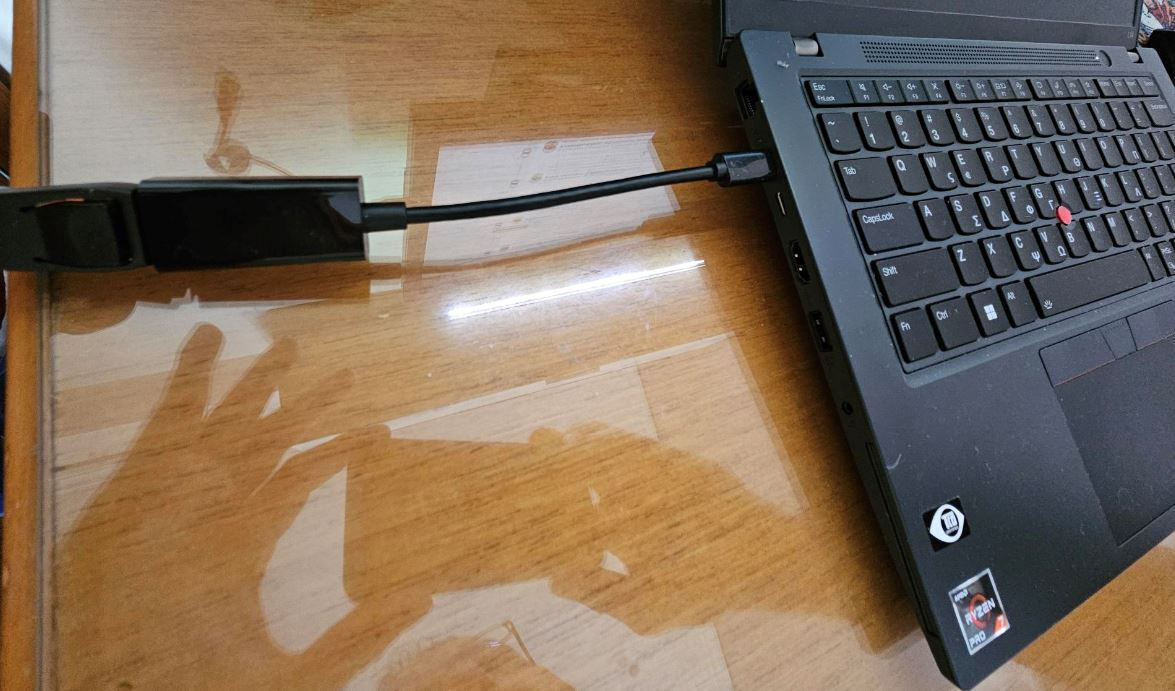
I have the ThinkPad L14 Gen 3 (type 21C5, 21C6) and I wanted to connect it to the Dell U2311H. The Dell U2311H does not have HDMI and since it is from the Ultrasharp series, it would be a shame for it to go to waste.
The connection, from HDMI to VGA, works, but with an adapter that is not active it distorts the colors and it was the temporary solution I was using. So I searched for hours and the best and affordable solution is, from USB-C to DisplayPort. To work, the Laptop must support DisplayPort Alternate Mode. I confirmed that mine does and I got the specific adapter.
The reason I chose this adapter was because it had reviews saying it worked. Luckily, it worked perfectly with my setup. Of course, I happened to have a DisplayPort cable. If you don't have a cable, then I recommend getting the cable + adapter combo, specifically the DeLock Regular USB 3.1 Cable USB-C male - DisplayPort Male. It does have double the price but it is a higher quality build.
In any case, before purchasing, confirm that your Laptop supports DisplayPort Alternate Mode so you can be sure it will work in your setup.
Έχω το ThinkPad L14 Gen 3 (type 21C5, 21C6) και ήθελα να το συνδέσω με την Dell U2311H. Η Dell U2311H δεν έχει HDMI και επειδή είναι σειρά Ultrasharp, είναι κρίμα να πάει χαμένη.
Η σύνδεση, από HDMI σε VGA, δουλεύει, αλλά με adaptor που δεν είναι active καταστρέφει τα χρώματα και ήταν η λύση ανάγκης που δούλευα. Οπότε έψαξα άπειρες ώρες κ η αποδέκτη και φθηνή λύση είναι, από USB-C σε DisplayPort. Για να δουλέψει πρέπει το Laptop να υποστηρίζει DisplayPort Alternate Mode. Επιβεβαίωσα ότι το δικό μου υποστηρίζει και πήρα το συγκεκριμένο Adaptor.
Ο λόγος που επέλεξα αυτόν τον adaptor ήταν ότι είχε κριτικές που λένε ότι έχει δουλέψει. Ευτυχώς δούλεψε άριστα με το setup μου. Βέβαια τύγχανε να έχω καλώδιο Displayport. Αν δεν έχετε καλώδιο, τότε προτείνω να πάρετε κατευθείαν με τη διπλή τιμή καλώδιο + Adaptor έτοιμα και πιο συγκεκριμένα το DeLock Regular USB 3.1 Cable USB-C male - DisplayPort Male. Έχει βέβαια διπλή τιμή αλλά είναι πιο ποιοτική κατασκευή.
Σε κάθε περίπτωση πριν την αγορά, επιβεβαιώστε ότι το Laptop σας υποστηρίζει τη λειτουργία DisplayPort Alternate Mode ώστε να είστε σίγουροι ότι θα δουλέψει στο setup σας.