Monitors

FlexScan EV2795 IPS Monitor 27" QHD 2560x1440 with Response Time 5ms GTG

Key features:

  • 2026 Model
  • 27" IPS QHD Monitor
  • 2560 x 1440 Resolution
  • 60Hz Refresh Rate / 5ms Response Time
  • USB-C, DP, HDMI, LAN Connectivity
  • Features: Daisy Chain, KVM
See full description

Top specs

  • See all
The product is not available for shipping to the selected country.

Description

Description

The Eizo FlexScan EV2795 is a professional 27-inch docking monitor with QHD resolution (2560x1440) and an IPS panel. Designed for maximum productivity, it offers comprehensive USB Type-C connectivity with 70W power delivery, a built-in Ethernet LAN port, and Daisy Chain support for connecting multiple monitors. It also features a built-in KVM switch, Auto EcoView and Paper Mode eye care technologies, and a frameless design with a fully adjustable ergonomic stand.

USB Type-C Connectivity & 70W Power Delivery

The USB Type-C port transmits video, audio, and data signals through a single cable, while also supplying up to 70W of power to charge laptops. In addition, it enables a built-in USB hub with USB Type-A and USB Type-C ports for directly connecting peripherals such as a keyboard, mouse, and camera.

Daisy Chain Support for Multiple Monitors

Thanks to USB Type-C connectivity with Daisy Chain support, you can connect up to two monitors in a series using a single signal cable from your computer. This feature simplifies cable management, eliminates desk clutter, and creates a clean, efficient workstation.

Built-in LAN Port & KVM Switch

The monitor features a built-in Ethernet LAN port, providing a stable, fast wired internet connection for laptops without a corresponding port. The integrated KVM switch also lets you control two connected computers with a single keyboard and mouse, making it easy to switch between devices.

Eye Protection Auto EcoView & Paper Mode

The Auto EcoView sensor automatically adjusts the screen brightness to suit changes in ambient lighting, helping to prevent eye strain. Paper Mode, combined with Flicker-Free technology, reduces blue light emissions by up to 80%, making documents more comfortable to read throughout the day.

IPS Panel & Frameless Design

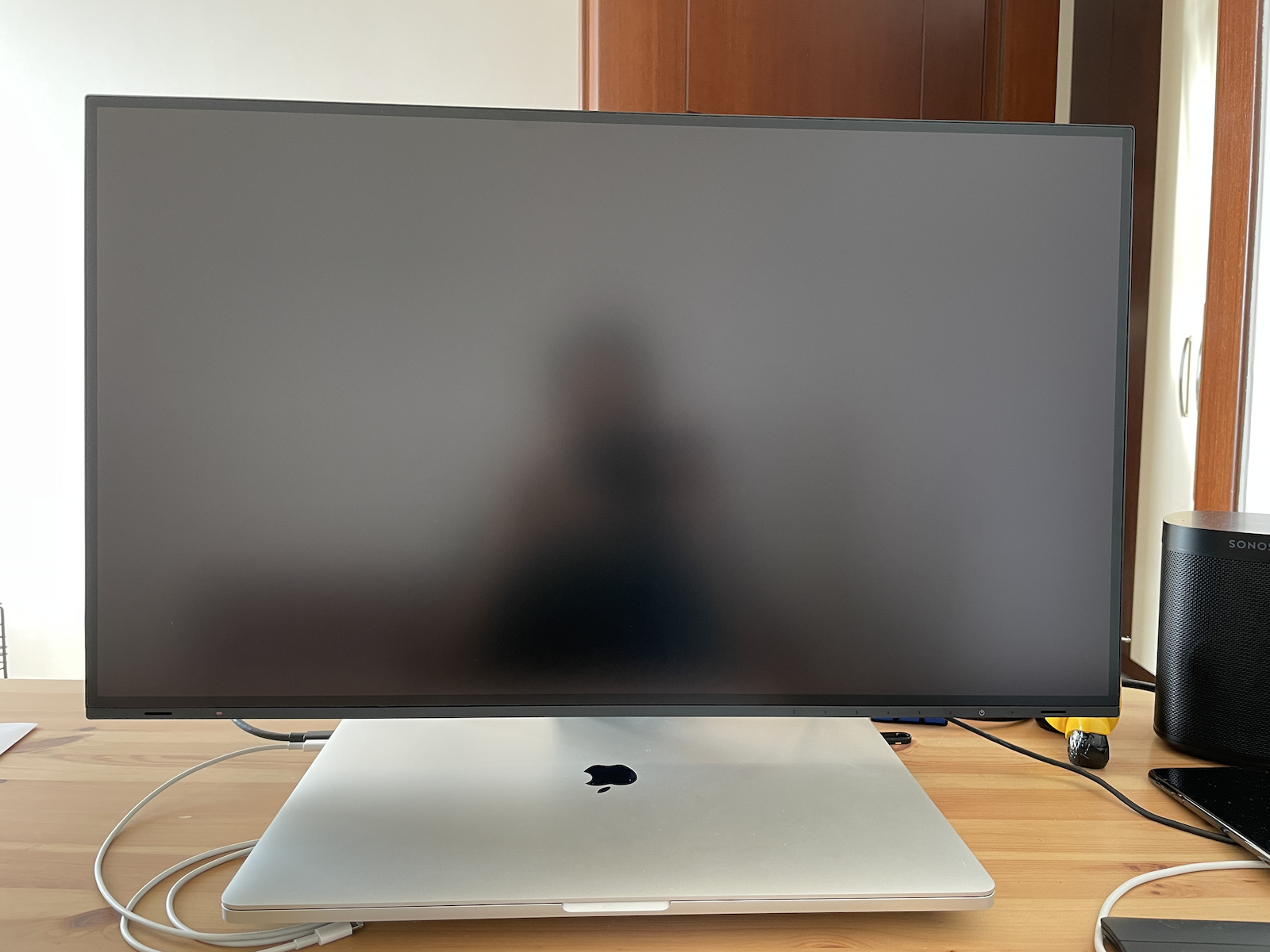
The IPS panel offers wide 178° viewing angles without compromising color accuracy or contrast. The minimalist Frameless design with its ultra-thin bezels enhances the look of your space, while the Non-Glare surface prevents distracting reflections from ambient light.

Flexible Ergonomic Monitor Stand

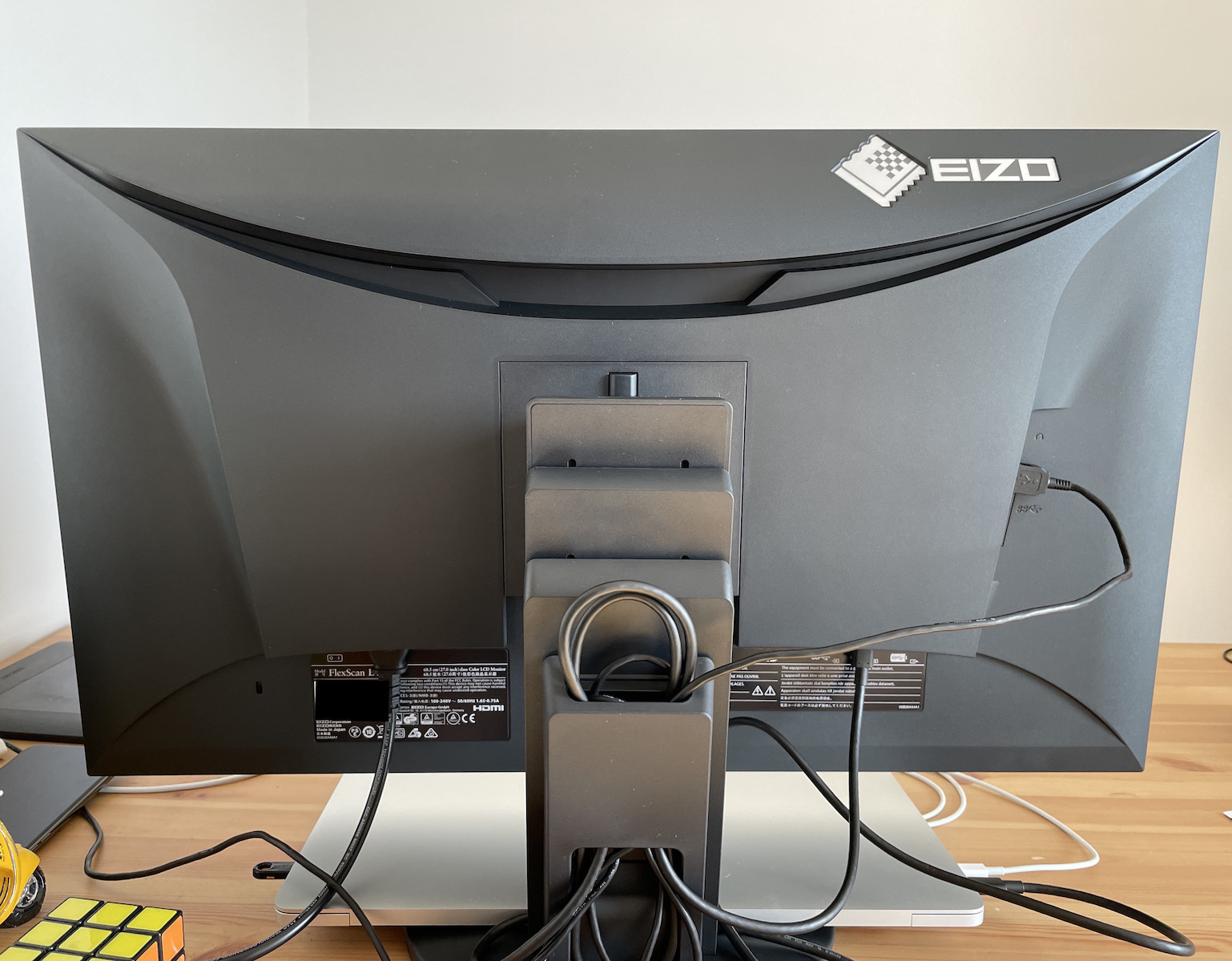
The EIZO ergonomic stand offers a wide range of height, tilt and swivel adjustments, allowing users to find their ideal working position. It features a Quick Release button for easy monitor detachment, a dedicated carrying handle, and a cable management channel at the rear.

Screen InStyle Smart Software

The Screen InStyle software offers advanced management features, such as Color Briefcase, which automatically transfers your personal settings to any compatible monitor you connect to your laptop. It also lets you synchronize brightness and color settings across all monitors connected to your workstation.

Manufacturer

See full description

Specifications

Specifications

Main Specifications

Panel
IPS
HDR
No
Curved
No
UltraWide
No
Diagonal
27 "
Resolution
2560x1440
Contrast
1000 :1
Response Time (GTG)
5 ms
Refresh Rate
60 Hz
Aspect Ratio
16:9

Ergonomics

Tilt Adjustment
No
Height Adjustment
No
Vertical Rotation
No
Horizontal Rotation
No
Wall Mountable (Vesa)
100 x 100 mm

Connectivity

Connection
DisplayPort, HDMI, USB-C

Additional Specifications

Features & Functions
USB Hub
Speakers
Yes
Eye Comfort
Yes
Camera
No
Colour
Black

Energy Label

Energy Consumption
16 kWh/1000h
Energy Class
D

Important information

Specifications are collected from official manufacturer websites. Please verify the specifications before proceeding with your final purchase. If you notice any problem you can report it here.

See all specifications

Reviews (3)

Reviews

  1. 2
  2. 1
  3. 3 stars
    0
  4. 2 stars
    0
  5. 1 star
    0
Review this product
  • Comfort
  • Picture
  • Response time
  • Viewing angle
  • Menu
  • Value for money

Reviews photos

Reviews photos
Reviews photos
Reviews photos

Reviews by our members

  • dimitris-c
    5
    25 out of 26 members found this review helpful

    Verified purchase

    • Excellent build quality!
    • Very good color accuracy
    • Restful screen
    • Automatic brightness adjustment
    • Minimal frame
    • Zero flickering even at low brightness!
    • No logo on the front (important for me at least).
    • Menu buttons are electromagnetic, so it doesn't require much effort for adjustments.
    • In addition to the on/off button on the front, there is also a second on/off switch that completely shuts off power consumption, although it only consumes 0.5w in standby mode.
    • Very good connectivity:
    • USB-C
    • 3x USB-2
    • Audio jack
    • Ethernet
    • HDMI, DisplayPort
    • If you have a laptop with USB-C, you don't need any other cables as the signal, USB hub, and laptop charging can be done from there. It also supports daisy-chain, so if the connection is via USB-C, you can easily connect a second monitor with just another USB-C!
    • It has built-in KVM, so you can easily connect two computers to share the screen!
    • It has speakers, but I won't judge them as I didn't buy it for that reason...
    • The 5ms input-lag (grey-to-grey) can be activated in User 1/2 settings under the Overdrive > Enhanced option.

    Also, I would like to emphasize that I purchased the monitor from the eizo.gr website, where the staff is truly impeccable, polite, and welcoming to listen to any questions or resolve any issues that arise with the monitor. In my case, the panel protruded slightly outward in the lower left corner. Within 20 minutes of sending the email with photos, they called me and offered solutions, including the immediate replacement of the monitor. A big bravo to them!

    Finally, "Made in Japan" says it all!

    _
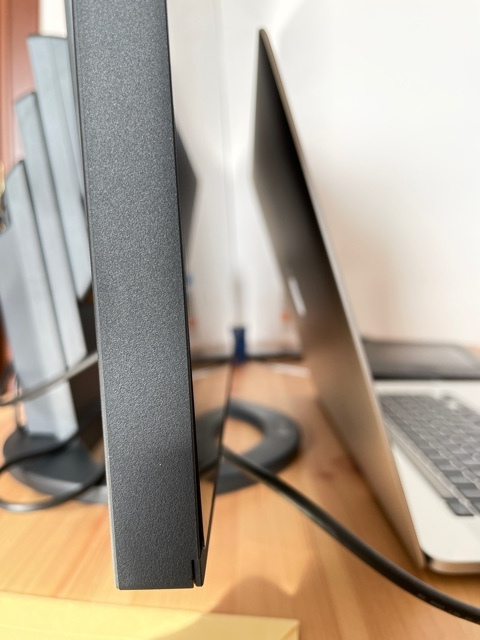
    Update (17/02/2021): I mentioned the issue with the panel protruding slightly at the bottom of the screen. When the monitor was replaced, the new one had the same issue. We ended up not doing the replacement as it didn't make sense, and the monitor remains fine. Unfortunately, the same issue is mentioned in reviews on Amazon as well. I added another photo to show the panel that protrudes slightly... For the money (and the "Made in Japan" label), the truth is I would have expected it not to have this little issue...

    Translated from Greek ·
    • Comfort
    • Picture
    • Response time
    • Viewing angle
    • Menu
    • Value for money
    Did you find this review helpful?
  • Verified purchase

    • Comfort
    • Picture
    • Response time
    • Viewing angle
    • Menu
    • Value for money
  • Verified purchase

    This review is about the colour: White

  • • Excellent build quality!
    • Very good color accuracy
    • Restful screen
    • Automatic brightness adjustment
    • Minimal frame
    • Zero flickering even at low brightness!
    • No logo on the front (important for me at least).
    • Menu buttons are electromagnetic, so it doesn't require much effort for adjustments.
    • In addition to the on/off button on the front, there is also a second on/off switch that completely shuts off power consumption, although it only consumes 0.5w in standby mode.
    • Very good connectivity:
    • USB-C
    • 3x USB-2
    • Audio jack
    • Ethernet
    • HDMI, DisplayPort
    • If you have a laptop with USB-C, you don't need any other cables as the signal, USB hub, and laptop charging can be done from there. It also supports daisy-chain, so if the connection is via USB-C, you can easily connect a second monitor with just another USB-C!
    • It has built-in KVM, so you can easily connect two computers to share the screen!
    • It has speakers, but I won't judge them as I didn't buy it for that reason...
    • The 5ms input-lag (grey-to-grey) can be activated in User 1/2 settings under the Overdrive > Enhanced option.

    Also, I would like to emphasize that I purchased the monitor from the eizo.gr website, where the staff is truly impeccable, polite, and welcoming to listen to any questions or resolve any issues that arise with the monitor. In my case, the panel protruded slightly outward in the lower left corner. Within 20 minutes of sending the email with photos, they called me and offered solutions, including the immediate replacement of the monitor. A big bravo to them!

    Finally, "Made in Japan" says it all!

    _
    Update (17/02/2021): I mentioned the issue with the panel protruding slightly at the bottom of the screen. When the monitor was replaced, the new one had the same issue. We ended up not doing the replacement as it didn't make sense, and the monitor remains fine. Unfortunately, the same issue is mentioned in reviews on Amazon as well. I added another photo to show the panel that protrudes slightly... For the money (and the "Made in Japan" label), the truth is I would have expected it not to have this little issue...

    Translated from Greek ·
    25
  • 0
  • 0
  • See all

Description & Specifications

The Eizo FlexScan EV2795 is a professional 27-inch docking monitor with QHD resolution (2560x1440) and an IPS panel. Designed for maximum productivity, it offers comprehensive USB Type-C connectivity with 70W power delivery, a built-in Ethernet LAN port, and Daisy Chain support for connecting multiple monitors. It also features a built-in KVM switch, Auto EcoView and Paper Mode eye care technologies, and a frameless design with a fully adjustable ergonomic stand.

USB Type-C Connectivity & 70W Power Delivery

The USB Type-C port transmits video, audio, and data signals through a single cable, while also supplying up to 70W of power to charge laptops. In addition, it enables a built-in USB hub with USB Type-A and USB Type-C ports for directly connecting peripherals such as a keyboard, mouse, and camera.
Daisy Chain Support for Multiple Monitors

Thanks to USB Type-C connectivity with Daisy Chain support, you can connect up to two monitors in a series using a single signal cable from your computer. This feature simplifies cable management, eliminates desk clutter, and creates a clean, efficient workstation.

Built-in LAN Port & KVM Switch

The monitor features a built-in Ethernet LAN port, providing a stable, fast wired internet connection for laptops without a corresponding port. The integrated KVM switch also lets you control two connected computers with a single keyboard and mouse, making it easy to switch between devices.

Eye Protection Auto EcoView & Paper Mode

The Auto EcoView sensor automatically adjusts the screen brightness to suit changes in ambient lighting, helping to prevent eye strain. Paper Mode, combined with Flicker-Free technology, reduces blue light emissions by up to 80%, making documents more comfortable to read throughout the day.

IPS Panel & Frameless Design

The IPS panel offers wide 178° viewing angles without compromising color accuracy or contrast. The minimalist Frameless design with its ultra-thin bezels enhances the look of your space, while the Non-Glare surface prevents distracting reflections from ambient light.

Flexible Ergonomic Monitor Stand

The EIZO ergonomic stand offers a wide range of height, tilt and swivel adjustments, allowing users to find their ideal working position. It features a Quick Release button for easy monitor detachment, a dedicated carrying handle, and a cable management channel at the rear.

Screen InStyle Smart Software

The Screen InStyle software offers advanced management features, such as Color Briefcase, which automatically transfers your personal settings to any compatible monitor you connect to your laptop. It also lets you synchronize brightness and color settings across all monitors connected to your workstation.

Manufacturer

Main Specifications

Panel
IPS
HDR
No
Curved
No
UltraWide
No
Diagonal
27 "
Resolution
2560x1440
Contrast
1000 :1
Response Time (GTG)
5 ms
Refresh Rate
60 Hz
Aspect Ratio
16:9

Ergonomics

Tilt Adjustment
No
Height Adjustment
No
Vertical Rotation
No
Horizontal Rotation
No
Wall Mountable (Vesa)
100 x 100 mm

Connectivity

Connection
DisplayPort, HDMI, USB-C

Additional Specifications

Features & Functions
USB Hub
Speakers
Yes
Eye Comfort
Yes
Camera
No
Colour
Black

Energy Label

Energy Consumption
16 kWh/1000h
Energy Class
D

Important information

Specifications are collected from official manufacturer websites. Please verify the specifications before proceeding with your final purchase. If you notice any problem you can report it here.

Reviews (3)

  1. 2
  2. 1
  3. 3 stars
    0
  4. 2 stars
    0
  5. 1 star
    0
Review this product
  • Comfort
  • Picture
  • Response time
  • Viewing angle
  • Menu
  • Value for money

Reviews photos

Reviews photos
Reviews photos
Reviews photos

Reviews by our members

  • dimitris-c
    5
    25 out of 26 members found this review helpful

    Verified purchase

    • Excellent build quality!
    • Very good color accuracy
    • Restful screen
    • Automatic brightness adjustment
    • Minimal frame
    • Zero flickering even at low brightness!
    • No logo on the front (important for me at least).
    • Menu buttons are electromagnetic, so it doesn't require much effort for adjustments.
    • In addition to the on/off button on the front, there is also a second on/off switch that completely shuts off power consumption, although it only consumes 0.5w in standby mode.
    • Very good connectivity:
    • USB-C
    • 3x USB-2
    • Audio jack
    • Ethernet
    • HDMI, DisplayPort
    • If you have a laptop with USB-C, you don't need any other cables as the signal, USB hub, and laptop charging can be done from there. It also supports daisy-chain, so if the connection is via USB-C, you can easily connect a second monitor with just another USB-C!
    • It has built-in KVM, so you can easily connect two computers to share the screen!
    • It has speakers, but I won't judge them as I didn't buy it for that reason...
    • The 5ms input-lag (grey-to-grey) can be activated in User 1/2 settings under the Overdrive > Enhanced option.

    Also, I would like to emphasize that I purchased the monitor from the eizo.gr website, where the staff is truly impeccable, polite, and welcoming to listen to any questions or resolve any issues that arise with the monitor. In my case, the panel protruded slightly outward in the lower left corner. Within 20 minutes of sending the email with photos, they called me and offered solutions, including the immediate replacement of the monitor. A big bravo to them!

    Finally, "Made in Japan" says it all!

    _
    Update (17/02/2021): I mentioned the issue with the panel protruding slightly at the bottom of the screen. When the monitor was replaced, the new one had the same issue. We ended up not doing the replacement as it didn't make sense, and the monitor remains fine. Unfortunately, the same issue is mentioned in reviews on Amazon as well. I added another photo to show the panel that protrudes slightly... For the money (and the "Made in Japan" label), the truth is I would have expected it not to have this little issue...

    Translated from Greek ·
    • Comfort
    • Picture
    • Response time
    • Viewing angle
    • Menu
    • Value for money
    Did you find this review helpful?
  • Verified purchase

    • Comfort
    • Picture
    • Response time
    • Viewing angle
    • Menu
    • Value for money
  • Verified purchase

    This review is about the colour: White

  • • Excellent build quality!
    • Very good color accuracy
    • Restful screen
    • Automatic brightness adjustment
    • Minimal frame
    • Zero flickering even at low brightness!
    • No logo on the front (important for me at least).
    • Menu buttons are electromagnetic, so it doesn't require much effort for adjustments.
    • In addition to the on/off button on the front, there is also a second on/off switch that completely shuts off power consumption, although it only consumes 0.5w in standby mode.
    • Very good connectivity:
    • USB-C
    • 3x USB-2
    • Audio jack
    • Ethernet
    • HDMI, DisplayPort
    • If you have a laptop with USB-C, you don't need any other cables as the signal, USB hub, and laptop charging can be done from there. It also supports daisy-chain, so if the connection is via USB-C, you can easily connect a second monitor with just another USB-C!
    • It has built-in KVM, so you can easily connect two computers to share the screen!
    • It has speakers, but I won't judge them as I didn't buy it for that reason...
    • The 5ms input-lag (grey-to-grey) can be activated in User 1/2 settings under the Overdrive > Enhanced option.

    Also, I would like to emphasize that I purchased the monitor from the eizo.gr website, where the staff is truly impeccable, polite, and welcoming to listen to any questions or resolve any issues that arise with the monitor. In my case, the panel protruded slightly outward in the lower left corner. Within 20 minutes of sending the email with photos, they called me and offered solutions, including the immediate replacement of the monitor. A big bravo to them!

    Finally, "Made in Japan" says it all!

    _
    Update (17/02/2021): I mentioned the issue with the panel protruding slightly at the bottom of the screen. When the monitor was replaced, the new one had the same issue. We ended up not doing the replacement as it didn't make sense, and the monitor remains fine. Unfortunately, the same issue is mentioned in reviews on Amazon as well. I added another photo to show the panel that protrudes slightly... For the money (and the "Made in Japan" label), the truth is I would have expected it not to have this little issue...

    Translated from Greek ·
    25
  • 0
  • 0
  • See all