- Supports AMD Ryzen 5000 Series, Ryzen 5000 G-Series, Ryzen 4000 G-Series, and Ryzen 3000 Series processors
- Dual Channel ECC/ Non-ECC Unbuffered DDR4, 4 DIMMs
- Digital 10+3 phase dual power design with low RDS(on) MOSFETs
- Ultra Durable PCIe 4.0 Ready x16 slot
- Dual ultra-fast NVMe PCIe 4.0/3.0 x4 M.2 slots
- Realtek GbE LAN with bandwidth management
- Front USB 3.2 Gen1 Type-C and HDMI & DVI-D for multiple displays
- High-quality audio capacitors and Audio Noise Guard for ultimate sound quality
- RGB FUSION 2.0 support with addressable LED & RGB LED strips
- Smart Fan 5 features multiple temperature sensors, hybrid fan headers with FAN STOP
- Q-Flash Plus, BIOS update without installing the CPU, memory, and graphics card
- Sulfur-resistant resistor design
Product Details
- Size
- ATX
- Type
- Desktop
Processor
- Supported Processors
- AMD
- Models
- Ryzen
- Supported CPU Generation
- Zen 2, Zen 3
- Socket
- AM4
Chipset
- Model
- AMD B550
Memory
- Memory type
- DDR4
- Quantity
- 4 DIMM Slots
- Memory Speeds
- 2133, 2400, 2667, 2933, 3200, 3333OC, 3600OC, 4000OC, 4400OC, 4600OC, 4733OC
- Memory Channels
- Dual Channel
Internal Connectors
- PCI Express x16 3.0
- 1 Slot
- PCI Express x16 4.0
- 1 Slot
- SATA III 6Gb/s
- 4 Port
- M.2 Type
- 1 PCIe 3.0 Port, 1 PCIe 4.0 Port
- M.2 Slots
- 0
External Connectors
- Rear USB-A outputs
- 2 USB 2.0 Ports, 4 USB 3.2 Ports
- Ethernet (LAN)
- 1
- Screen Connections
- HDMI, DVI-D
Specifications
- RGB Lighting
- No
- WiFi/Bluetooth
- No
- Extra
- Bios Flashback, RGB Header
Sound
- Sound Card Channels
- 7.1
- Additional Audio Connections
- -
Top Specs
- Memory
- 4x DDR4
Important information
Specifications are collected from official manufacturer websites. Please verify the specifications before proceeding with your final purchase. If you notice any problem you can report it here.
Description
The Gigabyte B550 Gaming X V2 is a motherboard aimed at users who want to build a computer with an AMD Ryzen processor at a relatively affordable price. The B550 Gaming X V2 motherboard supports AMD's AM4 platform and features PCIe 4.0 slots, thus supporting the fastest data transfer speeds for modern graphics cards and other devices. Additionally, it has slots for DDR4 RAM, USB 3.2 ports, and M.2 slots for SSD hard drives, offering very good overall performance to users.
- Supports AMD Ryzen 5000 Series, Ryzen 5000 G-Series, Ryzen 4000 G-Series, and Ryzen 3000 Series processors
- Dual Channel ECC/ Non-ECC Unbuffered DDR4, 4 DIMMs
- Digital 10+3 phase dual power design with low RDS(on) MOSFETs
- Ultra Durable PCIe 4.0 Ready x16 slot
- Dual ultra-fast NVMe PCIe 4.0/3.0 x4 M.2 slots
- Realtek GbE LAN with bandwidth management
- Front USB 3.2 Gen1 Type-C and HDMI & DVI-D for multiple displays
- High-quality audio capacitors and Audio Noise Guard for ultimate sound quality
- RGB FUSION 2.0 support with addressable LED & RGB LED strips
- Smart Fan 5 features multiple temperature sensors, hybrid fan headers with FAN STOP
- Q-Flash Plus, BIOS update without installing the CPU, memory, and graphics card
- Sulfur-resistant resistor design
PCIe 4.0 for everyone
The AMD B550 chipset offers the performance and speed provided by the PCIe 4.0 protocol. Ready for AMD's third-generation processors.
AMD StoreMI
The B550 series motherboards maximize your computer's capabilities with AMD StoreMI technology. StoreMI accelerates traditional storage devices to reduce boot times and improve overall user experience.
This handy utility combines the speed of SSDs with the high capacity of hard drives into a single drive, enhances the device's read/write speeds to match those of SSDs, boosts data performance for incredible value, and transforms the everyday computer into a performance-based system.
The benefits of AMD StoreMI
- Fast, smooth, and easy computer experience
- Optimization of computer responsiveness from system startup to application launch
- Offers SSD performance with HDD capacity at an affordable cost
- Quick access to essential files with automatic learning of users' computing behavior
Design 10*+3 Phases Digital Twin Power
The B550 motherboard uses a 10+3 phase Digital Twin Power Design with Low RDS(on) MOSFETs to support 3rd generation AMD Ryzen CPUs, offering incredible precision in power delivery to the most power-hungry and energy-sensitive components of the motherboard, as well as improved system performance and absolute hardware scalability.
PCIe 4.0 Design
2 M.2 PCIe 4.0/3.0 Slots
With integrated NVMe PCIe 4.0*/3.0 x4 and PCIe 3.0 x4 M.2 slots, Gigabyte motherboards offer users the ability to connect in NVMe or SATA mode for M.2 SSD devices. Providing data transfer speeds of up to 64 Gb/s, the dual M.2 slot design offers an ideal storage solution, while also supporting RAID functions.
Front USB Type-C
Equipped with next-generation connectivity, AORUS Gaming motherboards already support the chassis of the future. The built-in USB Type-C header for USB 3.2 Gen1 makes access easy when connecting a USB 3.2 Gen1 device or charging your mobile device.
Realtek GbE LAN
The Realtek Gigabit LAN features a network bandwidth management application, which helps improve network latency and maintain low ping times for better responsiveness in busy LAN environments.
HDMI 2.1
HDMI 2.1, which is backward compatible with HDMI 2.0/1.4, offers a bandwidth of 48 Gb/s, twice as much as the previous generation.
This unlocks the ability for users to transfer multiple video streams, as well as cinematic 21:9 aspect ratio (in which most movies are shot), Full HDR, and HDCP 2.3 support, to provide the best visual experience for viewers.
Smart Fan 5
With Smart Fan 5, users can ensure that their computer can maintain its performance while staying cool. Smart Fan 5 allows users to interchange fan headers to reflect different thermal sensors at different locations on the motherboard. Not only that, with Smart Fan 5, more hybrid fan headers that support both PWM and Voltage modes have been introduced to make the motherboard more liquid cooling friendly.
- 5 Fan / Water Pump Connectors
- 6 Temperature Sensors
- All fan pin headers upgraded to hybrid fan headers
- Interoperable fans and sensors
- Intuitive UI for fan control
Fan Stop
With the Fan Stop feature, assign any fan to stop completely when temperatures drop below a specified threshold. Which fan stops, based on readings from which sensor and at what temperature, all of these can be customized to your preferences.
RGB Fusion 2.0
With B550 motherboards, RGB Fusion 2.0 is even better with digital LED lights. RGB Fusion 2.0 offers users the ability to control the built-in RGB and external RGBW / Digital LED strips for their computer.
AORUS Gaming motherboards support 5v or 12v lighting Led Strips and up to 300 LEDs. RGB Fusion 2.0 with digital LEDs comes with 9 new patterns and various speed settings with many more.
RGB Fusion App for Mobile
Don't just make your computer shine, turn it into a work of art that your friends will envy. With the Gigabyte RGB Fusion mobile app, users can monitor and control the lighting on their computer. This gives users easy access as they try to adjust colors and speeds for different modes, all of which can be achieved away from their keyboard and computer screen.
Q-Flash Plus
Update the BIOS easily
With Gigabyte Q-Flash Plus, you don't need to install the processor, memory, and graphics card or enter the BIOS menu. Simply download and save a new BIOS file to a USB drive, then press the exclusive Q-Flash Plus button and you're ready to go.
Solid Pin Power Connectors
It features ATX 24-pin and ATX 12V power connectors with solid pins to provide stable power supply during CPU overclocking.
- Larger contact area for electricity
- More metal quantity to maintain higher power and generated heat
- Extremely durable and longer lifespan
Software
Bios
- New user interface, all new EASY MODE displays important hardware information on one page, such as CPU clock, Memory, Storage, Fan.
- My Favorites, add frequently used items to the favorites menu for quick access.
- Storage information, display all kinds of storage information, including SATA, PCIE, and M.2 interfaces.
- Change log, record all changes before saving and exiting the BIOS. Quickly check the overall modification of settings.
- Intuitive load line curve, clearly display each load line calibration setting in an intuitive curve graph.
APP Center
The Gigabyte APP Center is a useful portal for all Gigabyte MB utilities and drivers, allowing you to select any utility you want to install from the APP Center and stay updated with the latest version of utilities and drivers.
EasyTune
Gigabyte's EasyTune is a simple and user-friendly interface that allows users to adjust their system settings or tweak system and memory timings and voltages in a Windows environment. With Smart Quick Boost, one click is all it takes to automatically overclock your system, giving an extra performance boost when you need it most.
@Bios
The @Bios application from Gigabyte allows you to update your system's BIOS from within Windows using a simple and elegant graphical user interface.
@Bios can automatically download the latest version from Gigabyte's servers or you can update your BIOS from a file on your computer.
It also allows you to save your current BIOS to a file, recover your previous BIOS, and create backups of your BIOS.
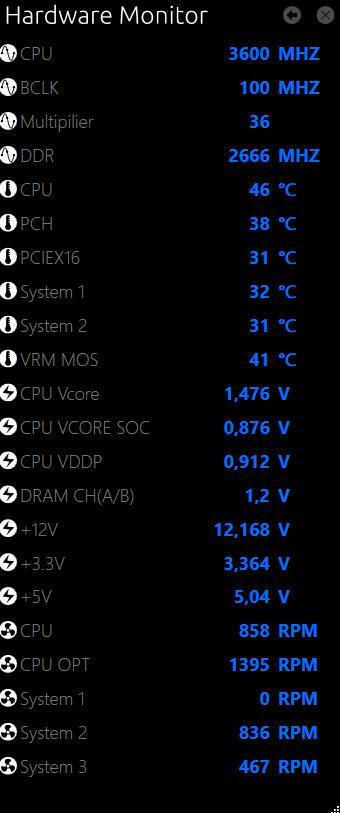
System Information Viewer
The Gigabyte System Information Viewer is a central location that gives you access to your system's current status. Monitor elements such as clock speeds and the processor, set your preferred fan speed profile, create alerts when temperatures are too high, or log your system's behavior.