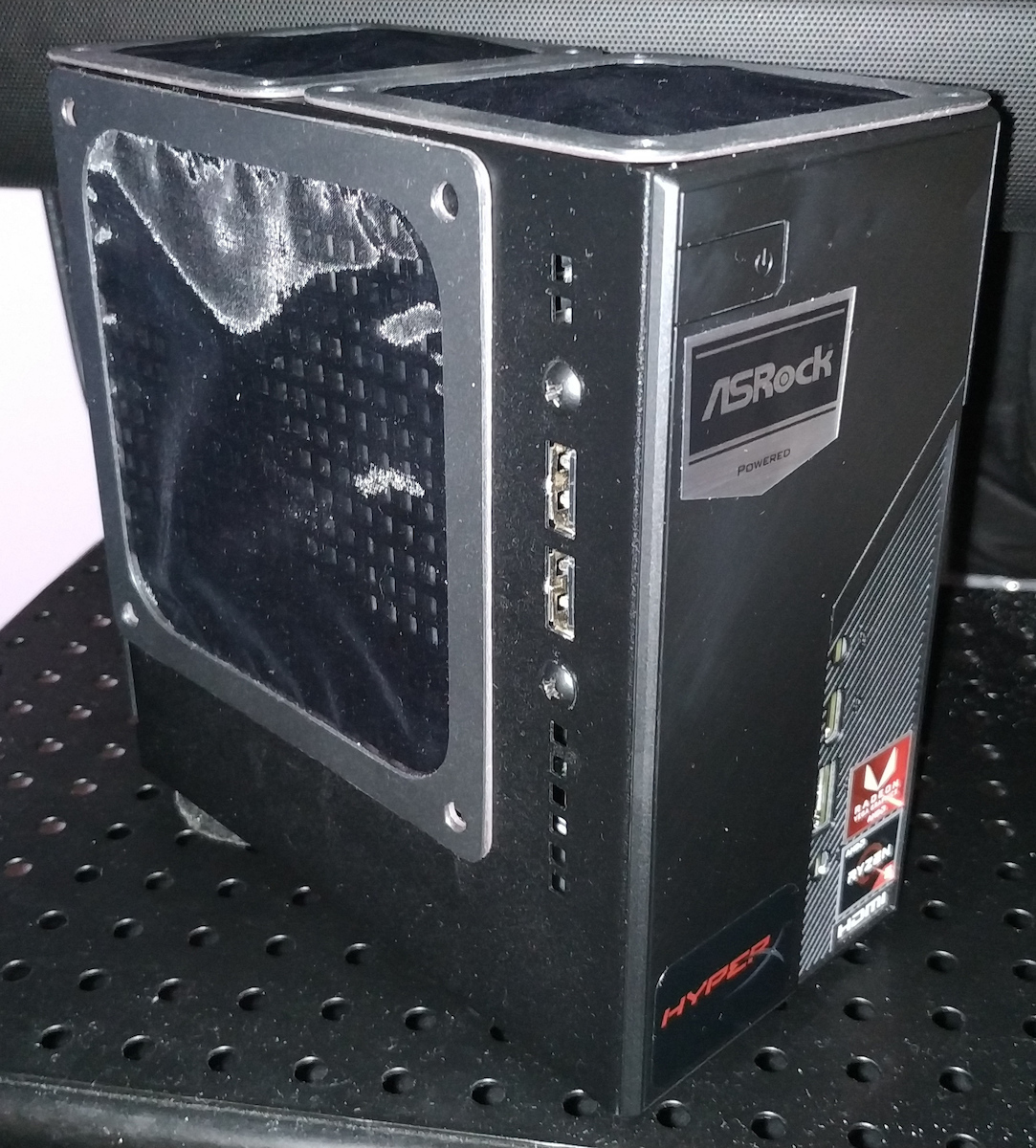
Well dear friends, I bought the x300 as soon as it was released in the Greek market, being a fan of this super mini series. I already had the a300 (with excellent impressions and with 3200g and 3400g), which is the previous model, but in general, the x300 is the same machine, just with a new chipset supporting the new 4000 generation and overclocking capabilities on the CPU. Unfortunately, there is no difference in ports and video outputs, a point where the equivalent Intel Deskmini H470 was upgraded.
However, the essence that interests someone who is looking for a super mini, beautiful, and decent PC for office or living room use is that this series from ASRock, in the category it addresses and in relation to the price it offers, clearly CANNOT BE MATCHED by any equivalent mini, especially with a realistic setup with x300 + 3400g + 2x8 3200mhz RAM. I say realistic because for the 4000 series that was created, it does not exist officially in the market, only in pre-built desktops!!!
Here is a comparison of the 3400g compared to the next generation. In games, we see about a 5 fps difference from the 4750g depending on the game, and sometimes it performs better. It certainly lags behind in processing power and cores, but it compensates for it with better graphics than the Vega 11, which, when combined with overclocked memory, will surprise you!
https://www.youtube.com/watch?v=ul3bqXl3LU4&feature=emb_logo&ab_channel=RandomBenchmark
I don't think there will be a user (who doesn't have the delusion of playing new AAA titles on ultra or rendering 4k full effects) who will encounter a problem with the 3400g setup I recommended or from personal experience with Crucial 2666 RAM overclocked to 2933 or HyperX 2933 overclocked to 3200, where they are very stable on both the a300 and x300.
Do you want RetroArch, Dolphin, emulators in general? It plays EVERYTHING at around 59.90fps (even the 3200g). It also plays RPCS3, Yuzu with dignity. Do you want to play Call of Duty on Memu/Bluestacks Android emulator on high settings? IT PLAYS GREAT. Do you want decent render times in 1080p editing? IT CAN DO THAT. Do you want 30+ tabs in Chrome? IT CAN HANDLE THAT TOO! And with low power consumption in simple tasks/games/browsing, around 30-40 watts.
* Regarding the WiFi, I have tried the 3168 + 9260 with good performance, but the 3168 ultimately seems more stable. If you can find a cheap AX210, even better. But be careful, NOT the 9560. I should note here that if you are using a router on the 2.4GHz band and you have a Bluetooth speaker or any other Bluetooth device with continuous data transfer (not a keyboard, gamepad, etc.), it will affect your internet speed. This is something that cannot be avoided on any device unless you use a router on the 5GHz band...
** Also, regarding the cooler, because a friend asked, I ended up with the Wraith Stealth for the 2600/3200g without the shroud, and I painted the fan white.
IMPORTANT: There are two versions of the Stealth/Spire coolers, one with 5 blades and 3500 RPM, and the other with 7 blades and 2000 RPM. With the 3200g, use the one with 7 blades, and with the 3400g, use the one with 5 blades, or simply use a better aftermarket 92mm cooler with zip ties.
Here is a more detailed video about the stock coolers: https://www.youtube.com/watch?v=Lfrdy3wG_g0&ab_channel=HardwareUnboxed
The truth is that with the 3400g, it will work at higher speeds and may be bothersome under heavy load. An alternative, as I mentioned, is a better 92mm cooler for the Stealth, and an auxiliary solution is to install a good 12V 4-pin fan for speed control above the grilles to create greater pressure and airflow throughout the entire motherboard, for example, the be quiet! Pure Wings 2 or a more aesthetically pleasing slim fan like Arctic. For overclocking, you have to go for extreme measures, such as cutting the top grille for a larger cooler and many other things.
As an example, I added an extra 120mm fan on the 3200 and it dropped the temperature by at least 7 degrees. I have 27-28 degrees on 4K YT videos and below 25 degrees while browsing, with dry paste. Another trick is to use an extension on the second 4-pin socket so that you can open and close the extra fan without opening the case, for example, during gaming.
If you have extra money and only if you have the 3400 (since the stealth is fine for the 3200), install the Noctua L9a/Chromax Black. You will definitely gain less noise and slightly better temperatures, but don't expect miracles. It's the best solution, but with relatively small benefits for its cost. You can improve it by changing the fan to a 25mm one, but again, it's expensive and may not have a significant impact.
* Firstly, the CM G200P RGB has a molex for power and requires some tricks to make the lighting work on the mini (I don't know if it can be done with an adapter). It also generally has lower quality compared to the Noctua. Here's how it worked for me: [link to YouTube video]
* Then there are some Chinese options, but do NOT buy them no matter how tempting the price is.
Also, enable the "cool n quiet" option from the BIOS and optionally, if you want even better temperatures and lower power consumption/longer CPU lifespan, play with the CPU's voltage. Lowering it slightly improves the temperature.
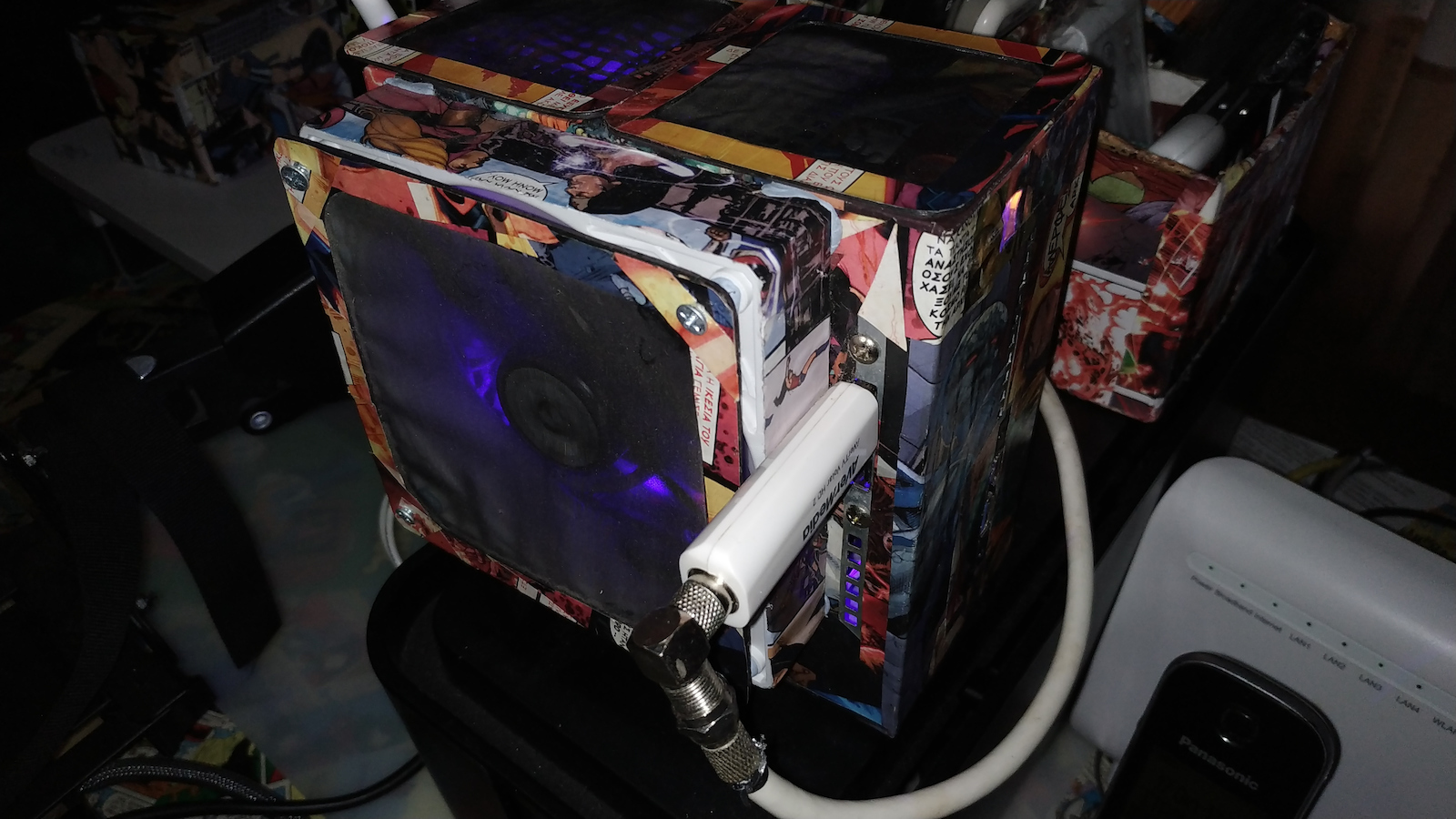
*** Finally, I attach a photo (with a modified A300) for those who want to place it behind a monitor on an arm. You can do it with something like this [link to product], but it's a bit narrow and may get scratched, so put something underneath (e.g., a small box) to lift the Deskmini. (The LEDs are a 50cm LED strip connected to the rear USB port.)
* UPDATE regarding the Intel 9260 WiFi card: Many people, including myself, have experienced a problem with the sudden disappearance of Bluetooth with almost all Intel cards on various systems and operating systems. Unfortunately, no BIOS or Windows/Intel update has solved it for me. The only solution that has worked so far - although the problem may reappear depending on the card's mood - is to unplug the power cable, press the power button for a few seconds, plug in the power again, and turn it on. The Bluetooth will reappear in the device manager along with all the paired devices. In an admin command prompt, type "netsh winsock reset" and then restart. Uninstall the drivers/software for the Intel WiFi+BT from the control panel and device manager, uninstall the Intel Driver Assistant if you have it, and restart so that the drivers are automatically installed by Windows. Also, make sure to uncheck the "allow the computer to turn off this device" option in the WiFi card's properties in the device manager, and in the power management - change plan settings, set the card to maximum performance. Finally, there is a trick in this video that I haven't tried yet, which may provide a permanent solution. I have been using Windows drivers for a week and so far, everything is good. [link to YouTube video]
******* Unfortunately, the problem reappeared. Finally, the 9260 is giving me trouble on the x300, but surprisingly it shows better performance on the deskmini a300 with rare Bluetooth issues, without the aforementioned problem, and it provides excellent speed on a hundredfold. The only card that does not present problems for me (for a month now) on the x300 is the one recommended by asrock, the Intel 3168 (or the Intel ax210). Stable but does not reach the speeds of the 9260 and has an older Bluetooth version 4.2.
IMPORTANT and lifesaving for everyone's nerves
*** If you cannot find a Bluetooth device in the device manager, even though you had it before and it is displayed in the device management, or if it simply cannot be uninstalled, download this > https://bluetoothinstaller.com/bluetooth-command-line-tools/btpair.html
and then type "powershell" in the search bar, run it as an administrator, and type "btpair -u" to create a new pair.
Caution: It uninstalls all devices.
** UPDATE: lag/jitter/shutter in videos and various issues even in rendering can be resolved by disabling the hardware accelerator wherever it exists. Especially for YouTube videos through Chrome, if you encounter a problem, go to settings - advanced - and disable "use hardware accelerator when available." The same applies to the lav decoder.
*** UPDATE WINDOWS 11 - If you receive a message that your system does not meet the criteria for Windows 11, enter the BIOS and enable "CPU Configuration -> fTPM Switch," and you're ready to go. The same applies to a300 + x300, whether with 3200g or 3400g.
**** UPDATE Batocera - LaunchBox Retro gaming. Almost all emulators work exceptionally well with the appropriate settings/resolution, except for 3ds, which does not support Vulkan. Even with 3200g and 8 GB of RAM, it is miles away from the super console x king. Retro enthusiasts, check here: [link to YouTube channel and video]
***** I ended up installing the Noctua l9i. As I mentioned in the evaluation, it is definitely quieter than the stock cooler, but there are no significant differences in cooling that justify the cost
Λοιπον αγαπητοί φίλοι, αγόρασα το x300 με το που βγήκε στην ελληνική αγορά καθότι λάτρης αυτής της σούπερ μίνι σειράς, έχοντας ήδη το a300 (με άριστες εντυπώσεις και με 3200g και με 3400g) που είναι το προηγούμενο μοντέλο, αλλά σε γενικές γραμμές και το x300 είναι το ίδιο μηχάνημα απλά με νέο chipset υποστήριξης της νέας γενιάς 4000 και δυνατότητες overcloking στη cpu, μα δυστυχώς καμία διαφορά σε θύρες και εξόδους βίντεο, ένα σημείο που το αντίστοιχο intel deskmini h470 αναβαθμίστηκε.
Η ουσία όμως που ενδιαφέρει κάποιον που ψάχνει ένα σούπερ μίνι πανέμορφο και αξιοπρεπέστατο pc για γραφείο ή σαλόνι είναι πως αυτή η σειρά της asrock στην κατηγορία που απευθύνεται κι αυτών που προσφέρει σε σχέση με την τιμή της, ξεκάθαρα ΔΕΝ ΠΛΗΣΙΑΖΕΤΑΙ από κάνενα αντίστοιχο mini ειδικά με ένα ρεαλιστικό σεταπ με x300 + 3400g + ram 2x8 3200mhz γράφω ρεαλιστικό τον 3400g λόγω του οτι για τη σειρά 4000 που φτιάχτηκε, αυτή δεν υπάρχει official στο εμπόριο, παρά μονο από έτοιμα desktop!!!
Εδώ ένα συγκριτικό του 3400 σε σχέση με την επόμενη γενιά, σε παιχνίδια βλεπουμε ανάλογα το παιχνίδι περίπου 5 fps διαφορά από τον 4750g και ενίοτε καλύτερος, σίγουρα υστερεί σε επεξεργαστική ισχύ και πυρήνες αλλά τα αντισταθμίζει στα καλύτερα γραφικά απο τη vega 11 που σε συνδυασμό με υπερχρονισμένες μνήμες θα σας εκπλήξουν!
https://www.youtube.com/watch?v=ul3bqXl3LU4&feature=emb_logo&ab_channel=RandomBenchmark
Δε νομίζω πως θα υπάρξει χρήστης (που δεν έχει την αυταπάτη να παίξει νέους ΑΑΑ τίτλους στα ούλτρα η να ρεντάρει 4k γεμάτο εφέ) να αντιμετωπίσει πρόβλημα με το σεταπ 3400 που σας πρότεινα ή από προσωπική εμπειρία με ραμ crucial 2666 χρονισμένες στα 2933 ή hyperX 2933 στα 3200 όπου είναι σταθερότατα και το a300 και το x300.
Θέλετε retroarch, dolphin, emulators γενικά; Παίζει ΤΑ ΠΑΝΤΑ στα 59.90fps (κι ο 3200) επίσης με αξιοπρέπεια rpcs3, yuzu, Θέλετε να παίξετε σε memu/bluestacks android emulator call of duty στα high; ΠΑΙΖΕΙ ANETA. Θέλετε αξιοπρεπείς χρόνους render σε μοντάζ 1080; ΓΙΝΕΤΑΙ. Θέλετε 30+ tabs στο chrome; ΚΙ ΑΥΤΟ! Και με χαμηλή κατανάλωση σε απλές εργασίες/παιχνίδια/browsing γύρω στα 30-40 watt.
* Σχετικά με το wifi, έχω δοκιμάσει wifi 3168 + 9260 με καλές επιδόσεις αλλά το 1ο τελικά δείχνει πιο σταθερό, αν βρείτε φθηνό ax210 ακόμα καλύτερα. Προσοχή ΌΧΙ 9560. Εδώ να σημειώσω πως αν δουλεύετε ρούτερ στα 2,4ghz κι έχετε bt ηχείο η γενικότερα συσκευή bt με συνεχή μεταφορά δεδομένων (όχι keyboard, gamepad κλπ) θα σας γονατίσει την ταχύτητα του ιντερνετ, είναι κάτι που δεν αποφεύγεται σε καμία συσκευή εκτός κι αν δουλεύετε ρούτερ στα 5ghz...
**Επίσης αναφορικά με το cooler επειδή ρώτησε κι ένας φίλος, εγώ κατέληξα στου 2600/3200g wraith stealth χωρίς το στεφανάκι του και έβαψα λευκό το ανεμιστηράκι.
ΣΗΜΑΝΤΙΚΟ, κυκλοφορούν 2 εκδόσεις ανεμιστήρων stealth/spire , η μία έχει 5 πτερύγια με 3500 στροφές και η η άλλη έχει 7 πτερύγια με 2000. Με τον 3200 βάλτε με με τα 7 και για 3400 βάλτε με τα 5 ή απλά καλύτερο aftermarket 92mm με zip ties.
Εδω αναλυτικότερα για τα στοκ ανεμιστηράκια https://www.youtube.com/watch?v=Lfrdy3wG_g0&ab_channel=HardwareUnboxed
Η αλήθεια έιναι πως με 3400g θα δουλεύει πιο πολύ σε υψηλές στροφές και στο πολύ φορτίο ίσως ενοχλεί, μια εναλλακτική όπως έγραψα είναι ένας καλύτερος 92mm στο stealth και μια επικουρική λύση είναι η τοποθέτηση ενος καλού 12ρη 4pwn για έλεγχο στροφών, πάνω από τις γρίλιες ώστε να δημιουργεί μεγαλύτερη πίεση και ροή αέρα σε όλο το mobo, πχ be quiet pure wings 2 ή έναν πιο καλαίσθητο slim πχ arctic. Για overclocking αναγκαστικά πάτε σε εξτρίμ πατεντες, πχ κοψιμο της πάνω γρίλιας για μεγάλο κούλερ και πολλά άλλα.
Ενδεικτικά έβαλα από πάνω εναν έξτρα 12ρη στον 3200 και του έριξε τουλάχιστον 7 βαθμούς, σε yt 4κ εχω 27-28 βαθμούς και browsing κάτω από 25 και με ξερή πάστα, μια πατέντα επίσης είναι να βαλετε μια προέκταση στη δευτερη 4pin υποδοχη ωστε οποτε θελετε να ανοίγοκλείνετε τον εξτρα ανεμιστηρα χωρίς να ανοίγετε το κουτί πχ σε παιχνίδια
Αν σας περισσεύουν χρήματα και μόνο αν έχετε τον 3400 (καθώς για 3200 το stealth είναι μια χαρά), βάλτε το noctua l9a/chromax black θα κερδίσετε σίγουρα λιγότερο θόρυβο και τις ελάχιστα καλύτερες θερμοκρασίες αλλά μην περιμένετε θαύματα, είναι η καλύτερη λύση αλλά με σχετικά μικρό όφελος για το κόστος της. Μπορείτε να τη βελτιώσετε αλλάζοντας το ανεμιστηράκι με 25mm, αλλά πάλι είναι πολλά χρήματα ίσως χωρίς ουσιαστικό νόημα.
* το cm g200p rgb καταρχας εχει molex για ρευμα και θέλει πολλή πατέντα για να δουλέψει ο φωτισμός στο mini (δεν ξέρω αν γίνεται με κάποιον αντάπτορα) και γενικά κατώτερη ποιότητα από το noctua.
Εδώ πως το δούλεψε https://www.youtube.com/watch?v=Id_INwBFzMs&ab_channel=TheVidsByDennis
*μετά παίζουν κάτι Κινεζικά απλά ΜΗΝ τα αγοράσετε όσο δελεαστική τιμή κι αν έχουν
Ακόμα ενεργοποιήστε από το bios την επιλογή cool n quiet και προαιρετικά αν θέλτε ακόμα καλύτερες θερμοκρασίες και χαμηλότερη κατανάλωση / μεγαλύτερη διάρκεια ζωής cpu παίξτε με τα Volt της cpu, χαμηλώνοντας βελτιώνεται λίγο η θερμοκρασία.
***Τέλος, επισυνάπτω φωτό (με πειραγμένο a300) για όσους θέλουν να το τοποθετήσουν πίσω από το μόνιτορ που βρίσκεται σε βραχίονα, γίνεται με κάτι τέτοιο https://www.skroutz.gr/s/27233257/RaidSonic-Icy-Box-VESA.html αλλά είναι λίγο στενό και μπορεί να γδαρθεί, οπότε βάλτε κάτι από κάτω (πχ ένα κουτάκι) για να σηκωθεί το deskmini. (τα led είναι 50cm λεντοταινία που ενώνεται στην πίσω usb θύρα)
* UPDATE για την wifi κάρτα intel 9260. Αντιμετωπίζουν πολλοί με σχεδόν όλες τις κάρτες intel σε διάφορα συστήματα και λειτουργικά -κι εγώ μέσα σε αυτούς- το πρόβλημα με την ξαφνική εξαφάνιση του bluetooth. Δυστυχώς κανένα bios ή windows/intel update δεν δείχνει μου το έχει λύσει, η μόνη εκδοχή μέχρι στιγμής που μου δούλεψε -αλλά το πρόβλημα ίσως κάποια στιγμή επανεμφανιστεί ανάλογα τα κέφια της κάρτας- είναι τερματισμός, βγάζουμε το καλώδιο ρευματος παταμε για μερικα δεύτερα το power on, βάζουμε την τροφοδοσία κι ανοίγουμε, όπου εμφανίζεται ξανά στη διαχείριση συσκευών κανονικά μαζί με όλες τις συσκευές που έχουμε κάνει pair. Σε cmd σαν admin γράφουμε netsh winsock reset και μετά restart. Κάνουμε
απεγκατάσταση drivers-προγράμματα από intel για wifi+bt, πρώτα από control panel, μετά από device manager τις συσκευές, απεγκαθιστούμε το intel driver assistant αν το έχουμε και επανακίνηση ώστε να μπουν drivers αυτόματα από windows..Επίσης οπωσδήποτε στα properties της κάρτας wifi από device manager ξετσεκάρουμε το allow pc turn off this device και στο power management - change plan settings θέτουμε την κάρτα σε maximum performance. Τέλος υπάρχει ένα κόλπο σε αυτό το βίντεο αλλά δεν το έχω δοκιμάσει ακόμα που ίσως δίνει μόνιμη λύση.
>>>>>Δουλεύω με windows drivers μια εβδομάδα και μέχρι στιγμής όλα καλά.
https://www.youtube.com/watch?v=8gNTX7BkBTY&ab_channel=GreenElectric
*******Δυστυχώς το πρόβλημα επανεμφανίστηκε. Τελικά η 9260 εμένα με ταλαιπωρεί στο x300 αλλά παραδόξως δείχνει καλύτερη συμπεριφορά στο deskmini a300 με σπάνια κολλήματα το bt, χωρίς το ανωτέρο πρόβλημα και δίνει εξαιρετική ταχύτητα σε κατοστάρα. Η μόνη κάρτα που δεν μου παρουσιάζει προβλήματα ( εδώ κι ένα μήνα) στο x300 είναι και η προτεινόμενη από την asrock, η intel 3168 (ή την intel ax210). Σταθερή αλλά δεν πιάνει τις ταχύτητες της 9260 και έχει παλιότερο bt 4.2
ΣΗΜΑΝΤΙΚΟ και σωτήριο για τα νεύρα όλων
***ΑΝ δεν μπορείτε να βρείτε κάποια συσκευή bt στην προσθήκη συσκευής παρόλο που την είχατε παλιότερα και την εμφανίζει η διαχείριση συσκευών ή απλά δεν απεγκαθίσταται, κατεβάζετε αυτό > https://bluetoothinstaller.com/bluetooth-command-line-tools/btpair.html
και μετά στην search bar γράφετε powershell τρέχετε σαν διαχειριστης και γράφετε btpair -u και κάνετε νέο pair
προσοχή απεγκαθιστά όλες τις συσκευές
** UPDATE lag/jitter/shutter σε βίντεο και γενικά διάφορα προβληματάκια ακόμα και σε render, απενεργοποιούμε όπου υπάρχει το hardware accelerator. Ειδικά σε youtube videos μέσω chrome αν αντιμετωπίζετε πρόβλημα settings - advanced - κλείνουμε το use hardware accelerator when available.Το ίδιο ισχύει όπου υπάρχει lav decoder.
*** UPDATE WINDOWS 11 - Αν βγάζει μήνυμα πως το σύστημα σας δεν πληρεί τα κριτήρια για 11 μπαίνετε bios και ενεργοποιείτε το CPU Configuration -> fTPM Switch και είναι έτοιμο. Το ίδιο ισχύει και σε a300 + x300 είτε με 3200g είτε 3400g
**** UPDATE Batocera - LaunchBox Retro gaming. ;Όλοι σχεδόν οι emulators παίζουν εξαιρετικά με τις κατάλληλες ρυθμίσεις/ανάλυση, εκτός από 3ds που δεν υποστηρίζει vulkan. Aκόμα και με 3200g και 8 gb ram το πισάκι εννοείται απέχει χιλιόμετρα κι από το super console x king. Οι ρετρό μερακλήδες τσεκάρετε εδώ https://www.youtube.com/channel/UCJZJE-FAQEbK3pqXjo_25Ng
https://www.youtube.com/watch?v=UGt4EfHdGYk&ab_channel=ETAPRIME
***** Έβαλα τελικά noctua l9i. όπως ανέφερα και στην αξιολόγηση, σίγουρα πιο ήσυχο από στοκ, αλλά όχι τρομερές διαφορές στην ψύξη που να δικαιολογούν το κόστος.
-----------------------------------------------------------------------------------------------------------------