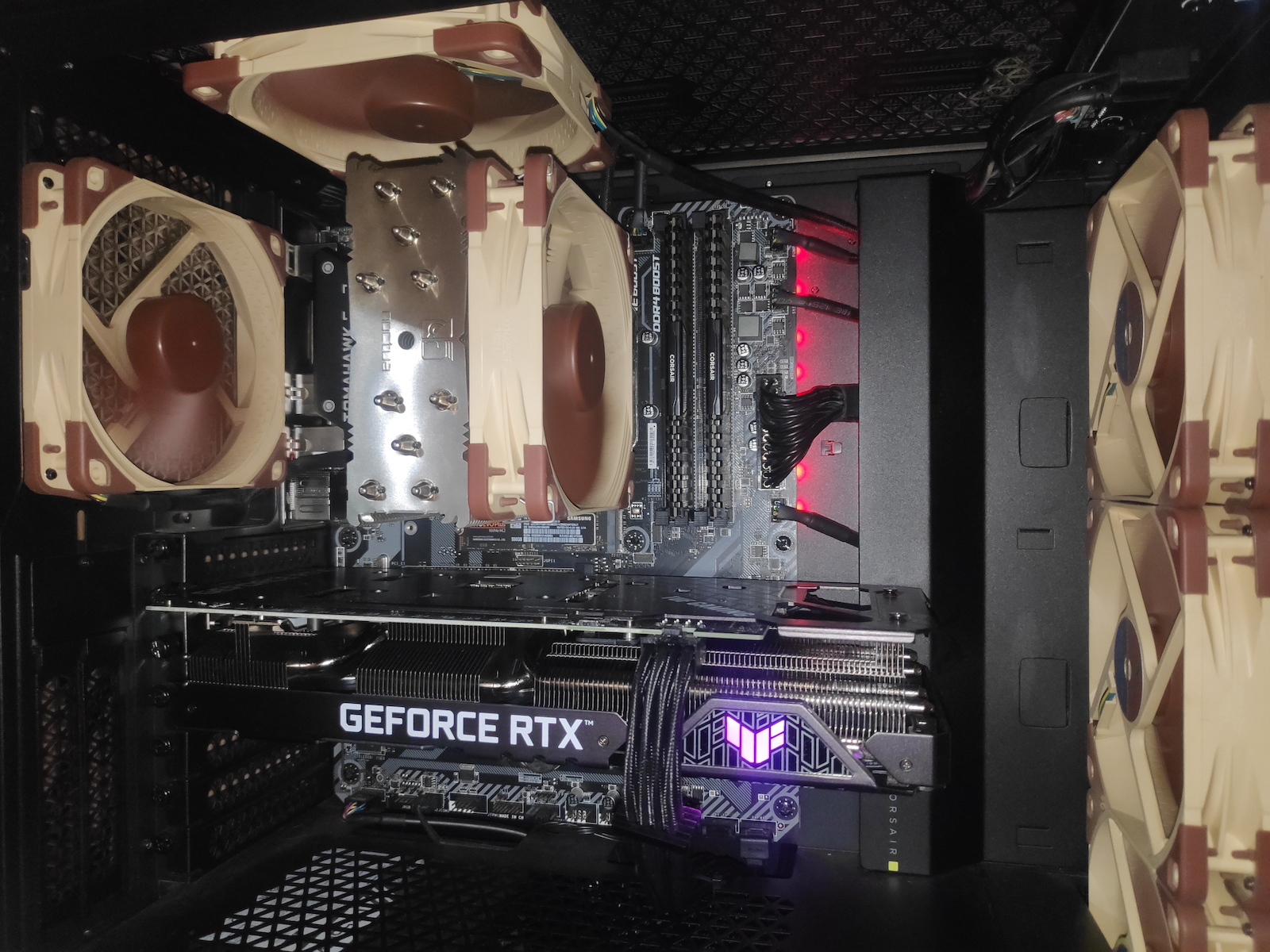
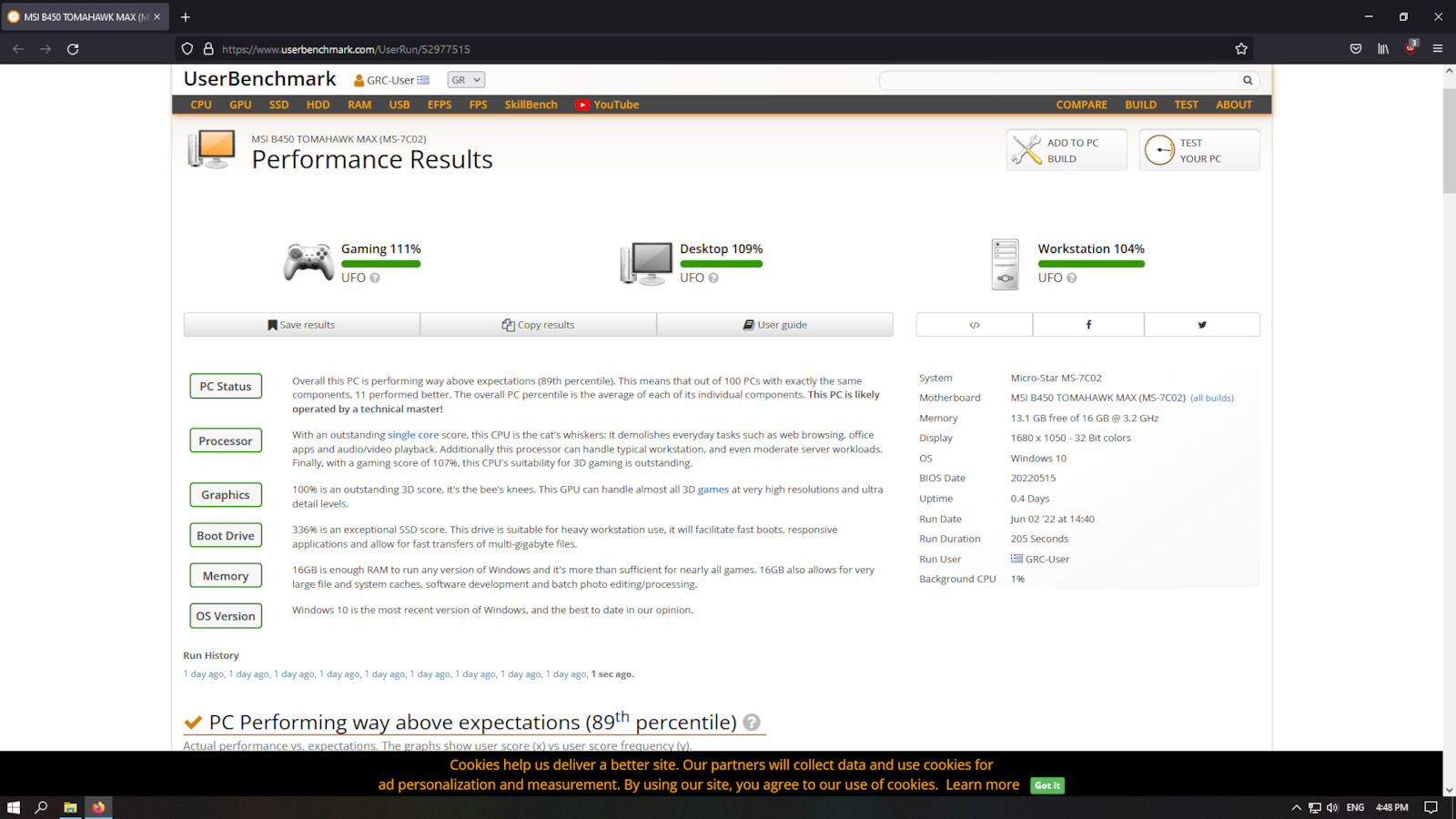
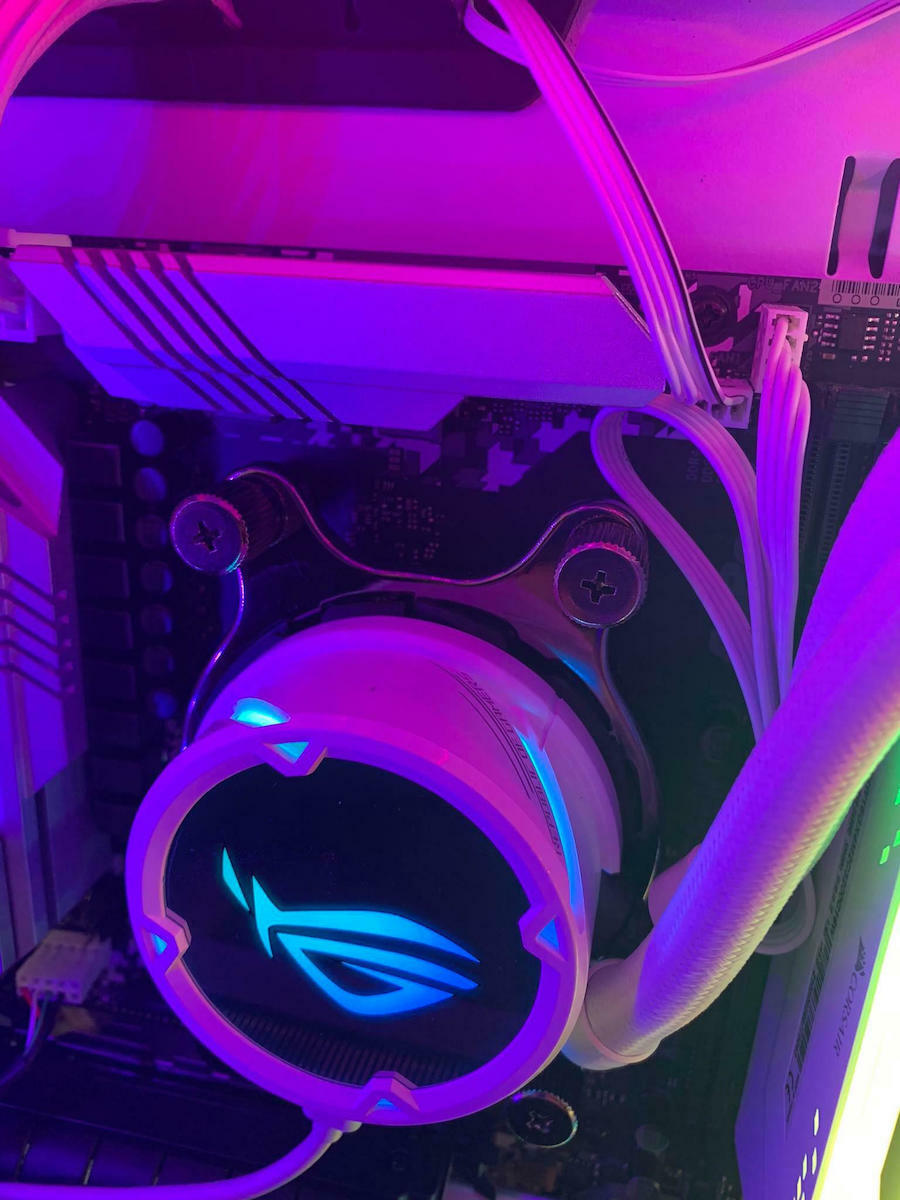
If you're too lazy to read, just check out the videos for CO Optimizer at the end. Bought for 120 euros, and you're hesitating? The old AM4 1700x broke down after 7 years (max 64c in summer, it went with at least 5 hours of gaming every day) and since I can't afford to go to AM5 now, I decided to get this beast (with an extra 50€, you can go for 5700x, but for pure gaming, it's not necessary unless you find something demanding (like Tarkov), but the 5600x will manage too). But it's very hot, even with an aftermarket cooler 150-180W (NOCTUA NH-U12S). Guys, when we say hot, we actually mean that for the performance we get - we paid for, how many watts - temperature it consumes - the chip reaches (it will pull several times above the 65w TDP). That's why we say it's a beast. But it heats up. (That's what damages a CPU, the temperatures) Many who say the stock cooler is good, it seems good only because they haven't tried with an aftermarket cooler (minus 10-20c from the stock), or they aren't doing any heavy tasks or games that require the CPU to be stressed. If you don't care, fine, they can withstand up to 95c from the factory, but it will smell! The room will be like an oven. Not that anything happened, but consider in summer definitely +10c and more than in winter ((no guys, 60-64c+ for winter in a non-demanding game that I see you write with "funny" fps (which don't pull full load on the CPU either) is not good but not catastrophic either)), just the better temperatures help to not die quickly, to boost (especially multicore) more easily, more often, and for longer at max frequencies, to have less power consumption and less heat production, thus getting the best performance for what we paid for, e.g. (fps and watts). Some who say to disable PBO for temperatures (auto = disabled, it will always boost, that's how they are made), we essentially reach the point of what game-task, (multicore 4.2-4.3GHz goes off from the factory), or that we didn't pay for this drop in performance. There is also ECO mode. (Max will pull 65w) 5-15% performance difference like PBO off and better temperatures (in a non-CPU game e.g. roughly 5-15fps). Otherwise, the solution is undervolt with CO Optimizer. Literally, there is no reason not to do it (better than PBO off because now multicore boosts 4.5-4.6GHz). My chip accepted -28 undervolt on all! cores (lucky - different for everyone). Temperature dropped 10-15c under full load WITHOUT! losing performance. Idle the difference is small from before, it sits at 28-30c and max where it reached 72c under full load (with the stock cooler you might see 90s in tests, don't panic) now it doesn't exceed 62 - 65c under full load! (10-30min Cinebench). In game (wow classic) 200fps capped 2k 27 it sits and looks at me 45-47c. These are to avoid misunderstandings or misinformation because it matters for the performance we will have and the temperatures, the aftermarket cooler, the graphics card, the fps, 1080p, 2k, 4k, 24-27+ monitor, room temperature, but also the GAME! (will it pull single core? Multicore?). And for the Cinebench lovers, here are some scores to note:
CB r20 Multicore: 4481 Score 60c MAX MULTI temp
SingleCore: 599 Score 40-48c temp
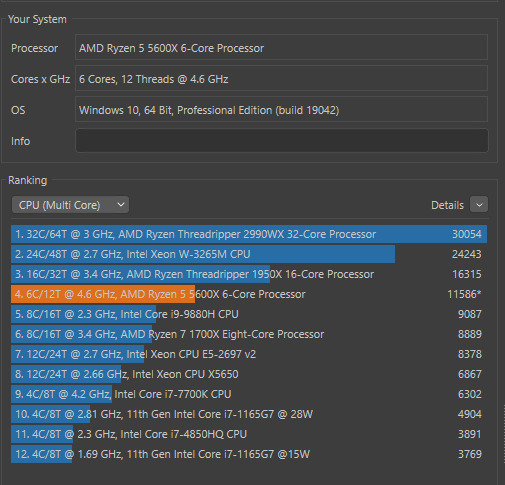
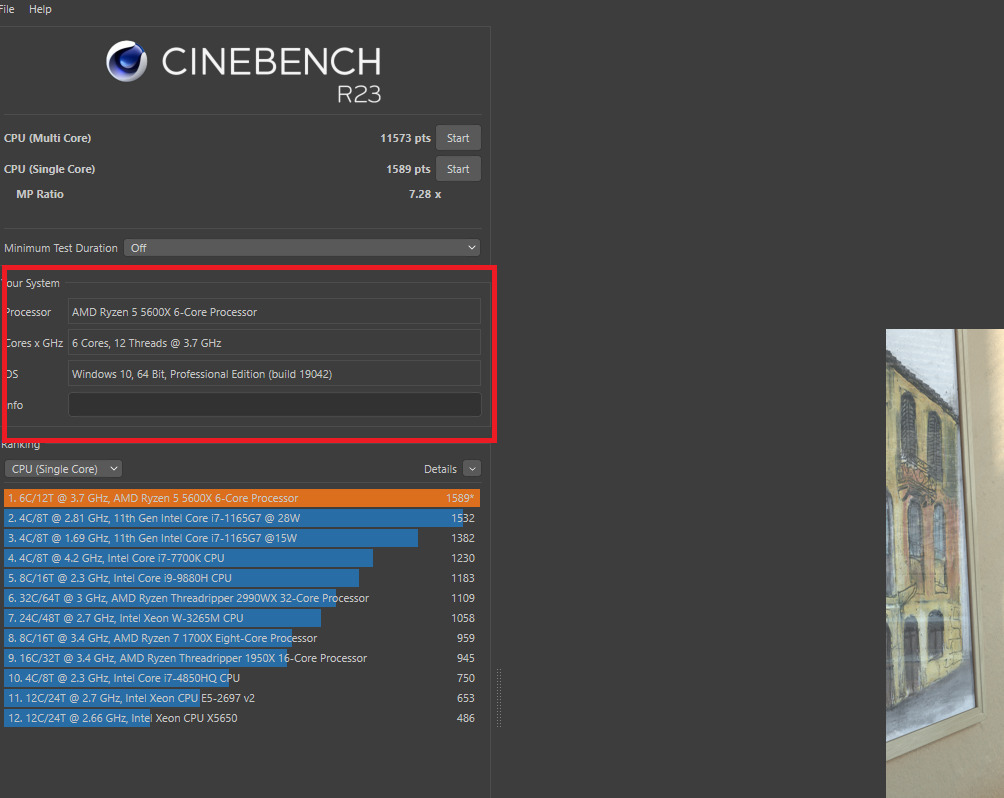
CB r23 Multicore: 11516 Score 65c MAX MULTI temp
SingleCore: 1530 Score 40-50c temp
Nothing crazy, I also had HWMonitor open, but these scores without any other tuning just for the temperatures and to check if the undervolt is stable.
And a video to start if you want from somewhere. You can also do it through Ryzen Master (4 clicks, and it also shows us which are our faster cores that will actually crash), just go to the settings first and disable saving to the BIOS because if it is unstable every time you test and it fails, you may need to reset the BIOS. Try first on the default profile to familiarize yourself with the stock settings of our CPU and it will accept undervolt more easily, because in the Precision Boost Override tab or in Auto Overclocking if you don't change the settings it will draw as much power as the motherboard allows (105 watts! the beast pulled it) and is considered overclock (warranty), and you will see crazy temperatures (and of course better scores, 12k R23 reached 4750MHz-4850MHz multicore) but generally it will mess with the PBO in the BIOS and the difference in performance is small, it doesn't need to draw 100+watt. Essentially, it is a 5800X with 2 cores disabled. And another tip if you want to overclock, never set static voltage on a chip designed to boost (don't look at the YouTubers with their static all-core overclocks, they don't care how many years the chip will last).
- https://www.youtube.com/watch?v=HUDh-VrxXl8 (better with the stock cooler do it this way because with Ryzen Master when it crashes and restarts the PC when you open Ryzen Master to continue auto-tuning, it resets and pulls power as the mobo allows and you will be shocked by the temperatures you will see at that moment)
- https://www.youtube.com/watch?v=dfkrp25dpQ0
- https://www.youtube.com/watch?v=dU5qLJqTSAc&t=1143s (at 19:00 it explains how to find out which core crashed)
Αν βαριέστε να διαβάσετε δείτε κατευθείαν τα video για CO Optimizer στο τέλος. Αγορά στα 120 ευρώ, και πέφτει και το σκέφτεστε? Χάλασε ο παλιός am4 1700x μετά από 7 χρόνια (max 64c καλοκαίρι πήγαινε με κάθε μέρα τουλάχιστον 5 ώρες gaming) και επειδή δεν με παίρνει τώρα να πάω σε am5 είπα να πάρω αυτό το τέρας(Με 50€ extra πάτε σε 5700x, για gaming καθαρά δεν χρειάζετε μόνο αν βρείτε κάποιο απαιτητικό (tarkov πχ) αλλά και ο 5600x θα τα καταφέρει). Αλλά ζεστός πολύ, ακόμη και με aftermarket cooler 150-180W (NOCTUA NH-U12S). Παιδιά όταν λέμε ζεστός ουσιαστικά εννοούμε πως για την απόδοση που παίρνουμε-πληρώσαμε, πόσα watt-θερμοκρασία καταναλώνει-φτάνει το chip μας(θα τραβήξει αρκετές φορές πάνω από το 65wTDP).Γι αυτό λέμε είναι θηρίο. Aλλά ζεσταίνεται.(Αυτό είναι που χαλάει μια cpu,οι θερμοκρασίες) Αρκετοί που λένε η stock ψύκτρα είναι καλή, τους βγαίνει καλή μόνο και μόνο επειδή δεν έχουν δοκιμάσει με aftermarket cooler (μείον 10-20c από την stock), η δεν κάνουν κάποιο σκληρό task η κάποιο game που να χρειάζεται να ζοριστεί η cpu. Αν δεν σας ενδιαφέρει οκ, αντέχουν μέχρι 95c από την μαμά τους αλλά θα μυρίζει! φούρνος το δωμάτιο. Όχι ότι έγινε και κάτι, αλλά υπολογίστε το καλοκαίρι σίγουρα +10c και παραπάνω απ΄ ότι τον χειμώνα ((όχι παιδιά, 60-64c+ για χείμωνα σε μη απαιτητικό Game που βλέπω που γράφετε με ''αστεία'' fps(που δεν τραβάνε full load cpu κιόλας) δεν είναι καλά αλλά ούτε και καταστροφικό)),απλά οι καλύτερες θερμοκρασίες βοηθάνε στο να μην πεθάνει γρήγορα, να boostαρει (multicore ειδικά) πιο εύκολα, πιο συχνά και για πιο πολύ ώρα στις max συχνότητες το chip μας, να έχουμε λιγότερη κατανάλωση ρεύματος και λιγότερη παραγωγή θερμότητας και έτσι να παίρνουμε την καλύτερη απόδοση για αυτό που πληρώσαμε, πχ (fps και watts). Κάποιοι που λένε να κλείσετε το PBO για τις θερμοκρασίες(auto = disabled είναι, πάντα θα boostαρουν έτσι είναι φτιαγμένα),ουσιαστικά φτάνουμε πάλι στο σημείο σε τι game-task,(multicore 4.2-4.3GΗz πηγαίνει με off απ την μαμά του), η στο ότι δεν πληρώσαμε γι΄ αυτό το drop σε απόδοση. Yπάρχει και το ECO mode.(Max θα τραβάει 65w) 5-15% απόδοση διαφορά σαv το pbo off και καλύτερες θερμοκρασίες(σε μη cpu game πχ 5-15fps χονδρικά). Αλλιώς η λύση undervolt με CO Optimizer. Κυριολεκτικά δεν υπάρχει λόγος να μην το κάνετε (καλύτερο από pbo off γιατι πλέον multicore μπουστάρει 4.5-4.6Ghz). To chip μου δέχτηκε -28 undervolt σε όλους! τους πυρήνες (τυχερός-διαφορετικό στον καθένα). Θερμοκρασία έπεσε 10-15c σε full load ΧΩΡΙΣ! να χάσει απόδοση. Idle μικρή η διαφορά από πριν, κάθεται 28-30c και max εκεί που έφτανε 72c σε full load (με την stock ψύκτρα μπορεί να δείτε 90αρια σε τεστ μην τρομάξετε) πλέον δεν ξεπερνάει τους 62 - 65c full load! (10-30min Cinebench). Σε game (wow classic) 200fps capped 2k 27αρα κάθεται και με κοιτάει 45-47c. Aυτά για να αποφεύγονται παρεξηγήσεις η κάποια παραπληροφόρηση γιατί παίζει ρόλο για την απόδοση που θα έχουμε και τις θερμοκρασίες, το aftermarket cooler, η κάρτα γραφικών, τα fps,1080p,2κ,4κ, 24-27άρα+ οθόνη, θερμοκρασία δωματίου αλλά και το GAME! (θα μας τραβάει single core? Multicore?).
Και για τους λάτρεις του cinebench να έχετε κάπου να πατάτε
CB r20 Multicore: 4481 Score 60cMAX MULTI temp
SingleCore : 599 Score 40-48c temp
CB r23 Multicore: 11516 Score 65cMAX MULTI temp
SingleCore : 1530 Score 40-50c temp
Όχι τίποτα το τρελό, είχα και το hwmonitor ανοιχτό αλλά αυτά τα score χωρίς κάποιο άλλο tuning απλά μόνο για τις θερμοκρασίες και αν είναι stable το undervolt.
Και ένα video να ξεκινήσετε αν θέλετε από κάπου. Γίνετε και μέσα απ' το ryzen master(4 click,και μας δείχνει κιόλας ποιοι είναι οι faster πυρήνες μας που ουσιαστικά αυτοί θα crashαρουν), απλά πάτε στις ρυθμίσεις πρώτα και απενεργοποιήστε να μην το κάνει save στο bios γιατί αν είναι unstable κάθε φορά που θα τεστάρετε και θα αποτυγχάνει μπορεί να χρειάζεται να κάνετε reset το bios. Δοκιμάστε πρώτα στο default profile να εξοικειωθείτε που είναι τα stock settings της cpu μας και θα δεχτεί πιο εύκολα undervolt, γιατί στην καρτέλα Precision Boost Override η στην Auto Overcloking αν δεν αλλάξετε τις ρυθμίσεις θα τραβάει ρεύμα όσο επιτρέπει η motherboard (105watt! τράβηξε το θηρίο) και θεωρείτε overclock(warranty), και θα δείτε τρελές θερμοκρασίες (και καλύτερα score βέβαια 12κ r23 έφτασε 4750mhz-4850mhz multicore) αλλά γενικά θα πειράζει το pbo στο bios και η διαφορά είναι μικρή σε απόδοση δεν χρειάζετε να τραβάει 100+watt. Oυσιαστικά είναι ενας 5800x με απενεργοποιημένους 2 πυρήνες. Και αλλο ενα tip αν θέλετε να κάνετε overclock, δεν βάζουμε ποτέ static voltage σε chip που είναι σχεδιασμένο να boostαρει (μην κοιτάτε τους youtubers με τα static overclock τους all core που κάνουν, δεν τους ενδιαφέρει πόσα χρόνια θα αντεξει το chip ).
- https://www.youtube.com/watch?v=HUDh-VrxXl8 (καλύτερα με το stock cooler κάντε το έτσι εσείς γιατί με το ryzenmaster όταν crashαρει και κάνει restart το pc όταν ανοίξετε το ryzen master για να συνεχίσει το auto tuning, κάνει reset και τραβάει ρεύμα άσο επιτρέπει η mobo και θα τρομάξετε απ' τις θερμοκρασίες που θα βλέπετε εκείνη την στιγμή)
- https://www.youtube.com/watch?v=dfkrp25dpQ0
- https://www.youtube.com/watch?v=dU5qLJqTSAc&t=1143s (στο 19:00 εξηγεί πως να βρίσκετε ποιος πυρήνας crashαρε)