When watching your favorite movie or working on your latest project, benefit from new levels of accuracy with up to 1.7 times the pixel density of Full HD.
QHD provides more space for multitasking or capturing beautiful videos and images.
Set the delivery location to see products according to your choice.
Key features:
High Resolution and Performance Monitor
The Samsung monitor is ideal for those seeking a high-resolution and performance monitor for work or entertainment. It features QHD resolution, delivering exceptionally detailed and clear images. It is equipped with advanced imaging technology and is compatible with HDR10, offering vibrant colors and high contrast.
When watching your favorite movie or working on your latest project, benefit from new levels of accuracy with up to 1.7 times the pixel density of Full HD.
QHD provides more space for multitasking or capturing beautiful videos and images.
Optimized for professional work environments, Samsung high-resolution monitors feature IPS panels that offer crystal-clear color quality and a wide 178° viewing angle.
Every user can expect an excellent viewing experience from any angle with vivid and vibrant colors, without fading.
Enjoy any content with stunning color accuracy and detail. With a wide color gamut, almost limitless shades, and HDR10, which makes dark colors darker and bright colors even brighter. Every piece of content becomes more enjoyable and can be viewed exactly as the creator intended.
Less clutter and more room for connectivity. The built-in USB Type-C port with 90-watt power quickly charges your laptop and transfers data with a single cable. With multiple USB 3.0 ports, you can connect your devices directly to the monitor and enjoy a tidy workspace.
Make your entertainment experience smoother than ever. AMD FreeSync keeps your monitor and graphics card refresh rate in sync, with reduced tearing and stuttering. Movies and games are uninterrupted, and even fast action scenes are incredibly smooth.
No more switching. With Automatic Source Switch Plus, the monitor detects newly connected devices as soon as they are connected and displays the correct signal. No more searching for the correct input in the menu.
Keep your eyes fresh and strain-free. For nighttime work, brightness and color temperature automatically adjust for optimization in any environment. With TUV certification for smart eye care, Samsung protects your eyes from excessive blue light with a flicker-free feature.
Place your monitor for optimal comfort. The borderless design, VESA mount compatibility, and a variety of tilt and swivel control points allow you to position your monitor in any environment.
Additionally, a slim metal stand and narrow depth take up less desk space for a clean, seamless work setup.
Specifications are collected from official manufacturer websites. Please verify the specifications before proceeding with your final purchase. If you notice any problem you can report it here.
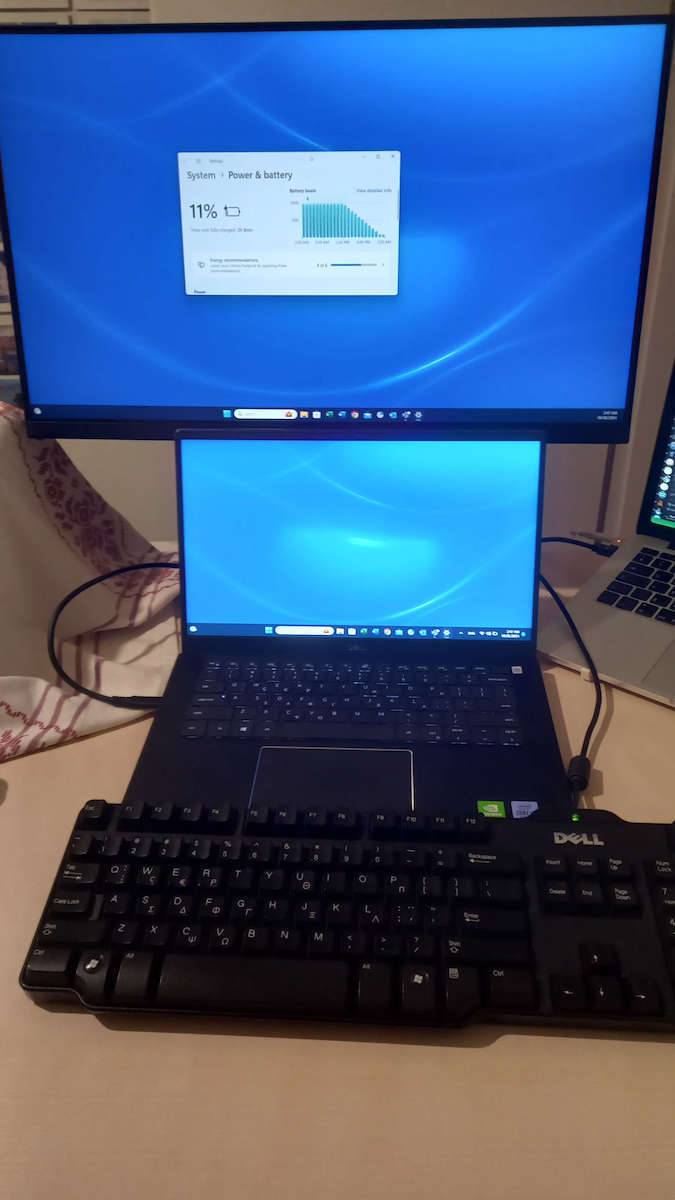
Using it with my macbook pro, it works great with the usb-c, just think the image with brightness at max could be a bit more brighter
If I went back in time, I would definitely buy a FHD 1920X1080 instead of this one with the same amount of money. It is certainly QHD but at the same time it is not, it does not have good image quality, the whites are not white and the blacks...! My main problem is the letters, which are not clear but blurry. On the other hand, its price is quite tempting, I would say, and in combination with the quite good hardware features such as USB-C connectivity, 3 USB-A ports, and a pretty good stand that even allows you to rotate the screen vertically, it somewhat balances out the cons. The control buttons are not good and if you don't bend down to see what you're pressing, it's difficult to find out. Personally, when it arrived, the bottom part was even detached from its position and I had to put it back in place, fortunately it didn't cause any damage, but it shows the poor quality of the production line. Ideally, I would like the hardware features to be the same price and the image quality to be better because ultimately they do not have the same level of importance and use as the screen. Let's not forget that we can buy a stand exactly as we want with very little money...
Αν πήγαινα πίσω στο χρόνο σίγουρα θα αγόραζα με τα ίδια λεφτά μία FHD 1920X1080 παρά αυτήν. Σίγουρα είναι QHD αλλά ταυτόχρονα δεν είναι, δεν έχει καλή εικόνα, τα άσπρα δεν είναι άσπρα και τα μαύρα....! Το κυριότερο μου πρόβλημα είναι τα γράμματα τα οποία δεν φαίνονται καθαρά αλλά θολά. Από την άλλη η τιμή της είναι αρκετά δελεαστική θα έλεγα και σε συνδιασμό με τα αρκετά καλά hardware features όπως USB-C connectivity, 3 USB-A Ports και ένα αρκετά καλό stand το οποίο μάλιστα σου επιτρέπει να γυρίζεις την οθόνη κάθετα ισοσταθμίζει κάπως τα κατά, τα κουμπιά χειρισμού δεν είναι καλά και αν δεν σκύψεις να δεις δύσκολα βρίσκεις τι πατάς, προσωπικά όταν ήρθε μάλιστα το κάτω μέρος ήταν βγαλμένο από την θέση του και αναγκάστικα να το κουμπόσω πίσω, ευτιχως δεν προκάλεσε ζημιά, όμως δείχνει την κακή ποιότητα γραμμής παραγωγής. Ιδανικά θα ήθελα στην ίδια τιμή να ήταν τα hardware features και καλύτερη η εικόνα διότι στην τελική αυτά δεν έχουν το ίδιο επίπεδο σημαντικότητας και χρήσης με την οθόνη. Μην ξεχνάμε πως μπορούμε με πολύ λίγα λεφτά να αγοράσουμε ένα stand όπως ακριβώς το θέλουμε...
Well I will start with the basics: If at this moment it is under 200 euros you have ALREADY bought it.
Its normal retail price is 329€ but for some reason the scrappy shops have it much lower (I got it for 177€ from e-zone)
Obviously it is not for tasks that require precise color performance but for everyday use it is amazing.
Because I was confused before buying it and maybe you are confused too, this monitor has several names (Viewfinity S6, S60UA, S24A600U) The full name of the one that reached my hands from that shop is LS24A600UCUXEN, The difference of which from the S60 non-U that you may see somewhere is that the connection to the pc is done via usb-c which is included and not Type B, with all that this entails.
Here are some features that may not be noted in the Scroutz description:
- First very useful I found the Picture-in-Picture/Picture-by-Picture it has, where you can have two of the available inputs (HDMI, DisplayPort, USBC DP) displayed SIMULTANEOUSLY, either one inside the other or side by side with 8:9 or 16:9 with black lines. Unfortunately I did not find a way to stack them in a vertical layout in the latest firmware (1014)
- The ports on the back are 2 x USB2.0 1 x USB3.0 Type A, plus a 3.5mm audio for headphones or speakers that it DOES NOT have.
- It also has besides the 3 inputs a displayport passthrough with which you can make a daisy chain second monitor (or up to 3 more?) , either in mirror or with DP Multi-Stream Transport.
- With the usbc cable you connect a device that gives image, connects to the USB hub and charges up to 90w (but you must activate high power from the menu). It also supports Samsung DeX for those who have a mobile with OneUI, with which you can turn your mobile/tablet into a desktop using the connected peripherals.
- The screen has a light sensor and automatic brightness adjustment option.
- By EU command all screens are now given with the brightness lowered to 150cd/cm^2 for energy saving, of course if you want you can raise it from the menu.
Detailed on the manufacturer's page: https://www.samsung.com/gr/monitors/high-resolution/s60ua-24--24-inch-ips-uhd-4k-ls24a600ucuxen/
Λοιπόν θα ξεκινήσω απο τα βασικά: Αν αυτή τη στιγμή έχει κάτω απο 200 ευρώ την έχετε ΗΔΗ αγοράσει.
Η λιανική τιμή της κανονικά είναι στα 329€ αλλά για κάποιο λόγο τα σκρουτζομάγαζα την έχουν αρκετά χαμηλότερα (την πήρα 177€ από e-zone)
Προφανώς και δεν είναι για εργασίες που απαιτούν ακριβή απόδοση χρωμάτων όμως για καθημερινή χρήση είναι εκπληκτική.
Επειδή είχα μπερδευτεί και εγώ πριν την αγοράσω και ίσως έχετε μπερδευτεί και εσείς, αυτή η οθόνη έχει κάμποσα ονόματα (Viewfinity S6, S60UA, S24A600U) Το πλήρες όνομα αυτής που έφτασε στα χέρια μου από το εν λόγω μαγαζί είναι LS24A600UCUXEN, Η διαφορά της οποίας από την S60 non-U που ίσως δείτε κάπου είναι ότι η σύνδεση με pc γίνεται μέσω usb-c που συμπεριλαμβάνεται και όχι Type B, με ό,τι αυτό συνεπάγεται.
Ορίστε και μερικές λειτουργίες που ίσως δε σημειώνονται στην περιγραφή του Σκρουτζ:
- Πρώτον πολύ χρήσιμο εγώ βρήκα το Picture-in-Picture/Picture-by-Picture που διαθέτει, όπου μπορείς να έχεις δύο από τις διαθέσιμες εισόδους (HDMI, DisplayPort, USBC DP). να εμφανίζονται ΤΑΥΤΟΧΡΟΝΑ, είτε τη μία μέσα στην άλλη είτε δίπλα-δίπλα με 8:9 ή 16:9 με μαύρες γραμμές. Δυστυχώς δε βρήκα τρόπο να τις στοιβάξω σε κάθετη διάταξη στο τελευταίο firmware (1014)
- Οι θύρες στο πίσω μέρος είναι 2 x USB2.0 1 x USB3.0 Type A, συν μία 3.5mm ήχου για ακουστικά ή ηχεία τα οποία ΔΕΝ διαθέτει.
- Επίσης έχει εκτός από τις 3 εισόδους και μία displayport passthrough με την οποία μπορείς να κάνεις daisy chain δεύτερη οθόνη (ή μέχρι και άλλες 3;) , είτε σε mirror είτε με DP Multi-Stream Transport.
- Με το usbc καλώδιο συνδέεις συσκευή η οποία δίνει εικόνα, συνδέεται στο USB hub και φορτίζει έως 90w (πρέπει όμως να ενεργοποιήσετε το high power από το μενού). Υποστηρίζει επίσης Samsung DeX για όσους έχουν κινητό με OneUI, με το οποίο μπορείς να κάνεις το κινητό/tablet σου desktop χρησιμοποιώντας τα συνδεδεμένα περιφερειακά.
- Η οθόνη έχει αισθητήρα φωτός και επιλογή αυτόματης ρύθμισης της φωτεινότητας.
- Με εντολή της ΕΕ όλες οι οθόνες πλέον δίνονται με τη φωτεινότητα κατεβασμένη στα 150cd/cm^2 για εξοικονόμηση ενέργειας, σαφώς αν θέλετε την ανεβάζετε από το μενού.
Αναλυτικά και στη σελίδα του κατασκευαστη: https://www.samsung.com/gr/monitors/high-resolution/s60ua-24--24-inch-ips-uhd-4k-ls24a600ucuxen/
The sweet is fake. We bought it for use in a photography studio, but its image quality is below average. We have tried different settings, but no luck.
Μουφα το γλυκο. τη πηραμε για χρηση σε φωτογραφειο αλλα η ποιοτητα εικονας της ειναι κατω του μετριου. έχουμε δοκιμασει διαφορες ρυθμισεις αλλα δεν.
Verified purchase
I didn't like that I needed a screwdriver to assemble it. Other than that, everything is perfect!
Δεν μου άρεσε που χρειάστηκα κατσαβίδι για να τη συναρμολογήσω. Εκτός από αυτό όλα τέλεια!
Verified purchase
Very nice picture and colors, immediate response, the support base is amazing.
Πολύ ωραία εικόνα και χρώματα, άμεση απόκριση, η βάση στήριξης απίθανη.
Verified purchase
Nice screen for office use, upgrading from full HD is worth it.
Ωραία οθόνη για χρήση γραφείου, αξίζει η αναβάθμιση από full HD.
Verified purchase
Verified purchase
Verified purchase
Verified purchase
Verified purchase
Verified purchase
Verified purchase
Using it with my macbook pro, it works great with the usb-c, just think the image with brightness at max could be a bit more brighter
If I went back in time, I would definitely buy a FHD 1920X1080 instead of this one with the same amount of money. It is certainly QHD but at the same time it is not, it does not have good image quality, the whites are not white and the blacks...! My main problem is the letters, which are not clear but blurry. On the other hand, its price is quite tempting, I would say, and in combination with the quite good hardware features such as USB-C connectivity, 3 USB-A ports, and a pretty good stand that even allows you to rotate the screen vertically, it somewhat balances out the cons. The control buttons are not good and if you don't bend down to see what you're pressing, it's difficult to find out. Personally, when it arrived, the bottom part was even detached from its position and I had to put it back in place, fortunately it didn't cause any damage, but it shows the poor quality of the production line. Ideally, I would like the hardware features to be the same price and the image quality to be better because ultimately they do not have the same level of importance and use as the screen. Let's not forget that we can buy a stand exactly as we want with very little money...
Αν πήγαινα πίσω στο χρόνο σίγουρα θα αγόραζα με τα ίδια λεφτά μία FHD 1920X1080 παρά αυτήν. Σίγουρα είναι QHD αλλά ταυτόχρονα δεν είναι, δεν έχει καλή εικόνα, τα άσπρα δεν είναι άσπρα και τα μαύρα....! Το κυριότερο μου πρόβλημα είναι τα γράμματα τα οποία δεν φαίνονται καθαρά αλλά θολά. Από την άλλη η τιμή της είναι αρκετά δελεαστική θα έλεγα και σε συνδιασμό με τα αρκετά καλά hardware features όπως USB-C connectivity, 3 USB-A Ports και ένα αρκετά καλό stand το οποίο μάλιστα σου επιτρέπει να γυρίζεις την οθόνη κάθετα ισοσταθμίζει κάπως τα κατά, τα κουμπιά χειρισμού δεν είναι καλά και αν δεν σκύψεις να δεις δύσκολα βρίσκεις τι πατάς, προσωπικά όταν ήρθε μάλιστα το κάτω μέρος ήταν βγαλμένο από την θέση του και αναγκάστικα να το κουμπόσω πίσω, ευτιχως δεν προκάλεσε ζημιά, όμως δείχνει την κακή ποιότητα γραμμής παραγωγής. Ιδανικά θα ήθελα στην ίδια τιμή να ήταν τα hardware features και καλύτερη η εικόνα διότι στην τελική αυτά δεν έχουν το ίδιο επίπεδο σημαντικότητας και χρήσης με την οθόνη. Μην ξεχνάμε πως μπορούμε με πολύ λίγα λεφτά να αγοράσουμε ένα stand όπως ακριβώς το θέλουμε...
Well I will start with the basics: If at this moment it is under 200 euros you have ALREADY bought it.
Its normal retail price is 329€ but for some reason the scrappy shops have it much lower (I got it for 177€ from e-zone)
Obviously it is not for tasks that require precise color performance but for everyday use it is amazing.
Because I was confused before buying it and maybe you are confused too, this monitor has several names (Viewfinity S6, S60UA, S24A600U) The full name of the one that reached my hands from that shop is LS24A600UCUXEN, The difference of which from the S60 non-U that you may see somewhere is that the connection to the pc is done via usb-c which is included and not Type B, with all that this entails.
Here are some features that may not be noted in the Scroutz description:
- First very useful I found the Picture-in-Picture/Picture-by-Picture it has, where you can have two of the available inputs (HDMI, DisplayPort, USBC DP) displayed SIMULTANEOUSLY, either one inside the other or side by side with 8:9 or 16:9 with black lines. Unfortunately I did not find a way to stack them in a vertical layout in the latest firmware (1014)
- The ports on the back are 2 x USB2.0 1 x USB3.0 Type A, plus a 3.5mm audio for headphones or speakers that it DOES NOT have.
- It also has besides the 3 inputs a displayport passthrough with which you can make a daisy chain second monitor (or up to 3 more?) , either in mirror or with DP Multi-Stream Transport.
- With the usbc cable you connect a device that gives image, connects to the USB hub and charges up to 90w (but you must activate high power from the menu). It also supports Samsung DeX for those who have a mobile with OneUI, with which you can turn your mobile/tablet into a desktop using the connected peripherals.
- The screen has a light sensor and automatic brightness adjustment option.
- By EU command all screens are now given with the brightness lowered to 150cd/cm^2 for energy saving, of course if you want you can raise it from the menu.
Detailed on the manufacturer's page: https://www.samsung.com/gr/monitors/high-resolution/s60ua-24--24-inch-ips-uhd-4k-ls24a600ucuxen/
Λοιπόν θα ξεκινήσω απο τα βασικά: Αν αυτή τη στιγμή έχει κάτω απο 200 ευρώ την έχετε ΗΔΗ αγοράσει.
Η λιανική τιμή της κανονικά είναι στα 329€ αλλά για κάποιο λόγο τα σκρουτζομάγαζα την έχουν αρκετά χαμηλότερα (την πήρα 177€ από e-zone)
Προφανώς και δεν είναι για εργασίες που απαιτούν ακριβή απόδοση χρωμάτων όμως για καθημερινή χρήση είναι εκπληκτική.
Επειδή είχα μπερδευτεί και εγώ πριν την αγοράσω και ίσως έχετε μπερδευτεί και εσείς, αυτή η οθόνη έχει κάμποσα ονόματα (Viewfinity S6, S60UA, S24A600U) Το πλήρες όνομα αυτής που έφτασε στα χέρια μου από το εν λόγω μαγαζί είναι LS24A600UCUXEN, Η διαφορά της οποίας από την S60 non-U που ίσως δείτε κάπου είναι ότι η σύνδεση με pc γίνεται μέσω usb-c που συμπεριλαμβάνεται και όχι Type B, με ό,τι αυτό συνεπάγεται.
Ορίστε και μερικές λειτουργίες που ίσως δε σημειώνονται στην περιγραφή του Σκρουτζ:
- Πρώτον πολύ χρήσιμο εγώ βρήκα το Picture-in-Picture/Picture-by-Picture που διαθέτει, όπου μπορείς να έχεις δύο από τις διαθέσιμες εισόδους (HDMI, DisplayPort, USBC DP). να εμφανίζονται ΤΑΥΤΟΧΡΟΝΑ, είτε τη μία μέσα στην άλλη είτε δίπλα-δίπλα με 8:9 ή 16:9 με μαύρες γραμμές. Δυστυχώς δε βρήκα τρόπο να τις στοιβάξω σε κάθετη διάταξη στο τελευταίο firmware (1014)
- Οι θύρες στο πίσω μέρος είναι 2 x USB2.0 1 x USB3.0 Type A, συν μία 3.5mm ήχου για ακουστικά ή ηχεία τα οποία ΔΕΝ διαθέτει.
- Επίσης έχει εκτός από τις 3 εισόδους και μία displayport passthrough με την οποία μπορείς να κάνεις daisy chain δεύτερη οθόνη (ή μέχρι και άλλες 3;) , είτε σε mirror είτε με DP Multi-Stream Transport.
- Με το usbc καλώδιο συνδέεις συσκευή η οποία δίνει εικόνα, συνδέεται στο USB hub και φορτίζει έως 90w (πρέπει όμως να ενεργοποιήσετε το high power από το μενού). Υποστηρίζει επίσης Samsung DeX για όσους έχουν κινητό με OneUI, με το οποίο μπορείς να κάνεις το κινητό/tablet σου desktop χρησιμοποιώντας τα συνδεδεμένα περιφερειακά.
- Η οθόνη έχει αισθητήρα φωτός και επιλογή αυτόματης ρύθμισης της φωτεινότητας.
- Με εντολή της ΕΕ όλες οι οθόνες πλέον δίνονται με τη φωτεινότητα κατεβασμένη στα 150cd/cm^2 για εξοικονόμηση ενέργειας, σαφώς αν θέλετε την ανεβάζετε από το μενού.
Αναλυτικά και στη σελίδα του κατασκευαστη: https://www.samsung.com/gr/monitors/high-resolution/s60ua-24--24-inch-ips-uhd-4k-ls24a600ucuxen/
The sweet is fake. We bought it for use in a photography studio, but its image quality is below average. We have tried different settings, but no luck.
Μουφα το γλυκο. τη πηραμε για χρηση σε φωτογραφειο αλλα η ποιοτητα εικονας της ειναι κατω του μετριου. έχουμε δοκιμασει διαφορες ρυθμισεις αλλα δεν.
I didn't like that I needed a screwdriver to assemble it. Other than that, everything is perfect!
Δεν μου άρεσε που χρειάστηκα κατσαβίδι για να τη συναρμολογήσω. Εκτός από αυτό όλα τέλεια!
High Resolution and Performance Monitor
The Samsung monitor is ideal for those seeking a high-resolution and performance monitor for work or entertainment. It features QHD resolution, delivering exceptionally detailed and clear images. It is equipped with advanced imaging technology and is compatible with HDR10, offering vibrant colors and high contrast.
When watching your favorite movie or working on your latest project, benefit from new levels of accuracy with up to 1.7 times the pixel density of Full HD.
QHD provides more space for multitasking or capturing beautiful videos and images.
Optimized for professional work environments, Samsung high-resolution monitors feature IPS panels that offer crystal-clear color quality and a wide 178° viewing angle.
Every user can expect an excellent viewing experience from any angle with vivid and vibrant colors, without fading.
Enjoy any content with stunning color accuracy and detail. With a wide color gamut, almost limitless shades, and HDR10, which makes dark colors darker and bright colors even brighter. Every piece of content becomes more enjoyable and can be viewed exactly as the creator intended.
Less clutter and more room for connectivity. The built-in USB Type-C port with 90-watt power quickly charges your laptop and transfers data with a single cable. With multiple USB 3.0 ports, you can connect your devices directly to the monitor and enjoy a tidy workspace.
Make your entertainment experience smoother than ever. AMD FreeSync keeps your monitor and graphics card refresh rate in sync, with reduced tearing and stuttering. Movies and games are uninterrupted, and even fast action scenes are incredibly smooth.
No more switching. With Automatic Source Switch Plus, the monitor detects newly connected devices as soon as they are connected and displays the correct signal. No more searching for the correct input in the menu.
Keep your eyes fresh and strain-free. For nighttime work, brightness and color temperature automatically adjust for optimization in any environment. With TUV certification for smart eye care, Samsung protects your eyes from excessive blue light with a flicker-free feature.
Place your monitor for optimal comfort. The borderless design, VESA mount compatibility, and a variety of tilt and swivel control points allow you to position your monitor in any environment.
Additionally, a slim metal stand and narrow depth take up less desk space for a clean, seamless work setup.
Specifications are collected from official manufacturer websites. Please verify the specifications before proceeding with your final purchase. If you notice any problem you can report it here.
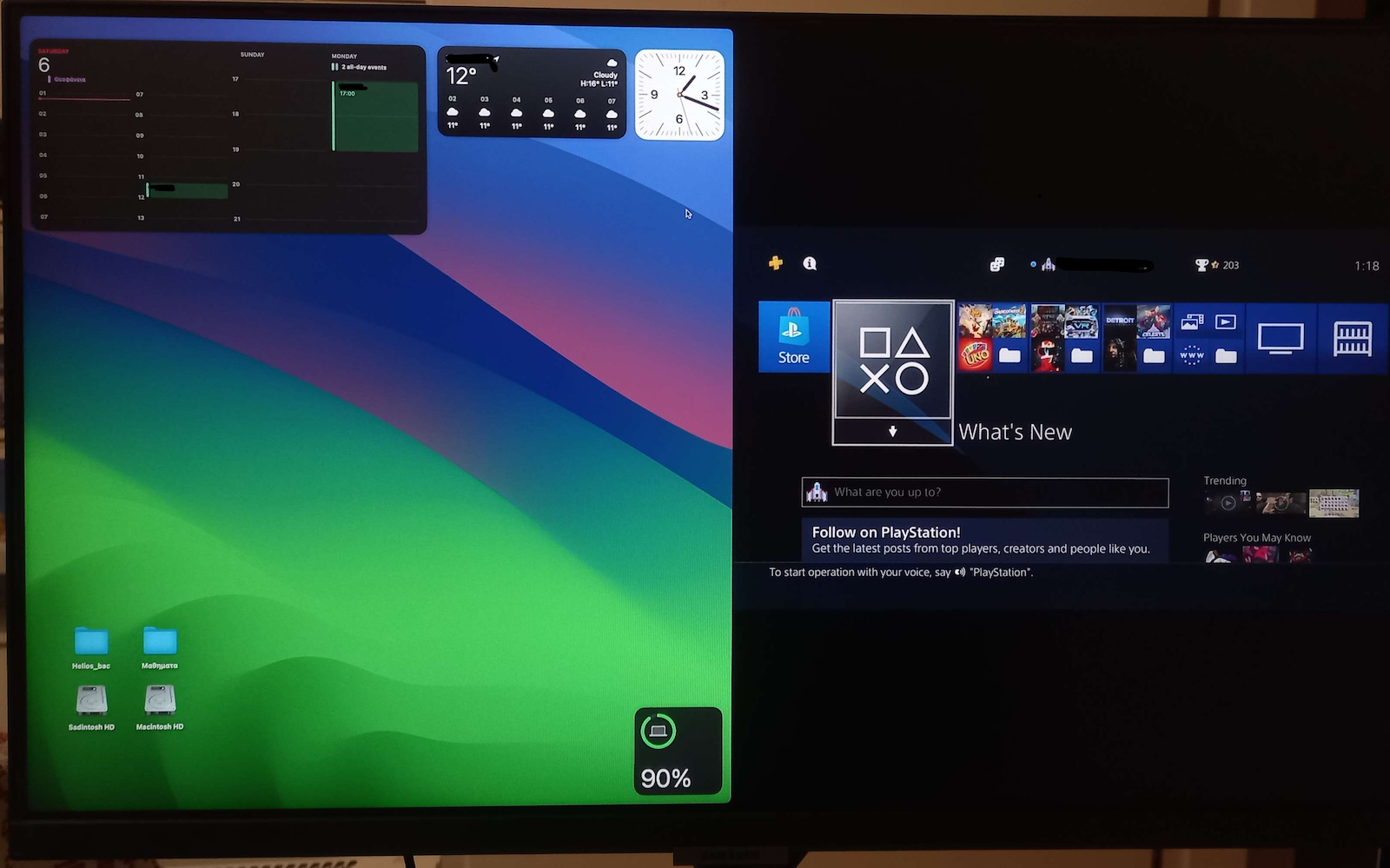
Using it with my macbook pro, it works great with the usb-c, just think the image with brightness at max could be a bit more brighter
If I went back in time, I would definitely buy a FHD 1920X1080 instead of this one with the same amount of money. It is certainly QHD but at the same time it is not, it does not have good image quality, the whites are not white and the blacks...! My main problem is the letters, which are not clear but blurry. On the other hand, its price is quite tempting, I would say, and in combination with the quite good hardware features such as USB-C connectivity, 3 USB-A ports, and a pretty good stand that even allows you to rotate the screen vertically, it somewhat balances out the cons. The control buttons are not good and if you don't bend down to see what you're pressing, it's difficult to find out. Personally, when it arrived, the bottom part was even detached from its position and I had to put it back in place, fortunately it didn't cause any damage, but it shows the poor quality of the production line. Ideally, I would like the hardware features to be the same price and the image quality to be better because ultimately they do not have the same level of importance and use as the screen. Let's not forget that we can buy a stand exactly as we want with very little money...
Αν πήγαινα πίσω στο χρόνο σίγουρα θα αγόραζα με τα ίδια λεφτά μία FHD 1920X1080 παρά αυτήν. Σίγουρα είναι QHD αλλά ταυτόχρονα δεν είναι, δεν έχει καλή εικόνα, τα άσπρα δεν είναι άσπρα και τα μαύρα....! Το κυριότερο μου πρόβλημα είναι τα γράμματα τα οποία δεν φαίνονται καθαρά αλλά θολά. Από την άλλη η τιμή της είναι αρκετά δελεαστική θα έλεγα και σε συνδιασμό με τα αρκετά καλά hardware features όπως USB-C connectivity, 3 USB-A Ports και ένα αρκετά καλό stand το οποίο μάλιστα σου επιτρέπει να γυρίζεις την οθόνη κάθετα ισοσταθμίζει κάπως τα κατά, τα κουμπιά χειρισμού δεν είναι καλά και αν δεν σκύψεις να δεις δύσκολα βρίσκεις τι πατάς, προσωπικά όταν ήρθε μάλιστα το κάτω μέρος ήταν βγαλμένο από την θέση του και αναγκάστικα να το κουμπόσω πίσω, ευτιχως δεν προκάλεσε ζημιά, όμως δείχνει την κακή ποιότητα γραμμής παραγωγής. Ιδανικά θα ήθελα στην ίδια τιμή να ήταν τα hardware features και καλύτερη η εικόνα διότι στην τελική αυτά δεν έχουν το ίδιο επίπεδο σημαντικότητας και χρήσης με την οθόνη. Μην ξεχνάμε πως μπορούμε με πολύ λίγα λεφτά να αγοράσουμε ένα stand όπως ακριβώς το θέλουμε...
Well I will start with the basics: If at this moment it is under 200 euros you have ALREADY bought it.
Its normal retail price is 329€ but for some reason the scrappy shops have it much lower (I got it for 177€ from e-zone)
Obviously it is not for tasks that require precise color performance but for everyday use it is amazing.
Because I was confused before buying it and maybe you are confused too, this monitor has several names (Viewfinity S6, S60UA, S24A600U) The full name of the one that reached my hands from that shop is LS24A600UCUXEN, The difference of which from the S60 non-U that you may see somewhere is that the connection to the pc is done via usb-c which is included and not Type B, with all that this entails.
Here are some features that may not be noted in the Scroutz description:
- First very useful I found the Picture-in-Picture/Picture-by-Picture it has, where you can have two of the available inputs (HDMI, DisplayPort, USBC DP) displayed SIMULTANEOUSLY, either one inside the other or side by side with 8:9 or 16:9 with black lines. Unfortunately I did not find a way to stack them in a vertical layout in the latest firmware (1014)
- The ports on the back are 2 x USB2.0 1 x USB3.0 Type A, plus a 3.5mm audio for headphones or speakers that it DOES NOT have.
- It also has besides the 3 inputs a displayport passthrough with which you can make a daisy chain second monitor (or up to 3 more?) , either in mirror or with DP Multi-Stream Transport.
- With the usbc cable you connect a device that gives image, connects to the USB hub and charges up to 90w (but you must activate high power from the menu). It also supports Samsung DeX for those who have a mobile with OneUI, with which you can turn your mobile/tablet into a desktop using the connected peripherals.
- The screen has a light sensor and automatic brightness adjustment option.
- By EU command all screens are now given with the brightness lowered to 150cd/cm^2 for energy saving, of course if you want you can raise it from the menu.
Detailed on the manufacturer's page: https://www.samsung.com/gr/monitors/high-resolution/s60ua-24--24-inch-ips-uhd-4k-ls24a600ucuxen/
Λοιπόν θα ξεκινήσω απο τα βασικά: Αν αυτή τη στιγμή έχει κάτω απο 200 ευρώ την έχετε ΗΔΗ αγοράσει.
Η λιανική τιμή της κανονικά είναι στα 329€ αλλά για κάποιο λόγο τα σκρουτζομάγαζα την έχουν αρκετά χαμηλότερα (την πήρα 177€ από e-zone)
Προφανώς και δεν είναι για εργασίες που απαιτούν ακριβή απόδοση χρωμάτων όμως για καθημερινή χρήση είναι εκπληκτική.
Επειδή είχα μπερδευτεί και εγώ πριν την αγοράσω και ίσως έχετε μπερδευτεί και εσείς, αυτή η οθόνη έχει κάμποσα ονόματα (Viewfinity S6, S60UA, S24A600U) Το πλήρες όνομα αυτής που έφτασε στα χέρια μου από το εν λόγω μαγαζί είναι LS24A600UCUXEN, Η διαφορά της οποίας από την S60 non-U που ίσως δείτε κάπου είναι ότι η σύνδεση με pc γίνεται μέσω usb-c που συμπεριλαμβάνεται και όχι Type B, με ό,τι αυτό συνεπάγεται.
Ορίστε και μερικές λειτουργίες που ίσως δε σημειώνονται στην περιγραφή του Σκρουτζ:
- Πρώτον πολύ χρήσιμο εγώ βρήκα το Picture-in-Picture/Picture-by-Picture που διαθέτει, όπου μπορείς να έχεις δύο από τις διαθέσιμες εισόδους (HDMI, DisplayPort, USBC DP). να εμφανίζονται ΤΑΥΤΟΧΡΟΝΑ, είτε τη μία μέσα στην άλλη είτε δίπλα-δίπλα με 8:9 ή 16:9 με μαύρες γραμμές. Δυστυχώς δε βρήκα τρόπο να τις στοιβάξω σε κάθετη διάταξη στο τελευταίο firmware (1014)
- Οι θύρες στο πίσω μέρος είναι 2 x USB2.0 1 x USB3.0 Type A, συν μία 3.5mm ήχου για ακουστικά ή ηχεία τα οποία ΔΕΝ διαθέτει.
- Επίσης έχει εκτός από τις 3 εισόδους και μία displayport passthrough με την οποία μπορείς να κάνεις daisy chain δεύτερη οθόνη (ή μέχρι και άλλες 3;) , είτε σε mirror είτε με DP Multi-Stream Transport.
- Με το usbc καλώδιο συνδέεις συσκευή η οποία δίνει εικόνα, συνδέεται στο USB hub και φορτίζει έως 90w (πρέπει όμως να ενεργοποιήσετε το high power από το μενού). Υποστηρίζει επίσης Samsung DeX για όσους έχουν κινητό με OneUI, με το οποίο μπορείς να κάνεις το κινητό/tablet σου desktop χρησιμοποιώντας τα συνδεδεμένα περιφερειακά.
- Η οθόνη έχει αισθητήρα φωτός και επιλογή αυτόματης ρύθμισης της φωτεινότητας.
- Με εντολή της ΕΕ όλες οι οθόνες πλέον δίνονται με τη φωτεινότητα κατεβασμένη στα 150cd/cm^2 για εξοικονόμηση ενέργειας, σαφώς αν θέλετε την ανεβάζετε από το μενού.
Αναλυτικά και στη σελίδα του κατασκευαστη: https://www.samsung.com/gr/monitors/high-resolution/s60ua-24--24-inch-ips-uhd-4k-ls24a600ucuxen/
The sweet is fake. We bought it for use in a photography studio, but its image quality is below average. We have tried different settings, but no luck.
Μουφα το γλυκο. τη πηραμε για χρηση σε φωτογραφειο αλλα η ποιοτητα εικονας της ειναι κατω του μετριου. έχουμε δοκιμασει διαφορες ρυθμισεις αλλα δεν.
Verified purchase
I didn't like that I needed a screwdriver to assemble it. Other than that, everything is perfect!
Δεν μου άρεσε που χρειάστηκα κατσαβίδι για να τη συναρμολογήσω. Εκτός από αυτό όλα τέλεια!
Verified purchase
Very nice picture and colors, immediate response, the support base is amazing.
Πολύ ωραία εικόνα και χρώματα, άμεση απόκριση, η βάση στήριξης απίθανη.
Verified purchase
Nice screen for office use, upgrading from full HD is worth it.
Ωραία οθόνη για χρήση γραφείου, αξίζει η αναβάθμιση από full HD.
Verified purchase
Verified purchase
Verified purchase
Verified purchase
Verified purchase
Verified purchase
Verified purchase
Using it with my macbook pro, it works great with the usb-c, just think the image with brightness at max could be a bit more brighter
If I went back in time, I would definitely buy a FHD 1920X1080 instead of this one with the same amount of money. It is certainly QHD but at the same time it is not, it does not have good image quality, the whites are not white and the blacks...! My main problem is the letters, which are not clear but blurry. On the other hand, its price is quite tempting, I would say, and in combination with the quite good hardware features such as USB-C connectivity, 3 USB-A ports, and a pretty good stand that even allows you to rotate the screen vertically, it somewhat balances out the cons. The control buttons are not good and if you don't bend down to see what you're pressing, it's difficult to find out. Personally, when it arrived, the bottom part was even detached from its position and I had to put it back in place, fortunately it didn't cause any damage, but it shows the poor quality of the production line. Ideally, I would like the hardware features to be the same price and the image quality to be better because ultimately they do not have the same level of importance and use as the screen. Let's not forget that we can buy a stand exactly as we want with very little money...
Αν πήγαινα πίσω στο χρόνο σίγουρα θα αγόραζα με τα ίδια λεφτά μία FHD 1920X1080 παρά αυτήν. Σίγουρα είναι QHD αλλά ταυτόχρονα δεν είναι, δεν έχει καλή εικόνα, τα άσπρα δεν είναι άσπρα και τα μαύρα....! Το κυριότερο μου πρόβλημα είναι τα γράμματα τα οποία δεν φαίνονται καθαρά αλλά θολά. Από την άλλη η τιμή της είναι αρκετά δελεαστική θα έλεγα και σε συνδιασμό με τα αρκετά καλά hardware features όπως USB-C connectivity, 3 USB-A Ports και ένα αρκετά καλό stand το οποίο μάλιστα σου επιτρέπει να γυρίζεις την οθόνη κάθετα ισοσταθμίζει κάπως τα κατά, τα κουμπιά χειρισμού δεν είναι καλά και αν δεν σκύψεις να δεις δύσκολα βρίσκεις τι πατάς, προσωπικά όταν ήρθε μάλιστα το κάτω μέρος ήταν βγαλμένο από την θέση του και αναγκάστικα να το κουμπόσω πίσω, ευτιχως δεν προκάλεσε ζημιά, όμως δείχνει την κακή ποιότητα γραμμής παραγωγής. Ιδανικά θα ήθελα στην ίδια τιμή να ήταν τα hardware features και καλύτερη η εικόνα διότι στην τελική αυτά δεν έχουν το ίδιο επίπεδο σημαντικότητας και χρήσης με την οθόνη. Μην ξεχνάμε πως μπορούμε με πολύ λίγα λεφτά να αγοράσουμε ένα stand όπως ακριβώς το θέλουμε...
Well I will start with the basics: If at this moment it is under 200 euros you have ALREADY bought it.
Its normal retail price is 329€ but for some reason the scrappy shops have it much lower (I got it for 177€ from e-zone)
Obviously it is not for tasks that require precise color performance but for everyday use it is amazing.
Because I was confused before buying it and maybe you are confused too, this monitor has several names (Viewfinity S6, S60UA, S24A600U) The full name of the one that reached my hands from that shop is LS24A600UCUXEN, The difference of which from the S60 non-U that you may see somewhere is that the connection to the pc is done via usb-c which is included and not Type B, with all that this entails.
Here are some features that may not be noted in the Scroutz description:
- First very useful I found the Picture-in-Picture/Picture-by-Picture it has, where you can have two of the available inputs (HDMI, DisplayPort, USBC DP) displayed SIMULTANEOUSLY, either one inside the other or side by side with 8:9 or 16:9 with black lines. Unfortunately I did not find a way to stack them in a vertical layout in the latest firmware (1014)
- The ports on the back are 2 x USB2.0 1 x USB3.0 Type A, plus a 3.5mm audio for headphones or speakers that it DOES NOT have.
- It also has besides the 3 inputs a displayport passthrough with which you can make a daisy chain second monitor (or up to 3 more?) , either in mirror or with DP Multi-Stream Transport.
- With the usbc cable you connect a device that gives image, connects to the USB hub and charges up to 90w (but you must activate high power from the menu). It also supports Samsung DeX for those who have a mobile with OneUI, with which you can turn your mobile/tablet into a desktop using the connected peripherals.
- The screen has a light sensor and automatic brightness adjustment option.
- By EU command all screens are now given with the brightness lowered to 150cd/cm^2 for energy saving, of course if you want you can raise it from the menu.
Detailed on the manufacturer's page: https://www.samsung.com/gr/monitors/high-resolution/s60ua-24--24-inch-ips-uhd-4k-ls24a600ucuxen/
Λοιπόν θα ξεκινήσω απο τα βασικά: Αν αυτή τη στιγμή έχει κάτω απο 200 ευρώ την έχετε ΗΔΗ αγοράσει.
Η λιανική τιμή της κανονικά είναι στα 329€ αλλά για κάποιο λόγο τα σκρουτζομάγαζα την έχουν αρκετά χαμηλότερα (την πήρα 177€ από e-zone)
Προφανώς και δεν είναι για εργασίες που απαιτούν ακριβή απόδοση χρωμάτων όμως για καθημερινή χρήση είναι εκπληκτική.
Επειδή είχα μπερδευτεί και εγώ πριν την αγοράσω και ίσως έχετε μπερδευτεί και εσείς, αυτή η οθόνη έχει κάμποσα ονόματα (Viewfinity S6, S60UA, S24A600U) Το πλήρες όνομα αυτής που έφτασε στα χέρια μου από το εν λόγω μαγαζί είναι LS24A600UCUXEN, Η διαφορά της οποίας από την S60 non-U που ίσως δείτε κάπου είναι ότι η σύνδεση με pc γίνεται μέσω usb-c που συμπεριλαμβάνεται και όχι Type B, με ό,τι αυτό συνεπάγεται.
Ορίστε και μερικές λειτουργίες που ίσως δε σημειώνονται στην περιγραφή του Σκρουτζ:
- Πρώτον πολύ χρήσιμο εγώ βρήκα το Picture-in-Picture/Picture-by-Picture που διαθέτει, όπου μπορείς να έχεις δύο από τις διαθέσιμες εισόδους (HDMI, DisplayPort, USBC DP). να εμφανίζονται ΤΑΥΤΟΧΡΟΝΑ, είτε τη μία μέσα στην άλλη είτε δίπλα-δίπλα με 8:9 ή 16:9 με μαύρες γραμμές. Δυστυχώς δε βρήκα τρόπο να τις στοιβάξω σε κάθετη διάταξη στο τελευταίο firmware (1014)
- Οι θύρες στο πίσω μέρος είναι 2 x USB2.0 1 x USB3.0 Type A, συν μία 3.5mm ήχου για ακουστικά ή ηχεία τα οποία ΔΕΝ διαθέτει.
- Επίσης έχει εκτός από τις 3 εισόδους και μία displayport passthrough με την οποία μπορείς να κάνεις daisy chain δεύτερη οθόνη (ή μέχρι και άλλες 3;) , είτε σε mirror είτε με DP Multi-Stream Transport.
- Με το usbc καλώδιο συνδέεις συσκευή η οποία δίνει εικόνα, συνδέεται στο USB hub και φορτίζει έως 90w (πρέπει όμως να ενεργοποιήσετε το high power από το μενού). Υποστηρίζει επίσης Samsung DeX για όσους έχουν κινητό με OneUI, με το οποίο μπορείς να κάνεις το κινητό/tablet σου desktop χρησιμοποιώντας τα συνδεδεμένα περιφερειακά.
- Η οθόνη έχει αισθητήρα φωτός και επιλογή αυτόματης ρύθμισης της φωτεινότητας.
- Με εντολή της ΕΕ όλες οι οθόνες πλέον δίνονται με τη φωτεινότητα κατεβασμένη στα 150cd/cm^2 για εξοικονόμηση ενέργειας, σαφώς αν θέλετε την ανεβάζετε από το μενού.
Αναλυτικά και στη σελίδα του κατασκευαστη: https://www.samsung.com/gr/monitors/high-resolution/s60ua-24--24-inch-ips-uhd-4k-ls24a600ucuxen/
The sweet is fake. We bought it for use in a photography studio, but its image quality is below average. We have tried different settings, but no luck.
Μουφα το γλυκο. τη πηραμε για χρηση σε φωτογραφειο αλλα η ποιοτητα εικονας της ειναι κατω του μετριου. έχουμε δοκιμασει διαφορες ρυθμισεις αλλα δεν.
I didn't like that I needed a screwdriver to assemble it. Other than that, everything is perfect!
Δεν μου άρεσε που χρειάστηκα κατσαβίδι για να τη συναρμολογήσω. Εκτός από αυτό όλα τέλεια!