Since I read various things here below and it seems there is difficulty in understanding the speeds of each connection, let's clarify a bit.
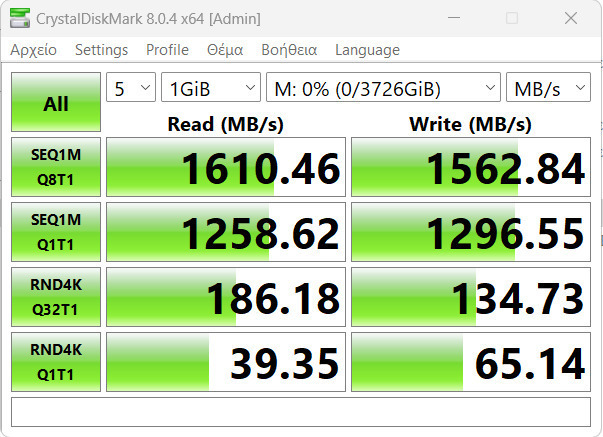
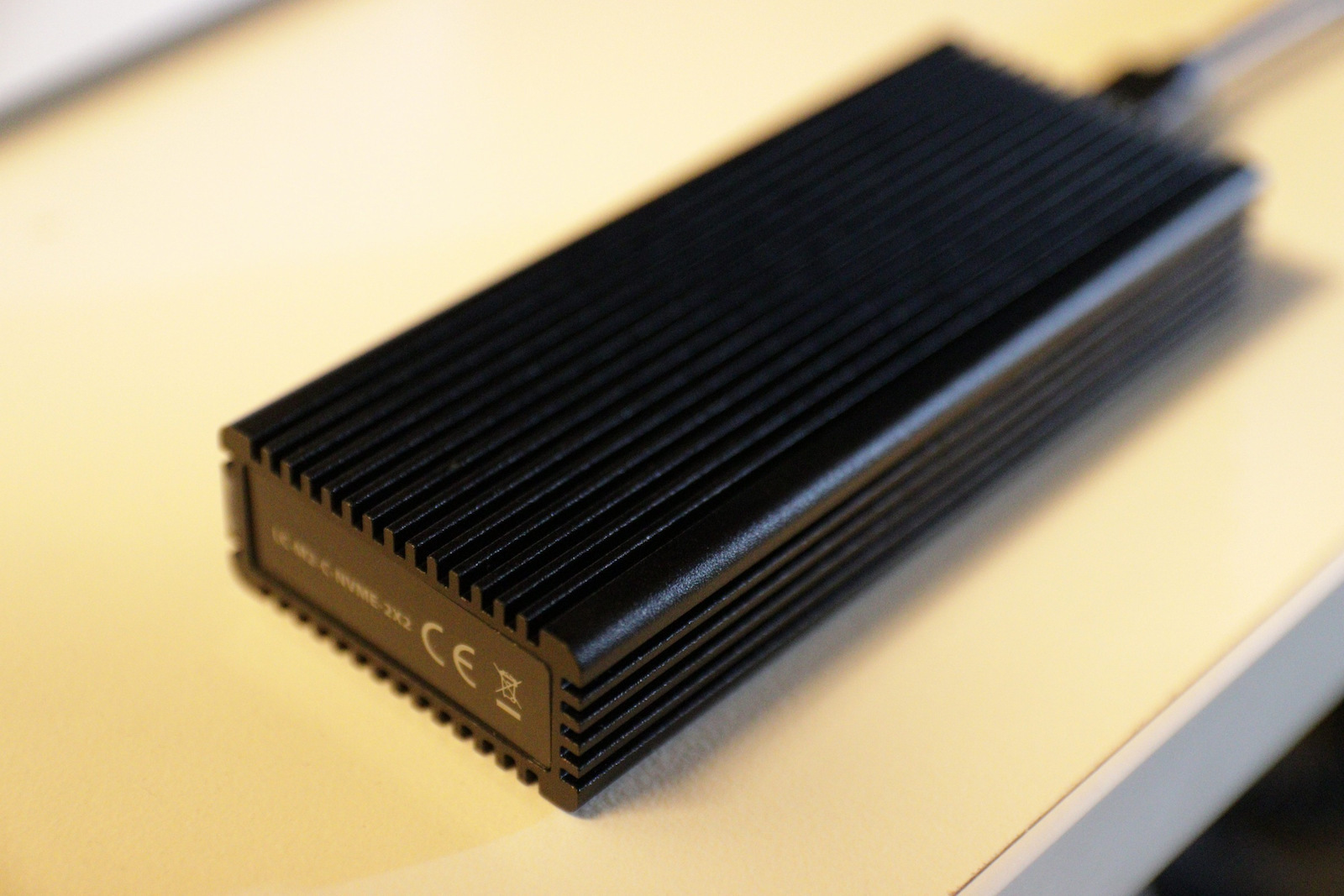
This enclosure has the fastest USB connection, namely USB3.2 GEN 2x2, which means a max throughput of 20 Gbps or 2.5 GB/s.
The SSDs it accepts are NVME PCIe x4 lanes, which means for PCIe 3.0 max throughput (for the SSD and also for the enclosure) 8 GT/s or 3.9 GB/s (most PCIe 3.0 x4 lane SSDs have a cap at 3 to 3.5 GB/s).
For PCIe 4.0 max throughput (for the SSD again and also for the enclosure) 16 Gigatransfers/second or 7.88 GB/s (most PCIe 4.0 x4 lane SSDs have a cap of about 6.9 to 7.2 GB/s).
So whether you use PCIe 3.0 x4 or PCIe 4.0 x4, a good brand that utilizes almost all the bandwidth will keep you within the USB3.2 2x2 speed of the enclosure. It won't give you the full 2.5 GB/s due to saturation and the simultaneous use of the resources of your computer's USB port, but you will be able to enjoy transfer speeds of 2 to 2.2 GB/s. And you will have good temperatures since whatever drive you put in will operate according to its capabilities at "idle".
WARNING! The computer must have a USB 3.2 Gen 2x2 port (usually they are red, one Type A and one Type C) and you need to connect it there to achieve 20 Gbps or 2.5 GB/s.
If you connect it to a USB 3.2 Gen 2 port, you will have a max of 10 Gbps or 1.2 GB/s max throughput (hence the complaints here in another review).
If you connect it to a USB 3.2 Gen 1 port, you will have a max of 5 Gbps or 0.5 GB/s or something slightly less than 500 MB/s.
I hope we clarified a bit. Note: this is the only enclosure I have seen here on Skroutz, from what I have searched, that is USB3.2 Gen2x2. The others, as I described, depend on your computer, what USB port versions it has, and to a lesser extent, the quality (i.e., speed) of the SSD you will put in. It should be above 2.5 GB/s read/write. If it is below, the USB will follow the decline. If it is above... Cap 2.5 GB/s according to USB 3.2 Gen 2x2.
UPDATE:
Let's clarify USB nomenclatures with technical specifications:
USB 1.0 or USB 1.1 or Full speed USB = 12 Mbps = 1.5 MB/s
USB 2.0 or Hi-Speed USB = 480 Mbps = 60 MB/s
USB 3.0 or USB 3.1 Gen 1 or USB 3.2 Gen 1 = 5 Gbps = 625 MB/s
USB 3.1 or USB 3.1 Gen 2 or USB 3.2 Gen 2 = 10 Gbps = 1.25 GB/s
USB 3.2 Gen 2x2 = 20 Gbps = 2.5 GB/s
USB 4 Gen 2x2 = 20 Gbps = 2.5 GB/s
USB 4 Gen 3x2 = 40 Gbps = 5 GB/s
Keep this little table in mind so you know what you are buying, because marketers, as you can see in this case, wrote comedy, not technical specifications.
Επειδή διαβάζω διάφορα εδώ από κάτω και φαίνεται ότι υπάρχει δυσκολία στην κατανόηση των ταχυτήτων της κάθε σύνδεσης ας τα ξεκαθαρίσουμε λίγο.
Aυτο το enclosure έχει την ταχύτερη USB σύνδεση ήτοι USB3.2 GEN 2x2 που σημαίνει max throughoutpout 20 Gbps ή 2.5 GB/s.
Οι SSD που δέχεται είναι NVME PCIe x4 lanes που σημαίνει για PCIe 3.0 max throughoutput (για τοv SSD και OXI για το enclosure) 8 GT/s ή 3.9 GB/s (οι περισσότεροι ssd PCISe3.0 x4 lanes έχουν cap στα 3 με 3.5 GB/s),
Για PCIe 4.0 max throughoutput (για τον SSD πάλι και OXI για το enclosure) 16 Gigatransfers/second ή 7.88 GB/s (οι περισσότεροι ssd PCIe4.0 x4 lanes έχουν cap τα περίπου 6.9 με 7.2 GB/s).
Οπότε είτε βάλετε pcie3.0x4 είτε βάλετε pci4.0x4 καλή μάρκα που να χρησιμοποιεί σχεδόν όλο το bandwidth θα είστε μέσα στη USB3.2 2x2 ταχύτητα του enclosure. Δεν θα σας δίνει και τα 2.5 GB/s λόγο saturation και ταυτοχρονισμού χρήσης των πόρων της θύρας USB του υπολογιστή, σας αλλά θα μπορείτε να απολαμβάνετε 2 με 2.2 GB/s ταχύτητες μεταφοράς. Και καλές θερμοκρασίες θα έχετε αφου ότι δίσκο και να βάλετε θα δουλεύει ανάλογα με τις δυνατότητες του στο "ρελαντί".
ΠΡΟΣΟΧΗ! θα πρέπει ο υπολογιστής να έχει θύρα USB 3.2 Gen 2x2 (συνήθως είναι κόκκινες μια Type A και μία Type C) και να το συνδέσετε εκεί για να έχετε τα 20 Gbps ή 2.5 GB/s.
Αν το συνδέσετε σε θύρα USB 3.2 Gen 2 θα έχετε max 10 Gbps ή 1.2 GB/s max troughoutput (εξού και οι γκρίνιες εδώ σε άλλη αξιολόγηση)
Αν το συνδέσετε σε θύρα USB 3.2 Gen 1 θα έχετε max 5 Gbps ή 0.5 GB/s ή κάτι λίγοτερο από 500 ΜΒ/s.
Ελπίζω να τα ξεκαθαρίσαμε λίγο. Σημείωση: είναι το μοναδικό enclosure που έχω δει εδώ στο σκρούτζ, από όσο έχω ψάξει, που είναι USB3.2 Gen2x2. Τα υπόλοιπα όπως περιέγραψα εξαρτώνται από τον υπολογιστή σας, τι εκδόσεις USB θύρες φοράει και λιγότερο μεν αλλά παίζει το ρόλο του, τι ποιότητας (δηλαδή ταχύτητας) SSD θα βάλετε. Να είναι πάνω απο τα 2.5 GB/s read/write. Αν είναι κάτω θα ακολουθήσει και η USB την κατηφόρα. αν είναι πάνω ... Cap 2.5 GB/s συμφώνως USB 3.2 Gen 2x2.
UPDATE:
Ας ξεκαθαρίσουμε και ονοματολογίες USB με τεχνικά χαρακτηριστικά:
USB 1.0 ή USB1.1 ή Full speed USB = 12Mbps = 1.5 MB/s
USB 2.0 ή Hi-Speed USB = 480 Mbps = 60 MB/s
USB 3.0 ή USB 3.1 Gen1 ή USB 3.2 Gen1 = 5 Gbps = 625 MB/s
USB 3.1 ή USB 3.1 Gen2 ή USB 3.2 Gen2 = 10 Gbps = 1.25 GB/s
USB 3.2 Gen2x2 = 20 Gbps = 2.5 GB/s
USB 4 Gen2x2 = 20 Gbps = 2.5 GB/s
USB 4 Gen3x2 = 40Gbps = 5 GB/s
Έχετε υπόψη σας αυτό το πινακάκι για να ξέρετε τι αγοράζετε, γιατί οι μαρκετίστες, όπως βλέπετε σε αυτή την περίπτωση, γράψαν κωμωδία, όχι τεχνικά χαρακτηριστικά.