When watching your favorite movie or working on your latest project, benefit from new levels of accuracy with up to 1.7 times the pixel density of Full HD.
QHD provides more space for multitasking or capturing beautiful videos and images.
Shipping costs and delivery speed are calculated based on the delivery location.


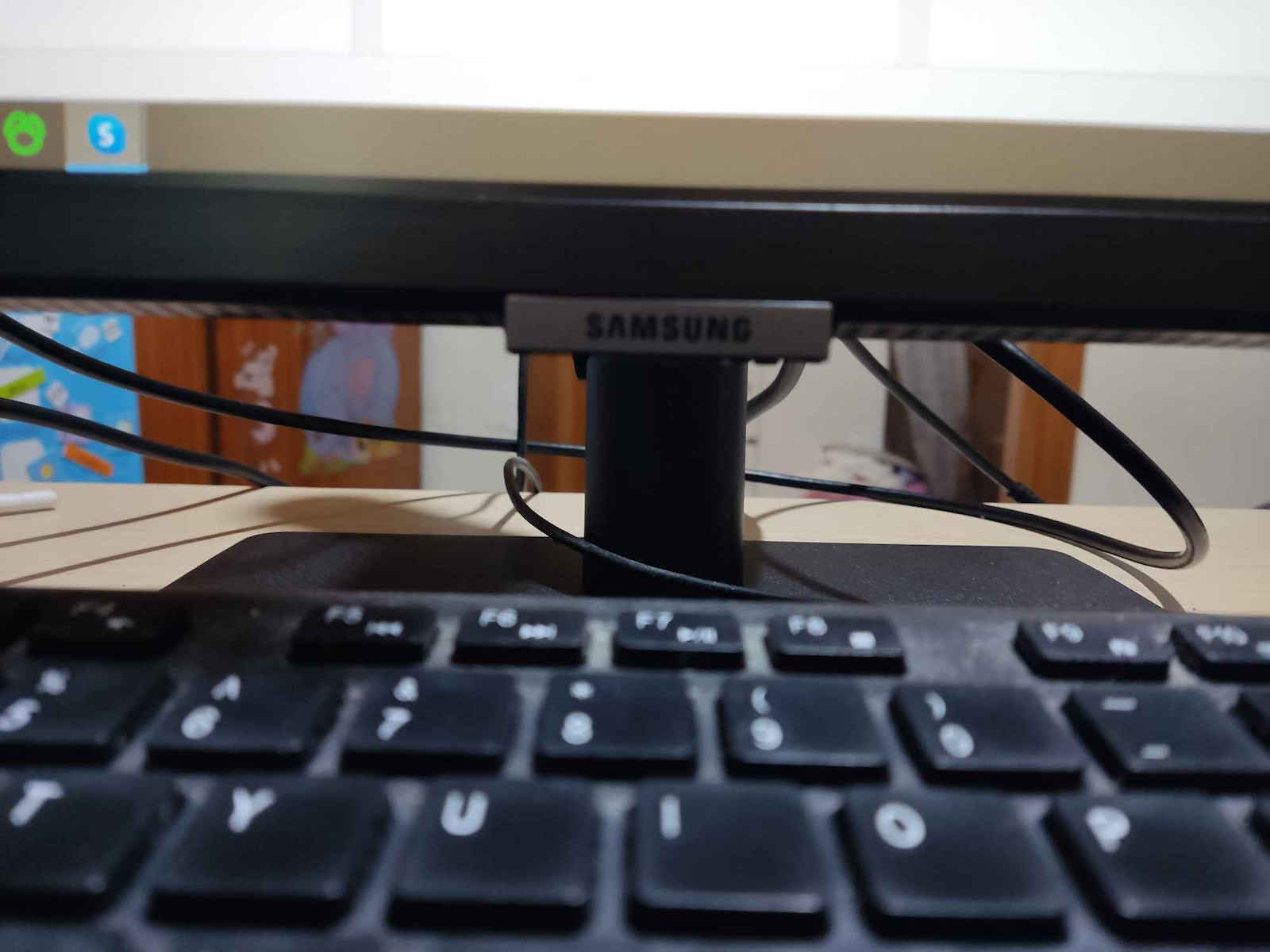
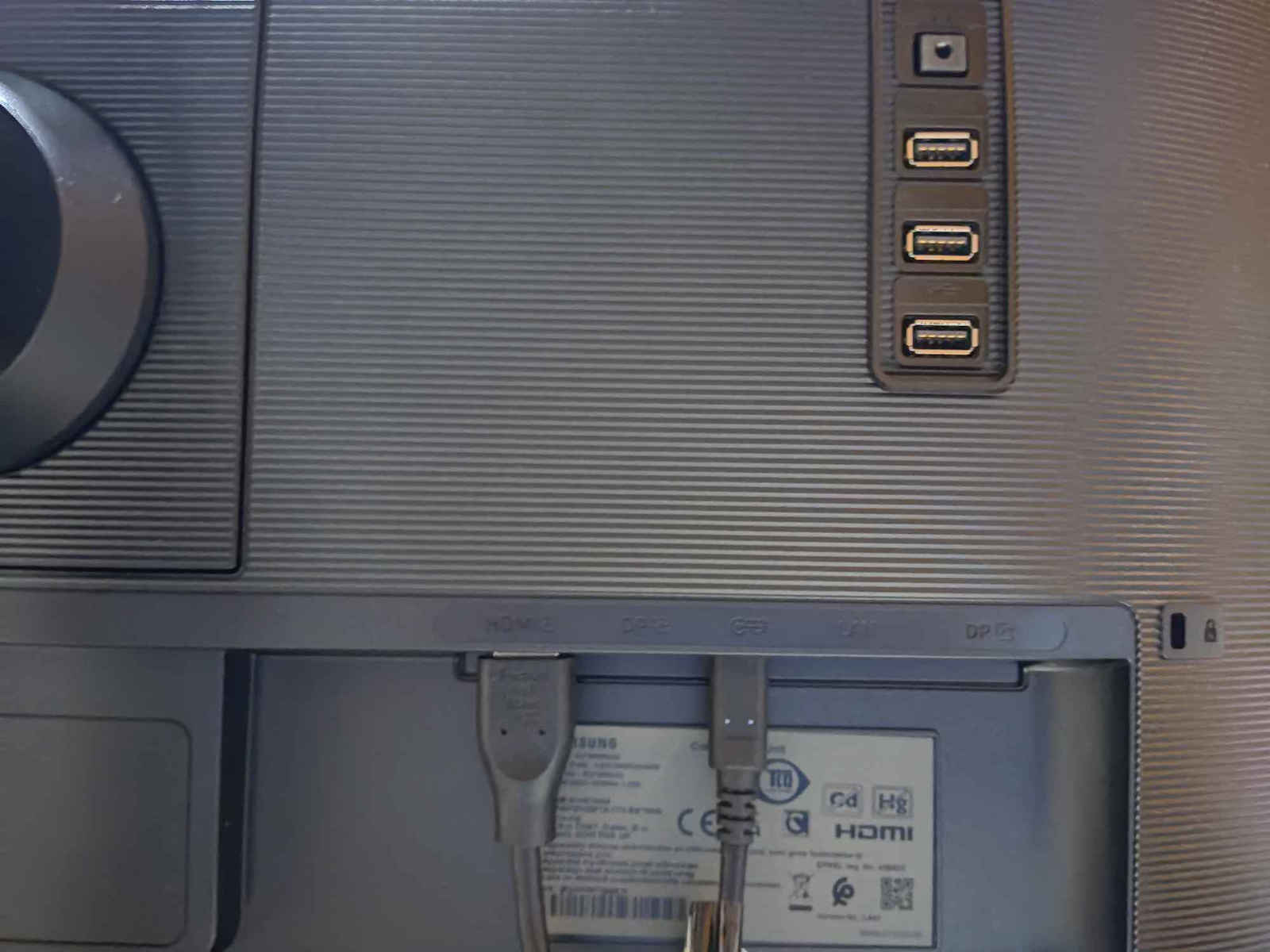
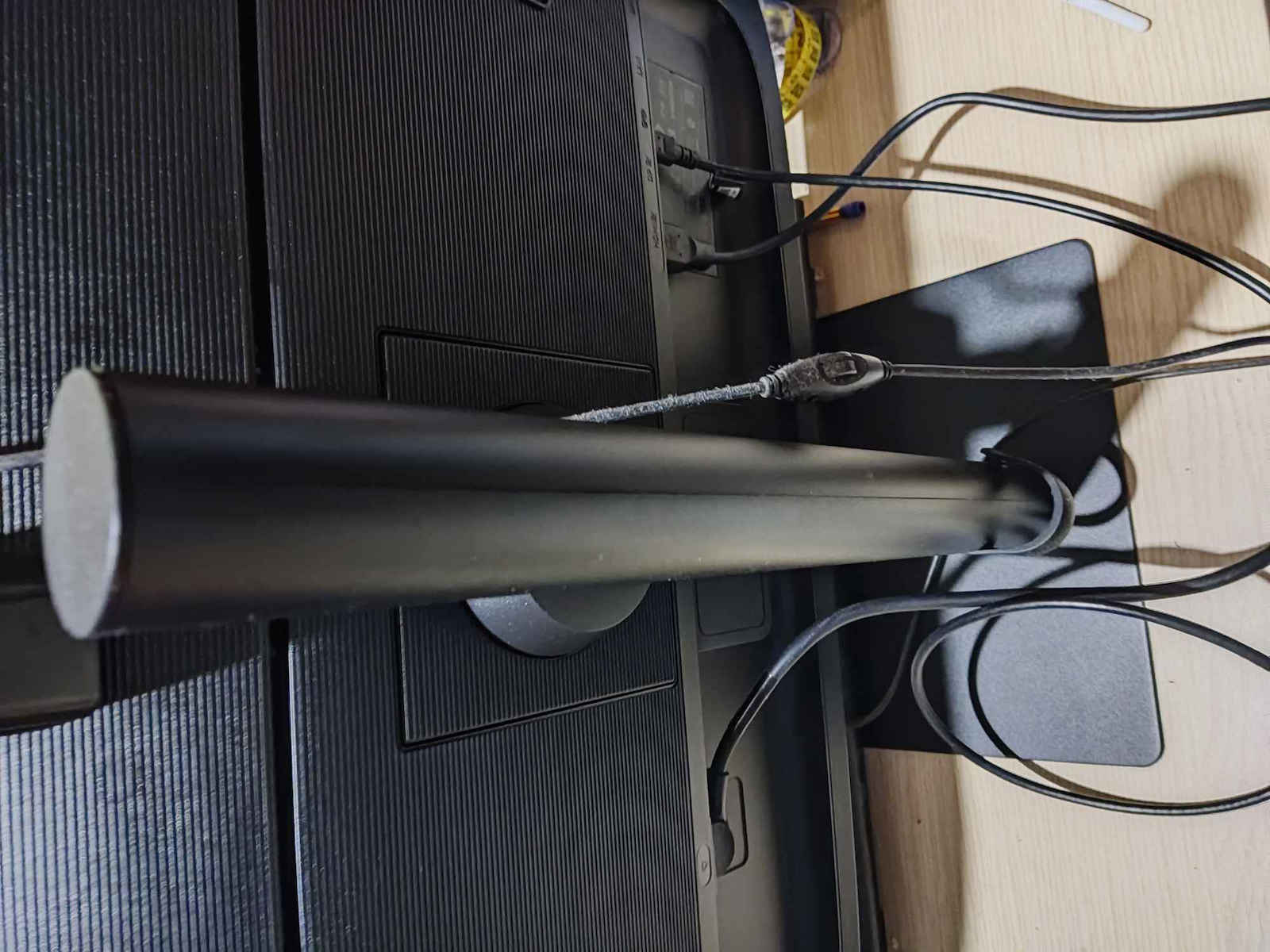
Key features:
Top specs
High Resolution and Performance Monitor
The Samsung monitor is ideal for those seeking a high-resolution and performance monitor for work or entertainment. It has a QHD resolution, offering extremely detailed and clear images. It is equipped with advanced imaging technology and is compatible with HDR10, providing vibrant colors and high contrast.
When watching your favorite movie or working on your latest project, benefit from new levels of accuracy with up to 1.7 times the pixel density of Full HD.
QHD provides more space for multitasking or capturing beautiful videos and images.

Optimized for professional work environments, Samsung high-resolution monitors feature IPS panels that offer crystal-clear color quality and a wide 178° viewing angle.
Every user can expect an excellent viewing experience from any angle with vivid and vibrant colors, without fading.
Enjoy any content with stunning color accuracy and detail. With a wide color gamut, nearly limitless shades, and HDR10, which makes dark colors darker and bright colors even brighter. Every piece of content becomes more enjoyable and can be viewed exactly as the creator intended.
Less clutter and more room for connectivity. The built-in USB Type-C port with 90-watt power quickly charges your laptop and transfers data with a single cable. With multiple USB 3.0 ports, you can connect your devices directly to the monitor and enjoy a tidy workspace.
Make your entertainment experience smoother than ever. AMD FreeSync keeps your monitor and graphics card refresh rate in sync, reducing screen tearing and stuttering. Movies and games are uninterrupted, and even fast action scenes are incredibly smooth.
No more switching. With Automatic Source Switch Plus, the monitor detects newly connected devices as soon as they are connected and displays the correct signal. No more searching for the correct input in the menu.
Keep your eyes fresh and strain-free. For nighttime work, brightness and color temperature automatically adjust to optimize any environment. With TUV certification for smart eye care, Samsung protects eyes from excessive blue light with a flicker-free feature.
Place your monitor for optimal comfort. The frameless design, VESA mount compatibility, and a variety of tilt and swivel control points allow you to position your monitor in any environment.
Additionally, a slim metal stand and narrow depth take up less desk space for a clean, seamless work setup.
Specifications are collected from official manufacturer websites. Please verify the specifications before proceeding with your final purchase. If you notice any problem you can report it here.

I got it for the office, but it doesn't really work for that job. It has low maximum brightness for daylight work. However, it is very good for nighttime use.
Την πήρα για γραφείο, αλλά δεν κάνει πραγματικά γι' αυτή τη δουλειά. Έχει χαμηλή μέγιστη φωτεινότητα για εργασία με φως ημέρας. Είναι πολύ καλή όμως για βραδινή χρήση.
The screen is truly excellent! For its price, you get a very good panel with amazing capabilities! The 27 inches at 2K is the best resolution you can get in this size. Personally, I use it daily for programming with the Eye Saver Mode and automatic lighting, and I admit that it has completely changed my daily life as well as productivity. Furthermore, I have 2 laptops connected to it with a KVM for daily use (switching between work and personal laptop), 3 power devices connected to the USB ports (mousepad, light bar, and a charging power for the mouse), and I also have the USB-C standby for a third laptop which delivers 2K at 75Hz, HDR, and there I use the full settings of the screen for lighting in photos and videos, and there you truly enjoy it differently! The fact that you can have so many devices connected to one screen at this price, combined with an excellent stand that does everything, I think it makes it the most value-for-money choice! Because I was also searching for a long time, if you are looking for 27 inches, don't go for 4K. It's better to choose a 2K panel with many other capabilities instead of getting a 4K for the same price, which you would have to upscale to 150%.
Η οθόνη είναι πραγματικά εξαιρετική! Για τα χρήματα της παίρνεις ένα πολύ καλό panel με τρομερές δυνατότητες! Οι 27 ίντσες στα 2Κ είναι η καλύτερη ανάλυση που μπορείτε να πάρετε σε αυτό το μέγεθος. Προσωπικά την χρησιμοποιώ καθημερινά για προγραμματισμό με το Eye Saver Mode και τον αυτόματο φωτισμό και ομολογώ ότι έχει αλλάξει τελείως η καθημερινότητα μου όπως και η παραγωγικότητα. Από κει και πέρα, έχω πάνω της συνδεμένα 2 laptop με ένα KVM για καθημερινή χρήση (εναλλαγή laptop δουλειάς και προσωπικού), 3 συσκευές ρεύματος στα USB (mousepad, light bar, και ένα ρεύμα φόρτισης για το ποντίκι) και έχω και το USB-C standby για 3ο λάπτοπ το οποίο αποδίδει 2Κ στα 75Hz, HDR και εκεί χρησιμοποιώ τα full settings της οθόνης από φωτισμό για φώτο και βίντεο και εκεί πραγματικά την χαίρεσαι διαφορετικά! Το ότι σε μια οθόνη μπορείς να έχεις πάνω της τόσες συσκευές σε αυτή την τιμή σε συνδυασμό με μια εξαιρετική βάση που κάνει τα πάντα, νομίζω την καθιστά την πιο vfm επιλογή! Επειδή και εγώ ψαχνόμουν καιρό, αν κοιτάτε για 27 ίντσες μην πάτε σε 4Κ. Επιλέξτε καλύτερα ένα τέτοιο πάνελ 2Κ με πολλές άλλες δυνατότητες από το να πάρετε στα ίδια λεφτά ένα 4Κ το οποίο θα το έχετε upscaled στο 150%.
Today I received the monitor, but unfortunately I am very disappointed with its colors.
No matter what I do, I can't find a way to improve them.
I uploaded a photo to show the difference compared to my laptop (T14s Lenovo) that I have had for two years.
I really regret buying it. It's a shame I didn't see it in person before making the purchase...
Σήμερα παρέλαβα την οθόνη αλλά δυστυχώς έχω απογοητευτεί πάρα πολύ με τα χρώματα της.
Ότι και να κάνω δεν βρίσκω τρόπο για να τα βελτιώσω.
Ανέβασα φωτογραφία για να δείτε διαφορά σε σχέση με το λαπτοπ (T14s lenovo) που το εχω εδω και δυο χρόνια.
Πραγματικά μετάνιωσα που την αγόρασα. Κρίμα που δεν την είχα δει απο κοντά πριν κάνω την αγορά...

I present advantages and disadvantages for those who enjoy reading reviews from "trusted", completely unknown individuals on the internet. Let's get into it...
Advantages:
-Very nice colors (by disabling, of course, the automatic brightness adjustment from the system tab), classic black for IPS (it doesn't have the blacks of a VA, but neither the disadvantages that come with it), HDR (which you activate from the Windows settings) + 75Hz,
-QHD (ideal resolution for 27 inches so that scaling is not necessary to read your emails and you don't have to mess with settings to play a game occasionally with integrated graphics),
-FreeSync via HDMI or DisplayPort, not via USB-C (spoiler alert),
-Great aesthetically and functionally designed stand (it only lacks a backflip), which saves you from extra expenses for an aftermarket stand, and
-USB-C that does everything and is cost-effective, which is why you should choose the more expensive version of this monitor, compared to the version without it, especially if you use your laptop as a desktop computer. If your laptop has a USB-C DisplayPort and PowerDelivery port, all you need is a cable (USB-C 3.1 or 3.2, not 2.0) for transferring image, power, sound, and data. You connect everything to the 3 USB ports and the audio output on the back of the monitor (keyboard, mouse, camera, and speakers), which now functions as a hub, and a USB-C cable connects to the laptop, without the need to disconnect cables for 10 minutes before moving your laptop outside the office.
Disadvantages:
-Many people mention the difficulty of using the menu, something I don't agree with. Could it be better? Yes. If I didn't read it in the comments, would I mention it as a disadvantage? No.
-In the aforementioned operating mode (Monitor---USB-C---Laptop), when I put the laptop into sleep mode while the screen turns off, the laptop continues to work. I haven't found a solution for this yet, and I don't think it has to do with this specific monitor but rather with the way it is connected/powered, etc.
So, if you find it for under €300 (with proper research and patience, maybe even €250), I consider it a very good office monitor. Its competitor is a Dell with the same characteristics, in the same price range, which is also very popular, but I haven't seen it up close.
Παραθέτω πλεονεκτήματα - μειονεκτήματα γι' αυτούς που απολαμβάνουν να διαβάζουν αξιολογήσεις από «έμπιστους», τελείως άγνωστους τύπους στο διαδίκτυο. Έχουμε και λέμε...
Πλεονεκτήματα:
-Πολύ ωραία χρώματα (απενεργοποιώντας, εννοείται, την αυτόματη ρύθμιση φωτεινότητας από την καρτέλα system), κλασικά μαύρα για IPS (δεν έχει τα μαύρα μιας VA, αλλά ούτε και τα μειονεκτήματα που τη συνοδεύουν), HDR (το οποίο ενεργοποιείς από τις ρυθμίσεις των Windows) + 75Hz,
-QHD (ιδανική ανάλυση για τις 27 ίντσες ώστε να μην απαιτείται scaling για να καταφέρεις να διαβάσεις τα mail σου και να μη χρειάζεται να κάνεις αλχημείες στα settings για να παίξεις κάνα παιχνιδάκι πού και πού με integrated κάρτα γραφικών),
-FreeSync μέσω HDMI ή DisplayPort, όχι μέσω USB-C (spoiler alert),
-Βάση τούμπανο αισθητικά και λειτουργικά (μόνο backflip δεν κάνει), το οποίο σε γλυτώνει από έξτρα έξοδα για after market βάση και
-USB-C το οποίο κάνει τα πάντα και συμφέρει και είναι ο λόγος που θα πάρεις την ακριβότερη έκδοση αυτής της οθόνης, έναντι της έκδοσης χωρίς, ειδικά αν χρησιμοποιείς το λάπτοπ σου ως σταθερό υπολογιστή. Αν το λάπτοπ σας έχει θύρα USB-C DisplayPort και PowerDelivery, το μόνο που χρειάζεσαι είναι ένα καλώδιο (USB-C 3.1 ή 3.2, όχι 2.0) για μεταφορά εικόνας, ρεύματος, ήχου και δεδομένων. «Κουμπώνεις» τα πάντα πάνω στις 3 USB θύρες και στην έξοδο ήχου στο πίσω μέρος της οθόνης (πληκτρολόγιο, ποντίκι, κάμερα και ηχεία), η οποία λειτουργεί πλέον ως hub, και ένα καλώδιο USB-C φεύγει προς το λάπτοπ, χωρίς να απαιτείται να αποσυνδέεις καλώδια για 10 λεπτά πριν χρειαστεί να μετακινήσεις το λάπτοπ σου εκτός γραφείου.
Μειονεκτήματα:
-Πολλοί λένε για την δυσκολία χρήσης του μενού, κάτι το οποίο δεν με βρίσκει σύμφωνο. Θα μπορούσε να είναι καλύτερο; Ναι. Αν δεν το διάβαζα στα σχόλια, θα το ανέφερα ως μειονέκτημα; Όχι.
-Κατά τον τρόπο λειτουργίας που ανέφερα παραπάνω (Monitor---USB-C---Laptop), όταν βάζω το λάπτοπ σε λειτουργία ύπνου, ενώ η οθόνη απενεργοποιείται, το λάπτοπ συνεχίζει να δουλεύει. Δεν έχω βρει προς στιγμήν κάποια λύση σε αυτό και δεν νομίζω πως έχει να κάνει με το συγκεκριμένο Monitor αλλά γενικότερα με τον τρόπο σύνδεσης/παροχής ρεύματος κ.λπ.
Οπότε, αν τη βρείτε κάτω από 300€ (με κατάλληλη έρευνα και υπομονή ίσως και 250€), τη θεωρώ μία πολύ καλή οθόνη για χρήση γραφείου. Ανταγωνιστής της μία Dell με τα ίδια χαρακτηριστικά, στην ίδια κατηγορία τιμής, η οποία είναι επίσης πολύ δημοφιλής, αλλά δεν έχω δει από κοντά.
I am very satisfied with the screen! It is worth its money. I am a programmer, so I cannot go into details about colors, etc. It is connected to a Mac Mini M2, and one thing I noticed is that at 75Hz, the image becomes blurry compared to 60Hz, which is crystal clear. I don't know if macOS is to blame for this.
Είμαι πολύ ευχαριστημένος με την οθόνη! Αξίζει τα χρήματα της. Είμαι προγραμματιστής όποτε δεν μπορώ να μπω σε λεπτομέρειες για χρώματα κλπ. Είναι συνδεδεμένη με Mac Mini M2, κάτι που παρατήρησα είναι στα 75Hz η εικόνα γίνεται blurry σε αντίθεση με 60Hz που είναι crystal clear. Δεν ξέρω αν φταίει το macOS γι αυτό..
The screen is worth its money. It has many settings, but be careful not to overdo it with eye care. I personally find the USB-C convenient. It has audio output. The menu is a bit strange, but if you read the manual, you will unlock many functions. Personally, I find Picture-In-Picture useful. It has nice colors
Η Οθόνη αξίζει τα χρήματά της. Έχει πολλές ρυθμίσεις αλλα θέλει προσοχή μην το παρακάνετε με το eye care. Εμένα με βολευεί το usb c.έχει έξοδο ήχου . Το μενού είναι λίγο περίεργο αλλά εάν διαβάσετε το manual θα ξεκλειδώδετε πολλές λειτουργίες . Προσωπικά με βολεύει και το Picture-In-Picture. Έχει ωραία χρώματα
I really have no words. It is the best screen I have ever bought in my life (and imagine I also have a Mac). The HDR is amazing, the colors are unmatched, and the response time is fantastic. I also want to mention that the stand is very useful and that the resolution is not upscaled, it is true 1440p (something that worried me). I read that the menu is a bit difficult to use, but so far I haven't had any problems. The cherry on top is the 75Hz, which is unbeatable. Great value for money!
Πραγματικά δεν έχω λόγια. Είναι η καλύτερη οθόνη που έχω αγοράσει στη ζωή μου (και φανταστείτε έχω Μακ επίσης). Το HDR είναι καταπληκτικό, τα χρώματα είναι άπαιχτα και η χρόνος απόκρισης είναι φανταστικός. Να πω επίσης πως η βάση είναι πάρα πολύ χρήσιμη και πως το resolution δεν είναι με upscaling, είναι με πραγματικό 1440p (κάτι που με ανησυχούσε). Διάβασα πως το μενού είναι λίγο δύσχρηστο αλλά μέχρι στιγμής δεν είχα κάποιο πρόβλημα. Το κερασάκι στη τούρτα είναι τα 75HZ που είναι άπαιχτα. VFM!
Very good screen, comfortable and with a lot of connectivity and movement options in all axes. I think for this price there is no screen with more capabilities. The use is for office and programming, so I can't know about games because I'm not interested. Also, the scrub is impeccable, the store I chose was inconsistent in delivery and they sent it to me from another store, and the scrub paid the difference which was 25 euros!
Πολύ καλή οθόνη, ξεκούραστη και με πάρα πολλές επιλογές συνδεσιμότητας καθώς και κίνησης σε όλους τους άξονες. Νομίζω ότι σε αυτά τα χρήματα δεν υπάρχει οθόνη με περισσότερες δυνατότητες. Η χρήση είναι για γραφείο και προγραμματισμό οπότε δεν μπορώ να ξέρω για παιχνίδια γιατί δε με ενδιαφέρει. Επίσης άψογο το σκρουτζ, το μαγαζί που επέλεξα ήταν ασυνεπές στην παράδοση και μου το έστειλαν από άλλο μαγαζί και το σκρουτζ πλήρωσε τη διαφορά που ήταν 25 ευρώ!
It seems that I am the first one who bought this specific monitor on skroutz. I chose this monitor because:
a) It is an IPS with HDR capability (only in windows). Linux does not support HDR (I don't know about Mac OS).
b) It is suitable for mild gaming (75 hz + freesync) at 1440P.
c) It has a variety of options for eye protection and is suitable for office work.
d) It has a USB-C port with 60 watts + many other connectivity options.
The only negative thing for me was that the menu is a bit difficult to use and it has an enabled option in the second tab of the system category, which automatically adjusts the brightness of the screen based on the room's lighting. Until I realized this, I couldn't increase the brightness significantly and show its amazing vibrant colors, except at noon, where it was like I had bought a different monitor and couldn't understand why the colors were so vibrant at noon (this only happens in windows, I was disappointed when I tried the monitor on Ubuntu). If you're wondering why it took me so long to realize this, it's because all the settings for eye protection are in another tab and I didn't notice that the system category has a second "hidden" tab.
The monitor is worth its price, and I am very satisfied.
PS: It can be used with a desktop monitor arm and I haven't used its stand at all, which, however, seems heavy and sturdy and won't disappoint.
Απ ότι φαίνεται είμαι ο πρώτος που αγόρασα τη συγκεκριμμένη οθόνη στο skroutz. Επίλεξα αυτή την οθόνη γιατί:
a) Eιναι IPS με δυνατότητα HDR (μόνο σε windows). Τα linux, δεν υποστηρίζουν HDR (για mac os δε γνωρίζω).
β) Είναι κατάλληλη για mild gaming (75 hrz + freesync) στα 1440P.
γ) Έχει μια πλειάδα επιλογών για eye protection και ενδείκνυται για δουλειά γραφείου.
δ) Έχει θύρα usb-c 60 watt + πολλές άλλες επιλογές συνδεσιμότητας.
Το μόνο αρνητικό για μένα ήταν πως το menu ειναι λίγο δυσχρηστο και έχει στην δευτερη καρτέλα της κατηγορίας system μια ενεργοποιημένη επιλογή με την οποία η οθόνη αντιλαμβάνεται τη φωτεινότητα του δωματίου και ρυθμίζει αυτόματα τη φωτεινότητα. Μέχρι να το καταλάβω αυτό δε μπορούσα με τίποτα να αυξήσω αισθητα την φωτεινότητα και να δείξει "επι τέλους" τα φοβερα ζωντανά της χρώματα, παρα μόνο το μέσημέρι, όπου ήταν σαν να είχα αγοράσει άλλη οθόνη και δε μπορούσα να καταλάβω γιατί το μεσημέρι είναι τοσο ζωντανά τα χρώματα (αυτό μονο σε windows, σε ubuntu όταν δοκίμασα την οθόνη απογοητεύτηκα). Αν αναρωτιέστε γιατί άργησα να το καταλάβω είναι γιατί όλες οι ρυθμίσεις για την προστασία ματιών είναι σε άλλη καρτέλα και δεν είχα προσέξει πως η κατηγορία system έχει και δεύτερη "κρυμμένη" καρτέλα.
Η οθόνη αξίζει τα χρήματα τα της , και είμαι πολύ ευχαριστήμένος.
PS: λειτουργεί με βραχίονα για οθόνες επιτραπέζιο και δεν εχω χρησιμοποιήσει καθόλου τη βάση της, που όμως φαίνεται βαριά και στοιβαρη και δε θα απογοητεύσει.
Verified purchase
Verified purchase
Verified purchase
Verified purchase
Verified purchase
Verified purchase
Verified purchase
Verified purchase
Verified purchase
Verified purchase
Verified purchase
Verified purchase
I got it for the office, but it doesn't really work for that job. It has low maximum brightness for daylight work. However, it is very good for nighttime use.
Την πήρα για γραφείο, αλλά δεν κάνει πραγματικά γι' αυτή τη δουλειά. Έχει χαμηλή μέγιστη φωτεινότητα για εργασία με φως ημέρας. Είναι πολύ καλή όμως για βραδινή χρήση.
The screen is truly excellent! For its price, you get a very good panel with amazing capabilities! The 27 inches at 2K is the best resolution you can get in this size. Personally, I use it daily for programming with the Eye Saver Mode and automatic lighting, and I admit that it has completely changed my daily life as well as productivity. Furthermore, I have 2 laptops connected to it with a KVM for daily use (switching between work and personal laptop), 3 power devices connected to the USB ports (mousepad, light bar, and a charging power for the mouse), and I also have the USB-C standby for a third laptop which delivers 2K at 75Hz, HDR, and there I use the full settings of the screen for lighting in photos and videos, and there you truly enjoy it differently! The fact that you can have so many devices connected to one screen at this price, combined with an excellent stand that does everything, I think it makes it the most value-for-money choice! Because I was also searching for a long time, if you are looking for 27 inches, don't go for 4K. It's better to choose a 2K panel with many other capabilities instead of getting a 4K for the same price, which you would have to upscale to 150%.
Η οθόνη είναι πραγματικά εξαιρετική! Για τα χρήματα της παίρνεις ένα πολύ καλό panel με τρομερές δυνατότητες! Οι 27 ίντσες στα 2Κ είναι η καλύτερη ανάλυση που μπορείτε να πάρετε σε αυτό το μέγεθος. Προσωπικά την χρησιμοποιώ καθημερινά για προγραμματισμό με το Eye Saver Mode και τον αυτόματο φωτισμό και ομολογώ ότι έχει αλλάξει τελείως η καθημερινότητα μου όπως και η παραγωγικότητα. Από κει και πέρα, έχω πάνω της συνδεμένα 2 laptop με ένα KVM για καθημερινή χρήση (εναλλαγή laptop δουλειάς και προσωπικού), 3 συσκευές ρεύματος στα USB (mousepad, light bar, και ένα ρεύμα φόρτισης για το ποντίκι) και έχω και το USB-C standby για 3ο λάπτοπ το οποίο αποδίδει 2Κ στα 75Hz, HDR και εκεί χρησιμοποιώ τα full settings της οθόνης από φωτισμό για φώτο και βίντεο και εκεί πραγματικά την χαίρεσαι διαφορετικά! Το ότι σε μια οθόνη μπορείς να έχεις πάνω της τόσες συσκευές σε αυτή την τιμή σε συνδυασμό με μια εξαιρετική βάση που κάνει τα πάντα, νομίζω την καθιστά την πιο vfm επιλογή! Επειδή και εγώ ψαχνόμουν καιρό, αν κοιτάτε για 27 ίντσες μην πάτε σε 4Κ. Επιλέξτε καλύτερα ένα τέτοιο πάνελ 2Κ με πολλές άλλες δυνατότητες από το να πάρετε στα ίδια λεφτά ένα 4Κ το οποίο θα το έχετε upscaled στο 150%.
Today I received the monitor, but unfortunately I am very disappointed with its colors.
No matter what I do, I can't find a way to improve them.
I uploaded a photo to show the difference compared to my laptop (T14s Lenovo) that I have had for two years.
I really regret buying it. It's a shame I didn't see it in person before making the purchase...
Σήμερα παρέλαβα την οθόνη αλλά δυστυχώς έχω απογοητευτεί πάρα πολύ με τα χρώματα της.
Ότι και να κάνω δεν βρίσκω τρόπο για να τα βελτιώσω.
Ανέβασα φωτογραφία για να δείτε διαφορά σε σχέση με το λαπτοπ (T14s lenovo) που το εχω εδω και δυο χρόνια.
Πραγματικά μετάνιωσα που την αγόρασα. Κρίμα που δεν την είχα δει απο κοντά πριν κάνω την αγορά...
I present advantages and disadvantages for those who enjoy reading reviews from "trusted", completely unknown individuals on the internet. Let's get into it...
Advantages:
-Very nice colors (by disabling, of course, the automatic brightness adjustment from the system tab), classic black for IPS (it doesn't have the blacks of a VA, but neither the disadvantages that come with it), HDR (which you activate from the Windows settings) + 75Hz,
-QHD (ideal resolution for 27 inches so that scaling is not necessary to read your emails and you don't have to mess with settings to play a game occasionally with integrated graphics),
-FreeSync via HDMI or DisplayPort, not via USB-C (spoiler alert),
-Great aesthetically and functionally designed stand (it only lacks a backflip), which saves you from extra expenses for an aftermarket stand, and
-USB-C that does everything and is cost-effective, which is why you should choose the more expensive version of this monitor, compared to the version without it, especially if you use your laptop as a desktop computer. If your laptop has a USB-C DisplayPort and PowerDelivery port, all you need is a cable (USB-C 3.1 or 3.2, not 2.0) for transferring image, power, sound, and data. You connect everything to the 3 USB ports and the audio output on the back of the monitor (keyboard, mouse, camera, and speakers), which now functions as a hub, and a USB-C cable connects to the laptop, without the need to disconnect cables for 10 minutes before moving your laptop outside the office.
Disadvantages:
-Many people mention the difficulty of using the menu, something I don't agree with. Could it be better? Yes. If I didn't read it in the comments, would I mention it as a disadvantage? No.
-In the aforementioned operating mode (Monitor---USB-C---Laptop), when I put the laptop into sleep mode while the screen turns off, the laptop continues to work. I haven't found a solution for this yet, and I don't think it has to do with this specific monitor but rather with the way it is connected/powered, etc.
So, if you find it for under €300 (with proper research and patience, maybe even €250), I consider it a very good office monitor. Its competitor is a Dell with the same characteristics, in the same price range, which is also very popular, but I haven't seen it up close.
Παραθέτω πλεονεκτήματα - μειονεκτήματα γι' αυτούς που απολαμβάνουν να διαβάζουν αξιολογήσεις από «έμπιστους», τελείως άγνωστους τύπους στο διαδίκτυο. Έχουμε και λέμε...
Πλεονεκτήματα:
-Πολύ ωραία χρώματα (απενεργοποιώντας, εννοείται, την αυτόματη ρύθμιση φωτεινότητας από την καρτέλα system), κλασικά μαύρα για IPS (δεν έχει τα μαύρα μιας VA, αλλά ούτε και τα μειονεκτήματα που τη συνοδεύουν), HDR (το οποίο ενεργοποιείς από τις ρυθμίσεις των Windows) + 75Hz,
-QHD (ιδανική ανάλυση για τις 27 ίντσες ώστε να μην απαιτείται scaling για να καταφέρεις να διαβάσεις τα mail σου και να μη χρειάζεται να κάνεις αλχημείες στα settings για να παίξεις κάνα παιχνιδάκι πού και πού με integrated κάρτα γραφικών),
-FreeSync μέσω HDMI ή DisplayPort, όχι μέσω USB-C (spoiler alert),
-Βάση τούμπανο αισθητικά και λειτουργικά (μόνο backflip δεν κάνει), το οποίο σε γλυτώνει από έξτρα έξοδα για after market βάση και
-USB-C το οποίο κάνει τα πάντα και συμφέρει και είναι ο λόγος που θα πάρεις την ακριβότερη έκδοση αυτής της οθόνης, έναντι της έκδοσης χωρίς, ειδικά αν χρησιμοποιείς το λάπτοπ σου ως σταθερό υπολογιστή. Αν το λάπτοπ σας έχει θύρα USB-C DisplayPort και PowerDelivery, το μόνο που χρειάζεσαι είναι ένα καλώδιο (USB-C 3.1 ή 3.2, όχι 2.0) για μεταφορά εικόνας, ρεύματος, ήχου και δεδομένων. «Κουμπώνεις» τα πάντα πάνω στις 3 USB θύρες και στην έξοδο ήχου στο πίσω μέρος της οθόνης (πληκτρολόγιο, ποντίκι, κάμερα και ηχεία), η οποία λειτουργεί πλέον ως hub, και ένα καλώδιο USB-C φεύγει προς το λάπτοπ, χωρίς να απαιτείται να αποσυνδέεις καλώδια για 10 λεπτά πριν χρειαστεί να μετακινήσεις το λάπτοπ σου εκτός γραφείου.
Μειονεκτήματα:
-Πολλοί λένε για την δυσκολία χρήσης του μενού, κάτι το οποίο δεν με βρίσκει σύμφωνο. Θα μπορούσε να είναι καλύτερο; Ναι. Αν δεν το διάβαζα στα σχόλια, θα το ανέφερα ως μειονέκτημα; Όχι.
-Κατά τον τρόπο λειτουργίας που ανέφερα παραπάνω (Monitor---USB-C---Laptop), όταν βάζω το λάπτοπ σε λειτουργία ύπνου, ενώ η οθόνη απενεργοποιείται, το λάπτοπ συνεχίζει να δουλεύει. Δεν έχω βρει προς στιγμήν κάποια λύση σε αυτό και δεν νομίζω πως έχει να κάνει με το συγκεκριμένο Monitor αλλά γενικότερα με τον τρόπο σύνδεσης/παροχής ρεύματος κ.λπ.
Οπότε, αν τη βρείτε κάτω από 300€ (με κατάλληλη έρευνα και υπομονή ίσως και 250€), τη θεωρώ μία πολύ καλή οθόνη για χρήση γραφείου. Ανταγωνιστής της μία Dell με τα ίδια χαρακτηριστικά, στην ίδια κατηγορία τιμής, η οποία είναι επίσης πολύ δημοφιλής, αλλά δεν έχω δει από κοντά.
I am very satisfied with the screen! It is worth its money. I am a programmer, so I cannot go into details about colors, etc. It is connected to a Mac Mini M2, and one thing I noticed is that at 75Hz, the image becomes blurry compared to 60Hz, which is crystal clear. I don't know if macOS is to blame for this.
Είμαι πολύ ευχαριστημένος με την οθόνη! Αξίζει τα χρήματα της. Είμαι προγραμματιστής όποτε δεν μπορώ να μπω σε λεπτομέρειες για χρώματα κλπ. Είναι συνδεδεμένη με Mac Mini M2, κάτι που παρατήρησα είναι στα 75Hz η εικόνα γίνεται blurry σε αντίθεση με 60Hz που είναι crystal clear. Δεν ξέρω αν φταίει το macOS γι αυτό..
High Resolution and Performance Monitor
The Samsung monitor is ideal for those seeking a high-resolution and performance monitor for work or entertainment. It has a QHD resolution, offering extremely detailed and clear images. It is equipped with advanced imaging technology and is compatible with HDR10, providing vibrant colors and high contrast.
When watching your favorite movie or working on your latest project, benefit from new levels of accuracy with up to 1.7 times the pixel density of Full HD.
QHD provides more space for multitasking or capturing beautiful videos and images.
Optimized for professional work environments, Samsung high-resolution monitors feature IPS panels that offer crystal-clear color quality and a wide 178° viewing angle.
Every user can expect an excellent viewing experience from any angle with vivid and vibrant colors, without fading.
Enjoy any content with stunning color accuracy and detail. With a wide color gamut, nearly limitless shades, and HDR10, which makes dark colors darker and bright colors even brighter. Every piece of content becomes more enjoyable and can be viewed exactly as the creator intended.
Less clutter and more room for connectivity. The built-in USB Type-C port with 90-watt power quickly charges your laptop and transfers data with a single cable. With multiple USB 3.0 ports, you can connect your devices directly to the monitor and enjoy a tidy workspace.
Make your entertainment experience smoother than ever. AMD FreeSync keeps your monitor and graphics card refresh rate in sync, reducing screen tearing and stuttering. Movies and games are uninterrupted, and even fast action scenes are incredibly smooth.
No more switching. With Automatic Source Switch Plus, the monitor detects newly connected devices as soon as they are connected and displays the correct signal. No more searching for the correct input in the menu.
Keep your eyes fresh and strain-free. For nighttime work, brightness and color temperature automatically adjust to optimize any environment. With TUV certification for smart eye care, Samsung protects eyes from excessive blue light with a flicker-free feature.
Place your monitor for optimal comfort. The frameless design, VESA mount compatibility, and a variety of tilt and swivel control points allow you to position your monitor in any environment.
Additionally, a slim metal stand and narrow depth take up less desk space for a clean, seamless work setup.
Specifications are collected from official manufacturer websites. Please verify the specifications before proceeding with your final purchase. If you notice any problem you can report it here.
I got it for the office, but it doesn't really work for that job. It has low maximum brightness for daylight work. However, it is very good for nighttime use.
Την πήρα για γραφείο, αλλά δεν κάνει πραγματικά γι' αυτή τη δουλειά. Έχει χαμηλή μέγιστη φωτεινότητα για εργασία με φως ημέρας. Είναι πολύ καλή όμως για βραδινή χρήση.
The screen is truly excellent! For its price, you get a very good panel with amazing capabilities! The 27 inches at 2K is the best resolution you can get in this size. Personally, I use it daily for programming with the Eye Saver Mode and automatic lighting, and I admit that it has completely changed my daily life as well as productivity. Furthermore, I have 2 laptops connected to it with a KVM for daily use (switching between work and personal laptop), 3 power devices connected to the USB ports (mousepad, light bar, and a charging power for the mouse), and I also have the USB-C standby for a third laptop which delivers 2K at 75Hz, HDR, and there I use the full settings of the screen for lighting in photos and videos, and there you truly enjoy it differently! The fact that you can have so many devices connected to one screen at this price, combined with an excellent stand that does everything, I think it makes it the most value-for-money choice! Because I was also searching for a long time, if you are looking for 27 inches, don't go for 4K. It's better to choose a 2K panel with many other capabilities instead of getting a 4K for the same price, which you would have to upscale to 150%.
Η οθόνη είναι πραγματικά εξαιρετική! Για τα χρήματα της παίρνεις ένα πολύ καλό panel με τρομερές δυνατότητες! Οι 27 ίντσες στα 2Κ είναι η καλύτερη ανάλυση που μπορείτε να πάρετε σε αυτό το μέγεθος. Προσωπικά την χρησιμοποιώ καθημερινά για προγραμματισμό με το Eye Saver Mode και τον αυτόματο φωτισμό και ομολογώ ότι έχει αλλάξει τελείως η καθημερινότητα μου όπως και η παραγωγικότητα. Από κει και πέρα, έχω πάνω της συνδεμένα 2 laptop με ένα KVM για καθημερινή χρήση (εναλλαγή laptop δουλειάς και προσωπικού), 3 συσκευές ρεύματος στα USB (mousepad, light bar, και ένα ρεύμα φόρτισης για το ποντίκι) και έχω και το USB-C standby για 3ο λάπτοπ το οποίο αποδίδει 2Κ στα 75Hz, HDR και εκεί χρησιμοποιώ τα full settings της οθόνης από φωτισμό για φώτο και βίντεο και εκεί πραγματικά την χαίρεσαι διαφορετικά! Το ότι σε μια οθόνη μπορείς να έχεις πάνω της τόσες συσκευές σε αυτή την τιμή σε συνδυασμό με μια εξαιρετική βάση που κάνει τα πάντα, νομίζω την καθιστά την πιο vfm επιλογή! Επειδή και εγώ ψαχνόμουν καιρό, αν κοιτάτε για 27 ίντσες μην πάτε σε 4Κ. Επιλέξτε καλύτερα ένα τέτοιο πάνελ 2Κ με πολλές άλλες δυνατότητες από το να πάρετε στα ίδια λεφτά ένα 4Κ το οποίο θα το έχετε upscaled στο 150%.
Today I received the monitor, but unfortunately I am very disappointed with its colors.
No matter what I do, I can't find a way to improve them.
I uploaded a photo to show the difference compared to my laptop (T14s Lenovo) that I have had for two years.
I really regret buying it. It's a shame I didn't see it in person before making the purchase...
Σήμερα παρέλαβα την οθόνη αλλά δυστυχώς έχω απογοητευτεί πάρα πολύ με τα χρώματα της.
Ότι και να κάνω δεν βρίσκω τρόπο για να τα βελτιώσω.
Ανέβασα φωτογραφία για να δείτε διαφορά σε σχέση με το λαπτοπ (T14s lenovo) που το εχω εδω και δυο χρόνια.
Πραγματικά μετάνιωσα που την αγόρασα. Κρίμα που δεν την είχα δει απο κοντά πριν κάνω την αγορά...
I present advantages and disadvantages for those who enjoy reading reviews from "trusted", completely unknown individuals on the internet. Let's get into it...
Advantages:
-Very nice colors (by disabling, of course, the automatic brightness adjustment from the system tab), classic black for IPS (it doesn't have the blacks of a VA, but neither the disadvantages that come with it), HDR (which you activate from the Windows settings) + 75Hz,
-QHD (ideal resolution for 27 inches so that scaling is not necessary to read your emails and you don't have to mess with settings to play a game occasionally with integrated graphics),
-FreeSync via HDMI or DisplayPort, not via USB-C (spoiler alert),
-Great aesthetically and functionally designed stand (it only lacks a backflip), which saves you from extra expenses for an aftermarket stand, and
-USB-C that does everything and is cost-effective, which is why you should choose the more expensive version of this monitor, compared to the version without it, especially if you use your laptop as a desktop computer. If your laptop has a USB-C DisplayPort and PowerDelivery port, all you need is a cable (USB-C 3.1 or 3.2, not 2.0) for transferring image, power, sound, and data. You connect everything to the 3 USB ports and the audio output on the back of the monitor (keyboard, mouse, camera, and speakers), which now functions as a hub, and a USB-C cable connects to the laptop, without the need to disconnect cables for 10 minutes before moving your laptop outside the office.
Disadvantages:
-Many people mention the difficulty of using the menu, something I don't agree with. Could it be better? Yes. If I didn't read it in the comments, would I mention it as a disadvantage? No.
-In the aforementioned operating mode (Monitor---USB-C---Laptop), when I put the laptop into sleep mode while the screen turns off, the laptop continues to work. I haven't found a solution for this yet, and I don't think it has to do with this specific monitor but rather with the way it is connected/powered, etc.
So, if you find it for under €300 (with proper research and patience, maybe even €250), I consider it a very good office monitor. Its competitor is a Dell with the same characteristics, in the same price range, which is also very popular, but I haven't seen it up close.
Παραθέτω πλεονεκτήματα - μειονεκτήματα γι' αυτούς που απολαμβάνουν να διαβάζουν αξιολογήσεις από «έμπιστους», τελείως άγνωστους τύπους στο διαδίκτυο. Έχουμε και λέμε...
Πλεονεκτήματα:
-Πολύ ωραία χρώματα (απενεργοποιώντας, εννοείται, την αυτόματη ρύθμιση φωτεινότητας από την καρτέλα system), κλασικά μαύρα για IPS (δεν έχει τα μαύρα μιας VA, αλλά ούτε και τα μειονεκτήματα που τη συνοδεύουν), HDR (το οποίο ενεργοποιείς από τις ρυθμίσεις των Windows) + 75Hz,
-QHD (ιδανική ανάλυση για τις 27 ίντσες ώστε να μην απαιτείται scaling για να καταφέρεις να διαβάσεις τα mail σου και να μη χρειάζεται να κάνεις αλχημείες στα settings για να παίξεις κάνα παιχνιδάκι πού και πού με integrated κάρτα γραφικών),
-FreeSync μέσω HDMI ή DisplayPort, όχι μέσω USB-C (spoiler alert),
-Βάση τούμπανο αισθητικά και λειτουργικά (μόνο backflip δεν κάνει), το οποίο σε γλυτώνει από έξτρα έξοδα για after market βάση και
-USB-C το οποίο κάνει τα πάντα και συμφέρει και είναι ο λόγος που θα πάρεις την ακριβότερη έκδοση αυτής της οθόνης, έναντι της έκδοσης χωρίς, ειδικά αν χρησιμοποιείς το λάπτοπ σου ως σταθερό υπολογιστή. Αν το λάπτοπ σας έχει θύρα USB-C DisplayPort και PowerDelivery, το μόνο που χρειάζεσαι είναι ένα καλώδιο (USB-C 3.1 ή 3.2, όχι 2.0) για μεταφορά εικόνας, ρεύματος, ήχου και δεδομένων. «Κουμπώνεις» τα πάντα πάνω στις 3 USB θύρες και στην έξοδο ήχου στο πίσω μέρος της οθόνης (πληκτρολόγιο, ποντίκι, κάμερα και ηχεία), η οποία λειτουργεί πλέον ως hub, και ένα καλώδιο USB-C φεύγει προς το λάπτοπ, χωρίς να απαιτείται να αποσυνδέεις καλώδια για 10 λεπτά πριν χρειαστεί να μετακινήσεις το λάπτοπ σου εκτός γραφείου.
Μειονεκτήματα:
-Πολλοί λένε για την δυσκολία χρήσης του μενού, κάτι το οποίο δεν με βρίσκει σύμφωνο. Θα μπορούσε να είναι καλύτερο; Ναι. Αν δεν το διάβαζα στα σχόλια, θα το ανέφερα ως μειονέκτημα; Όχι.
-Κατά τον τρόπο λειτουργίας που ανέφερα παραπάνω (Monitor---USB-C---Laptop), όταν βάζω το λάπτοπ σε λειτουργία ύπνου, ενώ η οθόνη απενεργοποιείται, το λάπτοπ συνεχίζει να δουλεύει. Δεν έχω βρει προς στιγμήν κάποια λύση σε αυτό και δεν νομίζω πως έχει να κάνει με το συγκεκριμένο Monitor αλλά γενικότερα με τον τρόπο σύνδεσης/παροχής ρεύματος κ.λπ.
Οπότε, αν τη βρείτε κάτω από 300€ (με κατάλληλη έρευνα και υπομονή ίσως και 250€), τη θεωρώ μία πολύ καλή οθόνη για χρήση γραφείου. Ανταγωνιστής της μία Dell με τα ίδια χαρακτηριστικά, στην ίδια κατηγορία τιμής, η οποία είναι επίσης πολύ δημοφιλής, αλλά δεν έχω δει από κοντά.
I am very satisfied with the screen! It is worth its money. I am a programmer, so I cannot go into details about colors, etc. It is connected to a Mac Mini M2, and one thing I noticed is that at 75Hz, the image becomes blurry compared to 60Hz, which is crystal clear. I don't know if macOS is to blame for this.
Είμαι πολύ ευχαριστημένος με την οθόνη! Αξίζει τα χρήματα της. Είμαι προγραμματιστής όποτε δεν μπορώ να μπω σε λεπτομέρειες για χρώματα κλπ. Είναι συνδεδεμένη με Mac Mini M2, κάτι που παρατήρησα είναι στα 75Hz η εικόνα γίνεται blurry σε αντίθεση με 60Hz που είναι crystal clear. Δεν ξέρω αν φταίει το macOS γι αυτό..
The screen is worth its money. It has many settings, but be careful not to overdo it with eye care. I personally find the USB-C convenient. It has audio output. The menu is a bit strange, but if you read the manual, you will unlock many functions. Personally, I find Picture-In-Picture useful. It has nice colors
Η Οθόνη αξίζει τα χρήματά της. Έχει πολλές ρυθμίσεις αλλα θέλει προσοχή μην το παρακάνετε με το eye care. Εμένα με βολευεί το usb c.έχει έξοδο ήχου . Το μενού είναι λίγο περίεργο αλλά εάν διαβάσετε το manual θα ξεκλειδώδετε πολλές λειτουργίες . Προσωπικά με βολεύει και το Picture-In-Picture. Έχει ωραία χρώματα
I really have no words. It is the best screen I have ever bought in my life (and imagine I also have a Mac). The HDR is amazing, the colors are unmatched, and the response time is fantastic. I also want to mention that the stand is very useful and that the resolution is not upscaled, it is true 1440p (something that worried me). I read that the menu is a bit difficult to use, but so far I haven't had any problems. The cherry on top is the 75Hz, which is unbeatable. Great value for money!
Πραγματικά δεν έχω λόγια. Είναι η καλύτερη οθόνη που έχω αγοράσει στη ζωή μου (και φανταστείτε έχω Μακ επίσης). Το HDR είναι καταπληκτικό, τα χρώματα είναι άπαιχτα και η χρόνος απόκρισης είναι φανταστικός. Να πω επίσης πως η βάση είναι πάρα πολύ χρήσιμη και πως το resolution δεν είναι με upscaling, είναι με πραγματικό 1440p (κάτι που με ανησυχούσε). Διάβασα πως το μενού είναι λίγο δύσχρηστο αλλά μέχρι στιγμής δεν είχα κάποιο πρόβλημα. Το κερασάκι στη τούρτα είναι τα 75HZ που είναι άπαιχτα. VFM!
Very good screen, comfortable and with a lot of connectivity and movement options in all axes. I think for this price there is no screen with more capabilities. The use is for office and programming, so I can't know about games because I'm not interested. Also, the scrub is impeccable, the store I chose was inconsistent in delivery and they sent it to me from another store, and the scrub paid the difference which was 25 euros!
Πολύ καλή οθόνη, ξεκούραστη και με πάρα πολλές επιλογές συνδεσιμότητας καθώς και κίνησης σε όλους τους άξονες. Νομίζω ότι σε αυτά τα χρήματα δεν υπάρχει οθόνη με περισσότερες δυνατότητες. Η χρήση είναι για γραφείο και προγραμματισμό οπότε δεν μπορώ να ξέρω για παιχνίδια γιατί δε με ενδιαφέρει. Επίσης άψογο το σκρουτζ, το μαγαζί που επέλεξα ήταν ασυνεπές στην παράδοση και μου το έστειλαν από άλλο μαγαζί και το σκρουτζ πλήρωσε τη διαφορά που ήταν 25 ευρώ!
It seems that I am the first one who bought this specific monitor on skroutz. I chose this monitor because:
a) It is an IPS with HDR capability (only in windows). Linux does not support HDR (I don't know about Mac OS).
b) It is suitable for mild gaming (75 hz + freesync) at 1440P.
c) It has a variety of options for eye protection and is suitable for office work.
d) It has a USB-C port with 60 watts + many other connectivity options.
The only negative thing for me was that the menu is a bit difficult to use and it has an enabled option in the second tab of the system category, which automatically adjusts the brightness of the screen based on the room's lighting. Until I realized this, I couldn't increase the brightness significantly and show its amazing vibrant colors, except at noon, where it was like I had bought a different monitor and couldn't understand why the colors were so vibrant at noon (this only happens in windows, I was disappointed when I tried the monitor on Ubuntu). If you're wondering why it took me so long to realize this, it's because all the settings for eye protection are in another tab and I didn't notice that the system category has a second "hidden" tab.
The monitor is worth its price, and I am very satisfied.
PS: It can be used with a desktop monitor arm and I haven't used its stand at all, which, however, seems heavy and sturdy and won't disappoint.
Απ ότι φαίνεται είμαι ο πρώτος που αγόρασα τη συγκεκριμμένη οθόνη στο skroutz. Επίλεξα αυτή την οθόνη γιατί:
a) Eιναι IPS με δυνατότητα HDR (μόνο σε windows). Τα linux, δεν υποστηρίζουν HDR (για mac os δε γνωρίζω).
β) Είναι κατάλληλη για mild gaming (75 hrz + freesync) στα 1440P.
γ) Έχει μια πλειάδα επιλογών για eye protection και ενδείκνυται για δουλειά γραφείου.
δ) Έχει θύρα usb-c 60 watt + πολλές άλλες επιλογές συνδεσιμότητας.
Το μόνο αρνητικό για μένα ήταν πως το menu ειναι λίγο δυσχρηστο και έχει στην δευτερη καρτέλα της κατηγορίας system μια ενεργοποιημένη επιλογή με την οποία η οθόνη αντιλαμβάνεται τη φωτεινότητα του δωματίου και ρυθμίζει αυτόματα τη φωτεινότητα. Μέχρι να το καταλάβω αυτό δε μπορούσα με τίποτα να αυξήσω αισθητα την φωτεινότητα και να δείξει "επι τέλους" τα φοβερα ζωντανά της χρώματα, παρα μόνο το μέσημέρι, όπου ήταν σαν να είχα αγοράσει άλλη οθόνη και δε μπορούσα να καταλάβω γιατί το μεσημέρι είναι τοσο ζωντανά τα χρώματα (αυτό μονο σε windows, σε ubuntu όταν δοκίμασα την οθόνη απογοητεύτηκα). Αν αναρωτιέστε γιατί άργησα να το καταλάβω είναι γιατί όλες οι ρυθμίσεις για την προστασία ματιών είναι σε άλλη καρτέλα και δεν είχα προσέξει πως η κατηγορία system έχει και δεύτερη "κρυμμένη" καρτέλα.
Η οθόνη αξίζει τα χρήματα τα της , και είμαι πολύ ευχαριστήμένος.
PS: λειτουργεί με βραχίονα για οθόνες επιτραπέζιο και δεν εχω χρησιμοποιήσει καθόλου τη βάση της, που όμως φαίνεται βαριά και στοιβαρη και δε θα απογοητεύσει.
Verified purchase
Verified purchase
Verified purchase
Verified purchase
Verified purchase
Verified purchase
Verified purchase
Verified purchase
Verified purchase
Verified purchase
Verified purchase
Verified purchase
I got it for the office, but it doesn't really work for that job. It has low maximum brightness for daylight work. However, it is very good for nighttime use.
Την πήρα για γραφείο, αλλά δεν κάνει πραγματικά γι' αυτή τη δουλειά. Έχει χαμηλή μέγιστη φωτεινότητα για εργασία με φως ημέρας. Είναι πολύ καλή όμως για βραδινή χρήση.
The screen is truly excellent! For its price, you get a very good panel with amazing capabilities! The 27 inches at 2K is the best resolution you can get in this size. Personally, I use it daily for programming with the Eye Saver Mode and automatic lighting, and I admit that it has completely changed my daily life as well as productivity. Furthermore, I have 2 laptops connected to it with a KVM for daily use (switching between work and personal laptop), 3 power devices connected to the USB ports (mousepad, light bar, and a charging power for the mouse), and I also have the USB-C standby for a third laptop which delivers 2K at 75Hz, HDR, and there I use the full settings of the screen for lighting in photos and videos, and there you truly enjoy it differently! The fact that you can have so many devices connected to one screen at this price, combined with an excellent stand that does everything, I think it makes it the most value-for-money choice! Because I was also searching for a long time, if you are looking for 27 inches, don't go for 4K. It's better to choose a 2K panel with many other capabilities instead of getting a 4K for the same price, which you would have to upscale to 150%.
Η οθόνη είναι πραγματικά εξαιρετική! Για τα χρήματα της παίρνεις ένα πολύ καλό panel με τρομερές δυνατότητες! Οι 27 ίντσες στα 2Κ είναι η καλύτερη ανάλυση που μπορείτε να πάρετε σε αυτό το μέγεθος. Προσωπικά την χρησιμοποιώ καθημερινά για προγραμματισμό με το Eye Saver Mode και τον αυτόματο φωτισμό και ομολογώ ότι έχει αλλάξει τελείως η καθημερινότητα μου όπως και η παραγωγικότητα. Από κει και πέρα, έχω πάνω της συνδεμένα 2 laptop με ένα KVM για καθημερινή χρήση (εναλλαγή laptop δουλειάς και προσωπικού), 3 συσκευές ρεύματος στα USB (mousepad, light bar, και ένα ρεύμα φόρτισης για το ποντίκι) και έχω και το USB-C standby για 3ο λάπτοπ το οποίο αποδίδει 2Κ στα 75Hz, HDR και εκεί χρησιμοποιώ τα full settings της οθόνης από φωτισμό για φώτο και βίντεο και εκεί πραγματικά την χαίρεσαι διαφορετικά! Το ότι σε μια οθόνη μπορείς να έχεις πάνω της τόσες συσκευές σε αυτή την τιμή σε συνδυασμό με μια εξαιρετική βάση που κάνει τα πάντα, νομίζω την καθιστά την πιο vfm επιλογή! Επειδή και εγώ ψαχνόμουν καιρό, αν κοιτάτε για 27 ίντσες μην πάτε σε 4Κ. Επιλέξτε καλύτερα ένα τέτοιο πάνελ 2Κ με πολλές άλλες δυνατότητες από το να πάρετε στα ίδια λεφτά ένα 4Κ το οποίο θα το έχετε upscaled στο 150%.
Today I received the monitor, but unfortunately I am very disappointed with its colors.
No matter what I do, I can't find a way to improve them.
I uploaded a photo to show the difference compared to my laptop (T14s Lenovo) that I have had for two years.
I really regret buying it. It's a shame I didn't see it in person before making the purchase...
Σήμερα παρέλαβα την οθόνη αλλά δυστυχώς έχω απογοητευτεί πάρα πολύ με τα χρώματα της.
Ότι και να κάνω δεν βρίσκω τρόπο για να τα βελτιώσω.
Ανέβασα φωτογραφία για να δείτε διαφορά σε σχέση με το λαπτοπ (T14s lenovo) που το εχω εδω και δυο χρόνια.
Πραγματικά μετάνιωσα που την αγόρασα. Κρίμα που δεν την είχα δει απο κοντά πριν κάνω την αγορά...
I present advantages and disadvantages for those who enjoy reading reviews from "trusted", completely unknown individuals on the internet. Let's get into it...
Advantages:
-Very nice colors (by disabling, of course, the automatic brightness adjustment from the system tab), classic black for IPS (it doesn't have the blacks of a VA, but neither the disadvantages that come with it), HDR (which you activate from the Windows settings) + 75Hz,
-QHD (ideal resolution for 27 inches so that scaling is not necessary to read your emails and you don't have to mess with settings to play a game occasionally with integrated graphics),
-FreeSync via HDMI or DisplayPort, not via USB-C (spoiler alert),
-Great aesthetically and functionally designed stand (it only lacks a backflip), which saves you from extra expenses for an aftermarket stand, and
-USB-C that does everything and is cost-effective, which is why you should choose the more expensive version of this monitor, compared to the version without it, especially if you use your laptop as a desktop computer. If your laptop has a USB-C DisplayPort and PowerDelivery port, all you need is a cable (USB-C 3.1 or 3.2, not 2.0) for transferring image, power, sound, and data. You connect everything to the 3 USB ports and the audio output on the back of the monitor (keyboard, mouse, camera, and speakers), which now functions as a hub, and a USB-C cable connects to the laptop, without the need to disconnect cables for 10 minutes before moving your laptop outside the office.
Disadvantages:
-Many people mention the difficulty of using the menu, something I don't agree with. Could it be better? Yes. If I didn't read it in the comments, would I mention it as a disadvantage? No.
-In the aforementioned operating mode (Monitor---USB-C---Laptop), when I put the laptop into sleep mode while the screen turns off, the laptop continues to work. I haven't found a solution for this yet, and I don't think it has to do with this specific monitor but rather with the way it is connected/powered, etc.
So, if you find it for under €300 (with proper research and patience, maybe even €250), I consider it a very good office monitor. Its competitor is a Dell with the same characteristics, in the same price range, which is also very popular, but I haven't seen it up close.
Παραθέτω πλεονεκτήματα - μειονεκτήματα γι' αυτούς που απολαμβάνουν να διαβάζουν αξιολογήσεις από «έμπιστους», τελείως άγνωστους τύπους στο διαδίκτυο. Έχουμε και λέμε...
Πλεονεκτήματα:
-Πολύ ωραία χρώματα (απενεργοποιώντας, εννοείται, την αυτόματη ρύθμιση φωτεινότητας από την καρτέλα system), κλασικά μαύρα για IPS (δεν έχει τα μαύρα μιας VA, αλλά ούτε και τα μειονεκτήματα που τη συνοδεύουν), HDR (το οποίο ενεργοποιείς από τις ρυθμίσεις των Windows) + 75Hz,
-QHD (ιδανική ανάλυση για τις 27 ίντσες ώστε να μην απαιτείται scaling για να καταφέρεις να διαβάσεις τα mail σου και να μη χρειάζεται να κάνεις αλχημείες στα settings για να παίξεις κάνα παιχνιδάκι πού και πού με integrated κάρτα γραφικών),
-FreeSync μέσω HDMI ή DisplayPort, όχι μέσω USB-C (spoiler alert),
-Βάση τούμπανο αισθητικά και λειτουργικά (μόνο backflip δεν κάνει), το οποίο σε γλυτώνει από έξτρα έξοδα για after market βάση και
-USB-C το οποίο κάνει τα πάντα και συμφέρει και είναι ο λόγος που θα πάρεις την ακριβότερη έκδοση αυτής της οθόνης, έναντι της έκδοσης χωρίς, ειδικά αν χρησιμοποιείς το λάπτοπ σου ως σταθερό υπολογιστή. Αν το λάπτοπ σας έχει θύρα USB-C DisplayPort και PowerDelivery, το μόνο που χρειάζεσαι είναι ένα καλώδιο (USB-C 3.1 ή 3.2, όχι 2.0) για μεταφορά εικόνας, ρεύματος, ήχου και δεδομένων. «Κουμπώνεις» τα πάντα πάνω στις 3 USB θύρες και στην έξοδο ήχου στο πίσω μέρος της οθόνης (πληκτρολόγιο, ποντίκι, κάμερα και ηχεία), η οποία λειτουργεί πλέον ως hub, και ένα καλώδιο USB-C φεύγει προς το λάπτοπ, χωρίς να απαιτείται να αποσυνδέεις καλώδια για 10 λεπτά πριν χρειαστεί να μετακινήσεις το λάπτοπ σου εκτός γραφείου.
Μειονεκτήματα:
-Πολλοί λένε για την δυσκολία χρήσης του μενού, κάτι το οποίο δεν με βρίσκει σύμφωνο. Θα μπορούσε να είναι καλύτερο; Ναι. Αν δεν το διάβαζα στα σχόλια, θα το ανέφερα ως μειονέκτημα; Όχι.
-Κατά τον τρόπο λειτουργίας που ανέφερα παραπάνω (Monitor---USB-C---Laptop), όταν βάζω το λάπτοπ σε λειτουργία ύπνου, ενώ η οθόνη απενεργοποιείται, το λάπτοπ συνεχίζει να δουλεύει. Δεν έχω βρει προς στιγμήν κάποια λύση σε αυτό και δεν νομίζω πως έχει να κάνει με το συγκεκριμένο Monitor αλλά γενικότερα με τον τρόπο σύνδεσης/παροχής ρεύματος κ.λπ.
Οπότε, αν τη βρείτε κάτω από 300€ (με κατάλληλη έρευνα και υπομονή ίσως και 250€), τη θεωρώ μία πολύ καλή οθόνη για χρήση γραφείου. Ανταγωνιστής της μία Dell με τα ίδια χαρακτηριστικά, στην ίδια κατηγορία τιμής, η οποία είναι επίσης πολύ δημοφιλής, αλλά δεν έχω δει από κοντά.
I am very satisfied with the screen! It is worth its money. I am a programmer, so I cannot go into details about colors, etc. It is connected to a Mac Mini M2, and one thing I noticed is that at 75Hz, the image becomes blurry compared to 60Hz, which is crystal clear. I don't know if macOS is to blame for this.
Είμαι πολύ ευχαριστημένος με την οθόνη! Αξίζει τα χρήματα της. Είμαι προγραμματιστής όποτε δεν μπορώ να μπω σε λεπτομέρειες για χρώματα κλπ. Είναι συνδεδεμένη με Mac Mini M2, κάτι που παρατήρησα είναι στα 75Hz η εικόνα γίνεται blurry σε αντίθεση με 60Hz που είναι crystal clear. Δεν ξέρω αν φταίει το macOS γι αυτό..