Monitors

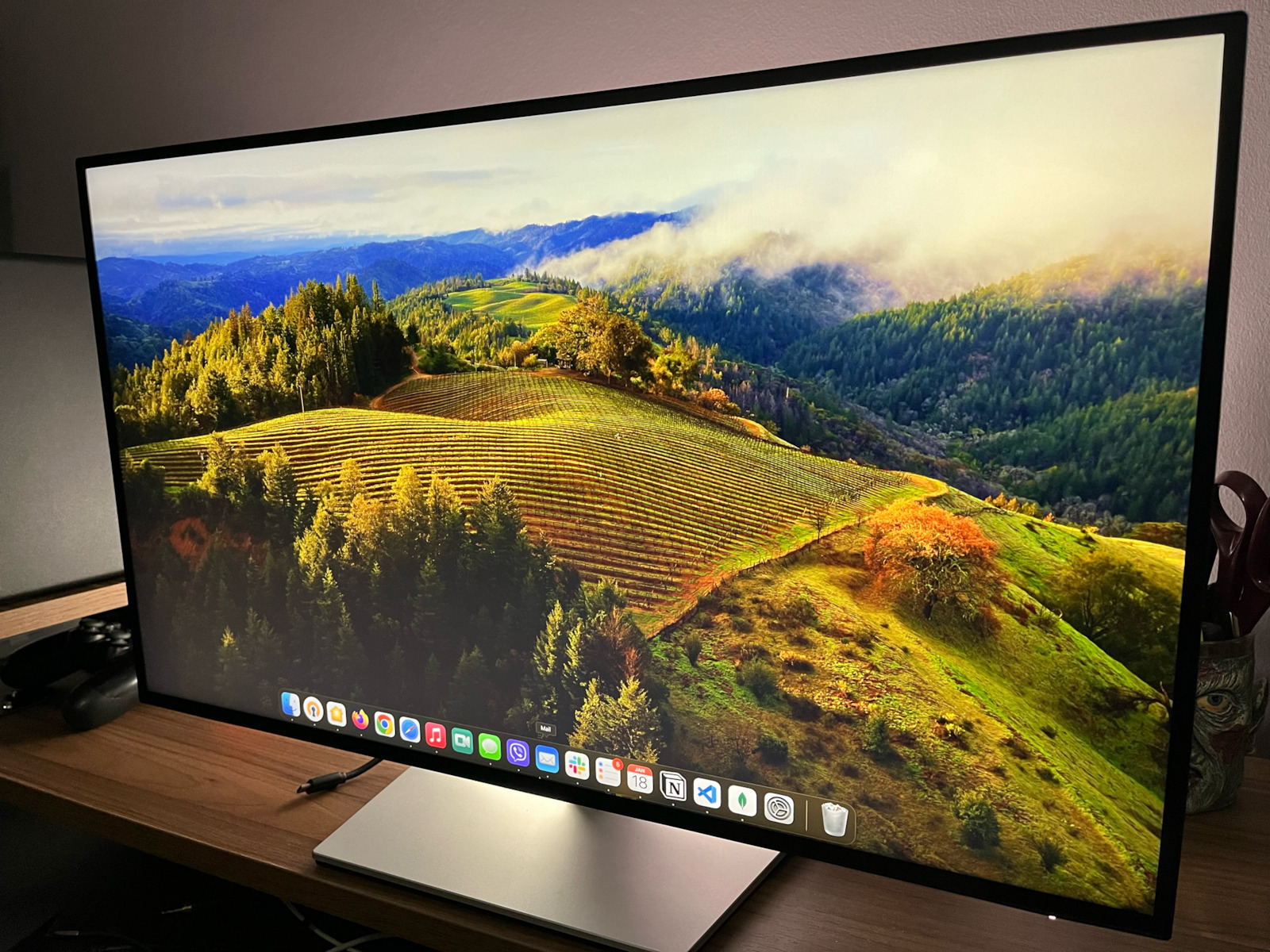
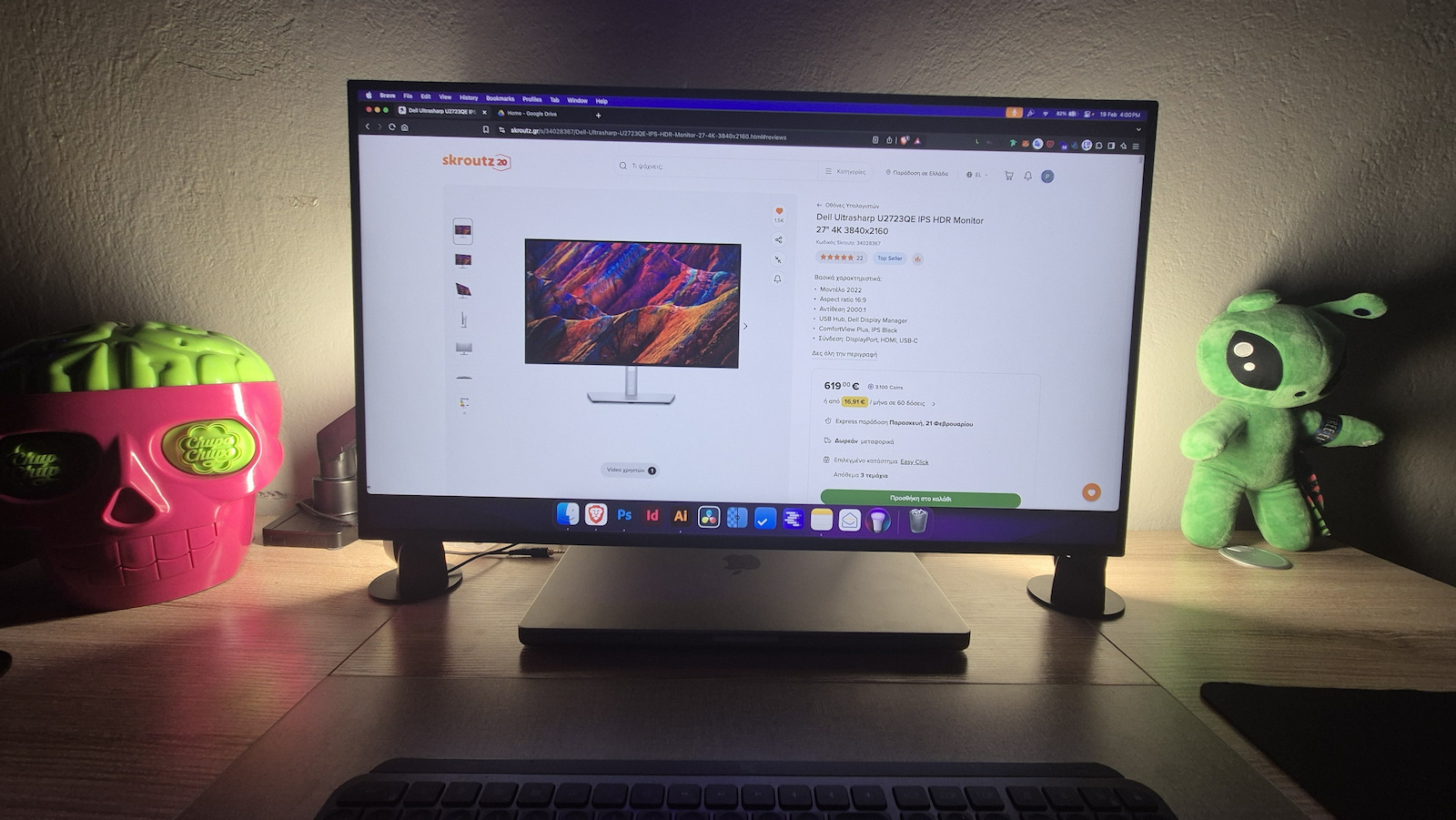
Dell Ultrasharp U2723QE IPS HDR Monitor 27" 4K 3840x2160

Key features:

  • Model 2022
  • Aspect ratio 16:9
  • Contrast 2000:1
  • USB Hub, Dell Display Manager
  • ComfortView Plus, IPS Black
  • Connection: DisplayPort, HDMI, USB-C
See full description
  • See all
The product is not available at Skroutz Last updated: about 1 month ago

Description

Description

High-quality professional monitor

The Dell monitor is aimed at professionals and demanding users who need a high-quality screen for their tasks (e.g., graphic designers, designers, professional photographers, architects, etc.). The first in its category with IPS Black technology, it offers high 4K resolution and high color and contrast accuracy, making it ideal for professional use. Additionally, it features multiple input ports for easy connection with other devices and peripherals.

Brilliant Graphics

Enjoy incredible colors and excellent black performance with a 2000:1 contrast ratio on the world's first 27" 4K monitor with IPS Black technology.

With a wide viewing angle of 178°/178°, you won't need to sit directly in front of the screen to have a clear view.

True brilliance

See all the details on this 4K screen and enjoy more true-to-life colors with 98% DCI-P3 and VESA DisplayHDR™ 400.

Designed with wellness in mind

ComfortView Plus, an always-on, built-in low blue light technology, reduces potentially harmful blue light emissions without compromising color quality.

Extensive connectivity

Your monitor serves as a productivity hub with Ethernet, Displayport, HDMI, USB 3.2, super speed USB 10Gbps, and USB-C connectivity with up to 90W power delivery for your peripherals. Easily connect to a variety of devices and view content from two sources with Picture-in-Picture functionality.

Dell Display Manager

With support for multiple operating systems, Dell Display Manager helps you stay productive, no matter how you work. 

With the Easy Arrange feature, you can easily organize multiple applications on one or more screens, thanks to 38 predefined window layouts and the ability to customize up to 5 windows, so you can multitask better.

See and do more

Enjoy uncompromised image quality by daisy-chaining two monitors. It is the world's first 4K monitor that allows daisy-chaining an additional 4K monitor at full resolution via USB-C. This is made possible by DSC (Display Stream Compression) technology.

The built-in Auto KVM allows you to connect to two sources (PC), giving control to the second connected computer. Use it to control both computers with one keyboard and mouse.

Masterful Craftsmanship

With a premium platinum silver finish and a sleek cable management system that reduces clutter, the monitor fits into any workspace. 

Adjust the monitor settings using the convenient joystick controller. 

Tilt, swivel, pivot, and adjust the height of the monitor to work in the most comfortable way for you.

Eco-conscious Design

Save energy with the PowerNap feature that dims the screen or puts it into sleep mode when not in use.

Uses 85% PCR (post-consumer recyclable) plastic in its design and meets the latest environmental standards, such as EnergyStar and TCO Certified Edge, and also has EPEAT Gold certification.

Designed with the environment in mind, Dell monitors are packaged in 100% recyclable boxes.

Ports and connectors:

1. Security lock slot (based on Kensington security slot) | 2. Power input | 3. HDMI port | 4. DisplayPort input | 5. USB-C port | 6. DP port (output) | 7. Audio output port | 8. USB-C upstream port | 9. (3) Super speed USB port, 10 Gbps (USB 3.2 Gen 2) | 10. Super speed USB port, 10 Gbps (USB 3.2 Gen 2) | 11. RJ45 port | 12. Super speed USB port, 10 Gbps (USB 3.2 Gen 2) | 13. USB-C data reception port

Package Contents:

  • Monitor
  • Stand
  • DisplayPort Cable
  • USB SuperSpeed Cable - USB Type A to C
  • USB-C to USB-C Cable

Manufacturer

See full description

Specifications

Specifications

Main Specifications

Panel
IPS
HDR
Yes
Curved
No
UltraWide
No
Diagonal
27 "
Resolution
3840x2160
Contrast
2000 :1
Refresh Rate
60 Hz
Aspect Ratio
16:9

Ergonomics

Tilt Adjustment
Yes
Height Adjustment
Yes
Vertical Rotation
Yes
Horizontal Rotation
Yes
Wall Mountable (Vesa)
100 x 100 mm

Connectivity

Connection
DisplayPort, HDMI, USB-C

Additional Specifications

Speakers
No
Features & Functions
USB Hub
Eye Comfort
No
Colour
Black
Camera
-

Energy Label

Energy Consumption
26 kWh/1000h
Energy Class
F

Important information

Specifications are collected from official manufacturer websites. Please verify the specifications before proceeding with your final purchase. If you notice any problem you can report it here.

See all specifications

Reviews (28)

Reviews

  1. 24
  2. 3
  3. 1
  4. 2 stars
    0
  5. 1 star
    0
Review this product
  • Comfort
  • Picture
  • Value for money
  • Viewing angle
  • Response time
  • Menu

Reviews photos

Reviews photos
Reviews photos
Reviews photos
Reviews photos
Reviews photos
Reviews photos

Reviews by our members

  • gatalf
    5
    3 out of 3 members found this review helpful

    Very good screen, does what it says.
    A big advantage is the plethora of connections and that everything is done from the screen and the USB cable. Peripherals, sound, external hard drives, power supply, and laptop image from one cable.
    It is perfect for an office environment. Another screen can be connected to it as well as an additional computer.

    Color quality and reliability, for its money, it is amazing with factory setting certification and compliance with the color spaces it has.

    With a three-year warranty as it is the professional series.
    It is a perfect solution (for its price), for professional use, both in functions and screen quality for tasks from programming to image and video editing.

    Translated from Greek ·
    Did you find this review helpful?
  • VIgor_Milo
    5
    1 out of 1 members found this review helpful

    Verified purchase

    It is a really good monitor with very good image quality, very nice depiction of characters, for example in Word, web, etc. The KVM is worth every penny. Fortunately, I didn't see the backlight bleed that some mention. The only perhaps negative is the 60Hz, but for office work, it's top-notch.

    Translated from Greek ·
    • Comfort
    • Picture
    • Viewing angle
    • Menu
    • Value for money
    • Response time
    Did you find this review helpful?
  • Angelos_Pantazis
    5
    1 out of 1 members found this review helpful

    My experience with the Dell UltraSharp U2723QE was exceptional. The image quality is simply amazing, with vibrant colors and incredible detail thanks to the 4K UHD resolution and IPS Black technology that offers deeper blacks. Connectivity is another big plus, with USB-C, DisplayPort, and Ethernet ports that make my work much easier and more organized. Also, the ergonomics of the monitor are excellent – I can adjust the height, rotate it, and find the optimal position for my needs. Overall, the user experience is extremely pleasant, and this monitor has significantly upgraded my productivity.

    Translated from Greek ·
    Did you find this review helpful?
  • theodiliadis
    5
    9 out of 10 members found this review helpful

    Serious tool!
    The only negatives I find for compulsive people are:

    1) When you want to turn it from horizontal to vertical position or vice versa, the base does not level! That is, it does not have a notch to understand if it is exactly 90 degrees vertical or 180 horizontal.

    2) The button to enter the menu makes a lot of noise... the switch of the power strip I have, makes less..

    Translated from Greek ·
    Did you find this review helpful?
  • stel_pal
    5
    3 out of 8 members found this review helpful

    The screen is very good and very clear compared to the S2722QC, and if you change the cable to the 8k uhd hama, which is excellent in 8K Optical Fiber HDMI Cable, the performance improves even more

    Translated from Greek ·
    • Comfort
    • Picture
    • Response time
    • Viewing angle
    • Menu
    • Value for money
    Did you find this review helpful?
  • John_Georgopoulos83
    3
    14 out of 16 members found this review helpful

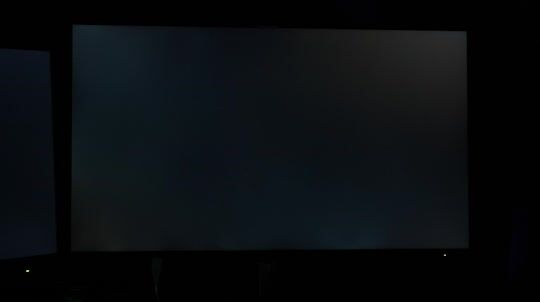
    Impressive on paper with a Contrast Ratio of 2000:1 (Measured from 1800:1 to 1200:1 in points with bleed) and its color coverage, and the amazing menu for switching between sRGB Rec709 and DCI-P3, but disappointment with its blacks and viewing angles. The viewing angles are mainly ruined in blacks, not in regular images with all tones. It also has a terrible SemiGloss coating which, as all reviews say, has a lot of reflection. Its hub is very convenient and the colors are very good. If you want it for casual use, it's okay, but problematic for image processing use.

    Translated from Greek ·
    • Comfort
    • Menu
    • Picture
    • Response time
    • Viewing angle
    • Value for money
    Did you find this review helpful?
  • MariosRoukis
    5
    2 out of 2 members found this review helpful

    Verified purchase

    It is excellent!
    Very comfortable, the image is NOT yellow while it has low blue light emission.
    Excellent base with many adjustment options

    Translated from Greek ·
    • Comfort
    • Picture
    • Response time
    • Viewing angle
    • Menu
    • Value for money
    Did you find this review helpful?
  • Alexandros_Kyriakakis4
    5
    6 out of 6 members found this review helpful

    Verified purchase

    Excellent quality. Coming from a Mac, I had a hard time getting used to the matte finish at first, but compared to Apple's $1.8K screen, it's definitely worth it!

    Translated from Greek ·
    • Comfort
    • Picture
    • Response time
    • Menu
    • Value for money
    • Viewing angle
    Did you find this review helpful?
  • Marinos_Kolokotsas
    4
    10 out of 12 members found this review helpful

    Verified purchase

    Ideally, I would like better build quality, as it feels very plastic. Additionally, the menu has unacceptable UX. Finally, the connections on the back are somewhat hidden and not very convenient. These are the negatives. Otherwise, it does its job perfectly. Coming from an iMac 5k, it felt awkward at first, but within a few days, I appreciated it a lot. Value for Money.

    Translated from Greek ·
    • Comfort
    • Picture
    • Response time
    • Viewing angle
    • Value for money
    • Menu
    Did you find this review helpful?
  • Verified purchase

    Amazing screen, perhaps larger than what I would personally want in the end

    Translated from Greek ·
    Did you find this review helpful?
  • Verified purchase

    • Comfort
    • Picture
    • Response time
    • Viewing angle
    • Menu
    • Value for money
    • Comfort
    • Picture
    • Response time
    • Viewing angle
    • Menu
    • Value for money
  • Verified purchase

  • Verified purchase

  • Verified purchase

  • Verified purchase

  • Verified purchase

  • Verified purchase

    • Comfort
    • Picture
    • Response time
    • Viewing angle
    • Menu
    • Value for money
  • Verified purchase

    • Comfort
    • Picture
    • Viewing angle
    • Value for money
    • Response time
    • Menu
  • Verified purchase

    • Comfort
    • Picture
    • Response time
    • Viewing angle
    • Menu
    • Value for money
  • Verified purchase

    • Comfort
    • Picture
    • Response time
    • Viewing angle
    • Value for money
    • Menu
  • Very good screen, does what it says.
    A big advantage is the plethora of connections and that everything is done from the screen and the USB cable. Peripherals, sound, external hard drives, power supply, and laptop image from one cable.
    It is perfect for an office environment. Another screen can be connected to it as well as an additional computer.

    Color quality and reliability, for its money, it is amazing with factory setting certification and compliance with the color spaces it has.

    With a three-year warranty as it is the professional series.
    It is a perfect solution (for its price), for professional use, both in functions and screen quality for tasks from programming to image and video editing.

    Translated from Greek ·
    3
  • It is a really good monitor with very good image quality, very nice depiction of characters, for example in Word, web, etc. The KVM is worth every penny. Fortunately, I didn't see the backlight bleed that some mention. The only perhaps negative is the 60Hz, but for office work, it's top-notch.

    Translated from Greek ·
    1
  • My experience with the Dell UltraSharp U2723QE was exceptional. The image quality is simply amazing, with vibrant colors and incredible detail thanks to the 4K UHD resolution and IPS Black technology that offers deeper blacks. Connectivity is another big plus, with USB-C, DisplayPort, and Ethernet ports that make my work much easier and more organized. Also, the ergonomics of the monitor are excellent – I can adjust the height, rotate it, and find the optimal position for my needs. Overall, the user experience is extremely pleasant, and this monitor has significantly upgraded my productivity.

    Translated from Greek ·
    1
  • Serious tool!
    The only negatives I find for compulsive people are:

    1) When you want to turn it from horizontal to vertical position or vice versa, the base does not level! That is, it does not have a notch to understand if it is exactly 90 degrees vertical or 180 horizontal.

    2) The button to enter the menu makes a lot of noise... the switch of the power strip I have, makes less..

    Translated from Greek ·
    9
  • See all

Description & Specifications

High-quality professional monitor

The Dell monitor is aimed at professionals and demanding users who need a high-quality screen for their tasks (e.g., graphic designers, designers, professional photographers, architects, etc.). The first in its category with IPS Black technology, it offers high 4K resolution and high color and contrast accuracy, making it ideal for professional use. Additionally, it features multiple input ports for easy connection with other devices and peripherals.

Brilliant Graphics

Enjoy incredible colors and excellent black performance with a 2000:1 contrast ratio on the world's first 27" 4K monitor with IPS Black technology.

With a wide viewing angle of 178°/178°, you won't need to sit directly in front of the screen to have a clear view.

True brilliance

See all the details on this 4K screen and enjoy more true-to-life colors with 98% DCI-P3 and VESA DisplayHDR™ 400.

Designed with wellness in mind

ComfortView Plus, an always-on, built-in low blue light technology, reduces potentially harmful blue light emissions without compromising color quality.

Extensive connectivity

Your monitor serves as a productivity hub with Ethernet, Displayport, HDMI, USB 3.2, super speed USB 10Gbps, and USB-C connectivity with up to 90W power delivery for your peripherals. Easily connect to a variety of devices and view content from two sources with Picture-in-Picture functionality.

Dell Display Manager

With support for multiple operating systems, Dell Display Manager helps you stay productive, no matter how you work. 

With the Easy Arrange feature, you can easily organize multiple applications on one or more screens, thanks to 38 predefined window layouts and the ability to customize up to 5 windows, so you can multitask better.

See and do more

Enjoy uncompromised image quality by daisy-chaining two monitors. It is the world's first 4K monitor that allows daisy-chaining an additional 4K monitor at full resolution via USB-C. This is made possible by DSC (Display Stream Compression) technology.

The built-in Auto KVM allows you to connect to two sources (PC), giving control to the second connected computer. Use it to control both computers with one keyboard and mouse.

Masterful Craftsmanship

With a premium platinum silver finish and a sleek cable management system that reduces clutter, the monitor fits into any workspace. 

Adjust the monitor settings using the convenient joystick controller. 

Tilt, swivel, pivot, and adjust the height of the monitor to work in the most comfortable way for you.

Eco-conscious Design

Save energy with the PowerNap feature that dims the screen or puts it into sleep mode when not in use.

Uses 85% PCR (post-consumer recyclable) plastic in its design and meets the latest environmental standards, such as EnergyStar and TCO Certified Edge, and also has EPEAT Gold certification.

Designed with the environment in mind, Dell monitors are packaged in 100% recyclable boxes.

Ports and connectors:

1. Security lock slot (based on Kensington security slot) | 2. Power input | 3. HDMI port | 4. DisplayPort input | 5. USB-C port | 6. DP port (output) | 7. Audio output port | 8. USB-C upstream port | 9. (3) Super speed USB port, 10 Gbps (USB 3.2 Gen 2) | 10. Super speed USB port, 10 Gbps (USB 3.2 Gen 2) | 11. RJ45 port | 12. Super speed USB port, 10 Gbps (USB 3.2 Gen 2) | 13. USB-C data reception port

Package Contents:

  • Monitor
  • Stand
  • DisplayPort Cable
  • USB SuperSpeed Cable - USB Type A to C
  • USB-C to USB-C Cable

Manufacturer

Main Specifications

Panel
IPS
HDR
Yes
Curved
No
UltraWide
No
Diagonal
27 "
Resolution
3840x2160
Contrast
2000 :1
Refresh Rate
60 Hz
Aspect Ratio
16:9

Ergonomics

Tilt Adjustment
Yes
Height Adjustment
Yes
Vertical Rotation
Yes
Horizontal Rotation
Yes
Wall Mountable (Vesa)
100 x 100 mm

Connectivity

Connection
DisplayPort, HDMI, USB-C

Additional Specifications

Speakers
No
Features & Functions
USB Hub
Eye Comfort
No
Colour
Black
Camera
-

Energy Label

Energy Consumption
26 kWh/1000h
Energy Class
F

Important information

Specifications are collected from official manufacturer websites. Please verify the specifications before proceeding with your final purchase. If you notice any problem you can report it here.

Reviews (28)

  1. 24
  2. 3
  3. 1
  4. 2 stars
    0
  5. 1 star
    0
Review this product
  • Comfort
  • Picture
  • Value for money
  • Viewing angle
  • Response time
  • Menu

Reviews photos

Reviews photos
Reviews photos
Reviews photos
Reviews photos
Reviews photos
Reviews photos

Reviews by our members

  • gatalf
    5
    3 out of 3 members found this review helpful

    Very good screen, does what it says.
    A big advantage is the plethora of connections and that everything is done from the screen and the USB cable. Peripherals, sound, external hard drives, power supply, and laptop image from one cable.
    It is perfect for an office environment. Another screen can be connected to it as well as an additional computer.

    Color quality and reliability, for its money, it is amazing with factory setting certification and compliance with the color spaces it has.

    With a three-year warranty as it is the professional series.
    It is a perfect solution (for its price), for professional use, both in functions and screen quality for tasks from programming to image and video editing.

    Translated from Greek ·
    Did you find this review helpful?
  • VIgor_Milo
    5
    1 out of 1 members found this review helpful

    Verified purchase

    It is a really good monitor with very good image quality, very nice depiction of characters, for example in Word, web, etc. The KVM is worth every penny. Fortunately, I didn't see the backlight bleed that some mention. The only perhaps negative is the 60Hz, but for office work, it's top-notch.

    Translated from Greek ·
    • Comfort
    • Picture
    • Viewing angle
    • Menu
    • Value for money
    • Response time
    Did you find this review helpful?
  • Angelos_Pantazis
    5
    1 out of 1 members found this review helpful

    My experience with the Dell UltraSharp U2723QE was exceptional. The image quality is simply amazing, with vibrant colors and incredible detail thanks to the 4K UHD resolution and IPS Black technology that offers deeper blacks. Connectivity is another big plus, with USB-C, DisplayPort, and Ethernet ports that make my work much easier and more organized. Also, the ergonomics of the monitor are excellent – I can adjust the height, rotate it, and find the optimal position for my needs. Overall, the user experience is extremely pleasant, and this monitor has significantly upgraded my productivity.

    Translated from Greek ·
    Did you find this review helpful?
  • theodiliadis
    5
    9 out of 10 members found this review helpful

    Serious tool!
    The only negatives I find for compulsive people are:

    1) When you want to turn it from horizontal to vertical position or vice versa, the base does not level! That is, it does not have a notch to understand if it is exactly 90 degrees vertical or 180 horizontal.

    2) The button to enter the menu makes a lot of noise... the switch of the power strip I have, makes less..

    Translated from Greek ·
    Did you find this review helpful?
  • stel_pal
    5
    3 out of 8 members found this review helpful

    The screen is very good and very clear compared to the S2722QC, and if you change the cable to the 8k uhd hama, which is excellent in 8K Optical Fiber HDMI Cable, the performance improves even more

    Translated from Greek ·
    • Comfort
    • Picture
    • Response time
    • Viewing angle
    • Menu
    • Value for money
    Did you find this review helpful?
  • John_Georgopoulos83
    3
    14 out of 16 members found this review helpful

    Impressive on paper with a Contrast Ratio of 2000:1 (Measured from 1800:1 to 1200:1 in points with bleed) and its color coverage, and the amazing menu for switching between sRGB Rec709 and DCI-P3, but disappointment with its blacks and viewing angles. The viewing angles are mainly ruined in blacks, not in regular images with all tones. It also has a terrible SemiGloss coating which, as all reviews say, has a lot of reflection. Its hub is very convenient and the colors are very good. If you want it for casual use, it's okay, but problematic for image processing use.

    Translated from Greek ·
    • Comfort
    • Menu
    • Picture
    • Response time
    • Viewing angle
    • Value for money
    Did you find this review helpful?
  • MariosRoukis
    5
    2 out of 2 members found this review helpful

    Verified purchase

    It is excellent!
    Very comfortable, the image is NOT yellow while it has low blue light emission.
    Excellent base with many adjustment options

    Translated from Greek ·
    • Comfort
    • Picture
    • Response time
    • Viewing angle
    • Menu
    • Value for money
    Did you find this review helpful?
  • Alexandros_Kyriakakis4
    5
    6 out of 6 members found this review helpful

    Verified purchase

    Excellent quality. Coming from a Mac, I had a hard time getting used to the matte finish at first, but compared to Apple's $1.8K screen, it's definitely worth it!

    Translated from Greek ·
    • Comfort
    • Picture
    • Response time
    • Menu
    • Value for money
    • Viewing angle
    Did you find this review helpful?
  • Marinos_Kolokotsas
    4
    10 out of 12 members found this review helpful

    Verified purchase

    Ideally, I would like better build quality, as it feels very plastic. Additionally, the menu has unacceptable UX. Finally, the connections on the back are somewhat hidden and not very convenient. These are the negatives. Otherwise, it does its job perfectly. Coming from an iMac 5k, it felt awkward at first, but within a few days, I appreciated it a lot. Value for Money.

    Translated from Greek ·
    • Comfort
    • Picture
    • Response time
    • Viewing angle
    • Value for money
    • Menu
    Did you find this review helpful?
  • Verified purchase

    Amazing screen, perhaps larger than what I would personally want in the end

    Translated from Greek ·
    Did you find this review helpful?
  • Verified purchase

    • Comfort
    • Picture
    • Response time
    • Viewing angle
    • Menu
    • Value for money
    • Comfort
    • Picture
    • Response time
    • Viewing angle
    • Menu
    • Value for money
  • Verified purchase

  • Verified purchase

  • Verified purchase

  • Verified purchase

  • Verified purchase

  • Verified purchase

    • Comfort
    • Picture
    • Response time
    • Viewing angle
    • Menu
    • Value for money
  • Verified purchase

    • Comfort
    • Picture
    • Viewing angle
    • Value for money
    • Response time
    • Menu
  • Verified purchase

    • Comfort
    • Picture
    • Response time
    • Viewing angle
    • Menu
    • Value for money
  • Verified purchase

    • Comfort
    • Picture
    • Response time
    • Viewing angle
    • Value for money
    • Menu
  • Very good screen, does what it says.
    A big advantage is the plethora of connections and that everything is done from the screen and the USB cable. Peripherals, sound, external hard drives, power supply, and laptop image from one cable.
    It is perfect for an office environment. Another screen can be connected to it as well as an additional computer.

    Color quality and reliability, for its money, it is amazing with factory setting certification and compliance with the color spaces it has.

    With a three-year warranty as it is the professional series.
    It is a perfect solution (for its price), for professional use, both in functions and screen quality for tasks from programming to image and video editing.

    Translated from Greek ·
    3
  • It is a really good monitor with very good image quality, very nice depiction of characters, for example in Word, web, etc. The KVM is worth every penny. Fortunately, I didn't see the backlight bleed that some mention. The only perhaps negative is the 60Hz, but for office work, it's top-notch.

    Translated from Greek ·
    1
  • My experience with the Dell UltraSharp U2723QE was exceptional. The image quality is simply amazing, with vibrant colors and incredible detail thanks to the 4K UHD resolution and IPS Black technology that offers deeper blacks. Connectivity is another big plus, with USB-C, DisplayPort, and Ethernet ports that make my work much easier and more organized. Also, the ergonomics of the monitor are excellent – I can adjust the height, rotate it, and find the optimal position for my needs. Overall, the user experience is extremely pleasant, and this monitor has significantly upgraded my productivity.

    Translated from Greek ·
    1
  • Serious tool!
    The only negatives I find for compulsive people are:

    1) When you want to turn it from horizontal to vertical position or vice versa, the base does not level! That is, it does not have a notch to understand if it is exactly 90 degrees vertical or 180 horizontal.

    2) The button to enter the menu makes a lot of noise... the switch of the power strip I have, makes less..

    Translated from Greek ·
    9
  • See all