Christ is Risen!
For those interested, it is the cheapest solution for Hardware AV1 encoding (100+ fps in 4K H264 8bit 4:2:0->4K AV1 in Handbrake 1.6.1 and ~300fps @ 1080p in h264 and 250+ in h265 on an 8-core CPU for further file compression) and you can easily integrate it into a machine that has RTX 2000/3000 & RX 5000/6000 series cards (or even older ones) and thus obtain the most affordable HW AV1 encoding (works perfectly in Resolve Studio, as it takes care of the exported video encoding and not the timeline rendering--also a top solution for HW decoding H264/5 with Quicksync with the appropriate settings in the program).
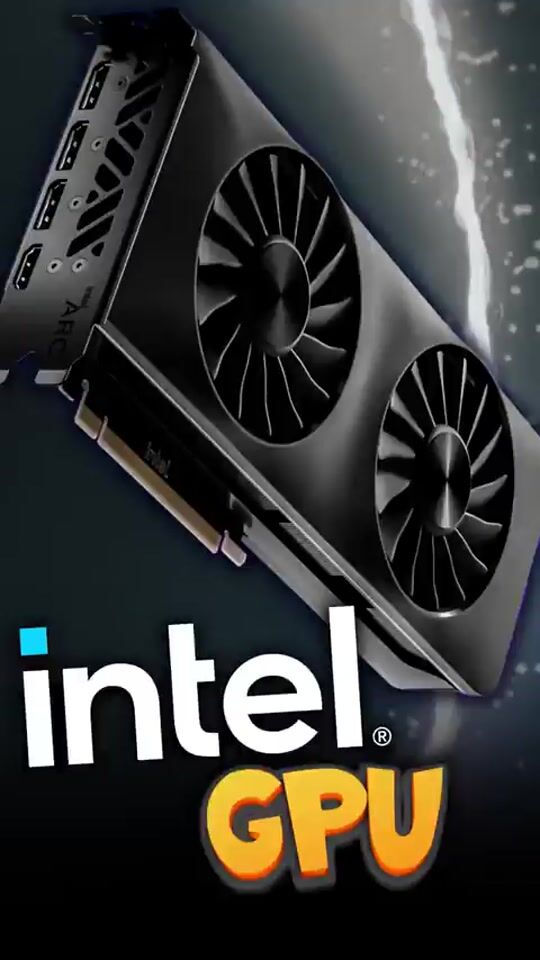
I acquired it exclusively to upgrade my system with AV1 encoding in Handbrake (1.6.1+) and in Davinci Resolve Studio where I work, as it is not cost-effective to go for the RTX 4000 just for AV1, having already an RTX 3000 series card for video editing tasks. AMD cards have very mediocre media engines (in terms of video quality, see the linked image below with the measurement results on modern hardware).
The theoretical experiment worked perfectly and you can have Intel Quicksync AV1 in any application that supports it (OBS 29.0.2+/Handbrake 1.6.1/Resolve Studio 18.1.4+/Filmora 12/Topaz Video AI 3.0.11+), without having to spend a small fortune to have 2 media engines (where, for example, one can record in OBS and the other can do encoding for streaming with different quality settings or both for final video rendering). Theoretically, you can load each media engine with more than 1 task, but you risk dropped frames (due to a weak CPU) or significantly reduced performance (during video export/rendering). The fact that each A380 media engine handles the "heavy" work doesn't mean that the CPU is idle, but it actively contributes to the management, so you will see high CPU % utilization.
The card also supports HyperEncode, which is supported on 12th generation Intel and above (automatically activated), allowing parallel rendering with your processor's iGPU (always choose such models and not the F ones that don't have it and cost slightly less, they are worth the money when you eventually need it).
It also works on 3rd and 9th generation Intel, as well as on AMD Ryzen 5000, but lacks Resizable BAR in BIOS (this only applies to 3rd gen, for 9th gen processors they finally added Res.BAR@BIOS), which significantly reduces its performance (according to Intel) in games. I didn't test it at all for gaming, but for Intel Quicksync tasks, where it works perfectly regardless of No Res.BAR=OFF.
Another major issue with the drivers is that on older generations before the 10th (as stated by Intel), it is not guaranteed to work as the primary 1st GPU (it works as a secondary GPU normally in all the applications mentioned above), something that other users have also reported, but I'm talking about my personal tests.
It may work in the system and be displayed normally in the Task Manager, but some graphic applications do not run and crash when opened. Personally, it doesn't bother me because I got it to be placed in the 2nd/3rd PCI-E slot and assist in encoding/decoding tasks, NOT as the main card, I clarify this because your motherboard in combination with the BIOS and your CPU may cause issues.
In the end, I ended up using it completely fanless, as I removed its fan and plastic frame to make it a 1-slot card and work exclusively as a QuickSync Hardware Encoder. However, do not use it like this for compute tasks because it raises the temperature significantly, as the power consumption exceeds 20W (during Quicksync tasks). I even removed the PCI bracket and installed it as a standalone card in the last (3rd) PCI slot PCI-E 4.0 4X to give full speed bandwidth to the other two powerful GPUs I have for rendering. It is something that works flawlessly if you want to maximize the capabilities of your machine.
The positive thing is that Intel continuously works on its drivers to eliminate such issues, giving hope to everyone, beyond the constantly increasing new games support, which is a different matter that I am not familiar with because I am not into video games.
I also did some test video editing on this machine to see if it performs correctly, and it has no problem with the "hack" in the Resolve Studio settings, allowing the card to function as the primary (bypassing the integrated GPU in the PCI-E slot 1) and do everything on its own. It gives you such flexibility. Read below for the answers I gave to someone who asked, so I don't have to rewrite them.
It is the most exceptional/affordable solution for AV1 Streaming+Encoding (Recording), as even the A380 has 2 media engines, comparable in quality to the RTX 4070Ti/4080/4090 at a "cutting-edge" price, as the fresh 4070 only has one media engine. Quality measurements of the final video have been done by many websites, and Intel is 1-3% worse than the top NVENC chips of the RTX 4000, although there are reports that Intel provides better quality in AV1 streaming compared to the RTX 4000. Regardless, it does an excellent job with both 8-bit and 10-bit footage.
Detailed results can be found in the mentioned table, where VMAF=the quality index of compressed video compared to the original source video (probably uncompressed) and how it is rated with 100 being the highest score in the final result provided by each card with different generation Encoders. There is also a measurement in software mode (via CPU), which is considered one of the top solutions but also the slowest at the same time.
EposVox on YouTube has done several comparisons of the performance of each card and company (Intel, NVIDIA, AMD), and you can see the detailed results in videos (search for AV1 on his channel, top right corner to show only the corresponding measurement videos).
To not bore you, if you want an affordable card with plenty of VRAM for video editing+AV1 encoding, then the ARC A770 16GB is the way to go with its dual media engines, while the specific A380 can handle decent 4K H264/5 8/10-bit 4:2:2 with its satisfactory 6GB VRAM in the most demanding video editing program (with the best utilization of GPU resources), which is none other than Davinci Resolve Studio.
The free version of Davinci Resolve does NOT utilize the GPU @ render/export time, but it does it through the CPU, which will delay it accordingly depending on the number of cores you have (or don't have). The equivalent solution for a laptop is the ARC A370M 4GB, which, although it has fewer GB of VRAM, performs the same as the desktop A380 in all the tests I conducted.
Intel made a smart move by penetrating the content creation machines through AV1, where it would be impossible with NVIDIA's exclusive dominance due to CUDA cores. Consider it as an HW acceleration card for media creation, and you will not be disappointed at all, especially now that its price has dropped below €150.
P.S. December '23: Besides being one of the top media engines for 4K 10-bit 422 (which you won't find anywhere else except for iGPU 12/13/14th gen for modern mirrorless cameras instead of creating H264 proxies in 1080p), it also works perfectly for AI subtitling (large model v1/2/3, the largest) in Greek/English due to its 6GB VRAM (4GB GPU only supports medium), just like NVIDIA does with CUDA. So, one more reason. You can find all of these features combined in the free and top-notch Subtitle Edit in Whisper (video to text menu) with Faster Whisper/CPP/Const-me engines, while for the same price, you will barely get a 4GB NVIDIA! Happy New Year, I'm telling you!! :)
P.P.S. Finally, Davinci Resolve (FREE) now supports up to one graphics card in its free version, so the limitations of the past are gone. With 6GB VRAM, you can perfectly handle 4K timeline and editing, as long as you don't overload it with too many effects (which are only available in the Studio version anyway). But still, don't lose your sleep over it, as the program constantly fills/empties the VRAM according to its needs. Ultimately, before rendering, it would be good to reboot and open ONLY Resolve for rendering, so that Windows can release the VRAM they consume from ARC to display on the screen. This way, Resolve will have the maximum available memory (and consequently, the best performance) during rendering. Of course, this applies if you use it as the primary card (with your monitor(s) connected). If it's in another slot as I mentioned before, then there is no such issue with Windows.
P.P.P.S. What I didn't mention clearly enough earlier is that this particular affordable card provides the BEST hardware acceleration for video editing, as it supports a huge number of video codecs compared to AMD/NVIDIA GPUs by default. So, it is the best and most cost-effective solution to turn any PC into a video editing station, as long as you have the recommended 16GB RAM by Resolve, as it also consumes a significant amount of memory. As a program, you should know that the more memory you give it, the more it "spreads" and utilizes it accordingly.
Finally, for those who have the obvious question, in practice, the new Intel Core Ultra processors are CPU+ARC GPU with the best media engine (QuickSync) that does a BETTER job than a dedicated GPU without QuickSync because they lack support (in terms of codecs) that iGPUs generally have, and ARC is more complete (and newer) compared to UHD 770/710 included in all 12/13/14th gen Intel CPUs (desktop & laptop). We don't have much information about the codecs supported by AMD CPU/GPU's RDNA2/3 Radeon iGPU, although they do have acceleration, but QuickSync excels in this aspect, which is why all video editors prefer it. The media engine was not upgraded in the brand-new Core Ultra processors (compared to ARC A380/580/750/770), so don't be tempted to buy a laptop for the new capabilities in video editing/transcoding/encoding/decoding if you have a desktop that supports Intel ARC dGPU with Resizable BAR support.
The ARC dGPU in practice was the preparation that Intel needed to integrate the A380 into the Meteor Lake, but the performance is not the same, because the dGPU consumes many more watts than the entire Meteor Lake (CPU/GPU/NPU), and that is obvious. I hope I made myself understood!
Finally, thank God for glory!
Χριστός Ανέστη!
Για όσους ενδιαφέρονται, είναι η πιο φθηνή λύση για Hardware AV1 encoding (100+ fps in 4K H264 8bit 4:2:0->4Κ AV1 in Handbrake 1.6.1 και ~300fps @ 1080p σε h264 και 250+ σε h265 σε 8core CPU για περαιτέρω σμίκρυνση του αρχείου) και μπορείτε κάλλιστα να την κοτσάρετε σε ένα μηχάνημα που έχει RTX 2000/3000 & RX 5000/6000 series κάρτες (ή και παλιότερες) και έτσι να αποκτήσετε με τον πιο φθηνό τρόπο HW AV1 encoding (δουλεύει άψογα στο Resolve Studio, καθώς αναλαμβάνει το exported video encoding και όχι το rendering του timeline--κορυφαία λύση επίσης για HW decoding H264/5 with Quicksync με τις ανάλογες ρυθμίσεις στο πρόγραμμα).
Την απέκτησα αποκλειστικά για να αναβαθμίσω το σύστημα μου με AV1 encoding στο Handbrake (1.6.1+) και στο Davinci Resolve Studio που δουλεύω, καθώς είναι ασύμφορο να πας στις RTX 4000 μόνο και μόνο για το AV1, έχοντας ήδη κάρτα RTX 3000 series για Video Editing εργασίες. Οι AMD κάρτες έχουν πολύ μέτριους media engines (σε τελική ποιότητα βίντεο, δείτε το linked image πιο κάτω με τα αποτελέσματα των μετρήσεων σε σύγχρονο hardware).
Το θεωρητικό πείραμα δούλεψε άψογα και μπορείς να έχεις Intel Quicksync AV1 σε κάθε εφαρμογή που το υποστηρίζει (OBS 29.0.2+/Handbrake 1.6.1/Resolve Studio 18.1.4+/Filmora 12/Topaz Video AI 3.0.11+), χωρίς να πρέπει να δώσεις μία μικρή περιουσία για να έχεις 2 media engines (όπου για παράδειγμα το ένα θα μπορεί να κάνει εγγραφή στο OBS και το άλλο encoding for streaming σε διαφορετικές ρυθμίσεις ποιότητας ή και τα 2 σε final video rendering). Θεωρητικά μπορείς να φορτώσεις την κάθε media engine με παραπάνω από 1 task, αλλά το ρισκάρεις αυτό με το να σου κάνει dropped frames (λόγω αδύναμου CPU να ανταπεξέλθει) ή να ρίξει πολύ τις επιδόσεις (κατά το video export/render); Το ότι η κάθε Α380 media engine επωμίζεται την "βαριά" δουλειά, δεν σημαίνει ότι η CPU κάθεται και πλέκει, αλλά συνεισφέρει ενεργά στην διαχείριση, οπότε θα δείτε high CPU % utilization.
Η κάρτα υποστηρίζει και το HyperEncode που υποστηρίζεται σε 12ης γενιάς Intel και πάνω (αυτόματα ενεργοποιείται), κάνοντας rendering παράλληλα με την iGPU του επεξεργαστή σας (πάντα να παίρνεται τέτοια μοντέλα και όχι τα F που δεν το έχουν κ κοστίζουν ελάχιστα λιγότερο, υπεραξίζει τα λεφτά τους όταν θα το χρειαστείς τελικά)
Δουλεύει και σε 3ης & 9ης Intel που το δοκίμασα αλλά και σε AMD Ryzen 5000, αλλά ελλείψη Resizable BAR in BIOS (μόνο στο 3rd gen ισχύει αυτό, στης 9ης γενιάς επεξεργαστές δώσανε τελικά Res.BAR@BIOS), οι επιδόσεις του πέφτουν πολύ (με βάση την Intel) στα παιχνίδια. Δεν την δοκίμασα καθόλου σε gaming αλλά σε Intel Quicksync εργασίες, όπου και δουλεύει άψογα ασχέτως No Res.BAR=OFF.
Ένα βασικό θέμα ακόμα με τους drivers είναι, ότι σε παλιότερης γενιάς από 10ης (το αναφέρει η Intel) ΔΕΝ εγγυάται ότι θα παίξει η γενικά κάρτα (ως βασική 1η GPU, παίζει ως δευτερεύων κανονικά σε όλες τις εφαρμογές που προαναφέρω), κάτι που το έχουν αναφέρει και άλλοι χρήστες, αλλά μιλώ για τις προσωπικές δοκιμές που έκανα.
Μπορεί να δουλεύει μεν στο σύστημα και να την δείχνει κανονικά στον Task Manager, αλλά κάποιες γραφιστικές εφαρμογές ΔΕΝ τρέχουν και crasharουν όταν τις ανοίγεις.
Προσωπικά δεν με ενοχλεί, γιατί την πήρα για να μπει στο 2ο/3o PCI-E slot και να υποβοηθεί τις encoding/decoding εργασίες και ΟΧΙ ως κύρια κάρτα, το ξεκαθαρίζω, γιατί μπορεί η μητρική σας σε συνδυασμό με την BIOS και τον CPU σας να σας δημιουργήσουν πρόβλημα.
Eν τέλη κατάληξνα να την δουλεύω επίσης εντελώς fanless, καθώς ξήλωσα τον ανεμιστήρα της κ το πλαστικό πλαίσιο, ώστε να γίνει 1-slot card και να δουλεύει αποκλειστικά ως QuickSync Hardware Encoder. ΜΗΝ την δουλέψετε έτσι όμως σε Compute εργασίες γιατί εκεί ανεβάζει την θερμοκρασία στα ύψη, καθώς η κατανάλωση ξεπερνά τα 20W (during Quicksync tasks). Αφαίρεσα ακόμα κ το PCI bracket κ την έβαλα ως σκέτη κάρτα στο last (3rd PCI slot PCI-E 4.0 4X) για να δώσω το full speed bandwidth στις άλλες δύο δυνατές GPU που έχω για rendering. Είναι κάτι που δουλεύει άψογα, αν θέλετε να τερματίσετε τις ικανότητες που σας δίνει το μηχάνημά σας.
Το θετικό είναι ότι η Intel δουλεύει ακατάπαυστα τους drivers για να εξαλειφθούν τέτοια προβλήματα και έτσι δίνει ελπίδες για όλους, πέρα των new games support που αυξάνεται διαρκώς, άλλο αυτό, αλλά δεν το γνωρίζω γιατί δεν ασχολούμαι με video-games.
Έκανα επίσης δοκιμαστικό Video Editing σε αυτό το μηχάνημα επίσης, για να δω μήπως δεν αποδίδει σωστά, αλλά δεν έχει πρόβλημα, με το "hack" στις ρυθμίσεις του Resolve Studio, να παίζει η κάρτα ως κύρια (παρακάμπτωντας την βασική στο PCI-E slot 1, ώστε να κάνει τα πάντα μόνη της, τέτοια ευελιξία σου δίνει. Διαβάστε πιο κάτω τις απαντήσεις που έδωσα σε κάποιον που ρωτούσε, για να μην τα ξαναγράφω.
Είναι η πιο εξαιρετική/φθηνή λύση για AV1 Streaming+Encoding(Recording), καθώς ακόμα και η Α380 έχει 2 media engines, αντίστοιχης ποιότητας με τις RTX 4070Ti/4080/4090 σε τιμή "κοψοχρονιά", καθώς η φρέσκια 4070 έχει μόνο ένα media engine.
Οι μέτρησεις ποιότητας του τελικού βίντεο έχουν γίνει από πολλές σελίδες και η Intel είναι 1-3% χειρότερη από τα κορυφαία NVENC chips των RTX 4000, αν και υπάρχουν αναφορές ότι η Intel βγάζει καλύτερη ποιότητα σε AV1 streaming σε σχέση με τις RTX 4000. Όπως κ να έχει κάνουν άψογη δουλειά και σε 8bit και σε 10bit footage.
https://uploads.disquscdn.com/images/8f3780f100117bd44a8727a0afd791a0c4175005b0ef8faf21019591982b00cb.png?w=800&h=544
Αναλυτικά αποτελέσματα στον εν λόγω πίνακα, όπου το VMAF=ο δείκτης ποιότητας συμπιεσμένου βίντεο σε σχέση με το αρχικό source video (μάλλον ασυμπίεστο) και πόσο βαθμολογείται με άριστα το 100 στο τελικό αποτέλεσμα που δίνει η κάθε κάρτα με τους διαφορετικής γενιάς Encoders που φέρουν. Υπάρχει και μέτρηση σε μετατροπή σε software mode (μέσω CPU), που θεωρείται από τις κορυφαίες λύσεις, αλλά και τις πιο αργές ταυτόχρονα.
Ο EposVox στο Youtube έχει κάνει αρκετά συγκριτικά με τις επιδόσεις της εκάστοτε κάρτας και εταιρίας (Intel, NVIDIA, AMD) και εκεί μπορείτε να τα δείτε αναλυτικά τα αποτελέσματα σε βίντεο (γράψτε AV1 στην αναζήτηση του καναλιού του, πάνω δεξιά γωνία για να σας βγάλει μόνο τα αντίστοιχα βίντεο-μετρήσεις).
Για να μην σας κουράζω, εάν θέλετε φθηνή κάρτα με μπόλικη VRAM για video editing+AV1 encoding, τότε η ARC A770 16GB είναι μονόδρομος με τους dual media engines, ενώ η συγκεκριμένη Α380 μπορεί να κάνει τίμιο 4K H264/5 8/10bit 4:2:2 με τα ικανοποιητικά 6GB VRAM που έχει, στο πιο απαιτητικό πρόγραμμα video editing (με την καλύτερη αξιοποίηση των GPU resources), που δεν είναι άλλο από το Davinci Resolve Studio.
H δωρεάν Davinci Resolve έκδοση ΔΕΝ αξιοποιεί τις GPU @ render/export time, αλλά το κάνει μέσω CPU που εκεί ανάλογα του πυρήνες που έχετε (ή δεν έχετε), θα καθυστερήσει αντίστοιχα. Η αντίστοιχη λύση σε laptop είναι η ARC A370M 4GB, που ενώ έχει λιγότερα GB VRAM, οι επιδόσεις της είναι οι ίδιες με την desktop A380, σε όσες δοκιμές έκανα.
Η Intel έκανε έξυπνη κίνηση να διεισδύσει μέσω του AV1 σε μηχανήματα content creation, όπου θα ήταν ανέφικτο με την αποκλειστική κυριαρχία της NVIDIA λόγω CUDA cores. Δείτε την σαν HW acceleration card for media creation και δεν θα απογοητευτείτε καθόλου, ιδίως τώρα που έπεσε κάτω από τα €150 η τιμή της.
Υ.Γ. Δεκέμβριος '23: η εν λόγω κάρτα πέρα των κορυφαίων media engines for 4K 10bit 422 (πουθενά αλλού δεν θα το βρείτε αυτό [πέρα των iGPU 12/13/14th gen] για τις σύγχρονες mirrorless αντί να φτιάχνετε H264 proxies 1080p) κάνει άψογα την δουλειά για AI υποτιτλισμό (large model v1/2/3, το μεγαλύτερο) στα Ελληνικά/Αγγλικά λόγω των 6GB VRAM (στις 4GB GPU σηκώνει μόνο το medium), όπως κάνουν και οι NVIDIA με το CUDA.
Οπότε ένας λόγος παραπάνω. Θα τα βρείτε όλα αυτά μαζεμένα στο δωρέαν και κορυφαίο Subtitle Edit στο Whisper (video to text menu) με τα engines Faster Whisper/CPP/Const-me) ενώ στα ίδια λεφτά μετά βίας θα πάρετε μία 4GB NVIDIA! Κοψοχρονιά σας λέω!! :)
ΥΓ2. Τελικά το Davinci Resolve (FREE) υποστηρίζει πλέον μέχρι μία κάρτα γραφικών στην δωρεάν έκδοσή του, οπότε πάνε οι περιορισμοί του παρελθόντος. Με 6GB VRAM μπορείτε να κάνετε άριστα 4Κ timeline κ editing, αρκεί να μην το μπουκώσετε πολλά εφέ (που ούτως ή άλλως τα βαριά δίνονται μόνο στην Studio έκδοση), αλλά πάλι μην χάνετε τον ύπνο σας καθώς το πρόγραμμα όταν το δουλεύεις γεμίζει/αδειάζει την VRAM συνεχώς αναλόγως τί χρειάζεται. Στην τελική πριν από ένα rendering, καλό θα ήταν να κάνετε ένα reboot κ να ανοίξετε ΜΟΝΟ το Resolve για το rendering, ώστε να αποδεσμεύσουν κ τα Windows την VRAM που τρώνε από την ARC για να απεικονίσουν τα της οθόνης. Έτσι θα έχει την μέγιστη διαθέσιμη μνήμη το Resolve (κ τις καλύτερες επιδόσεις κατά συνέπεια) κατά το rendering, αυτά βέβαια εάν την χρησιμοποιείτε για πρώτη βασική κάρτα (που έχετε συνδέσεις την οθόνη/ες σας. Αν είναι σε άλλο slot που σας προείπα, τότε ΔΕΝ τίθεται τέτοιο θέμα από τα Windows.
ΥΓ3. Αυτό που δεν ανέφερα αρκετά ξεκάθαρα πιο πάνω, είναι ότι η συγκεκριμένη πάμφθηνη κάρτα κάνει την ΚΑΛΥΤΕΡΗ Hardware accelaration για video editing, καθώς περιέχει υποστήριξει για ένα τεράστιο πλήθος video codecs σε σχέση με τις AMD/NVIDIA GPU εξ'ορισμού, οπότε η καλύτερη κ φθηνότερη λύση να μετατρέψετε ένα οποιοδήποτε PC σε video editing station, αρκεί να έχετε 16GB RAM που προτείνει το Resolve, καθώς ξοδεύει κ εκεί αρκετή μνήμη. Ως πρόγραμμα να ξέρετε ότι, όσο μνήμη του δώσεις, τόσο "απλώνεται" κ την αξιοποιεί ανάλογα.
Τέλος, για όσους έχουν την αυτονόητη απορία, στην πράξη οι νέοι Intel Core Ultra, είναι CPU+ARC GPU με την καλύτερη media engine (QuickSync) που κάνει ΚΑΛΥΤΕΡΗ δουλειά από ότι μία dedicated GPU χωρίς QuickSync, γιατί είναι λειψές (σε codecs support) αυτές που έχουν οι iGPU γενικότερα κ η ARC είναι πιο πλήρης (και νεότερη) σε σχέση με την UHD 770/710 που περιέχεται σε σε όλους του 12/13/14 γενιάς Intel CPU (desktop & laptop). Για τους AMD CPU/GPU δεν έχουμε πολλά στοιχεία για τους codecs που υποστηρίζει η RDNA2/3 Radeon iGPU, έχουν μεν accelaration, αλλά σε αυτό το Quicksync διαπρέπει και για αυτό τους προτιμούν όλοι οι video editors.
Στους ολοκαίνουργιους Core Ultra ΔΕΝ αναβαθμίσαν την media engine (σε σχέση με τις ARC A380/580/750/770), οπότε μην μπαίνετε στον πειρασμό να πάρετε laptop για τις νέες δυνατότητες για video editing/transcoding/encoding/decoding εάν έχετε desktop που δέχεται την Intel ARC dGPU με Resisable BAR support.
Η ARC dGPU στην πράξη ήταν η προετοιμασία που χρειαζόταν η Intel ώστε να ενσωματώσει την A380 στους Meteor Lake, απλά οι επιδόσεις δεν είναι ίδιες, γιατί η dGPU ξοδεύει πολλά παραπάνω watt από ότι όλος ο Meteor Lake (CPU/GPU/NPU) κ είναι αυτονόητο. Εύχομαι να έγινα κατανοητός!
Τέλος και τω Θεώ δόξα!