Motherboards

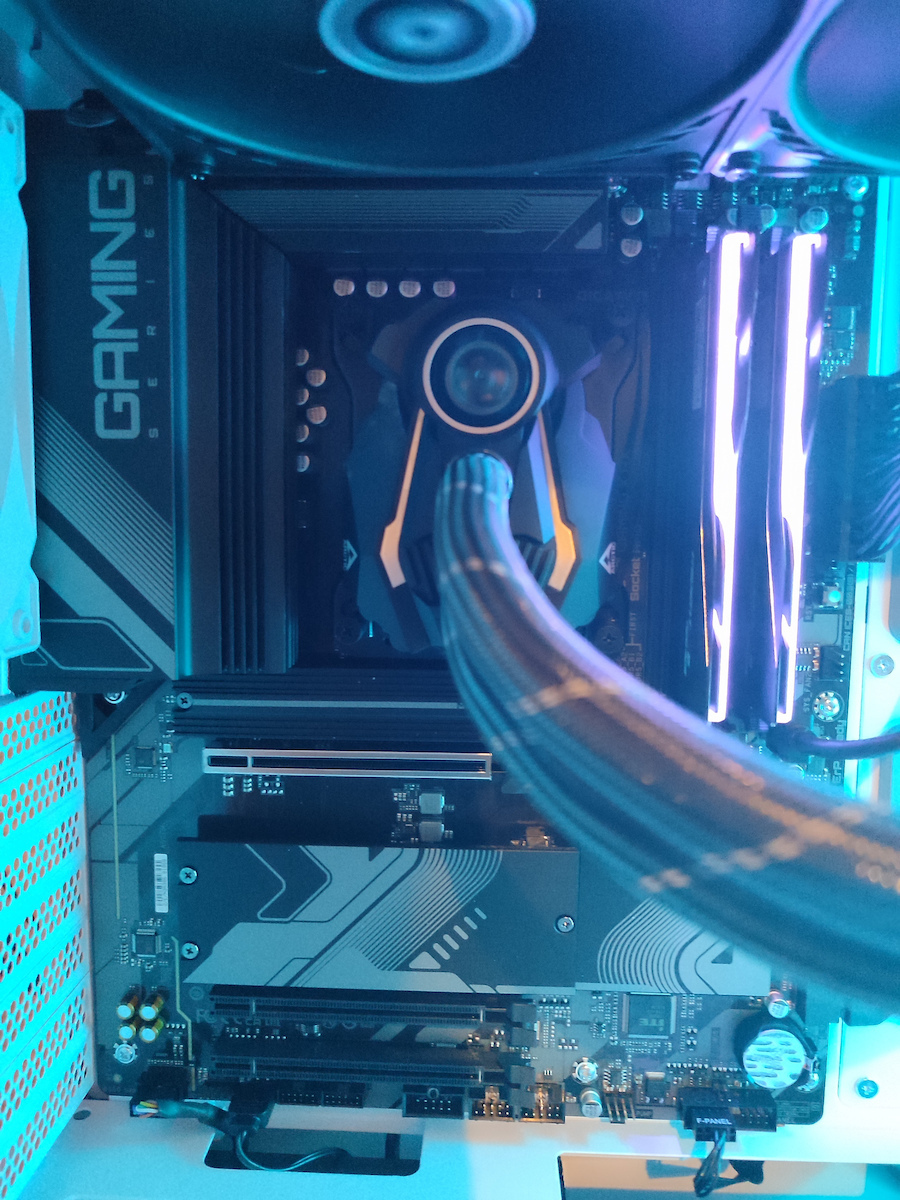
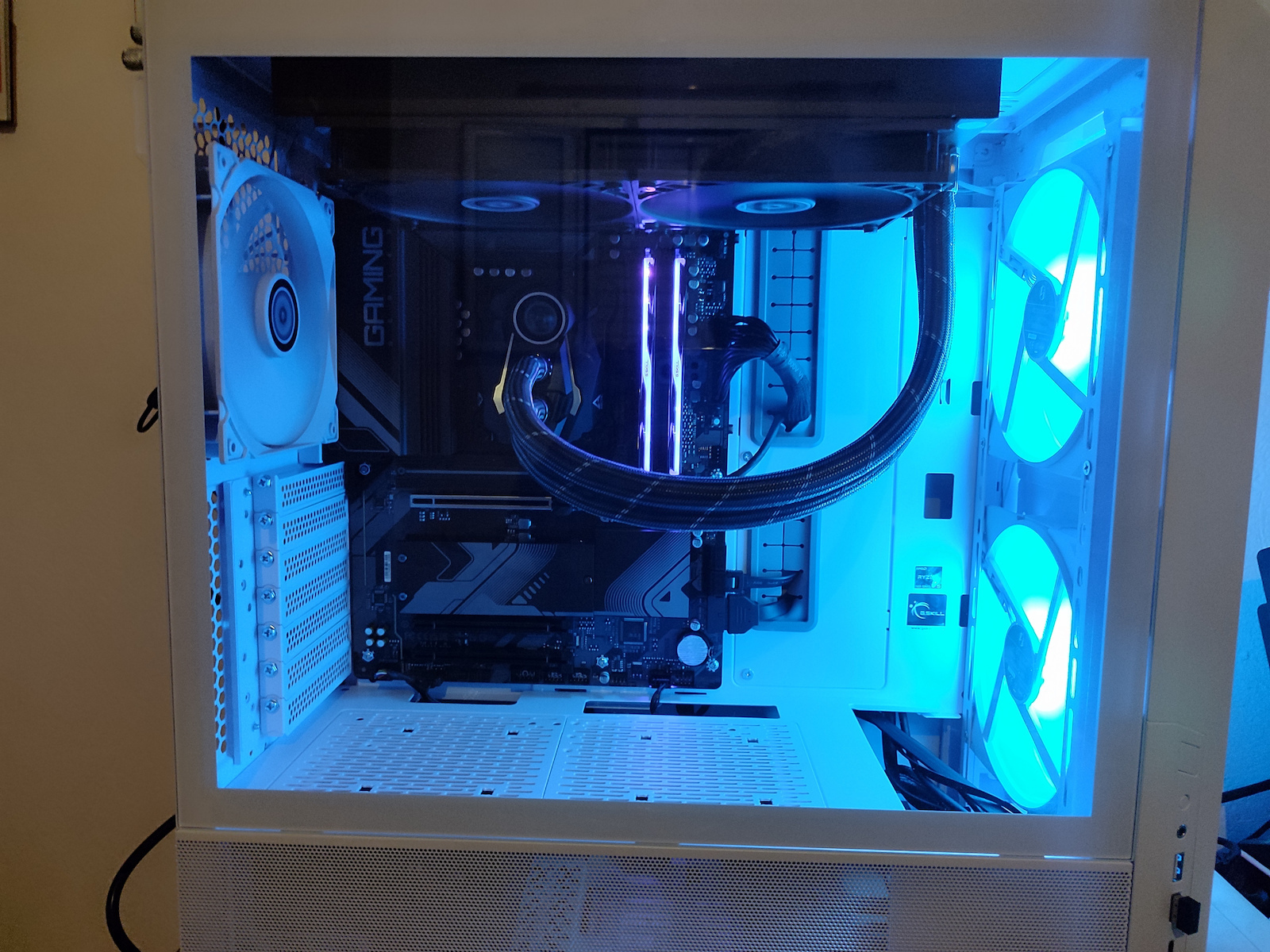
Gigabyte B650 Gaming X AX rev. 1.x Wi-Fi Motherboard ATX with AMD AM5 Socket

Key features:

  • 4 DDR5 Ram slots up to 6400(O.C.)
  • For AMD Ryzen 7000 processors
  • PCI Express 4.0 x16 support
  • DisplayPort, HDMI display connections
  • Slots for 4x Sata III and 3x M.2
  • 5 USB 3.2 ports, 3 USB 2.0 ports
See full description
  • See all
The product is not available at Skroutz Last updated: about 1 month ago

Description

Description

The Gigabyte B650 Gaming X AX motherboard is aimed at users seeking a reliable and efficient solution for building a gaming or multimedia PC with AMD Ryzen 7000 Series processors.

It offers high performance and advanced features for gaming, streaming, multimedia editing, and other demanding tasks. Additionally, the Gigabyte B650 Gaming X AX provides versatile connectivity options with multiple USB ports, support for PCIe 4.0, wireless Wi-Fi 6E network, and Gigabit Ethernet, as well as rich customization capabilities with advanced BIOS functions and RGB lighting.

The Gigabyte B650 Gaming X AX motherboard is suitable for users looking for an advanced and reliable solution for their gaming and computer performance needs.

  • AMD Socket AM5: Supports AMD Ryzen 7000 Series processors
  • Unmatched performance: Direct 8+2+1 phase digital VRM solution
  • Dual Channel DDR5: 4*SMD DIMMs with support for AMD EXPO & Intel XMP memory modules
  • Ultra-fast storage: 3*PCIe 4.0 x4 M.2 Connectors
  • Advanced thermal design & M.2 Thermal Guard: Ensures VRM power stability and 25110 M.2 SSD performance
  • PCIe x16 EZ-Latch with quick release & Screwless Design
  • Fast networks: 2.5GbE LAN & Wi-Fi 6E 802.11ax
  • Expanded connectivity: DP, HDMI, rear USB-C 10Gb/s, front USB-C 20Gb/s
  • Smart Fan 6: Features multiple temperature sensors, hybrid fan headers with FAN STOP
  • Q-Flash Plus: Update BIOS without installing the CPU, memory, and graphics card

To ensure maximum Turbo Boost performance and overclocking of AMD's new generation CPUs, the Gigabyte Gaming series motherboard equips the best VRM design ever built with the highest quality components.

PCIe 4.0 Hardware Design

The Gigabyte B650 motherboards are ready to work with PCIe 4.0 devices, which are expected to have double the bandwidth of current PCIe 3.0 devices. To achieve high speed and maintain good signal integrity, Gigabyte's R&D uses low resistance PCB to provide maximum performance.

DDR5 EXPO & XMP Overclocking

Aorus offers a tried and proven platform where the memory overclocking capability can reach up to 6400 and beyond. All users need to do to achieve this extreme memory performance boost is to ensure that the DDR5 memory modules are capable of AMD EXPO/Intel XMP, that the EXPO/XMP function is enabled and activated on the Aorus motherboard.

Heatsink

  • 3 times larger surface

Increased surface area up to 3X larger compared to traditional heatsinks. Improves heat dissipation from the MOSFETs.

  • True one-piece construction

TMOS is a truly one-piece heatsink. Its one-piece design and larger surface area drastically improve cooling performance compared to the multi-piece design of competitors.

Smart Fan 6

Smart Fan 6 contains several unique cooling features that ensure the gaming PC maintains its performance while staying cool and quiet. Multiple fan headers can support both PWM/DC fans and pumps, and users can easily set each fan curve based on different temperature sensors across the system through an intuitive user interface.

Cooling Features

  • High Current Support

Each fan header supports PWM and DC fan and water cooling pump, and up to 24W (12V x 2A) with overcurrent protection

  • Precision Control

Multiple temperature/fan speed control points for precise fan curve

  • Dual Curve Mode

Dual slope/staircase operation for different user scenarios

  • Fan Stop
The fan can stop completely below the user-defined temperature point

802.11ax Wi-Fi 6E

The latest 802.11ax Wi-Fi 6E wireless solution with a new exclusive 6GHz band allows gigabit wireless performance, provides smooth video streaming, better gaming experience, fewer dropped connections, and speeds up to 2.4Gbps. Additionally, Bluetooth 5 offers 4X the range compared to BT 4.2 and faster transmission.

Advantages of Wi-Fi 6E

Congestion is a huge problem in today's Wi-Fi environment because too many devices use the existing 2.4GHz and 5GHz spectrum, causing unreliable connections and slower speeds.

Wi-Fi 6E is the extension standard of Wi-Fi 6 and uses a dedicated 6 GHz band, which not only provides a brand-new frequency for data transfer but also a wide spectrum for more future devices.

With Wi-Fi 6E, users can enjoy faster connections and stronger signals than before.

2.5GbE LAN

  • The adoption of LAN 2.5G provides network connectivity up to 2.5GbE, with at least 2 times faster transfer speeds compared to general 1GbE networking, perfectly designed for gamers with an absolute online gaming experience.
  • Support for Ethernet RJ-45 Multi-Gig (10/100/1000/2500Mbps)

USB 3.2 Gen 2x2 Type-C on the Front Panel

It features USB 3.2 Gen 2x2 design, which doubles the performance compared to the previous generation USB 3.2 Gen 2. It operates with ultra-fast data transfer speeds of up to 20 Gbps when connecting with USB 3.2 compatible peripherals. Through the USB Type-C® connection, users can enjoy the flexibility of a reversible connection for quick access and storage of large volumes of data.

USB 3.2 Gen 2 Type-C Port

USB 3.2 Gen 2 ports provide speeds of up to 10Gbps. With double the bandwidth compared to its previous generation, as well as backward compatibility with USB 3.2 Gen 1 and USB 2.0, the greatly improved USB 3.2 Gen 2 protocol is available through the new reversible USB Type-C plug and the traditional USB Type-A plug for better compatibility across a wider range of devices.

RGB Fusion

Now offering more LED customizations than ever before, users can truly personalize their computer to represent their lifestyle. With full RGB support and a redesigned RGB Fusion 2.0 application, the user has complete control over the LEDs surrounding the motherboard.

UEFI BIOS

UEFI BIOS is a type of BIOS that replaces the older BIOS (Basic Input/Output System) in computers. UEFI (Unified Extensible Firmware Interface) is a software-hardware interface standard used for managing computer boot processes and basic system functions.

Gigabyte Control Center

The Gigabyte Control Center (GCC) is a unified software for all products supported by Gigabyte. It provides a newly designed intuitive user interface for controlling all key functions.

  • Unified software platform for all supported Gigabyte products
  • Intuitive user interface for an easy experience
  • Modular control elements only for installed hardware
  • Auto-update function to keep the system up-to-date and support future products

Multi-key

A multi-function reset button that can be reassigned to other functions in the BIOS for different user scenarios.

  • RGB Switch

Turn off all lighting effects on the motherboard.

  • Direct-To-BIOS

Boot into the BIOS menu directly without pressing any keyboard button.

  • Safe Mode

Boot into BIOS safe mode to change a specific option without losing other BIOS settings.

Q-Flash Plus

Update the BIOS easily

With Gigabyte Q-Flash Plus, you don't need to install the processor, memory, and graphics card or enter the BIOS menu. Simply download and save a new BIOS file to a USB drive, then press the exclusive Q-Flash Plus button and you're ready to go.

EZ-Latch Plus PCIe

The recently integrated EZ-Latch Plus design on B650 motherboards simplifies the computer building process, as it makes removing the graphics card as easy as pressing a button.

EZ-Latch Plus M.2

The newly integrated EZ-Latch Plus design on B650M motherboards simplifies the PC building process, making M.2 SSD installation easier than ever, without the need for a single screw.

Manufacturer

See full description

Specifications

Specifications

Product Details

Size
ATX
Type
Desktop

Processor

Supported Processors
AMD
Models
Ryzen
Supported CPU Generation
Zen 4
Socket
AM5

Chipset

Model
AMD B650

Memory

Memory type
DDR5
Quantity
4 DIMM Slots
Memory Speeds
4400, 4800, 5000OC, 5200OC, 5400OC, 5600OC, 5800OC, 6000OC, 6200OC, 6400OC
Memory Channels
Dual Channel

Internal Connectors

PCI Express x16 3.0
2 Slot
PCI Express x16 4.0
1 Slot
SATA III 6Gb/s
4 Port
M.2 Type
2 PCIe 4.0 Ports
M.2 Slots
0

External Connectors

Rear USB-A outputs
3 USB 3.2 Ports, 4 USB 2.0 Ports
Rear USB-C outputs
1 USB 3.2 Port
Ethernet (LAN)
1
Screen Connections
DisplayPort, HDMI

Specifications

RGB Lighting
No
WiFi/Bluetooth
Yes
Extra
Bios Flashback, RGB Header

Sound

Sound Card Channels
7.1

Top Specs

Memory
4x DDR5

Important information

Specifications are collected from official manufacturer websites. Please verify the specifications before proceeding with your final purchase. If you notice any problem you can report it here.

See all specifications

Reviews (18)

Reviews

  1. 11
  2. 3
  3. 3 stars
    0
  4. 2
  5. 2
Review this product
  • Easy installation in the case
  • Number of ports
  • Reliability
  • Number of BIOS functions
  • Easy hardware connection to the motherboard
  • Temperature
  • Value for money

Reviews by our members

  • gramer_puma12gr
    1
    1 out of 5 members found this review helpful

    Verified purchase

    mou irthe i sigkekrimeni me ta pinakia tou usb 3 strabomena ta isxiosa kai meta apo liges meres i thira ithernet stamatise na litourgi kai otan ebala to front panel me to Hd audio den eperne ixo kai an aniga to pc xoris na exw sindemena akoustika den eixa ixo metria ta ilika kataskebeis ta 3 sata apo ta 4 den douleban i basi tou cpu cooler itan fagomeni apo tin mia den ekane kali epafi to bios kolouse full me to mouse kai meta apo restart ekane reset ta settings mou ebasa tou ultra fast boot kai petage mple othoni opote den tin protinw kalitera na pate se msi i an eistai fan tis gigabyte na pate na parete mitriki me tin ipografi tis aorus

    • Easy installation in the case
    • Reliability
    • Number of ports
    • Number of BIOS functions
    • Value for money
    • Difficult hardware connection to the motherboard
    • Temperature
    Did you find this review helpful?
  • nikos_stathis
    2
    1 out of 9 members found this review helpful

    I was very disappointed with Gigabyte. I bought it for a friend's computer that we built together. Guys, if it's close in price, don't even think about it, RUN to MSI. The BIOS? Terrible. Build quality? Average. That's all I have to say. Rating around 2.5 stars

    Translated from Greek ·
    • Number of BIOS functions
    • Reliability
    • Moderate difficulty connecting components to the motherboard
    • Value for money
    • Difficult installation in the case
    Did you find this review helpful?
  • Markos Spiliotis
    5
    2 out of 2 members found this review helpful

    Verified purchase

    I am quite happy with this motherboard, the only problem I have seen so far is that the bluetooth is BAD. You might ask who needs bluetooth now, well I wanted to connect a joystick so I wouldn't have cables and it just finds the PS4 controller and then the signal drops. It only works if I am next to the computer.

    EDIT: If you connect the antenna that comes with it, everything works incredibly, even the bluetooth and the WiFi

    Translated from Greek ·
    • Number of ports
    • Reliability
    • Value for money
    • Easy hardware connection to the motherboard
    • Easy installation in the case
    • Temperature
    • Number of BIOS functions
    Did you find this review helpful?
  • peterzombie1
    1
    7 out of 7 members found this review helpful

    The motherboard squeaks with so much coil whine that you should look into it a bit, although I might have been unlucky. Other than that, it is good. I sent it back for a replacement, if I receive a complete one, I will change my review

    Translated from Greek ·
    • Number of BIOS functions
    • Reliability
    • Easy installation in the case
    • Number of ports
    • Easy hardware connection to the motherboard
    • Value for money
    • Temperature
    Did you find this review helpful?
  • Nikos_Martatos
    5
    12 out of 13 members found this review helpful

    Verified purchase

    A very high-quality motherboard, its construction materials make a difference at first glance. I don't think there is anything better at its price. It only needs a BIOS update through Q-Flash and reads everything immediately. It was chosen to accommodate the 7600X with 2 G.SKILL DDR5 32GB KIT 2X16GB PC 6000 TRIDENT Z5 NEO RGB (F5-6000J3238F16GX2-TZ5NR) and an SSD, a Samsung 980 Pro 500GB M.2 NVMe PCI Express 4.0 for Win11 pro. Without the BIOS update through Q-Flash, it couldn't see the RAM, but afterwards, it works perfectly with everything else. Personally, I find Gigabyte's BIOS very easy and you only need to change the EXPO option for the memory. It also has Wifi 6E, where anyone who invests in a corresponding 6E router will see a huge difference. The 3 M.2 PCIe 4.0 slots have quality heatsinks and cable management is quite easy as it has all the ports in the right position. Finally, the LEDs for the proper functioning of the system are very helpful.

    Translated from Greek ·
    • Number of ports
    • Number of BIOS functions
    • Reliability
    • Value for money
    • Easy hardware connection to the motherboard
    • Easy installation in the case
    • Temperature
    Did you find this review helpful?
  • PaullΑΕΚ
    5
    11 out of 11 members found this review helpful

    Verified purchase

    Amazing motherboard, after many ASUS, MSI, I decided to try it because of the excellent memory timings and the lightning-fast Windows boot times I had read about in reviews. Excellent cooperation with the 7900x, which, if you tweak a bit with curve optimizer and SMT on-off, works wonders. It immediately recognized the Kingston 6000 cl36 memories with EXPO, vco 1.24, don't worry, it won't blow up, vco 1.19 with the new BIOS, cinebench r23 a relaxed 30400, 2051 single core with -20 all cores, Windows boot times simply lightning fast. Absolutely satisfied, the new BIOS is excellent, I believe it will work exceptionally well with the 7800x3d for those who want pure gaming. After more than 200 motherboards I've tried, maybe along with the b450 tomahawk at a lower level of course, it's the best I've ever had.

    Translated from Greek ·
    • Number of ports
    • Number of BIOS functions
    • Reliability
    • Value for money
    • Easy hardware connection to the motherboard
    • Easy installation in the case
    • Temperature
    Did you find this review helpful?
  • Verified purchase

    Bios is a tad laggy and ugly, otherwise no complaints.

    • Number of ports
    • Number of BIOS functions
    • Reliability
    • Easy hardware connection to the motherboard
    • Easy installation in the case
    • Temperature
    • Value for money
    Did you find this review helpful?
  • Verified purchase

  • Verified purchase

  • Verified purchase

    • Number of ports
    • Number of BIOS functions
    • Reliability
    • Value for money
    • Easy hardware connection to the motherboard
    • Easy installation in the case
    • Temperature
  • Verified purchase

  • Verified purchase

    • Number of ports
    • Number of BIOS functions
    • Reliability
    • Value for money
    • Easy hardware connection to the motherboard
    • Easy installation in the case
    • Temperature
  • Verified purchase

    • Number of ports
    • Number of BIOS functions
    • Reliability
    • Value for money
    • Easy hardware connection to the motherboard
    • Easy installation in the case
    • Temperature
    • Number of ports
    • Number of BIOS functions
    • Reliability
    • Value for money
    • Easy hardware connection to the motherboard
    • Temperature
    • Easy installation in the case
    • Number of ports
    • Number of BIOS functions
    • Reliability
    • Value for money
    • Easy hardware connection to the motherboard
    • Easy installation in the case
    • Temperature
    • Number of ports
    • Number of BIOS functions
    • Reliability
    • Value for money
    • Easy hardware connection to the motherboard
    • Easy installation in the case
    • Temperature
    • Number of ports
    • Number of BIOS functions
    • Reliability
    • Easy installation in the case
    • Value for money
    • Moderate difficulty connecting components to the motherboard
    • Temperature
  • mou irthe i sigkekrimeni me ta pinakia tou usb 3 strabomena ta isxiosa kai meta apo liges meres i thira ithernet stamatise na litourgi kai otan ebala to front panel me to Hd audio den eperne ixo kai an aniga to pc xoris na exw sindemena akoustika den eixa ixo metria ta ilika kataskebeis ta 3 sata apo ta 4 den douleban i basi tou cpu cooler itan fagomeni apo tin mia den ekane kali epafi to bios kolouse full me to mouse kai meta apo restart ekane reset ta settings mou ebasa tou ultra fast boot kai petage mple othoni opote den tin protinw kalitera na pate se msi i an eistai fan tis gigabyte na pate na parete mitriki me tin ipografi tis aorus

    1
  • I was very disappointed with Gigabyte. I bought it for a friend's computer that we built together. Guys, if it's close in price, don't even think about it, RUN to MSI. The BIOS? Terrible. Build quality? Average. That's all I have to say. Rating around 2.5 stars

    Translated from Greek ·
    1
  • I am quite happy with this motherboard, the only problem I have seen so far is that the bluetooth is BAD. You might ask who needs bluetooth now, well I wanted to connect a joystick so I wouldn't have cables and it just finds the PS4 controller and then the signal drops. It only works if I am next to the computer.

    EDIT: If you connect the antenna that comes with it, everything works incredibly, even the bluetooth and the WiFi

    Translated from Greek ·
    2
  • The motherboard squeaks with so much coil whine that you should look into it a bit, although I might have been unlucky. Other than that, it is good. I sent it back for a replacement, if I receive a complete one, I will change my review

    Translated from Greek ·
    7
  • A very high-quality motherboard, its construction materials make a difference at first glance. I don't think there is anything better at its price. It only needs a BIOS update through Q-Flash and reads everything immediately. It was chosen to accommodate the 7600X with 2 G.SKILL DDR5 32GB KIT 2X16GB PC 6000 TRIDENT Z5 NEO RGB (F5-6000J3238F16GX2-TZ5NR) and an SSD, a Samsung 980 Pro 500GB M.2 NVMe PCI Express 4.0 for Win11 pro. Without the BIOS update through Q-Flash, it couldn't see the RAM, but afterwards, it works perfectly with everything else. Personally, I find Gigabyte's BIOS very easy and you only need to change the EXPO option for the memory. It also has Wifi 6E, where anyone who invests in a corresponding 6E router will see a huge difference. The 3 M.2 PCIe 4.0 slots have quality heatsinks and cable management is quite easy as it has all the ports in the right position. Finally, the LEDs for the proper functioning of the system are very helpful.

    Translated from Greek ·
    12
  • See all

Description & Specifications

Product Details

Size
ATX
Type
Desktop

Processor

Supported Processors
AMD
Models
Ryzen
Supported CPU Generation
Zen 4
Socket
AM5

Chipset

Model
AMD B650

Memory

Memory type
DDR5
Quantity
4 DIMM Slots
Memory Speeds
4400, 4800, 5000OC, 5200OC, 5400OC, 5600OC, 5800OC, 6000OC, 6200OC, 6400OC
Memory Channels
Dual Channel

Internal Connectors

PCI Express x16 3.0
2 Slot
PCI Express x16 4.0
1 Slot
SATA III 6Gb/s
4 Port
M.2 Type
2 PCIe 4.0 Ports
M.2 Slots
0

External Connectors

Rear USB-A outputs
3 USB 3.2 Ports, 4 USB 2.0 Ports
Rear USB-C outputs
1 USB 3.2 Port
Ethernet (LAN)
1
Screen Connections
DisplayPort, HDMI

Specifications

RGB Lighting
No
WiFi/Bluetooth
Yes
Extra
Bios Flashback, RGB Header

Sound

Sound Card Channels
7.1

Top Specs

Memory
4x DDR5

Important information

Specifications are collected from official manufacturer websites. Please verify the specifications before proceeding with your final purchase. If you notice any problem you can report it here.

Description

The Gigabyte B650 Gaming X AX motherboard is aimed at users seeking a reliable and efficient solution for building a gaming or multimedia PC with AMD Ryzen 7000 Series processors.

It offers high performance and advanced features for gaming, streaming, multimedia editing, and other demanding tasks. Additionally, the Gigabyte B650 Gaming X AX provides versatile connectivity options with multiple USB ports, support for PCIe 4.0, wireless Wi-Fi 6E network, and Gigabit Ethernet, as well as rich customization capabilities with advanced BIOS functions and RGB lighting.

The Gigabyte B650 Gaming X AX motherboard is suitable for users looking for an advanced and reliable solution for their gaming and computer performance needs.

  • AMD Socket AM5: Supports AMD Ryzen 7000 Series processors
  • Unmatched performance: Direct 8+2+1 phase digital VRM solution
  • Dual Channel DDR5: 4*SMD DIMMs with support for AMD EXPO & Intel XMP memory modules
  • Ultra-fast storage: 3*PCIe 4.0 x4 M.2 Connectors
  • Advanced thermal design & M.2 Thermal Guard: Ensures VRM power stability and 25110 M.2 SSD performance
  • PCIe x16 EZ-Latch with quick release & Screwless Design
  • Fast networks: 2.5GbE LAN & Wi-Fi 6E 802.11ax
  • Expanded connectivity: DP, HDMI, rear USB-C 10Gb/s, front USB-C 20Gb/s
  • Smart Fan 6: Features multiple temperature sensors, hybrid fan headers with FAN STOP
  • Q-Flash Plus: Update BIOS without installing the CPU, memory, and graphics card
To ensure maximum Turbo Boost performance and overclocking of AMD's new generation CPUs, the Gigabyte Gaming series motherboard equips the best VRM design ever built with the highest quality components.

PCIe 4.0 Hardware Design

The Gigabyte B650 motherboards are ready to work with PCIe 4.0 devices, which are expected to have double the bandwidth of current PCIe 3.0 devices. To achieve high speed and maintain good signal integrity, Gigabyte's R&D uses low resistance PCB to provide maximum performance.

DDR5 EXPO & XMP Overclocking

Aorus offers a tried and proven platform where the memory overclocking capability can reach up to 6400 and beyond. All users need to do to achieve this extreme memory performance boost is to ensure that the DDR5 memory modules are capable of AMD EXPO/Intel XMP, that the EXPO/XMP function is enabled and activated on the Aorus motherboard.

Heatsink

  • 3 times larger surface

Increased surface area up to 3X larger compared to traditional heatsinks. Improves heat dissipation from the MOSFETs.

  • True one-piece construction

TMOS is a truly one-piece heatsink. Its one-piece design and larger surface area drastically improve cooling performance compared to the multi-piece design of competitors.

Smart Fan 6

Smart Fan 6 contains several unique cooling features that ensure the gaming PC maintains its performance while staying cool and quiet. Multiple fan headers can support both PWM/DC fans and pumps, and users can easily set each fan curve based on different temperature sensors across the system through an intuitive user interface.

Cooling Features

  • High Current Support

Each fan header supports PWM and DC fan and water cooling pump, and up to 24W (12V x 2A) with overcurrent protection

  • Precision Control

Multiple temperature/fan speed control points for precise fan curve

  • Dual Curve Mode

Dual slope/staircase operation for different user scenarios

  • Fan Stop
The fan can stop completely below the user-defined temperature point

802.11ax Wi-Fi 6E

The latest 802.11ax Wi-Fi 6E wireless solution with a new exclusive 6GHz band allows gigabit wireless performance, provides smooth video streaming, better gaming experience, fewer dropped connections, and speeds up to 2.4Gbps. Additionally, Bluetooth 5 offers 4X the range compared to BT 4.2 and faster transmission.

Advantages of Wi-Fi 6E

Congestion is a huge problem in today's Wi-Fi environment because too many devices use the existing 2.4GHz and 5GHz spectrum, causing unreliable connections and slower speeds.

Wi-Fi 6E is the extension standard of Wi-Fi 6 and uses a dedicated 6 GHz band, which not only provides a brand-new frequency for data transfer but also a wide spectrum for more future devices.

With Wi-Fi 6E, users can enjoy faster connections and stronger signals than before.

2.5GbE LAN

  • The adoption of LAN 2.5G provides network connectivity up to 2.5GbE, with at least 2 times faster transfer speeds compared to general 1GbE networking, perfectly designed for gamers with an absolute online gaming experience.
  • Support for Ethernet RJ-45 Multi-Gig (10/100/1000/2500Mbps)

USB 3.2 Gen 2x2 Type-C on the Front Panel

It features USB 3.2 Gen 2x2 design, which doubles the performance compared to the previous generation USB 3.2 Gen 2. It operates with ultra-fast data transfer speeds of up to 20 Gbps when connecting with USB 3.2 compatible peripherals. Through the USB Type-C® connection, users can enjoy the flexibility of a reversible connection for quick access and storage of large volumes of data.

USB 3.2 Gen 2 Type-C Port

USB 3.2 Gen 2 ports provide speeds of up to 10Gbps. With double the bandwidth compared to its previous generation, as well as backward compatibility with USB 3.2 Gen 1 and USB 2.0, the greatly improved USB 3.2 Gen 2 protocol is available through the new reversible USB Type-C plug and the traditional USB Type-A plug for better compatibility across a wider range of devices.

RGB Fusion

Now offering more LED customizations than ever before, users can truly personalize their computer to represent their lifestyle. With full RGB support and a redesigned RGB Fusion 2.0 application, the user has complete control over the LEDs surrounding the motherboard.

UEFI BIOS

UEFI BIOS is a type of BIOS that replaces the older BIOS (Basic Input/Output System) in computers. UEFI (Unified Extensible Firmware Interface) is a software-hardware interface standard used for managing computer boot processes and basic system functions.

Gigabyte Control Center

The Gigabyte Control Center (GCC) is a unified software for all products supported by Gigabyte. It provides a newly designed intuitive user interface for controlling all key functions.

  • Unified software platform for all supported Gigabyte products
  • Intuitive user interface for an easy experience
  • Modular control elements only for installed hardware
  • Auto-update function to keep the system up-to-date and support future products

Multi-key

A multi-function reset button that can be reassigned to other functions in the BIOS for different user scenarios.

  • RGB Switch

Turn off all lighting effects on the motherboard.

  • Direct-To-BIOS

Boot into the BIOS menu directly without pressing any keyboard button.

  • Safe Mode

Boot into BIOS safe mode to change a specific option without losing other BIOS settings.

Q-Flash Plus

Update the BIOS easily

With Gigabyte Q-Flash Plus, you don't need to install the processor, memory, and graphics card or enter the BIOS menu. Simply download and save a new BIOS file to a USB drive, then press the exclusive Q-Flash Plus button and you're ready to go.

EZ-Latch Plus PCIe

The recently integrated EZ-Latch Plus design on B650 motherboards simplifies the computer building process, as it makes removing the graphics card as easy as pressing a button.

EZ-Latch Plus M.2

The newly integrated EZ-Latch Plus design on B650M motherboards simplifies the PC building process, making M.2 SSD installation easier than ever, without the need for a single screw.

Manufacturer

Reviews (18)

  1. 11
  2. 3
  3. 3 stars
    0
  4. 2
  5. 2
Review this product
  • Easy installation in the case
  • Number of ports
  • Reliability
  • Number of BIOS functions
  • Easy hardware connection to the motherboard
  • Temperature
  • Value for money

Reviews by our members

  • gramer_puma12gr
    1
    1 out of 5 members found this review helpful

    Verified purchase

    mou irthe i sigkekrimeni me ta pinakia tou usb 3 strabomena ta isxiosa kai meta apo liges meres i thira ithernet stamatise na litourgi kai otan ebala to front panel me to Hd audio den eperne ixo kai an aniga to pc xoris na exw sindemena akoustika den eixa ixo metria ta ilika kataskebeis ta 3 sata apo ta 4 den douleban i basi tou cpu cooler itan fagomeni apo tin mia den ekane kali epafi to bios kolouse full me to mouse kai meta apo restart ekane reset ta settings mou ebasa tou ultra fast boot kai petage mple othoni opote den tin protinw kalitera na pate se msi i an eistai fan tis gigabyte na pate na parete mitriki me tin ipografi tis aorus

    • Easy installation in the case
    • Reliability
    • Number of ports
    • Number of BIOS functions
    • Value for money
    • Difficult hardware connection to the motherboard
    • Temperature
    Did you find this review helpful?
  • nikos_stathis
    2
    1 out of 9 members found this review helpful

    I was very disappointed with Gigabyte. I bought it for a friend's computer that we built together. Guys, if it's close in price, don't even think about it, RUN to MSI. The BIOS? Terrible. Build quality? Average. That's all I have to say. Rating around 2.5 stars

    Translated from Greek ·
    • Number of BIOS functions
    • Reliability
    • Moderate difficulty connecting components to the motherboard
    • Value for money
    • Difficult installation in the case
    Did you find this review helpful?
  • Markos Spiliotis
    5
    2 out of 2 members found this review helpful

    Verified purchase

    I am quite happy with this motherboard, the only problem I have seen so far is that the bluetooth is BAD. You might ask who needs bluetooth now, well I wanted to connect a joystick so I wouldn't have cables and it just finds the PS4 controller and then the signal drops. It only works if I am next to the computer.

    EDIT: If you connect the antenna that comes with it, everything works incredibly, even the bluetooth and the WiFi

    Translated from Greek ·
    • Number of ports
    • Reliability
    • Value for money
    • Easy hardware connection to the motherboard
    • Easy installation in the case
    • Temperature
    • Number of BIOS functions
    Did you find this review helpful?
  • peterzombie1
    1
    7 out of 7 members found this review helpful

    The motherboard squeaks with so much coil whine that you should look into it a bit, although I might have been unlucky. Other than that, it is good. I sent it back for a replacement, if I receive a complete one, I will change my review

    Translated from Greek ·
    • Number of BIOS functions
    • Reliability
    • Easy installation in the case
    • Number of ports
    • Easy hardware connection to the motherboard
    • Value for money
    • Temperature
    Did you find this review helpful?
  • Nikos_Martatos
    5
    12 out of 13 members found this review helpful

    Verified purchase

    A very high-quality motherboard, its construction materials make a difference at first glance. I don't think there is anything better at its price. It only needs a BIOS update through Q-Flash and reads everything immediately. It was chosen to accommodate the 7600X with 2 G.SKILL DDR5 32GB KIT 2X16GB PC 6000 TRIDENT Z5 NEO RGB (F5-6000J3238F16GX2-TZ5NR) and an SSD, a Samsung 980 Pro 500GB M.2 NVMe PCI Express 4.0 for Win11 pro. Without the BIOS update through Q-Flash, it couldn't see the RAM, but afterwards, it works perfectly with everything else. Personally, I find Gigabyte's BIOS very easy and you only need to change the EXPO option for the memory. It also has Wifi 6E, where anyone who invests in a corresponding 6E router will see a huge difference. The 3 M.2 PCIe 4.0 slots have quality heatsinks and cable management is quite easy as it has all the ports in the right position. Finally, the LEDs for the proper functioning of the system are very helpful.

    Translated from Greek ·
    • Number of ports
    • Number of BIOS functions
    • Reliability
    • Value for money
    • Easy hardware connection to the motherboard
    • Easy installation in the case
    • Temperature
    Did you find this review helpful?
  • PaullΑΕΚ
    5
    11 out of 11 members found this review helpful

    Verified purchase

    Amazing motherboard, after many ASUS, MSI, I decided to try it because of the excellent memory timings and the lightning-fast Windows boot times I had read about in reviews. Excellent cooperation with the 7900x, which, if you tweak a bit with curve optimizer and SMT on-off, works wonders. It immediately recognized the Kingston 6000 cl36 memories with EXPO, vco 1.24, don't worry, it won't blow up, vco 1.19 with the new BIOS, cinebench r23 a relaxed 30400, 2051 single core with -20 all cores, Windows boot times simply lightning fast. Absolutely satisfied, the new BIOS is excellent, I believe it will work exceptionally well with the 7800x3d for those who want pure gaming. After more than 200 motherboards I've tried, maybe along with the b450 tomahawk at a lower level of course, it's the best I've ever had.

    Translated from Greek ·
    • Number of ports
    • Number of BIOS functions
    • Reliability
    • Value for money
    • Easy hardware connection to the motherboard
    • Easy installation in the case
    • Temperature
    Did you find this review helpful?
  • Verified purchase

    Bios is a tad laggy and ugly, otherwise no complaints.

    • Number of ports
    • Number of BIOS functions
    • Reliability
    • Easy hardware connection to the motherboard
    • Easy installation in the case
    • Temperature
    • Value for money
    Did you find this review helpful?
  • Verified purchase

  • Verified purchase

  • Verified purchase

    • Number of ports
    • Number of BIOS functions
    • Reliability
    • Value for money
    • Easy hardware connection to the motherboard
    • Easy installation in the case
    • Temperature
  • Verified purchase

  • Verified purchase

    • Number of ports
    • Number of BIOS functions
    • Reliability
    • Value for money
    • Easy hardware connection to the motherboard
    • Easy installation in the case
    • Temperature
  • Verified purchase

    • Number of ports
    • Number of BIOS functions
    • Reliability
    • Value for money
    • Easy hardware connection to the motherboard
    • Easy installation in the case
    • Temperature
    • Number of ports
    • Number of BIOS functions
    • Reliability
    • Value for money
    • Easy hardware connection to the motherboard
    • Temperature
    • Easy installation in the case
    • Number of ports
    • Number of BIOS functions
    • Reliability
    • Value for money
    • Easy hardware connection to the motherboard
    • Easy installation in the case
    • Temperature
    • Number of ports
    • Number of BIOS functions
    • Reliability
    • Value for money
    • Easy hardware connection to the motherboard
    • Easy installation in the case
    • Temperature
    • Number of ports
    • Number of BIOS functions
    • Reliability
    • Easy installation in the case
    • Value for money
    • Moderate difficulty connecting components to the motherboard
    • Temperature
  • mou irthe i sigkekrimeni me ta pinakia tou usb 3 strabomena ta isxiosa kai meta apo liges meres i thira ithernet stamatise na litourgi kai otan ebala to front panel me to Hd audio den eperne ixo kai an aniga to pc xoris na exw sindemena akoustika den eixa ixo metria ta ilika kataskebeis ta 3 sata apo ta 4 den douleban i basi tou cpu cooler itan fagomeni apo tin mia den ekane kali epafi to bios kolouse full me to mouse kai meta apo restart ekane reset ta settings mou ebasa tou ultra fast boot kai petage mple othoni opote den tin protinw kalitera na pate se msi i an eistai fan tis gigabyte na pate na parete mitriki me tin ipografi tis aorus

    1
  • I was very disappointed with Gigabyte. I bought it for a friend's computer that we built together. Guys, if it's close in price, don't even think about it, RUN to MSI. The BIOS? Terrible. Build quality? Average. That's all I have to say. Rating around 2.5 stars

    Translated from Greek ·
    1
  • I am quite happy with this motherboard, the only problem I have seen so far is that the bluetooth is BAD. You might ask who needs bluetooth now, well I wanted to connect a joystick so I wouldn't have cables and it just finds the PS4 controller and then the signal drops. It only works if I am next to the computer.

    EDIT: If you connect the antenna that comes with it, everything works incredibly, even the bluetooth and the WiFi

    Translated from Greek ·
    2
  • The motherboard squeaks with so much coil whine that you should look into it a bit, although I might have been unlucky. Other than that, it is good. I sent it back for a replacement, if I receive a complete one, I will change my review

    Translated from Greek ·
    7
  • A very high-quality motherboard, its construction materials make a difference at first glance. I don't think there is anything better at its price. It only needs a BIOS update through Q-Flash and reads everything immediately. It was chosen to accommodate the 7600X with 2 G.SKILL DDR5 32GB KIT 2X16GB PC 6000 TRIDENT Z5 NEO RGB (F5-6000J3238F16GX2-TZ5NR) and an SSD, a Samsung 980 Pro 500GB M.2 NVMe PCI Express 4.0 for Win11 pro. Without the BIOS update through Q-Flash, it couldn't see the RAM, but afterwards, it works perfectly with everything else. Personally, I find Gigabyte's BIOS very easy and you only need to change the EXPO option for the memory. It also has Wifi 6E, where anyone who invests in a corresponding 6E router will see a huge difference. The 3 M.2 PCIe 4.0 slots have quality heatsinks and cable management is quite easy as it has all the ports in the right position. Finally, the LEDs for the proper functioning of the system are very helpful.

    Translated from Greek ·
    12
  • See all