It features Wi-Fi 6, with 25% increased speeds compared to Wi-Fi 5.
Whole Home WiFi Solution
Nothing is worse than unreliable connections and internet speeds that can't keep up with your digital lifestyle. Halo works as a unified system to guarantee a strong Wi-Fi signal in every corner of your home, providing an incredibly fast and stable network experience. Interruptions and buffering will be a thing of the past.
Unified Network
The Halo system automatically connects your phones or tablets to the fastest node, offering a truly seamless network experience. No more sudden signal drops or WiFi lag when walking around the house.
Strong Signal
The sophisticated amplifiers and signal receivers emit strong, stable WiFi signals.
Beamforming
Supports Beamforming technology to concentrate the power of the wireless signal on devices.
Self-Therapy
Automatically selects the best connection path between the Halos based on network stability.
Enhanced Capacity
Enhanced with WiFi 6's OFDMA and MU-MIMO technology, the Halo H80X allows you to connect more than 150 devices simultaneously. Enjoy a more efficient network that loads faster without reducing performance.
Specifications are collected from official manufacturer websites. Please verify the specifications before proceeding with your final purchase. If you notice any problem you can report it here.
Easy setup, quick connections. Used it to replace the power line adaptors in my house and increase the range within the home.
Ethernet and wifi speed excellent. So far a great value for money for a household.
Easy setup, quick connections. Used it to replace the power line adaptors in my house and increase the range within the home.
Ethernet and wifi speed excellent. So far a great value for money for a household.
In a 100sqm "smart" home with 40+ wifi devices, a double KIT connected via ethernet as access points, I have signal everywhere and transfer rates from 80mb/sec up to 110mb/sec.
Σε 100τμ "'εξυπνο" σπίτι με 40+ wifi συσκευές, διπλό ΚΙΤ συνδεδεμένο με ethernet σαν access points έχω σήμα παντού και transfer rates απο 80mb/sec εως και 110mb/sec.
I have bought 5 which work as Access Points via ethernet and the system is excellent. The 550 sqm house has full signal everywhere and speeds the same as the Router
Έχω πάρει 5 τα οποία δουλεύουν ως Access Point μέσω ethernet και το σύστημα πετάει. Το σπίτι 550 τμ εχει φουλ σήμα παντού και ταχύτητες ίδιες με το Router
In no case does it have the range stated in the specifications! It does not cover the area it promises, even if the space does not have significant obstacles! However, it is stable and the mesh works as it should when transitioning from the area covered by one access point to the area covered by the next (I have 3 mesh access points). My overall rating is largely affected by the relatively small range (compared to the nominal specifications)
Σε καμμία περίπτωση δεν έχει την εμβέλεια που αναφέρει στις προδιαγραφές! Δεν καλύπτει το εμβαδόν που υπόσχεται, ακόμη κι αν ο χώρος δεν έχει ιδιαίτερα εμπόδια!
Ωστόσο είναι σταθερό και το mesh λειτουργεί όπως πρέπει κατά τη μετάβαση από το χώρο που καλύπτει το ένα access point στο χώρο που καλύπτει το επόμενο (έχω 3 mesh access points) .
Η συνολική μου αξιολόγηση επηρεάζεται σε μεγάλο βαθμό από τη μικρή σχετικά εμβέλεια (συγκριτικά με τις ονομαστικές προδιαγραφές)
Absolutely satisfactory performance based on their specifications, they easily covered the entire space despite any obstacles. I have no opinion about the Decos that cost twice as much, but I'm not some youngster running speed tests on my phone all day just to have something to say to his friends. They distribute the 100 Mbps connection with dignity across the entire coverage range, and something that is not mentioned anywhere is that if you use them in AP mode, you can link them via ethernet, so both transmitters get network from a cable with zero loss. Also, the ports they have are gigabit (they don't consider this worth mentioning either), but you can easily connect anything via ethernet to either one and get a transfer rate of 80-115MB/s.
Απολύτως ικανοποιητική απόδοση βάσει των προδιαγραφών τους κάλυψαν άνετα όλο το χώρο παρά τα οποία εμπόδια. Δεν έχω άποψη για τα Deco που έχουν διπλάσια τιμή αλλά δεν είμαι και κάνας πιτσιρικάς που όλη μέρα τρέχει speed test από το κινητό για να έχει να πει κάτι στη παρέα του 100αρα σύνδεση την διανέμουν με αξιοπρέπεια σε όλο το φάσμα κάλυψης και κάτι που δεν αναφέρεται πουθενά ότι αν τα δουλεύεις σε AP mode μπορείς την ζεύξη μεταξύ τους να την κάνεις με ethernet οπότε και οι δυο πομποί παίρνουν δίκτυο από καλώδιο με μηδενική απώλεια. Επίσης οι θύρες που έχουν είναι gigabit (ούτε αυτό τον θεωρούν άξιο αναφοράς) αλλά μπορείς εύκολα σε οποιοδήποτε από τα δύο να συνδέσεις οτιδήποτε με ethernet και να έχεις από 80-115MB/s transfer rate.
It's laughable! Their range is smaller than a simple Cudy router I have. The remote control of my TCL TV works better!
Literally wasted money!
Ειναι για γέλια! Η ακτινα δρασης τους, ειναι μικροτερη απο ενα σκετο cudy router που εχω. Το τηλεκοντρολ της TCl τηλεορασης μου, πιανει καλυτερα!
Πεταμενα λεφτα κυριολεκτικα!
Very easy installation within 5 minutes through the app which guides you step by step. On a 100 Mbps fiber optic line, I get 98-100 Mbps everywhere in the house.
Πανεύκολη εγκατάσταση μέσα σε 5 λεπτά μέσω της εφαρμογής όπου σε καθοδηγεί βήμα βήμα. Σε 100άρα γραμμή με οπτική ίνα, πιάνω 98-100 Mbps παντού μέσα στο σπίτι.
The truth is that I bought 3 pieces and 1 is separated by a wall from its closest one and is not counted together with the other 2 even though it says it is suitable for houses and with ceilings
Η αληθεια ειναι οτι πηρα 3 κομμάτια και το 1 χωριζεται απο εναν τοιχο απο το πιο κοντινο του και δεν ανωνεται μαζι με τα αλλα 2 ενω λεει πως κανει για σπιτια και με οροφους
I am the owner of the Mercusys Halo H80X v1 (Wi-Fi 6 Mesh System) and I want to share my complete satisfaction. It is the best solution for expanding the Wi-Fi network throughout the house, especially where the standard provider routers (or the Starlink router) fail to reach.
The Upgrade I Needed (Experience with Starlink)
Specifically, I use it in combination with Starlink. When I was working exclusively with the factory Starlink router, the speeds were noticeably lower and the signal weak in many areas.
With the installation of the Halo H80X, the difference was huge. The speeds skyrocketed and now I have a stable, strong signal in every corner. I would highly recommend it to anyone who wants to "unlock" the full speed of their connection, regardless of the provider.
Why It Stands Out (Technical Advantages)
The Halo H80X is a modern Mesh system that brings Wi-Fi 6 (802.11ax) technology to the home. This means:
Total AX3000 Speed: Combination of 2402 Mbps (5 GHz) + 574 Mbps (2.4 GHz) for top performance in 4K/8K streaming and online gaming.
Mesh System: Creates a single network with one Wi-Fi name throughout the space.
Seamless Roaming: Devices automatically connect to the strongest node, without interruptions (e.g., during video calls).
Wi-Fi 6 Technologies:
OFDMA & MU-MIMO: Manages over 150 devices simultaneously, without performance drops.
160 MHz Channels: Doubles the bandwidth for maximum speeds.
Full Connectivity: Each unit has 3 × Gigabit Ports for wired connections (PC, consoles), which are essential for those who require zero lag.
⚙️ Installation and Use
I am a user without specialized configuration knowledge, and yet the setup was extremely simple through the MERCUSYS App.
The process is quick and easy to understand.
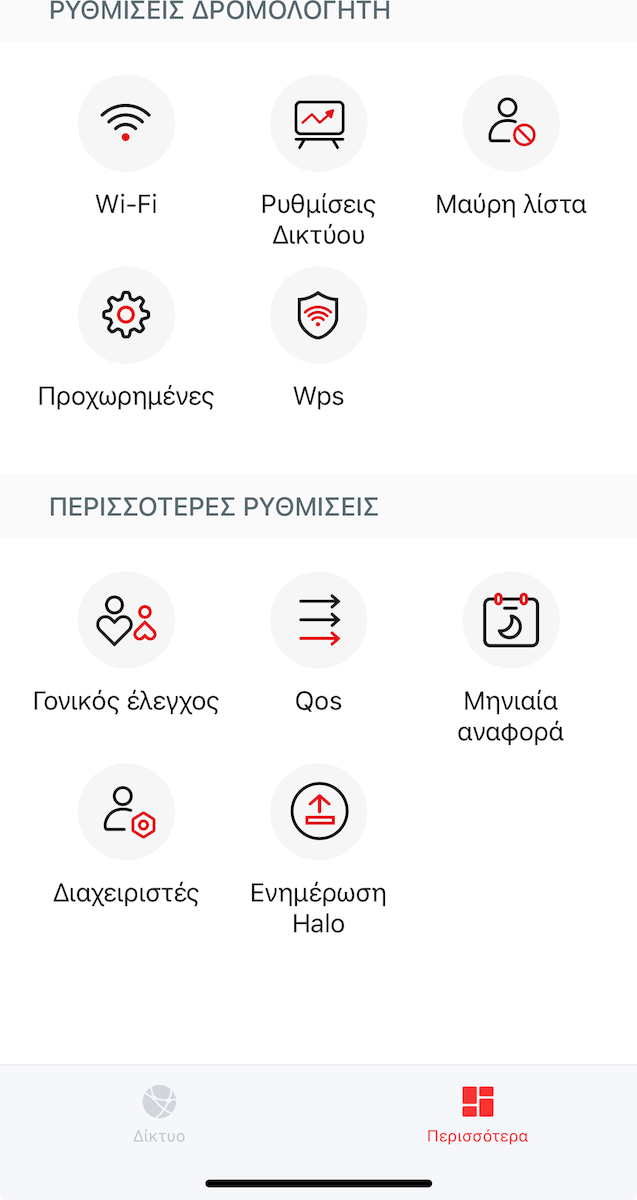
The app offers easy Parental Controls and device management.
Note: I also own a TPLINK Deco and I can say that, for simple everyday use, the Mercusys Halo H80X seems just as reliable and worthwhile.
Είμαι κάτοχος του Mercusys Halo H80X v1 (Wi-Fi 6 Mesh System) και θέλω να μοιραστώ την απόλυτη ικανοποίησή μου. Είναι η καλύτερη λύση για τη διεύρυνση του δικτύου Wi-Fi σε όλο το σπίτι, ειδικά εκεί που τα απλά router των παρόχων (ή το Starlink router) αδυνατούν να φτάσουν.
Η Αναβάθμιση που Χρειαζόμουν (Εμπειρία με Starlink)
Συγκεκριμένα, το χρησιμοποιώ σε συνδυασμό με το Starlink. Όταν δούλευα αποκλειστικά με το εργοστασιακό router του Starlink, οι ταχύτητες ήταν αισθητά χαμηλότερες και το σήμα αδύναμο σε πολλά σημεία.
Με την εγκατάσταση του Halo H80X, η διαφορά ήταν τεράστια. Οι ταχύτητες εκτοξεύτηκαν και πλέον έχω σταθερό, δυνατό σήμα σε κάθε γωνιά. Θα το συνιστούσα ανεπιφύλακτα σε όποιον θέλει να "ξεκλειδώσει" την πλήρη ταχύτητα της σύνδεσής του, ανεξάρτητα από τον πάροχο.
Γιατί Ξεχωρίζει (Τεχνικά Πλεονεκτήματα)
Το Halo H80X είναι ένα σύγχρονο σύστημα Mesh που φέρνει την τεχνολογία Wi-Fi 6 (802.11ax) στο σπίτι. Αυτό σημαίνει:
Συνολική Ταχύτητα AX3000: Συνδυασμός 2402 Mbps (5 GHz) + 574 Mbps (2.4 GHz) για κορυφαίες επιδόσεις σε streaming 4K/8K και online gaming.
Mesh System: Δημιουργεί ένα ενιαίο δίκτυο με ένα όνομα Wi-Fi σε όλο τον χώρο.
Seamless Roaming: Οι συσκευές συνδέονται αυτόματα στον πιο δυνατό κόμβο, χωρίς διακοπές (π.χ., κατά τη διάρκεια βιντεοκλήσεων).
Τεχνολογίες Wi-Fi 6:
OFDMA & MU-MIMO: Διαχείριση πάνω από 150 συσκευών ταυτόχρονα, χωρίς μειώσεις στην απόδοση.
160 MHz Channels: Διπλασιάζει το εύρος ζώνης για μέγιστες ταχύτητες.
Πλήρης Συνδεσιμότητα: Κάθε μονάδα διαθέτει 3 × Gigabit Ports για ενσύρματες συνδέσεις (PC, κονσόλες), οι οποίες είναι απαραίτητες για όσους απαιτούν μηδενικό lag.
⚙️ Εγκατάσταση και Χρήση
Είμαι χρήστης χωρίς εξειδικευμένες γνώσεις παραμετροποίησης, και παρόλα αυτά η ρύθμιση ήταν απλούστατη μέσω της εφαρμογής MERCUSYS App.
Η διαδικασία είναι γρήγορη και κατανοητή.
Η εφαρμογή προσφέρει εύκολους Γονικούς Ελέγχους και διαχείριση συσκευών.
Σημείωση: Είμαι επίσης κάτοχος ενός TPLINK Deco και μπορώ να πω ότι, στην απλή καθημερινή χρήση, το Mercusys Halo H80X μου φαίνεται εξίσου αξιόπιστο και αξιόλογο.
Well-written application, super easy setup, amazing speeds. House 92sqm, 9 devices connected to the main AP and 10 to the 2nd. The computer I have connected via ethernet to the 2nd AP (note that the signal quality between the main AP and the 2nd is "medium" due to 7 meters distance between them) gets 500/500 download and 250/250 upload. All devices connecting wirelessly to the main AP also get full speed except for those connecting wirelessly to the 2nd, which get about 350/500 download (which seems normal to me). I only comment on the speeds because the signal literally doesn’t drop anywhere. Also, an advantage is the 3 LAN ports on each AP! For 80 euros, a very good purchase that has nothing to envy from the Deco (except for some extra features for the more demanding).
Καλογραμμένη εφαρμογή, πανεύκολο setup, εκπληκτικές ταχύτητες. Σπίτι 92τμ, 9 συσκευές συνδεδεμένες στο κεντρικό AP και 10 στο 2ο. Ο υπολογιστής που εχω συνδέσει με ethernet στο 2ο AP (να σημειωθεί ότι η ποιότητα σήματος μεταξύ του κεντρικού AP και του 2ου είναι "μεσαία" λόγω 7 μέτρων απόστασης μεταξύ τους), πιάνει 500/500 download και 250/250 upload. Όσες συσκευές συνδέονται ασύρματα στο κεντρικό AP πίανουν και αυτές full ταχύτητα εκτός από αυτές που συνδέονται ασύρματα στο 2ο, που πίανουν περίπου 350/500 download (που μου φαίνεται φυσιολογικό). Σχολιάζω μόνο για τις ταχύτητες διότι το σήμα δεν χάνεται κυριολεκτικά πουθενά. Επίσης πλεονέκτημα οι 3 lan θύρες σε κάθε AP! Για 80 ευρώ πάρα πολύ καλή αγορά που δεν έχει να ζηλέψει τίποτα από τα Deco (εκτός από κάποια extra features για τους πιο απαιτητικούς).
Because of the 5G that cannot be turned off, my head hurts when I turn it on. Now I have it and it just sits there hoping they release an update with more settings.
λόγο του 5G που δεν γίνεται απενεργοποίηση με πονάει το κεφάλι μου οταν το βάζω σε λειτουργία. Τώρα το εχω και κάθεται μήπως και βγάλουν update με περισσότερες ρυθμίσεις.
Much better WIFI than with the OTE router, without connection switches from floor to floor. Very easy installation. The downside is that apart from the first one that connects with a cable, the second struggles to maintain a strong signal.
Πολύ καλύτερο WIFI απότι με το ρουτερ του ΟΤΕ, χωρίς εναλλαγες συνδεσης από όροφο σε όροφο. Πολύ εύκολη εγκατάσταση. Στα μείον ότι περαν του πρώτου που συνδέεται με καλώδιο, το 2ο ζορίζεται να κρατήσει δυνατό σήμα.
4 + 1 HALO H80X
***** Speed at the last one that it has and the router.
***** Installation
***** Low operating temperature
***** Great help with the 3 ethernet ports
* Signal strength connection at the last halo, it does not connect to the closest one but to the central one and there is no manual selection, no matter how much effort was made with the position in the software (1st-2nd-3rd+) no change.
* Halo that while it is connected and has the white indicator, the software sees it as offline.
4 + 1 HALO H80X
***** Ταχύτητα στο τελευταίο ότι εχει και το ρουτερ .
***** Εγκατάσταση
***** Xαμηλή θερμοκρασία λειτουργίας
***** Μεγάλη βοήθεια η 3 θέσεις ethernet
* Ισχύς σήματος σύνδεσης στο τελευταίο halo ,δεν γίνεται σύνδεση στο ποιο κοντινό αλλα στο κεντρικο και δεν υπαρχει μη αυτόματη επιλογή ,οσο και εάν εγινε προσπάθεια με την θέση στο λογισμικό ( 1ος-2ος-3ος+ ) καμία μεταβολή .
* Halo που ενώ είναι συνδεμένο και εχει την λευκή ένδειξη το λογισμικό το βλέπει σαν εκτός σύνδεσης .
Easy installation, beautiful and discreet devices. Very good speeds, reaching the speed of the connection. But: You cannot choose the wifi broadcasting channel, which it does automatically, resulting in my old laptop not seeing the network, as the Halo chose channel 12 and I cannot adjust it. Now I have to get an external wifi antenna. If the Halos are at relatively close distances, the connected device (phone, tablet, etc.) does not connect to the nearest one as you move but remains connected to the Halo it was previously connected to.
Εύκολη εγκατάσταση, όμορφες και διακριτικές συσκευές. Πολύ καλές ταχύτητες, αγγίζουν την ταχύτητα της σύνδεσης. Αλλά:
Δεν μπορείς να επιλέξεις το κανάλι εκπομπής του wifi, κάτι που κάνει μόνο του, με αποτέλεσμα το παλιό μου laptop να μη βλέπει το δίκτυο, καθώς το Halo διάλεξε το κανάλι 12 και δεν μπορώ να το ρυθμίσω. Τώρα πρέπει να πάρω και εξωτερική κεραία wifi.
Αν είναι σε σχετικά κοντινές αποστάσεις τα Halo, η συνδεδεμένη συσκευή (τηλέφωνο, tablet κλπ) καθώς μετακινείσαι δεν συνδέεται στο κοντινότερο αλλά παραμένει στο halo που είχε προηγούμενα συνδεθεί.
Low operating temperature
very easy installation
speed the same as the router.
very good connection between central and peripheral.
sleek.
Excellent price.
Quite good app
Χαμηλή θερμοκρασία λειτουργίας
πολύ εύκολη εγκατάσταση
ταχύτητα ίδια με του ρούτερ.
πολύ καλή η σύνδεση μεταξύ κεντρικού και περιφερειακών.
κομψό.
Άριστη τιμή.
Αρκετά καλό app
They were purchased with the aim of eliminating dead spots in a 100sqm house. The problem arises in the rooms. Also, there is a lack of direct connection capability with a cable from the computer to the router since the router is in the living room and the computer is in the bedroom. The installation is quick and simple through the app. The app is straightforward with few basic settings, just enough for the average user. I have a 300 Mbps fiber line, and in the measurements I conducted, the speeds are the same as if it were directly connected with a cable to the router, and the ping increased by 3-4 ms. In online games, there is stable ping and no packet loss. All the bedrooms have full signal, as does the entire house now. I found two shortcomings in the app: the QoS is very basic, meaning you can only set which devices have priority, but you cannot limit the speeds of any device. The second is that there is no scheduling program to deactivate the second device near the bedrooms during sleeping hours, which I solved with a smart plug. I placed the main device with a cable next to the router in the living room and the second one in the room where I have the computer, which is separated from the living room by two walls. Now, it remains to be seen over time if any issues arise. Overall, it is value for money at the 80 euros I paid. Now, if someone wants something more, there are definitely better solutions
Αγοράστηκαν με σκοπό να μην υπάρχει νεκρό σημείο σε σπιτι 100τμ . το πρόβλημα παρουσιάζεται στα δωμάτια. Όπως επίσης και η έλλειψη απευθειας δυνατότητας συνδεσης με καλωδιο του υπολογιστή με το ρουτερ αφού το ρουτερ είναι στο σαλόνι και ο υπολογιστής στο υπνοδωμάτιο . Η εγκατάσταση είναι γρήγορα και απλή μεσο της εφαρμογής . Η εφαρμογή ειναι απλή με λίγες και βασικές ρυθμίσεις τόσες όσες χρειάζεται ο μέσος χρήστης . Εγώ έχω 300αρα γραμμη μεσο οπτικής ίνας σε μετρήσεις που έκανα είναι ίδιες οι ταχυτες σαν να είναι απευθειας με καλώδιο με το ρουτερ οπως και το ping ανεβηκε 3 - 4 ms . σε online παιχνίδια υπαρχει σταθερό ping και δεν υπαρχει packet loss .όλα τα υπνοδωμάτια έχουν φουλ σημα όπως και όλο το σπιτι πλέον. Δύο ελλείψεις βρηκα στην εφαρμογής στο qos είναι πολύ απλό δηλαδή μπορείς να ρυθμίσεις μόνο ποιες συσκευές να έχουν προτεραιότητα αλλά δεν μπορείς να περιορίσεις την ταχύτητες κάποιας συσκευής. Και το δεύτερο είναι ότι δεν έχει κάποιο πρόγραμμα schedule για να μπορείς να απενεργοπιησεις της δεύτερη συσκευή που ειναι κοντά στα δωμάτια τις ωρες ύπνου το οποίο πρόβλημα το έλυσα με ενα εξυπνο μπριζακι . την βασική συσκευή την έβαλα με καλώδιο δίπλα στο ρουτερ στο σαλόνι και την δευτερη στο δωμάτιο που έχω τον υπολογιστή που διαχωρίζεται με το σαλόνι με δύο τοίχους . Τώρα μένει σε βάθος χρόνου να δω εάν παρουσιαστεί κάποιο πρόβλημα. Γενικά είναι value for money στα 80 ευρω που τα αγορασα. Τώρα εάν κάποιος θέλει κάτι παραπάνω σιγουρα υπάρχουν καλύτερες λύσεις
First impressions: extremely quick and easy installation through the app, satisfactory coverage despite obstacles, and flawless data transfer at full speed, as the 2nd node provided the reference speed of the modem (100Mbps Down / 10 Mbps Up) to a computer connected via ethernet without any issues. On the downside, there was a slight insecurity during the initial setup because the color of the indicator during the device's startup does not distinguish between green and yellow; however, the goal is to turn blue ― therefore, after a short period (1-2 minutes at most), everything is resolved and the anxiety passes irreversibly. Overall: an extremely aesthetically pleasing device that exudes an air of reliability and sturdiness despite coming from Mercusys, which is the budget line of TP Link. If it continues to operate reliably, it is highly recommended!
Πρώτες εντυπώσεις: εξαιρετικά άμεση και εύκολη εγκατάσταση μέσα από την εφαρμογή, ικανοποιητική κάλυψη παρά τα εμπόδια και άψογη μεταφορά δεδομένων σε φουλ ταχύτητα, καθώς ο 2ος κόμβος έδωσε την ταχύτητα αναφοράς του modem (100Mbps Down / 10 Mbps Up) σε υπολογιστή συνδεδεμένο με ethernet πάνω του χωρίς πρόβλημα. Στα αρνητικά μια μικρή ανασφάλεια κατά την αρχική εγκατάσταση επειδή το χρώμα της ένδειξης κατά την εκκίνηση της συσκευής δεν ξεχωρίζει μεταξύ πράσινου και κίτρινου, ωστόσο ο στόχος είναι να πιάσει μπλε ―επομένως μετά από μικρό διάστημα (1-2 λεπτά το πολύ) τα πάντα λύνονται και το άγχος περνά ανεπιστρεπτί.
Συνολικά: ένα εξαιρετικά καλαίσθητο μηχάνημα, που αποπνέει έναν αέρα αξιοπιστίας και στιβαρότητας παρότι έρχεται από την Mercusys, που είναι η οικονομική σειρά της TP Link. Αν συνεχίσει να λειτουργεί αξιόπιστα, προτείνεται ανεπιφύλακτα!
Very easy setup. I really had all 3 set up within five minutes out of the box and they worked perfectly. Very good coverage and finally, I stopped having issues with the signal at home. It even works in the car if I have parked nearby.
Πολύ εύκολο setup. Πραγματικά μέσα σε πέντε λεπτά απο το κουτί τα είχα στήσει και τα 3 και δούλεψαν τέλεια. Πολύ καλή κάλυψη και επιτέλους σταμάτησα να έχω προβλήματα με το σήμα στο σπίτι. Πιάνει ακόμα και στο αυτοκίνητο αν έχω παρκάρει κοντά.
I bought the set of 2. I have a long narrow house and I got them to get signal in the bedroom but also to reach the downstairs floor. I can say that they have excellent range and speed on both floors without any loss. Really a very good choice, they are worth their money.
Αγορασα το σετ των 2. Εχω μακροστενο σπιτι και τα πηρα για να πιανω σημα στην κρεβατοκαμαρα αλλα και να πιανει και στον κατω οροφο. Μπορω να πω οτι εχουν εξαιρετικη εμβελεια και ταχυτητα και στους δυο οροφους χωρις απωλειες. Πραγματικα πολυ καλη επιλογη αξιζουν τα λεφτα τους.
Replaced two separate routers that were broadcasting their own WiFi SSID. In addition to the excellent coverage, it dramatically improved the quality of the connection by removing another device that was trying to transmit on one of the WiFi frequencies. Using the Guest Network for IoT devices (cameras, bulbs, etc.) keeps your main network free from poorly written management software and potential back doors. The 2.4GHz can be a bit quirky with older devices, so be prepared to update their firmware if allowed or, worst case, use a 2.4GHz only repeater (the same company offers them at a very affordable price) to support them. Highly recommended!
Αντικατέστησε δύο ξεχωριστά Routers τα οποία έκαναν broadcast το δικό τους WiFi SSID. Εκτός από την εξαιρετική κάλυψη, βελτίωσε δραματικά την ποιότητα της σύνδεσης αφαιρώντας μία ακόμα συσκευή που προσπαθούσε να εκπέμψει σε μία από τις WiFi συχνότητες. Η χρήση του Guest Network για IOT συσκευές (κάμερες, λάμπες κ.α.) κρατά το κύριο δίκτυο σας ελεύθερο από κακογραμμένο λογισμικό διαχείρισης και ενδεχόμενα back doors. Τα 2.4Ghz μπορεί να είναι λίγο ιδιότροπα με παλαιότερες συσκευές, έτσι να είστε προετοιμασμένοι να ενημερώσετε το firmware τους σε περίπτωση που το επιτρέπουν ή στην χειρότερη, να χρησιμοποιήσετε ένα 2.4Ghz only repeater (έχει της ίδιας εταιρείας πολύ οικονομικά) για να τα υποστηρίξετε. Συνιστάται ανεπιφύλακτα!
It does what it says. I connected it with an ethernet cable to the router and it covered the whole house.
Flawless in terms of speed.
The application is simple with plenty of settings. Perhaps someone more experienced would like more flexibility in customization.
Κάνει αυτό που λέει. Το συνέδεσα με καλώδιο ethernet στο router και κάλυψε όλο το σπίτι.
Άψογο από άποψη ταχύτητας.
Η εφαρμογή είναι απλή με αρκετές ρυθμίσεις. Ίσως κάποιος πιο έμπειρος θα ήθελε μεγαλύτερη ευελιξία στην παραμετροποίηση.
Really excellent considering the price. The installation was more than easy (via an extremely well-designed application), the performance is outstanding to such an extent that it is difficult to find any area of the house with a problem anymore. Roaming is seamless while the additional options provided by the application (e.g. qos, parental control, etc.) are always welcome. It does what it promises and more. It remains to be further tested under high load.
Πραγματικά εξαιρετικό λαμβάνοντας υπόψη την τιμή. Η εγκατάσταση ήταν παραπάνω από εύκολη (μέσω εξαιρετικά σχεδιασμένης εφαρμογής), η απόδοση είναι εξαιρετική σε τέτοιο βαθμό που δυσκολεύεσαι να βρεις σημείο του σπιτιού πλέον με πρόβλημα. Το roaming είναι απρόσκοπτο ενώ οι επιπλέον επιλογές που δίνει η εφαρμογή (π.χ. qos, γονικός έλεγχος κ.α.) είναι πάντα καλοδεχούμενες. κάνει αυτό που υπόσχεται και με το παραπάνω.
μένει να δοκιμαστεί περαιτέρω σε υψηλό φόρτο.
Easy setup, quick connections. Used it to replace the power line adaptors in my house and increase the range within the home.
Ethernet and wifi speed excellent. So far a great value for money for a household.
Easy setup, quick connections. Used it to replace the power line adaptors in my house and increase the range within the home.
Ethernet and wifi speed excellent. So far a great value for money for a household.
In a 100sqm "smart" home with 40+ wifi devices, a double KIT connected via ethernet as access points, I have signal everywhere and transfer rates from 80mb/sec up to 110mb/sec.
Σε 100τμ "'εξυπνο" σπίτι με 40+ wifi συσκευές, διπλό ΚΙΤ συνδεδεμένο με ethernet σαν access points έχω σήμα παντού και transfer rates απο 80mb/sec εως και 110mb/sec.
I have bought 5 which work as Access Points via ethernet and the system is excellent. The 550 sqm house has full signal everywhere and speeds the same as the Router
Έχω πάρει 5 τα οποία δουλεύουν ως Access Point μέσω ethernet και το σύστημα πετάει. Το σπίτι 550 τμ εχει φουλ σήμα παντού και ταχύτητες ίδιες με το Router
In no case does it have the range stated in the specifications! It does not cover the area it promises, even if the space does not have significant obstacles! However, it is stable and the mesh works as it should when transitioning from the area covered by one access point to the area covered by the next (I have 3 mesh access points). My overall rating is largely affected by the relatively small range (compared to the nominal specifications)
Σε καμμία περίπτωση δεν έχει την εμβέλεια που αναφέρει στις προδιαγραφές! Δεν καλύπτει το εμβαδόν που υπόσχεται, ακόμη κι αν ο χώρος δεν έχει ιδιαίτερα εμπόδια!
Ωστόσο είναι σταθερό και το mesh λειτουργεί όπως πρέπει κατά τη μετάβαση από το χώρο που καλύπτει το ένα access point στο χώρο που καλύπτει το επόμενο (έχω 3 mesh access points) .
Η συνολική μου αξιολόγηση επηρεάζεται σε μεγάλο βαθμό από τη μικρή σχετικά εμβέλεια (συγκριτικά με τις ονομαστικές προδιαγραφές)
Absolutely satisfactory performance based on their specifications, they easily covered the entire space despite any obstacles. I have no opinion about the Decos that cost twice as much, but I'm not some youngster running speed tests on my phone all day just to have something to say to his friends. They distribute the 100 Mbps connection with dignity across the entire coverage range, and something that is not mentioned anywhere is that if you use them in AP mode, you can link them via ethernet, so both transmitters get network from a cable with zero loss. Also, the ports they have are gigabit (they don't consider this worth mentioning either), but you can easily connect anything via ethernet to either one and get a transfer rate of 80-115MB/s.
Απολύτως ικανοποιητική απόδοση βάσει των προδιαγραφών τους κάλυψαν άνετα όλο το χώρο παρά τα οποία εμπόδια. Δεν έχω άποψη για τα Deco που έχουν διπλάσια τιμή αλλά δεν είμαι και κάνας πιτσιρικάς που όλη μέρα τρέχει speed test από το κινητό για να έχει να πει κάτι στη παρέα του 100αρα σύνδεση την διανέμουν με αξιοπρέπεια σε όλο το φάσμα κάλυψης και κάτι που δεν αναφέρεται πουθενά ότι αν τα δουλεύεις σε AP mode μπορείς την ζεύξη μεταξύ τους να την κάνεις με ethernet οπότε και οι δυο πομποί παίρνουν δίκτυο από καλώδιο με μηδενική απώλεια. Επίσης οι θύρες που έχουν είναι gigabit (ούτε αυτό τον θεωρούν άξιο αναφοράς) αλλά μπορείς εύκολα σε οποιοδήποτε από τα δύο να συνδέσεις οτιδήποτε με ethernet και να έχεις από 80-115MB/s transfer rate.
It features Wi-Fi 6, with 25% increased speeds compared to Wi-Fi 5.
Whole Home WiFi Solution
Nothing is worse than unreliable connections and internet speeds that can't keep up with your digital lifestyle. Halo works as a unified system to guarantee a strong Wi-Fi signal in every corner of your home, providing an incredibly fast and stable network experience. Interruptions and buffering will be a thing of the past.
Unified Network
The Halo system automatically connects your phones or tablets to the fastest node, offering a truly seamless network experience. No more sudden signal drops or WiFi lag when walking around the house.
Strong Signal
The sophisticated amplifiers and signal receivers emit strong, stable WiFi signals.
Beamforming
Supports Beamforming technology to concentrate the power of the wireless signal on devices.
Self-Therapy
Automatically selects the best connection path between the Halos based on network stability.
Enhanced Capacity
Enhanced with WiFi 6's OFDMA and MU-MIMO technology, the Halo H80X allows you to connect more than 150 devices simultaneously. Enjoy a more efficient network that loads faster without reducing performance.
Specifications are collected from official manufacturer websites. Please verify the specifications before proceeding with your final purchase. If you notice any problem you can report it here.
Easy setup, quick connections. Used it to replace the power line adaptors in my house and increase the range within the home.
Ethernet and wifi speed excellent. So far a great value for money for a household.
Easy setup, quick connections. Used it to replace the power line adaptors in my house and increase the range within the home.
Ethernet and wifi speed excellent. So far a great value for money for a household.
In a 100sqm "smart" home with 40+ wifi devices, a double KIT connected via ethernet as access points, I have signal everywhere and transfer rates from 80mb/sec up to 110mb/sec.
Σε 100τμ "'εξυπνο" σπίτι με 40+ wifi συσκευές, διπλό ΚΙΤ συνδεδεμένο με ethernet σαν access points έχω σήμα παντού και transfer rates απο 80mb/sec εως και 110mb/sec.
I have bought 5 which work as Access Points via ethernet and the system is excellent. The 550 sqm house has full signal everywhere and speeds the same as the Router
Έχω πάρει 5 τα οποία δουλεύουν ως Access Point μέσω ethernet και το σύστημα πετάει. Το σπίτι 550 τμ εχει φουλ σήμα παντού και ταχύτητες ίδιες με το Router
In no case does it have the range stated in the specifications! It does not cover the area it promises, even if the space does not have significant obstacles! However, it is stable and the mesh works as it should when transitioning from the area covered by one access point to the area covered by the next (I have 3 mesh access points). My overall rating is largely affected by the relatively small range (compared to the nominal specifications)
Σε καμμία περίπτωση δεν έχει την εμβέλεια που αναφέρει στις προδιαγραφές! Δεν καλύπτει το εμβαδόν που υπόσχεται, ακόμη κι αν ο χώρος δεν έχει ιδιαίτερα εμπόδια!
Ωστόσο είναι σταθερό και το mesh λειτουργεί όπως πρέπει κατά τη μετάβαση από το χώρο που καλύπτει το ένα access point στο χώρο που καλύπτει το επόμενο (έχω 3 mesh access points) .
Η συνολική μου αξιολόγηση επηρεάζεται σε μεγάλο βαθμό από τη μικρή σχετικά εμβέλεια (συγκριτικά με τις ονομαστικές προδιαγραφές)
Absolutely satisfactory performance based on their specifications, they easily covered the entire space despite any obstacles. I have no opinion about the Decos that cost twice as much, but I'm not some youngster running speed tests on my phone all day just to have something to say to his friends. They distribute the 100 Mbps connection with dignity across the entire coverage range, and something that is not mentioned anywhere is that if you use them in AP mode, you can link them via ethernet, so both transmitters get network from a cable with zero loss. Also, the ports they have are gigabit (they don't consider this worth mentioning either), but you can easily connect anything via ethernet to either one and get a transfer rate of 80-115MB/s.
Απολύτως ικανοποιητική απόδοση βάσει των προδιαγραφών τους κάλυψαν άνετα όλο το χώρο παρά τα οποία εμπόδια. Δεν έχω άποψη για τα Deco που έχουν διπλάσια τιμή αλλά δεν είμαι και κάνας πιτσιρικάς που όλη μέρα τρέχει speed test από το κινητό για να έχει να πει κάτι στη παρέα του 100αρα σύνδεση την διανέμουν με αξιοπρέπεια σε όλο το φάσμα κάλυψης και κάτι που δεν αναφέρεται πουθενά ότι αν τα δουλεύεις σε AP mode μπορείς την ζεύξη μεταξύ τους να την κάνεις με ethernet οπότε και οι δυο πομποί παίρνουν δίκτυο από καλώδιο με μηδενική απώλεια. Επίσης οι θύρες που έχουν είναι gigabit (ούτε αυτό τον θεωρούν άξιο αναφοράς) αλλά μπορείς εύκολα σε οποιοδήποτε από τα δύο να συνδέσεις οτιδήποτε με ethernet και να έχεις από 80-115MB/s transfer rate.
It's laughable! Their range is smaller than a simple Cudy router I have. The remote control of my TCL TV works better!
Literally wasted money!
Ειναι για γέλια! Η ακτινα δρασης τους, ειναι μικροτερη απο ενα σκετο cudy router που εχω. Το τηλεκοντρολ της TCl τηλεορασης μου, πιανει καλυτερα!
Πεταμενα λεφτα κυριολεκτικα!
Very easy installation within 5 minutes through the app which guides you step by step. On a 100 Mbps fiber optic line, I get 98-100 Mbps everywhere in the house.
Πανεύκολη εγκατάσταση μέσα σε 5 λεπτά μέσω της εφαρμογής όπου σε καθοδηγεί βήμα βήμα. Σε 100άρα γραμμή με οπτική ίνα, πιάνω 98-100 Mbps παντού μέσα στο σπίτι.
The truth is that I bought 3 pieces and 1 is separated by a wall from its closest one and is not counted together with the other 2 even though it says it is suitable for houses and with ceilings
Η αληθεια ειναι οτι πηρα 3 κομμάτια και το 1 χωριζεται απο εναν τοιχο απο το πιο κοντινο του και δεν ανωνεται μαζι με τα αλλα 2 ενω λεει πως κανει για σπιτια και με οροφους
I am the owner of the Mercusys Halo H80X v1 (Wi-Fi 6 Mesh System) and I want to share my complete satisfaction. It is the best solution for expanding the Wi-Fi network throughout the house, especially where the standard provider routers (or the Starlink router) fail to reach.
The Upgrade I Needed (Experience with Starlink)
Specifically, I use it in combination with Starlink. When I was working exclusively with the factory Starlink router, the speeds were noticeably lower and the signal weak in many areas.
With the installation of the Halo H80X, the difference was huge. The speeds skyrocketed and now I have a stable, strong signal in every corner. I would highly recommend it to anyone who wants to "unlock" the full speed of their connection, regardless of the provider.
Why It Stands Out (Technical Advantages)
The Halo H80X is a modern Mesh system that brings Wi-Fi 6 (802.11ax) technology to the home. This means:
Total AX3000 Speed: Combination of 2402 Mbps (5 GHz) + 574 Mbps (2.4 GHz) for top performance in 4K/8K streaming and online gaming.
Mesh System: Creates a single network with one Wi-Fi name throughout the space.
Seamless Roaming: Devices automatically connect to the strongest node, without interruptions (e.g., during video calls).
Wi-Fi 6 Technologies:
OFDMA & MU-MIMO: Manages over 150 devices simultaneously, without performance drops.
160 MHz Channels: Doubles the bandwidth for maximum speeds.
Full Connectivity: Each unit has 3 × Gigabit Ports for wired connections (PC, consoles), which are essential for those who require zero lag.
⚙️ Installation and Use
I am a user without specialized configuration knowledge, and yet the setup was extremely simple through the MERCUSYS App.
The process is quick and easy to understand.
The app offers easy Parental Controls and device management.
Note: I also own a TPLINK Deco and I can say that, for simple everyday use, the Mercusys Halo H80X seems just as reliable and worthwhile.
Είμαι κάτοχος του Mercusys Halo H80X v1 (Wi-Fi 6 Mesh System) και θέλω να μοιραστώ την απόλυτη ικανοποίησή μου. Είναι η καλύτερη λύση για τη διεύρυνση του δικτύου Wi-Fi σε όλο το σπίτι, ειδικά εκεί που τα απλά router των παρόχων (ή το Starlink router) αδυνατούν να φτάσουν.
Η Αναβάθμιση που Χρειαζόμουν (Εμπειρία με Starlink)
Συγκεκριμένα, το χρησιμοποιώ σε συνδυασμό με το Starlink. Όταν δούλευα αποκλειστικά με το εργοστασιακό router του Starlink, οι ταχύτητες ήταν αισθητά χαμηλότερες και το σήμα αδύναμο σε πολλά σημεία.
Με την εγκατάσταση του Halo H80X, η διαφορά ήταν τεράστια. Οι ταχύτητες εκτοξεύτηκαν και πλέον έχω σταθερό, δυνατό σήμα σε κάθε γωνιά. Θα το συνιστούσα ανεπιφύλακτα σε όποιον θέλει να "ξεκλειδώσει" την πλήρη ταχύτητα της σύνδεσής του, ανεξάρτητα από τον πάροχο.
Γιατί Ξεχωρίζει (Τεχνικά Πλεονεκτήματα)
Το Halo H80X είναι ένα σύγχρονο σύστημα Mesh που φέρνει την τεχνολογία Wi-Fi 6 (802.11ax) στο σπίτι. Αυτό σημαίνει:
Συνολική Ταχύτητα AX3000: Συνδυασμός 2402 Mbps (5 GHz) + 574 Mbps (2.4 GHz) για κορυφαίες επιδόσεις σε streaming 4K/8K και online gaming.
Mesh System: Δημιουργεί ένα ενιαίο δίκτυο με ένα όνομα Wi-Fi σε όλο τον χώρο.
Seamless Roaming: Οι συσκευές συνδέονται αυτόματα στον πιο δυνατό κόμβο, χωρίς διακοπές (π.χ., κατά τη διάρκεια βιντεοκλήσεων).
Τεχνολογίες Wi-Fi 6:
OFDMA & MU-MIMO: Διαχείριση πάνω από 150 συσκευών ταυτόχρονα, χωρίς μειώσεις στην απόδοση.
160 MHz Channels: Διπλασιάζει το εύρος ζώνης για μέγιστες ταχύτητες.
Πλήρης Συνδεσιμότητα: Κάθε μονάδα διαθέτει 3 × Gigabit Ports για ενσύρματες συνδέσεις (PC, κονσόλες), οι οποίες είναι απαραίτητες για όσους απαιτούν μηδενικό lag.
⚙️ Εγκατάσταση και Χρήση
Είμαι χρήστης χωρίς εξειδικευμένες γνώσεις παραμετροποίησης, και παρόλα αυτά η ρύθμιση ήταν απλούστατη μέσω της εφαρμογής MERCUSYS App.
Η διαδικασία είναι γρήγορη και κατανοητή.
Η εφαρμογή προσφέρει εύκολους Γονικούς Ελέγχους και διαχείριση συσκευών.
Σημείωση: Είμαι επίσης κάτοχος ενός TPLINK Deco και μπορώ να πω ότι, στην απλή καθημερινή χρήση, το Mercusys Halo H80X μου φαίνεται εξίσου αξιόπιστο και αξιόλογο.
Well-written application, super easy setup, amazing speeds. House 92sqm, 9 devices connected to the main AP and 10 to the 2nd. The computer I have connected via ethernet to the 2nd AP (note that the signal quality between the main AP and the 2nd is "medium" due to 7 meters distance between them) gets 500/500 download and 250/250 upload. All devices connecting wirelessly to the main AP also get full speed except for those connecting wirelessly to the 2nd, which get about 350/500 download (which seems normal to me). I only comment on the speeds because the signal literally doesn’t drop anywhere. Also, an advantage is the 3 LAN ports on each AP! For 80 euros, a very good purchase that has nothing to envy from the Deco (except for some extra features for the more demanding).
Καλογραμμένη εφαρμογή, πανεύκολο setup, εκπληκτικές ταχύτητες. Σπίτι 92τμ, 9 συσκευές συνδεδεμένες στο κεντρικό AP και 10 στο 2ο. Ο υπολογιστής που εχω συνδέσει με ethernet στο 2ο AP (να σημειωθεί ότι η ποιότητα σήματος μεταξύ του κεντρικού AP και του 2ου είναι "μεσαία" λόγω 7 μέτρων απόστασης μεταξύ τους), πιάνει 500/500 download και 250/250 upload. Όσες συσκευές συνδέονται ασύρματα στο κεντρικό AP πίανουν και αυτές full ταχύτητα εκτός από αυτές που συνδέονται ασύρματα στο 2ο, που πίανουν περίπου 350/500 download (που μου φαίνεται φυσιολογικό). Σχολιάζω μόνο για τις ταχύτητες διότι το σήμα δεν χάνεται κυριολεκτικά πουθενά. Επίσης πλεονέκτημα οι 3 lan θύρες σε κάθε AP! Για 80 ευρώ πάρα πολύ καλή αγορά που δεν έχει να ζηλέψει τίποτα από τα Deco (εκτός από κάποια extra features για τους πιο απαιτητικούς).
Because of the 5G that cannot be turned off, my head hurts when I turn it on. Now I have it and it just sits there hoping they release an update with more settings.
λόγο του 5G που δεν γίνεται απενεργοποίηση με πονάει το κεφάλι μου οταν το βάζω σε λειτουργία. Τώρα το εχω και κάθεται μήπως και βγάλουν update με περισσότερες ρυθμίσεις.
Much better WIFI than with the OTE router, without connection switches from floor to floor. Very easy installation. The downside is that apart from the first one that connects with a cable, the second struggles to maintain a strong signal.
Πολύ καλύτερο WIFI απότι με το ρουτερ του ΟΤΕ, χωρίς εναλλαγες συνδεσης από όροφο σε όροφο. Πολύ εύκολη εγκατάσταση. Στα μείον ότι περαν του πρώτου που συνδέεται με καλώδιο, το 2ο ζορίζεται να κρατήσει δυνατό σήμα.
4 + 1 HALO H80X
***** Speed at the last one that it has and the router.
***** Installation
***** Low operating temperature
***** Great help with the 3 ethernet ports
* Signal strength connection at the last halo, it does not connect to the closest one but to the central one and there is no manual selection, no matter how much effort was made with the position in the software (1st-2nd-3rd+) no change.
* Halo that while it is connected and has the white indicator, the software sees it as offline.
4 + 1 HALO H80X
***** Ταχύτητα στο τελευταίο ότι εχει και το ρουτερ .
***** Εγκατάσταση
***** Xαμηλή θερμοκρασία λειτουργίας
***** Μεγάλη βοήθεια η 3 θέσεις ethernet
* Ισχύς σήματος σύνδεσης στο τελευταίο halo ,δεν γίνεται σύνδεση στο ποιο κοντινό αλλα στο κεντρικο και δεν υπαρχει μη αυτόματη επιλογή ,οσο και εάν εγινε προσπάθεια με την θέση στο λογισμικό ( 1ος-2ος-3ος+ ) καμία μεταβολή .
* Halo που ενώ είναι συνδεμένο και εχει την λευκή ένδειξη το λογισμικό το βλέπει σαν εκτός σύνδεσης .
Easy installation, beautiful and discreet devices. Very good speeds, reaching the speed of the connection. But: You cannot choose the wifi broadcasting channel, which it does automatically, resulting in my old laptop not seeing the network, as the Halo chose channel 12 and I cannot adjust it. Now I have to get an external wifi antenna. If the Halos are at relatively close distances, the connected device (phone, tablet, etc.) does not connect to the nearest one as you move but remains connected to the Halo it was previously connected to.
Εύκολη εγκατάσταση, όμορφες και διακριτικές συσκευές. Πολύ καλές ταχύτητες, αγγίζουν την ταχύτητα της σύνδεσης. Αλλά:
Δεν μπορείς να επιλέξεις το κανάλι εκπομπής του wifi, κάτι που κάνει μόνο του, με αποτέλεσμα το παλιό μου laptop να μη βλέπει το δίκτυο, καθώς το Halo διάλεξε το κανάλι 12 και δεν μπορώ να το ρυθμίσω. Τώρα πρέπει να πάρω και εξωτερική κεραία wifi.
Αν είναι σε σχετικά κοντινές αποστάσεις τα Halo, η συνδεδεμένη συσκευή (τηλέφωνο, tablet κλπ) καθώς μετακινείσαι δεν συνδέεται στο κοντινότερο αλλά παραμένει στο halo που είχε προηγούμενα συνδεθεί.
Low operating temperature
very easy installation
speed the same as the router.
very good connection between central and peripheral.
sleek.
Excellent price.
Quite good app
Χαμηλή θερμοκρασία λειτουργίας
πολύ εύκολη εγκατάσταση
ταχύτητα ίδια με του ρούτερ.
πολύ καλή η σύνδεση μεταξύ κεντρικού και περιφερειακών.
κομψό.
Άριστη τιμή.
Αρκετά καλό app
They were purchased with the aim of eliminating dead spots in a 100sqm house. The problem arises in the rooms. Also, there is a lack of direct connection capability with a cable from the computer to the router since the router is in the living room and the computer is in the bedroom. The installation is quick and simple through the app. The app is straightforward with few basic settings, just enough for the average user. I have a 300 Mbps fiber line, and in the measurements I conducted, the speeds are the same as if it were directly connected with a cable to the router, and the ping increased by 3-4 ms. In online games, there is stable ping and no packet loss. All the bedrooms have full signal, as does the entire house now. I found two shortcomings in the app: the QoS is very basic, meaning you can only set which devices have priority, but you cannot limit the speeds of any device. The second is that there is no scheduling program to deactivate the second device near the bedrooms during sleeping hours, which I solved with a smart plug. I placed the main device with a cable next to the router in the living room and the second one in the room where I have the computer, which is separated from the living room by two walls. Now, it remains to be seen over time if any issues arise. Overall, it is value for money at the 80 euros I paid. Now, if someone wants something more, there are definitely better solutions
Αγοράστηκαν με σκοπό να μην υπάρχει νεκρό σημείο σε σπιτι 100τμ . το πρόβλημα παρουσιάζεται στα δωμάτια. Όπως επίσης και η έλλειψη απευθειας δυνατότητας συνδεσης με καλωδιο του υπολογιστή με το ρουτερ αφού το ρουτερ είναι στο σαλόνι και ο υπολογιστής στο υπνοδωμάτιο . Η εγκατάσταση είναι γρήγορα και απλή μεσο της εφαρμογής . Η εφαρμογή ειναι απλή με λίγες και βασικές ρυθμίσεις τόσες όσες χρειάζεται ο μέσος χρήστης . Εγώ έχω 300αρα γραμμη μεσο οπτικής ίνας σε μετρήσεις που έκανα είναι ίδιες οι ταχυτες σαν να είναι απευθειας με καλώδιο με το ρουτερ οπως και το ping ανεβηκε 3 - 4 ms . σε online παιχνίδια υπαρχει σταθερό ping και δεν υπαρχει packet loss .όλα τα υπνοδωμάτια έχουν φουλ σημα όπως και όλο το σπιτι πλέον. Δύο ελλείψεις βρηκα στην εφαρμογής στο qos είναι πολύ απλό δηλαδή μπορείς να ρυθμίσεις μόνο ποιες συσκευές να έχουν προτεραιότητα αλλά δεν μπορείς να περιορίσεις την ταχύτητες κάποιας συσκευής. Και το δεύτερο είναι ότι δεν έχει κάποιο πρόγραμμα schedule για να μπορείς να απενεργοπιησεις της δεύτερη συσκευή που ειναι κοντά στα δωμάτια τις ωρες ύπνου το οποίο πρόβλημα το έλυσα με ενα εξυπνο μπριζακι . την βασική συσκευή την έβαλα με καλώδιο δίπλα στο ρουτερ στο σαλόνι και την δευτερη στο δωμάτιο που έχω τον υπολογιστή που διαχωρίζεται με το σαλόνι με δύο τοίχους . Τώρα μένει σε βάθος χρόνου να δω εάν παρουσιαστεί κάποιο πρόβλημα. Γενικά είναι value for money στα 80 ευρω που τα αγορασα. Τώρα εάν κάποιος θέλει κάτι παραπάνω σιγουρα υπάρχουν καλύτερες λύσεις
First impressions: extremely quick and easy installation through the app, satisfactory coverage despite obstacles, and flawless data transfer at full speed, as the 2nd node provided the reference speed of the modem (100Mbps Down / 10 Mbps Up) to a computer connected via ethernet without any issues. On the downside, there was a slight insecurity during the initial setup because the color of the indicator during the device's startup does not distinguish between green and yellow; however, the goal is to turn blue ― therefore, after a short period (1-2 minutes at most), everything is resolved and the anxiety passes irreversibly. Overall: an extremely aesthetically pleasing device that exudes an air of reliability and sturdiness despite coming from Mercusys, which is the budget line of TP Link. If it continues to operate reliably, it is highly recommended!
Πρώτες εντυπώσεις: εξαιρετικά άμεση και εύκολη εγκατάσταση μέσα από την εφαρμογή, ικανοποιητική κάλυψη παρά τα εμπόδια και άψογη μεταφορά δεδομένων σε φουλ ταχύτητα, καθώς ο 2ος κόμβος έδωσε την ταχύτητα αναφοράς του modem (100Mbps Down / 10 Mbps Up) σε υπολογιστή συνδεδεμένο με ethernet πάνω του χωρίς πρόβλημα. Στα αρνητικά μια μικρή ανασφάλεια κατά την αρχική εγκατάσταση επειδή το χρώμα της ένδειξης κατά την εκκίνηση της συσκευής δεν ξεχωρίζει μεταξύ πράσινου και κίτρινου, ωστόσο ο στόχος είναι να πιάσει μπλε ―επομένως μετά από μικρό διάστημα (1-2 λεπτά το πολύ) τα πάντα λύνονται και το άγχος περνά ανεπιστρεπτί.
Συνολικά: ένα εξαιρετικά καλαίσθητο μηχάνημα, που αποπνέει έναν αέρα αξιοπιστίας και στιβαρότητας παρότι έρχεται από την Mercusys, που είναι η οικονομική σειρά της TP Link. Αν συνεχίσει να λειτουργεί αξιόπιστα, προτείνεται ανεπιφύλακτα!
Very easy setup. I really had all 3 set up within five minutes out of the box and they worked perfectly. Very good coverage and finally, I stopped having issues with the signal at home. It even works in the car if I have parked nearby.
Πολύ εύκολο setup. Πραγματικά μέσα σε πέντε λεπτά απο το κουτί τα είχα στήσει και τα 3 και δούλεψαν τέλεια. Πολύ καλή κάλυψη και επιτέλους σταμάτησα να έχω προβλήματα με το σήμα στο σπίτι. Πιάνει ακόμα και στο αυτοκίνητο αν έχω παρκάρει κοντά.
I bought the set of 2. I have a long narrow house and I got them to get signal in the bedroom but also to reach the downstairs floor. I can say that they have excellent range and speed on both floors without any loss. Really a very good choice, they are worth their money.
Αγορασα το σετ των 2. Εχω μακροστενο σπιτι και τα πηρα για να πιανω σημα στην κρεβατοκαμαρα αλλα και να πιανει και στον κατω οροφο. Μπορω να πω οτι εχουν εξαιρετικη εμβελεια και ταχυτητα και στους δυο οροφους χωρις απωλειες. Πραγματικα πολυ καλη επιλογη αξιζουν τα λεφτα τους.
Replaced two separate routers that were broadcasting their own WiFi SSID. In addition to the excellent coverage, it dramatically improved the quality of the connection by removing another device that was trying to transmit on one of the WiFi frequencies. Using the Guest Network for IoT devices (cameras, bulbs, etc.) keeps your main network free from poorly written management software and potential back doors. The 2.4GHz can be a bit quirky with older devices, so be prepared to update their firmware if allowed or, worst case, use a 2.4GHz only repeater (the same company offers them at a very affordable price) to support them. Highly recommended!
Αντικατέστησε δύο ξεχωριστά Routers τα οποία έκαναν broadcast το δικό τους WiFi SSID. Εκτός από την εξαιρετική κάλυψη, βελτίωσε δραματικά την ποιότητα της σύνδεσης αφαιρώντας μία ακόμα συσκευή που προσπαθούσε να εκπέμψει σε μία από τις WiFi συχνότητες. Η χρήση του Guest Network για IOT συσκευές (κάμερες, λάμπες κ.α.) κρατά το κύριο δίκτυο σας ελεύθερο από κακογραμμένο λογισμικό διαχείρισης και ενδεχόμενα back doors. Τα 2.4Ghz μπορεί να είναι λίγο ιδιότροπα με παλαιότερες συσκευές, έτσι να είστε προετοιμασμένοι να ενημερώσετε το firmware τους σε περίπτωση που το επιτρέπουν ή στην χειρότερη, να χρησιμοποιήσετε ένα 2.4Ghz only repeater (έχει της ίδιας εταιρείας πολύ οικονομικά) για να τα υποστηρίξετε. Συνιστάται ανεπιφύλακτα!
It does what it says. I connected it with an ethernet cable to the router and it covered the whole house.
Flawless in terms of speed.
The application is simple with plenty of settings. Perhaps someone more experienced would like more flexibility in customization.
Κάνει αυτό που λέει. Το συνέδεσα με καλώδιο ethernet στο router και κάλυψε όλο το σπίτι.
Άψογο από άποψη ταχύτητας.
Η εφαρμογή είναι απλή με αρκετές ρυθμίσεις. Ίσως κάποιος πιο έμπειρος θα ήθελε μεγαλύτερη ευελιξία στην παραμετροποίηση.
Really excellent considering the price. The installation was more than easy (via an extremely well-designed application), the performance is outstanding to such an extent that it is difficult to find any area of the house with a problem anymore. Roaming is seamless while the additional options provided by the application (e.g. qos, parental control, etc.) are always welcome. It does what it promises and more. It remains to be further tested under high load.
Πραγματικά εξαιρετικό λαμβάνοντας υπόψη την τιμή. Η εγκατάσταση ήταν παραπάνω από εύκολη (μέσω εξαιρετικά σχεδιασμένης εφαρμογής), η απόδοση είναι εξαιρετική σε τέτοιο βαθμό που δυσκολεύεσαι να βρεις σημείο του σπιτιού πλέον με πρόβλημα. Το roaming είναι απρόσκοπτο ενώ οι επιπλέον επιλογές που δίνει η εφαρμογή (π.χ. qos, γονικός έλεγχος κ.α.) είναι πάντα καλοδεχούμενες. κάνει αυτό που υπόσχεται και με το παραπάνω.
μένει να δοκιμαστεί περαιτέρω σε υψηλό φόρτο.
Easy setup, quick connections. Used it to replace the power line adaptors in my house and increase the range within the home.
Ethernet and wifi speed excellent. So far a great value for money for a household.
Easy setup, quick connections. Used it to replace the power line adaptors in my house and increase the range within the home.
Ethernet and wifi speed excellent. So far a great value for money for a household.
In a 100sqm "smart" home with 40+ wifi devices, a double KIT connected via ethernet as access points, I have signal everywhere and transfer rates from 80mb/sec up to 110mb/sec.
Σε 100τμ "'εξυπνο" σπίτι με 40+ wifi συσκευές, διπλό ΚΙΤ συνδεδεμένο με ethernet σαν access points έχω σήμα παντού και transfer rates απο 80mb/sec εως και 110mb/sec.
I have bought 5 which work as Access Points via ethernet and the system is excellent. The 550 sqm house has full signal everywhere and speeds the same as the Router
Έχω πάρει 5 τα οποία δουλεύουν ως Access Point μέσω ethernet και το σύστημα πετάει. Το σπίτι 550 τμ εχει φουλ σήμα παντού και ταχύτητες ίδιες με το Router
In no case does it have the range stated in the specifications! It does not cover the area it promises, even if the space does not have significant obstacles! However, it is stable and the mesh works as it should when transitioning from the area covered by one access point to the area covered by the next (I have 3 mesh access points). My overall rating is largely affected by the relatively small range (compared to the nominal specifications)
Σε καμμία περίπτωση δεν έχει την εμβέλεια που αναφέρει στις προδιαγραφές! Δεν καλύπτει το εμβαδόν που υπόσχεται, ακόμη κι αν ο χώρος δεν έχει ιδιαίτερα εμπόδια!
Ωστόσο είναι σταθερό και το mesh λειτουργεί όπως πρέπει κατά τη μετάβαση από το χώρο που καλύπτει το ένα access point στο χώρο που καλύπτει το επόμενο (έχω 3 mesh access points) .
Η συνολική μου αξιολόγηση επηρεάζεται σε μεγάλο βαθμό από τη μικρή σχετικά εμβέλεια (συγκριτικά με τις ονομαστικές προδιαγραφές)
Absolutely satisfactory performance based on their specifications, they easily covered the entire space despite any obstacles. I have no opinion about the Decos that cost twice as much, but I'm not some youngster running speed tests on my phone all day just to have something to say to his friends. They distribute the 100 Mbps connection with dignity across the entire coverage range, and something that is not mentioned anywhere is that if you use them in AP mode, you can link them via ethernet, so both transmitters get network from a cable with zero loss. Also, the ports they have are gigabit (they don't consider this worth mentioning either), but you can easily connect anything via ethernet to either one and get a transfer rate of 80-115MB/s.
Απολύτως ικανοποιητική απόδοση βάσει των προδιαγραφών τους κάλυψαν άνετα όλο το χώρο παρά τα οποία εμπόδια. Δεν έχω άποψη για τα Deco που έχουν διπλάσια τιμή αλλά δεν είμαι και κάνας πιτσιρικάς που όλη μέρα τρέχει speed test από το κινητό για να έχει να πει κάτι στη παρέα του 100αρα σύνδεση την διανέμουν με αξιοπρέπεια σε όλο το φάσμα κάλυψης και κάτι που δεν αναφέρεται πουθενά ότι αν τα δουλεύεις σε AP mode μπορείς την ζεύξη μεταξύ τους να την κάνεις με ethernet οπότε και οι δυο πομποί παίρνουν δίκτυο από καλώδιο με μηδενική απώλεια. Επίσης οι θύρες που έχουν είναι gigabit (ούτε αυτό τον θεωρούν άξιο αναφοράς) αλλά μπορείς εύκολα σε οποιοδήποτε από τα δύο να συνδέσεις οτιδήποτε με ethernet και να έχεις από 80-115MB/s transfer rate.