Monitors

Samsung Odyssey G7 27" HDR QHD 2560x1440 VA Curved Gaming Monitor 240Hz with 1ms GTG Response Time

Key features:

  • Model 2020
  • Curvature 1000R
  • Contrast 1000:1
  • FreeSync Premium Pro, G-Sync Compatible
  • HDR600, USB Hub
  • Connectivity: DisplayPort, HDMI
See full description
  • See all
This product does not exist at Skroutz anymore

Description

Description

Immersive WQHD resolution with QLED technology

The Samsung monitor is ideal for those looking for a high-performance gaming monitor, with exceptional resolution and refresh rate. It features a curved screen for a more realistic image, QLED technology, HDR600, and WQHD resolution for true-to-life colors with emphasis on detail. Additionally, it has a sleek design that enhances the gaming atmosphere and technologies such as AMD FreeSync and NVIDIA G-Sync, for freedom from tearing and stuttering in games.

Enter the game

With 1000R, the new pinnacle in Samsung's curved screen technology, it matches the contour of the human eye for incredible realism in the image.

Supreme 1000R curve

Experience the next level of gaming with the 1000R curved monitor. The screen fills your peripheral vision and puts you in the character's position.

The "R" is an arctic term that expresses the circular radius. The smaller the "R" value, the deeper the curve.

Cleaner. Brighter. QLED

Color with impressive detail. QLED technology brings a full range of vibrant shades to your screen. See game scenes come to life on your screen.

Number of HDR600 shades

The HDR600 offers contrast, with deeper blacks and brighter whites. Even in dark scenes, every detail shines with clarity.

WQHD Resolution

The world of gaming, more vibrant than ever. Featuring 1.7 times the pixel density of Full HD, WQHD resolution offers exceptionally detailed, clear images. Experience a more immersive view with more space to see all the action.

Core Lighting Design

Choose your color. Add style to the back of your screen with 5 different color functions. The default ice blue or any color option brings a personalized touch to your screen and the space where you have placed it.

Low Input Lag

The low input lag of 2ms brings unprecedented response accuracy, allowing you to track your opponents' movements. It is so fast that the motion appears instantly with almost no delay between your peripherals and the game.

Fast, smooth reflections

Conquer every enemy, even at high speeds. The RapidCurve 240Hz reduces latency for an exciting gaming experience with extremely smooth action. Respond to enemies immediately as soon as you see them with a 1ms response time, precise mouse movements, and frame without blur or shadows.

G-Sync compatibility

Compatibility with G-Sync keeps the GPU and panel synchronized to reduce screen tearing, display lag, and image imperfections.

AMD FreeSync Premium Pro

Scenes of fast action and complex games are consistently smooth, without stuttering, with AMD FreeSync Premium Pro for a competitive advantage.

By dynamically synchronizing the screen refresh rate with the frame rate of the image, AMD FreeSync minimizes tearing, ensuring seamless and smooth gameplay.

Package Contents:

  • Monitor
  • Stand
  • Power cable
  • DisplayPort cable
  • USB 3.0 cable
  • Installation CD

Manufacturer

See full description

Specifications

Specifications

Main Specifications

Panel
VA
HDR
Yes
Curved
Yes
Curvature Rate
1000R
UltraWide
No
Diagonal
27 "
Resolution
2560x1440
Contrast
2500 :1
Response Time (GTG)
1 ms
Refresh Rate
240 Hz
Aspect Ratio
16:9

Ergonomics

Tilt Adjustment
Yes
Height Adjustment
Yes
Vertical Rotation
Yes
Horizontal Rotation
Yes
Wall Mountable (Vesa)
100 x 100 mm

Connectivity

Connection
DisplayPort, HDMI

Additional Specifications

Monitor Type
Gaming Monitor
Speakers
No
Features & Functions
G-Sync, USB Hub, FreeSync Premium Pro
Eye Comfort
Yes
Colour
Black
Camera
-

Energy Label

Energy Consumption
26 kWh/1000h
Energy Class
F

Important information

Specifications are collected from official manufacturer websites. Please verify the specifications before proceeding with your final purchase. If you notice any problem you can report it here.

See all specifications

Reviews (10)

Reviews

  1. 6
  2. 2
  3. 1
  4. 2 stars
    0
  5. 1
Review this product
  • Response time
  • Picture
  • Value for money
  • Menu
  • Comfort
  • Viewing angle

Reviews photos

Reviews photos
Reviews photos
Reviews photos

Reviews by our members

  • Andreas_4
    1
    2 out of 3 members found this review helpful

    It is disappointing when a product that we purchase with such expectation and hope for reliability and durability turns out to be ultimately inadequate. My experience with the Samsung G7 monitor is a case that I cannot overlook.

    After just six months of use, the screen panel became faulty, causing disturbance and dissatisfaction. The fact that a product from Samsung, a company known for its quality and innovation, proved to be so fragile is disappointing.

    I acknowledge the importance of warranty and after-sales services, but I am eager to see how Samsung will respond to this situation. This inadequate experience needs to be rectified before the trust I had placed in the company is lost.

    Furthermore, I feel it is important to share my experience with others. Although unpleasant, my experience may help others understand the potential issues they may encounter with this particular product.

    I hope that Samsung will respond with care and reliability to this situation, restoring my trust in the company and ensuring that my future purchases will be filled with high-quality and reliable products.

    Translated from Greek ·
    • Comfort
    • Response time
    • Viewing angle
    • Menu
    • Picture
    • Value for money
    Did you find this review helpful?
  • Αριστοτέλης Καμπατζής
    4
    0 out of 1 members found this review helpful

    Sometimes it feels like it's snowing and I've noticed a black screen for 1 second and then it goes back to normal. I don't know what could be causing it.

    Translated from Greek ·
    • Comfort
    • Picture
    • Response time
    • Viewing angle
    • Menu
    Did you find this review helpful?
  • giorgos_bloom
    4
    2 out of 3 members found this review helpful

    Verified purchase

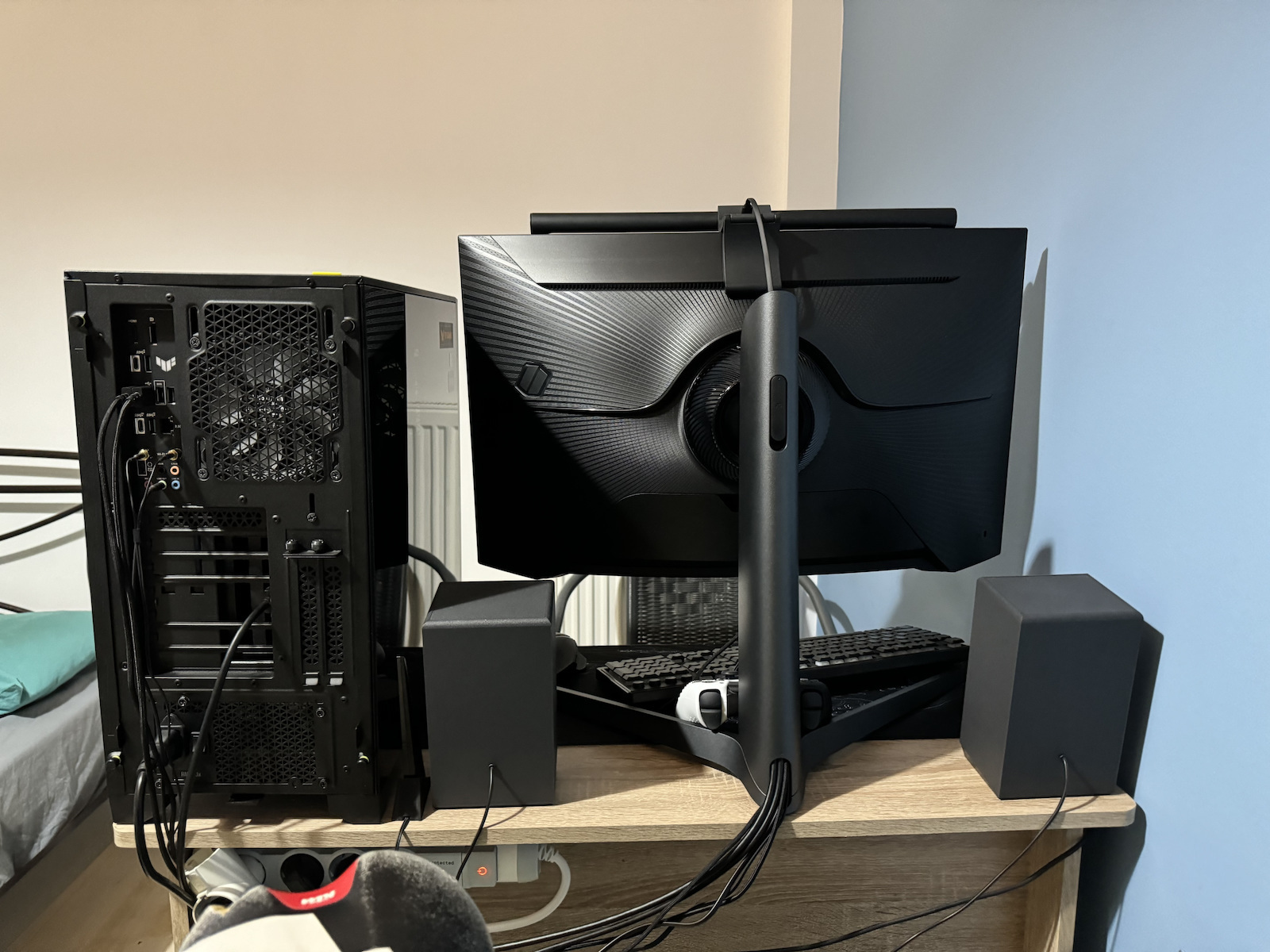
    Everything is perfect. The only negative thing is the excessively large base of the screen, which takes up a lot of space on the desk and comes very close to the eyes, also leaving very little space for the keyboard/mouse

    Translated from Greek ·
    • Picture
    • Response time
    • Menu
    • Value for money
    • Comfort
    • Viewing angle
    Did you find this review helpful?
  • It is fantastic, worth a lot

    Translated from Greek ·
    • Comfort
    • Picture
    • Response time
    • Viewing angle
    • Menu
    • Value for money
    Did you find this review helpful?
  • EvaggelosG
    5
    15 out of 17 members found this review helpful

    As I have been using this monitor since I built my first PC, which was 8 months ago, it's time to finally evaluate its features.

    First of all, let's talk about its design, which didn't really suit me, mainly because the base design is meant for desks with depth (width). That's why, since it didn't fit well on my desk, I bought a €20 Monitor mount, which has freed up a lot of space for me and pushed the monitor further back. Now I have no problem at all.

    Now let's get to the essence:
    • This monitor is really good for a 27" one, although I see that people tend to buy the 32" more. This model is probably underrated in this country (with exceptions). To give you an idea, this 27-inch monitor is half the length of an average gaming desk, so I can't argue that it's big. Plus, it has a 2K resolution, so it's logical...
    • The curve it has is something else compared to other flat ones I've encountered on the Net. Your experience changes with a curved monitor, and it's definitely better because you feel like you're inside the game.
    • Let me also talk about the issue I had with the Hz. Initially, when I got it and connected it to the graphics card (not the motherboard) with a display port, it showed a maximum of 120Hz, and I didn't know why. This bothered me for months, and I thought I had to download a Samsung software for this model, but in the end, all I had to do was change the display port version in the menu. When I changed it to the latest version, it made a significant difference. Finally, I could use Adaptive Sync for the card, which I didn't know how to do for 7 months. Anyway, after that, the monitor could be set to HDR, which previously wasn't available in the Windows settings or the Nvidia control panel, nor could I change the resolution. Now I can (the HDR is in one of the 2 dp versions, and the Adaptive Sync is either in the one I mentioned for HDR or in another one, but it's in the latest dp versions. It has 3 options if I remember correctly. It's been a while since I opened the menu (The menu opens with the power button at the bottom). But all this I said is mainly for those who have the same problem. In general, G-Sync works perfectly at 240Hz, as promised in the specifications.
    • The resolution is very satisfying for a first-ever monitor and a large size. It works perfectly with an RTX 3060 12GB, and the most important thing is that it doesn't consume a lot of power, which makes it expensive, but for such features, a 27" with 240Hz, 2K, and G-Sync, you won't find it, so I highly recommend it.

    Overall: It's a bit pricey, but it's worth it and more for its features.

    Translated from Greek ·
    • Comfort
    • Picture
    • Response time
    • Viewing angle
    • Menu
    Did you find this review helpful?
    • Picture
    • Response time
    • Viewing angle
    • Menu
    • Comfort
    • Picture
    • Response time
    • Viewing angle
    • Value for money
    • Menu
    • Comfort
    • Picture
    • Response time
    • Viewing angle
    • Menu
    • Value for money
    • Comfort
    • Picture
    • Response time
    • Menu
    • Value for money
    • Viewing angle
  • Verified purchase

    • Comfort
    • Picture
    • Response time
    • Viewing angle
    • Menu
    • Value for money
  • It is disappointing when a product that we purchase with such expectation and hope for reliability and durability turns out to be ultimately inadequate. My experience with the Samsung G7 monitor is a case that I cannot overlook.

    After just six months of use, the screen panel became faulty, causing disturbance and dissatisfaction. The fact that a product from Samsung, a company known for its quality and innovation, proved to be so fragile is disappointing.

    I acknowledge the importance of warranty and after-sales services, but I am eager to see how Samsung will respond to this situation. This inadequate experience needs to be rectified before the trust I had placed in the company is lost.

    Furthermore, I feel it is important to share my experience with others. Although unpleasant, my experience may help others understand the potential issues they may encounter with this particular product.

    I hope that Samsung will respond with care and reliability to this situation, restoring my trust in the company and ensuring that my future purchases will be filled with high-quality and reliable products.

    Translated from Greek ·
    2
  • Sometimes it feels like it's snowing and I've noticed a black screen for 1 second and then it goes back to normal. I don't know what could be causing it.

    Translated from Greek ·
    0
  • Everything is perfect. The only negative thing is the excessively large base of the screen, which takes up a lot of space on the desk and comes very close to the eyes, also leaving very little space for the keyboard/mouse

    Translated from Greek ·
    2
  • It is fantastic, worth a lot

    Translated from Greek ·
    0
  • As I have been using this monitor since I built my first PC, which was 8 months ago, it's time to finally evaluate its features.

    First of all, let's talk about its design, which didn't really suit me, mainly because the base design is meant for desks with depth (width). That's why, since it didn't fit well on my desk, I bought a €20 Monitor mount, which has freed up a lot of space for me and pushed the monitor further back. Now I have no problem at all.

    Now let's get to the essence:
    • This monitor is really good for a 27" one, although I see that people tend to buy the 32" more. This model is probably underrated in this country (with exceptions). To give you an idea, this 27-inch monitor is half the length of an average gaming desk, so I can't argue that it's big. Plus, it has a 2K resolution, so it's logical...
    • The curve it has is something else compared to other flat ones I've encountered on the Net. Your experience changes with a curved monitor, and it's definitely better because you feel like you're inside the game.
    • Let me also talk about the issue I had with the Hz. Initially, when I got it and connected it to the graphics card (not the motherboard) with a display port, it showed a maximum of 120Hz, and I didn't know why. This bothered me for months, and I thought I had to download a Samsung software for this model, but in the end, all I had to do was change the display port version in the menu. When I changed it to the latest version, it made a significant difference. Finally, I could use Adaptive Sync for the card, which I didn't know how to do for 7 months. Anyway, after that, the monitor could be set to HDR, which previously wasn't available in the Windows settings or the Nvidia control panel, nor could I change the resolution. Now I can (the HDR is in one of the 2 dp versions, and the Adaptive Sync is either in the one I mentioned for HDR or in another one, but it's in the latest dp versions. It has 3 options if I remember correctly. It's been a while since I opened the menu (The menu opens with the power button at the bottom). But all this I said is mainly for those who have the same problem. In general, G-Sync works perfectly at 240Hz, as promised in the specifications.
    • The resolution is very satisfying for a first-ever monitor and a large size. It works perfectly with an RTX 3060 12GB, and the most important thing is that it doesn't consume a lot of power, which makes it expensive, but for such features, a 27" with 240Hz, 2K, and G-Sync, you won't find it, so I highly recommend it.

    Overall: It's a bit pricey, but it's worth it and more for its features.

    Translated from Greek ·
    15
  • See all

Description & Specifications

Immersive WQHD resolution with QLED technology

The Samsung monitor is ideal for those looking for a high-performance gaming monitor, with exceptional resolution and refresh rate. It features a curved screen for a more realistic image, QLED technology, HDR600, and WQHD resolution for true-to-life colors with emphasis on detail. Additionally, it has a sleek design that enhances the gaming atmosphere and technologies such as AMD FreeSync and NVIDIA G-Sync, for freedom from tearing and stuttering in games.

Enter the game

With 1000R, the new pinnacle in Samsung's curved screen technology, it matches the contour of the human eye for incredible realism in the image.
Supreme 1000R curve

Experience the next level of gaming with the 1000R curved monitor. The screen fills your peripheral vision and puts you in the character's position.

The "R" is an arctic term that expresses the circular radius. The smaller the "R" value, the deeper the curve.

Cleaner. Brighter. QLED

Color with impressive detail. QLED technology brings a full range of vibrant shades to your screen. See game scenes come to life on your screen.

Number of HDR600 shades

The HDR600 offers contrast, with deeper blacks and brighter whites. Even in dark scenes, every detail shines with clarity.

WQHD Resolution

The world of gaming, more vibrant than ever. Featuring 1.7 times the pixel density of Full HD, WQHD resolution offers exceptionally detailed, clear images. Experience a more immersive view with more space to see all the action.

Core Lighting Design

Choose your color. Add style to the back of your screen with 5 different color functions. The default ice blue or any color option brings a personalized touch to your screen and the space where you have placed it.

Low Input Lag

The low input lag of 2ms brings unprecedented response accuracy, allowing you to track your opponents' movements. It is so fast that the motion appears instantly with almost no delay between your peripherals and the game.

Fast, smooth reflections

Conquer every enemy, even at high speeds. The RapidCurve 240Hz reduces latency for an exciting gaming experience with extremely smooth action. Respond to enemies immediately as soon as you see them with a 1ms response time, precise mouse movements, and frame without blur or shadows.

G-Sync compatibility

Compatibility with G-Sync keeps the GPU and panel synchronized to reduce screen tearing, display lag, and image imperfections.

AMD FreeSync Premium Pro

Scenes of fast action and complex games are consistently smooth, without stuttering, with AMD FreeSync Premium Pro for a competitive advantage.

By dynamically synchronizing the screen refresh rate with the frame rate of the image, AMD FreeSync minimizes tearing, ensuring seamless and smooth gameplay.

Package Contents:

  • Monitor
  • Stand
  • Power cable
  • DisplayPort cable
  • USB 3.0 cable
  • Installation CD

Manufacturer

Main Specifications

Panel
VA
HDR
Yes
Curved
Yes
Curvature Rate
1000R
UltraWide
No
Diagonal
27 "
Resolution
2560x1440
Contrast
2500 :1
Response Time (GTG)
1 ms
Refresh Rate
240 Hz
Aspect Ratio
16:9

Ergonomics

Tilt Adjustment
Yes
Height Adjustment
Yes
Vertical Rotation
Yes
Horizontal Rotation
Yes
Wall Mountable (Vesa)
100 x 100 mm

Connectivity

Connection
DisplayPort, HDMI

Additional Specifications

Monitor Type
Gaming Monitor
Speakers
No
Features & Functions
G-Sync, USB Hub, FreeSync Premium Pro
Eye Comfort
Yes
Colour
Black
Camera
-

Energy Label

Energy Consumption
26 kWh/1000h
Energy Class
F

Important information

Specifications are collected from official manufacturer websites. Please verify the specifications before proceeding with your final purchase. If you notice any problem you can report it here.

Reviews (10)

  1. 6
  2. 2
  3. 1
  4. 2 stars
    0
  5. 1
Review this product
  • Response time
  • Picture
  • Value for money
  • Menu
  • Comfort
  • Viewing angle

Reviews photos

Reviews photos
Reviews photos
Reviews photos

Reviews by our members

  • Andreas_4
    1
    2 out of 3 members found this review helpful

    It is disappointing when a product that we purchase with such expectation and hope for reliability and durability turns out to be ultimately inadequate. My experience with the Samsung G7 monitor is a case that I cannot overlook.

    After just six months of use, the screen panel became faulty, causing disturbance and dissatisfaction. The fact that a product from Samsung, a company known for its quality and innovation, proved to be so fragile is disappointing.

    I acknowledge the importance of warranty and after-sales services, but I am eager to see how Samsung will respond to this situation. This inadequate experience needs to be rectified before the trust I had placed in the company is lost.

    Furthermore, I feel it is important to share my experience with others. Although unpleasant, my experience may help others understand the potential issues they may encounter with this particular product.

    I hope that Samsung will respond with care and reliability to this situation, restoring my trust in the company and ensuring that my future purchases will be filled with high-quality and reliable products.

    Translated from Greek ·
    • Comfort
    • Response time
    • Viewing angle
    • Menu
    • Picture
    • Value for money
    Did you find this review helpful?
  • Αριστοτέλης Καμπατζής
    4
    0 out of 1 members found this review helpful

    Sometimes it feels like it's snowing and I've noticed a black screen for 1 second and then it goes back to normal. I don't know what could be causing it.

    Translated from Greek ·
    • Comfort
    • Picture
    • Response time
    • Viewing angle
    • Menu
    Did you find this review helpful?
  • giorgos_bloom
    4
    2 out of 3 members found this review helpful

    Verified purchase

    Everything is perfect. The only negative thing is the excessively large base of the screen, which takes up a lot of space on the desk and comes very close to the eyes, also leaving very little space for the keyboard/mouse

    Translated from Greek ·
    • Picture
    • Response time
    • Menu
    • Value for money
    • Comfort
    • Viewing angle
    Did you find this review helpful?
  • It is fantastic, worth a lot

    Translated from Greek ·
    • Comfort
    • Picture
    • Response time
    • Viewing angle
    • Menu
    • Value for money
    Did you find this review helpful?
  • EvaggelosG
    5
    15 out of 17 members found this review helpful

    As I have been using this monitor since I built my first PC, which was 8 months ago, it's time to finally evaluate its features.

    First of all, let's talk about its design, which didn't really suit me, mainly because the base design is meant for desks with depth (width). That's why, since it didn't fit well on my desk, I bought a €20 Monitor mount, which has freed up a lot of space for me and pushed the monitor further back. Now I have no problem at all.

    Now let's get to the essence:
    • This monitor is really good for a 27" one, although I see that people tend to buy the 32" more. This model is probably underrated in this country (with exceptions). To give you an idea, this 27-inch monitor is half the length of an average gaming desk, so I can't argue that it's big. Plus, it has a 2K resolution, so it's logical...
    • The curve it has is something else compared to other flat ones I've encountered on the Net. Your experience changes with a curved monitor, and it's definitely better because you feel like you're inside the game.
    • Let me also talk about the issue I had with the Hz. Initially, when I got it and connected it to the graphics card (not the motherboard) with a display port, it showed a maximum of 120Hz, and I didn't know why. This bothered me for months, and I thought I had to download a Samsung software for this model, but in the end, all I had to do was change the display port version in the menu. When I changed it to the latest version, it made a significant difference. Finally, I could use Adaptive Sync for the card, which I didn't know how to do for 7 months. Anyway, after that, the monitor could be set to HDR, which previously wasn't available in the Windows settings or the Nvidia control panel, nor could I change the resolution. Now I can (the HDR is in one of the 2 dp versions, and the Adaptive Sync is either in the one I mentioned for HDR or in another one, but it's in the latest dp versions. It has 3 options if I remember correctly. It's been a while since I opened the menu (The menu opens with the power button at the bottom). But all this I said is mainly for those who have the same problem. In general, G-Sync works perfectly at 240Hz, as promised in the specifications.
    • The resolution is very satisfying for a first-ever monitor and a large size. It works perfectly with an RTX 3060 12GB, and the most important thing is that it doesn't consume a lot of power, which makes it expensive, but for such features, a 27" with 240Hz, 2K, and G-Sync, you won't find it, so I highly recommend it.

    Overall: It's a bit pricey, but it's worth it and more for its features.

    Translated from Greek ·
    • Comfort
    • Picture
    • Response time
    • Viewing angle
    • Menu
    Did you find this review helpful?
    • Picture
    • Response time
    • Viewing angle
    • Menu
    • Comfort
    • Picture
    • Response time
    • Viewing angle
    • Value for money
    • Menu
    • Comfort
    • Picture
    • Response time
    • Viewing angle
    • Menu
    • Value for money
    • Comfort
    • Picture
    • Response time
    • Menu
    • Value for money
    • Viewing angle
  • Verified purchase

    • Comfort
    • Picture
    • Response time
    • Viewing angle
    • Menu
    • Value for money
  • It is disappointing when a product that we purchase with such expectation and hope for reliability and durability turns out to be ultimately inadequate. My experience with the Samsung G7 monitor is a case that I cannot overlook.

    After just six months of use, the screen panel became faulty, causing disturbance and dissatisfaction. The fact that a product from Samsung, a company known for its quality and innovation, proved to be so fragile is disappointing.

    I acknowledge the importance of warranty and after-sales services, but I am eager to see how Samsung will respond to this situation. This inadequate experience needs to be rectified before the trust I had placed in the company is lost.

    Furthermore, I feel it is important to share my experience with others. Although unpleasant, my experience may help others understand the potential issues they may encounter with this particular product.

    I hope that Samsung will respond with care and reliability to this situation, restoring my trust in the company and ensuring that my future purchases will be filled with high-quality and reliable products.

    Translated from Greek ·
    2
  • Sometimes it feels like it's snowing and I've noticed a black screen for 1 second and then it goes back to normal. I don't know what could be causing it.

    Translated from Greek ·
    0
  • Everything is perfect. The only negative thing is the excessively large base of the screen, which takes up a lot of space on the desk and comes very close to the eyes, also leaving very little space for the keyboard/mouse

    Translated from Greek ·
    2
  • It is fantastic, worth a lot

    Translated from Greek ·
    0
  • As I have been using this monitor since I built my first PC, which was 8 months ago, it's time to finally evaluate its features.

    First of all, let's talk about its design, which didn't really suit me, mainly because the base design is meant for desks with depth (width). That's why, since it didn't fit well on my desk, I bought a €20 Monitor mount, which has freed up a lot of space for me and pushed the monitor further back. Now I have no problem at all.

    Now let's get to the essence:
    • This monitor is really good for a 27" one, although I see that people tend to buy the 32" more. This model is probably underrated in this country (with exceptions). To give you an idea, this 27-inch monitor is half the length of an average gaming desk, so I can't argue that it's big. Plus, it has a 2K resolution, so it's logical...
    • The curve it has is something else compared to other flat ones I've encountered on the Net. Your experience changes with a curved monitor, and it's definitely better because you feel like you're inside the game.
    • Let me also talk about the issue I had with the Hz. Initially, when I got it and connected it to the graphics card (not the motherboard) with a display port, it showed a maximum of 120Hz, and I didn't know why. This bothered me for months, and I thought I had to download a Samsung software for this model, but in the end, all I had to do was change the display port version in the menu. When I changed it to the latest version, it made a significant difference. Finally, I could use Adaptive Sync for the card, which I didn't know how to do for 7 months. Anyway, after that, the monitor could be set to HDR, which previously wasn't available in the Windows settings or the Nvidia control panel, nor could I change the resolution. Now I can (the HDR is in one of the 2 dp versions, and the Adaptive Sync is either in the one I mentioned for HDR or in another one, but it's in the latest dp versions. It has 3 options if I remember correctly. It's been a while since I opened the menu (The menu opens with the power button at the bottom). But all this I said is mainly for those who have the same problem. In general, G-Sync works perfectly at 240Hz, as promised in the specifications.
    • The resolution is very satisfying for a first-ever monitor and a large size. It works perfectly with an RTX 3060 12GB, and the most important thing is that it doesn't consume a lot of power, which makes it expensive, but for such features, a 27" with 240Hz, 2K, and G-Sync, you won't find it, so I highly recommend it.

    Overall: It's a bit pricey, but it's worth it and more for its features.

    Translated from Greek ·
    15
  • See all