Monitors

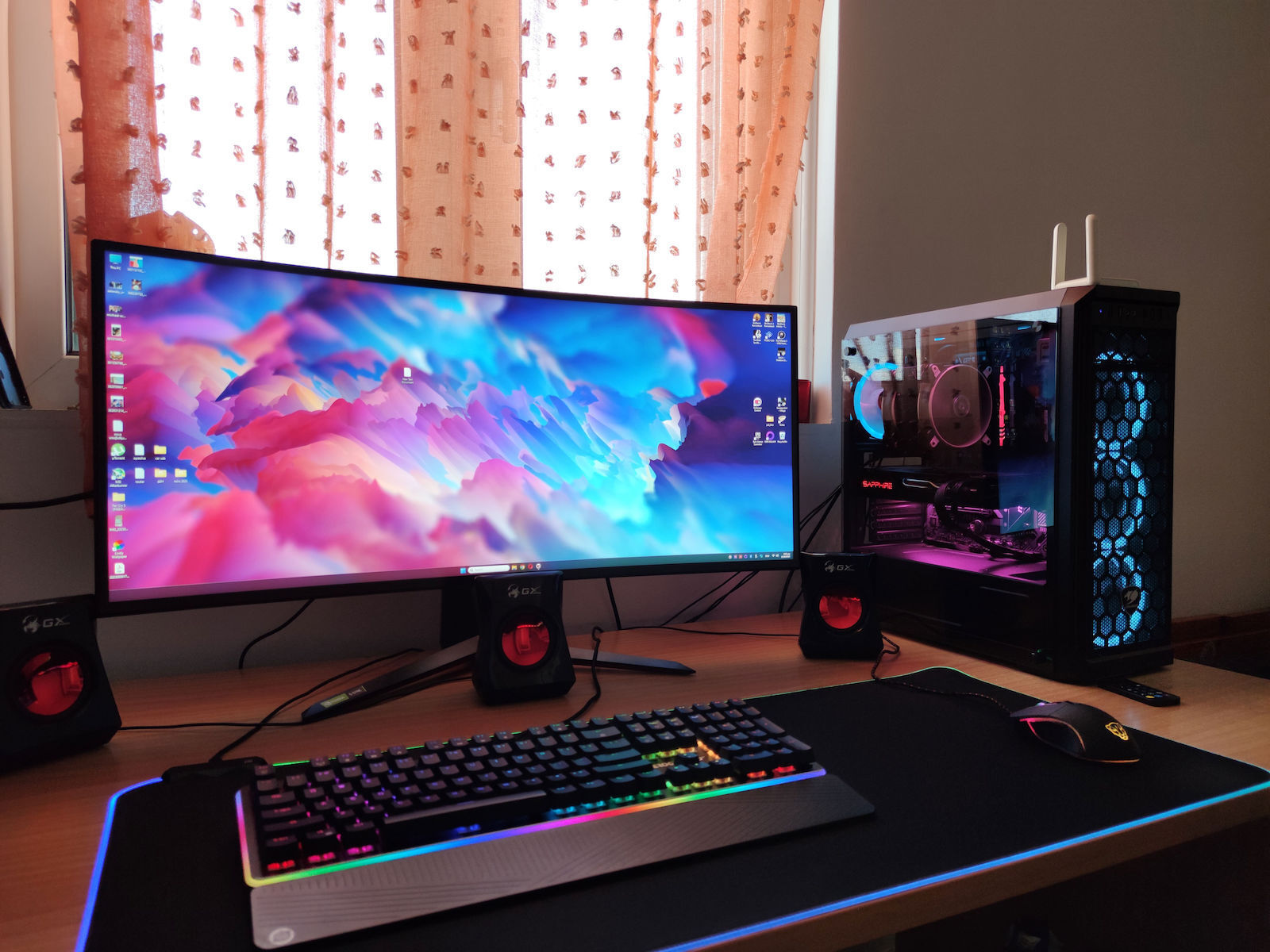
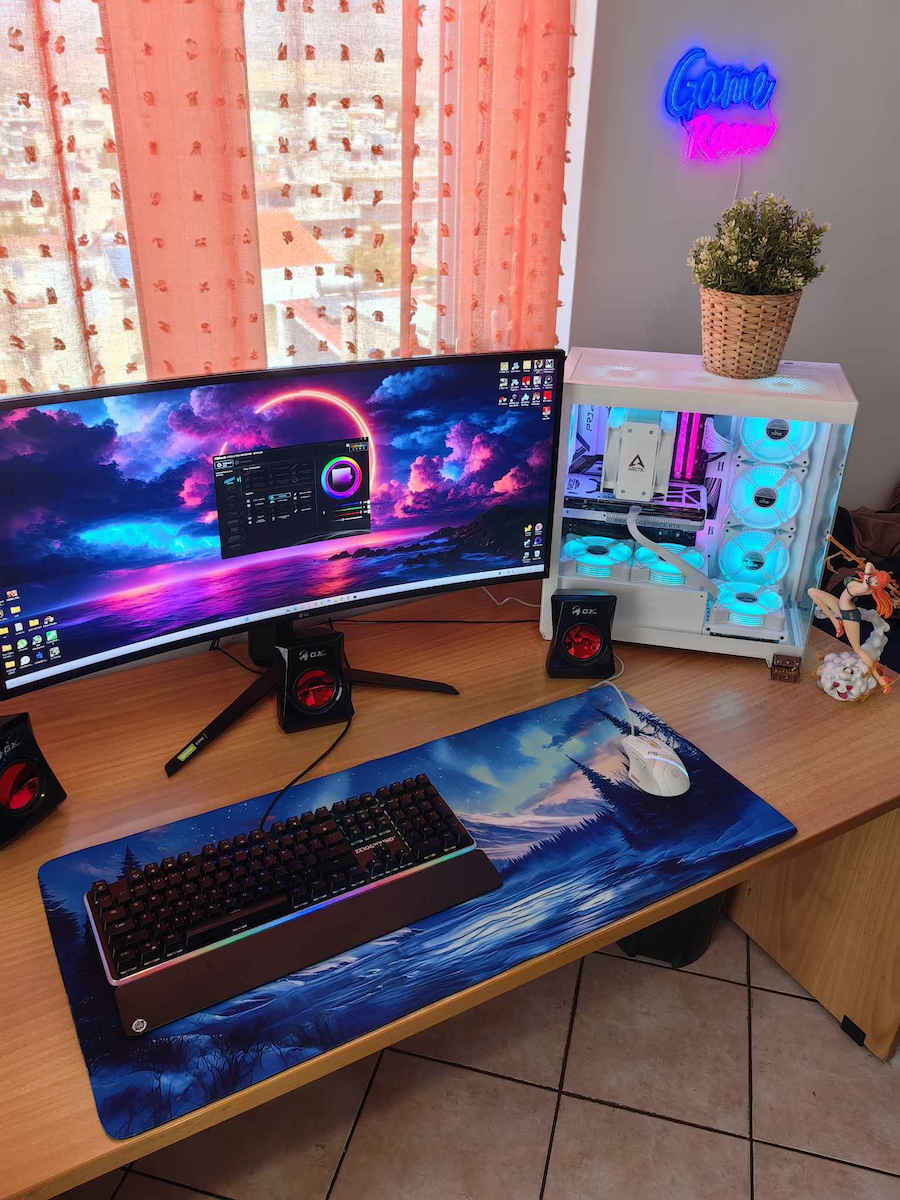
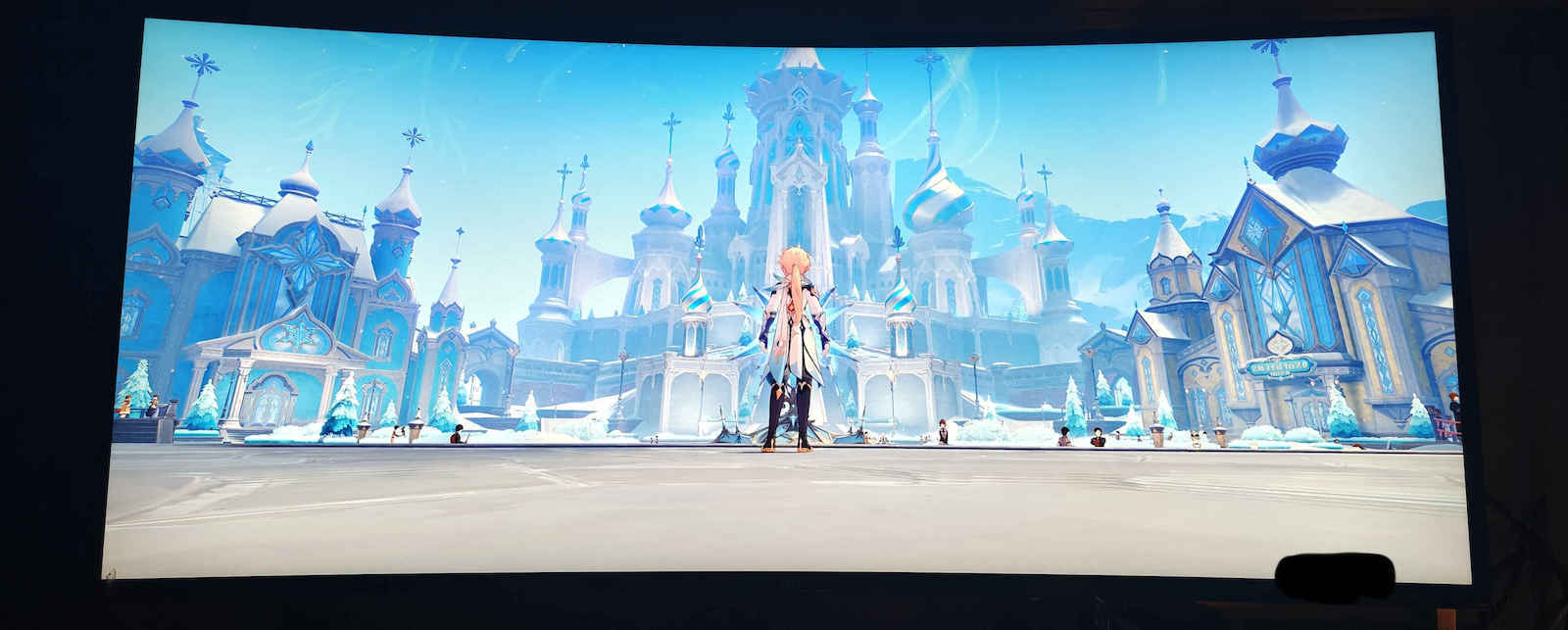
LG UltraGear 34GN850P-B Ultrawide Nano IPS HDR Curved Gaming Monitor 34 Inch QHD 3440x1440 144Hz with Response Time 1ms GTG

Key features:

  • Model 2020
  • Aspect ratio 16:9
  • Contrast 1000:1
  • FreeSync Premium, G-Sync Compatible
  • HDR400, Dynamic Action Sync
  • Connection: DisplayPort, HDMI
See full description
  • See all
The product is not available for shipping to the selected country.

Description

Description

Change the rules of the game

The LG monitor is primarily aimed at demanding gamers who seek a high-quality curved screen with top-notch features. It boasts a QHD resolution and a 144Hz refresh rate with 1ms GTG, while simultaneously supporting G-Sync and FreeSync Premium to eliminate tearing and provide smooth gaming.

IPS 1ms (GtG)

Designed for incredible speed

With an IPS panel and a 1ms response time comparable to TN panel speeds, the image shows almost no ghosting, allowing you to enjoy a completely new gaming experience.

Nano IPS & HDR 400

Feel the real battle with true colors

It supports a wide range of colors, 98% of the DCI-P3 color gamut, delivering high-fidelity colors for reproduction according to VESA DisplayHDR 400, providing an immersive visual experience. Regardless of the battlefield, the player feels at the center of the action.

Overclocking to 160Hz

Smooth gameplay motion

The speed of 160Hz (overclocking) allows the player to see the next frame faster, smoothing the display. The player reacts quickly and aims more easily.

Compatibility with NVIDIA G-SYNC

The monitor is compatible with G-SYNC technology (officially tested and certified by NVIDIA), eliminating distortions and minimizing stutter, for a smoother and faster gaming experience.

AMD FreeSync Premium

Clearer, smoother, and faster

With FreeSync Premium technology, gamers can enjoy seamless, smooth motion in high-resolution action games. It essentially eliminates screen tearing and flickering.

Elegant Design

Enhance your gaming experience with attractive design, improved "V" shaped stand, and virtually borderless display. The stand adjusts for tilt and height changes, allowing you to play games more comfortably.

Dynamic Action Sync

React faster to opponents

With the Dynamic Action Sync feature, input lag is minimized, allowing the player to "capture" every moment in real-time.

Black Stabilizer

Attack First in the Dark

The player can avoid snipers hiding in the darkest places and quickly escape from difficult situations when they see the flash.

Better targeting

The crosshair is centered for more accurate shooting.

Package Contents:

  • Monitor
  • Stand
  • HDMI Cable
  • DisplayPort Cable
  • USB 3.0 Upstream Cable

Manufacturer

See full description

Specifications

Specifications

Main Specifications

Panel
Nano IPS
HDR
Yes
Curved
Yes
UltraWide
Yes
Diagonal
34 "
Resolution
3440x1440
Contrast
1000 :1
Response Time (GTG)
1 ms
Refresh Rate
144 Hz
Aspect Ratio
21:9

Ergonomics

Tilt Adjustment
No
Height Adjustment
Yes
Vertical Rotation
No
Horizontal Rotation
No
Wall Mountable (Vesa)
100 x 100 mm

Connectivity

Connection
DisplayPort, HDMI

Additional Specifications

Monitor Type
Gaming Monitor
Speakers
No
Features & Functions
USB Hub, FreeSync Premium, G-Sync Compatible
Eye Comfort
Yes
Colour
Black
Camera
-

Energy Label

Energy Consumption
32 kWh/1000h
Energy Class
G

Important information

Specifications are collected from official manufacturer websites. Please verify the specifications before proceeding with your final purchase. If you notice any problem you can report it here.

See all specifications

Reviews (3)

Reviews

  1. 3
  2. 4 stars
    0
  3. 3 stars
    0
  4. 2 stars
    0
  5. 1 star
    0
Review this product
  • Comfort
  • Picture
  • Response time
  • Viewing angle
  • Menu
  • Value for money

Reviews by our members

  • newlion101819
    5
    3 out of 4 members found this review helpful

    Whoever is considering it and is not sure, don't think about it, the screen is incredible for video/photo editing and for gaming. I use it for both and I am left speechless. I was between this one and the Samsung G8 which is OLED, I was looking for a high-end monitor and budget was not an issue. I ended up here to avoid potential risks with OLED burn-in while having the best possible image.

    Translated from Greek ·
    Did you find this review helpful?
  • xrist4r4s
    5
    19 out of 19 members found this review helpful

    Verified purchase

    Update 9/2025

    Now I have a 4070 Ti Super and I really enjoy the monitor to the fullest, the investment was worth it!

    Now I always use it without HDR because that way the colors are more vivid and black is truly black. If I enable it, the colors fade and the blacks turn gray, so I only enable it when I need it in games etc. where it really makes a difference.

    You need Display Port 1.4 for it to work at 144hz

    Old Review:

    After a few months of using it, it's time to give my review.
    Purchase price ~650€
    I came from an LG 29WK500-P Ultrawide (75Hz, 250 Nits, IPS) and the comparison will be with that one.

    The price for me exceeded what I had initially calculated. I had it in mind for a very long time and finally took the plunge. The criterion was that it was the best High End monitor in its category since 2020, excluding OLEDs, and initially cost around 900-1000€.

    At first, I was a little disappointed because I thought I didn't see much difference from the previous monitor even though I spent quite a bit of money. Until I put the old one back for a bit... What can I say... Day and night! After a bit of tweaking with the settings, I realized its true power.

    SOMETHING VERY IMPORTANT: Go into the monitor settings from its button and DISABLE General-- Smart Energy Saving (it saves power and the monitor doesn't give you its Maximum) and Variable Backlight (what this does is when in a video or game you enter a dark room, it lowers the brightness of the monitor and when you go out into the sun it increases it... very annoying)

    A clarification here. When I enabled 10bit Pixel Format it wouldn't let me have HDR enabled. I don't know why but it seems the two can't work together, so I have that disabled and HDR enabled.

    My settings from LG's OnScreen Control app:

    Game Mode = Gamer 2 (Or FPS Mode if you want a whiter image, because Gamer 2 is a bit yellowish)
    Brightness = 100
    Contrast = 70 (You can't change it when you have Gamer 2 enabled)
    Sharpness = 70
    Gamma = Mode 3 (it has from Mode 1 to Mode 4... 1 has the lowest contrast and 3 the highest... 4 is about like 1 for some reason)
    Color Temp = Medium
    Response Time = Fast
    Freesync = On

    Performance.

    The image is amazing, worthy of LG.
    Even with the minimum possible HDR400 it supports, I see a huge difference in my games! And not only in HDR compatible games but also in those that DO NOT support HDR, because it has an automatic function that enhances them and they really look amazing! Also, YouTube videos in HDR are beautiful and when watching movies.

    Its brightness, for anyone coming from a typical monitor like me, also makes a big difference and obviously combines with the HDR performance.

    144Hz refresh rate. I came from 75Hz and although it didn't wow me at first, it definitely makes a difference now, especially when playing fast games or even in daily use. In short, you won't go back! Of course, someone coming from 60Hz will see even more difference. It also has Overclock to go up to 160Hz I think, but I don't need it and didn't bother with it. 144 is just fine.

    The Curve for me wasn't something I cared much about. It's good that it's there, though, because even though it's not intense, it suits the monitor and is just enough, and it definitely adds to the experience.

    I will summarize regarding its performance at €650:

    Unfortunately, gaming monitors of this level are expensive. If you are like me, a hobbyist who counts their money, I know it is very expensive, but I haven’t regretted it for a moment since I got it. It has changed my gaming experience to some extent because I see the games almost as each company envisioned them with HDR. I still have the very decent RX 5700XT and chose to upgrade the monitor first, and honestly, it’s like I got a new PC. The graphics card will have to hold out a bit longer. Obviously, I can’t play new games comfortably, but titles like Bioshock Infinite, Far Cry 5, Sekiro, Resident Evil Village (all maxed out and it handles them), Uncharted (with FSR), Witcher 3 (FSR), and some other favorites run just fine until the time comes to upgrade. The new games are a mess anyway, from what I see.

    First HDR experience = 9/10
    Brightness = 9/10
    Response = 9.5/10
    Colors = 9.5/10

    In my opinion, it is an excellent choice for someone who wants to take the step into High End, and be a step before OLEDs, which are extremely expensive and also have some issues with burn-in. I have always been a fan of IPS over VA panels, so I don’t have a comparison with a similar one, but I am very satisfied. I believe it will last me for years until OLEDs become financially accessible.

    Translated from Greek ·
    • Comfort
    • Picture
    • Response time
    • Viewing angle
    • Menu
    • Value for money
    Did you find this review helpful?
  • 5
    1 out of 1 members found this review helpful

    Verified purchase

    Very good. The only issue is that it doesn't have a type c output

    Translated from Greek ·
    Did you find this review helpful?
  • Whoever is considering it and is not sure, don't think about it, the screen is incredible for video/photo editing and for gaming. I use it for both and I am left speechless. I was between this one and the Samsung G8 which is OLED, I was looking for a high-end monitor and budget was not an issue. I ended up here to avoid potential risks with OLED burn-in while having the best possible image.

    Translated from Greek ·
    3
  • Update 9/2025

    Now I have a 4070 Ti Super and I really enjoy the monitor to the fullest, the investment was worth it!

    Now I always use it without HDR because that way the colors are more vivid and black is truly black. If I enable it, the colors fade and the blacks turn gray, so I only enable it when I need it in games etc. where it really makes a difference.

    You need Display Port 1.4 for it to work at 144hz

    Old Review:

    After a few months of using it, it's time to give my review.
    Purchase price ~650€
    I came from an LG 29WK500-P Ultrawide (75Hz, 250 Nits, IPS) and the comparison will be with that one.

    The price for me exceeded what I had initially calculated. I had it in mind for a very long time and finally took the plunge. The criterion was that it was the best High End monitor in its category since 2020, excluding OLEDs, and initially cost around 900-1000€.

    At first, I was a little disappointed because I thought I didn't see much difference from the previous monitor even though I spent quite a bit of money. Until I put the old one back for a bit... What can I say... Day and night! After a bit of tweaking with the settings, I realized its true power.

    SOMETHING VERY IMPORTANT: Go into the monitor settings from its button and DISABLE General-- Smart Energy Saving (it saves power and the monitor doesn't give you its Maximum) and Variable Backlight (what this does is when in a video or game you enter a dark room, it lowers the brightness of the monitor and when you go out into the sun it increases it... very annoying)

    A clarification here. When I enabled 10bit Pixel Format it wouldn't let me have HDR enabled. I don't know why but it seems the two can't work together, so I have that disabled and HDR enabled.

    My settings from LG's OnScreen Control app:

    Game Mode = Gamer 2 (Or FPS Mode if you want a whiter image, because Gamer 2 is a bit yellowish)
    Brightness = 100
    Contrast = 70 (You can't change it when you have Gamer 2 enabled)
    Sharpness = 70
    Gamma = Mode 3 (it has from Mode 1 to Mode 4... 1 has the lowest contrast and 3 the highest... 4 is about like 1 for some reason)
    Color Temp = Medium
    Response Time = Fast
    Freesync = On

    Performance.

    The image is amazing, worthy of LG.
    Even with the minimum possible HDR400 it supports, I see a huge difference in my games! And not only in HDR compatible games but also in those that DO NOT support HDR, because it has an automatic function that enhances them and they really look amazing! Also, YouTube videos in HDR are beautiful and when watching movies.

    Its brightness, for anyone coming from a typical monitor like me, also makes a big difference and obviously combines with the HDR performance.

    144Hz refresh rate. I came from 75Hz and although it didn't wow me at first, it definitely makes a difference now, especially when playing fast games or even in daily use. In short, you won't go back! Of course, someone coming from 60Hz will see even more difference. It also has Overclock to go up to 160Hz I think, but I don't need it and didn't bother with it. 144 is just fine.

    The Curve for me wasn't something I cared much about. It's good that it's there, though, because even though it's not intense, it suits the monitor and is just enough, and it definitely adds to the experience.

    I will summarize regarding its performance at €650:

    Unfortunately, gaming monitors of this level are expensive. If you are like me, a hobbyist who counts their money, I know it is very expensive, but I haven’t regretted it for a moment since I got it. It has changed my gaming experience to some extent because I see the games almost as each company envisioned them with HDR. I still have the very decent RX 5700XT and chose to upgrade the monitor first, and honestly, it’s like I got a new PC. The graphics card will have to hold out a bit longer. Obviously, I can’t play new games comfortably, but titles like Bioshock Infinite, Far Cry 5, Sekiro, Resident Evil Village (all maxed out and it handles them), Uncharted (with FSR), Witcher 3 (FSR), and some other favorites run just fine until the time comes to upgrade. The new games are a mess anyway, from what I see.

    First HDR experience = 9/10
    Brightness = 9/10
    Response = 9.5/10
    Colors = 9.5/10

    In my opinion, it is an excellent choice for someone who wants to take the step into High End, and be a step before OLEDs, which are extremely expensive and also have some issues with burn-in. I have always been a fan of IPS over VA panels, so I don’t have a comparison with a similar one, but I am very satisfied. I believe it will last me for years until OLEDs become financially accessible.

    Translated from Greek ·
    19
  • Very good. The only issue is that it doesn't have a type c output

    Translated from Greek ·
    1
  • See all

Description & Specifications

Change the rules of the game

The LG monitor is primarily aimed at demanding gamers who seek a high-quality curved screen with top-notch features. It boasts a QHD resolution and a 144Hz refresh rate with 1ms GTG, while simultaneously supporting G-Sync and FreeSync Premium to eliminate tearing and provide smooth gaming.

IPS 1ms (GtG)

Designed for incredible speed

With an IPS panel and a 1ms response time comparable to TN panel speeds, the image shows almost no ghosting, allowing you to enjoy a completely new gaming experience.

Nano IPS & HDR 400

Feel the real battle with true colors

It supports a wide range of colors, 98% of the DCI-P3 color gamut, delivering high-fidelity colors for reproduction according to VESA DisplayHDR 400, providing an immersive visual experience. Regardless of the battlefield, the player feels at the center of the action.

Overclocking to 160Hz

Smooth gameplay motion

The speed of 160Hz (overclocking) allows the player to see the next frame faster, smoothing the display. The player reacts quickly and aims more easily.

Compatibility with NVIDIA G-SYNC

The monitor is compatible with G-SYNC technology (officially tested and certified by NVIDIA), eliminating distortions and minimizing stutter, for a smoother and faster gaming experience.

AMD FreeSync Premium

Clearer, smoother, and faster

With FreeSync Premium technology, gamers can enjoy seamless, smooth motion in high-resolution action games. It essentially eliminates screen tearing and flickering.

Elegant Design

Enhance your gaming experience with attractive design, improved "V" shaped stand, and virtually borderless display. The stand adjusts for tilt and height changes, allowing you to play games more comfortably.

Dynamic Action Sync

React faster to opponents

With the Dynamic Action Sync feature, input lag is minimized, allowing the player to "capture" every moment in real-time.

Black Stabilizer

Attack First in the Dark

The player can avoid snipers hiding in the darkest places and quickly escape from difficult situations when they see the flash.

Better targeting

The crosshair is centered for more accurate shooting.

Package Contents:

  • Monitor
  • Stand
  • HDMI Cable
  • DisplayPort Cable
  • USB 3.0 Upstream Cable

Manufacturer

Main Specifications

Panel
Nano IPS
HDR
Yes
Curved
Yes
UltraWide
Yes
Diagonal
34 "
Resolution
3440x1440
Contrast
1000 :1
Response Time (GTG)
1 ms
Refresh Rate
144 Hz
Aspect Ratio
21:9

Ergonomics

Tilt Adjustment
No
Height Adjustment
Yes
Vertical Rotation
No
Horizontal Rotation
No
Wall Mountable (Vesa)
100 x 100 mm

Connectivity

Connection
DisplayPort, HDMI

Additional Specifications

Monitor Type
Gaming Monitor
Speakers
No
Features & Functions
USB Hub, FreeSync Premium, G-Sync Compatible
Eye Comfort
Yes
Colour
Black
Camera
-

Energy Label

Energy Consumption
32 kWh/1000h
Energy Class
G

Important information

Specifications are collected from official manufacturer websites. Please verify the specifications before proceeding with your final purchase. If you notice any problem you can report it here.

Reviews (3)

  1. 3
  2. 4 stars
    0
  3. 3 stars
    0
  4. 2 stars
    0
  5. 1 star
    0
Review this product
  • Comfort
  • Picture
  • Response time
  • Viewing angle
  • Menu
  • Value for money

Reviews by our members

  • newlion101819
    5
    3 out of 4 members found this review helpful

    Whoever is considering it and is not sure, don't think about it, the screen is incredible for video/photo editing and for gaming. I use it for both and I am left speechless. I was between this one and the Samsung G8 which is OLED, I was looking for a high-end monitor and budget was not an issue. I ended up here to avoid potential risks with OLED burn-in while having the best possible image.

    Translated from Greek ·
    Did you find this review helpful?
  • xrist4r4s
    5
    19 out of 19 members found this review helpful

    Verified purchase

    Update 9/2025

    Now I have a 4070 Ti Super and I really enjoy the monitor to the fullest, the investment was worth it!

    Now I always use it without HDR because that way the colors are more vivid and black is truly black. If I enable it, the colors fade and the blacks turn gray, so I only enable it when I need it in games etc. where it really makes a difference.

    You need Display Port 1.4 for it to work at 144hz

    Old Review:

    After a few months of using it, it's time to give my review.
    Purchase price ~650€
    I came from an LG 29WK500-P Ultrawide (75Hz, 250 Nits, IPS) and the comparison will be with that one.

    The price for me exceeded what I had initially calculated. I had it in mind for a very long time and finally took the plunge. The criterion was that it was the best High End monitor in its category since 2020, excluding OLEDs, and initially cost around 900-1000€.

    At first, I was a little disappointed because I thought I didn't see much difference from the previous monitor even though I spent quite a bit of money. Until I put the old one back for a bit... What can I say... Day and night! After a bit of tweaking with the settings, I realized its true power.

    SOMETHING VERY IMPORTANT: Go into the monitor settings from its button and DISABLE General-- Smart Energy Saving (it saves power and the monitor doesn't give you its Maximum) and Variable Backlight (what this does is when in a video or game you enter a dark room, it lowers the brightness of the monitor and when you go out into the sun it increases it... very annoying)

    A clarification here. When I enabled 10bit Pixel Format it wouldn't let me have HDR enabled. I don't know why but it seems the two can't work together, so I have that disabled and HDR enabled.

    My settings from LG's OnScreen Control app:

    Game Mode = Gamer 2 (Or FPS Mode if you want a whiter image, because Gamer 2 is a bit yellowish)
    Brightness = 100
    Contrast = 70 (You can't change it when you have Gamer 2 enabled)
    Sharpness = 70
    Gamma = Mode 3 (it has from Mode 1 to Mode 4... 1 has the lowest contrast and 3 the highest... 4 is about like 1 for some reason)
    Color Temp = Medium
    Response Time = Fast
    Freesync = On

    Performance.

    The image is amazing, worthy of LG.
    Even with the minimum possible HDR400 it supports, I see a huge difference in my games! And not only in HDR compatible games but also in those that DO NOT support HDR, because it has an automatic function that enhances them and they really look amazing! Also, YouTube videos in HDR are beautiful and when watching movies.

    Its brightness, for anyone coming from a typical monitor like me, also makes a big difference and obviously combines with the HDR performance.

    144Hz refresh rate. I came from 75Hz and although it didn't wow me at first, it definitely makes a difference now, especially when playing fast games or even in daily use. In short, you won't go back! Of course, someone coming from 60Hz will see even more difference. It also has Overclock to go up to 160Hz I think, but I don't need it and didn't bother with it. 144 is just fine.

    The Curve for me wasn't something I cared much about. It's good that it's there, though, because even though it's not intense, it suits the monitor and is just enough, and it definitely adds to the experience.

    I will summarize regarding its performance at €650:

    Unfortunately, gaming monitors of this level are expensive. If you are like me, a hobbyist who counts their money, I know it is very expensive, but I haven’t regretted it for a moment since I got it. It has changed my gaming experience to some extent because I see the games almost as each company envisioned them with HDR. I still have the very decent RX 5700XT and chose to upgrade the monitor first, and honestly, it’s like I got a new PC. The graphics card will have to hold out a bit longer. Obviously, I can’t play new games comfortably, but titles like Bioshock Infinite, Far Cry 5, Sekiro, Resident Evil Village (all maxed out and it handles them), Uncharted (with FSR), Witcher 3 (FSR), and some other favorites run just fine until the time comes to upgrade. The new games are a mess anyway, from what I see.

    First HDR experience = 9/10
    Brightness = 9/10
    Response = 9.5/10
    Colors = 9.5/10

    In my opinion, it is an excellent choice for someone who wants to take the step into High End, and be a step before OLEDs, which are extremely expensive and also have some issues with burn-in. I have always been a fan of IPS over VA panels, so I don’t have a comparison with a similar one, but I am very satisfied. I believe it will last me for years until OLEDs become financially accessible.

    Translated from Greek ·
    • Comfort
    • Picture
    • Response time
    • Viewing angle
    • Menu
    • Value for money
    Did you find this review helpful?
  • 5
    1 out of 1 members found this review helpful

    Verified purchase

    Very good. The only issue is that it doesn't have a type c output

    Translated from Greek ·
    Did you find this review helpful?
  • Whoever is considering it and is not sure, don't think about it, the screen is incredible for video/photo editing and for gaming. I use it for both and I am left speechless. I was between this one and the Samsung G8 which is OLED, I was looking for a high-end monitor and budget was not an issue. I ended up here to avoid potential risks with OLED burn-in while having the best possible image.

    Translated from Greek ·
    3
  • Update 9/2025

    Now I have a 4070 Ti Super and I really enjoy the monitor to the fullest, the investment was worth it!

    Now I always use it without HDR because that way the colors are more vivid and black is truly black. If I enable it, the colors fade and the blacks turn gray, so I only enable it when I need it in games etc. where it really makes a difference.

    You need Display Port 1.4 for it to work at 144hz

    Old Review:

    After a few months of using it, it's time to give my review.
    Purchase price ~650€
    I came from an LG 29WK500-P Ultrawide (75Hz, 250 Nits, IPS) and the comparison will be with that one.

    The price for me exceeded what I had initially calculated. I had it in mind for a very long time and finally took the plunge. The criterion was that it was the best High End monitor in its category since 2020, excluding OLEDs, and initially cost around 900-1000€.

    At first, I was a little disappointed because I thought I didn't see much difference from the previous monitor even though I spent quite a bit of money. Until I put the old one back for a bit... What can I say... Day and night! After a bit of tweaking with the settings, I realized its true power.

    SOMETHING VERY IMPORTANT: Go into the monitor settings from its button and DISABLE General-- Smart Energy Saving (it saves power and the monitor doesn't give you its Maximum) and Variable Backlight (what this does is when in a video or game you enter a dark room, it lowers the brightness of the monitor and when you go out into the sun it increases it... very annoying)

    A clarification here. When I enabled 10bit Pixel Format it wouldn't let me have HDR enabled. I don't know why but it seems the two can't work together, so I have that disabled and HDR enabled.

    My settings from LG's OnScreen Control app:

    Game Mode = Gamer 2 (Or FPS Mode if you want a whiter image, because Gamer 2 is a bit yellowish)
    Brightness = 100
    Contrast = 70 (You can't change it when you have Gamer 2 enabled)
    Sharpness = 70
    Gamma = Mode 3 (it has from Mode 1 to Mode 4... 1 has the lowest contrast and 3 the highest... 4 is about like 1 for some reason)
    Color Temp = Medium
    Response Time = Fast
    Freesync = On

    Performance.

    The image is amazing, worthy of LG.
    Even with the minimum possible HDR400 it supports, I see a huge difference in my games! And not only in HDR compatible games but also in those that DO NOT support HDR, because it has an automatic function that enhances them and they really look amazing! Also, YouTube videos in HDR are beautiful and when watching movies.

    Its brightness, for anyone coming from a typical monitor like me, also makes a big difference and obviously combines with the HDR performance.

    144Hz refresh rate. I came from 75Hz and although it didn't wow me at first, it definitely makes a difference now, especially when playing fast games or even in daily use. In short, you won't go back! Of course, someone coming from 60Hz will see even more difference. It also has Overclock to go up to 160Hz I think, but I don't need it and didn't bother with it. 144 is just fine.

    The Curve for me wasn't something I cared much about. It's good that it's there, though, because even though it's not intense, it suits the monitor and is just enough, and it definitely adds to the experience.

    I will summarize regarding its performance at €650:

    Unfortunately, gaming monitors of this level are expensive. If you are like me, a hobbyist who counts their money, I know it is very expensive, but I haven’t regretted it for a moment since I got it. It has changed my gaming experience to some extent because I see the games almost as each company envisioned them with HDR. I still have the very decent RX 5700XT and chose to upgrade the monitor first, and honestly, it’s like I got a new PC. The graphics card will have to hold out a bit longer. Obviously, I can’t play new games comfortably, but titles like Bioshock Infinite, Far Cry 5, Sekiro, Resident Evil Village (all maxed out and it handles them), Uncharted (with FSR), Witcher 3 (FSR), and some other favorites run just fine until the time comes to upgrade. The new games are a mess anyway, from what I see.

    First HDR experience = 9/10
    Brightness = 9/10
    Response = 9.5/10
    Colors = 9.5/10

    In my opinion, it is an excellent choice for someone who wants to take the step into High End, and be a step before OLEDs, which are extremely expensive and also have some issues with burn-in. I have always been a fan of IPS over VA panels, so I don’t have a comparison with a similar one, but I am very satisfied. I believe it will last me for years until OLEDs become financially accessible.

    Translated from Greek ·
    19
  • Very good. The only issue is that it doesn't have a type c output

    Translated from Greek ·
    1
  • See all