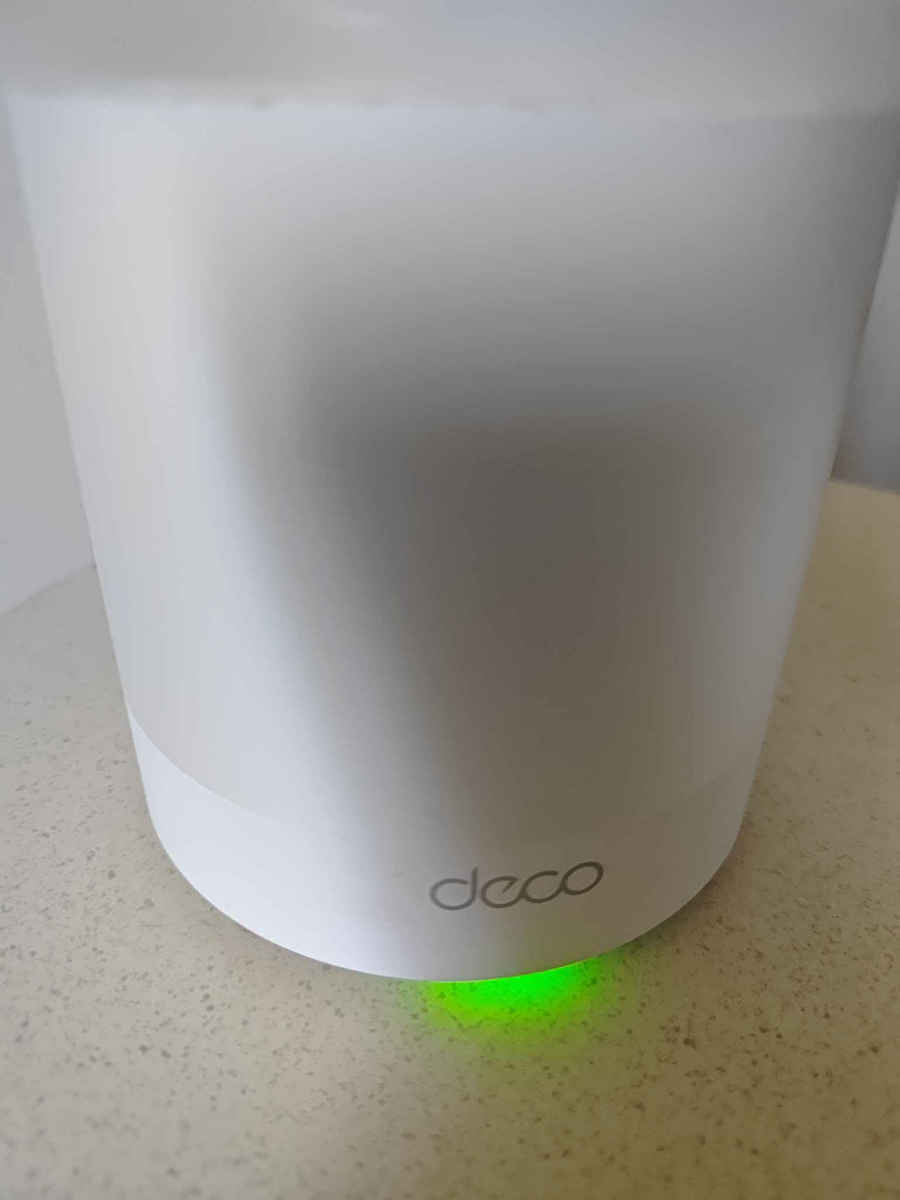
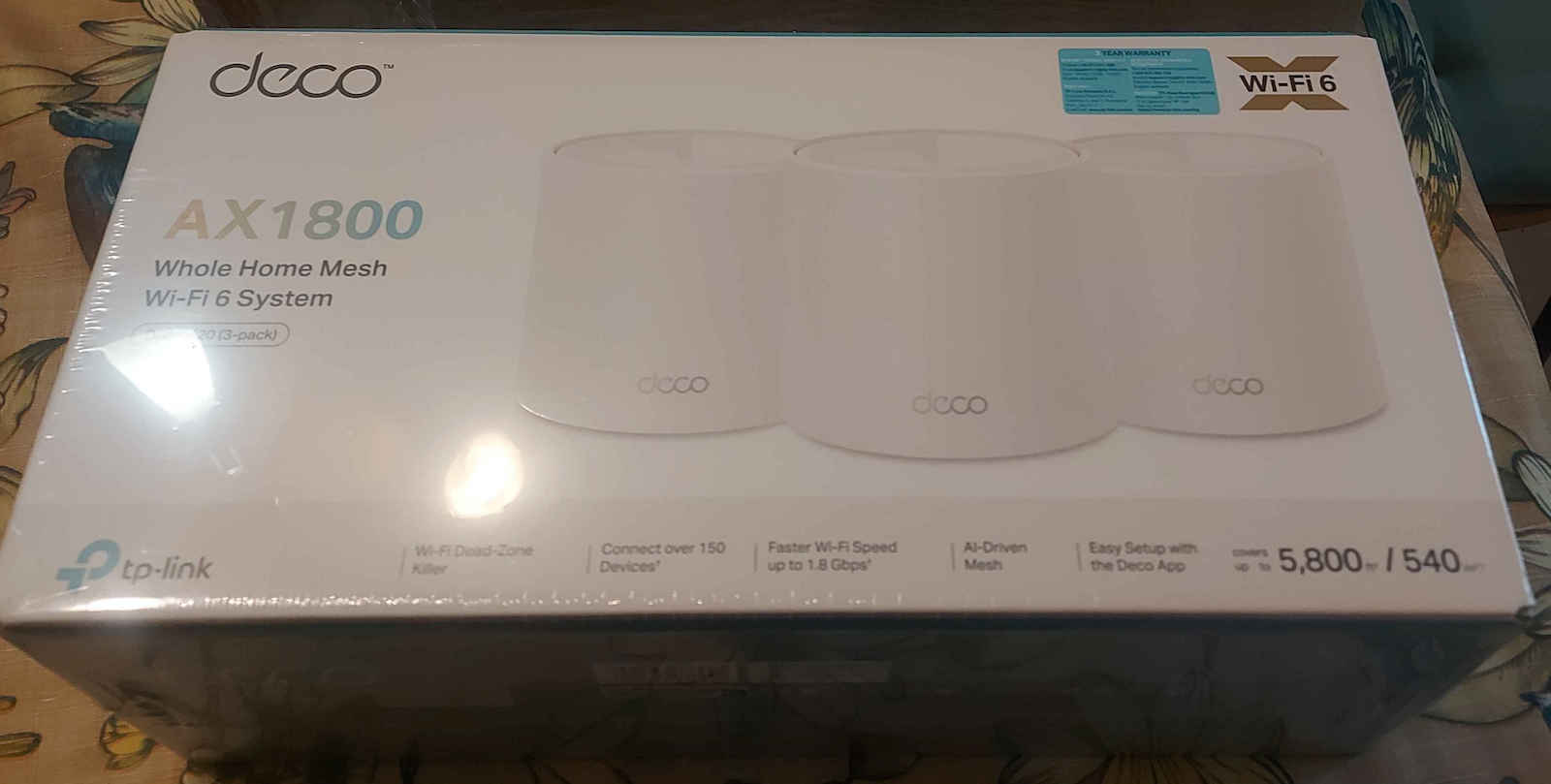
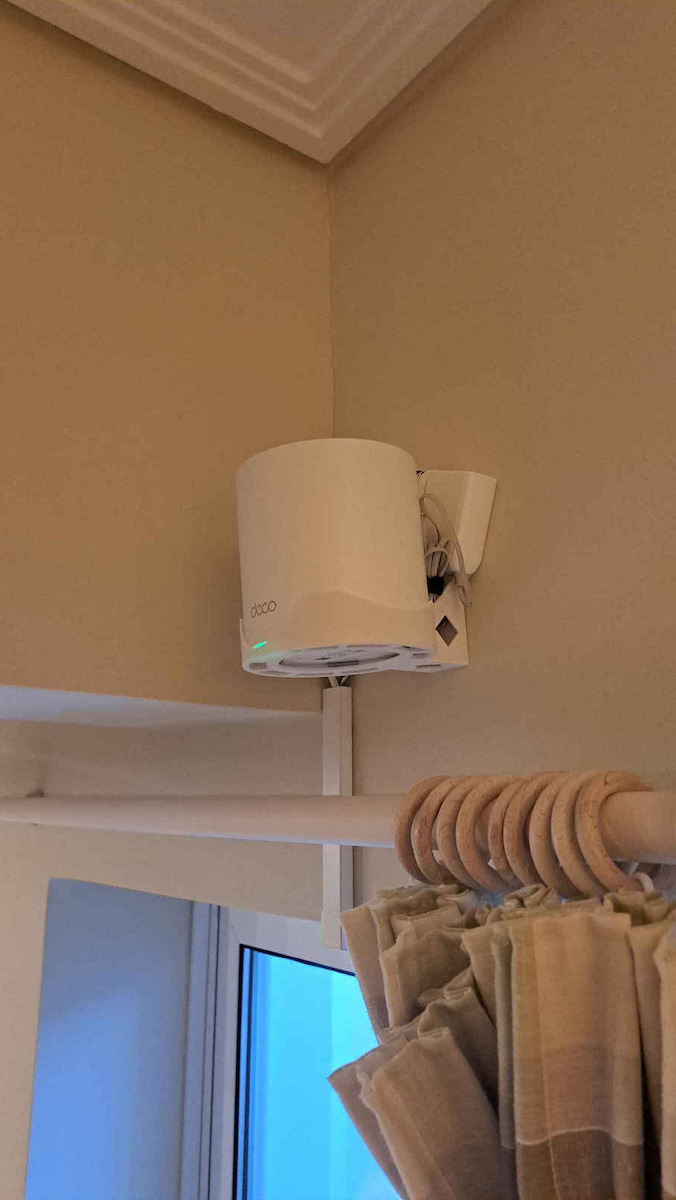
Connect more devices: Quadruple capacity with OFDMA and MU-MIMO technology for simultaneous transmission to more devices. Enhanced seamless coverage: Ensure seamless coverage of the entire home with a cleaner and stronger Wi-Fi signal produced by Wi-Fi 6.
Specifications are collected from official manufacturer websites. Please verify the specifications before proceeding with your final purchase. If you notice any problem you can report it here.
Perfect!! Much better signal than simple routers. It was combined with a second one for inside the house. Easy installation and connection. And we are all set in 120 sq m and balcony
Τελειο!! Πολυ καλύτερο σημα απο τα απλα router. Συνδυάστηκε με ενα δευτερο για μεσα στο σπιτι. Εύκολη εγκατάσταση και σύνδεση. Κια ειμαστε κομπλε σε 120 τμ και μπαλκονι
good but for open space I would say. if you have walls in between, don't choose it for distances over 5 meters. with the X50 I ordered after that, I was saved. it reaches speeds above 200 at a distance of 10 meters with walls in between.
καλο αλλα για ανοιχτο χωρο θα ελεγα εγω. αν εχετε τοίχους ενδιάμεσα μην το προτιμήσετε για αποστάσεις άνω των 5 μετρων. με το X50 που παρήγγειλα μετα σώθηκα. πιανει ταχύτητες άνω των 200 σε απόσταση 10 μετρων με τοίχους ενδιάμεσα.
If there were more stars, I would give them..
First of all, top quality construction, even in the packaging, the materials, rubber bands, cables, box, packaging..
I bought a double kit v4
To bring internet from the 1st floor to the ground floor..
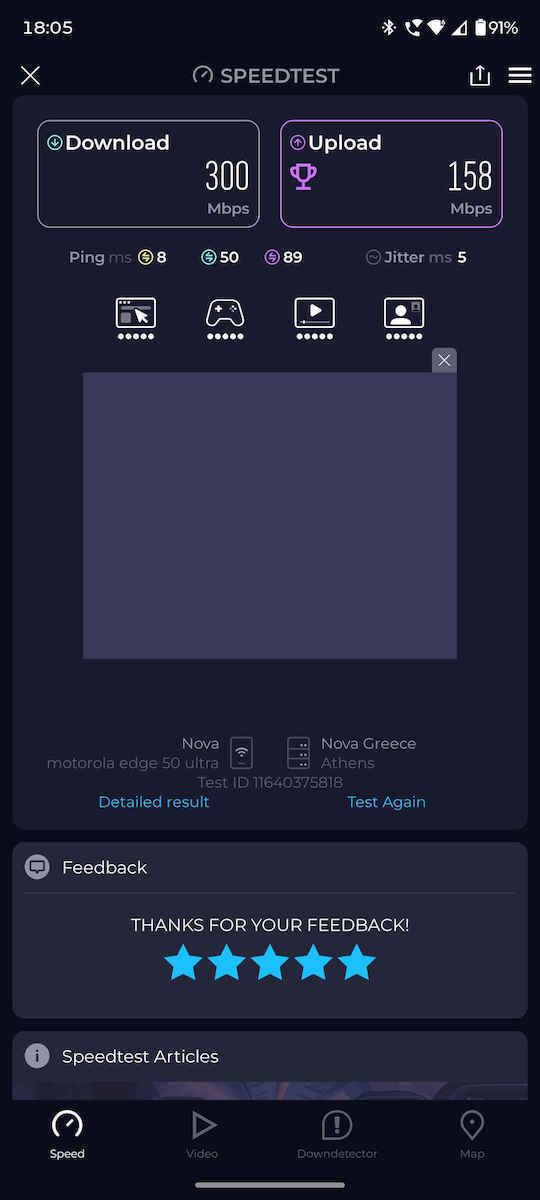
To my surprise, I noticed that now on the entire 1st floor I get 300mbps download and 150mbps upload from the 300 of the wind line (having turned off the wifi from the router to avoid interference) (important)..
The most impressive thing is that on the ground floor it steadily delivers 300mbps wirelessly (set up as an access point)
The photo is from a measurement on the ground floor, with the phone's wifi!
Basically, the whole building has full signal!
Really very good product, with super simple installation and easy app!
Eyes closed!
Να είχε παραπάνω αστέρια να έβαζα..
Καταρχάς υπέρ ποιοτική κατασκευή, ακόμα και στη συσκευασία τα υλικά λαστιχάκια, καλώδια, κουτί, συσκευασία..
Αγόρασα διπλό κιτ v4
Για να φέρω ίντερνετ από τον 1ο στο ισόγειο..
Με έκπληξη μου παρατήρησα ότι πλέον σε όλον τον 1ο όροφο πιάνει 300mbps κατεβατά κ 150mbps upload από τα 300 της γραμμής wind (έχοντας κλείσει το wifi από το router να μην κάνει παρεμβολές) (σημαντικό)..
Το πιο εντυπωσιακό είναι ότι στο ισόγειο μου φέρνει σταθερά 300mbps ασύρματα (ρύθμιση σαν access point)
Η φώτο είναι από μέτρηση στο ισόγειο, με το wifi του κινητού!
Βασικά όλη η πολυκατοικία έχει σήμα καμπάνα!
Πολύ καλό προϊόν πραγματικά, με υπέρ απλή εγκατάσταση και εύκολο app!
Με κλειστά μάτια!
Very good and reliable. It has satisfactory coverage throughout the house. I have installed the double and it covers the whole house with good speed. I have a 500mbps connection (which it actually achieves) and even in the most remote areas (with walls in between, etc.) it gives 150mbps
Πολύ καλό και αξιοπιστο. Έχει ικανοποιητικό coverage σε όλο το σπίτι. Εχω βάλει το διπλό και πιάνει σε όλο το σπίτι και μελή ταχύτητα. Εχω 500mbps σύνδεση (που τα πιάνει πραγματικα) και στα πιο απομακρυσμένα μέρη (με τοίχους ενδιάμεσα κλπ) δίνει 150mpbs
Incredible quality and stable signal and speed. Obviously, you need to turn off the Wi-Fi from your provider's router and connect all devices to the Decos to see a difference!
Απιστευρη ποιοτητα και σταθερο σημα και ταχυτητα. Προφανος πρεπει να κλεισει καποιος το Wi-Fi απο το ρουτερ του παροχου του και να συνδεονται ολες οι συσκευες στα Deco για να δεις διαφορα!
Perfect Wi-Fi 6 coverage in a three-story building. Very easy installation through the app and stable signal everywhere without any disconnections. The best upgrade for the home network!
Τέλεια κάλυψη Wi-Fi 6 σε τριώροφο οίκημα. Πανεύκολη εγκατάσταση μέσω του app και σταθερό σήμα παντού χωρίς καμία αποσύνδεση. Η καλύτερη αναβάθμιση για το οικιακό δίκτυο!
Epic. I have the v1 in access point mode, I have turned off the router's wifi and placed one in the living room and one in the hall. There is no spot in the house where I don't get 100 Mbps (my line). A big advantage is that you can define where each device connects, and that it lets you create a separate 2.4GHz network for cameras, printers, etc. I recommend.
Επος. Έχω τα v1 σε access point mode, έχω κλείσει το wifi του router και έχω βάλει ένα στο σαλόνι και ένα στο hall. Δεν υπάρχει σημείο στο σπίτι που να μη πιάνει 100 Mbps (η γραμμή μου). Μεγάλο ατού το ότι μπορείς να ορίζεις που θα συνδέεται κάθε συσκευή, και ότι σε αφήνει να φτιάξεις ξεχωριστό 2.4ghz δίκτυο για κάμερες, εκτυπωτές κτλ. Συνιστώ.
After using it for a while with two different providers at 300 speed, with a system of three repeaters, and a distance of about 5m, it barely manages to transmit 100 to 130, which is unacceptable for the price considering it claims 1000 to 1800. The only good thing is that it has a stable signal, otherwise the speed is terrible!!!
΄Υστερα από καιρό χρήσης σε δυο διαφορετικές εταιρίες με παροχή 300 , με σύστημα τριών αναμεταδοτών , με απόσταση περίπου 5μ. ζήτημα να καταφέρνει να μεταδώσει 100 με 130 πράγμα για αυτό που λέει 1000 με 1800 απαράδεκτο για τα χρήματα του. Το μόνο καλό ότι έχει σταθερό σήμα , αλλιώς από ταχύτητα χάλια!!!
So far it works perfectly. Very good connectivity without interruptions. It is small and also serves as a decorative element in the space. I will get another one to cover the whole house.
Έως τώρα λειτουργεί άψογα. Πολύ καλή συνδεσιμότητα χωρίς διακοπές. Είναι μικρό και σαν διακοσμητικό στοιχείο μέσα στον χώρο. Θα πάρω ακόμα ένα για να καλύψω ολόκληρο το σπίτι.
I've had it for a year and a bit, 24/7 with over 20 devices connected on guest (smart home, mobiles, etc. etc.), 0 disconnections, it works FLAWLESSLY!
Το εχω ενα χρονο και κατι ,24/7 πανω απο 20 συσκευες συνδεδεμενες σε guest (smart home-κινητα κτλπ κτλπ) 0 αποσυνδεσεις, παει ΤΑΑΠΑ!
Positive: In terms of signal it is good.
Negative: In terms of features, only the basics, and anything related to security and parental control requires a subscription from 20 to 60 euros per year. Also, when it is operating as an Access point, it does NOT have security and parental control settings.
Θετικό: Απο σημα ειναι καλο.
Αρνητικό: Απο δυνατότητες μονο οι βασικές και οτι εχει να κανει με σασφάλεια και γονικό έλεγχο θέλει συνδρομή απο 20 έως 60 ευρω τον χρόνο. Επίσης οταν ειναι σε λειτουργια Access point ΔΕΝ εχει ρυθμισεις ασφάλειας κ γονικου ελέγχου..
very easy to set up and quite good speed performance (the layout of the house (rooms, walls) and the placement of the nodes (near objects vs in open space) definitely affect it).
πολύ εύκολο στην ρύθμιση και αρκετά καλή απόδοση ταχύτητας (σίγουρα επηρεάζει η διαρρύθμιση του σπιτιού (δωμάτια, τοίχοι) και η τοποθέτηση των nodes (κοντά σε αντικείμενα vs σε ανοιχτό χώρα)).
Used in a maisonette house, 75sqm each floor. I replaced the powerline because it had problems.
Excellent!!! I put one on the lower floor next to the router which is located at the bottom left corner. The second one on the upper floor in the far right corner.
Installation was a breeze, done in 7-8 minutes. It easily covered the dead zones I had before and the signal it gives is strong.
Night and day compared to the powerline. I haven't done detailed measurements but 5 devices work simultaneously and without any issues. And it also has a good app that provides plenty of information.
Χρήση σε σπίτι μεζονέτα, 75τμ ο κάθε όροφος. Αντικατέστησα powerline γιατί είχε προβλήματα.
Εξαιρετικό!!! Το ένα το έβαλα στον κάτω όροφο δίπλα στο router που βρίσκεται κάτω αριστερά στην γωνία. Το δεύτερο στον πάνω όροφο στην τέρμα δεξιά γωνία.
Εγκατάσταση παιχνιδάκι μέσα σε 7-8 λεπτά. Κάλυψε τις νεκρές ζώνες που είχα πριν εύκολα και το σήμα που δίνει είναι δυνατό.
Η μέρα με την νύχτα συγκρινόμενο με το powerline. Δεν έχω κάνει αναλυικές μετρήσεις αλλά 5 συσκευές δουλεύουν ταυτόχρονα και απροβλημάτιστα. Και έχει και καλό app που δίνει αρκετές πληροφορίες.
I installed it in 10' and since then I haven't had to deal with it again.
With 2 deco units I have a unified wifi network, with good signal everywhere (100sqm + balcony) and good speeds.
For anyone interested, it offers many more features such as monitoring via the app, device tracking and their activity, reporting, security, parental controls, smart home/rules, vpn, etc.
At the 100 euros I paid for the 2-pack, it's 100% worth it.
Το εγκατέστησα σε 10' και από τότε δεν έχω ξανασχοληθεί.
Με 2 deco έχω ενιαίο δίκτυο wifi, με καλό σήμα παντού (100τμ. + μπαλκόνι) και καλές ταχύτητες.
Για όποιον ενδιαφέρεται προσφέρει πολλά ακόμα όπως monitoring μέσω του app, tracking συσκευών και της δραστηριότητάς τους, reporting, security, parental controls, smart home/rules, vpn κ.α.
Στα 100 ευρώ που πήρα το πακέτο των 2, αξίζει 100%.
Excellent, definitely worth its money!! I got the triple kit + the outdoor to cover an area of 400 sq.m. in a complex of stone houses on an island (with 60cm thick stone walls!) and they do an amazing job!! We have good internet in all 4 houses and the surrounding areas (24 Mbps line) and to think that the outdoor unit, which is the source, was installed outside the house, in the same position as the router inside - it feeds the other three decos in a chain, it's 100 meters away from the first house and as I mentioned before there are stone walls and other obstacles in between!!
Εξαιρετικό, σίγουρα αξίζει τα χρήματα του!! Πήρα το τριπλό κιτ + το outdoor για να με καλύψουν για έκταση 400τ.μ. σε συγκρότημα πέτρινων κατοικιών σε νησί (με 60εκ. πάχος πέτρας οι τοίχοι!) και κάνουν φοβερή δουλειά!! Έχουμε καλό ίντερνετ και στα 4 σπίτια κ τους περιβάλλοντες χώρους (24αρα γραμμή) και να σκεφτεί κανείς ότι το outdoor που είναι η πηγή - τοποθετήθηκε εξωτερικά του σπιτιού , στην ίδια θέση από μεσα ειναι το router- αλυσιδωτά τροφοδοτεί τα υπόλοιπα τρία deco, απέχει 100 μέτρα από το πρώτο σπίτι και όπως προείπα υπάρχουν πέτρινοι τοίχοι και άλλα εμπόδια ενδιάμεσα!!
A little attention, if set up as a router you lose the capabilities for Spotify/Tidal connect and you have to set it up as an access point so it doesn't give its own IPs
Λίγη προσοχή, αν στηθεί σαν router χάνεις τις δυνατότητες για spotify /Tidal connect και πρέπει να το στήσεις σαν access point για να μην δίνει δικά του ip
I wanted to extend the wifi network as I have a connection with a 5g router, which did not have satisfactory range. I had higher expectations that it would comfortably cover the house which is about 120 sqm. In some rooms, the signal is weak. Of course, the placement of the deco also plays a role, as it was affected by the difficult spot where the router is located to catch a good 5g signal. However, the range has definitely improved significantly! I will get a third one to meet my needs. The devices are sleek and fit nicely with the house. The connection and installation were a breeze with the help of the app. However, I do notice some occasional disconnections of the devices from the network. I hope that these will be resolved with some update.
Ήθελα να επεκτείνω το δίκτυο wifi καθώς έχω σύνδεση με 5g router, το οποίο δεν είχε ικανοποιητική εμβέλεια. Είχα περισσότερες προσδοκίες ότι θα κάλυπτε άνετα το σπίτι που είναι περίπου 120 τμ. Σε ορισμένα δωμάτια το σήμα είναι αδύναμο. Βέβαια, φταίει και η τοποθέτηση των deco η οποία επηρεάστηκε από το δύσκολο σημείο στο οποίο βρίσκεται το router για να πιάνει καλό σήμα 5g. Σίγουρα όμως η εμβέλεια ενισχύθηκε σε μεγάλο βαθμό ! Θα πάρω κι ένα τρίτο για να καλύψω τις ανάγκες μου.
Οι συσκευές είναι κομψές και "δένουν" ωραία με το σπίτι. Η σύνδεση και η εγκατάσταση ήταν παιχνιδάκι με τη βοήθεια της εφαρμογής. Παρατηρώ, ωστόσο μερικές στιγμιαίες αποσυνδέσεις των συσκευών από το δίκτυο. Ελπίζω ότι θα επιλυθούν με κάποια ενημέρωση.
Used as an Access Point connected to the provider's router.
I bought it second-hand from Skroutz for €40, which is great for that money—we upgraded a former central Main Deco E4 to the X20. And we also retired 2 other Deco E4 units for the vacation home.
It has more range, of course, the E4 is Wifi 4 and the X20 is Wifi 6, but that's okay since we don't have that many Wifi 6 devices yet. Also, the home speed is less than 100Mbps Download, so I don't take advantage of the faster Ethernet yet, since the cheaper Deco E4s have 10/100 ports while this one has 10/100/1000 Mbps. The NAS definitely runs faster.
The process of replacing the Main Deco is not the easiest and is a bit annoying, but if you try 4-5 times and have enough time, it works out.
It's not just Wifi 6 compared to 5, it's that as a newer Deco it has a better processor as a device—faster, and even Wifi 4 devices perform much better in synchronization, as do older devices.
Χρήση ως Access Point κουμπωμένο επάνω στο router του παρόχου.
Το πήρα μεταχειρισμένο από το Skroutz 40€ μια χαρά για αυτά χρήματα αναβαθμίσαμε ένα πρώην κεντρικό Main Deco E4 στο X20. Και αποσυραμε και 2 άλλα Deco E4 για το εξοχικό.
Έχει δηλαδή περισσότερο range εμβέλεια το είναι βεβαίως Wifi 4 και το άλλο Wifi 6 αλλά οκ δεν έχουμε και τόσες συσκευές Wifi 6 ακόμα επίσης η ταχύτητα στο σπίτι είναι λιγότερο από 100Mbps Download οπότε δεν εκμετάλλευομαι ακόμα τη ταχύτητερη Ethernet μιας και τα φτηνότερα Deco E4 έχουν 10/100 θύρες ενώ αυτό εδώ έχει 10/100/1000 Mpbs. Σίγουρα παίζει πιο γρήγορα το NAS.
Η διαδικασία replace Main Deco δεν είναι η πιο εύκολη και είναι λίγο εκνευριστική αλλά εάν το προσπαθήσεις 4-5 φορές και έχεις αρκετό χρόνο κάτι γίνεται.
Δεν είναι μόνο το Wifi 6 σε σχέση με το 5 είναι ότι σαν νεώτερο Deco έχει καλύτερο επεξεργαστή σαν συσκευή - πιο γρήγορο και ακόμα και Wifi 4 συσκευές στον ταυτοχρονισμό παίζουν πολύ καλύτερα και οι παλαιότερες συσκευές.
I got the 2 kit (v3) to replace the use of powerline for wifi in difficult areas of the house where many walls interfere. My connection is Fiber 200.
The installation process is really easy through the Deco App. Initially, I connected the main unit to the router in the living room and the 2nd node via wifi in the most remote room. The result was in the most difficult spot, after optimization through the app, to get 70-110mbps. Quite good I would say considering that the node communicated very poorly with the main unit due to distance.
Nevertheless, since the house has UTP infrastructure in the walls, I tried a backhaul connection. That is, from the main unit I sent ethernet to the wall and from the wall of the remote room, ethernet to the node. This immediately solved the stability issue of the speed, as the node now consistently gives 195mbps.
WARNING: In a backhaul connection, the ethernet cables must definitely be cat.5e/6/7 and of GOOD quality. Initially, the one cat.5e I had was old and I was getting up to 95mbps at the node (it performed like a regular cat.5) and I was worried that the issue was the UTP cable in the wall.
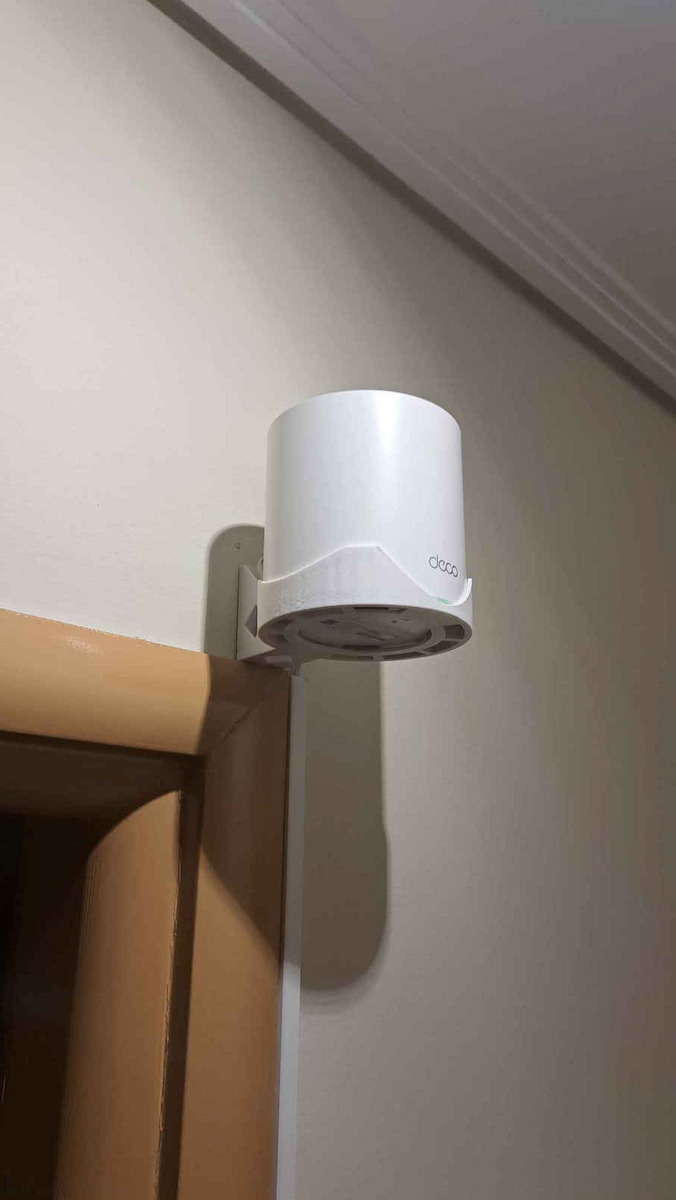
If I had to find something negative, it would be the inability to install them directly on the wall, as they do not have relevant infrastructure and are a bit bulky. (There are indeed some compatible wall mounts on Aliexpress or Amazon https://www.amazon.com/Holder-TP-Link-Acrylic-Bracket-HOLACA/dp/B08DNCXXV5 or https://www.aliexpress.com/item/1005001894693445.html)
Πηρα το kit των 2 (v3) για να αντικαταστησω τη χρηση powerline για wifi σε δυσκολους χωρους του σπιτιου που παρεμβαλονται πολλοι τοίχοι ανάμεσα. Η σύνδεση που εχω ειναι Fiber 200.
Η διαδικασία εγκατάστασης ειναι πραγματικά πανευκολη μεσω του Deco App.
Αρχικα σύνεδεσα το κεντρικο στον router στο σαλονι και τον 2ο κόμβο μεσω wifi στο πιο απομακρυσμενο δωματιο. Το αποτελεσμα ηταν στο πιο δύσκολο σημείο, μετα απο βελτιστοποιηση μεσω της εφαρμογής, να πιανω 70-110mbps. Αρκετα καλα θα ελεγα δεδομενου οτι ο κομβος επικοινωνουσε πολυ δυσκολα με το κεντρικο λόγω αποστασης.
Παρολα αυτα, επειδη το σπιτι εχει UΤP υποδομή στους τοιχους, δοκίμασα συνδεση backhaul. Δηλαδή απο το κεντρικο εστειλα ethernet στον τοιχο και απο τον τοιχο του μακρυνου δωματιου, ethernet στον κόμβο. Ετσι έλυσα αμεσως και το θεμα σταθερότητα της ταχύτητας, καθως ο κόμβος δίνει μονιμα 195mbps πλεον.
ΠΡΟΣΟΧΗ: Σε backhaul συνδεση, τα ethernet καλωδια πρέπει να είναι οπωσδήποτε cat.5e/6/7 και ΚΑΛΗΣ ποιότητας.
Αρχικα το ενα cat.5e που είχα ηταν παλιο και έπιανα μεχρι 95mbps στον κομβο (απέδιδε σαν cat.5 απλο δηλαδή) και φοβηθηκα οτι το θεμα ηταν το UΤP καλωδιο στον τοιχο.
Αν πρέπει να βρω κατι αρνητικό, αυτο θα ηταν η μη δυνατοτητα να τα εγκαταστήσεις κατευθειαν στον τοιχο, καθως δεν εχουν σχετικη υποδομη και ειναι και λιγο ογκωδη. (Υπάρχουν βεβαια καποιες συμβατές βασεις τοιχου σε sites εξωτερικού)
Positives:
* Stylish, it can be placed anywhere without looking like just another gadget that needs to fit somewhere.
* Relatively easy installation.
And this is where the positives end.
Negatives:
* There are no major customization options for the device. The mobile app and web interface have very few parameters.
* A major downside is that the user cannot set the Wi-Fi broadcasting channel. Instead, the guide takes care of managing them, not automatically (the guide needs to run the optimization), and not always successfully. There are many times when if there are several Wi-Fi transmitters around, you will notice issues due to the speed problems of the device which connects to the X20. If you are lucky, everything will go well and all the negatives simply won't concern you. However, how can you trust a network product that cannot essentially be configured properly, and as you can see in the relevant forum, the solution to the problem is to purchase other equipment.
Conclusion, TP-Link's installation guides may make our lives seemingly easier, but the result is disappointing. More disappointing is the fact that basic functionalities are missing and there seems to be an effort to create needs for users to purchase newer equipment. On the other hand, while Mikrotik's RouteOS may be difficult to configure, you do it well once and it always works
Θετικά:
* Κομψό μπορεί να τοποθετηθεί οπουδήποτε χωρίς να φαίνεται σαν ένα ακόμη gadget που κάπου πρέπει να χωρέσει
* Σχετικά εύκολη εγκατάσταση
Και κάπου εδώ τελειώνουν τα θετικά
Αρνητικά:
* Δεν υπάρχουν μεγάλες δυνατότητες παραμετροποίησης της συσκευής. Η εφαρμογή κινητού και το web interface έχει ελάχιστες παραμέτρους.
* Μεγάλο αρνητικό το ότι δεν μπορούν να οριστούν από τον χρήστη το κανάλι εκπομπής wi-fi . Αντί για αυτό αναλαμβάνει ο οδηγός την διαχείρισή τους, όχι αυτόματα(χρειάζεται από τον οδηγό να τρέξουμε τη βελτιστοποίηση) και όχι πάντα με επιτυχία. Δεν είναι λίγες οι φορές που αν υπάρχουν αρκετοί wi-fi πομποί τριγύρω που θα καταλάβετε λόγω προβλημάτων στην ταχύτητα της συσκευής η οποία συνδέεται με το X20. Αν είστε τυχεροί όλα θα πάνε καλά και όλα τα αρνητικά απλά δεν σας αφορούν. Όμως πως μπορείτε να εμπιστευτείτε ένα δικτυακό προϊόν που δεν μπορεί στην ουσία να ρυθμιστεί σωστά και όπως μπορείτε να δείτε στο σχετικό forum, λύση στο πρόβλημα είναι η αγορά άλλου εξοπλισμού.
Συμπέρασμα, οι οδηγοί εγκατάστασης της TP-Link μπορεί να κάνουν φαινομενικά εύκολη την ζωή μας, αλλά το αποτέλεσμα είναι απογοητευτικό. Πιο απογοητευτικό είναι το γεγονός ότι λείπουν βασικές λειτουργίες και φαίνεται να υπάρχει προσπάθεια για να δημιουργηθούν ανάγκες στους χρήστες αγοράς νεώτερου εξοπλισμού. Από την άλλη μπορεί το RouteOS της mikrotik να είναι δύσκολο στην παραμετροποίηση, όμως το κάνεις μία φορά καλά και παίζει πάντα.
So far so good. I got the bundle with the 2 mesh where one is next to the router and the other in a room far away. It covers the 110sqm apartment. Very satisfied so far, better speed than just having the router for far away.
So far so good. Πηρα το bundle με τα 2 mesh οπου το ενα το εχω διπλα στο ρουτερ και το αλλο σε δωματιο μακρια. Καλυπτει το διαμερισμα 110τμ. Πολυ ικανοποιημένος μεχρι στιγμης, καλυτερη ταχυτητα απο το να εχω μονο το ρουτερ για μακρια.
I bought the v3 of the Access Point and I am completely disappointed. Initially, I use it as a Router with Cosmote on a fiber connection, which means it connects directly to the ONT and makes a direct PPOE call. While it works for about 20 days, suddenly it drops and does not come back up with a restart. I need to leave it off for about 10 days for it to work for a month at most. Additional quirks/problems:
- It has a very poor web interface. Generally, you mainly see the status and some logs.
- The range I would say is okay, like a router with 6-8 antennas; at least it looks nicer (when it works).
- It does not have backup/restore settings, which means that in problems like the above, if you need to reset, you have to set everything up from scratch.
- For some reason, the Deco App does not correctly record the upload of devices while the download works fine.
I did not expect that the Mi Router I had before would be more stable than a TP-Link. I also expected that in equipment that is entirely configured with an app, they would have the provider's settings ready, especially when there is a Greek representative behind it and the resale of the device by the provider, but of course, this is not the case and you have to figure out the settings yourself, especially with Cosmote.
1/5 due to stability and cost.
-----
Update 09/2024
After replacing the initial equipment, the router works, but surely within the week it will restart by itself at least 3 times. The good thing is that the whole process is completed within 2 minutes, but the bad thing is that it does not keep any logs (due to the restart), so even TP-Link cannot understand what is going on. Unfortunately, the product is not good.
Αγόρασα την v3 του Access Point και είμαι εντελώς απογοητευμένος.
Αρχικά το χρησιμοποιώ σαν Router στην Cosmote σε fiber συνδεση που σημαίνει ότι κουμπώνει πάνω στο ΟΝΤ και κάνει απευθείας PPOE κλήση.
Ενώ δουλεύει για κάνα 20ημερο, ξαφνικά πέφτει και με επανεκκίνηση δεν σηκώνεται. Χρειάζεται να το αφήσω εκτός για κάνα 10ήμερο ώστε να λειτουργείσει για κανένα μήνα το πολύ.
Επιπλέον κουφά/προβλήματα:
- Έχει πολύ φτωχό web interface. Γενικά κυρίως το status βλέπεις και κάποια logs.
- H εμβέλεια θα έλεγα οκ, σαν ενός ρούτερ με 6-8 κεραίες, τουλάχιστον αυτό είναι πιο όμορφο (όταν δουλεύει).
- Δεν έχει backup/restore ρυθμίσεων που σημαίνει πως σε προβλήματα όπως τα από πάνω αν χρειαστείς reset πρέπει να κάνεις όλες τις ρυθμίσεις από την αρχή.
- Για κάποιο λόγο στο Deco App δεν καταγράφει σωστά το upload των συσκευών ενώ το down παίζει μια χαρά.
Δεν περίμενα ότι το Mi Router που είχα πριν θα ήταν πιο σταθερό από ένα TP-Link. Επίσης περίμενα πώς σε εξοπλισμούς οι οποίοι ρυθμίζονται εξολοκλήρου με εφαρμογή θα είχαν έτοιμες τις ρυθμίσεις των παρόχων, ιδίως όταν υπάρχει και ελληνική αντιπροσωπεία από πίσω αλλα και η μεταπώληση της συσκευής από τον πάροχο, αλλά εννοείται δεν ισχύει και πρέπει να μυρίσεις τα νύχια σου για τις ρυθμίσεις, ειδικά στην Cosmote.
1/5 λόγω σταθερότητας και κόστους.
-----
Update 09/2024
Μετά από αντικατάσταση του αρχικού εξοπλισμού το router δουλεύει αλλά σίγουρα μέσα στην εβδομάδα θα κάνει απο μόνο του επανεκκίνηση τουλάχιστον 3 φορές. Το καλό είναι ότι η όλη διαδικασία ολοκληρώνεται μέσα σε 2 λεπτά αλλά το κακό είναι ότι δεν κρατάει κανένα log (λόγω της επανεκκίνησης) , οπότε ούτε απο την TP-link μπορούν να καταλάβουν τί γίνεται.
Δυστυχώς δεν είναι καλό το προιόν.
Excellent router, even for use outside the mesh network. The only problem I encounter is that sometimes you have to optimize the signal through the application in order for all devices to stay connected.
Εξαιρετικό ρούτερ, ακόμα και για χρήση εκτός δικτύου mesh. Το μόνο πρόβλημα που αντιμετωπίζω είναι πως κάποιες φορές πρέπει μέσα από την εφαρμογή να κάνεις βελτιστοποιήσεις σήματος για να μπορούν να παραμείνουν συνδεδεμένες όλες οι συσκευές.
I highly recommend them. I got rid of cables, powerlines, second routers, etc. Very easy installation with the application, even if you have no experience with "technology"... If you need a third one, just buy it, plug it in, and that's it, it has "seen" the rest. No issues so far. Oh, don't forget to disable the WiFi from your router, these devices will provide WiFi now!
Τα προτείνω ανεπιφύλακτα. Ησύχασα από καλώδια, powerlines, δεύτερο router κλπ. Πανεύκολη εγκατάσταση με την εφαρμογή, ακόμα κι αν δεν έχετε καμμία επαφή με το "σπορ"... Αν χρειαστεί και τρίτο, απλά το αγοράζετε, το βάζετε στην πρίζα και τέλος, έχει "δει" τα υπόλοιπα. Κανένα κόλλημα μέχρι στιγμής. Α, μην ξεχάσετε να σταματησετε το WiFi από το router σας, WiFi πλέον θα δίνουν αυτά!
I would not recommend it because it is unstable. The devices suddenly lose internet access next to the 1st access point that is directly connected to the modem via LAN.
Having upgraded to the latest firmware, I searched the internet. The problem has been around for at least 3 years and it seems they have not been able to solve it.
One solution I found is what someone mentioned, to reduce the connection speed of the devices...
I still need to try it.
As an access point, I would not surpass it. The mesh technology is not ready. It has bugs.
I would go for a Mikrotik access point with the same or even less money.
UPDATE:
After the latest upgrade, it works fine. It covers two floors, courtyard, and rooftop with 1 pair of devices.
Δεν θα το πρότεινα γιατι ειναι ασταθες. Οι συσκευες χάνουν ξαφνικα την προσβαση στο internet διπλα στο 1ο access point που ειναι συνδεδεμενο με lan απευθειας στο modem.
εχοντας αναβαθμισει στο τελευταιο firmware εψαξα στο internet. το προβλημα υπαρχει τουλαχιστον 3 χρονια και απο οτι φαίνεται δεν εχουν καταφερει να το λυσουν.
μια λυση που βρηκα ειναι αυτο που αναφερει καποιος , να μειώσουμε τη ταχυτητα συνδεσης των συσκευων
...
μενει να το δοκιμασω.
Σαν access point δε θα τονξαπερνα. Η τεχνολογία mesh δεν ειναι ετοιμη. εχει bugs.
Θα πηγαινα σε ενα access point της Mikrotik με τα ιδια η και λιγοτερα χρηματα.
UPDATE:
Μετά την τελευταία αναβαθμιση, παίζει μια χαρα. Καλυπτει δυο οροφους, αυλη ταρατσα με 1 ζευγαρι συσκευων.
Excellent wifi mesh! I had bought it for my house, which is an old one from 1960 with thick walls, and it provides stable internet everywhere with high speed. Eventually, I bought it for another house as well because it satisfied me so much. The app it has gives you the ability to limit or block access to a device connected to the network. Excellent little devices!
Εξαιρετικό wifi mesh! Το είχα αγοράσει για το σπίτι μου που είναι παλιό του 1960 με χοντρούς τοίχους και δίνει ίντερνετ παντού σταθερό με μεγάλη ταχύτητα. Τελικά αγόρασα και για άλλο σπίτι γιατί με ικανοποίησε τόσο πολύ. Η εφαρμογή που έχει σου δίνει τη δυνατότητα να περιορίσεις ή να κλείσεις την πρόσβαση σε συσκευή που συνδέεται στο δίκτυο. Εξαιρετικά μηχανηματάκια!
I purchased 4 units of DECO X20 V4, which is the latest hardware version, in order to create a MESH Wi-Fi network in a four-story house. One unit was placed on each floor to ensure sufficient coverage, which indeed exceeded my expectations in terms of coverage and speed. However, the peculiarity is that all DECO units were connected to each other via ETHERNET BACKHAUL (the DECO units are connected to each other through a network cable https://community.tp-link.com/en/home/forum/topic/98898).
The DECO units have the ability to function either as a router or as an access point.
As a router, they introduce some limitations. They use the subnet 192.168.68.xxx with a subnet mask of 255.255.252.0. I couldn't change it, even though there was a possibility, to 192.168.1.xxx / 255.255.255.0 due to the incompatibility of the ISP router's network categorization (FORTHNET in my case). Due to the presence of several devices with static IPs in my case, the process of changing network settings, gateways, and open ports would be a headache. So, I chose the function as a simple access point. In this case, there are no features such as Home Care, Parental control, Antivirus, etc. Personally, I do not consider it a problem because all these can be covered, perhaps even better, with other related programs (except that, as mentioned in another evaluation, a subscription is required).
In Access Point mode (using the ISP's router as the main router), the performance is excellent, with the only downside being the lack of ability to set static IP addresses on the DECO units for comprehensive network management (this feature is available in regular access points).
The initial setup through the DECO app for mobile phones is easy and fast. In case the DECO devices are connected to Ethernet Backhaul, they should be configured wirelessly first and then connected via cables.
The application is user-friendly and provides sufficient information and capabilities, but it could be improved with perhaps more features.
Connection through a web browser is possible, but the information and capabilities are very basic.
The cost for Wi-Fi 6 mesh, at the present time (4/23), with some promotional activity through skroutz, is around 240€ for 4 units of DECO X20 V4, which personally seems moderate to me.
Προμηθεύτηκα 4 τεμάχια DECO X20 V4, που είναι και η τελευταία hardware version, ώστε να δημιουργήσω ένα MESH Wi-Fi δίκτυο σε τετραώροφη κατοικία. Τοποθετήθηκε ένα σε κάθε όροφο ώστε να υπάρχει επαρκής κάλυψη, κάτι που όντως συνέβη, ξεπερνώντας κάθε προσδοκία μου σε κάλυψη και ταχύτητα. Βέβαια η ιδιαιτερότητα είναι ότι όλες οι μονάδες DECO συνδέθηκαν μεταξύ τους σε ETHERNET BACKHAUL (οι μονάδες DECO είναι συνδεδεμένες μεταξύ τους μέσω καλωδίου δικτύου https://community.tp-link.com/en/home/forum/topic/98898 ).
Οι μονάδες DECO έχουν δυνατότητα να λειτουργήσουν είτε ως router είτε ως access point.
Ως router, εισάγουν κάποιους περιορισμούς. Χρησιμοποιούν subnet 192.168.68.xxx με subnet mask 255.255.252.0 . Δεν μπόρεσα να το γυρίσω, παρόλο που υπήρχε δυνατότητα, σε 192.168.1.xxx / 255.255.255.0 λόγω ασυμβατότητας κατηγοριοποίησης των υποδικτυών του router του παρόχου (FORTHNET στην περίπτωσή μου). Λόγω ύπαρξης στην περίπτωσή μου αρκετών συσκευών με static IPs, η διαδικασία αλλαγής των ρυθμίσεων δικτύου, gateways και open ports, θα ήταν ένας πονοκέφαλος. Οπότε επιλέγει η λειτουργία ως απλό access point. Στην περίπτωση αυτή δεν υπάρχουν δυνατότητες όπως Home Care, Parental control, Antivirus κλπ. Προσωπικά δεν το θεωρώ ως πρόβλημα διότι όλα αυτά καλύπτονται, ίσως και καλύτερα, με άλλα σχετικά προγράμματα (εκτός του ότι απ’ ότι αναφέρεται σε άλλη αξιολόγηση χρειάζεται συνδρομή).
Σε λειτουργία ως Access Point ( χρησιμοποιείται ως router αυτός του παρόχου) η λειτουργία είναι εξαιρετική με μόνο μελανό σημείο το ότι δεν υπάρχει δυνατότητα ρύθμισης static IP στα DECO ώστε να υπάρχει ολοκληρωμένη διαχείριση του δικτύου (αυτή η δυνατότητα υπάρχει σε απλά access points).
Η αρχική ρύθμιση μέσω του DECO app για κινητό τηλέφωνο είναι εύκολη και γρήγορη. Σε περίπτωση που θα συνδεθούν οι συσκευές DECO σε Ethernet Backhaul θα πρέπει πρώτα να ρυθμιστούν ασύρματα και μετά να συνδεθούν καλωδιακά.
Η εφαρμογή είναι εύχρηστη και σου δίνει αρκετές πληροφορίες και δυνατότητες αλλά θα μπορούσε και καλύτερα με ίσως περισσότερες δυνατότητες.
Η σύνδεση μέσω web browser είναι εφικτή αλλά ο πληροφορίες και δυνατότητες είναι οι απολύτως βασικές.
Το κόστος για wi-fi 6 mesh, την παρούσα χρονική στιγμή (4/23), με κάποια προωθητική ενέργεια μέσω skroutz, στα 240€ περίπου για 4 τεμάχια DECO X20 V4 προσωπικά μου φαίνεται μέτριο.
Today I received the DECO X20 with the purpose of adding them to the existing DECO network I have with 4 DECO M5. The reason I decided to try the DECO X20 is for the higher speeds and possibly greater range due to dead spots I had, as well as for the wifi 6. The house is a four-story detached house. The first move was to replace the main deco m5 with the new X20. Once I installed it, I noticed the following differences: 1. There is no option to prefer Deco connection. 2. To set schedules and separate weekends from weekdays in parental control, I have to become a subscriber to Deco. 3. Security control, etc., again through subscription. As soon as I understood what was happening, I immediately put back the old M5 and all these features were free and standard. I tried using an X20 as an extender and comparing it to the corresponding M5 in terms of speed and range, and there was no difference. In the end, they went back in their box and maybe I will use one as a satellite in the future. CONCLUSION: DECO M5 is superior and more reliable. Stay away from DECO X20.
Σήμερα παρέλαβα τα DECO X20 με σκοπό να τα προσθέσω στο ήδη υπάρχον δίκτυο DECO που έχω με 4 DECO M5. Ο λόγος που είπα να δοκιμάσω τα DECO X20 είναι για τις μεγαλύτερες ταχύτητες αλλά και για πιθανόν μεγαλύτερη εμβέλεια λόγω ότι είχα κάποια νεκρά σημεία καθώς επίσης για το wifi 6. Το σπίτι είναι μονοκατοικία με 4 ορόφους. Η πρώτη κίνηση ήταν να αντικαταστήσω το κυρίως deco m5 με το νέο Χ20 μόλις το εγκατέστησα πρόσεξα τις εξής διαφορές . 1. Δεν υπάρχει δυνατότητα προτίμησης σύνδεσης Deco 2. Για να βάλω ωράριο και να διαχωρίσω Σ/Κ με καθημερινές στον γονικό έλεγχο πρέπει να γίνω συνδρομητής στο deco . 3. Security control κτλπ πάλι μέσω συνδρομής Μόλις κατάλαβα τι γίνεται αμέσως έβαλα το παλιό Μ5 και όλα αυτά ήταν δωρεάν και στάνταρ. Δοκίμασα να βάλω ένα Χ20 σαν extender και να το συγκρίνω με το αντίστοιχο M5 σε θέμα ταχύτητας και εμβέλειας , και δεν είχαν καμία διαφορά . Τελικά στο κουτί τους πάλι και ίσως να χρησιμοποιήσω στο μέλλον ένα σαν δορυφόρο και μόνο.
ΣΥΜΠΕΡΑΣΜΑ το DECO M5 ανώτερο και πιο τίμιο. Μακριά από το DECO X20 .
Perfect!! Much better signal than simple routers. It was combined with a second one for inside the house. Easy installation and connection. And we are all set in 120 sq m and balcony
Τελειο!! Πολυ καλύτερο σημα απο τα απλα router. Συνδυάστηκε με ενα δευτερο για μεσα στο σπιτι. Εύκολη εγκατάσταση και σύνδεση. Κια ειμαστε κομπλε σε 120 τμ και μπαλκονι
good but for open space I would say. if you have walls in between, don't choose it for distances over 5 meters. with the X50 I ordered after that, I was saved. it reaches speeds above 200 at a distance of 10 meters with walls in between.
καλο αλλα για ανοιχτο χωρο θα ελεγα εγω. αν εχετε τοίχους ενδιάμεσα μην το προτιμήσετε για αποστάσεις άνω των 5 μετρων. με το X50 που παρήγγειλα μετα σώθηκα. πιανει ταχύτητες άνω των 200 σε απόσταση 10 μετρων με τοίχους ενδιάμεσα.
If there were more stars, I would give them..
First of all, top quality construction, even in the packaging, the materials, rubber bands, cables, box, packaging..
I bought a double kit v4
To bring internet from the 1st floor to the ground floor..
To my surprise, I noticed that now on the entire 1st floor I get 300mbps download and 150mbps upload from the 300 of the wind line (having turned off the wifi from the router to avoid interference) (important)..
The most impressive thing is that on the ground floor it steadily delivers 300mbps wirelessly (set up as an access point)
The photo is from a measurement on the ground floor, with the phone's wifi!
Basically, the whole building has full signal!
Really very good product, with super simple installation and easy app!
Eyes closed!
Να είχε παραπάνω αστέρια να έβαζα..
Καταρχάς υπέρ ποιοτική κατασκευή, ακόμα και στη συσκευασία τα υλικά λαστιχάκια, καλώδια, κουτί, συσκευασία..
Αγόρασα διπλό κιτ v4
Για να φέρω ίντερνετ από τον 1ο στο ισόγειο..
Με έκπληξη μου παρατήρησα ότι πλέον σε όλον τον 1ο όροφο πιάνει 300mbps κατεβατά κ 150mbps upload από τα 300 της γραμμής wind (έχοντας κλείσει το wifi από το router να μην κάνει παρεμβολές) (σημαντικό)..
Το πιο εντυπωσιακό είναι ότι στο ισόγειο μου φέρνει σταθερά 300mbps ασύρματα (ρύθμιση σαν access point)
Η φώτο είναι από μέτρηση στο ισόγειο, με το wifi του κινητού!
Βασικά όλη η πολυκατοικία έχει σήμα καμπάνα!
Πολύ καλό προϊόν πραγματικά, με υπέρ απλή εγκατάσταση και εύκολο app!
Με κλειστά μάτια!
Very good and reliable. It has satisfactory coverage throughout the house. I have installed the double and it covers the whole house with good speed. I have a 500mbps connection (which it actually achieves) and even in the most remote areas (with walls in between, etc.) it gives 150mbps
Πολύ καλό και αξιοπιστο. Έχει ικανοποιητικό coverage σε όλο το σπίτι. Εχω βάλει το διπλό και πιάνει σε όλο το σπίτι και μελή ταχύτητα. Εχω 500mbps σύνδεση (που τα πιάνει πραγματικα) και στα πιο απομακρυσμένα μέρη (με τοίχους ενδιάμεσα κλπ) δίνει 150mpbs
Incredible quality and stable signal and speed. Obviously, you need to turn off the Wi-Fi from your provider's router and connect all devices to the Decos to see a difference!
Απιστευρη ποιοτητα και σταθερο σημα και ταχυτητα. Προφανος πρεπει να κλεισει καποιος το Wi-Fi απο το ρουτερ του παροχου του και να συνδεονται ολες οι συσκευες στα Deco για να δεις διαφορα!
Connect more devices: Quadruple capacity with OFDMA and MU-MIMO technology for simultaneous transmission to more devices. Enhanced seamless coverage: Ensure seamless coverage of the entire home with a cleaner and stronger Wi-Fi signal produced by Wi-Fi 6.
Specifications are collected from official manufacturer websites. Please verify the specifications before proceeding with your final purchase. If you notice any problem you can report it here.
Perfect!! Much better signal than simple routers. It was combined with a second one for inside the house. Easy installation and connection. And we are all set in 120 sq m and balcony
Τελειο!! Πολυ καλύτερο σημα απο τα απλα router. Συνδυάστηκε με ενα δευτερο για μεσα στο σπιτι. Εύκολη εγκατάσταση και σύνδεση. Κια ειμαστε κομπλε σε 120 τμ και μπαλκονι
good but for open space I would say. if you have walls in between, don't choose it for distances over 5 meters. with the X50 I ordered after that, I was saved. it reaches speeds above 200 at a distance of 10 meters with walls in between.
καλο αλλα για ανοιχτο χωρο θα ελεγα εγω. αν εχετε τοίχους ενδιάμεσα μην το προτιμήσετε για αποστάσεις άνω των 5 μετρων. με το X50 που παρήγγειλα μετα σώθηκα. πιανει ταχύτητες άνω των 200 σε απόσταση 10 μετρων με τοίχους ενδιάμεσα.
If there were more stars, I would give them..
First of all, top quality construction, even in the packaging, the materials, rubber bands, cables, box, packaging..
I bought a double kit v4
To bring internet from the 1st floor to the ground floor..
To my surprise, I noticed that now on the entire 1st floor I get 300mbps download and 150mbps upload from the 300 of the wind line (having turned off the wifi from the router to avoid interference) (important)..
The most impressive thing is that on the ground floor it steadily delivers 300mbps wirelessly (set up as an access point)
The photo is from a measurement on the ground floor, with the phone's wifi!
Basically, the whole building has full signal!
Really very good product, with super simple installation and easy app!
Eyes closed!
Να είχε παραπάνω αστέρια να έβαζα..
Καταρχάς υπέρ ποιοτική κατασκευή, ακόμα και στη συσκευασία τα υλικά λαστιχάκια, καλώδια, κουτί, συσκευασία..
Αγόρασα διπλό κιτ v4
Για να φέρω ίντερνετ από τον 1ο στο ισόγειο..
Με έκπληξη μου παρατήρησα ότι πλέον σε όλον τον 1ο όροφο πιάνει 300mbps κατεβατά κ 150mbps upload από τα 300 της γραμμής wind (έχοντας κλείσει το wifi από το router να μην κάνει παρεμβολές) (σημαντικό)..
Το πιο εντυπωσιακό είναι ότι στο ισόγειο μου φέρνει σταθερά 300mbps ασύρματα (ρύθμιση σαν access point)
Η φώτο είναι από μέτρηση στο ισόγειο, με το wifi του κινητού!
Βασικά όλη η πολυκατοικία έχει σήμα καμπάνα!
Πολύ καλό προϊόν πραγματικά, με υπέρ απλή εγκατάσταση και εύκολο app!
Με κλειστά μάτια!
Very good and reliable. It has satisfactory coverage throughout the house. I have installed the double and it covers the whole house with good speed. I have a 500mbps connection (which it actually achieves) and even in the most remote areas (with walls in between, etc.) it gives 150mbps
Πολύ καλό και αξιοπιστο. Έχει ικανοποιητικό coverage σε όλο το σπίτι. Εχω βάλει το διπλό και πιάνει σε όλο το σπίτι και μελή ταχύτητα. Εχω 500mbps σύνδεση (που τα πιάνει πραγματικα) και στα πιο απομακρυσμένα μέρη (με τοίχους ενδιάμεσα κλπ) δίνει 150mpbs
Incredible quality and stable signal and speed. Obviously, you need to turn off the Wi-Fi from your provider's router and connect all devices to the Decos to see a difference!
Απιστευρη ποιοτητα και σταθερο σημα και ταχυτητα. Προφανος πρεπει να κλεισει καποιος το Wi-Fi απο το ρουτερ του παροχου του και να συνδεονται ολες οι συσκευες στα Deco για να δεις διαφορα!
Perfect Wi-Fi 6 coverage in a three-story building. Very easy installation through the app and stable signal everywhere without any disconnections. The best upgrade for the home network!
Τέλεια κάλυψη Wi-Fi 6 σε τριώροφο οίκημα. Πανεύκολη εγκατάσταση μέσω του app και σταθερό σήμα παντού χωρίς καμία αποσύνδεση. Η καλύτερη αναβάθμιση για το οικιακό δίκτυο!
Epic. I have the v1 in access point mode, I have turned off the router's wifi and placed one in the living room and one in the hall. There is no spot in the house where I don't get 100 Mbps (my line). A big advantage is that you can define where each device connects, and that it lets you create a separate 2.4GHz network for cameras, printers, etc. I recommend.
Επος. Έχω τα v1 σε access point mode, έχω κλείσει το wifi του router και έχω βάλει ένα στο σαλόνι και ένα στο hall. Δεν υπάρχει σημείο στο σπίτι που να μη πιάνει 100 Mbps (η γραμμή μου). Μεγάλο ατού το ότι μπορείς να ορίζεις που θα συνδέεται κάθε συσκευή, και ότι σε αφήνει να φτιάξεις ξεχωριστό 2.4ghz δίκτυο για κάμερες, εκτυπωτές κτλ. Συνιστώ.
After using it for a while with two different providers at 300 speed, with a system of three repeaters, and a distance of about 5m, it barely manages to transmit 100 to 130, which is unacceptable for the price considering it claims 1000 to 1800. The only good thing is that it has a stable signal, otherwise the speed is terrible!!!
΄Υστερα από καιρό χρήσης σε δυο διαφορετικές εταιρίες με παροχή 300 , με σύστημα τριών αναμεταδοτών , με απόσταση περίπου 5μ. ζήτημα να καταφέρνει να μεταδώσει 100 με 130 πράγμα για αυτό που λέει 1000 με 1800 απαράδεκτο για τα χρήματα του. Το μόνο καλό ότι έχει σταθερό σήμα , αλλιώς από ταχύτητα χάλια!!!
So far it works perfectly. Very good connectivity without interruptions. It is small and also serves as a decorative element in the space. I will get another one to cover the whole house.
Έως τώρα λειτουργεί άψογα. Πολύ καλή συνδεσιμότητα χωρίς διακοπές. Είναι μικρό και σαν διακοσμητικό στοιχείο μέσα στον χώρο. Θα πάρω ακόμα ένα για να καλύψω ολόκληρο το σπίτι.
I've had it for a year and a bit, 24/7 with over 20 devices connected on guest (smart home, mobiles, etc. etc.), 0 disconnections, it works FLAWLESSLY!
Το εχω ενα χρονο και κατι ,24/7 πανω απο 20 συσκευες συνδεδεμενες σε guest (smart home-κινητα κτλπ κτλπ) 0 αποσυνδεσεις, παει ΤΑΑΠΑ!
Positive: In terms of signal it is good.
Negative: In terms of features, only the basics, and anything related to security and parental control requires a subscription from 20 to 60 euros per year. Also, when it is operating as an Access point, it does NOT have security and parental control settings.
Θετικό: Απο σημα ειναι καλο.
Αρνητικό: Απο δυνατότητες μονο οι βασικές και οτι εχει να κανει με σασφάλεια και γονικό έλεγχο θέλει συνδρομή απο 20 έως 60 ευρω τον χρόνο. Επίσης οταν ειναι σε λειτουργια Access point ΔΕΝ εχει ρυθμισεις ασφάλειας κ γονικου ελέγχου..
very easy to set up and quite good speed performance (the layout of the house (rooms, walls) and the placement of the nodes (near objects vs in open space) definitely affect it).
πολύ εύκολο στην ρύθμιση και αρκετά καλή απόδοση ταχύτητας (σίγουρα επηρεάζει η διαρρύθμιση του σπιτιού (δωμάτια, τοίχοι) και η τοποθέτηση των nodes (κοντά σε αντικείμενα vs σε ανοιχτό χώρα)).
Used in a maisonette house, 75sqm each floor. I replaced the powerline because it had problems.
Excellent!!! I put one on the lower floor next to the router which is located at the bottom left corner. The second one on the upper floor in the far right corner.
Installation was a breeze, done in 7-8 minutes. It easily covered the dead zones I had before and the signal it gives is strong.
Night and day compared to the powerline. I haven't done detailed measurements but 5 devices work simultaneously and without any issues. And it also has a good app that provides plenty of information.
Χρήση σε σπίτι μεζονέτα, 75τμ ο κάθε όροφος. Αντικατέστησα powerline γιατί είχε προβλήματα.
Εξαιρετικό!!! Το ένα το έβαλα στον κάτω όροφο δίπλα στο router που βρίσκεται κάτω αριστερά στην γωνία. Το δεύτερο στον πάνω όροφο στην τέρμα δεξιά γωνία.
Εγκατάσταση παιχνιδάκι μέσα σε 7-8 λεπτά. Κάλυψε τις νεκρές ζώνες που είχα πριν εύκολα και το σήμα που δίνει είναι δυνατό.
Η μέρα με την νύχτα συγκρινόμενο με το powerline. Δεν έχω κάνει αναλυικές μετρήσεις αλλά 5 συσκευές δουλεύουν ταυτόχρονα και απροβλημάτιστα. Και έχει και καλό app που δίνει αρκετές πληροφορίες.
I installed it in 10' and since then I haven't had to deal with it again.
With 2 deco units I have a unified wifi network, with good signal everywhere (100sqm + balcony) and good speeds.
For anyone interested, it offers many more features such as monitoring via the app, device tracking and their activity, reporting, security, parental controls, smart home/rules, vpn, etc.
At the 100 euros I paid for the 2-pack, it's 100% worth it.
Το εγκατέστησα σε 10' και από τότε δεν έχω ξανασχοληθεί.
Με 2 deco έχω ενιαίο δίκτυο wifi, με καλό σήμα παντού (100τμ. + μπαλκόνι) και καλές ταχύτητες.
Για όποιον ενδιαφέρεται προσφέρει πολλά ακόμα όπως monitoring μέσω του app, tracking συσκευών και της δραστηριότητάς τους, reporting, security, parental controls, smart home/rules, vpn κ.α.
Στα 100 ευρώ που πήρα το πακέτο των 2, αξίζει 100%.
Excellent, definitely worth its money!! I got the triple kit + the outdoor to cover an area of 400 sq.m. in a complex of stone houses on an island (with 60cm thick stone walls!) and they do an amazing job!! We have good internet in all 4 houses and the surrounding areas (24 Mbps line) and to think that the outdoor unit, which is the source, was installed outside the house, in the same position as the router inside - it feeds the other three decos in a chain, it's 100 meters away from the first house and as I mentioned before there are stone walls and other obstacles in between!!
Εξαιρετικό, σίγουρα αξίζει τα χρήματα του!! Πήρα το τριπλό κιτ + το outdoor για να με καλύψουν για έκταση 400τ.μ. σε συγκρότημα πέτρινων κατοικιών σε νησί (με 60εκ. πάχος πέτρας οι τοίχοι!) και κάνουν φοβερή δουλειά!! Έχουμε καλό ίντερνετ και στα 4 σπίτια κ τους περιβάλλοντες χώρους (24αρα γραμμή) και να σκεφτεί κανείς ότι το outdoor που είναι η πηγή - τοποθετήθηκε εξωτερικά του σπιτιού , στην ίδια θέση από μεσα ειναι το router- αλυσιδωτά τροφοδοτεί τα υπόλοιπα τρία deco, απέχει 100 μέτρα από το πρώτο σπίτι και όπως προείπα υπάρχουν πέτρινοι τοίχοι και άλλα εμπόδια ενδιάμεσα!!
A little attention, if set up as a router you lose the capabilities for Spotify/Tidal connect and you have to set it up as an access point so it doesn't give its own IPs
Λίγη προσοχή, αν στηθεί σαν router χάνεις τις δυνατότητες για spotify /Tidal connect και πρέπει να το στήσεις σαν access point για να μην δίνει δικά του ip
I wanted to extend the wifi network as I have a connection with a 5g router, which did not have satisfactory range. I had higher expectations that it would comfortably cover the house which is about 120 sqm. In some rooms, the signal is weak. Of course, the placement of the deco also plays a role, as it was affected by the difficult spot where the router is located to catch a good 5g signal. However, the range has definitely improved significantly! I will get a third one to meet my needs. The devices are sleek and fit nicely with the house. The connection and installation were a breeze with the help of the app. However, I do notice some occasional disconnections of the devices from the network. I hope that these will be resolved with some update.
Ήθελα να επεκτείνω το δίκτυο wifi καθώς έχω σύνδεση με 5g router, το οποίο δεν είχε ικανοποιητική εμβέλεια. Είχα περισσότερες προσδοκίες ότι θα κάλυπτε άνετα το σπίτι που είναι περίπου 120 τμ. Σε ορισμένα δωμάτια το σήμα είναι αδύναμο. Βέβαια, φταίει και η τοποθέτηση των deco η οποία επηρεάστηκε από το δύσκολο σημείο στο οποίο βρίσκεται το router για να πιάνει καλό σήμα 5g. Σίγουρα όμως η εμβέλεια ενισχύθηκε σε μεγάλο βαθμό ! Θα πάρω κι ένα τρίτο για να καλύψω τις ανάγκες μου.
Οι συσκευές είναι κομψές και "δένουν" ωραία με το σπίτι. Η σύνδεση και η εγκατάσταση ήταν παιχνιδάκι με τη βοήθεια της εφαρμογής. Παρατηρώ, ωστόσο μερικές στιγμιαίες αποσυνδέσεις των συσκευών από το δίκτυο. Ελπίζω ότι θα επιλυθούν με κάποια ενημέρωση.
Used as an Access Point connected to the provider's router.
I bought it second-hand from Skroutz for €40, which is great for that money—we upgraded a former central Main Deco E4 to the X20. And we also retired 2 other Deco E4 units for the vacation home.
It has more range, of course, the E4 is Wifi 4 and the X20 is Wifi 6, but that's okay since we don't have that many Wifi 6 devices yet. Also, the home speed is less than 100Mbps Download, so I don't take advantage of the faster Ethernet yet, since the cheaper Deco E4s have 10/100 ports while this one has 10/100/1000 Mbps. The NAS definitely runs faster.
The process of replacing the Main Deco is not the easiest and is a bit annoying, but if you try 4-5 times and have enough time, it works out.
It's not just Wifi 6 compared to 5, it's that as a newer Deco it has a better processor as a device—faster, and even Wifi 4 devices perform much better in synchronization, as do older devices.
Χρήση ως Access Point κουμπωμένο επάνω στο router του παρόχου.
Το πήρα μεταχειρισμένο από το Skroutz 40€ μια χαρά για αυτά χρήματα αναβαθμίσαμε ένα πρώην κεντρικό Main Deco E4 στο X20. Και αποσυραμε και 2 άλλα Deco E4 για το εξοχικό.
Έχει δηλαδή περισσότερο range εμβέλεια το είναι βεβαίως Wifi 4 και το άλλο Wifi 6 αλλά οκ δεν έχουμε και τόσες συσκευές Wifi 6 ακόμα επίσης η ταχύτητα στο σπίτι είναι λιγότερο από 100Mbps Download οπότε δεν εκμετάλλευομαι ακόμα τη ταχύτητερη Ethernet μιας και τα φτηνότερα Deco E4 έχουν 10/100 θύρες ενώ αυτό εδώ έχει 10/100/1000 Mpbs. Σίγουρα παίζει πιο γρήγορα το NAS.
Η διαδικασία replace Main Deco δεν είναι η πιο εύκολη και είναι λίγο εκνευριστική αλλά εάν το προσπαθήσεις 4-5 φορές και έχεις αρκετό χρόνο κάτι γίνεται.
Δεν είναι μόνο το Wifi 6 σε σχέση με το 5 είναι ότι σαν νεώτερο Deco έχει καλύτερο επεξεργαστή σαν συσκευή - πιο γρήγορο και ακόμα και Wifi 4 συσκευές στον ταυτοχρονισμό παίζουν πολύ καλύτερα και οι παλαιότερες συσκευές.
I got the 2 kit (v3) to replace the use of powerline for wifi in difficult areas of the house where many walls interfere. My connection is Fiber 200.
The installation process is really easy through the Deco App. Initially, I connected the main unit to the router in the living room and the 2nd node via wifi in the most remote room. The result was in the most difficult spot, after optimization through the app, to get 70-110mbps. Quite good I would say considering that the node communicated very poorly with the main unit due to distance.
Nevertheless, since the house has UTP infrastructure in the walls, I tried a backhaul connection. That is, from the main unit I sent ethernet to the wall and from the wall of the remote room, ethernet to the node. This immediately solved the stability issue of the speed, as the node now consistently gives 195mbps.
WARNING: In a backhaul connection, the ethernet cables must definitely be cat.5e/6/7 and of GOOD quality. Initially, the one cat.5e I had was old and I was getting up to 95mbps at the node (it performed like a regular cat.5) and I was worried that the issue was the UTP cable in the wall.
If I had to find something negative, it would be the inability to install them directly on the wall, as they do not have relevant infrastructure and are a bit bulky. (There are indeed some compatible wall mounts on Aliexpress or Amazon https://www.amazon.com/Holder-TP-Link-Acrylic-Bracket-HOLACA/dp/B08DNCXXV5 or https://www.aliexpress.com/item/1005001894693445.html)
Πηρα το kit των 2 (v3) για να αντικαταστησω τη χρηση powerline για wifi σε δυσκολους χωρους του σπιτιου που παρεμβαλονται πολλοι τοίχοι ανάμεσα. Η σύνδεση που εχω ειναι Fiber 200.
Η διαδικασία εγκατάστασης ειναι πραγματικά πανευκολη μεσω του Deco App.
Αρχικα σύνεδεσα το κεντρικο στον router στο σαλονι και τον 2ο κόμβο μεσω wifi στο πιο απομακρυσμενο δωματιο. Το αποτελεσμα ηταν στο πιο δύσκολο σημείο, μετα απο βελτιστοποιηση μεσω της εφαρμογής, να πιανω 70-110mbps. Αρκετα καλα θα ελεγα δεδομενου οτι ο κομβος επικοινωνουσε πολυ δυσκολα με το κεντρικο λόγω αποστασης.
Παρολα αυτα, επειδη το σπιτι εχει UΤP υποδομή στους τοιχους, δοκίμασα συνδεση backhaul. Δηλαδή απο το κεντρικο εστειλα ethernet στον τοιχο και απο τον τοιχο του μακρυνου δωματιου, ethernet στον κόμβο. Ετσι έλυσα αμεσως και το θεμα σταθερότητα της ταχύτητας, καθως ο κόμβος δίνει μονιμα 195mbps πλεον.
ΠΡΟΣΟΧΗ: Σε backhaul συνδεση, τα ethernet καλωδια πρέπει να είναι οπωσδήποτε cat.5e/6/7 και ΚΑΛΗΣ ποιότητας.
Αρχικα το ενα cat.5e που είχα ηταν παλιο και έπιανα μεχρι 95mbps στον κομβο (απέδιδε σαν cat.5 απλο δηλαδή) και φοβηθηκα οτι το θεμα ηταν το UΤP καλωδιο στον τοιχο.
Αν πρέπει να βρω κατι αρνητικό, αυτο θα ηταν η μη δυνατοτητα να τα εγκαταστήσεις κατευθειαν στον τοιχο, καθως δεν εχουν σχετικη υποδομη και ειναι και λιγο ογκωδη. (Υπάρχουν βεβαια καποιες συμβατές βασεις τοιχου σε sites εξωτερικού)
Positives:
* Stylish, it can be placed anywhere without looking like just another gadget that needs to fit somewhere.
* Relatively easy installation.
And this is where the positives end.
Negatives:
* There are no major customization options for the device. The mobile app and web interface have very few parameters.
* A major downside is that the user cannot set the Wi-Fi broadcasting channel. Instead, the guide takes care of managing them, not automatically (the guide needs to run the optimization), and not always successfully. There are many times when if there are several Wi-Fi transmitters around, you will notice issues due to the speed problems of the device which connects to the X20. If you are lucky, everything will go well and all the negatives simply won't concern you. However, how can you trust a network product that cannot essentially be configured properly, and as you can see in the relevant forum, the solution to the problem is to purchase other equipment.
Conclusion, TP-Link's installation guides may make our lives seemingly easier, but the result is disappointing. More disappointing is the fact that basic functionalities are missing and there seems to be an effort to create needs for users to purchase newer equipment. On the other hand, while Mikrotik's RouteOS may be difficult to configure, you do it well once and it always works
Θετικά:
* Κομψό μπορεί να τοποθετηθεί οπουδήποτε χωρίς να φαίνεται σαν ένα ακόμη gadget που κάπου πρέπει να χωρέσει
* Σχετικά εύκολη εγκατάσταση
Και κάπου εδώ τελειώνουν τα θετικά
Αρνητικά:
* Δεν υπάρχουν μεγάλες δυνατότητες παραμετροποίησης της συσκευής. Η εφαρμογή κινητού και το web interface έχει ελάχιστες παραμέτρους.
* Μεγάλο αρνητικό το ότι δεν μπορούν να οριστούν από τον χρήστη το κανάλι εκπομπής wi-fi . Αντί για αυτό αναλαμβάνει ο οδηγός την διαχείρισή τους, όχι αυτόματα(χρειάζεται από τον οδηγό να τρέξουμε τη βελτιστοποίηση) και όχι πάντα με επιτυχία. Δεν είναι λίγες οι φορές που αν υπάρχουν αρκετοί wi-fi πομποί τριγύρω που θα καταλάβετε λόγω προβλημάτων στην ταχύτητα της συσκευής η οποία συνδέεται με το X20. Αν είστε τυχεροί όλα θα πάνε καλά και όλα τα αρνητικά απλά δεν σας αφορούν. Όμως πως μπορείτε να εμπιστευτείτε ένα δικτυακό προϊόν που δεν μπορεί στην ουσία να ρυθμιστεί σωστά και όπως μπορείτε να δείτε στο σχετικό forum, λύση στο πρόβλημα είναι η αγορά άλλου εξοπλισμού.
Συμπέρασμα, οι οδηγοί εγκατάστασης της TP-Link μπορεί να κάνουν φαινομενικά εύκολη την ζωή μας, αλλά το αποτέλεσμα είναι απογοητευτικό. Πιο απογοητευτικό είναι το γεγονός ότι λείπουν βασικές λειτουργίες και φαίνεται να υπάρχει προσπάθεια για να δημιουργηθούν ανάγκες στους χρήστες αγοράς νεώτερου εξοπλισμού. Από την άλλη μπορεί το RouteOS της mikrotik να είναι δύσκολο στην παραμετροποίηση, όμως το κάνεις μία φορά καλά και παίζει πάντα.
So far so good. I got the bundle with the 2 mesh where one is next to the router and the other in a room far away. It covers the 110sqm apartment. Very satisfied so far, better speed than just having the router for far away.
So far so good. Πηρα το bundle με τα 2 mesh οπου το ενα το εχω διπλα στο ρουτερ και το αλλο σε δωματιο μακρια. Καλυπτει το διαμερισμα 110τμ. Πολυ ικανοποιημένος μεχρι στιγμης, καλυτερη ταχυτητα απο το να εχω μονο το ρουτερ για μακρια.
I bought the v3 of the Access Point and I am completely disappointed. Initially, I use it as a Router with Cosmote on a fiber connection, which means it connects directly to the ONT and makes a direct PPOE call. While it works for about 20 days, suddenly it drops and does not come back up with a restart. I need to leave it off for about 10 days for it to work for a month at most. Additional quirks/problems:
- It has a very poor web interface. Generally, you mainly see the status and some logs.
- The range I would say is okay, like a router with 6-8 antennas; at least it looks nicer (when it works).
- It does not have backup/restore settings, which means that in problems like the above, if you need to reset, you have to set everything up from scratch.
- For some reason, the Deco App does not correctly record the upload of devices while the download works fine.
I did not expect that the Mi Router I had before would be more stable than a TP-Link. I also expected that in equipment that is entirely configured with an app, they would have the provider's settings ready, especially when there is a Greek representative behind it and the resale of the device by the provider, but of course, this is not the case and you have to figure out the settings yourself, especially with Cosmote.
1/5 due to stability and cost.
-----
Update 09/2024
After replacing the initial equipment, the router works, but surely within the week it will restart by itself at least 3 times. The good thing is that the whole process is completed within 2 minutes, but the bad thing is that it does not keep any logs (due to the restart), so even TP-Link cannot understand what is going on. Unfortunately, the product is not good.
Αγόρασα την v3 του Access Point και είμαι εντελώς απογοητευμένος.
Αρχικά το χρησιμοποιώ σαν Router στην Cosmote σε fiber συνδεση που σημαίνει ότι κουμπώνει πάνω στο ΟΝΤ και κάνει απευθείας PPOE κλήση.
Ενώ δουλεύει για κάνα 20ημερο, ξαφνικά πέφτει και με επανεκκίνηση δεν σηκώνεται. Χρειάζεται να το αφήσω εκτός για κάνα 10ήμερο ώστε να λειτουργείσει για κανένα μήνα το πολύ.
Επιπλέον κουφά/προβλήματα:
- Έχει πολύ φτωχό web interface. Γενικά κυρίως το status βλέπεις και κάποια logs.
- H εμβέλεια θα έλεγα οκ, σαν ενός ρούτερ με 6-8 κεραίες, τουλάχιστον αυτό είναι πιο όμορφο (όταν δουλεύει).
- Δεν έχει backup/restore ρυθμίσεων που σημαίνει πως σε προβλήματα όπως τα από πάνω αν χρειαστείς reset πρέπει να κάνεις όλες τις ρυθμίσεις από την αρχή.
- Για κάποιο λόγο στο Deco App δεν καταγράφει σωστά το upload των συσκευών ενώ το down παίζει μια χαρά.
Δεν περίμενα ότι το Mi Router που είχα πριν θα ήταν πιο σταθερό από ένα TP-Link. Επίσης περίμενα πώς σε εξοπλισμούς οι οποίοι ρυθμίζονται εξολοκλήρου με εφαρμογή θα είχαν έτοιμες τις ρυθμίσεις των παρόχων, ιδίως όταν υπάρχει και ελληνική αντιπροσωπεία από πίσω αλλα και η μεταπώληση της συσκευής από τον πάροχο, αλλά εννοείται δεν ισχύει και πρέπει να μυρίσεις τα νύχια σου για τις ρυθμίσεις, ειδικά στην Cosmote.
1/5 λόγω σταθερότητας και κόστους.
-----
Update 09/2024
Μετά από αντικατάσταση του αρχικού εξοπλισμού το router δουλεύει αλλά σίγουρα μέσα στην εβδομάδα θα κάνει απο μόνο του επανεκκίνηση τουλάχιστον 3 φορές. Το καλό είναι ότι η όλη διαδικασία ολοκληρώνεται μέσα σε 2 λεπτά αλλά το κακό είναι ότι δεν κρατάει κανένα log (λόγω της επανεκκίνησης) , οπότε ούτε απο την TP-link μπορούν να καταλάβουν τί γίνεται.
Δυστυχώς δεν είναι καλό το προιόν.
Excellent router, even for use outside the mesh network. The only problem I encounter is that sometimes you have to optimize the signal through the application in order for all devices to stay connected.
Εξαιρετικό ρούτερ, ακόμα και για χρήση εκτός δικτύου mesh. Το μόνο πρόβλημα που αντιμετωπίζω είναι πως κάποιες φορές πρέπει μέσα από την εφαρμογή να κάνεις βελτιστοποιήσεις σήματος για να μπορούν να παραμείνουν συνδεδεμένες όλες οι συσκευές.
I highly recommend them. I got rid of cables, powerlines, second routers, etc. Very easy installation with the application, even if you have no experience with "technology"... If you need a third one, just buy it, plug it in, and that's it, it has "seen" the rest. No issues so far. Oh, don't forget to disable the WiFi from your router, these devices will provide WiFi now!
Τα προτείνω ανεπιφύλακτα. Ησύχασα από καλώδια, powerlines, δεύτερο router κλπ. Πανεύκολη εγκατάσταση με την εφαρμογή, ακόμα κι αν δεν έχετε καμμία επαφή με το "σπορ"... Αν χρειαστεί και τρίτο, απλά το αγοράζετε, το βάζετε στην πρίζα και τέλος, έχει "δει" τα υπόλοιπα. Κανένα κόλλημα μέχρι στιγμής. Α, μην ξεχάσετε να σταματησετε το WiFi από το router σας, WiFi πλέον θα δίνουν αυτά!
I would not recommend it because it is unstable. The devices suddenly lose internet access next to the 1st access point that is directly connected to the modem via LAN.
Having upgraded to the latest firmware, I searched the internet. The problem has been around for at least 3 years and it seems they have not been able to solve it.
One solution I found is what someone mentioned, to reduce the connection speed of the devices...
I still need to try it.
As an access point, I would not surpass it. The mesh technology is not ready. It has bugs.
I would go for a Mikrotik access point with the same or even less money.
UPDATE:
After the latest upgrade, it works fine. It covers two floors, courtyard, and rooftop with 1 pair of devices.
Δεν θα το πρότεινα γιατι ειναι ασταθες. Οι συσκευες χάνουν ξαφνικα την προσβαση στο internet διπλα στο 1ο access point που ειναι συνδεδεμενο με lan απευθειας στο modem.
εχοντας αναβαθμισει στο τελευταιο firmware εψαξα στο internet. το προβλημα υπαρχει τουλαχιστον 3 χρονια και απο οτι φαίνεται δεν εχουν καταφερει να το λυσουν.
μια λυση που βρηκα ειναι αυτο που αναφερει καποιος , να μειώσουμε τη ταχυτητα συνδεσης των συσκευων
...
μενει να το δοκιμασω.
Σαν access point δε θα τονξαπερνα. Η τεχνολογία mesh δεν ειναι ετοιμη. εχει bugs.
Θα πηγαινα σε ενα access point της Mikrotik με τα ιδια η και λιγοτερα χρηματα.
UPDATE:
Μετά την τελευταία αναβαθμιση, παίζει μια χαρα. Καλυπτει δυο οροφους, αυλη ταρατσα με 1 ζευγαρι συσκευων.
Excellent wifi mesh! I had bought it for my house, which is an old one from 1960 with thick walls, and it provides stable internet everywhere with high speed. Eventually, I bought it for another house as well because it satisfied me so much. The app it has gives you the ability to limit or block access to a device connected to the network. Excellent little devices!
Εξαιρετικό wifi mesh! Το είχα αγοράσει για το σπίτι μου που είναι παλιό του 1960 με χοντρούς τοίχους και δίνει ίντερνετ παντού σταθερό με μεγάλη ταχύτητα. Τελικά αγόρασα και για άλλο σπίτι γιατί με ικανοποίησε τόσο πολύ. Η εφαρμογή που έχει σου δίνει τη δυνατότητα να περιορίσεις ή να κλείσεις την πρόσβαση σε συσκευή που συνδέεται στο δίκτυο. Εξαιρετικά μηχανηματάκια!
I purchased 4 units of DECO X20 V4, which is the latest hardware version, in order to create a MESH Wi-Fi network in a four-story house. One unit was placed on each floor to ensure sufficient coverage, which indeed exceeded my expectations in terms of coverage and speed. However, the peculiarity is that all DECO units were connected to each other via ETHERNET BACKHAUL (the DECO units are connected to each other through a network cable https://community.tp-link.com/en/home/forum/topic/98898).
The DECO units have the ability to function either as a router or as an access point.
As a router, they introduce some limitations. They use the subnet 192.168.68.xxx with a subnet mask of 255.255.252.0. I couldn't change it, even though there was a possibility, to 192.168.1.xxx / 255.255.255.0 due to the incompatibility of the ISP router's network categorization (FORTHNET in my case). Due to the presence of several devices with static IPs in my case, the process of changing network settings, gateways, and open ports would be a headache. So, I chose the function as a simple access point. In this case, there are no features such as Home Care, Parental control, Antivirus, etc. Personally, I do not consider it a problem because all these can be covered, perhaps even better, with other related programs (except that, as mentioned in another evaluation, a subscription is required).
In Access Point mode (using the ISP's router as the main router), the performance is excellent, with the only downside being the lack of ability to set static IP addresses on the DECO units for comprehensive network management (this feature is available in regular access points).
The initial setup through the DECO app for mobile phones is easy and fast. In case the DECO devices are connected to Ethernet Backhaul, they should be configured wirelessly first and then connected via cables.
The application is user-friendly and provides sufficient information and capabilities, but it could be improved with perhaps more features.
Connection through a web browser is possible, but the information and capabilities are very basic.
The cost for Wi-Fi 6 mesh, at the present time (4/23), with some promotional activity through skroutz, is around 240€ for 4 units of DECO X20 V4, which personally seems moderate to me.
Προμηθεύτηκα 4 τεμάχια DECO X20 V4, που είναι και η τελευταία hardware version, ώστε να δημιουργήσω ένα MESH Wi-Fi δίκτυο σε τετραώροφη κατοικία. Τοποθετήθηκε ένα σε κάθε όροφο ώστε να υπάρχει επαρκής κάλυψη, κάτι που όντως συνέβη, ξεπερνώντας κάθε προσδοκία μου σε κάλυψη και ταχύτητα. Βέβαια η ιδιαιτερότητα είναι ότι όλες οι μονάδες DECO συνδέθηκαν μεταξύ τους σε ETHERNET BACKHAUL (οι μονάδες DECO είναι συνδεδεμένες μεταξύ τους μέσω καλωδίου δικτύου https://community.tp-link.com/en/home/forum/topic/98898 ).
Οι μονάδες DECO έχουν δυνατότητα να λειτουργήσουν είτε ως router είτε ως access point.
Ως router, εισάγουν κάποιους περιορισμούς. Χρησιμοποιούν subnet 192.168.68.xxx με subnet mask 255.255.252.0 . Δεν μπόρεσα να το γυρίσω, παρόλο που υπήρχε δυνατότητα, σε 192.168.1.xxx / 255.255.255.0 λόγω ασυμβατότητας κατηγοριοποίησης των υποδικτυών του router του παρόχου (FORTHNET στην περίπτωσή μου). Λόγω ύπαρξης στην περίπτωσή μου αρκετών συσκευών με static IPs, η διαδικασία αλλαγής των ρυθμίσεων δικτύου, gateways και open ports, θα ήταν ένας πονοκέφαλος. Οπότε επιλέγει η λειτουργία ως απλό access point. Στην περίπτωση αυτή δεν υπάρχουν δυνατότητες όπως Home Care, Parental control, Antivirus κλπ. Προσωπικά δεν το θεωρώ ως πρόβλημα διότι όλα αυτά καλύπτονται, ίσως και καλύτερα, με άλλα σχετικά προγράμματα (εκτός του ότι απ’ ότι αναφέρεται σε άλλη αξιολόγηση χρειάζεται συνδρομή).
Σε λειτουργία ως Access Point ( χρησιμοποιείται ως router αυτός του παρόχου) η λειτουργία είναι εξαιρετική με μόνο μελανό σημείο το ότι δεν υπάρχει δυνατότητα ρύθμισης static IP στα DECO ώστε να υπάρχει ολοκληρωμένη διαχείριση του δικτύου (αυτή η δυνατότητα υπάρχει σε απλά access points).
Η αρχική ρύθμιση μέσω του DECO app για κινητό τηλέφωνο είναι εύκολη και γρήγορη. Σε περίπτωση που θα συνδεθούν οι συσκευές DECO σε Ethernet Backhaul θα πρέπει πρώτα να ρυθμιστούν ασύρματα και μετά να συνδεθούν καλωδιακά.
Η εφαρμογή είναι εύχρηστη και σου δίνει αρκετές πληροφορίες και δυνατότητες αλλά θα μπορούσε και καλύτερα με ίσως περισσότερες δυνατότητες.
Η σύνδεση μέσω web browser είναι εφικτή αλλά ο πληροφορίες και δυνατότητες είναι οι απολύτως βασικές.
Το κόστος για wi-fi 6 mesh, την παρούσα χρονική στιγμή (4/23), με κάποια προωθητική ενέργεια μέσω skroutz, στα 240€ περίπου για 4 τεμάχια DECO X20 V4 προσωπικά μου φαίνεται μέτριο.
Today I received the DECO X20 with the purpose of adding them to the existing DECO network I have with 4 DECO M5. The reason I decided to try the DECO X20 is for the higher speeds and possibly greater range due to dead spots I had, as well as for the wifi 6. The house is a four-story detached house. The first move was to replace the main deco m5 with the new X20. Once I installed it, I noticed the following differences: 1. There is no option to prefer Deco connection. 2. To set schedules and separate weekends from weekdays in parental control, I have to become a subscriber to Deco. 3. Security control, etc., again through subscription. As soon as I understood what was happening, I immediately put back the old M5 and all these features were free and standard. I tried using an X20 as an extender and comparing it to the corresponding M5 in terms of speed and range, and there was no difference. In the end, they went back in their box and maybe I will use one as a satellite in the future. CONCLUSION: DECO M5 is superior and more reliable. Stay away from DECO X20.
Σήμερα παρέλαβα τα DECO X20 με σκοπό να τα προσθέσω στο ήδη υπάρχον δίκτυο DECO που έχω με 4 DECO M5. Ο λόγος που είπα να δοκιμάσω τα DECO X20 είναι για τις μεγαλύτερες ταχύτητες αλλά και για πιθανόν μεγαλύτερη εμβέλεια λόγω ότι είχα κάποια νεκρά σημεία καθώς επίσης για το wifi 6. Το σπίτι είναι μονοκατοικία με 4 ορόφους. Η πρώτη κίνηση ήταν να αντικαταστήσω το κυρίως deco m5 με το νέο Χ20 μόλις το εγκατέστησα πρόσεξα τις εξής διαφορές . 1. Δεν υπάρχει δυνατότητα προτίμησης σύνδεσης Deco 2. Για να βάλω ωράριο και να διαχωρίσω Σ/Κ με καθημερινές στον γονικό έλεγχο πρέπει να γίνω συνδρομητής στο deco . 3. Security control κτλπ πάλι μέσω συνδρομής Μόλις κατάλαβα τι γίνεται αμέσως έβαλα το παλιό Μ5 και όλα αυτά ήταν δωρεάν και στάνταρ. Δοκίμασα να βάλω ένα Χ20 σαν extender και να το συγκρίνω με το αντίστοιχο M5 σε θέμα ταχύτητας και εμβέλειας , και δεν είχαν καμία διαφορά . Τελικά στο κουτί τους πάλι και ίσως να χρησιμοποιήσω στο μέλλον ένα σαν δορυφόρο και μόνο.
ΣΥΜΠΕΡΑΣΜΑ το DECO M5 ανώτερο και πιο τίμιο. Μακριά από το DECO X20 .
Perfect!! Much better signal than simple routers. It was combined with a second one for inside the house. Easy installation and connection. And we are all set in 120 sq m and balcony
Τελειο!! Πολυ καλύτερο σημα απο τα απλα router. Συνδυάστηκε με ενα δευτερο για μεσα στο σπιτι. Εύκολη εγκατάσταση και σύνδεση. Κια ειμαστε κομπλε σε 120 τμ και μπαλκονι
good but for open space I would say. if you have walls in between, don't choose it for distances over 5 meters. with the X50 I ordered after that, I was saved. it reaches speeds above 200 at a distance of 10 meters with walls in between.
καλο αλλα για ανοιχτο χωρο θα ελεγα εγω. αν εχετε τοίχους ενδιάμεσα μην το προτιμήσετε για αποστάσεις άνω των 5 μετρων. με το X50 που παρήγγειλα μετα σώθηκα. πιανει ταχύτητες άνω των 200 σε απόσταση 10 μετρων με τοίχους ενδιάμεσα.
If there were more stars, I would give them..
First of all, top quality construction, even in the packaging, the materials, rubber bands, cables, box, packaging..
I bought a double kit v4
To bring internet from the 1st floor to the ground floor..
To my surprise, I noticed that now on the entire 1st floor I get 300mbps download and 150mbps upload from the 300 of the wind line (having turned off the wifi from the router to avoid interference) (important)..
The most impressive thing is that on the ground floor it steadily delivers 300mbps wirelessly (set up as an access point)
The photo is from a measurement on the ground floor, with the phone's wifi!
Basically, the whole building has full signal!
Really very good product, with super simple installation and easy app!
Eyes closed!
Να είχε παραπάνω αστέρια να έβαζα..
Καταρχάς υπέρ ποιοτική κατασκευή, ακόμα και στη συσκευασία τα υλικά λαστιχάκια, καλώδια, κουτί, συσκευασία..
Αγόρασα διπλό κιτ v4
Για να φέρω ίντερνετ από τον 1ο στο ισόγειο..
Με έκπληξη μου παρατήρησα ότι πλέον σε όλον τον 1ο όροφο πιάνει 300mbps κατεβατά κ 150mbps upload από τα 300 της γραμμής wind (έχοντας κλείσει το wifi από το router να μην κάνει παρεμβολές) (σημαντικό)..
Το πιο εντυπωσιακό είναι ότι στο ισόγειο μου φέρνει σταθερά 300mbps ασύρματα (ρύθμιση σαν access point)
Η φώτο είναι από μέτρηση στο ισόγειο, με το wifi του κινητού!
Βασικά όλη η πολυκατοικία έχει σήμα καμπάνα!
Πολύ καλό προϊόν πραγματικά, με υπέρ απλή εγκατάσταση και εύκολο app!
Με κλειστά μάτια!
Very good and reliable. It has satisfactory coverage throughout the house. I have installed the double and it covers the whole house with good speed. I have a 500mbps connection (which it actually achieves) and even in the most remote areas (with walls in between, etc.) it gives 150mbps
Πολύ καλό και αξιοπιστο. Έχει ικανοποιητικό coverage σε όλο το σπίτι. Εχω βάλει το διπλό και πιάνει σε όλο το σπίτι και μελή ταχύτητα. Εχω 500mbps σύνδεση (που τα πιάνει πραγματικα) και στα πιο απομακρυσμένα μέρη (με τοίχους ενδιάμεσα κλπ) δίνει 150mpbs
Incredible quality and stable signal and speed. Obviously, you need to turn off the Wi-Fi from your provider's router and connect all devices to the Decos to see a difference!
Απιστευρη ποιοτητα και σταθερο σημα και ταχυτητα. Προφανος πρεπει να κλεισει καποιος το Wi-Fi απο το ρουτερ του παροχου του και να συνδεονται ολες οι συσκευες στα Deco για να δεις διαφορα!