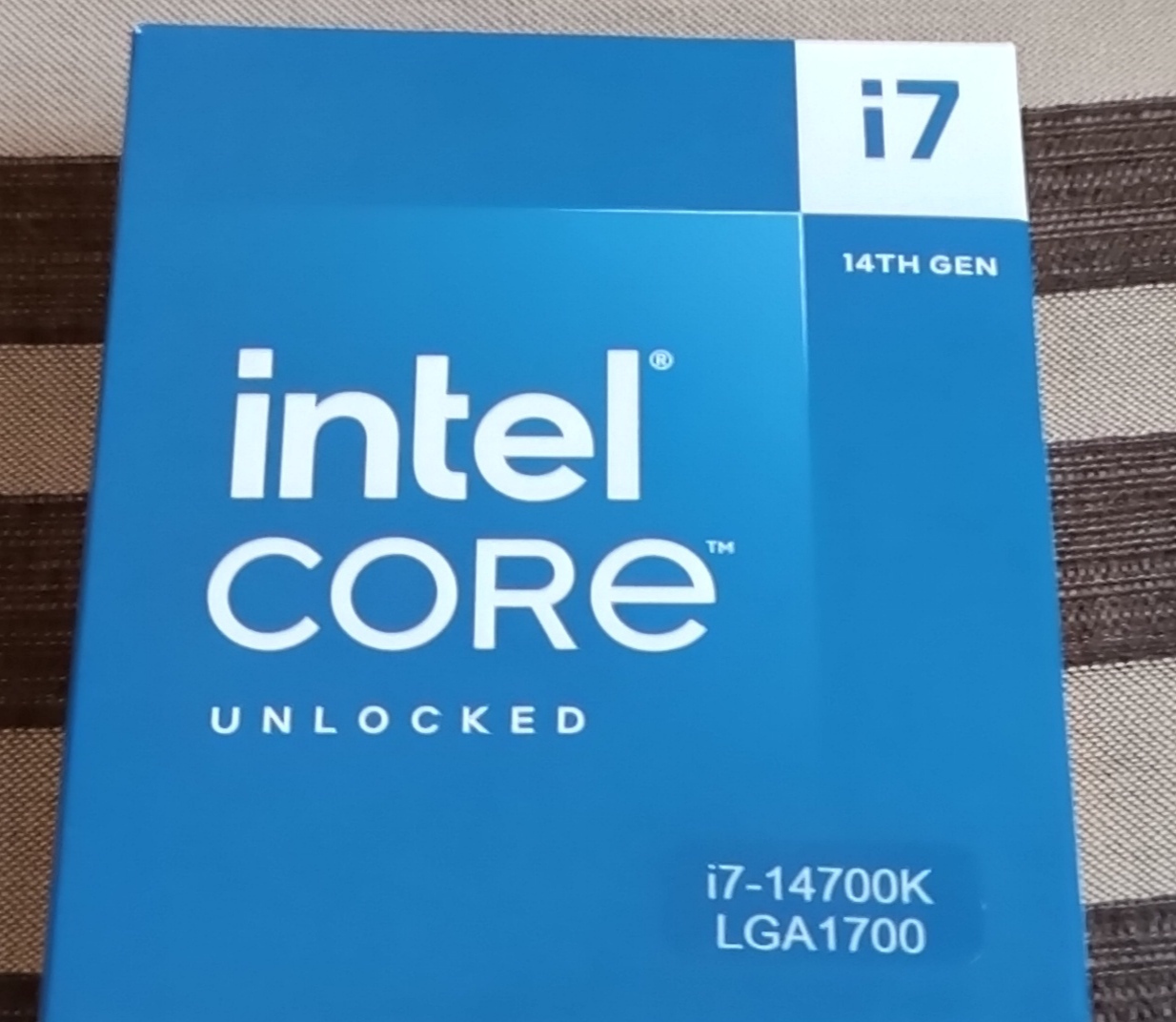
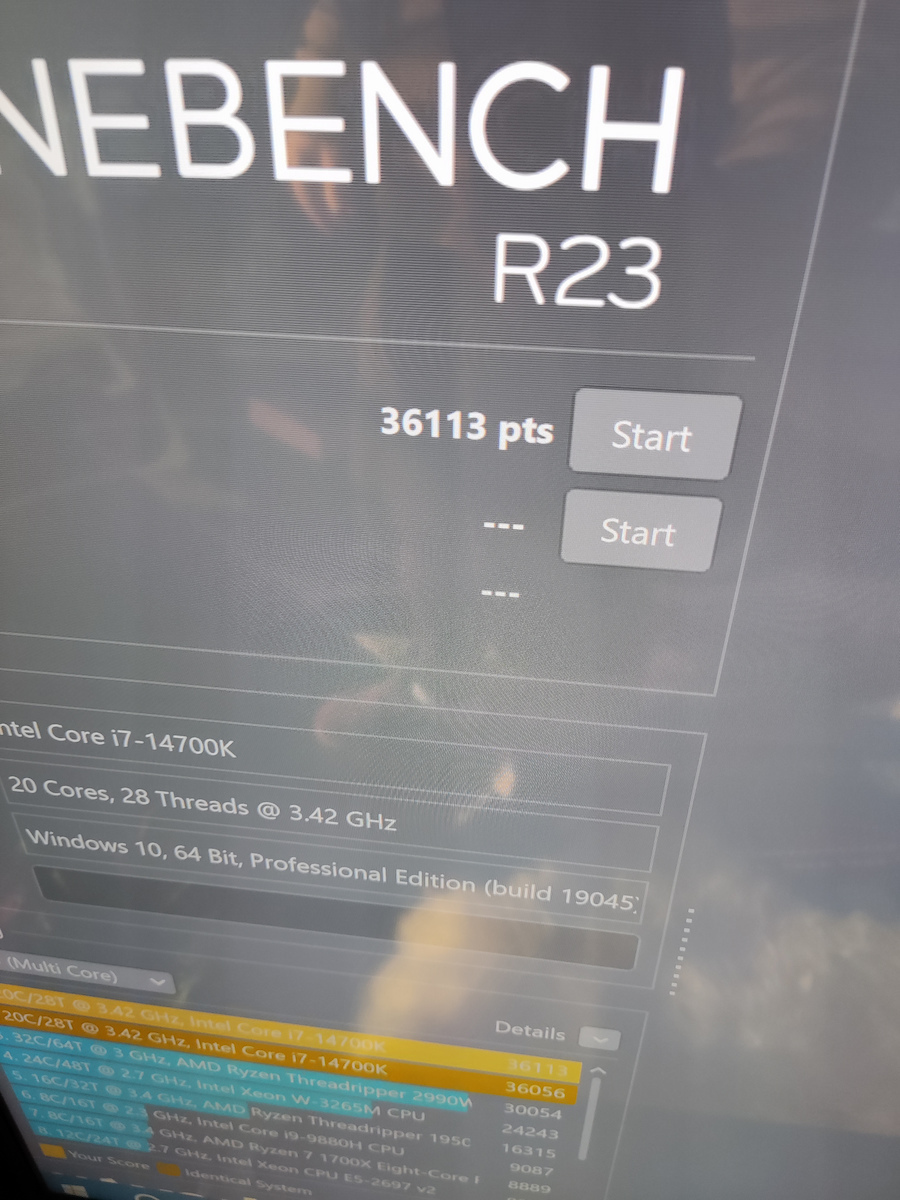
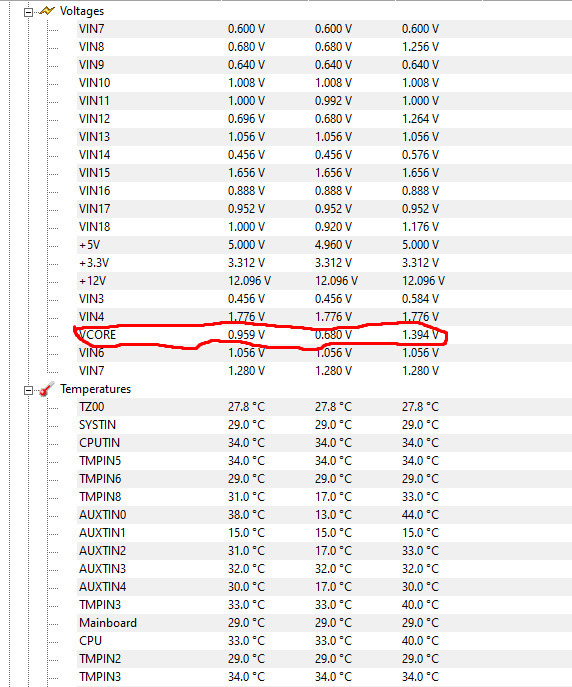
07/10/2024: We will never be calm with this processor... After a lot of searching, testing, and failures, I ended up with some efficient settings (https://www.reddit.com/r/gigabyte/comments/1fwnr9f/comment/lqhpu5y/?context=3). Intel has so far released 2 major software updates, integrated into the motherboard manufacturers' BIOS (0x125, 0x129), and we are going for a third (0x12B), while admitting that the source of the problem is indeed the processor and that there will be a speed loss in the i9s "within expected limits."
Source: https://community.intel.com/t5/Blogs/Tech-Innovation/Client/Intel-Core-13th-and-14th-Gen-Desktop-Instability-Root-Cause/post/1633446#M40
16/8/2024: I am coming back for one and only reason: because no matter how much I searched for a cure and although Intel supposedly fixed the problem and provided a warranty extension to a total of 5 years, their solution is not correct and the 13th and 14th generation processors continue to be irreversibly damaged as time goes by, it will just take another 1-2 years for the extension. On Gigabyte motherboards, there is a setting that puts an upper limit on CPU requests for power, which if you set to, e.g., 1.370V-1.400V, the problem will not worsen further (source: https://youtu.be/2G-Y0yDSfeA?si=r_ymst1ziRfhtIZ1) and you will still have the actual speeds mentioned (as long as the power is lower than the value you set). I set it to 1.370V.
30/7/2024: Within a few days and after a lot of searching on informative related sites, my rating dropped to the absolute allowable low. And here are the reasons: in the 13th and 14th generation processors, that is, in processors that have already been on the market for over a year, Intel admitted that there is a design flaw whereby the processors request more power from the motherboard, resulting in irreversible damage over time. They will send an update to the BIOS manufacturers with the official fix for the flaw (BIOS UPDATES), but almost all processors have already been affected. Well done Intel, once again you messed it up.
Source: 1. https://www.tomsguide.com/computing/hardware/13th-and-14th-gen-intel-cpu-damage-could-be-permanent-despite-incoming-fix
2. https://youtu.be/wkrOYfmXhIc?si=AffVQSt1naB9yG6j
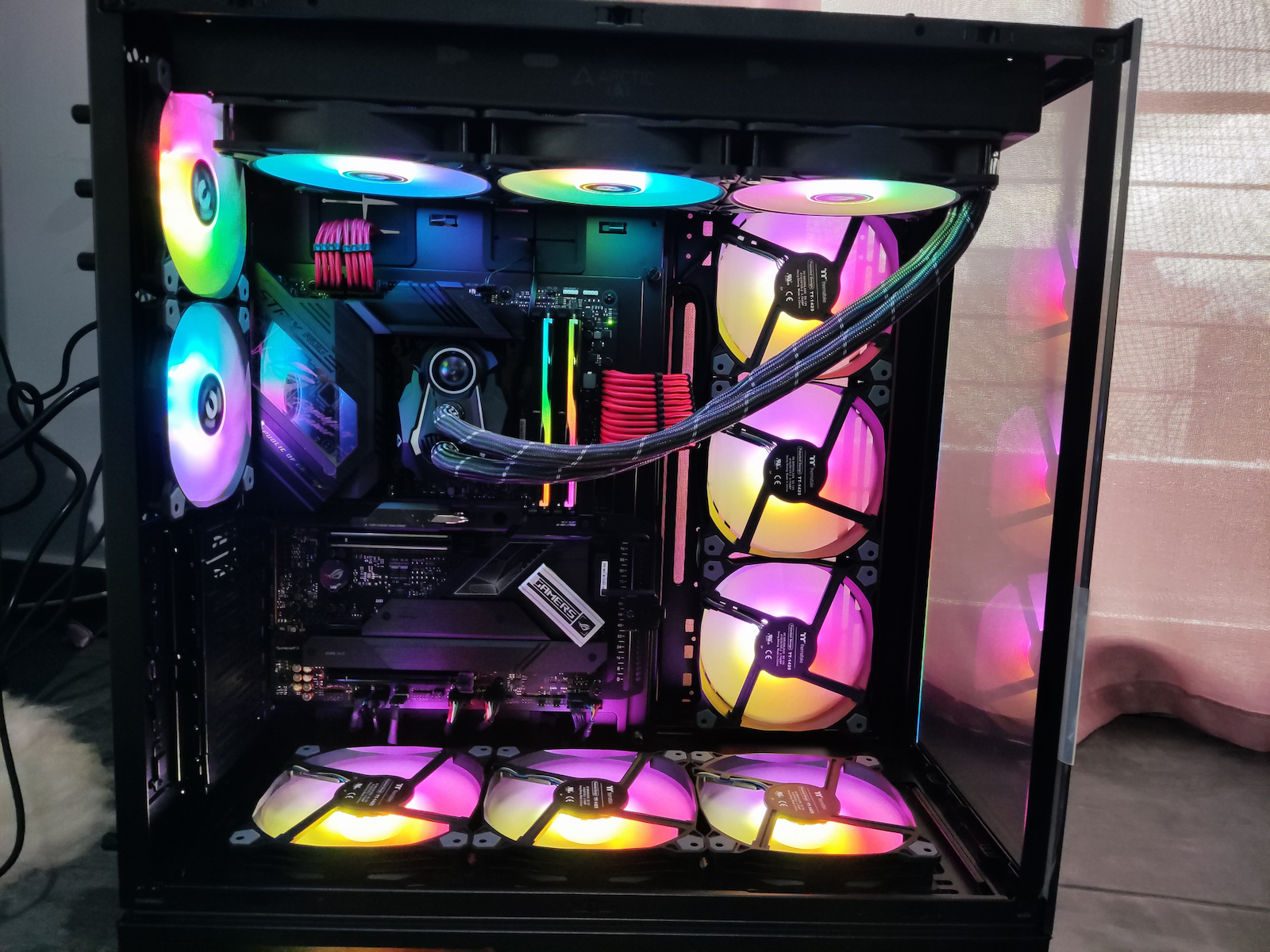
25/7/2024: After several hours of searching and alternatives, I realized (and so did I) Intel's game, that they never had a problem making fast processors, but the materials for current resistance and operating temperatures were always the issue. In short, for the i7, i9 processors now (from 7th-9th generation and onwards), you need BOTH liquid cooling and multiple case fans AND an 800+ power supply AND a large case (to accommodate fans, liquid cooling, etc., and all this to be able to export video at temperatures of 80+ degrees WITHOUT overclocking. Also, you need to be a BIOS guru and underpower the processor to gain 2-5 degrees idle until it starts exporting again. For me, first of all, a machine must be cold, quiet, and fast, and IF I want to push it with overclocking, then let it heat up and let me need 15 fans. Here, however, what we see is that this specific processor, to work at defaults without thermal throttling when exporting video, rendering, etc. (when it is actually working), requires extremely large water cooling (360 or 420), a large case to fit it, and a large power supply to support it along with the graphics card (let's say a 40xx).
11/7/2024: With the same cooling, I upgraded the power supply to 850 watts with dual 8-pin for the motherboard. I set a cutoff at temperatures of 90 degrees and the cores instead of P 5,500 MHz and E 4,300 MHz respectively to P 5,000 MHz and E 3,800 MHz (underclock). I also added power to the Dynamic Vcore (DVID) +0.0030 because it was shutting down by itself (see here why: https://community.intel.com/t5/Processors/Unstable-i7-14700k/m-p/1569028). It is unacceptable to do so many things for something that should work without any intervention. And well, I know a bit to tweak things. A regular user would turn everything back and curse! Updated BIOS with the Intel Defaults option (after the backlash that motherboard manufacturers received) did not fix things, and all of this that you will read in the link was needed (both methods). Ok, and to preempt you, it is a heater and needs water cooling, I know. But here where I have reached and for as long as the Noctua NH-D15 lasts, I will wait...
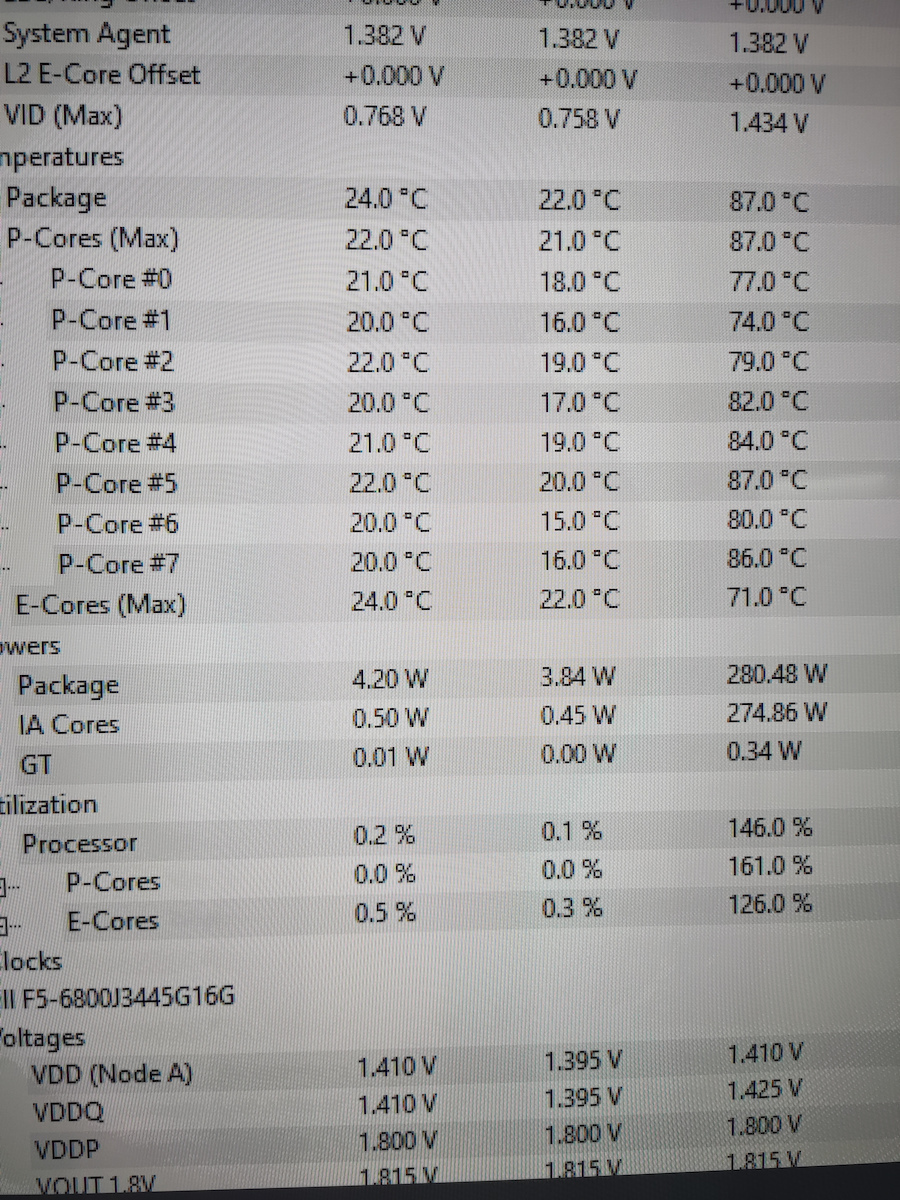
9/7/2024: With quite a bit of searching, I have brought the machine to stress tests except for OCCT (Power), reaching up to 90 degrees with an upper limit of 95, but with underclocking of the cores. Perhaps with good water cooling, I would have better results because I am currently using an air Noctua NH-D15 with its adapter for socket 1700.
8/7/2024: In the few days that I have had it, it shuts down by itself without me understanding why. I am waiting for the correct power supply with 2x8 pins for the motherboard because I have a suspicion, even though I have removed everything from the conveniences in the BIOS and it is not overclocked. I will definitely provide an update for a complete picture.
07/10/2024: Δε θα ηρεμήσουμε ποτέ με αυτόν τον επεξεργαστή... Μετά από πάρα πολύ ψάξιμο, δοκιμές και αποτυχίες κατέλληξα σε καποιες αποδοτικές ρυθμίσεις (https://www.reddit.com/r/gigabyte/comments/1fwnr9f/comment/lqhpu5y/?context=3). Η Intel μέχρι στιγμής έχει βγάλει 2 σημαντικές ενημερώσεις λογισμικού, ενσωματωμένες στα BIOS των κατασκευαστών μητρικών (0x125, 0x129) και πάμε για τρίτη (0x12B), ενώ παραδέχτηκε ότι πηγή του προβλήματος είναι πράγματι ο επεξεργαστής και ότι στους i9 θα υπάρξει απώλεια ταχύτητας "εντός προβλεπόμενων ορίων".
Πηγή: https://community.intel.com/t5/Blogs/Tech-Innovation/Client/Intel-Core-13th-and-14th-Gen-Desktop-Instability-Root-Cause/post/1633446#M40
16/8/2024: Επανέρχομαι για έναν και μοναδικό λόγο: επειδή όσο και αν έψαξα για θεραπεία και παρόλο που η Intel υποτίθεται έφτιαξε το πρόβλημα και έδωσε επέκταση εγγύησης σε 5 συνολικά χρόνια, δεν είναι σωστή η λύση της και οι επεξεργαστές 13 και 14ης γενιάς συνεχίζουν να καταστρέφονται αμετάκλητα όσο περνάει ο καιρός, απλά θα πάρει 1-2 χρόνια ακόμα παράταση. Σε Gigabyte motherboards υπάρχει μια ρύθμιση που βάζει άνω όριο στα CPU requests για ρεύμα, που αν το ρυθμίσετε σε π.χ. 1.370V-1.400V δεν θα επιδεινωθεί το πρόβλημα περισσότερο (πηγή: https://youtu.be/2G-Y0yDSfeA?si=r_ymst1ziRfhtIZ1) και θα εξακολουθείτε να έχετε τις πραγματικές ταχύτητες που αναφέρονται (όσο το ρεύμα είναι μικρότερο από την τιμή που έχετε βάλει). Εγώ έβαλα 1.370V.
30/7/2024: Μέσα σε λίγες ημέρες και αρκετό ψάξιμο σε ενημερωτικά σχετικά sites η βαθμολογία μου έπεσε στο απόλυτο επιτρεπόμενο ναδίρ. Και ιδού οι λόγοι: στην 13η και 14η γενιά επεξεργαστών, δηλαδή και σε επεξεργαστές που ήδη κυκλοφορούν πάνω από χρόνο η Intel παραδέχτηκε ότι υπάρχει σχεδιαστικό σφάλμα κατά το οποίο οι επεξεργαστές ζητούν παραπάνω ρεύμα από την μητρική, με αποτέλεσμα να δημιουργείται με τον καιρό μη αναστρέψιμη καταστροφή τους. Θα στείλει ενημέρωση στους κατασκευαστές BIOS την επίσημη διόρθωση του σφάλματος (BIOS UPDATES), αλλά ήδη έχουν επηρεαστεί σχεδόν όλοι οι επεξεργαστές. Μπράβο Intel για μια ακόμα φορά τα έκανες σκ@τ@.
Source: 1. https://www.tomsguide.com/computing/hardware/13th-and-14th-gen-intel-cpu-damage-could-be-permanent-despite-incoming-fix
2. https://youtu.be/wkrOYfmXhIc?si=AffVQSt1naB9yG6j
25/7/2024: Μετά από αρκετές ώρες ψάξιμο και εναλλακτικές συνειδητοποίησα (και εγώ) το παιχνίδι της Intel, ότι δηλαδή ποτέ δεν είχαν πρόβλημα με το να φτιάξουν γρήγορους επεξεργαστές, αλλά τα υλικά αντοχής των ρευμάτων και οι θερμοκρασίες λειτουργίας ήταν πάντα το πρόβλημα. Με λίγα λόγια για τους i7, i9 επεξεργαστές πλέον (από 7η-9η γενιά και μετά) χρειάζεσαι ΚΑΙ υδρόψυξη και πολλαπλούς ανεμιστήρες κουτιού ΚΑΙ 800+ τροφοδοτικό ΚΑΙ μεγάλο κουτί (για να παίρνει ανεμιστήρες, υδρόψυξη κλπ και όλα αυτά για να μπορείς να κάνεις export video σε θερμοκρασίες 80+ βαθμούς ΧΩΡΙΣ υπερχρονισμό. Επίσης πρέπει να είσαι γκουρού του BIOS και να υπορευματοδοτείς τον επεξεργαστή για να κερδίσεις 2-5 βαθμούς idle μέχρι πάλι να ξεκινήσει το export. Για εμένα πρώτα από όλα ένα μηχάνημα πρέπει να είναι κρύο, αθόρυβο και γρήγορο και ΑΝ θέλω να το πιέσω με υπερχρονισμό, τότε ας ζεσταθεί και ας χρειαστώ 15 fans. Εδώ όμως αυτό που βλέπουμε είναι ότι ο συγκεκριμένος επεξεργαστής για να δουλέψει στα defaults, χωρίς thermal throttling όταν κάνει export video, render κλπ (όταν πραγματικά δουλεύει δηλαδή), χρειάζεται εξαιρετικά μεγάλη υδρόψυξη (360 ή 420), μεγάλο κουτί για να τη χωρέσει και μεγάλο τροφοδοτικό για να τα σηκώσει μαζί με την κάρτα γραφικών (πες μια 40xx).
11/7/2024: Με την ίδια ψύξη αναβάθμισα το τροφοδοτικό σε 850 watt με διπλό 8pin για τη μητρική. Έβαλα κόφτη σε θερμοκρασίες 90 βαθμούς και τους πυρήνες αντί στα P 5.500 Mhz και E 4.300 Mhz αντίστοιχα στα P 5.000 Mhz και E 3.800 Mhz (underclock). Επίσης πρόσθεσα ρεύμα στα Dynamic Vcore(DVID) +0.0030 γιατί έκλεινε μόνο του (δείτε εδώ γιατί: https://community.intel.com/t5/Processors/Unstable-i7-14700k/m-p/1569028 ). Είναι απαράδεκτο να κάνεις τόσα πράγματα για κάτι που θα έπρεπε να λειτουργεί χωρίς καμία επέμβαση. Και καλά εγώ κάτι σκαμπάζω να πειράξω. Ένας απλός χρήστης θα τα γύριζε όλα πίσω και θα βλαστήμαγε! Updated BIOS με την επιλογή Intel Defaults (μετά το κράξιμο που έφαγαν οι εταιρίες παραγωγής μητρικών) δεν διόρθωσε τα πράγματα και χρειάστηκαν όλα αυτά που θα διαβάσετε στο link (και οι δυο μέθοδοι). Οκ και για να σας προλάβω, είναι θερμάστρα και θέλει υδρόψυξη, το ξέρω. Αλλά εδώ που έχω φτάσει και για όσο κρατάει η Noctua NH-D15 θα περιμένω...
9/7/2024: Με αρκετό ψάξιμο έχω φέρει το μηχάνημα στα στρες τεστ εκτός από το OCCT (Power), να φτάνει μέχρι 90 βαθμούς με ανώτερο όριο τους 95, αλλά με underclocking των πυρήνων. Ίσως με μια καλή υδρόψυξη να έχω καλύτερα αποτελέσματα, γιατί τώρα χρησιμοποιώ μια αέρος Noctua NH-D15 με τον αντάπτορά της για socket 1700.
8/7/2024: Στις λίγες ημέρες που τον έχω κλείνει μόνος του το σύστημα χωρίς να έχω καταλάβει το γιατί. Περιμένω το σωστό τροφοδοτικό με 2x8 pins για τη motherboard γιατί έχω μια υποψία, παρόλο που έχω βγάλει τα πάντα από τις ευκολίες στο bios και δεν είναι oc. Σίγουρα θα κάνω ενημέρωση για ολοκληρωμένη εικόνα.