Before purchasing it, you must confirm the following:
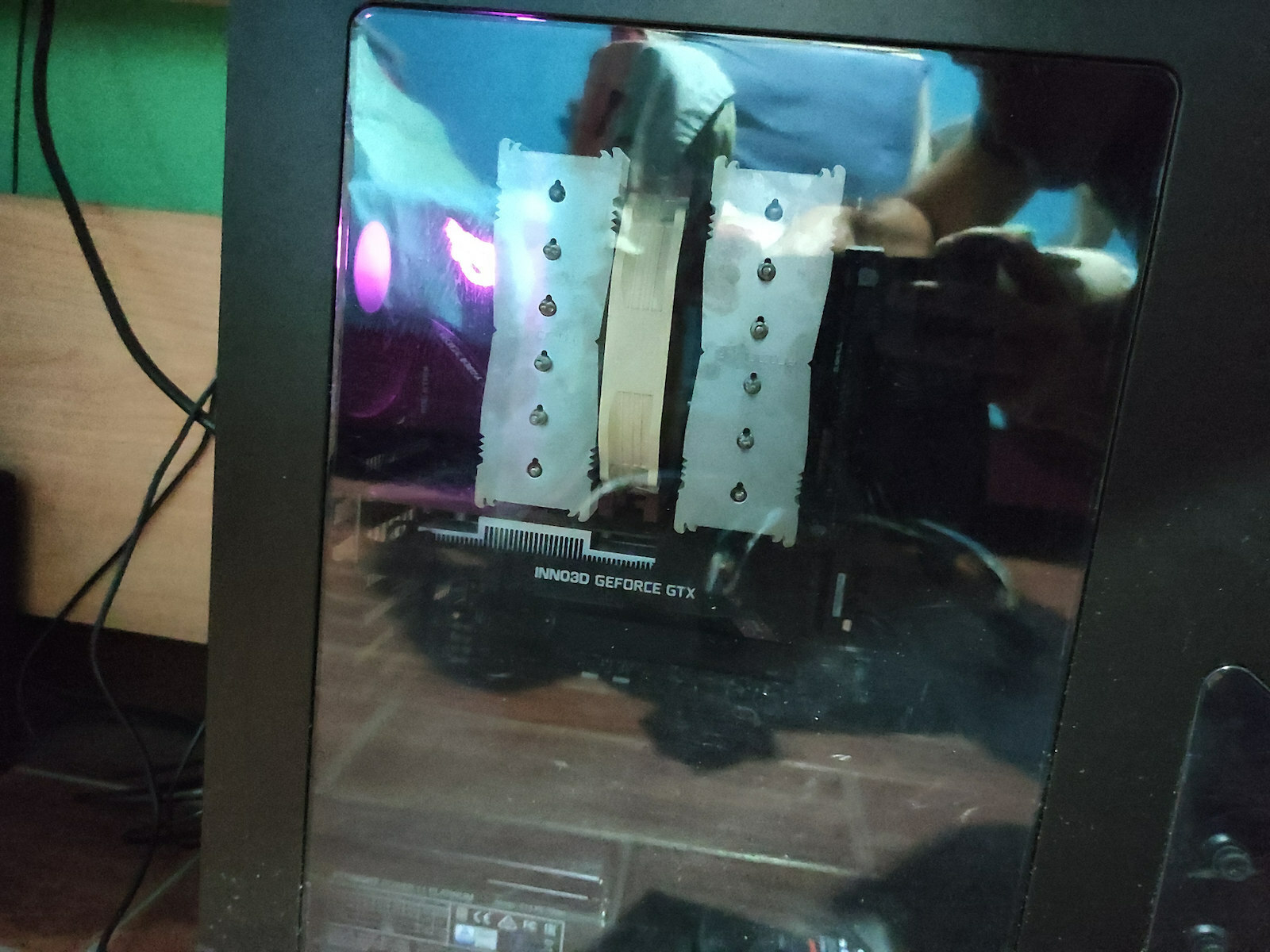
1) If it fits in the case, as it is tall (165mm). In my case, the Cooltek Skall fits comfortably, but with almost half a centimeter of clearance from the side cover.
2) If it is compatible with the components of the motherboard (there is a compatibility list on the company's website).
3) The memory should be Low Profile.
If the answer to all these is positive, you will be pleasantly surprised.
When we say silent, we mean silent! Of course, I have also installed the two included cables to make it even quieter. The installation is very easy if done carefully and following the instructions. It is better than some liquid coolers, but for specific things, I will update my review after running an OCCT stress test with the i7-7700K @5.0 Ghz that I just received and overclocked. However, I estimate temperatures around 60-65 degrees.
Edit (4-4-2017): It is not as easy as pressing a button to overclock the i7-7700K. Yes, it can reach 5.0 Ghz and boot into Windows, but with a little stressing with AVX instructions, it reaches 90 degrees and fails the test. At 4.8 Ghz, things are slightly better, but it still reaches 86 degrees and fails the test (all of this in automatic mode, which is not recommended). In the end, I left it at the default settings, which work at 4.2-4.5 Ghz automatically with temperatures of 70-75 degrees. If anyone is interested in pushing it further, Gigabyte has released an official (!) overclocking guide for the i7-7700K with air cooling (https://www.joomag.com/magazine/gigabyte-z270-overclocking-guide-gigabyte-200-series-overclocking-guide/0767815001483933769)
Edit (2-5-2017): Almost a month later, I come back with updates. By removing the LNA (Low Noise Adaptors) on the Noctua NH-D15 air cooler, its full power was unleashed with the following results:
i) Automatic profile at 5.0 Ghz with AVX in BIOS 8. OCCT test with and without AVX instructions: passed the 20-minute mark, failed at 60 minutes with sporadic blue screens (AVX Tests completed successfully).
ii) Automatic profile at 4.8 Ghz with AVX in BIOS 6. OCCT test with and without AVX instructions: passed the 60-minute mark, everything is functioning normally so far (AVX Tests completed successfully). Max temperature is 84 degrees on a single core (which is not satisfactory or desirable, as it fails the test at 86 degrees).
Of course, the results can always be improved, and I certainly have some ideas to try out. I will provide one final update when the settings are finalized.
Πριν την αγοράσετε πρέπει να επιβεβαιώσετε τα εξής:
1) αν χωράει στο κουτί, καθώς είναι ψηλή (165mm). Στο κουτί μου πχ Cooltek Skall χωράει μεν άνετα, αλλά με περιθώριο σχεδόν μισό εκατοστό από το πλευρικό κάλυμα.
2) Αν βρίσκει στα components της μητρικής (υπάρχει λίστα συμβατότητας στο site της εταιρίας)
3) Οι μνήμες να είναι Low Profile.
Αν η απάντηση σε όλα αυτά είναι θετική θα βρεθείτε προ ευχάριστης έκπληξης.
Όταν λέμε αθόρυβη, εννοούμε αθόρυβη! Βέβαια εγώ έχω βάλει και τα 2 καλώδια που περιέχονται για να λειτουργεί ακόμα πιο αθόρυβα. Η τοποθέτηση αν γίνει με προσοχή και ακολουθώντας τις οδηγίες γίνεται πανεύκολα. Είναι καλύτερη από μερικές υδροψύξεις, αλλά για συγκεκριμένα πράγματα θα ενημερώσω την κριτική μου αφού τρέξω ένα OCCT stress test με τον i7-7700K @5.0 Ghz που μόλις παρέλαβα και υπερχρόνισα, εκτιμώ όμως θερμοκρασίες γύρω στους 60-65 βαθμούς.
Edit (4-4-2017): Τελικά δεν είναι και τόσο εύκολο να υπερχρονίσεις τον i7-7700K με ένα κουμπί. Ναι μεν πάει στα 5.0 Ghz, ναι μεν μπαίνει στα Windows, αλλά με λίγο stressing με AVX instructions πάει 90 βαθμούς και αποτυγχάνει το test. Στα 4.8 Ghz τα πράγματα είναι λίγο καλύτερα, αλλά πάλι στους 86 βαθμούς πάει και αποτυγχάνει το test (όλα αυτά στο αυτόματο που δεν συνίσταται). Τελικά το άφησα στα default που δουλεύει 4.2-4.5 Ghz αυτόματα με θερμοκρασίες 70-75 βαθμούς. Αν καποιος ενδιαφέρεται να προχωρήσει παραπάνω η ίδια η Gigabyte έχει βγάλει επίσημο (!) οδηγό υπερχρόνισμού του i7-7700K και με αερόψυξη (https://www.joomag.com/magazine/gigabyte-z270-overclocking-guide-gigabyte-200-series-overclocking-guide/0767815001483933769)
Edit (2-5-2017): Σχεδόν ένα μήνα μετά επανέρχομαι με νεότερα. Με την αφαίρεση των LNA (Low Noise Adaptors) στην αερόψυξη Noctua ΝΗ-D15 απελευθερώθηκε η πλήρης ισχύς της με τα εξής αποτελέσματα:
i) Αυτόματο προφίλ στα 5.0 Ghz με AVX στο BIOS 8. Τεστ στο OCCT με και χωρίς AVX instructions: πέρασμα στο 20λεπτο, αποτυχία στα 60 λεπτά σποραδικές μπλε οθόνες (Τα AVX Tests ολοκληρώθηκαν με επιτυχία).
ii) Αυτόματο προφίλ στα 4.8 Ghz με AVX στο BIOS 6. Τεστ στο OCCT με και χωρίς AVX instructions: πέρασμα στα 60 λεπτά μέχρι τώρα όλα λειτουργούν κανονικά (Τα AVX Tests ολοκληρώθηκαν με επιτυχία). Max θερμοκρασία 84 Βαθμοί σε έναν μόνο πυρήνα (που δεν είναι ικανοποιητική ούτε επιθυμητή, καθώς στους 86 αποτυγχάνει το τεστ)
Βέβαια, πάντα τα αποτελέσματα επιδέχονται βελτίωση και σίγουρα έχω μερικές ιδέες να δοκιμάσω ακόμα. Θα ενημερώσω μια τελευταία φορά όταν ολοκληρωθούν οι ρυθμίσεις.