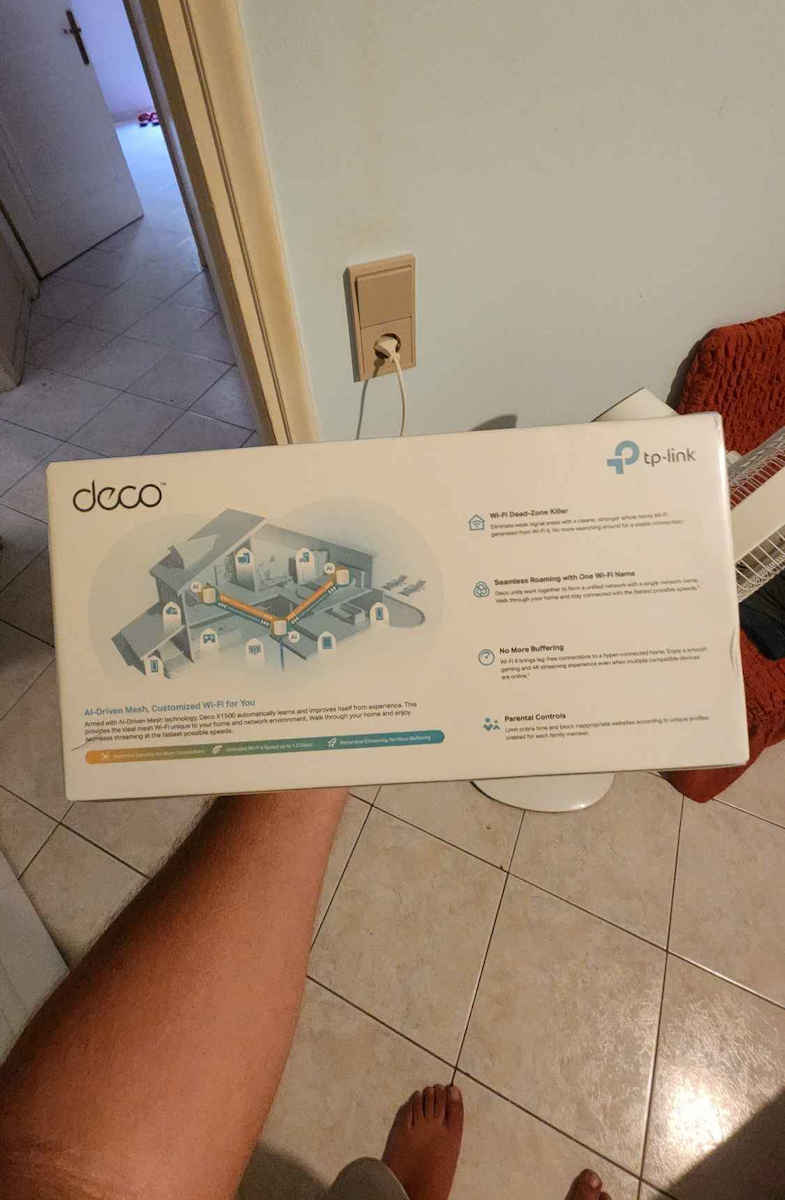
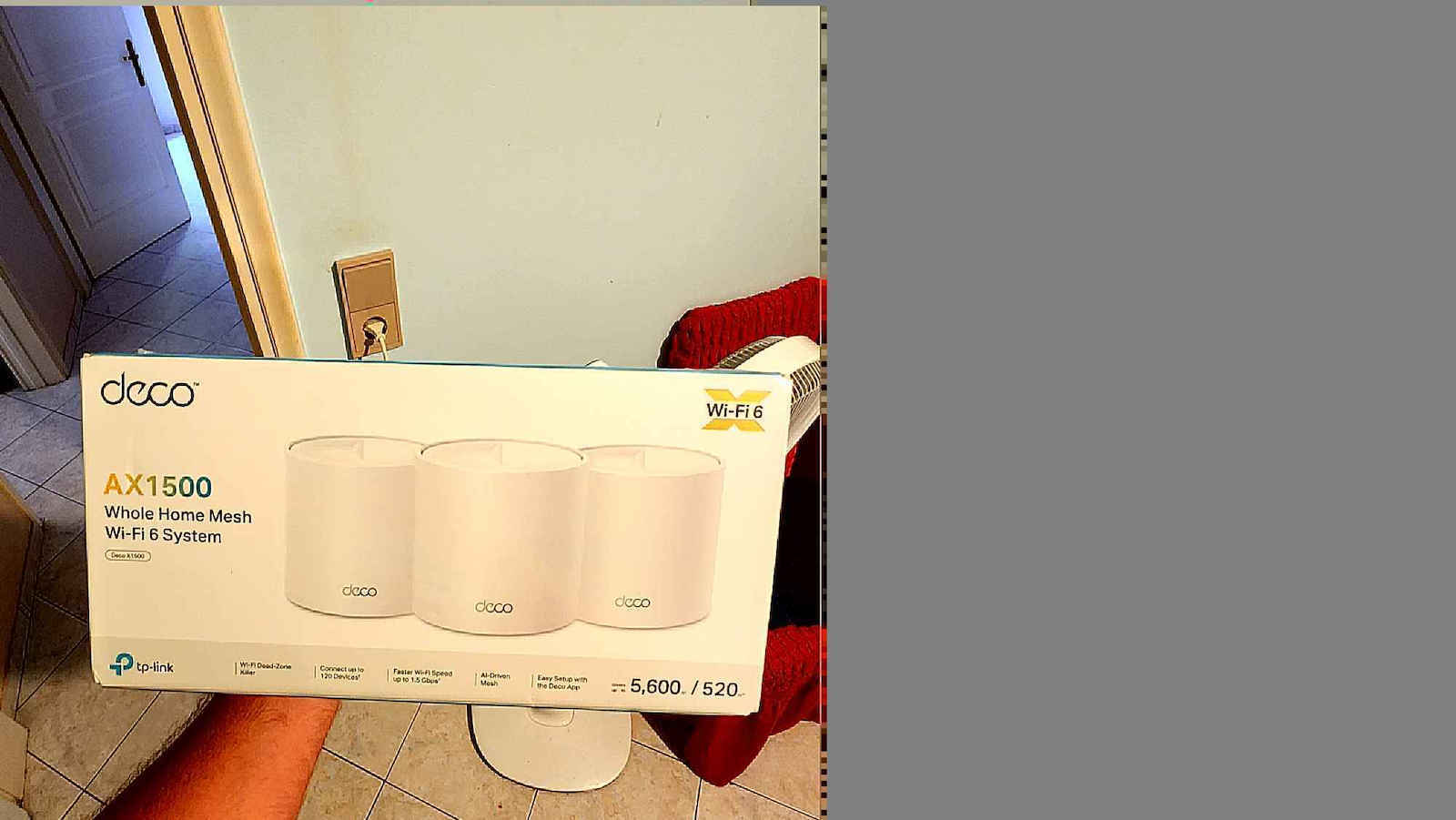
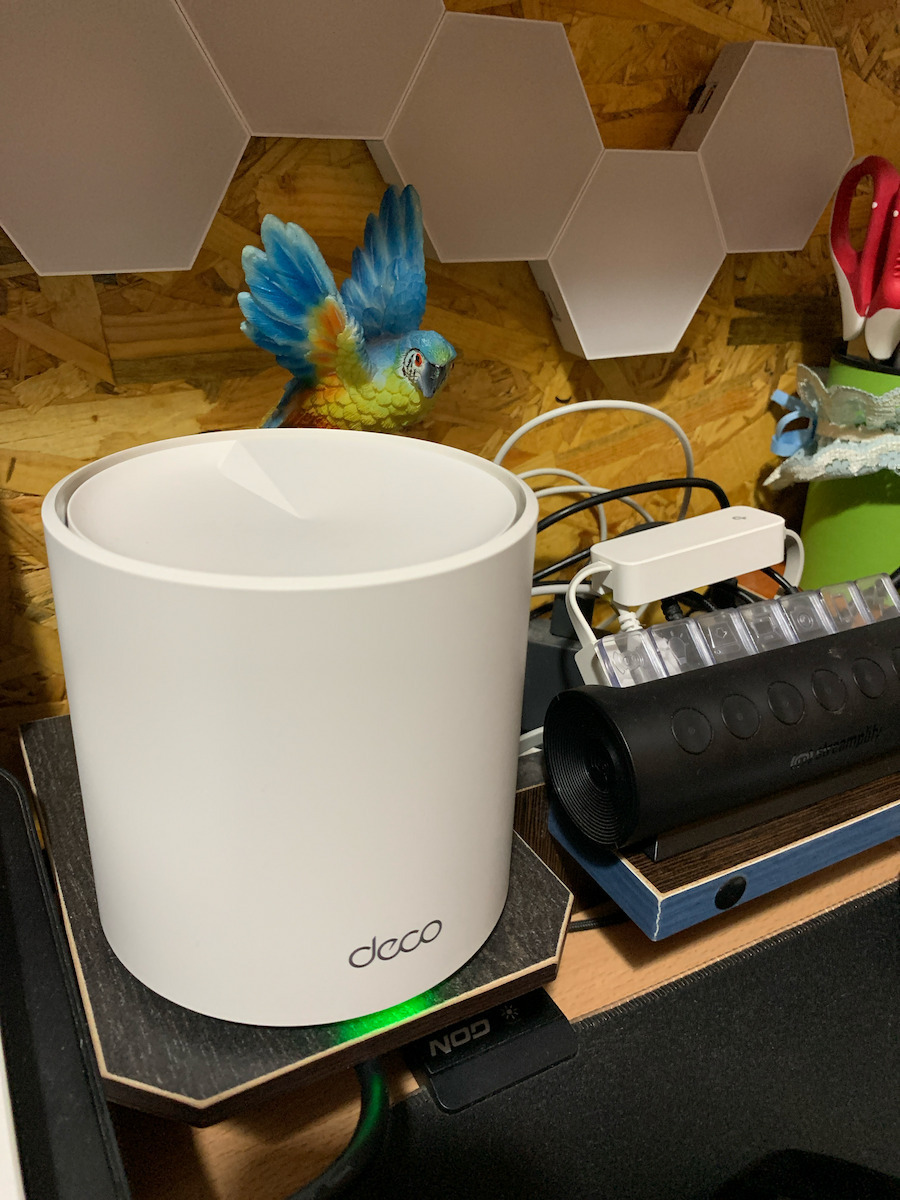
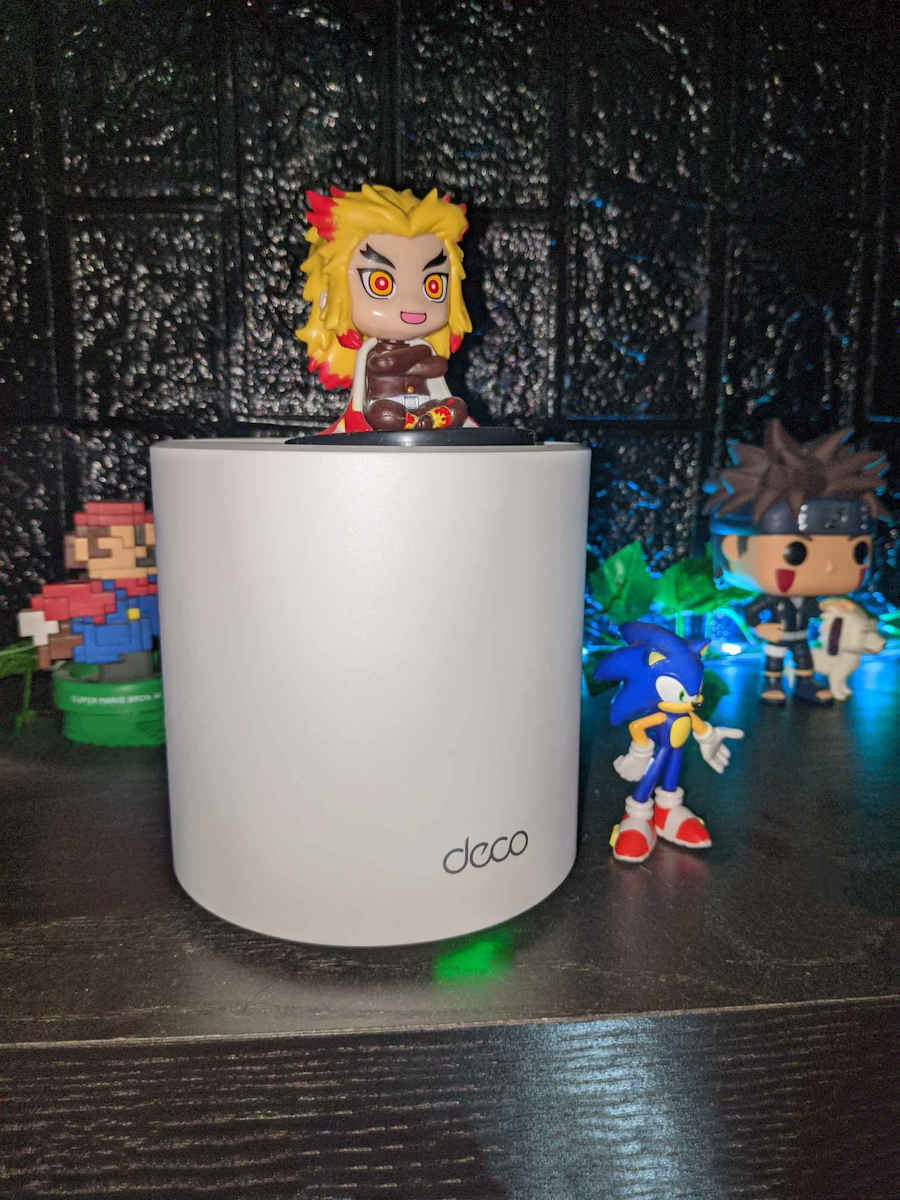
Eliminate weak signal areas with a single Wi-Fi network that covers every corner of your home. No more searching for a stable connection, whether you're in the basement, garage, or yard.
Cover every corner of your home
The Deco X10 eliminates weak signal areas with cleaner, stronger WiFi throughout the home, created by BSS (Base Service Station) Coloring and Beamforming technologies as the killer of WiFi dead zones. So, you will no longer need to search for a stable connection.
Intelligent Networking for a Smarter Home
Deco uses its custom algorithms to automate connections to your network, ensuring the strongest possible signals at all times.
Seamless Roaming with a Single WiFi Name
TP-Link Mesh means that the Deco units work together to form a single network. Your phone or tablet automatically connects to the fastest Deco as you move around your home, creating a truly seamless WiFi experience.
Simple. Easy. Yet powerful.
Set up and manage your network anytime and anywhere with the user-friendly TP-Link Deco app. In just three easy steps, your entire home can be covered with strong and reliable WiFi.
Easy Management
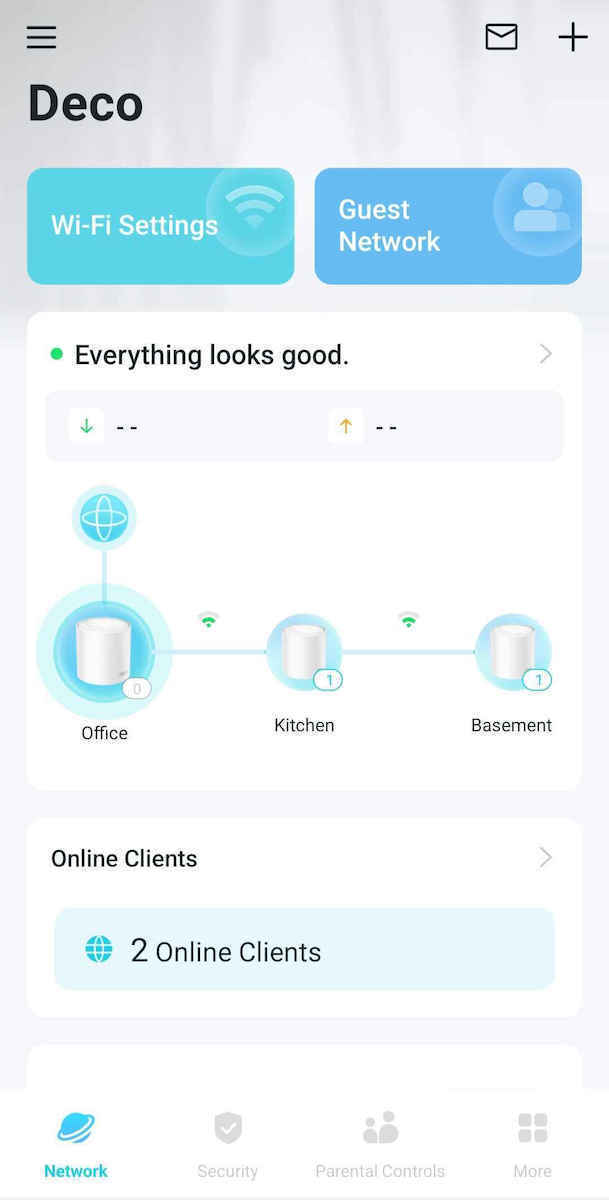
Manage your WiFi at home or away from home with the Deco app. View every connected device, prioritize your own, and set up a guest network.
All Decos work together
The Deco X10 is compatible with any other Deco model to create a Mesh network. Expand Mesh WiFi coverage at any time by adding more Deco.
Specifications are collected from official manufacturer websites. Please verify the specifications before proceeding with your final purchase. If you notice any problem you can report it here.
Detailed about my own use:
It was bought to replace the Starlink with the four mesh mini WiFi units from Starlink. I had some older Deco WiFi 5 units, but they did not work properly with the fiber Nova Wi‑Fi router that my provider installed for me. So I got the X10s, which are Wi‑Fi 6.
I bought 5 X10 units. One essentially replaced the router by turning off the router’s broadcast and using one as the main unit, while the other 4 were distributed at distances with splitter to link at 15 meters - 30 meters - 15 meters - 15 meters. One on its own and the other three connected in series with cat7 Ethernet cable. Truly measured speeds stable on the 300 Mbps line with a small deviation of 10 to 15 mbps depending on the moment.
They do not need any restart, they work continuously without problems and I am fully satisfied.
I have been using them for two months.
I will come back in a year.
Αναλυτικά η δική μου χρήση:
Αγοράστηκε να αντικαταστήσει το starlink με τα τέσσερα mesh mini wifi του starlink. Είχα κάποια παλαιότερα deco wifi 5αλλά δεν δουλεύαν σωστά με το wi-fi router fiber nova που μου πέρασε πάροχος. Έτσι προμηθεύτηκα τα x10 τα οποία είναι wifi 6.
Πήρα 5 τεμάχια x10 το ένα αντικατέστησε ουσιαστικά το router κλείνοντας την εκπομπή του router και χρησιμοποιώντας το ένα σαν κεντρικό , ενώ τα υπόλοιπα 4 μοιράστηκαν σε αποστάσεις με splitter to link σε 15 μέτρα - 30 μέτρα - 15 μέτρα - 15 μέτρα. Ένα μόνο του και τα άλλα τρια ενωμένα στη σειρά με ethernet καλώδιο cat7. Πραγματικά μετρημένες ταχύτητες σταθερές στην 300άρα γραμμή με μικρή απόκλιση 10 με 15 mbps ανάλογα τη στιγμή.
Δεν χρειάζονται καμία επανεκκίνηση , δουλεύουν σερί χωρίς προβλήματα και είμαι πλήρως ικανοποιημένος.
Τα χρησιμοποιώ είδης δύο μήνες.
2 floors, covers the whole house with wi-fi without any problem. Before, I had a power line to bring internet to the downstairs and in terms of speed it reaches the maximum, but now the sockets required by the powerline are freed up. The mesh does what it promises, however, be careful because to work it needs a minimum of 2 deco; with 1 you cannot have mesh.
2 όροφοι καλύπτει όλο το σπίτι με wi-fi χωρίς πρόβλημα, πριν είχα power line για να φέρω ίντερνετ στον κάτω όροφο και από θέμα ταχύτητας πιάνει το μέγιστο απλά τώρα απελευθερώθηκαν οι μπριζες που απαιτούσε το powerline, το mesh κάνει αυτό που υπόσχεται πάντως, προσοχή όμως για να δουλέψει θέλει μίνιμουμ 2 deco με 1 δεν μπορείς να έχεις mesh.
From the 4th floor to the 1st, full signal. x2 devices. It also improved the speed, as the crappy router was giving 30Mbps and now I get 300Mbps (1Gbit line)
Από τον 4ο όροφο στον 1ο σήμα καμπάνα. x2 συσκευές. βελτίωσε επίσης και την ταχύτητα που το σάπιο router έδινε 30Mbps με πήγε στα 300Μbps (1Gbit γραμμή)
Finally, signal throughout the whole house.. The router was on the upper floor and the main area was downstairs, resulting in all devices constantly disconnecting and the signal being bad. As soon as I installed it, everything was fixed, full signal throughout the house, even outside of it, zero disconnections and a very user-friendly app. Literally plug and play.
Επιτελους σημα σε ολο το σπιτι..Το router ηταν στον επανω οροφο και ο κυριος χωρος στον κατω με αποτελεσμα ολες οι συσκευες να κανουν συνεχως αποσυνδεσεις και το σημα να ηταν κακο.Με το που το εκανα εγκατασταση διορθωθηκαν τα παντα,φουλ σημα σε ολο το σπιτι,ακομα και εξω απο αυτο,μηδεν αποσυνδεσεις και ενα πολυ ευχρηστο App.Κυριολεκτικα plug and play.
The Router is on the ground floor and I have run an ethernet cable to the 3rd floor where I live. The Deco was set up very easily and delivers 100bps without any loss to up to now 3 devices throughout the house. I believe it covered me completely and the purchase is excellent!
Το Router βρίσκεται στο ισόγειο και έχω τραβήξει καλώδιο ethernet στον 3ο που ζω. Το Deco σεταρίστηκε πανεύκολα και δίνει τα 100bps χωρίς καμία απώλεια σε εως τωρα 3 συσκευές σε ολο το σπίτι. Εκτιμώ ότι με κάλυψε απολύτως και η αγορά ειναι εξαιρετική!
Simply and in a few words, it's super easy to set them up with the app, very stable both on wifi and ethernet!!! One connects with a cable and then gives to the others with 300 speed on the 3rd deco with many walls, and I emphasize, each wall is 60 cm thick, I get 150 on the 3rd deco, 250 on the 2nd, and 330 on the first!!! And it's good to disable your router's wifi and work from the decos! That's all from me!!
Απλα και με λιγα λόγια πανεύκολο στο να τα ρυθμισεις με την εφαρμογη πολυ σταθερα και σε wifi αλλα και στο ethernet!!!
Το ενα παιρνει με καλωδιο και μετα δινει στα αλλα με 300αρα ταχυτητα στο 3 deco με πολλους τοιχους και τονιζω 60 ποντους ο καθε τοιχος μου φερνει 150 και στο 2 deco 250 και στο πρωτο 330!!! Και καλο ειναι να απενεργοποιήσετε το wifi του ρουτερ σας και να δουλέψετε απο τα deco!Αυτα απο εμενα!!
Double kit, one device on the ground floor (on the starlink router) and the second wireless on the first floor. So far it works properly, without interruptions, and the speed is satisfactory. Installation is relatively easy via the deco app.
Διπλό κιτ, η μια συσκευή στο ισόγειο (πάνω στο router του starlink) και η δεύτερη ασύρματη στον πρώτο όροφο. Μέχρι στιγμής λειτουργεί σωστά, χωρίς διακοπές, και η ταχύτητα είναι ικανοποιητική. Η εγκατάσταση σχετικά εύκολη μέσω της εφαρμογής deco.
the worst purchase I have ever made, it disconnects all the time. on wireless devices like mobile phones the internet is very bad even though we have 500mbps and I do not recommend it to anyone
η χειρότερη αγορά που έχω κάνει ποτέ ξεσυνδέεται όλη την ώρα. σε συσκευές ασύρματες όπως κινητά το internet είναι πάρα πολύ κακό ενώ έχουμε 500άρα και δεν το προτείνω σε κανέναν
In a two-story house, 1 next to the Starlink router connected by cable, 1 on the first floor with a wireless connection (with walls, concrete slab, etc. in between), 1 on the ground floor with a wireless connection and a VoIP phone connected to it. All 3 work PERFECTLY in ANY weather condition and WITHOUT interruptions. Purchase of 3 pieces for about €135, I have NOT regretted it at all (used for 4 months).
Σε διόρωφη κατοικία , 1 δίπλα στο router του starlink σύνδεση με καλώδιο , 1 στον 1ο όροφο ασύρματη σύνδεση( ( μεσολαβούν τοίχοι , τσιμεντένια πλάκα κλπ) , 1 στο Ισόγειο με ασύρματη σύνδεση και πάνω του συνδεδεμένο voipe τηλέφωνο.
Λειτουργούν και τα 3 ΑΨΟΓΑ με ΚΑΘΕ καιρική συνθήκη και ΧΩΡΙΣ διακοπές.
Αγορά 3 τεμαχίων περίπου 135€ , ΔΕΝ μετάνιωσα καθόλου (χρήση 4 μήνες).
I have a network in my house with 4 old 5-year-old DECO E4R units which had solved all the network problems I had. The house is spread over 3 floors with a remote parking area. I installed the X10 as the main unit only because the LAN supports 1000Mbps, unlike the E4R which was 100Mbps and I couldn't take advantage of the router's 400Mbps speed. I installed a second X10 in a spot where I wanted high speeds and connected all 3 E4R units to the X10s. Installation was very easy on the existing network, speeds are very good on all the DECO units, perfect cooperation between them, no interruptions on any devices (in total more than 150 devices).
Διαθέτω δίκτυο στο σπίτι μου με 4 παλιά 5ετίας DECO E4R τα οποία είχαν λύσει όλα τα προβλήματα δικτύου που είχα. Το σπίτι απλώνεται σε 3 ορόφους με απομακρυσμένο πάρκινγκ. Τοποθέτησα το X10 ως κεντρικό μόνο για τον λόγο ότι το LAN υποστηρίζει 1000Mbps σε αντίθεση με τα E4R που ήταν 100Mbps και δεν μπορούσα να εκμεταλλευτώ την ταχύτητα του router 400Mbps. Τοποθέτησα 2ο X10 σε σημείο που ήθελα υψηλές ταχύτητες και συνδέθηκαν πάνω στα X10 και τα 3 E4R. Εγκατάσταση πανεύκολη στο ίδιο δίκτυο που ήδη υπήρχε, ταχύτητες πολύ καλές σε όλα τα DECO, άψογη συνεργασία μεταξύ τους, καθόλου διακοπές σε όλες τις συσκευές (συνολικά περισσότερες από 150 συσκευές).
I connected one deco to the router and the second one a floor above. The connection at home is 300mbps and on the upper floor I get about 70mbps. On the lower floor, the deco that is connected to the router has very good performance even in remote areas of the house.
Σύνδεσα το ένα deco στο router και το δεύτερο ένα όροφο πιο πάνω. Η σύνδεση στο σπίτι είναι 300mbps και στο πάνω όροφο πιάνω περίπου 70mbps. Στον κάτω όροφο το deco που είναι συνδεμένο στο router έχει πολύ καλή απόδοση ακόμα και σε απομακρυσμένα σημεία του σπιτιού.
I installed three devices in a semi-basement, bringing Ethernet down from the upper floor with a 300 Mbps connection. The devices I connected with cable deliver the full speed to the downstairs house. The one I left connected via WiFi at a distance of 2-3 rooms from the other two transmits at about 100 Mbps. Very easy installation (automatic with the app) and now I get WiFi even outside the house's fence.
Εγκατέστησα τρεις συσκευές σε ημιυπόγειο κατεβάζοντας Ethernet από τον επάνω όροφο με 300αρα σύνδεση. Οι συσκευές που τις ένωσα με καλώδιο φέρνουν την ταχύτητα στο κάτω σπίτι ατόφια. Η μία που την άφησα να συνδεθεί με WiFi σε μια απόσταση 2-3 δωματίων από τις άλλες δύο, μεταδίδει με 100 περίπου. Πανεύκολη εγκατάσταση (αυτόματα με το app) και πιάνω WiFi πλέον και έξω από την μάντρα του σπιτιού.
Excellent. Basically, I got the triple kit for an 85m2 house. I put one at the router's output and the other two in the other two rooms of the house. You download the TP-LINK Deco app, create an account if you don't have one, and it finds them directly... you set the Wifi name and password and you're done.
There were updates for all three... restart and ready. Basically, I haven't lost a single bar of signal since one of them is two walls away at a distance of 5 meters.
I've had it for 15 days and absolutely no disconnections.
Through the app, you can see everything. From users and at what rate they're downloading, and it also notifies you when someone connects to your network with the ability to block unwanted users.
I made one of them an access point and connected a network cable to its output for the desktop computers in the other room.
TP-LINK has done a very good job. Even the packaging is well-designed.
It includes the 3 decos, their power adapters, installation manual, and a network cable, all white.
On a 100 down 10 up line, it's not even a question. 10 out of 10, it didn't lose anything and the ping was also reduced.
I recommend it and it pleasantly surprised me since I set them up and never had to deal with it again.
Άξογο. Βασικά πήρα το 3πλό κίτ για ένα σπίτι 85m2. To ένα το έβαλα στην έξοδο του router και τα άλλα 2 στα άλλα 2 δωμάτια του σπιτιού. κατεβάζεις την εφαρμογή TP-LINK Deco, δημιουργείς λογαριασμό άμα δεν έχεις και τα βρίσκει απευθείας...ορίζεις το όνομα και το password του Wifi και έτοιμο.
Είχε αναβαθμίσεις και στα 3..επενεκκίνηση και έτοιμο. Βασικά δεν έχει χάσει μια γραμμή από το σήμα αφού το ένα απο αυτά είναι 2 τοίχους μέσα σε απόσταση 5 μέτρα.
Το έχω 15 ημέρες και απολύτως καμία αποσύνδεση.
Μέσα από την εφαρμογή βλέπεις τα πάντα. Αό χρήστες και με τι ρυθμό κατεβάζουν και σου δίνει και ενημέρωση όταν κάποιος χρήστης συνδέετε στο δίκτυο σου με δυνατότητα αποκλεισμού σε ανεπιθύμητους.
Το ένα από αυτά το έκανα access point και έβαλα καλώδιο δικτύου στην έξοδο του για του σταθερούς υπολογιστές στο άλλο δωμάτιο.
Η TP-LINK έχει κάνει πολύ καλή δουλειά. Ακόμη και η συσκευασία είναι προσεγμένη.
Περιλαμβάνει τα 3 deco, τα τροφοδοτικά τους, installation manual και ένα καλώδιο δικτύου όλα λευκά.
Σε 100άρα down 10 up γραμμή δεν το συζητώ. 10 στα 10 δεν έχασε τίποτα και μειώθηκε και το ping.
Το συνιστώ και με εξέπληξε ευχάριστα αφού τα έβαλα και τέλος δεν ξανα ασχολήθηκα.
I am absolutely satisfied. 3 wall obstacles and it works perfectly without interruptions or other problems for a month now. The installation was a bit difficult for me but that's absolutely normal since I have no idea and I'm a bit impatient (bad combination).
Είμαι απόλυτα ευχαριστημένος. 3 ντουβάρια εμπόδια και λειτουργεί άψογα χωρίς διακοπές ή άλλα προβλήματα εδώ και ένα μήνα. Η εγκατάσταση με δυσκόλεψε λιγάκι αλλά είναι απόλυτα φυσιολογικό καθώς δεν έχω ιδέα και είμαι λιγάκι ανυπόμονος (κακός συνδυασμός).
It brought perfect signal from the upper floor to the lower and covered it adequately without any issues. About 150 square meters for the two devices and the third one next to the router on the upper floor. Very easy to install. It needs 3 sockets to operate and also provides the option for Ethernet use.
Έφερε τέλειο σήμα από τον πάνω όροφο στον κατω και τον κάλυψε επαρκώς χωρίς κανένα θέμα. Περίπου 150 τετραγωνικά οι δυο συσκευές και η τρίτη δίπλα στο ρουτερ του πάνω ορόφου. Πανεύκολο στην εγκατάσταση. Χρειάζεται 3 πρίζες για να λειτουργήσει και δίνει και δυνατότητα για χρήση Ethernet.
Unfortunately, to my great disappointment, it did not meet my expectations or the reviews. Problematic installation from the very first minute (the app did not recognize the ethernet cable, its own, even though it was plugged in). I was forced to reset the decos twice. In the end it worked, but still sometimes, even though the app shows that everything is working fine, the connected devices have no internet. It comes back after a few minutes, but by then your nerves are already shot. With 500 fiber I get 150mbps at the other end of the house with 4 decos!!!!!!!!!. I think that's a big loss for a 137 sq.m. flat. These problems may be caused by the app and "bad" updates, but that shouldn't be the customer's problem. If I ever find the courage, I'll reset them and reinstall them again to see if they "work" as they should.
Δυστυχώς, προς μεγάλη μου απογοήτευση, δεν ανταποκρίθηκε στις προσδοκίες μου και στις αξιολογήσεις. Προβληματική εγκατάσταση από το πρώτο λεπτό (δεν αναγνώριζε η εφαρμογή το καλώδιο ethernet, το δικό του, αν και κουμπωμένο). Αναγκάστηκα να κάνω reset τα deco δύο φορές. Στο τέλος λειτούργησε αλλά και πάλι κάποιες φορές, ενώ δείχνει στην εφαρμογή ότι όλα δουλεύουν καλά, στις συνδεδεμένες συσκευές δεν έχεις internet. Επανέρχεται μετά από λίγα λεπτά ενώ σου έχει σπάσει ήδη τα νεύρα. Με 500 fiber πιάνω 150mbps στην άλλη άκρη του σπιτιού με 4 deco!!!!!!!!!. Μεγάλη η απώλεια νομίζω για επίπεδο σπίτι 137 τετρ.. Πιθανόν τα προβλήματα αυτά να δημιουργούνται από την εφαρμογή και "κακά" updates αλλά αυτό δεν θα έπρεπε να είναι πρόβλημα του πελάτη. Εάν βρω κάποια στιγμή το κουράγιο θα τα ξανακάνω reset και θα τα ξαναεγκαταστήσω μπας και "παίξουν" όπως πρέπει.
I have no words, in a two-story house I had a tp link extender that I had issues with the internet and I wasn't utilizing it to the fullest as the measurements I took showed it wasn't stable and many times during live streaming it would freeze. From the moment I removed it and installed the deco x10 mesh, it's like day and night. No matter how many devices you connect, it doesn't lag anywhere, all streams are full HD and also super fast. Very easy to connect, a small downside is that they are expensive but they reward you immediately
Δεν έχω λόγια, σε διώροφο σπίτι είχα συσκευή extender της tp link που είχα θέματα με το ίντερνετ και δεν το αξιοποιουσα στο έπακρο καθότι με μετρήσεις που έκανα δεν ήταν στάσιμο και πολλές φορές σε live streaming κόλλαγε. Από την στιγμή που το αφαίρεσα και έβαλα τα deco x10 mesh είναι η μέρα με τη νύχτα. Οσες συσκευές κ να συνδέσεις δεν κολλάει πουθενά, στα streams όλα full hd επίσης σφαίρα.
Πολύ εύκολο στην σύνδεση, ένα μικρό μείον είναι ότι κοστίζουν ακριβά αλλά σε ανταμείβουν αμέσως
If I had known about the product earlier, I would have bought it much sooner!! After very mediocre results from Devolo powerlines 1200, the Decos came into the house and changed everything... The signal reaches everywhere and is stable. It controls everything easily from the mobile! I have 2 X10 and 2 M4 and they work perfectly together!
Αν γνώριζα το προϊόν νωρίτερα θα το είχα αγοράσει πολύ πιο νωρίς!!
Μετά από πολύ μέτρια αποτελέσματα από Devolo powerlines 1200 μπήκαν τα Deco σπίτι και άλλαξαν όλα... Το σήμα πιάνει παντού και σταθερά. Τα ελέγχει όλα από το κινητό άνετα! Έχω 2 Χ10 και 2 Μ4 και συνεργάζονται άψογα!
The product is amazing. The wifi signal and speed have improved significantly compared to the extenders I had. Also, there is no longer a need to restart the wifi on my phone when I change rooms or floors to catch the "new" signal as the network is unified. Be careful, the size is quite large and requires more space. The connection was super easy and without issues... I suggest for convenience: complete deactivation of the router's wifi
Το προιόν είναι εκπληκτικό. Το σήμα wifi και η ταχύτητα βελτιώθηκαν κατά πολύ σε σχέση με τα extenders που είχα. Επίσης δεν απαιτείται πλέον επανεκίνηση wifi στο κινητό όταν αλλάζω χώρο ή όροφο για να πιάσει το "νέο" σήμα καθώς το δίκτυο είναι ενιαίο. Προσοχή, το μέγεθος είναι μεγαλούτσικο και απαιτεί περισσότερο χώρο. Η σύνδεση ήταν πανεύκολη και χωρίς προβλήματα... προτείνω προς διευκόλυνση: πλήρη απενεργοποίηση του wifi του router
I have installed it for 2 months now and I haven't encountered the slightest problem. On the contrary, it has solved the issue I had with the continuous disconnections with the previous solution! The installation involves 2 points on different floors (central point on the ground floor and the 2nd point on the 1st floor) with multiple devices connected at each point.
Το έχω εγκαταστήσει εδώ και 2 μήνες και δεν έχω αντιμετωπίσει το παραμικρό πρόβλημα. Αντιθέτως έχει επιλύσει το πρόβλημα που είχα με τις συνεχείς αποσυνδέσεις με την προηγούμενη λύση! Η εγκατάσταση αφορά 2 σημεία σε διαφορετικούς ορόφους(κεντρικό σημείο στο ισόγειο και 2ο σημείο στον 1ο όροφο) με πολλαπλές συσκευές συνδεδεμένες στο κάθε σημείο.
I bought this product to boost the signal in the back rooms. The good things are that the connection is stable, the installation is simple, the Deco app is easy to use and understand, and it looks nice. Where I stumbled and think it needs attention is that the first Deco you buy must be connected with a cable to your router. All subsequent Decos connect wirelessly to the first Deco. So, to boost the signal that doesn't reach the back rooms due to the router's position, I need to buy a second Deco. So instead of doing my job with €30 with a repeater, now I unfortunately need close to €100.
Αγόρασα το συγκεκριμένο προϊόν για να ενισχύσω το σήμα στα πίσω δωμάτια. Τα καλά είναι ότι, η σύνδεση είναι σταθερή, η εγκατάσταση απλή, η εφαρμογή της Deco απλή και κατανοητή και είναι και όμορφο. Εκεί που την πάτησα και νομίζω ότι θέλει προσοχή είναι ότι το πρώτο deco που αγοράζεις πρέπει οπωσδήποτε να συνδεθεί με καλώδιο με το router σου. Όλα τα επόμενα deco συνδέονται ασύρματα με το 1ο Deco. Οπότε για να ενισχύσω το σήμα που δεν φτάνει στα πίσω δωμάτια λόγω θέσης router πρέπει να αγοράσω και 2ο deco. Οπότε εκεί που θα έκανα την δουλειά μου με 30€ με ένα repeater τώρα θέλω δυστυχώς κοντά στα 100€.
Ease of installation through the app. Stability of operation, seems to be very good in retransmission, even far from the "main" access point. Good speeds
Ευκολία τοποθέτησης-εγκατάστασης, μέσω της εφαρμογής. Σταθερότητα λειτουργίας, δείχνει να είναι πολύ καλό σε αναμετάδοση, ακόμα και μακριά από το «μητρικό» access point. Καλές ταχύτητες
Stable signal! Great range! High speed! The little one is very powerful and at an excellent price! I added it to the bathroom to boost the network to 2 BE 65, and it works flawlessly with them!
Σταθερό σήμα! Μεγάλη εμβέλεια! Υψηλή ταχύτητα! Το μικρό είναι πολύ δυνατό και σε εξαιρετική τιμή! Το πρόσθεσα στο μπάνιο για να ενισχύσει το δίκτυο σε 2 BE 65, και δουλεύει άψογα μαζί τους!
I have connected it to the Starlink router to handle the routing and to extend the wireless network to the back rooms that had weak signal. In a 120 sqm second-floor apartment, one (the router) was placed next to the Starlink in the kitchen (above the cabinets) which is at the edge of the facade, and the second one was placed in the living room (open space with the kitchen). I have a good signal in all rooms (with closed doors) even in the lobby (2 out of 4). It has been working continuously without disconnections and loss of speed for over a month. Due to its size and shape and power supply, it was not convenient to place it in the hallway, which is ideally in the middle of the apartment.
Το έχω συνδέσει πάνω στο ρούτερ του starlink για να κάνει το ρούτινγκ και να επεκτείνω το ασύρματο δίκτυο στα πίσω δωμάτια που δεν είχαν δυνατό σήμα. Σε διαμέρισμα 2ου ορόφου 120 τμ, τοποθετήθηκε το ένα (το ρούτερ) δίπλα στο starlink στην κουζίνα (πάνω από τα ντουλάπια) που είναι στην άκρη της πρόσοψης και το δεύτερο μπήκε στο σαλόνι (ενιαίος χώρος με την κουζίνα) έχω καλό σήμα σε όλα τα δωμάτια (με κλειστές πόρτες) μέχρι και στην πυλωτή (2 στα 4). Δουλέυει σερί χωρίς αποσυνδέσεις και απώλεια ταχύτητας πάνω από μήνα. Λόγω μεγέθους-σχήματος και τροφοδοτικού, δεν βόλευε να το βάλω στο χωλ, που είναι ιδανικά στο μέσον του διαμερίσματος.
Detailed about my own use:
It was bought to replace the Starlink with the four mesh mini WiFi units from Starlink. I had some older Deco WiFi 5 units, but they did not work properly with the fiber Nova Wi‑Fi router that my provider installed for me. So I got the X10s, which are Wi‑Fi 6.
I bought 5 X10 units. One essentially replaced the router by turning off the router’s broadcast and using one as the main unit, while the other 4 were distributed at distances with splitter to link at 15 meters - 30 meters - 15 meters - 15 meters. One on its own and the other three connected in series with cat7 Ethernet cable. Truly measured speeds stable on the 300 Mbps line with a small deviation of 10 to 15 mbps depending on the moment.
They do not need any restart, they work continuously without problems and I am fully satisfied.
I have been using them for two months.
I will come back in a year.
Αναλυτικά η δική μου χρήση:
Αγοράστηκε να αντικαταστήσει το starlink με τα τέσσερα mesh mini wifi του starlink. Είχα κάποια παλαιότερα deco wifi 5αλλά δεν δουλεύαν σωστά με το wi-fi router fiber nova που μου πέρασε πάροχος. Έτσι προμηθεύτηκα τα x10 τα οποία είναι wifi 6.
Πήρα 5 τεμάχια x10 το ένα αντικατέστησε ουσιαστικά το router κλείνοντας την εκπομπή του router και χρησιμοποιώντας το ένα σαν κεντρικό , ενώ τα υπόλοιπα 4 μοιράστηκαν σε αποστάσεις με splitter to link σε 15 μέτρα - 30 μέτρα - 15 μέτρα - 15 μέτρα. Ένα μόνο του και τα άλλα τρια ενωμένα στη σειρά με ethernet καλώδιο cat7. Πραγματικά μετρημένες ταχύτητες σταθερές στην 300άρα γραμμή με μικρή απόκλιση 10 με 15 mbps ανάλογα τη στιγμή.
Δεν χρειάζονται καμία επανεκκίνηση , δουλεύουν σερί χωρίς προβλήματα και είμαι πλήρως ικανοποιημένος.
Τα χρησιμοποιώ είδης δύο μήνες.
2 floors, covers the whole house with wi-fi without any problem. Before, I had a power line to bring internet to the downstairs and in terms of speed it reaches the maximum, but now the sockets required by the powerline are freed up. The mesh does what it promises, however, be careful because to work it needs a minimum of 2 deco; with 1 you cannot have mesh.
2 όροφοι καλύπτει όλο το σπίτι με wi-fi χωρίς πρόβλημα, πριν είχα power line για να φέρω ίντερνετ στον κάτω όροφο και από θέμα ταχύτητας πιάνει το μέγιστο απλά τώρα απελευθερώθηκαν οι μπριζες που απαιτούσε το powerline, το mesh κάνει αυτό που υπόσχεται πάντως, προσοχή όμως για να δουλέψει θέλει μίνιμουμ 2 deco με 1 δεν μπορείς να έχεις mesh.
From the 4th floor to the 1st, full signal. x2 devices. It also improved the speed, as the crappy router was giving 30Mbps and now I get 300Mbps (1Gbit line)
Από τον 4ο όροφο στον 1ο σήμα καμπάνα. x2 συσκευές. βελτίωσε επίσης και την ταχύτητα που το σάπιο router έδινε 30Mbps με πήγε στα 300Μbps (1Gbit γραμμή)
Finally, signal throughout the whole house.. The router was on the upper floor and the main area was downstairs, resulting in all devices constantly disconnecting and the signal being bad. As soon as I installed it, everything was fixed, full signal throughout the house, even outside of it, zero disconnections and a very user-friendly app. Literally plug and play.
Επιτελους σημα σε ολο το σπιτι..Το router ηταν στον επανω οροφο και ο κυριος χωρος στον κατω με αποτελεσμα ολες οι συσκευες να κανουν συνεχως αποσυνδεσεις και το σημα να ηταν κακο.Με το που το εκανα εγκατασταση διορθωθηκαν τα παντα,φουλ σημα σε ολο το σπιτι,ακομα και εξω απο αυτο,μηδεν αποσυνδεσεις και ενα πολυ ευχρηστο App.Κυριολεκτικα plug and play.
Eliminate weak signal areas with a single Wi-Fi network that covers every corner of your home. No more searching for a stable connection, whether you're in the basement, garage, or yard.
Cover every corner of your home
The Deco X10 eliminates weak signal areas with cleaner, stronger WiFi throughout the home, created by BSS (Base Service Station) Coloring and Beamforming technologies as the killer of WiFi dead zones. So, you will no longer need to search for a stable connection.
Intelligent Networking for a Smarter Home
Deco uses its custom algorithms to automate connections to your network, ensuring the strongest possible signals at all times.
Seamless Roaming with a Single WiFi Name
TP-Link Mesh means that the Deco units work together to form a single network. Your phone or tablet automatically connects to the fastest Deco as you move around your home, creating a truly seamless WiFi experience.
Simple. Easy. Yet powerful.
Set up and manage your network anytime and anywhere with the user-friendly TP-Link Deco app. In just three easy steps, your entire home can be covered with strong and reliable WiFi.
Easy Management
Manage your WiFi at home or away from home with the Deco app. View every connected device, prioritize your own, and set up a guest network.
All Decos work together
The Deco X10 is compatible with any other Deco model to create a Mesh network. Expand Mesh WiFi coverage at any time by adding more Deco.
Specifications are collected from official manufacturer websites. Please verify the specifications before proceeding with your final purchase. If you notice any problem you can report it here.
Detailed about my own use:
It was bought to replace the Starlink with the four mesh mini WiFi units from Starlink. I had some older Deco WiFi 5 units, but they did not work properly with the fiber Nova Wi‑Fi router that my provider installed for me. So I got the X10s, which are Wi‑Fi 6.
I bought 5 X10 units. One essentially replaced the router by turning off the router’s broadcast and using one as the main unit, while the other 4 were distributed at distances with splitter to link at 15 meters - 30 meters - 15 meters - 15 meters. One on its own and the other three connected in series with cat7 Ethernet cable. Truly measured speeds stable on the 300 Mbps line with a small deviation of 10 to 15 mbps depending on the moment.
They do not need any restart, they work continuously without problems and I am fully satisfied.
I have been using them for two months.
I will come back in a year.
Αναλυτικά η δική μου χρήση:
Αγοράστηκε να αντικαταστήσει το starlink με τα τέσσερα mesh mini wifi του starlink. Είχα κάποια παλαιότερα deco wifi 5αλλά δεν δουλεύαν σωστά με το wi-fi router fiber nova που μου πέρασε πάροχος. Έτσι προμηθεύτηκα τα x10 τα οποία είναι wifi 6.
Πήρα 5 τεμάχια x10 το ένα αντικατέστησε ουσιαστικά το router κλείνοντας την εκπομπή του router και χρησιμοποιώντας το ένα σαν κεντρικό , ενώ τα υπόλοιπα 4 μοιράστηκαν σε αποστάσεις με splitter to link σε 15 μέτρα - 30 μέτρα - 15 μέτρα - 15 μέτρα. Ένα μόνο του και τα άλλα τρια ενωμένα στη σειρά με ethernet καλώδιο cat7. Πραγματικά μετρημένες ταχύτητες σταθερές στην 300άρα γραμμή με μικρή απόκλιση 10 με 15 mbps ανάλογα τη στιγμή.
Δεν χρειάζονται καμία επανεκκίνηση , δουλεύουν σερί χωρίς προβλήματα και είμαι πλήρως ικανοποιημένος.
Τα χρησιμοποιώ είδης δύο μήνες.
2 floors, covers the whole house with wi-fi without any problem. Before, I had a power line to bring internet to the downstairs and in terms of speed it reaches the maximum, but now the sockets required by the powerline are freed up. The mesh does what it promises, however, be careful because to work it needs a minimum of 2 deco; with 1 you cannot have mesh.
2 όροφοι καλύπτει όλο το σπίτι με wi-fi χωρίς πρόβλημα, πριν είχα power line για να φέρω ίντερνετ στον κάτω όροφο και από θέμα ταχύτητας πιάνει το μέγιστο απλά τώρα απελευθερώθηκαν οι μπριζες που απαιτούσε το powerline, το mesh κάνει αυτό που υπόσχεται πάντως, προσοχή όμως για να δουλέψει θέλει μίνιμουμ 2 deco με 1 δεν μπορείς να έχεις mesh.
From the 4th floor to the 1st, full signal. x2 devices. It also improved the speed, as the crappy router was giving 30Mbps and now I get 300Mbps (1Gbit line)
Από τον 4ο όροφο στον 1ο σήμα καμπάνα. x2 συσκευές. βελτίωσε επίσης και την ταχύτητα που το σάπιο router έδινε 30Mbps με πήγε στα 300Μbps (1Gbit γραμμή)
Finally, signal throughout the whole house.. The router was on the upper floor and the main area was downstairs, resulting in all devices constantly disconnecting and the signal being bad. As soon as I installed it, everything was fixed, full signal throughout the house, even outside of it, zero disconnections and a very user-friendly app. Literally plug and play.
Επιτελους σημα σε ολο το σπιτι..Το router ηταν στον επανω οροφο και ο κυριος χωρος στον κατω με αποτελεσμα ολες οι συσκευες να κανουν συνεχως αποσυνδεσεις και το σημα να ηταν κακο.Με το που το εκανα εγκατασταση διορθωθηκαν τα παντα,φουλ σημα σε ολο το σπιτι,ακομα και εξω απο αυτο,μηδεν αποσυνδεσεις και ενα πολυ ευχρηστο App.Κυριολεκτικα plug and play.
The Router is on the ground floor and I have run an ethernet cable to the 3rd floor where I live. The Deco was set up very easily and delivers 100bps without any loss to up to now 3 devices throughout the house. I believe it covered me completely and the purchase is excellent!
Το Router βρίσκεται στο ισόγειο και έχω τραβήξει καλώδιο ethernet στον 3ο που ζω. Το Deco σεταρίστηκε πανεύκολα και δίνει τα 100bps χωρίς καμία απώλεια σε εως τωρα 3 συσκευές σε ολο το σπίτι. Εκτιμώ ότι με κάλυψε απολύτως και η αγορά ειναι εξαιρετική!
Simply and in a few words, it's super easy to set them up with the app, very stable both on wifi and ethernet!!! One connects with a cable and then gives to the others with 300 speed on the 3rd deco with many walls, and I emphasize, each wall is 60 cm thick, I get 150 on the 3rd deco, 250 on the 2nd, and 330 on the first!!! And it's good to disable your router's wifi and work from the decos! That's all from me!!
Απλα και με λιγα λόγια πανεύκολο στο να τα ρυθμισεις με την εφαρμογη πολυ σταθερα και σε wifi αλλα και στο ethernet!!!
Το ενα παιρνει με καλωδιο και μετα δινει στα αλλα με 300αρα ταχυτητα στο 3 deco με πολλους τοιχους και τονιζω 60 ποντους ο καθε τοιχος μου φερνει 150 και στο 2 deco 250 και στο πρωτο 330!!! Και καλο ειναι να απενεργοποιήσετε το wifi του ρουτερ σας και να δουλέψετε απο τα deco!Αυτα απο εμενα!!
Double kit, one device on the ground floor (on the starlink router) and the second wireless on the first floor. So far it works properly, without interruptions, and the speed is satisfactory. Installation is relatively easy via the deco app.
Διπλό κιτ, η μια συσκευή στο ισόγειο (πάνω στο router του starlink) και η δεύτερη ασύρματη στον πρώτο όροφο. Μέχρι στιγμής λειτουργεί σωστά, χωρίς διακοπές, και η ταχύτητα είναι ικανοποιητική. Η εγκατάσταση σχετικά εύκολη μέσω της εφαρμογής deco.
the worst purchase I have ever made, it disconnects all the time. on wireless devices like mobile phones the internet is very bad even though we have 500mbps and I do not recommend it to anyone
η χειρότερη αγορά που έχω κάνει ποτέ ξεσυνδέεται όλη την ώρα. σε συσκευές ασύρματες όπως κινητά το internet είναι πάρα πολύ κακό ενώ έχουμε 500άρα και δεν το προτείνω σε κανέναν
In a two-story house, 1 next to the Starlink router connected by cable, 1 on the first floor with a wireless connection (with walls, concrete slab, etc. in between), 1 on the ground floor with a wireless connection and a VoIP phone connected to it. All 3 work PERFECTLY in ANY weather condition and WITHOUT interruptions. Purchase of 3 pieces for about €135, I have NOT regretted it at all (used for 4 months).
Σε διόρωφη κατοικία , 1 δίπλα στο router του starlink σύνδεση με καλώδιο , 1 στον 1ο όροφο ασύρματη σύνδεση( ( μεσολαβούν τοίχοι , τσιμεντένια πλάκα κλπ) , 1 στο Ισόγειο με ασύρματη σύνδεση και πάνω του συνδεδεμένο voipe τηλέφωνο.
Λειτουργούν και τα 3 ΑΨΟΓΑ με ΚΑΘΕ καιρική συνθήκη και ΧΩΡΙΣ διακοπές.
Αγορά 3 τεμαχίων περίπου 135€ , ΔΕΝ μετάνιωσα καθόλου (χρήση 4 μήνες).
I have a network in my house with 4 old 5-year-old DECO E4R units which had solved all the network problems I had. The house is spread over 3 floors with a remote parking area. I installed the X10 as the main unit only because the LAN supports 1000Mbps, unlike the E4R which was 100Mbps and I couldn't take advantage of the router's 400Mbps speed. I installed a second X10 in a spot where I wanted high speeds and connected all 3 E4R units to the X10s. Installation was very easy on the existing network, speeds are very good on all the DECO units, perfect cooperation between them, no interruptions on any devices (in total more than 150 devices).
Διαθέτω δίκτυο στο σπίτι μου με 4 παλιά 5ετίας DECO E4R τα οποία είχαν λύσει όλα τα προβλήματα δικτύου που είχα. Το σπίτι απλώνεται σε 3 ορόφους με απομακρυσμένο πάρκινγκ. Τοποθέτησα το X10 ως κεντρικό μόνο για τον λόγο ότι το LAN υποστηρίζει 1000Mbps σε αντίθεση με τα E4R που ήταν 100Mbps και δεν μπορούσα να εκμεταλλευτώ την ταχύτητα του router 400Mbps. Τοποθέτησα 2ο X10 σε σημείο που ήθελα υψηλές ταχύτητες και συνδέθηκαν πάνω στα X10 και τα 3 E4R. Εγκατάσταση πανεύκολη στο ίδιο δίκτυο που ήδη υπήρχε, ταχύτητες πολύ καλές σε όλα τα DECO, άψογη συνεργασία μεταξύ τους, καθόλου διακοπές σε όλες τις συσκευές (συνολικά περισσότερες από 150 συσκευές).
I connected one deco to the router and the second one a floor above. The connection at home is 300mbps and on the upper floor I get about 70mbps. On the lower floor, the deco that is connected to the router has very good performance even in remote areas of the house.
Σύνδεσα το ένα deco στο router και το δεύτερο ένα όροφο πιο πάνω. Η σύνδεση στο σπίτι είναι 300mbps και στο πάνω όροφο πιάνω περίπου 70mbps. Στον κάτω όροφο το deco που είναι συνδεμένο στο router έχει πολύ καλή απόδοση ακόμα και σε απομακρυσμένα σημεία του σπιτιού.
I installed three devices in a semi-basement, bringing Ethernet down from the upper floor with a 300 Mbps connection. The devices I connected with cable deliver the full speed to the downstairs house. The one I left connected via WiFi at a distance of 2-3 rooms from the other two transmits at about 100 Mbps. Very easy installation (automatic with the app) and now I get WiFi even outside the house's fence.
Εγκατέστησα τρεις συσκευές σε ημιυπόγειο κατεβάζοντας Ethernet από τον επάνω όροφο με 300αρα σύνδεση. Οι συσκευές που τις ένωσα με καλώδιο φέρνουν την ταχύτητα στο κάτω σπίτι ατόφια. Η μία που την άφησα να συνδεθεί με WiFi σε μια απόσταση 2-3 δωματίων από τις άλλες δύο, μεταδίδει με 100 περίπου. Πανεύκολη εγκατάσταση (αυτόματα με το app) και πιάνω WiFi πλέον και έξω από την μάντρα του σπιτιού.
Excellent. Basically, I got the triple kit for an 85m2 house. I put one at the router's output and the other two in the other two rooms of the house. You download the TP-LINK Deco app, create an account if you don't have one, and it finds them directly... you set the Wifi name and password and you're done.
There were updates for all three... restart and ready. Basically, I haven't lost a single bar of signal since one of them is two walls away at a distance of 5 meters.
I've had it for 15 days and absolutely no disconnections.
Through the app, you can see everything. From users and at what rate they're downloading, and it also notifies you when someone connects to your network with the ability to block unwanted users.
I made one of them an access point and connected a network cable to its output for the desktop computers in the other room.
TP-LINK has done a very good job. Even the packaging is well-designed.
It includes the 3 decos, their power adapters, installation manual, and a network cable, all white.
On a 100 down 10 up line, it's not even a question. 10 out of 10, it didn't lose anything and the ping was also reduced.
I recommend it and it pleasantly surprised me since I set them up and never had to deal with it again.
Άξογο. Βασικά πήρα το 3πλό κίτ για ένα σπίτι 85m2. To ένα το έβαλα στην έξοδο του router και τα άλλα 2 στα άλλα 2 δωμάτια του σπιτιού. κατεβάζεις την εφαρμογή TP-LINK Deco, δημιουργείς λογαριασμό άμα δεν έχεις και τα βρίσκει απευθείας...ορίζεις το όνομα και το password του Wifi και έτοιμο.
Είχε αναβαθμίσεις και στα 3..επενεκκίνηση και έτοιμο. Βασικά δεν έχει χάσει μια γραμμή από το σήμα αφού το ένα απο αυτά είναι 2 τοίχους μέσα σε απόσταση 5 μέτρα.
Το έχω 15 ημέρες και απολύτως καμία αποσύνδεση.
Μέσα από την εφαρμογή βλέπεις τα πάντα. Αό χρήστες και με τι ρυθμό κατεβάζουν και σου δίνει και ενημέρωση όταν κάποιος χρήστης συνδέετε στο δίκτυο σου με δυνατότητα αποκλεισμού σε ανεπιθύμητους.
Το ένα από αυτά το έκανα access point και έβαλα καλώδιο δικτύου στην έξοδο του για του σταθερούς υπολογιστές στο άλλο δωμάτιο.
Η TP-LINK έχει κάνει πολύ καλή δουλειά. Ακόμη και η συσκευασία είναι προσεγμένη.
Περιλαμβάνει τα 3 deco, τα τροφοδοτικά τους, installation manual και ένα καλώδιο δικτύου όλα λευκά.
Σε 100άρα down 10 up γραμμή δεν το συζητώ. 10 στα 10 δεν έχασε τίποτα και μειώθηκε και το ping.
Το συνιστώ και με εξέπληξε ευχάριστα αφού τα έβαλα και τέλος δεν ξανα ασχολήθηκα.
I am absolutely satisfied. 3 wall obstacles and it works perfectly without interruptions or other problems for a month now. The installation was a bit difficult for me but that's absolutely normal since I have no idea and I'm a bit impatient (bad combination).
Είμαι απόλυτα ευχαριστημένος. 3 ντουβάρια εμπόδια και λειτουργεί άψογα χωρίς διακοπές ή άλλα προβλήματα εδώ και ένα μήνα. Η εγκατάσταση με δυσκόλεψε λιγάκι αλλά είναι απόλυτα φυσιολογικό καθώς δεν έχω ιδέα και είμαι λιγάκι ανυπόμονος (κακός συνδυασμός).
It brought perfect signal from the upper floor to the lower and covered it adequately without any issues. About 150 square meters for the two devices and the third one next to the router on the upper floor. Very easy to install. It needs 3 sockets to operate and also provides the option for Ethernet use.
Έφερε τέλειο σήμα από τον πάνω όροφο στον κατω και τον κάλυψε επαρκώς χωρίς κανένα θέμα. Περίπου 150 τετραγωνικά οι δυο συσκευές και η τρίτη δίπλα στο ρουτερ του πάνω ορόφου. Πανεύκολο στην εγκατάσταση. Χρειάζεται 3 πρίζες για να λειτουργήσει και δίνει και δυνατότητα για χρήση Ethernet.
Unfortunately, to my great disappointment, it did not meet my expectations or the reviews. Problematic installation from the very first minute (the app did not recognize the ethernet cable, its own, even though it was plugged in). I was forced to reset the decos twice. In the end it worked, but still sometimes, even though the app shows that everything is working fine, the connected devices have no internet. It comes back after a few minutes, but by then your nerves are already shot. With 500 fiber I get 150mbps at the other end of the house with 4 decos!!!!!!!!!. I think that's a big loss for a 137 sq.m. flat. These problems may be caused by the app and "bad" updates, but that shouldn't be the customer's problem. If I ever find the courage, I'll reset them and reinstall them again to see if they "work" as they should.
Δυστυχώς, προς μεγάλη μου απογοήτευση, δεν ανταποκρίθηκε στις προσδοκίες μου και στις αξιολογήσεις. Προβληματική εγκατάσταση από το πρώτο λεπτό (δεν αναγνώριζε η εφαρμογή το καλώδιο ethernet, το δικό του, αν και κουμπωμένο). Αναγκάστηκα να κάνω reset τα deco δύο φορές. Στο τέλος λειτούργησε αλλά και πάλι κάποιες φορές, ενώ δείχνει στην εφαρμογή ότι όλα δουλεύουν καλά, στις συνδεδεμένες συσκευές δεν έχεις internet. Επανέρχεται μετά από λίγα λεπτά ενώ σου έχει σπάσει ήδη τα νεύρα. Με 500 fiber πιάνω 150mbps στην άλλη άκρη του σπιτιού με 4 deco!!!!!!!!!. Μεγάλη η απώλεια νομίζω για επίπεδο σπίτι 137 τετρ.. Πιθανόν τα προβλήματα αυτά να δημιουργούνται από την εφαρμογή και "κακά" updates αλλά αυτό δεν θα έπρεπε να είναι πρόβλημα του πελάτη. Εάν βρω κάποια στιγμή το κουράγιο θα τα ξανακάνω reset και θα τα ξαναεγκαταστήσω μπας και "παίξουν" όπως πρέπει.
I have no words, in a two-story house I had a tp link extender that I had issues with the internet and I wasn't utilizing it to the fullest as the measurements I took showed it wasn't stable and many times during live streaming it would freeze. From the moment I removed it and installed the deco x10 mesh, it's like day and night. No matter how many devices you connect, it doesn't lag anywhere, all streams are full HD and also super fast. Very easy to connect, a small downside is that they are expensive but they reward you immediately
Δεν έχω λόγια, σε διώροφο σπίτι είχα συσκευή extender της tp link που είχα θέματα με το ίντερνετ και δεν το αξιοποιουσα στο έπακρο καθότι με μετρήσεις που έκανα δεν ήταν στάσιμο και πολλές φορές σε live streaming κόλλαγε. Από την στιγμή που το αφαίρεσα και έβαλα τα deco x10 mesh είναι η μέρα με τη νύχτα. Οσες συσκευές κ να συνδέσεις δεν κολλάει πουθενά, στα streams όλα full hd επίσης σφαίρα.
Πολύ εύκολο στην σύνδεση, ένα μικρό μείον είναι ότι κοστίζουν ακριβά αλλά σε ανταμείβουν αμέσως
If I had known about the product earlier, I would have bought it much sooner!! After very mediocre results from Devolo powerlines 1200, the Decos came into the house and changed everything... The signal reaches everywhere and is stable. It controls everything easily from the mobile! I have 2 X10 and 2 M4 and they work perfectly together!
Αν γνώριζα το προϊόν νωρίτερα θα το είχα αγοράσει πολύ πιο νωρίς!!
Μετά από πολύ μέτρια αποτελέσματα από Devolo powerlines 1200 μπήκαν τα Deco σπίτι και άλλαξαν όλα... Το σήμα πιάνει παντού και σταθερά. Τα ελέγχει όλα από το κινητό άνετα! Έχω 2 Χ10 και 2 Μ4 και συνεργάζονται άψογα!
The product is amazing. The wifi signal and speed have improved significantly compared to the extenders I had. Also, there is no longer a need to restart the wifi on my phone when I change rooms or floors to catch the "new" signal as the network is unified. Be careful, the size is quite large and requires more space. The connection was super easy and without issues... I suggest for convenience: complete deactivation of the router's wifi
Το προιόν είναι εκπληκτικό. Το σήμα wifi και η ταχύτητα βελτιώθηκαν κατά πολύ σε σχέση με τα extenders που είχα. Επίσης δεν απαιτείται πλέον επανεκίνηση wifi στο κινητό όταν αλλάζω χώρο ή όροφο για να πιάσει το "νέο" σήμα καθώς το δίκτυο είναι ενιαίο. Προσοχή, το μέγεθος είναι μεγαλούτσικο και απαιτεί περισσότερο χώρο. Η σύνδεση ήταν πανεύκολη και χωρίς προβλήματα... προτείνω προς διευκόλυνση: πλήρη απενεργοποίηση του wifi του router
I have installed it for 2 months now and I haven't encountered the slightest problem. On the contrary, it has solved the issue I had with the continuous disconnections with the previous solution! The installation involves 2 points on different floors (central point on the ground floor and the 2nd point on the 1st floor) with multiple devices connected at each point.
Το έχω εγκαταστήσει εδώ και 2 μήνες και δεν έχω αντιμετωπίσει το παραμικρό πρόβλημα. Αντιθέτως έχει επιλύσει το πρόβλημα που είχα με τις συνεχείς αποσυνδέσεις με την προηγούμενη λύση! Η εγκατάσταση αφορά 2 σημεία σε διαφορετικούς ορόφους(κεντρικό σημείο στο ισόγειο και 2ο σημείο στον 1ο όροφο) με πολλαπλές συσκευές συνδεδεμένες στο κάθε σημείο.
I bought this product to boost the signal in the back rooms. The good things are that the connection is stable, the installation is simple, the Deco app is easy to use and understand, and it looks nice. Where I stumbled and think it needs attention is that the first Deco you buy must be connected with a cable to your router. All subsequent Decos connect wirelessly to the first Deco. So, to boost the signal that doesn't reach the back rooms due to the router's position, I need to buy a second Deco. So instead of doing my job with €30 with a repeater, now I unfortunately need close to €100.
Αγόρασα το συγκεκριμένο προϊόν για να ενισχύσω το σήμα στα πίσω δωμάτια. Τα καλά είναι ότι, η σύνδεση είναι σταθερή, η εγκατάσταση απλή, η εφαρμογή της Deco απλή και κατανοητή και είναι και όμορφο. Εκεί που την πάτησα και νομίζω ότι θέλει προσοχή είναι ότι το πρώτο deco που αγοράζεις πρέπει οπωσδήποτε να συνδεθεί με καλώδιο με το router σου. Όλα τα επόμενα deco συνδέονται ασύρματα με το 1ο Deco. Οπότε για να ενισχύσω το σήμα που δεν φτάνει στα πίσω δωμάτια λόγω θέσης router πρέπει να αγοράσω και 2ο deco. Οπότε εκεί που θα έκανα την δουλειά μου με 30€ με ένα repeater τώρα θέλω δυστυχώς κοντά στα 100€.
Ease of installation through the app. Stability of operation, seems to be very good in retransmission, even far from the "main" access point. Good speeds
Ευκολία τοποθέτησης-εγκατάστασης, μέσω της εφαρμογής. Σταθερότητα λειτουργίας, δείχνει να είναι πολύ καλό σε αναμετάδοση, ακόμα και μακριά από το «μητρικό» access point. Καλές ταχύτητες
Stable signal! Great range! High speed! The little one is very powerful and at an excellent price! I added it to the bathroom to boost the network to 2 BE 65, and it works flawlessly with them!
Σταθερό σήμα! Μεγάλη εμβέλεια! Υψηλή ταχύτητα! Το μικρό είναι πολύ δυνατό και σε εξαιρετική τιμή! Το πρόσθεσα στο μπάνιο για να ενισχύσει το δίκτυο σε 2 BE 65, και δουλεύει άψογα μαζί τους!
I have connected it to the Starlink router to handle the routing and to extend the wireless network to the back rooms that had weak signal. In a 120 sqm second-floor apartment, one (the router) was placed next to the Starlink in the kitchen (above the cabinets) which is at the edge of the facade, and the second one was placed in the living room (open space with the kitchen). I have a good signal in all rooms (with closed doors) even in the lobby (2 out of 4). It has been working continuously without disconnections and loss of speed for over a month. Due to its size and shape and power supply, it was not convenient to place it in the hallway, which is ideally in the middle of the apartment.
Το έχω συνδέσει πάνω στο ρούτερ του starlink για να κάνει το ρούτινγκ και να επεκτείνω το ασύρματο δίκτυο στα πίσω δωμάτια που δεν είχαν δυνατό σήμα. Σε διαμέρισμα 2ου ορόφου 120 τμ, τοποθετήθηκε το ένα (το ρούτερ) δίπλα στο starlink στην κουζίνα (πάνω από τα ντουλάπια) που είναι στην άκρη της πρόσοψης και το δεύτερο μπήκε στο σαλόνι (ενιαίος χώρος με την κουζίνα) έχω καλό σήμα σε όλα τα δωμάτια (με κλειστές πόρτες) μέχρι και στην πυλωτή (2 στα 4). Δουλέυει σερί χωρίς αποσυνδέσεις και απώλεια ταχύτητας πάνω από μήνα. Λόγω μεγέθους-σχήματος και τροφοδοτικού, δεν βόλευε να το βάλω στο χωλ, που είναι ιδανικά στο μέσον του διαμερίσματος.
Detailed about my own use:
It was bought to replace the Starlink with the four mesh mini WiFi units from Starlink. I had some older Deco WiFi 5 units, but they did not work properly with the fiber Nova Wi‑Fi router that my provider installed for me. So I got the X10s, which are Wi‑Fi 6.
I bought 5 X10 units. One essentially replaced the router by turning off the router’s broadcast and using one as the main unit, while the other 4 were distributed at distances with splitter to link at 15 meters - 30 meters - 15 meters - 15 meters. One on its own and the other three connected in series with cat7 Ethernet cable. Truly measured speeds stable on the 300 Mbps line with a small deviation of 10 to 15 mbps depending on the moment.
They do not need any restart, they work continuously without problems and I am fully satisfied.
I have been using them for two months.
I will come back in a year.
Αναλυτικά η δική μου χρήση:
Αγοράστηκε να αντικαταστήσει το starlink με τα τέσσερα mesh mini wifi του starlink. Είχα κάποια παλαιότερα deco wifi 5αλλά δεν δουλεύαν σωστά με το wi-fi router fiber nova που μου πέρασε πάροχος. Έτσι προμηθεύτηκα τα x10 τα οποία είναι wifi 6.
Πήρα 5 τεμάχια x10 το ένα αντικατέστησε ουσιαστικά το router κλείνοντας την εκπομπή του router και χρησιμοποιώντας το ένα σαν κεντρικό , ενώ τα υπόλοιπα 4 μοιράστηκαν σε αποστάσεις με splitter to link σε 15 μέτρα - 30 μέτρα - 15 μέτρα - 15 μέτρα. Ένα μόνο του και τα άλλα τρια ενωμένα στη σειρά με ethernet καλώδιο cat7. Πραγματικά μετρημένες ταχύτητες σταθερές στην 300άρα γραμμή με μικρή απόκλιση 10 με 15 mbps ανάλογα τη στιγμή.
Δεν χρειάζονται καμία επανεκκίνηση , δουλεύουν σερί χωρίς προβλήματα και είμαι πλήρως ικανοποιημένος.
Τα χρησιμοποιώ είδης δύο μήνες.
2 floors, covers the whole house with wi-fi without any problem. Before, I had a power line to bring internet to the downstairs and in terms of speed it reaches the maximum, but now the sockets required by the powerline are freed up. The mesh does what it promises, however, be careful because to work it needs a minimum of 2 deco; with 1 you cannot have mesh.
2 όροφοι καλύπτει όλο το σπίτι με wi-fi χωρίς πρόβλημα, πριν είχα power line για να φέρω ίντερνετ στον κάτω όροφο και από θέμα ταχύτητας πιάνει το μέγιστο απλά τώρα απελευθερώθηκαν οι μπριζες που απαιτούσε το powerline, το mesh κάνει αυτό που υπόσχεται πάντως, προσοχή όμως για να δουλέψει θέλει μίνιμουμ 2 deco με 1 δεν μπορείς να έχεις mesh.
From the 4th floor to the 1st, full signal. x2 devices. It also improved the speed, as the crappy router was giving 30Mbps and now I get 300Mbps (1Gbit line)
Από τον 4ο όροφο στον 1ο σήμα καμπάνα. x2 συσκευές. βελτίωσε επίσης και την ταχύτητα που το σάπιο router έδινε 30Mbps με πήγε στα 300Μbps (1Gbit γραμμή)
Finally, signal throughout the whole house.. The router was on the upper floor and the main area was downstairs, resulting in all devices constantly disconnecting and the signal being bad. As soon as I installed it, everything was fixed, full signal throughout the house, even outside of it, zero disconnections and a very user-friendly app. Literally plug and play.
Επιτελους σημα σε ολο το σπιτι..Το router ηταν στον επανω οροφο και ο κυριος χωρος στον κατω με αποτελεσμα ολες οι συσκευες να κανουν συνεχως αποσυνδεσεις και το σημα να ηταν κακο.Με το που το εκανα εγκατασταση διορθωθηκαν τα παντα,φουλ σημα σε ολο το σπιτι,ακομα και εξω απο αυτο,μηδεν αποσυνδεσεις και ενα πολυ ευχρηστο App.Κυριολεκτικα plug and play.