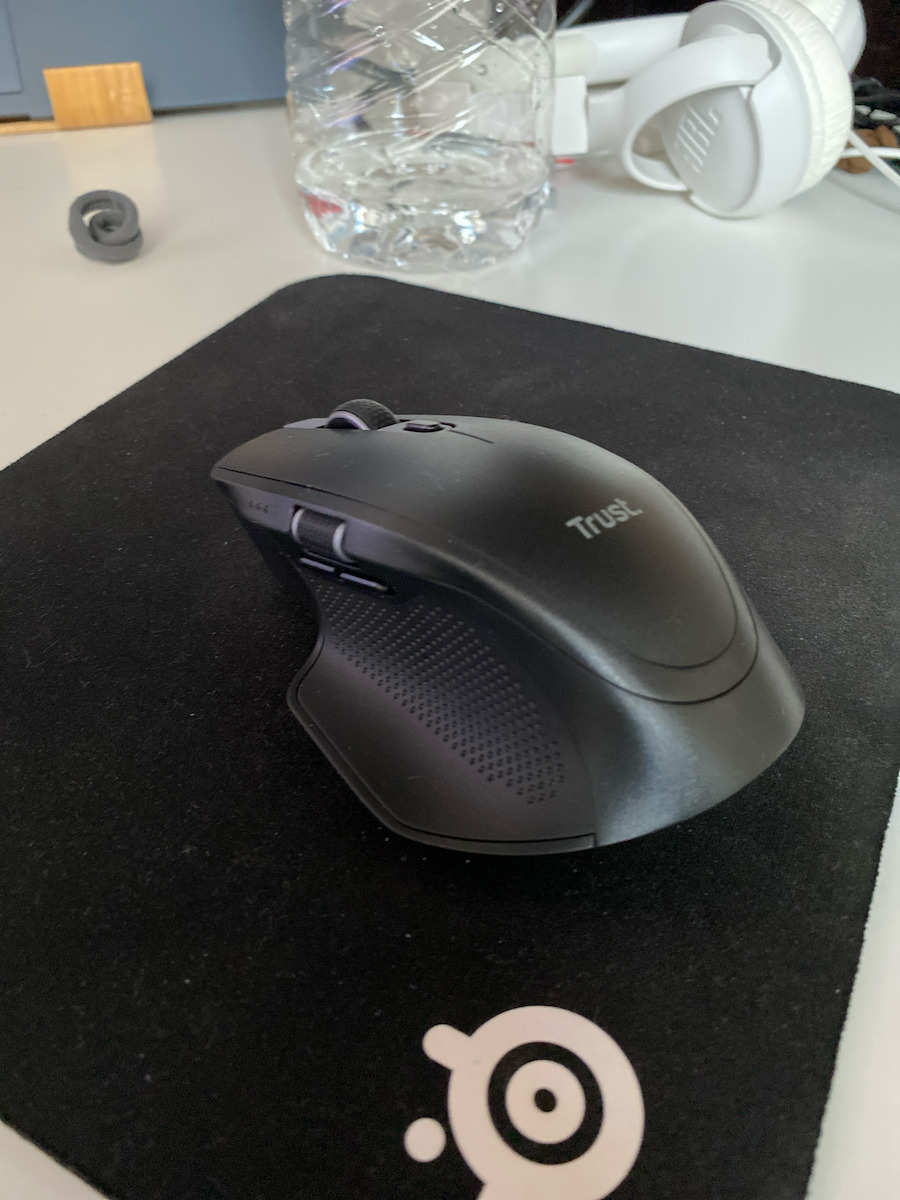
The Trust Ozaa+ mouse connects wirelessly via Bluetooth or a 2.4 GHz USB receiver, and wired via a USB-C cable. It supports connection to up to three devices and has three LED indicators for battery...
The Trust Ozaa+ mouse connects wirelessly via Bluetooth or a 2.4 GHz USB receiver, and wired via a USB-C cable. It supports connection to up to three devices and has three LED indicators for battery status. The optical sensor has a resolution of 3200 DPI, while the six buttons include a scroll wheel.
The Trust Ozaa+ mouse connects wirelessly via Bluetooth or a 2.4 GHz USB receiver, and wired via a USB-C cable. It supports connection to up to three devices and has three LED indicators for battery status. The optical sensor has a resolution of 3200 DPI, while the six buttons include a scroll wheel.
Type: Standard
Design: Ambidextrous
Colour: Black
Material: ABS
Sensor technology: Optical
Sensor resolution: 3200 DPI
Buttons: 6
Scroll type: Wheel
Connection: Bluetooth, 2.4 GHz wireless USB receiver, USB-C cable
Multi-device connection: Up to 3 devices
Rechargeable: Yes, via USB-C
Power source: Batteries or cable
Charging power: 2–5 W
Weight: 104 g
Length: 120 mm
Width: 80 mm
Height: 46 mm
Compatible operating systems: Windows 10, Windows 11, Mac OS X 11.0 Big Sur, Mac OS X 12.0 Monterey, Mac OS X 13.0 Ventura, ChromeOS, Android, iOS
Package contents: Nano USB Type-A wireless receiver
Specifications are collected from official manufacturer websites. Please verify the specifications before proceeding with your final purchase. If you notice any problem you can report it here.
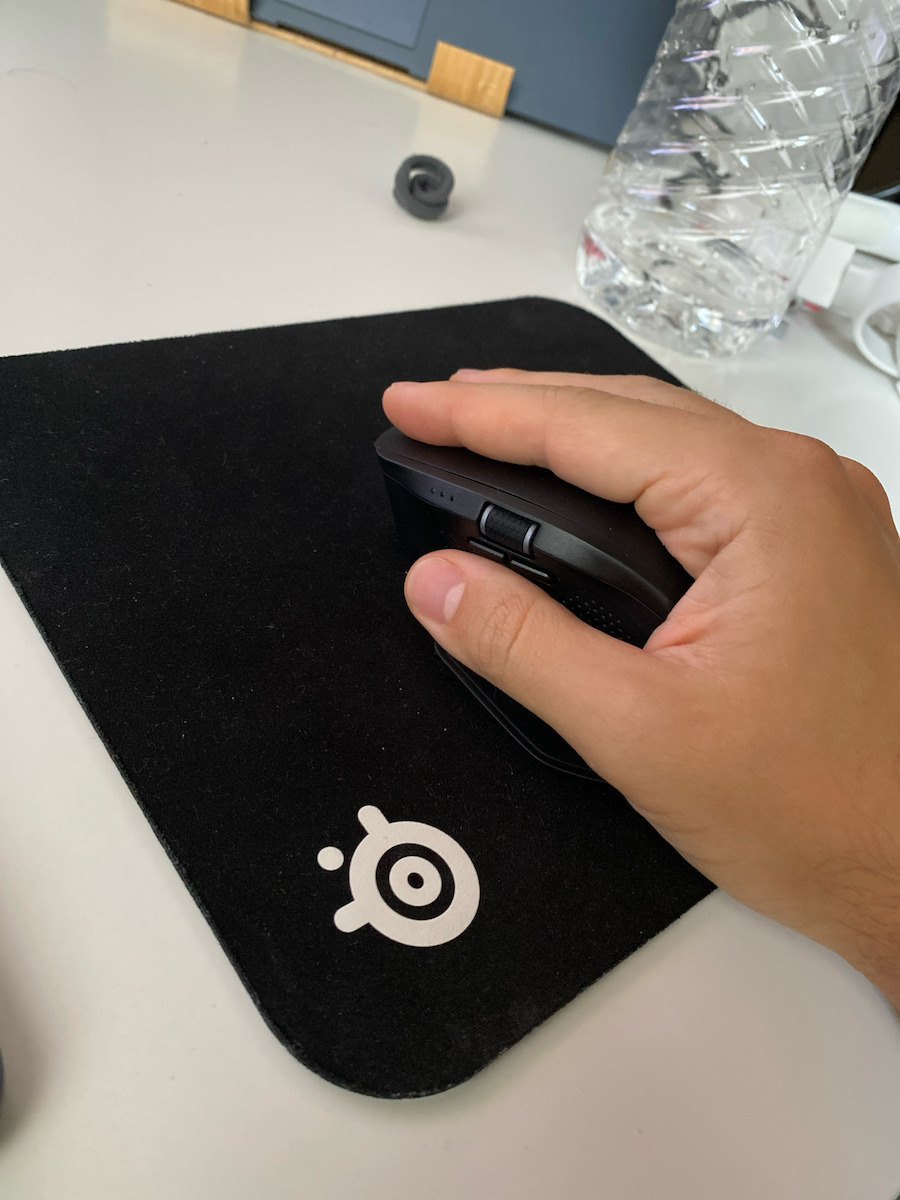
It has a nice grip. It fills a medium-sized male hand.
They have copied the design of the Logitech MX Master 3s, but it is a bit smaller/lower.
Its build quality seems average.
Its accuracy is also average.
The battery lasts quite a while.
I have installed the software and set up the buttons from 2 different computers, but almost never do they work as I have set them, unless I open the software first. And after a while, they might stop working again!
Regarding the software, since it is not mentioned anywhere: you can configure all the buttons (no macros, but otherwise any setting you want) except for the dpi button which is fixed. You can create profiles but there are no other options or information (e.g. battery level), nor can you set an exact dpi value, so you can only have 3 discrete values via the button: 800, 1600, 3200.
Έχει ωραίο κράτημα. Γεμίζει ένα μεσαίο αντρικό χέρι.
Έχουν κλέψει την σχεδίαση του Logitech MX Master 3s, αλλά ειναι λίγο πιο μικρό/χαμηλό.
Η ποιότητα κατασκευής του φαίνεται μέτρια.
Η ακρίβεια του επίσης μέτρια.
Η μπαταρία του κρατάει αρκετά.
Έχω βάλει το πρόγραμμα και έχω ρυθμίσει τα κουμπιά απο 2 διαφορετικούς υπολογιστές, αλλά σχεδόν ποτέ δεν δουλεύουν όπως τα χω ρυθμίσει, αν δεν ανοίξω πρώτα το πρόγραμμα. Και μετά απο λίγο μπορεί να σταματήσουν πάλι να δουλεύουν!
Σχετικά με το πρόγραμμα, μιας και δεν αναφέρεται πουθενά: μπορείς να ρυθμίσεις όλα τα κουμπιά (δεν έχει μακροεντολές, κατά τα άλλα ότι ρύθμιση θέλεις) εκτός απο το κουμπί dpi που ειναι σταθερό. Έχει να φτιάξεις προφίλ αλλά δεν έχει καμία άλλη επιλογή ή πληροφορία (πχ στάθμη μπαταρίας), αλλά ούτε και να ορίσεις ακριβή τιμή dpi, επομένως μπορείς να έχεις μόνο 3 διακριτές τιμές μέσω του κουμπιού: 800, 1600, 3200.