For the purpose it is intended, which is accessing wifi only for the room it is installed in and neighboring rooms with just one wall in between, it is excellent!
The speeds on both 2.4GHz and 5GHz are excellent, and the Gigabit Ethernet is very helpful (assuming there is a Gigabit Switch on the other end of the cable, of course).
One limitation it has is that it does not support channels above 48 on the 5GHz band.
Specifically, it only operates on channels 36, 40, 44, and 48, without the ability to operate on DFS channels that go up to 136 like other 5GHz antennas. It also does not support Mesh, fast roaming, and generally lacks the capabilities that almost all other Tp-Link access points have for the Omada ecosystem. In simple terms, it is a very basic access point designed to transmit only in one room, and the only thing it offers is the convenience of being wall-mounted without bothering with cables, being dual channel, and providing the option for Ethernet cable like a regular RJ45 socket. Fortunately, it supports VLAN at least...
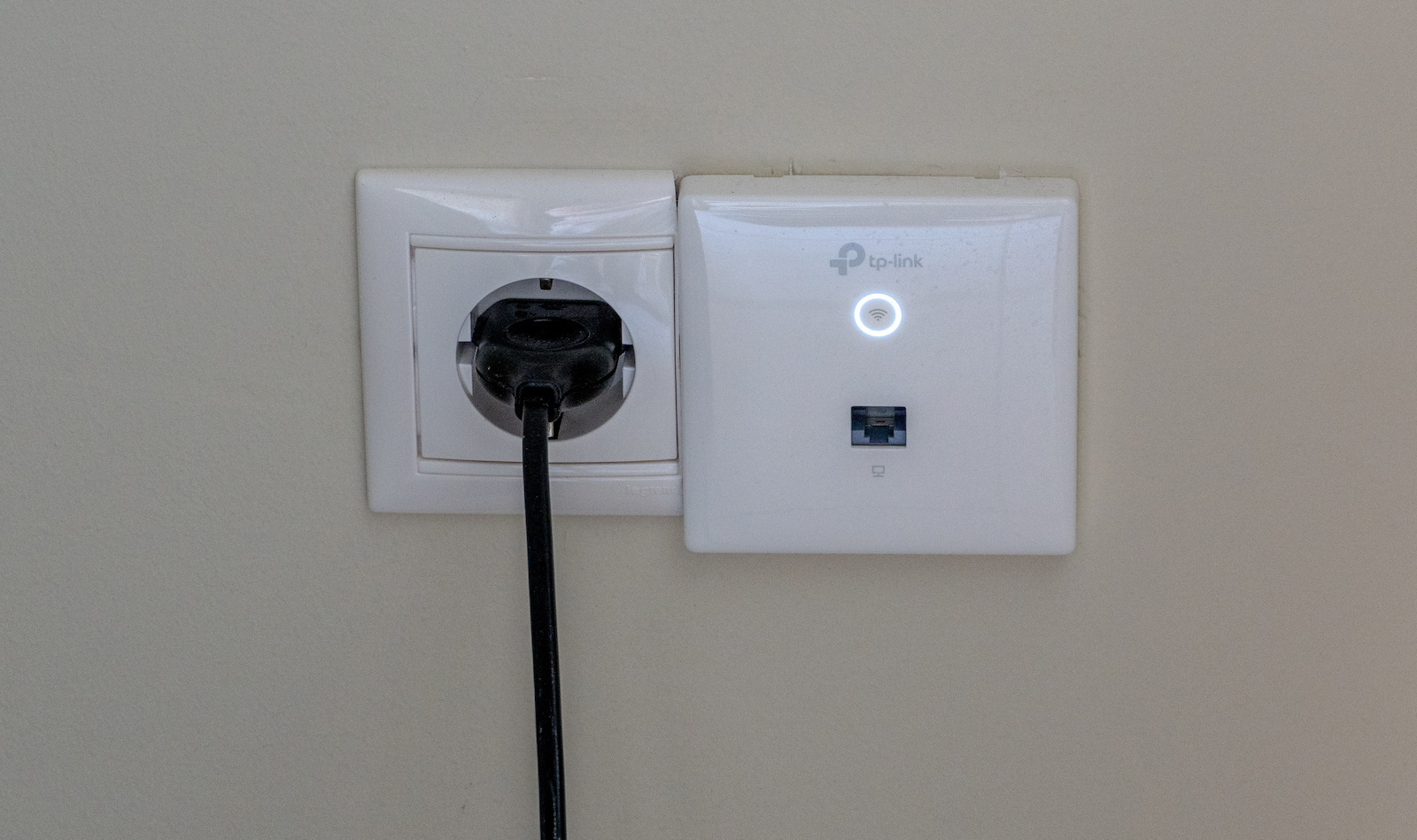
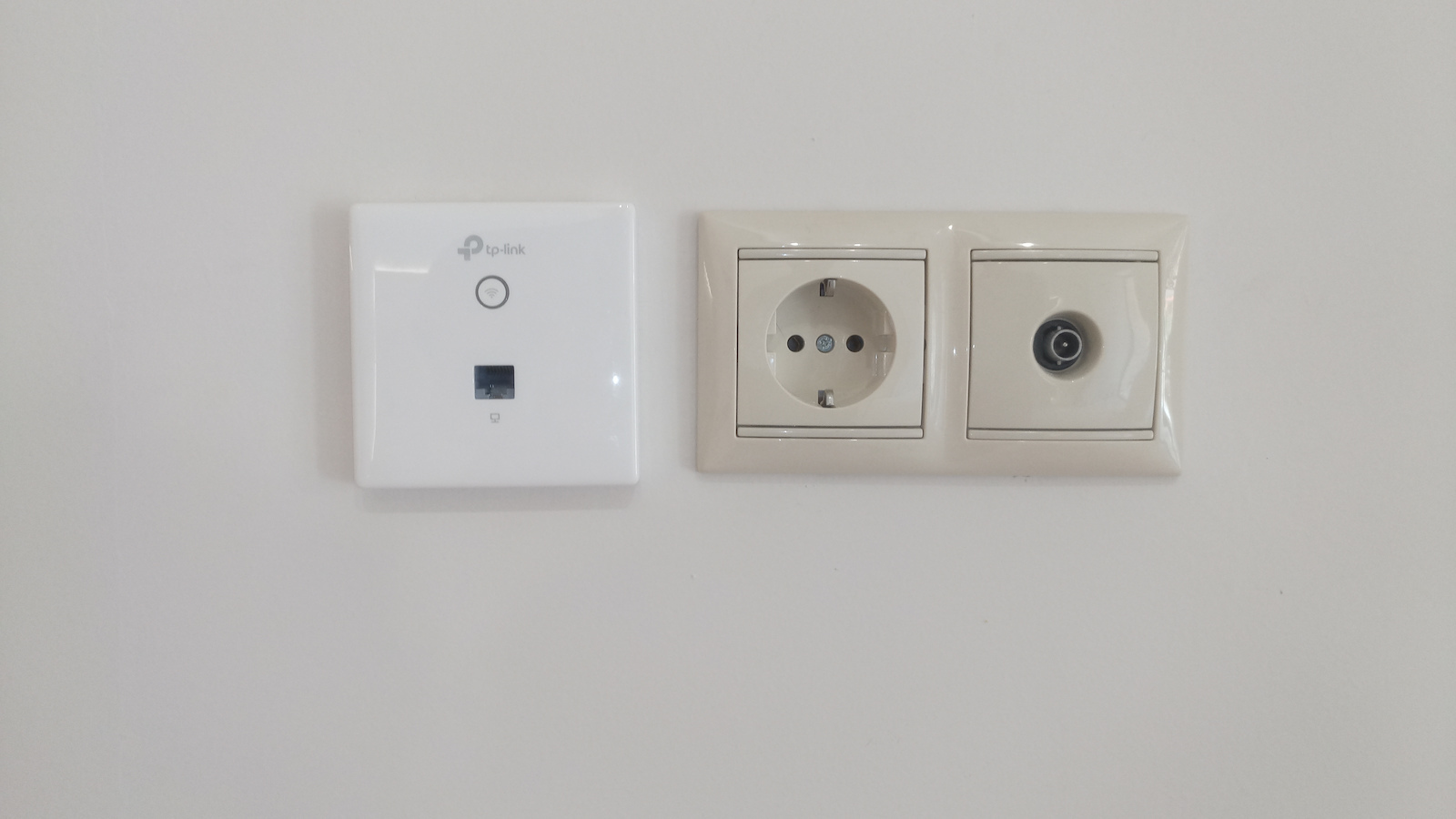
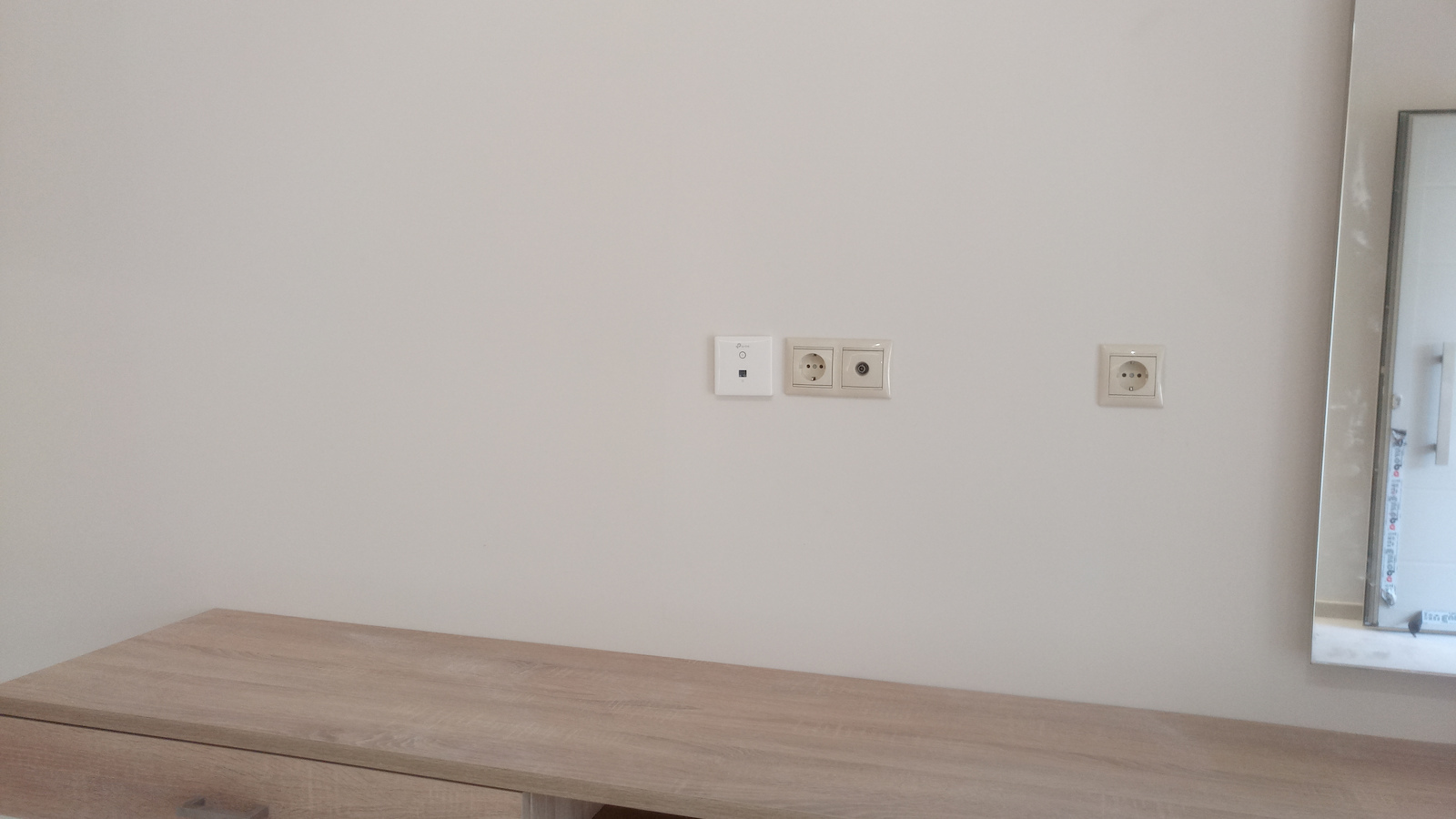
The installation is very easy in a recessed standard plastic box on the wall, but if you have a double socket with a plastic frame (e.g. a socket right next to the Ethernet socket), they will not fit together as the external dimensions are somewhat large. It would be best to install it alone in a box a bit further away from the other sockets so as not to be bothersome. Otherwise, you would have to saw off the frame of the adjacent socket or come up with another solution like in the photo, which is likely to look bad. I should also note something that seemed very strange to me and unfortunately gave me a negative impression of TP-Link, which seems to have copied from UBNT or Apple:
The two screws included in the package to screw the antenna onto the box are neither straight, nor Allen, nor Torx, nor Philips (crosshead), but triangular in shape! So if someone doesn't have the appropriate (and rare) screwdriver with a pyramid-shaped tip (or the appropriate width tester to come up with a solution), they won't be able to screw it in! I really don't understand why TP-Link decided to use triangular screws! Taking into account that the frame is much larger and does not fit next to any other socket next to it, it seems that they must really hate those who buy their products. Needless to say, I eventually bought normal screws from the market for a crosshead screwdriver and did the job.
The installation/configuration was done together with a router, switch, and Omada controller from TP-LINK. The package does not include a POE power supply (48v), and this role was taken over by the switch with POE ports, and of course, all of this is on the necessary UPS. The configuration through Omada is very easy, and during their operation for the past three months, I never had to restart any of them (25 of them were installed in a hotel in combination with some external EAP225 V3 devices). I would buy them again not only for clients but also for my own use if they didn't have the following serious problem:
2 out of 10 devices trying to connect to the hotel's WiFi from these antennas cannot do so (fortunately, they all work fine with the external EAP225).
The Omada logs about 4000 errors per day with the message:
"the specified Mac Address failed to connect to antenna No20 with SSID "Hotel" on channel 40 because WPA Authentication times out/failed. (1 time in a minute)
Upon researching the above, I discovered that it is a firmware issue in some TP-LINK devices for years and they still haven't solved it!
There are various "workarounds" to minimize the errors and allow someone to connect to the WiFi, such as changing the DTIM from 1 to 3, disabling fast roaming, changing the Beacon interval, etc. But in my case, none of them proved useful, not even resetting and reconfiguring the entire hotel from scratch without any unusual settings (for which you pay for Omada anyway) like AI Roaming, WPA3 support, etc.
Firmware updates are released every 2-3 months, but there seems to be no light at the end of the tunnel.
Out of the affected devices, 70% are Apple and 30% are Android, and so far I haven't heard any complaints from laptops and Windows.
Update: To restore TP-link's reliability (which has given countless reasons in the past), I would like to inform that the issue with mainly Apple devices' connection was not related to TP-link but to Apple devices themselves.
In the latest AppleOS versions, Apple finally found the ambition and diligence to inform the device user about the reason why their device is not connecting to WiFi, and that reason was that it did not consider the WPA/WPA2 TKIP protocol (which TP-link obviously had set to "auto" for compatibility with old devices) as "secure," so the device itself decided not to connect at all.
The ironic part is that in a WiFi without a password, the same device considered it "secure" and connected normally!
Seems like they have the best stuff over at Apple!
Since then, since the setting permanently changed from "auto" to AES, there hasn't been any issue with the device. Now, if someone with a 15-year-old mobile or laptop comes along, we'll see...
Για την χρήση που προορίζεται, δηλαδή για πρόσβαση στο wifi μόνο για το δωμάτιο που είναι εγκατεστημένο και με περιορισμούς και προϋποθέσεις και σε διπλανά δωμάτια με διαφορά ενός μόνο τοίχου, είναι εξαιρετικό!
Οι ταχύτητες και σε 2.4GHz και σε 5GHz είναι εξαιρετικές ενώ και το Χιλιάρι Ethernet βοηθάει πολύ (άν και εφόσον και την άλλη άκρη του καλωδίου υπάρχει χιλιάρι Switch εννοείται...
Ένας περιορισμός που έχει είναι ότι στα 5Ghz δεν έχει δυνατότητα για κανάλια πάνω απο το 48.
Συγκεκριμένα παίζει μόνο στα 36, 40, 44 και 48 χωρίς δυνατότητα να παίξει στα DFS κανάλια που φτάνουν μέχρι το 136 όπως οι άλλες 5GHz κεραίες, επίσης δεν υποστηρίζει Mesh, δεν υποστηρίζει fast roaming και γενικά δεν έχει τις δυνατότητες που έχουν σχεδόν όλα τα άλλα access points της Tp-Link για το οικοσύστημα Omada, είναι με απλά λόγια πολύ βασικά access points σχεδιασμένα να εκπέμπουν μόνο σε ένα δωμάτιο και το μόνο που προσφέρουν είναι η ευκολία του ότι μπαίνουν στον τοίχο χωρίς καλώδια να ενοχλούν, είναι dual channel, και σου προσφέρουν και την δυνατότητα για καλώδιο ethernet όπως μια απλή κανονική μπρίζα RJ45.
Ευτυχώς που υποστηρίζουν VLAN τουλάχιστον...
Η τοποθέτηση είναι πολύ εύκολη σε χωνευτό στάνταρ πλαστικό κουτί στον τοίχο, απλά αν έχετε διπλή μπρίζα με πλαστικό πλαίσιο (π.χ. μια μπρίζα σούκο ακριβώς δίπλα απο την μπρίζα Ethernet) δεν θα χωρέσουν μαζί καθώς η εξωτερική διάσταση είναι κάπως μεγάλη και καλό θα είναι να μπεί μόνο του η σε ένα κουτί λίγο πιο μακριά απο τις υπόλοιπες μπρίζες ώστε να μην ενοχλεί, διαφορετικά πρέπει να πριονίσετε το πλαίσιο της διπλανής μπρίζας ή να κάνετε κάποια άλλη πατέντα όπως στην φώτο, η οποία το πιο πιθανό είναι να φαίνεται και άσχημα.
Να σημειώσω και κάτι που μου φάνηκε πολύ περίεργο και δυστυχώς σχημάτισα αρνητική εικόνα για την TP-link που μάλλον ζήλεψε από το καλάμι που έχει καβαλήσει η UBNT ή η Apple:
Οι δύο βίδες που περιλαμβάνονται στην συσκευασία για να βιδώσετε την κεραία στο κουτί, δεν είναι ούτε ίσιες, ούτε άλεν, ούτε torx, ούτε Philips (σταυροκατσάβιδο), αλλά τριγωνικού σχήματος!
Αν λοιπόν δεν έχει κάποιος το κατάλληλο (και σπάνιο) κατσαβίδι με μύτη σχήματος πυραμίδας (ή το κατάλληλου πλάτους δοκιμαστικό για να κάνει πατέντα) δεν μπορεί να το βιδώσει!
Πραγματικά δεν καταλαβαίνω τον λόγο που η Tp-Link αποφάσισε να βάλει τριγωνικές βίδες!
Αν λάβουμε υπόψιν και το ότι το πλαίσιο είναι πολύ μεγαλύτερο και δεν χωράει δίπλα σε καμμία άλλη πρίζα που βρίσκεται δίπλα της, Mάλλον πρέπει να μισεί πολύ όσους αγοράζουν τα προϊόντα της.
Εννοείται πως τελικά αγόρασα νορμάλ βίδες εμπορίου για σταυροκατσάβιδο και έκανα δουλειά μου.
Η εγκατάσταση/παραμετροποίηση έγινε μαζί με ρούτερ, Switch και controller του λογισμικού Omada της TP-LINK, η συσκευασία δεν περιλαμβάνει τροφοδοτικό POE (48v) και αυτό τον ρόλο τον ανέλαβε το Switch που έχει θύρες POE και φυσικά όλα αυτά μαζί επάνω στο απαραίτητο UPS.
H ρύθμιση μέσα απο το Ομαδα είναι πολύ εύκολη, κατα την λειτουργία τους εδώ και τρείς μήνες δεν χρειάστηκε ποτέ να κάνω επανεκκίνηση σε κανένα (εγκαταστάθηκαν 25 από αυτά σε ξενοδοχείο σε συνδυασμό με μερικά εξωτερικά EAP225 V3)
Θα τα αγόραζα ξανά όχι μόνο για πελάτη αλλά και για δική μου χρήση εάν δεν έβγαζαν το εξής σοβαρό πρόβλημα:
Οι 2 στις 10 συσκευές που προσπαθούν να συνδεθούν στο WiFi του ξενοδοχείου απο τις συγκεκριμένες κεραίες ΔΕΝ μπορούν να το κάνουν (ευτυχώς δουλεύουν όλοι κανονικά με τα εξωτερικά EAP225).
Το Omada κάνει log περίπου 4000 error την μέρα με το μήνυμα ότι:
"η τάδε Mac Address failed to connected to antenna Νο20 with SSID "Hotel" on channel 40 because WPA Authentication times out/failed.(1 time in a minute)
Ψάχνοντας το παραπάνω ανακάλυψα ότι είναι firmware πρόβλημα σε μερικές συσκευές του οικοσυστήματος της TP-LINK εδώ και χρόνια και ακόμα δεν το έχουν λύσει!
Υπάρχουν διάφορες "πατέντες" για να ελαχιστοποιήσουμε τα errors και να μπορέσει κανένας άνθρωπος να συνδεθεί στο WiFi όπως να αλλάξουμε το DTIM απο 1 σε 3, να απενεργοποιήσουμε τα fast roaming, να αλλάξουμε το Beacon interval κτλ αλλά στην δική μου περίπτωσή μου δεν φάνηκε χρήσιμο τίποτα απολύτως, ούτε κάν το reset και ξαναρύθμιση όλου του ξενοδοχείου απο την αρχή και χωρίς περίεργες ρυθμίσεις (για τις οποίες πληρώνεις το Omada έτσι κι αλλιώς) όπως AI Roaming, WPA3 support κτλ...
Firmware updates βγαίνουν κάθε 2-3 μήνες μεν, αλλά φως στο τούνελ δεν φαίνεται πουθενά.
Απο τις συσκευές που επηρεάζονται περισσότερο είναι κατά ένα ποσοστό 70% Apple και 30% Android, με λαπτοπ και Windows μέχρι τώρα δεν έχω μάθει κάποιο παράπονο.
Update: Προς αποκατάσταση της αξιοπιστίας της TP-link (η οποία έχει δώσει στο παρελθόν αμέτρητες αφορμές) να ενημερώσω ότι το πρόβλημα με την σύνδεση κυρίως Apple συσκευών τελικά είχε να κάνει όχι με την TP-link αλλά με τις συσκευές της Apple.
Στις τελευταίες εκδόσεις AppleOS, η Apple βρήκε επιτέλους το φιλότιμο και την ευθιξία να ενημερώνει τον χρήστη της συσκευής για τον λόγο που η συσκευή του δεν συνδέεται στο WiFi, και αυτός ήταν ότι δεν θεωρούσε ότι το πρωτόκολλο WPA/WPA2 TKIP (που προφανώς τα TP-link είχαν στο "auto" για συμβατότητα και με παλιές συσκευές) ΔΕΝ είναι "ασφαλές" οπότε η ίδια η συσκευή αποφάσιζε να ΜΗΝ συνδεθεί καθόλου.
Το ειρωνικό είναι ότι σε WiFi ΧΩΡΙΣ password η ίδια συσκευή το θεωρούσε "ασφαλές" και συνδεόταν κανονικά!
Μάλλον εκεί στην Apple καπνίζουν τα καλύτερα!
Απο τότε λοιπόν που η ρύθμιση άλλαξε μόνιμα απο "auto" σε AES δεν υπήρξε ξανά πρόβλημα με συσκευή, τώρα αν βρεθεί κάποιος με κινητό ή λάπτοπ 15ετίας, θα δούμε...