DSL Modems / Routers

Cudy WR3000H v1 Wireless Router Wi‑Fi 6 with 4 Gigabit Ports

Key features:

  • For Simple Everyday Use
  • Wi-Fi 6 Speeds up to 3000Mbps
  • Four Gigabit Ethernet Ports
  • Four External Antennas
  • Cudy Mesh Support for Coverage
  • Advanced WPA3 Security
See full description
  • See all
45 80
Delivery by Wed, 24 Jun
14,00 €   shipping cost
Sent from Greece
From Ravolta
Greece
14 pieces
See Networking on the page of Ravolta

Description

Description

The Cudy WR3000H Wi-Fi6 AX3000 2.5G Access Point is a next-generation solution for networks requiring speed, flexibility, and security. It features AX3000 Wi-Fi 6 technology, offering high performance for 4K/8K streaming, online gaming, and teleworking without interruptions.

Main features:

  • 2.5 Gbps Multi-Gigabit WAN Port for utilizing the fastest connections.
  • Dual-core ARM Cortex-A53 1.3 GHz processor for stability in environments with many connected devices.
  • 5-in-1 Multi-Mode operation as a router, access point, repeater, or mesh node.
  • VPN support (PPTP, L2TP, OpenVPN, WireGuard, IPsec) for enhanced security.
  • TR069 / TR098 / TR111 / TR181 technologies for professional management.
  • EasyMesh and Cudy Mesh Ready for seamless Wi-Fi coverage.

The Cudy WR3000H offers a comprehensive networking solution with an emphasis on speed and security.

Manufacturer

See full description

Specifications

Specifications

Network Specifications

Type
Router
Maximum Wireless Speed
3000 Mbps
Maximum LAN Speed
1000 Mbps
Portable Hotspot
No
Wi-Fi Generation
Wi‑Fi 6
Network Standards
IEEE 802.11 b/g/n, IEEE 802.11a, IEEE 802.11ac, IEEE 802.11ax, IEEE 802.3/3u, IEEE 802.3ab
Wi-Fi Frequency
Dual Band (2.4 & 5GHz)

Connectivity

Wireless network
Yes
Ethernet LAN connections
4
ISDN Connection
No
SIM slot
No

Security

Firewall
NAT
Encryption Protocols
WPA, WPA-Personal, WPA3-Personal, WPS
MAC Address Filtering
Yes

Extras

Virtual Private Network (VPN)
Yes
VoIP
No
Mesh
Yes

Important information

Specifications are collected from official manufacturer websites. Please verify the specifications before proceeding with your final purchase. If you notice any problem you can report it here.

See all specifications

Reviews (11)

Reviews

  1. 11
  2. 4 stars
    0
  3. 3 stars
    0
  4. 2 stars
    0
  5. 1 star
    0
Review this product
  • Operational stability
  • Ease of installation
  • Speed
  • Value for money

Reviews by our members

  • Many features but mainly for the VPN with kill switch for those who know.. Good mobile app for managing settings even remotely. Good wifi range.

    Translated from Greek ·
    Did you find this review helpful?
  • grampana
    5
    2 out of 2 members found this review helpful

    Verified purchase

    Very good router. It solved my bufferbloat problem - as I had high upload latency (220-300ms). With some QoS settings, the upload latency is 25!

    Its GUI is beautifully and clearly designed. There is support from Cudy itself for upgrading the firmware so you can install openWRT, as well as complete instructions on the openWRT site on how to do the installation.

    Attention to those who buy it: know that it is only a router and not a modem. So its installation should be done after the modem of your provider. You disable the DHCP server from your ISP's modem (although it is not necessary), turn off the wifi of the modem router, and enter the ISP's username and password into the Cudy.

    The installation is very simple as it is done with a few clicks with the help of the router's wizard.

    Translated from Greek ·
    Did you find this review helpful?
  • Sotiris_V
    5
    1 out of 1 members found this review helpful

    Verified purchase

    Very satisfied with the Cudy, I had the Speedport Plus 2 (what can one say) which is now gone... I installed OpenWrt 24.10.3, the latest version, and the device flies, absolute control, although it does require a bit of tinkering. I would have liked it to have a USB port, but for the price and what it does, it's just fine!

    Translated from Greek ·
    Did you find this review helpful?
  • vag_k
    5
    6 out of 6 members found this review helpful

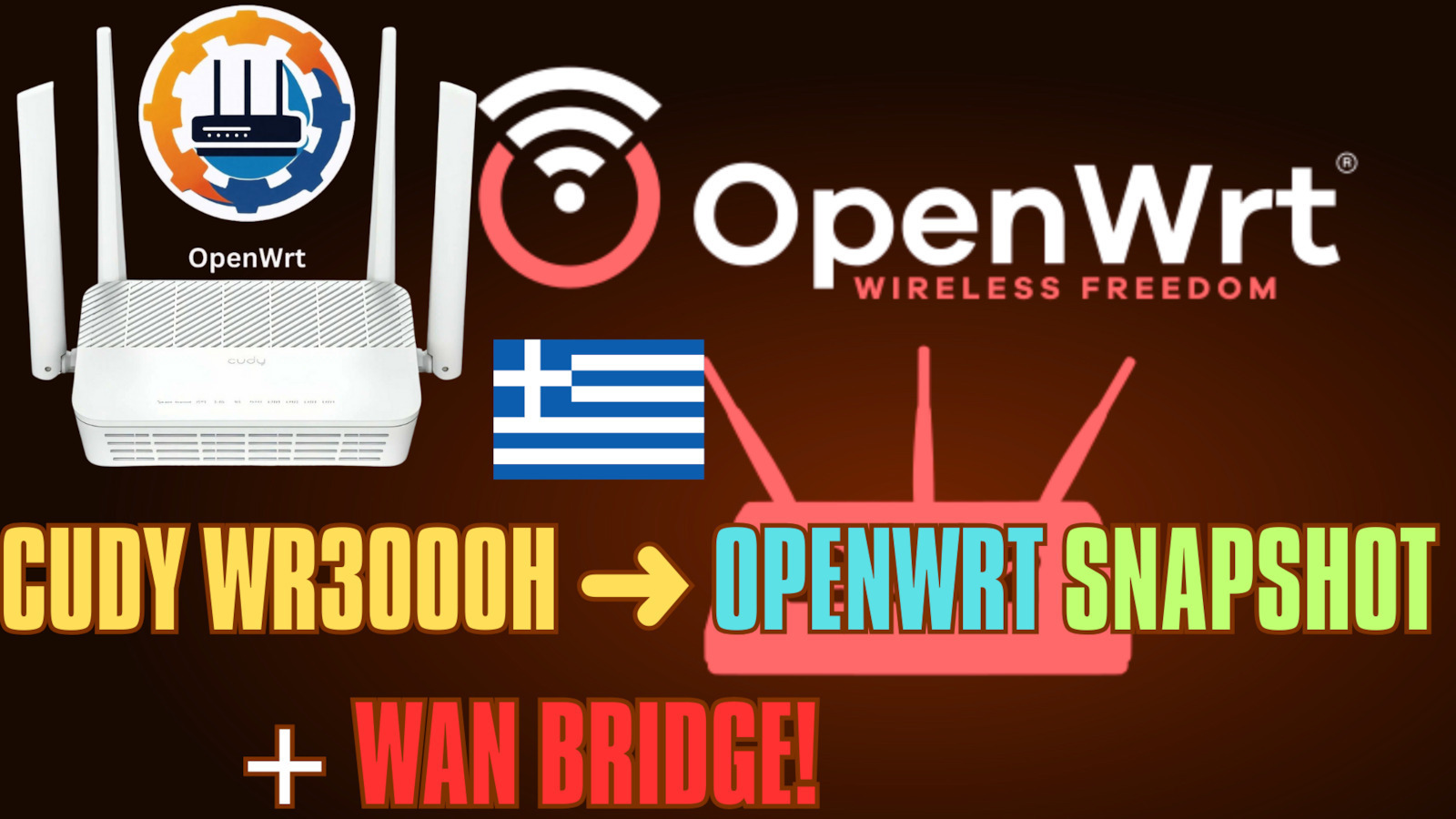
    In the following video I have made a presentation for the WR3000H on how to install Openwrt Firmware and Web Luci and set it up as a WAN Bridge pppoe through OpenWRT. It is for the WR3000H model. You can do something similar with the Cudy WR3000, with its own firmware, which is even easier (you don't need to do the process to install web luci on the WR3000). From there on, you can also set up VPN with the appropriate steps for the WR3000, as long as you research it first.

    https://youtu.be/876Gk55JYhE

    Also check out this video on how to bridge it with your provider's device:

    https://youtu.be/uNcTMlCI3h8

    Translated from Greek ·
    Did you find this review helpful?
  • Verified purchase

    A good option to start playing with openwrt!

    Translated from Greek ·
    • Operational stability
    • Ease of installation
    • Speed
    • Value for money
    Did you find this review helpful?
  • Verified purchase

  • Verified purchase

  • Verified purchase

  • Verified purchase

    • Operational stability
    • Ease of installation
    • Speed
    • Value for money
  • Verified purchase

    • Operational stability
    • Ease of installation
    • Speed
    • Value for money
  • Many features but mainly for the VPN with kill switch for those who know.. Good mobile app for managing settings even remotely. Good wifi range.

    Translated from Greek ·
    0
  • Very good router. It solved my bufferbloat problem - as I had high upload latency (220-300ms). With some QoS settings, the upload latency is 25!

    Its GUI is beautifully and clearly designed. There is support from Cudy itself for upgrading the firmware so you can install openWRT, as well as complete instructions on the openWRT site on how to do the installation.

    Attention to those who buy it: know that it is only a router and not a modem. So its installation should be done after the modem of your provider. You disable the DHCP server from your ISP's modem (although it is not necessary), turn off the wifi of the modem router, and enter the ISP's username and password into the Cudy.

    The installation is very simple as it is done with a few clicks with the help of the router's wizard.

    Translated from Greek ·
    2
  • Very satisfied with the Cudy, I had the Speedport Plus 2 (what can one say) which is now gone... I installed OpenWrt 24.10.3, the latest version, and the device flies, absolute control, although it does require a bit of tinkering. I would have liked it to have a USB port, but for the price and what it does, it's just fine!

    Translated from Greek ·
    1
  • In the following video I have made a presentation for the WR3000H on how to install Openwrt Firmware and Web Luci and set it up as a WAN Bridge pppoe through OpenWRT. It is for the WR3000H model. You can do something similar with the Cudy WR3000, with its own firmware, which is even easier (you don't need to do the process to install web luci on the WR3000). From there on, you can also set up VPN with the appropriate steps for the WR3000, as long as you research it first.

    https://youtu.be/876Gk55JYhE

    Also check out this video on how to bridge it with your provider's device:

    https://youtu.be/uNcTMlCI3h8

    Translated from Greek ·
    6
  • See all

Description & Specifications

The Cudy WR3000H Wi-Fi6 AX3000 2.5G Access Point is a next-generation solution for networks requiring speed, flexibility, and security. It features AX3000 Wi-Fi 6 technology, offering high performance for 4K/8K streaming, online gaming, and teleworking without interruptions.

Main features:

  • 2.5 Gbps Multi-Gigabit WAN Port for utilizing the fastest connections.
  • Dual-core ARM Cortex-A53 1.3 GHz processor for stability in environments with many connected devices.
  • 5-in-1 Multi-Mode operation as a router, access point, repeater, or mesh node.
  • VPN support (PPTP, L2TP, OpenVPN, WireGuard, IPsec) for enhanced security.
  • TR069 / TR098 / TR111 / TR181 technologies for professional management.
  • EasyMesh and Cudy Mesh Ready for seamless Wi-Fi coverage.

The Cudy WR3000H offers a comprehensive networking solution with an emphasis on speed and security.

Manufacturer

Network Specifications

Type
Router
Maximum Wireless Speed
3000 Mbps
Maximum LAN Speed
1000 Mbps
Portable Hotspot
No
Wi-Fi Generation
Wi‑Fi 6
Network Standards
IEEE 802.11 b/g/n, IEEE 802.11a, IEEE 802.11ac, IEEE 802.11ax, IEEE 802.3/3u, IEEE 802.3ab
Wi-Fi Frequency
Dual Band (2.4 & 5GHz)

Connectivity

Wireless network
Yes
Ethernet LAN connections
4
ISDN Connection
No
SIM slot
No

Security

Firewall
NAT
Encryption Protocols
WPA, WPA-Personal, WPA3-Personal, WPS
MAC Address Filtering
Yes

Extras

Virtual Private Network (VPN)
Yes
VoIP
No
Mesh
Yes

Important information

Specifications are collected from official manufacturer websites. Please verify the specifications before proceeding with your final purchase. If you notice any problem you can report it here.

Reviews (11)

  1. 11
  2. 4 stars
    0
  3. 3 stars
    0
  4. 2 stars
    0
  5. 1 star
    0
Review this product
  • Operational stability
  • Ease of installation
  • Speed
  • Value for money

Reviews by our members

  • Many features but mainly for the VPN with kill switch for those who know.. Good mobile app for managing settings even remotely. Good wifi range.

    Translated from Greek ·
    Did you find this review helpful?
  • grampana
    5
    2 out of 2 members found this review helpful

    Verified purchase

    Very good router. It solved my bufferbloat problem - as I had high upload latency (220-300ms). With some QoS settings, the upload latency is 25!

    Its GUI is beautifully and clearly designed. There is support from Cudy itself for upgrading the firmware so you can install openWRT, as well as complete instructions on the openWRT site on how to do the installation.

    Attention to those who buy it: know that it is only a router and not a modem. So its installation should be done after the modem of your provider. You disable the DHCP server from your ISP's modem (although it is not necessary), turn off the wifi of the modem router, and enter the ISP's username and password into the Cudy.

    The installation is very simple as it is done with a few clicks with the help of the router's wizard.

    Translated from Greek ·
    Did you find this review helpful?
  • Sotiris_V
    5
    1 out of 1 members found this review helpful

    Verified purchase

    Very satisfied with the Cudy, I had the Speedport Plus 2 (what can one say) which is now gone... I installed OpenWrt 24.10.3, the latest version, and the device flies, absolute control, although it does require a bit of tinkering. I would have liked it to have a USB port, but for the price and what it does, it's just fine!

    Translated from Greek ·
    Did you find this review helpful?
  • vag_k
    5
    6 out of 6 members found this review helpful

    In the following video I have made a presentation for the WR3000H on how to install Openwrt Firmware and Web Luci and set it up as a WAN Bridge pppoe through OpenWRT. It is for the WR3000H model. You can do something similar with the Cudy WR3000, with its own firmware, which is even easier (you don't need to do the process to install web luci on the WR3000). From there on, you can also set up VPN with the appropriate steps for the WR3000, as long as you research it first.

    https://youtu.be/876Gk55JYhE

    Also check out this video on how to bridge it with your provider's device:

    https://youtu.be/uNcTMlCI3h8

    Translated from Greek ·
    Did you find this review helpful?
  • Verified purchase

    A good option to start playing with openwrt!

    Translated from Greek ·
    • Operational stability
    • Ease of installation
    • Speed
    • Value for money
    Did you find this review helpful?
  • Verified purchase

  • Verified purchase

  • Verified purchase

  • Verified purchase

    • Operational stability
    • Ease of installation
    • Speed
    • Value for money
  • Verified purchase

    • Operational stability
    • Ease of installation
    • Speed
    • Value for money
  • Many features but mainly for the VPN with kill switch for those who know.. Good mobile app for managing settings even remotely. Good wifi range.

    Translated from Greek ·
    0
  • Very good router. It solved my bufferbloat problem - as I had high upload latency (220-300ms). With some QoS settings, the upload latency is 25!

    Its GUI is beautifully and clearly designed. There is support from Cudy itself for upgrading the firmware so you can install openWRT, as well as complete instructions on the openWRT site on how to do the installation.

    Attention to those who buy it: know that it is only a router and not a modem. So its installation should be done after the modem of your provider. You disable the DHCP server from your ISP's modem (although it is not necessary), turn off the wifi of the modem router, and enter the ISP's username and password into the Cudy.

    The installation is very simple as it is done with a few clicks with the help of the router's wizard.

    Translated from Greek ·
    2
  • Very satisfied with the Cudy, I had the Speedport Plus 2 (what can one say) which is now gone... I installed OpenWrt 24.10.3, the latest version, and the device flies, absolute control, although it does require a bit of tinkering. I would have liked it to have a USB port, but for the price and what it does, it's just fine!

    Translated from Greek ·
    1
  • In the following video I have made a presentation for the WR3000H on how to install Openwrt Firmware and Web Luci and set it up as a WAN Bridge pppoe through OpenWRT. It is for the WR3000H model. You can do something similar with the Cudy WR3000, with its own firmware, which is even easier (you don't need to do the process to install web luci on the WR3000). From there on, you can also set up VPN with the appropriate steps for the WR3000, as long as you research it first.

    https://youtu.be/876Gk55JYhE

    Also check out this video on how to bridge it with your provider's device:

    https://youtu.be/uNcTMlCI3h8

    Translated from Greek ·
    6
  • See all
45,80 €
14,00 €   shipping cost