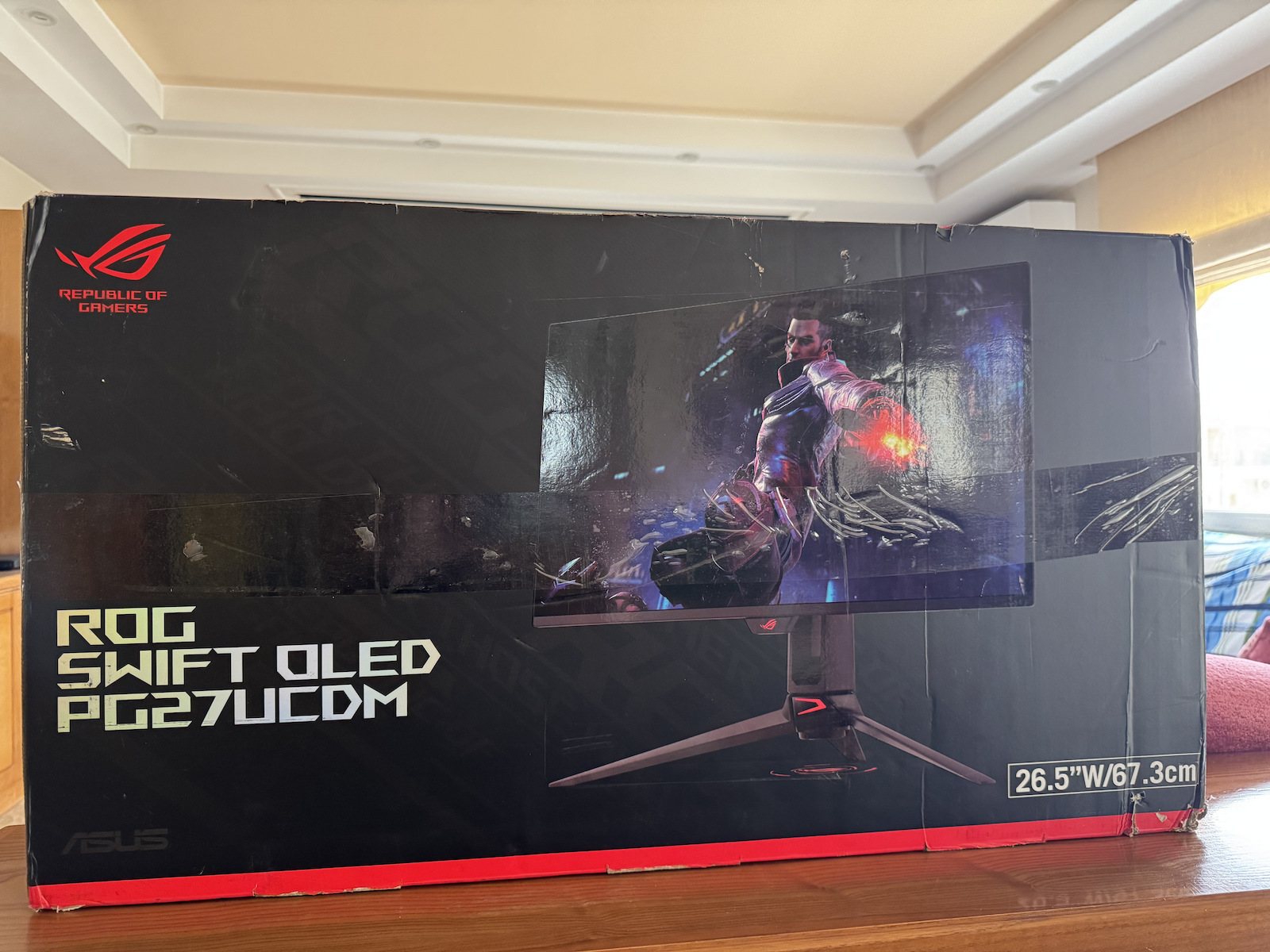
Monitors

Asus ROG Swift OLED Monitor 27" 4K 3840x2160 240Hz with Response Time 0.03ms GTG

Key features:

  • QD-OLED 26.5 inches
  • 4K (3840 x 2160)
  • Refresh rate 240Hz
  • Response time 0.03ms
  • OLED Anti-Flicker 2.0 technology
See full description
  • See all
Available purchase options

Description

Description

ROG Swift OLED PG27UCDM Gaming Monitor ― 27-inch 4K QD-OLED monitor (26.5-inch viewable), 240Hz, 0.03ms (GTG), OLED Anti-Flicker 2.0, custom heatsink, OLED Care Pro, Neo proximity sensor, G-SYNC® compatible, VESA DisplayHDR™ 400 True Black, uniform brightness, 99% DCI-P3, true 10-bit color, DisplayWidget Center, DisplayPort™ 2.1a UHBR20 (full bandwidth 80Gbps)

  • 26.5-inch 4K (3840 x 2160) QD-OLED gaming monitor with 240Hz refresh rate and 0.03ms response time
  • The latest 4th generation QD-OLED technology offers sharper images and crystal-clear text, with longer lifespan compared to previous generation OLEDs.
  • OLED Anti-Flicker 2.0 technology features a new brightness compensation algorithm that reduces flicker by 20% compared to previous generation panels, ensuring comfortable viewing.
  • The new ASUS OLED Care Pro works with a Neo proximity sensor that accurately detects when the user is away, switching to a black screen to reduce the risk of burn-in.
  • Extensive connectivity options include DisplayPort™ 2.1a UHBR20 with full 80Gbps bandwidth, USB-C® (90W PD), HDMI® 2.1, and tripod socket.
  • Dolby Vision® support, VESA DisplayHDR™ 400 True Black compatibility, 99% DCI-P3 gamut, true 10-bit color, and Delta E < 2 color difference for stunning HDR performance, making the monitor ideal for photo and video editing.
  • DisplayWidget Center allows users to easily access OLED Care Pro features and adjust monitor settings using a mouse.

The ROG Swift OLED PG27UCDM is a 27-inch 4K gaming monitor with a 240Hz refresh rate, featuring the latest fourth-generation QD-OLED technology to deliver exceptionally sharp graphics and clear text. The innovative QD-OLED panel offers a longer lifespan compared to previous OLED technologies and minimal flicker—even when frame rates fluctuate. With the addition of the Neo proximity sensor in the new ROG OLED Care Pro suite, the monitor switches to a black screen when no user is detected, protecting against burn-in. The built-in DisplayPort™ 2.1a UHBR20 port provides a full 80Gbps bandwidth to support uncompressed 4K graphics at an impressive 240Hz, taking your viewing experience to the next level.

The ROG Swift OLED PG27UCDM is the first 27-inch 4K OLED gaming monitor from ROG. Designed for demanding gamers and professional creators, it offers a 240Hz refresh rate and a 0.03ms gray-to-gray (GTG) response time for exceptionally sharp and smooth graphics.

Ultra-clear images and text

The latest generation QD-OLED monitor features an impressive pixel density of 166ppi for optimal display and incredibly sharp text, delivering an unparalleled viewing experience.


ROG OLED Anti-Flicker 2.0

The new ROG OLED Anti-Flicker 2.0 technology minimizes screen flicker by up to 20% compared to previous generation panels, allowing for comfortable gaming experiences.

Refresh Rate Limit

This feature limits the screen refresh rate to reduce screen flickering. The three presets (High / Medium / Off) have been upgraded, allowing each to cover a wider range of refresh rates to suit individual preferences.

ASUS OLED CARE PRO

The new ASUS OLED Care Pro technology offers a complete set of customizable display settings to protect the OLED screen and ensure its longevity. In addition, it includes the new Neo proximity sensor that detects your distance from the screen and switches to a black image when you are away, to protect the screen from burn-in. All settings can be easily managed through the DisplayWidget Center.

The built-in Neo proximity sensor accurately detects your distance from the screen. When you move away, the screen switches to a black image to prevent screen burn-in and instantly restores the content when you return. The detection distance can be adjusted to your personal preferences, ensuring maximum comfort and protection.

Manufacturer

See full description

Specifications

Specifications

Main Specifications

Panel
OLED
HDR
No
Curved
No
UltraWide
No
Diagonal
27 "
Resolution
3840x2160
Response Time (GTG)
0.03 ms
Refresh Rate
240 Hz
Aspect Ratio
16:9

Ergonomics

Tilt Adjustment
Yes
Height Adjustment
No
Vertical Rotation
No
Horizontal Rotation
No
Wall Mountable (Vesa)
100 x 100 mm

Connectivity

Connection
HDMI

Additional Specifications

Features & Functions
G-Sync Compatible, FreeSync Premium Pro, KVM Switch, USB Hub, HDMI 2.1
Speakers
No
Eye Comfort
No
Camera
No
Colour
Black

Important information

Specifications are collected from official manufacturer websites. Please verify the specifications before proceeding with your final purchase. If you notice any problem you can report it here.

See all specifications

Reviews (4)

Reviews

  1. 4
  2. 4 stars
    0
  3. 3 stars
    0
  4. 2 stars
    0
  5. 1 star
    0
Review this product

Reviews by our members

  • TECH_PC
    5
    12 out of 12 members found this review helpful

    ⭐⭐⭐⭐⭐ 5/5
    The best monitor I have ever bought – excellent in everything

    In the last 5 years, I have owned more than 15 different monitors, from €200 to €2,000 (Apple Studio Display), both for professional use (Design, Editing/Processing, etc.) and for gaming on PC. I can say with absolute certainty that this OLED 27” 4K 240Hz is the best overall monitor experience I have ever had.

    PPI Analysis:
    The 3840x2160 resolution on 27” translates to 166 PPI, very close to the 218 PPI of the Apple Studio Display 5K. To the naked eye, there is no difference unless you stick your nose to the screen, which doesn’t happen in real work. It is the ONLY OLED monitor that offers such clarity in such a small 27'' size.

    Connection with MacBook:
    With a good USB-C cable, the monitor charges the MacBook Pro M1/M2/M3 at 65W or 90W (depending on the OSD setting), plays 4K at 120Hz, and is absolutely stable. No DisplayPort workaround or driver tricks needed. And of course, in sleep mode, the Mac wakes up instantly (I haven’t seen this on any other monitor except the Apple Studio).

    Colors / HDR / Professional use:
    With the BetterDisplay app on macOS, you can adjust gamma, contrast, and turn the experience into a true reference panel. The adjustment capabilities are excellent and surpass any non-OLED monitor on the market, even compared to the Apple Studio Display which is limited to 60Hz, edge-lit LCD, and almost zero customization.

    Gaming:
    0.03ms response time, true 240Hz refresh rate, VRR/G-Sync/FreeSync support, and absolute black with no blooming or ghosting. Nothing else offers such an experience combined with such high resolution and color accuracy. As for PS5/Xbox Series X, in cinema mode, the perfect black and incredible colors (HDR Off) are unmatched.

    Features:
    - PBP/PIP for split with a second device
    - USB Hub
    - High-quality USB-C/DP cable included in the box
    - Elegant stand with tilt/height/swivel
    - Fanless (no fan noise)

    Conclusion:
    If you work with Mac or PC and want a monitor for everything (design, video, music, gaming), this is the most balanced and advanced option right now. The Apple Studio Display is behind in panel technology and the 5K doesn’t offer anything essentially better apart from Retina. This OLED is the future.

    Translated from Greek ·
    Did you find this review helpful?
  • Adam_Kapetanakis6449
    5
    6 out of 6 members found this review helpful

    Pros:
    4th generation QD-OLED panel (Samsung) – Excellent brightness, less color fringing, improved burn-in resistance.
    ️ Glossy/semi-glossy panel – Impressively “vivid” image, deeper blacks and cleaner contrast compared to matte IPS.
    166 PPI on 27” – The pixel density offers incredible clarity in text, fonts, and UI details. Ideal for everyday use, office, programming, and creative environments without the need for scaling.
    ⚡ 4K 240Hz – The ultimate combination of resolution and refresh rate, with 0.03ms GtG response.
    DisplayPort 2.1 (UHBR20 – 80 Gbps) – True DP 2.1, supports 4K 240Hz 10-bit HDR without compression (DSC-free)
    HDR experience with OLED contrast – DisplayHDR True Black 400 with peak brightness >1000 nits in small HDR windows.
    ? Uniform Brightness mode – Stable brightness in productivity/graphic environments, without annoying fluctuations.
    99% DCI-P3, 100% sRGB, factory calibrated – Very good choice for content creators as well.

    Cons:
    Reflections in very bright rooms – The glossy panel enhances the image but requires proper lighting in the space.
    High cost – Premium category, but justified for the specs!
    ⚙️ Requires top-tier hardware for full utilization – Recommended combination with RTX 5090 and a very fast processor, such as the Ryzen 7 9800X3D for high averages and 1% lows!

    Translated from Greek ·
    Did you find this review helpful?
  • the best 4k 240 hz oled screen!

    Translated from Greek ·
    Did you find this review helpful?
  • ⭐⭐⭐⭐⭐ 5/5
    The best monitor I have ever bought – excellent in everything

    In the last 5 years, I have owned more than 15 different monitors, from €200 to €2,000 (Apple Studio Display), both for professional use (Design, Editing/Processing, etc.) and for gaming on PC. I can say with absolute certainty that this OLED 27” 4K 240Hz is the best overall monitor experience I have ever had.

    PPI Analysis:
    The 3840x2160 resolution on 27” translates to 166 PPI, very close to the 218 PPI of the Apple Studio Display 5K. To the naked eye, there is no difference unless you stick your nose to the screen, which doesn’t happen in real work. It is the ONLY OLED monitor that offers such clarity in such a small 27'' size.

    Connection with MacBook:
    With a good USB-C cable, the monitor charges the MacBook Pro M1/M2/M3 at 65W or 90W (depending on the OSD setting), plays 4K at 120Hz, and is absolutely stable. No DisplayPort workaround or driver tricks needed. And of course, in sleep mode, the Mac wakes up instantly (I haven’t seen this on any other monitor except the Apple Studio).

    Colors / HDR / Professional use:
    With the BetterDisplay app on macOS, you can adjust gamma, contrast, and turn the experience into a true reference panel. The adjustment capabilities are excellent and surpass any non-OLED monitor on the market, even compared to the Apple Studio Display which is limited to 60Hz, edge-lit LCD, and almost zero customization.

    Gaming:
    0.03ms response time, true 240Hz refresh rate, VRR/G-Sync/FreeSync support, and absolute black with no blooming or ghosting. Nothing else offers such an experience combined with such high resolution and color accuracy. As for PS5/Xbox Series X, in cinema mode, the perfect black and incredible colors (HDR Off) are unmatched.

    Features:
    - PBP/PIP for split with a second device
    - USB Hub
    - High-quality USB-C/DP cable included in the box
    - Elegant stand with tilt/height/swivel
    - Fanless (no fan noise)

    Conclusion:
    If you work with Mac or PC and want a monitor for everything (design, video, music, gaming), this is the most balanced and advanced option right now. The Apple Studio Display is behind in panel technology and the 5K doesn’t offer anything essentially better apart from Retina. This OLED is the future.

    Translated from Greek ·
    12
  • Pros:
    4th generation QD-OLED panel (Samsung) – Excellent brightness, less color fringing, improved burn-in resistance.
    ️ Glossy/semi-glossy panel – Impressively “vivid” image, deeper blacks and cleaner contrast compared to matte IPS.
    166 PPI on 27” – The pixel density offers incredible clarity in text, fonts, and UI details. Ideal for everyday use, office, programming, and creative environments without the need for scaling.
    ⚡ 4K 240Hz – The ultimate combination of resolution and refresh rate, with 0.03ms GtG response.
    DisplayPort 2.1 (UHBR20 – 80 Gbps) – True DP 2.1, supports 4K 240Hz 10-bit HDR without compression (DSC-free)
    HDR experience with OLED contrast – DisplayHDR True Black 400 with peak brightness >1000 nits in small HDR windows.
    ? Uniform Brightness mode – Stable brightness in productivity/graphic environments, without annoying fluctuations.
    99% DCI-P3, 100% sRGB, factory calibrated – Very good choice for content creators as well.

    Cons:
    Reflections in very bright rooms – The glossy panel enhances the image but requires proper lighting in the space.
    High cost – Premium category, but justified for the specs!
    ⚙️ Requires top-tier hardware for full utilization – Recommended combination with RTX 5090 and a very fast processor, such as the Ryzen 7 9800X3D for high averages and 1% lows!

    Translated from Greek ·
    6
  • the best 4k 240 hz oled screen!

    Translated from Greek ·
    0
  • 0
  • See all

Description & Specifications

ROG Swift OLED PG27UCDM Gaming Monitor ― 27-inch 4K QD-OLED monitor (26.5-inch viewable), 240Hz, 0.03ms (GTG), OLED Anti-Flicker 2.0, custom heatsink, OLED Care Pro, Neo proximity sensor, G-SYNC® compatible, VESA DisplayHDR™ 400 True Black, uniform brightness, 99% DCI-P3, true 10-bit color, DisplayWidget Center, DisplayPort™ 2.1a UHBR20 (full bandwidth 80Gbps)

  • 26.5-inch 4K (3840 x 2160) QD-OLED gaming monitor with 240Hz refresh rate and 0.03ms response time
  • The latest 4th generation QD-OLED technology offers sharper images and crystal-clear text, with longer lifespan compared to previous generation OLEDs.
  • OLED Anti-Flicker 2.0 technology features a new brightness compensation algorithm that reduces flicker by 20% compared to previous generation panels, ensuring comfortable viewing.
  • The new ASUS OLED Care Pro works with a Neo proximity sensor that accurately detects when the user is away, switching to a black screen to reduce the risk of burn-in.
  • Extensive connectivity options include DisplayPort™ 2.1a UHBR20 with full 80Gbps bandwidth, USB-C® (90W PD), HDMI® 2.1, and tripod socket.
  • Dolby Vision® support, VESA DisplayHDR™ 400 True Black compatibility, 99% DCI-P3 gamut, true 10-bit color, and Delta E < 2 color difference for stunning HDR performance, making the monitor ideal for photo and video editing.
  • DisplayWidget Center allows users to easily access OLED Care Pro features and adjust monitor settings using a mouse.

The ROG Swift OLED PG27UCDM is a 27-inch 4K gaming monitor with a 240Hz refresh rate, featuring the latest fourth-generation QD-OLED technology to deliver exceptionally sharp graphics and clear text. The innovative QD-OLED panel offers a longer lifespan compared to previous OLED technologies and minimal flicker—even when frame rates fluctuate. With the addition of the Neo proximity sensor in the new ROG OLED Care Pro suite, the monitor switches to a black screen when no user is detected, protecting against burn-in. The built-in DisplayPort™ 2.1a UHBR20 port provides a full 80Gbps bandwidth to support uncompressed 4K graphics at an impressive 240Hz, taking your viewing experience to the next level.

The ROG Swift OLED PG27UCDM is the first 27-inch 4K OLED gaming monitor from ROG. Designed for demanding gamers and professional creators, it offers a 240Hz refresh rate and a 0.03ms gray-to-gray (GTG) response time for exceptionally sharp and smooth graphics.

Ultra-clear images and text

The latest generation QD-OLED monitor features an impressive pixel density of 166ppi for optimal display and incredibly sharp text, delivering an unparalleled viewing experience.


ROG OLED Anti-Flicker 2.0

The new ROG OLED Anti-Flicker 2.0 technology minimizes screen flicker by up to 20% compared to previous generation panels, allowing for comfortable gaming experiences.

Refresh Rate Limit

This feature limits the screen refresh rate to reduce screen flickering. The three presets (High / Medium / Off) have been upgraded, allowing each to cover a wider range of refresh rates to suit individual preferences.

ASUS OLED CARE PRO

The new ASUS OLED Care Pro technology offers a complete set of customizable display settings to protect the OLED screen and ensure its longevity. In addition, it includes the new Neo proximity sensor that detects your distance from the screen and switches to a black image when you are away, to protect the screen from burn-in. All settings can be easily managed through the DisplayWidget Center.

The built-in Neo proximity sensor accurately detects your distance from the screen. When you move away, the screen switches to a black image to prevent screen burn-in and instantly restores the content when you return. The detection distance can be adjusted to your personal preferences, ensuring maximum comfort and protection.

Manufacturer

Main Specifications

Panel
OLED
HDR
No
Curved
No
UltraWide
No
Diagonal
27 "
Resolution
3840x2160
Response Time (GTG)
0.03 ms
Refresh Rate
240 Hz
Aspect Ratio
16:9

Ergonomics

Tilt Adjustment
Yes
Height Adjustment
No
Vertical Rotation
No
Horizontal Rotation
No
Wall Mountable (Vesa)
100 x 100 mm

Connectivity

Connection
HDMI

Additional Specifications

Features & Functions
G-Sync Compatible, FreeSync Premium Pro, KVM Switch, USB Hub, HDMI 2.1
Speakers
No
Eye Comfort
No
Camera
No
Colour
Black

Important information

Specifications are collected from official manufacturer websites. Please verify the specifications before proceeding with your final purchase. If you notice any problem you can report it here.

Reviews (4)

  1. 4
  2. 4 stars
    0
  3. 3 stars
    0
  4. 2 stars
    0
  5. 1 star
    0
Review this product

Reviews by our members

  • TECH_PC
    5
    12 out of 12 members found this review helpful

    ⭐⭐⭐⭐⭐ 5/5
    The best monitor I have ever bought – excellent in everything

    In the last 5 years, I have owned more than 15 different monitors, from €200 to €2,000 (Apple Studio Display), both for professional use (Design, Editing/Processing, etc.) and for gaming on PC. I can say with absolute certainty that this OLED 27” 4K 240Hz is the best overall monitor experience I have ever had.

    PPI Analysis:
    The 3840x2160 resolution on 27” translates to 166 PPI, very close to the 218 PPI of the Apple Studio Display 5K. To the naked eye, there is no difference unless you stick your nose to the screen, which doesn’t happen in real work. It is the ONLY OLED monitor that offers such clarity in such a small 27'' size.

    Connection with MacBook:
    With a good USB-C cable, the monitor charges the MacBook Pro M1/M2/M3 at 65W or 90W (depending on the OSD setting), plays 4K at 120Hz, and is absolutely stable. No DisplayPort workaround or driver tricks needed. And of course, in sleep mode, the Mac wakes up instantly (I haven’t seen this on any other monitor except the Apple Studio).

    Colors / HDR / Professional use:
    With the BetterDisplay app on macOS, you can adjust gamma, contrast, and turn the experience into a true reference panel. The adjustment capabilities are excellent and surpass any non-OLED monitor on the market, even compared to the Apple Studio Display which is limited to 60Hz, edge-lit LCD, and almost zero customization.

    Gaming:
    0.03ms response time, true 240Hz refresh rate, VRR/G-Sync/FreeSync support, and absolute black with no blooming or ghosting. Nothing else offers such an experience combined with such high resolution and color accuracy. As for PS5/Xbox Series X, in cinema mode, the perfect black and incredible colors (HDR Off) are unmatched.

    Features:
    - PBP/PIP for split with a second device
    - USB Hub
    - High-quality USB-C/DP cable included in the box
    - Elegant stand with tilt/height/swivel
    - Fanless (no fan noise)

    Conclusion:
    If you work with Mac or PC and want a monitor for everything (design, video, music, gaming), this is the most balanced and advanced option right now. The Apple Studio Display is behind in panel technology and the 5K doesn’t offer anything essentially better apart from Retina. This OLED is the future.

    Translated from Greek ·
    Did you find this review helpful?
  • Adam_Kapetanakis6449
    5
    6 out of 6 members found this review helpful

    Pros:
    4th generation QD-OLED panel (Samsung) – Excellent brightness, less color fringing, improved burn-in resistance.
    ️ Glossy/semi-glossy panel – Impressively “vivid” image, deeper blacks and cleaner contrast compared to matte IPS.
    166 PPI on 27” – The pixel density offers incredible clarity in text, fonts, and UI details. Ideal for everyday use, office, programming, and creative environments without the need for scaling.
    ⚡ 4K 240Hz – The ultimate combination of resolution and refresh rate, with 0.03ms GtG response.
    DisplayPort 2.1 (UHBR20 – 80 Gbps) – True DP 2.1, supports 4K 240Hz 10-bit HDR without compression (DSC-free)
    HDR experience with OLED contrast – DisplayHDR True Black 400 with peak brightness >1000 nits in small HDR windows.
    ? Uniform Brightness mode – Stable brightness in productivity/graphic environments, without annoying fluctuations.
    99% DCI-P3, 100% sRGB, factory calibrated – Very good choice for content creators as well.

    Cons:
    Reflections in very bright rooms – The glossy panel enhances the image but requires proper lighting in the space.
    High cost – Premium category, but justified for the specs!
    ⚙️ Requires top-tier hardware for full utilization – Recommended combination with RTX 5090 and a very fast processor, such as the Ryzen 7 9800X3D for high averages and 1% lows!

    Translated from Greek ·
    Did you find this review helpful?
  • the best 4k 240 hz oled screen!

    Translated from Greek ·
    Did you find this review helpful?
  • ⭐⭐⭐⭐⭐ 5/5
    The best monitor I have ever bought – excellent in everything

    In the last 5 years, I have owned more than 15 different monitors, from €200 to €2,000 (Apple Studio Display), both for professional use (Design, Editing/Processing, etc.) and for gaming on PC. I can say with absolute certainty that this OLED 27” 4K 240Hz is the best overall monitor experience I have ever had.

    PPI Analysis:
    The 3840x2160 resolution on 27” translates to 166 PPI, very close to the 218 PPI of the Apple Studio Display 5K. To the naked eye, there is no difference unless you stick your nose to the screen, which doesn’t happen in real work. It is the ONLY OLED monitor that offers such clarity in such a small 27'' size.

    Connection with MacBook:
    With a good USB-C cable, the monitor charges the MacBook Pro M1/M2/M3 at 65W or 90W (depending on the OSD setting), plays 4K at 120Hz, and is absolutely stable. No DisplayPort workaround or driver tricks needed. And of course, in sleep mode, the Mac wakes up instantly (I haven’t seen this on any other monitor except the Apple Studio).

    Colors / HDR / Professional use:
    With the BetterDisplay app on macOS, you can adjust gamma, contrast, and turn the experience into a true reference panel. The adjustment capabilities are excellent and surpass any non-OLED monitor on the market, even compared to the Apple Studio Display which is limited to 60Hz, edge-lit LCD, and almost zero customization.

    Gaming:
    0.03ms response time, true 240Hz refresh rate, VRR/G-Sync/FreeSync support, and absolute black with no blooming or ghosting. Nothing else offers such an experience combined with such high resolution and color accuracy. As for PS5/Xbox Series X, in cinema mode, the perfect black and incredible colors (HDR Off) are unmatched.

    Features:
    - PBP/PIP for split with a second device
    - USB Hub
    - High-quality USB-C/DP cable included in the box
    - Elegant stand with tilt/height/swivel
    - Fanless (no fan noise)

    Conclusion:
    If you work with Mac or PC and want a monitor for everything (design, video, music, gaming), this is the most balanced and advanced option right now. The Apple Studio Display is behind in panel technology and the 5K doesn’t offer anything essentially better apart from Retina. This OLED is the future.

    Translated from Greek ·
    12
  • Pros:
    4th generation QD-OLED panel (Samsung) – Excellent brightness, less color fringing, improved burn-in resistance.
    ️ Glossy/semi-glossy panel – Impressively “vivid” image, deeper blacks and cleaner contrast compared to matte IPS.
    166 PPI on 27” – The pixel density offers incredible clarity in text, fonts, and UI details. Ideal for everyday use, office, programming, and creative environments without the need for scaling.
    ⚡ 4K 240Hz – The ultimate combination of resolution and refresh rate, with 0.03ms GtG response.
    DisplayPort 2.1 (UHBR20 – 80 Gbps) – True DP 2.1, supports 4K 240Hz 10-bit HDR without compression (DSC-free)
    HDR experience with OLED contrast – DisplayHDR True Black 400 with peak brightness >1000 nits in small HDR windows.
    ? Uniform Brightness mode – Stable brightness in productivity/graphic environments, without annoying fluctuations.
    99% DCI-P3, 100% sRGB, factory calibrated – Very good choice for content creators as well.

    Cons:
    Reflections in very bright rooms – The glossy panel enhances the image but requires proper lighting in the space.
    High cost – Premium category, but justified for the specs!
    ⚙️ Requires top-tier hardware for full utilization – Recommended combination with RTX 5090 and a very fast processor, such as the Ryzen 7 9800X3D for high averages and 1% lows!

    Translated from Greek ·
    6
  • the best 4k 240 hz oled screen!

    Translated from Greek ·
    0
  • 0
  • See all
1.062,00 €
53,00 €   shipping cost