Mobile Phone Gimbals

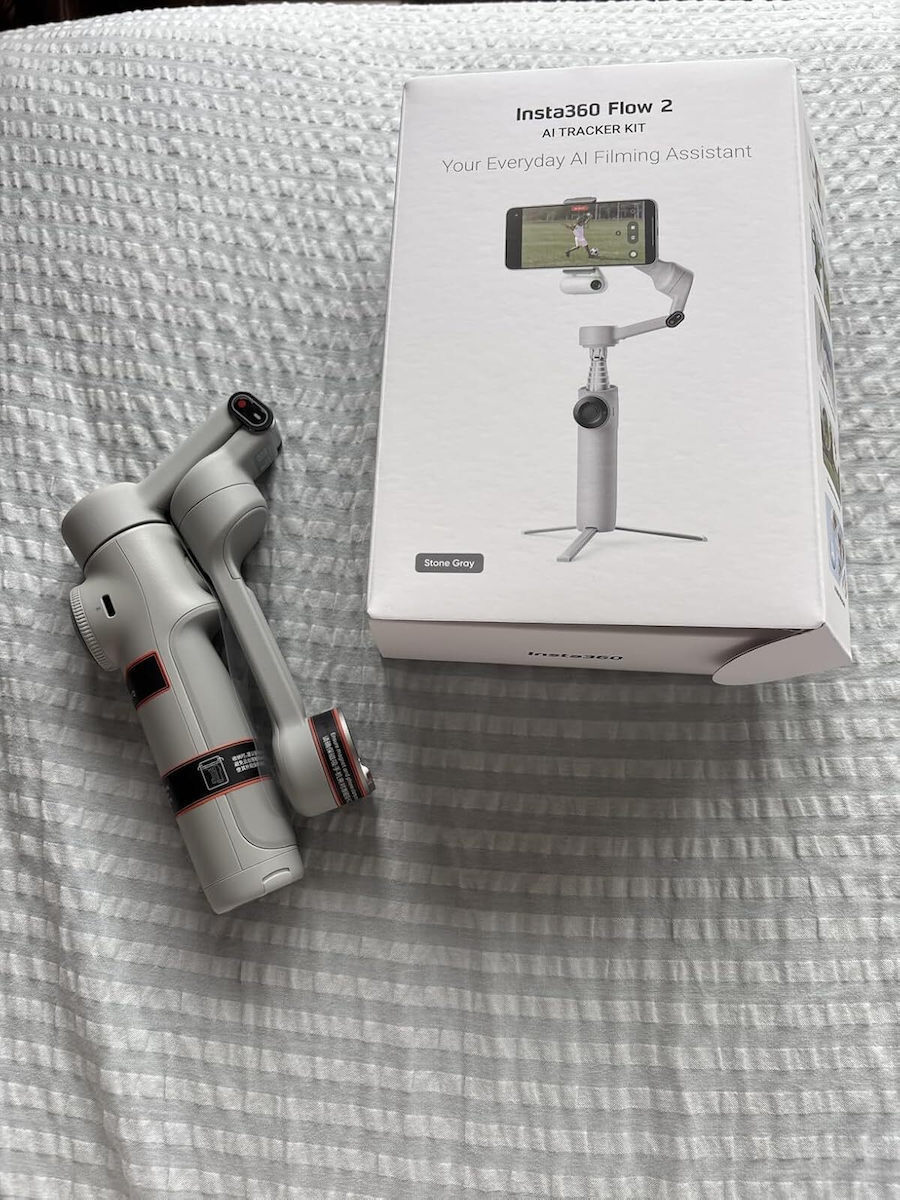
Insta360 Flow 2 AI Tracker Bundle Phone Gimbal with 3 Axis Stabilization and 10 Operating Hours Gray

The premium AI gimbal smartphone Insta360 Flow 2 Pro offers ultimate 3-axis stabilization and Apple DockKit support for native tracking. It features Deep Track 4.0 technology, a built-in selfie stick...

The premium AI gimbal smartphone Insta360 Flow 2 Pro offers ultimate 3-axis stabilization and Apple DockKit support for native tracking. It features Deep Track 4.0 technology, a built-in selfie stick and metal tripod, a SmartWheel smart wheel, and One-Tap NFC pairing, making it the ultimate tool for professional content creation.

See full description See full description

Learn more about invoicing

Description

Description

The premium AI gimbal smartphone Insta360 Flow 2 Pro offers ultimate 3-axis stabilization and Apple DockKit support for native tracking. It features Deep Track 4.0 technology, a built-in selfie stick and metal tripod, a SmartWheel smart wheel, and One-Tap NFC pairing, making it the ultimate tool for professional content creation.

At a glance

Apple DockKit Support, which enables native subject tracking directly from the iPhone’s built-in camera, as well as seamless integration with more than 200 popular third-party apps (such as Filmic Pro and Blackmagic) for outstanding flexibility.
AI Deep Track 4.0 & 360° Rotation with the most advanced artificial intelligence technology that automatically locks onto the subject, offering Active Zoom, multi-person tracking, and unlimited 360° pan movement freedom with no blind spots.
All-in-One Design with Metal Tripod that integrates a foldable 210mm selfie stick, a selfie mirror, and an upgraded all-metal internal tripod that provides exceptional stability and durability for outdoor use.
Upgraded SmartWheel & NFC One-Tap for instant connection with iPhone and Android devices via NFC with a simple tap, combined with an advanced control wheel featuring the new C button for immediate activation of creative effects.
Remote Control & Creator Tools that allow you to fully control the gimbal remotely via Apple Watch or a second smartphone, while offering smart features such as Pro Framing Grid, Teleprompter Mode for livestreams, and long battery life.

Advanced 3-axis gimbal

The Insta360 Flow 2 Pro is an advanced 3-axis gimbal for smartphones that offers professional stabilization and smart AI features. It supports 360° unlimited panoramic tracking, AI Deep Track 4.0 for precise tracking of people and objects, as well as integration with Apple DockKit for use in many apps. It features a foldable and portable design, built-in selfie stick and tripod, as well as functions such as timelapse, hyperlapse, dolly zoom, and group tracking. Ideal for vlogging, travel, and creating professional content with a mobile phone.

The user experience: What those who trusted it say

See what users who chose it highlight:


  • Top Value for Money & Ideal for Beginners: The majority of buyers describe it as an extremely affordable and worthwhile choice. It offers good 3-axis stabilization and is particularly easy to use, making it the ideal introduction to the world of gimbals for those just starting out.
  • Sturdy Build & Easy-to-Use Modes: It receives positive comments for the quality and sturdiness of its construction, as well as for its very good battery life. In addition, users appreciate how easily the various shooting modes can be switched directly from the control buttons on the handle.
  • Amateur Use with Points to Note: The overall conclusion is that the Smooth Q3 is fully worth the money for everyday, amateur shots. However, users themselves point out that for more demanding or professional applications, where ease of balancing and flawless app quality are a priority, it may be worth investing in more premium options on the market.


    Manufacturer

    See full description

    Specifications

    Specifications

    Weight
    348 gr
    Battery Life
    10 hrs
    Compatibility
    Android, iOS
    Features
    3-Axis Stabilization, Rechargable Battery, AI Tracking
    Maximum Load
    300 gr
    Colour
    Grey
    Bundle
    Yes

    Important information

    Specifications are collected from official manufacturer websites. Please verify the specifications before proceeding with your final purchase. If you notice any problem you can report it here.

    See all specifications

    Reviews (7)

    Reviews

    1. 7
    2. 4 stars
      0
    3. 3 stars
      0
    4. 2 stars
      0
    5. 1 star
      0
    Review this product

    Reviews by our members

    • In the reviews, users do not specify whether they use the gimbal on an Android phone or on an iPhone. I am sharing my own review based on using the device.

      I bought the Gimbal Insta360 Flow 2 AI Tracker Bundle for my Honor Magic8 Lite phone. I managed to get it on the last day of the offer. I installed the Insta360 app on the phone according to the instructions. I should point out that I am a complete beginner and am using a gimbal for the first time. At first I was impressed by the capabilities it offers. Through the app and without the AI Tracker, it easily recognizes one or more faces, allows recording from the gimbal button, zoom from the wheel, very good stabilization, and many other conveniences.

      However, after seeing the first video, and the next ones I shot, I was disappointed. The colors in the videos were distorted, with dense vertical red or blue lines in various parts of the image. No matter how much I tried, the result was the same.

      I have the impression that the Insta360 app recommended by the manufacturer is made to work exclusively on iPhone and not on the Android phone I have. Besides, in the tutorial video for using the Insta360 Flow 2 AI Tracker, the presenter uses an iPhone.

      After that, I uninstalled the Insta360 app and used the gimbal without it. The video was crystal clear, but the gimbal’s functions through the buttons were limited. Starting video recording this way is not done from the button, but from the phone screen. Zoom does not work with the wheel, and there is no recognition of one or multiple faces on the phone screen.

      So, since the Insta360 app’s features did not produce the desired result in the final video due to incompatibility, I connected the gimbal to the phone via Bluetooth. Immediately all functions were activated, such as the Shutter button, which started and stopped video recording or took a photo, as well as zoom, which works by turning the gimbal’s wheel. In combination with the AI Tracker accessory, the gimbal’s operation was restored. However, face recognition and movement are calculated by the accessory itself and not by the phone’s software. That is why Auto-Tracking is unlocked in any camera app you use on your Android phone.

      Be careful, though: the AI Tracker accessory must be inserted and locked properly into the Type-C port. Press the two ends, which open like a clothespin and lock onto the edges of the port. By pressing once the button on the back, diametrically opposite the front buttons of the gimbal, the AI Tracker’s red light turns green and only then does it lock onto the face. If you press it a second time, it is disabled and the light turns red. If the AI Tracker is not inserted correctly, the red light will not turn green. That is how I got caught out at first and could not understand what was wrong.

      When there are many people in one place, such as around a large table, activating the AI Tracker is not convenient and it is better to keep it disabled. This is because it may lock onto the nearest face and the phone will automatically turn toward it while you are trying to film the other people.

      Still, I’m glad I chose to buy it together with the AI Tracker accessory so I can do my work more properly.

      Translated from Greek ·
      Did you find this review helpful?
    • Grifos_Gaming
      5
      3 out of 3 members found this review helpful
      This review is about the colour: White

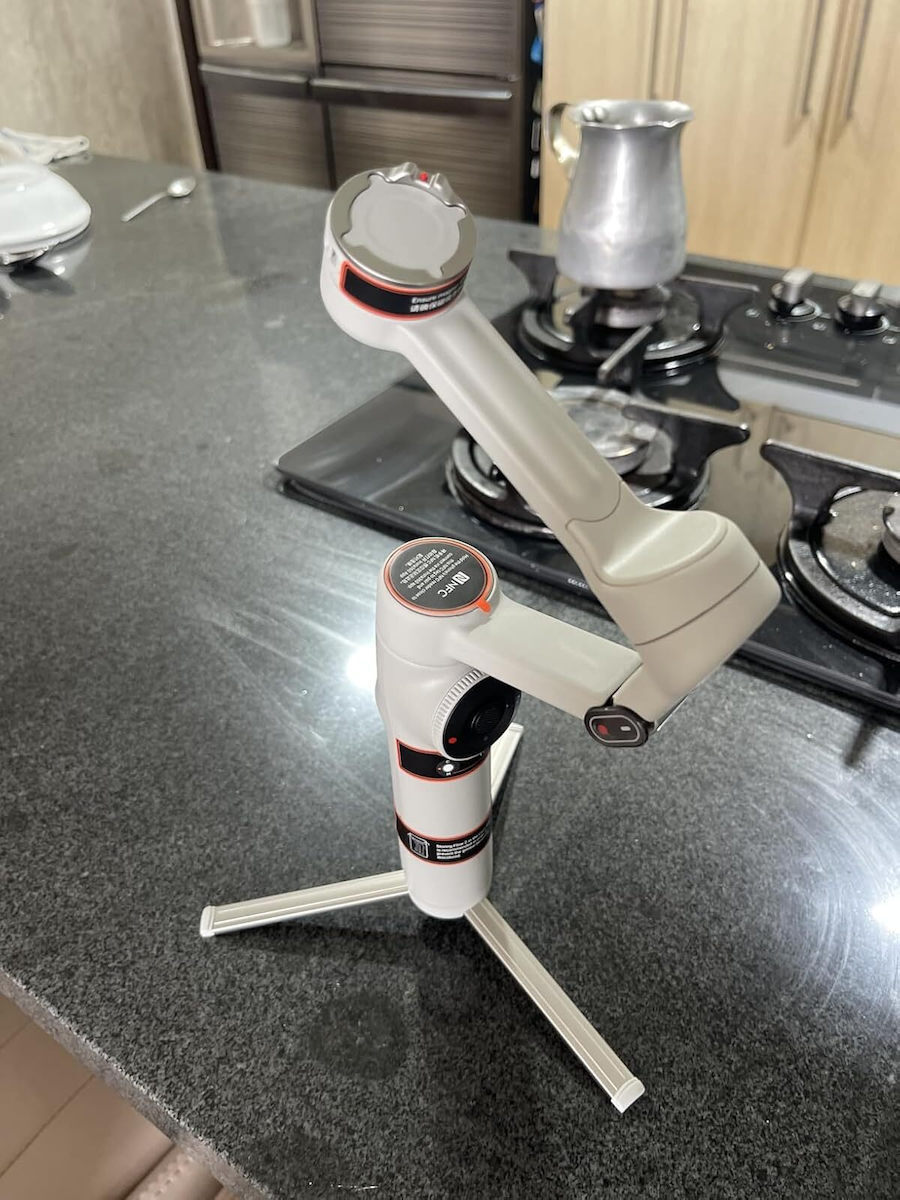
      This is the insta360 Flow 2 Kit, a gimbal, selfie stick, and tripod 3-in-1, with three-axis stabilization, and its strong point is that thanks to the AI Tracker included in the Kit, it can lock the gimbal onto you and you can use any app you want, not necessarily the company's app, and go live on social media or shoot videos with the phone's native app, even with the rear camera, something that is impossible with most gimbals.
      The tracker also has a powerful light, the buttons give you endless possibilities, such as switching from vertical to horizontal orientation, starting and stopping recording, zooming with the wheel, and manually controlling the orientation with the joystick in the center.
      It is a very compact construction so you can even put it in your pocket,
      as soon as you open it, it starts working, the phone goes in and out very easily thanks to the magnetic clip, on which you can also put other devices like an action camera,
      It has a socket to screw it onto other tripods and accessories,
      You can charge your phone via the gimbal,
      It also works with gestures, so you can place the phone with the gimbal far away, and take photos or record video,

      Translated from Greek ·
      Did you find this review helpful?
    • Lion-O
      5
      1 out of 1 members found this review helpful

      Verified purchase

      The Flow 2 with AI Tracker is the right purchase for Android.
      The Flow 2 Pro is mainly for iPhone, because on iPhone it connects directly with the camera app.
      The Flow 2 AI Tracker Bundle has perfect tracking on all apps (Tiktok, Zoom, Instagram, WhatsApp), it just doesn't have a selfie mirror and 360 infinite pan. It rotates up to 180. But it is clearly cheaper than the Pro.
      I got it on sale. They are always having sales. I had put it on my wishlist and got a notification.

      Translated from Greek ·
      Did you find this review helpful?
    • Verified purchase

      Perfect!! Worth the money!

      Translated from Greek ·
      Did you find this review helpful?
    • Verified purchase

      This review is about the colour: White

    • Verified purchase

    • In the reviews, users do not specify whether they use the gimbal on an Android phone or on an iPhone. I am sharing my own review based on using the device.

      I bought the Gimbal Insta360 Flow 2 AI Tracker Bundle for my Honor Magic8 Lite phone. I managed to get it on the last day of the offer. I installed the Insta360 app on the phone according to the instructions. I should point out that I am a complete beginner and am using a gimbal for the first time. At first I was impressed by the capabilities it offers. Through the app and without the AI Tracker, it easily recognizes one or more faces, allows recording from the gimbal button, zoom from the wheel, very good stabilization, and many other conveniences.

      However, after seeing the first video, and the next ones I shot, I was disappointed. The colors in the videos were distorted, with dense vertical red or blue lines in various parts of the image. No matter how much I tried, the result was the same.

      I have the impression that the Insta360 app recommended by the manufacturer is made to work exclusively on iPhone and not on the Android phone I have. Besides, in the tutorial video for using the Insta360 Flow 2 AI Tracker, the presenter uses an iPhone.

      After that, I uninstalled the Insta360 app and used the gimbal without it. The video was crystal clear, but the gimbal’s functions through the buttons were limited. Starting video recording this way is not done from the button, but from the phone screen. Zoom does not work with the wheel, and there is no recognition of one or multiple faces on the phone screen.

      So, since the Insta360 app’s features did not produce the desired result in the final video due to incompatibility, I connected the gimbal to the phone via Bluetooth. Immediately all functions were activated, such as the Shutter button, which started and stopped video recording or took a photo, as well as zoom, which works by turning the gimbal’s wheel. In combination with the AI Tracker accessory, the gimbal’s operation was restored. However, face recognition and movement are calculated by the accessory itself and not by the phone’s software. That is why Auto-Tracking is unlocked in any camera app you use on your Android phone.

      Be careful, though: the AI Tracker accessory must be inserted and locked properly into the Type-C port. Press the two ends, which open like a clothespin and lock onto the edges of the port. By pressing once the button on the back, diametrically opposite the front buttons of the gimbal, the AI Tracker’s red light turns green and only then does it lock onto the face. If you press it a second time, it is disabled and the light turns red. If the AI Tracker is not inserted correctly, the red light will not turn green. That is how I got caught out at first and could not understand what was wrong.

      When there are many people in one place, such as around a large table, activating the AI Tracker is not convenient and it is better to keep it disabled. This is because it may lock onto the nearest face and the phone will automatically turn toward it while you are trying to film the other people.

      Still, I’m glad I chose to buy it together with the AI Tracker accessory so I can do my work more properly.

      Translated from Greek ·
      0
    • This is the insta360 Flow 2 Kit, a gimbal, selfie stick, and tripod 3-in-1, with three-axis stabilization, and its strong point is that thanks to the AI Tracker included in the Kit, it can lock the gimbal onto you and you can use any app you want, not necessarily the company's app, and go live on social media or shoot videos with the phone's native app, even with the rear camera, something that is impossible with most gimbals.
      The tracker also has a powerful light, the buttons give you endless possibilities, such as switching from vertical to horizontal orientation, starting and stopping recording, zooming with the wheel, and manually controlling the orientation with the joystick in the center.
      It is a very compact construction so you can even put it in your pocket,
      as soon as you open it, it starts working, the phone goes in and out very easily thanks to the magnetic clip, on which you can also put other devices like an action camera,
      It has a socket to screw it onto other tripods and accessories,
      You can charge your phone via the gimbal,
      It also works with gestures, so you can place the phone with the gimbal far away, and take photos or record video,

      Translated from Greek ·
      3
    • The Flow 2 with AI Tracker is the right purchase for Android.
      The Flow 2 Pro is mainly for iPhone, because on iPhone it connects directly with the camera app.
      The Flow 2 AI Tracker Bundle has perfect tracking on all apps (Tiktok, Zoom, Instagram, WhatsApp), it just doesn't have a selfie mirror and 360 infinite pan. It rotates up to 180. But it is clearly cheaper than the Pro.
      I got it on sale. They are always having sales. I had put it on my wishlist and got a notification.

      Translated from Greek ·
      1
    • Perfect!! Worth the money!

      Translated from Greek ·
      0
    • 0
    • See all

    Description & Specifications

    The premium AI gimbal smartphone Insta360 Flow 2 Pro offers ultimate 3-axis stabilization and Apple DockKit support for native tracking. It features Deep Track 4.0 technology, a built-in selfie stick and metal tripod, a SmartWheel smart wheel, and One-Tap NFC pairing, making it the ultimate tool for professional content creation.

    At a glance

    Apple DockKit Support, which enables native subject tracking directly from the iPhone’s built-in camera, as well as seamless integration with more than 200 popular third-party apps (such as Filmic Pro and Blackmagic) for outstanding flexibility.
    AI Deep Track 4.0 & 360° Rotation with the most advanced artificial intelligence technology that automatically locks onto the subject, offering Active Zoom, multi-person tracking, and unlimited 360° pan movement freedom with no blind spots.
    All-in-One Design with Metal Tripod that integrates a foldable 210mm selfie stick, a selfie mirror, and an upgraded all-metal internal tripod that provides exceptional stability and durability for outdoor use.
    Upgraded SmartWheel & NFC One-Tap for instant connection with iPhone and Android devices via NFC with a simple tap, combined with an advanced control wheel featuring the new C button for immediate activation of creative effects.
    Remote Control & Creator Tools that allow you to fully control the gimbal remotely via Apple Watch or a second smartphone, while offering smart features such as Pro Framing Grid, Teleprompter Mode for livestreams, and long battery life.

    Advanced 3-axis gimbal

    The Insta360 Flow 2 Pro is an advanced 3-axis gimbal for smartphones that offers professional stabilization and smart AI features. It supports 360° unlimited panoramic tracking, AI Deep Track 4.0 for precise tracking of people and objects, as well as integration with Apple DockKit for use in many apps. It features a foldable and portable design, built-in selfie stick and tripod, as well as functions such as timelapse, hyperlapse, dolly zoom, and group tracking. Ideal for vlogging, travel, and creating professional content with a mobile phone.

    The user experience: What those who trusted it say

    See what users who chose it highlight:


    • Top Value for Money & Ideal for Beginners: The majority of buyers describe it as an extremely affordable and worthwhile choice. It offers good 3-axis stabilization and is particularly easy to use, making it the ideal introduction to the world of gimbals for those just starting out.
    • Sturdy Build & Easy-to-Use Modes: It receives positive comments for the quality and sturdiness of its construction, as well as for its very good battery life. In addition, users appreciate how easily the various shooting modes can be switched directly from the control buttons on the handle.
    • Amateur Use with Points to Note: The overall conclusion is that the Smooth Q3 is fully worth the money for everyday, amateur shots. However, users themselves point out that for more demanding or professional applications, where ease of balancing and flawless app quality are a priority, it may be worth investing in more premium options on the market.


      Manufacturer

      Weight
      348 gr
      Battery Life
      10 hrs
      Compatibility
      Android, iOS
      Features
      3-Axis Stabilization, Rechargable Battery, AI Tracking
      Maximum Load
      300 gr
      Colour
      Grey
      Bundle
      Yes

      Important information

      Specifications are collected from official manufacturer websites. Please verify the specifications before proceeding with your final purchase. If you notice any problem you can report it here.

      Reviews (7)

      1. 7
      2. 4 stars
        0
      3. 3 stars
        0
      4. 2 stars
        0
      5. 1 star
        0
      Review this product

      Reviews by our members

      • In the reviews, users do not specify whether they use the gimbal on an Android phone or on an iPhone. I am sharing my own review based on using the device.

        I bought the Gimbal Insta360 Flow 2 AI Tracker Bundle for my Honor Magic8 Lite phone. I managed to get it on the last day of the offer. I installed the Insta360 app on the phone according to the instructions. I should point out that I am a complete beginner and am using a gimbal for the first time. At first I was impressed by the capabilities it offers. Through the app and without the AI Tracker, it easily recognizes one or more faces, allows recording from the gimbal button, zoom from the wheel, very good stabilization, and many other conveniences.

        However, after seeing the first video, and the next ones I shot, I was disappointed. The colors in the videos were distorted, with dense vertical red or blue lines in various parts of the image. No matter how much I tried, the result was the same.

        I have the impression that the Insta360 app recommended by the manufacturer is made to work exclusively on iPhone and not on the Android phone I have. Besides, in the tutorial video for using the Insta360 Flow 2 AI Tracker, the presenter uses an iPhone.

        After that, I uninstalled the Insta360 app and used the gimbal without it. The video was crystal clear, but the gimbal’s functions through the buttons were limited. Starting video recording this way is not done from the button, but from the phone screen. Zoom does not work with the wheel, and there is no recognition of one or multiple faces on the phone screen.

        So, since the Insta360 app’s features did not produce the desired result in the final video due to incompatibility, I connected the gimbal to the phone via Bluetooth. Immediately all functions were activated, such as the Shutter button, which started and stopped video recording or took a photo, as well as zoom, which works by turning the gimbal’s wheel. In combination with the AI Tracker accessory, the gimbal’s operation was restored. However, face recognition and movement are calculated by the accessory itself and not by the phone’s software. That is why Auto-Tracking is unlocked in any camera app you use on your Android phone.

        Be careful, though: the AI Tracker accessory must be inserted and locked properly into the Type-C port. Press the two ends, which open like a clothespin and lock onto the edges of the port. By pressing once the button on the back, diametrically opposite the front buttons of the gimbal, the AI Tracker’s red light turns green and only then does it lock onto the face. If you press it a second time, it is disabled and the light turns red. If the AI Tracker is not inserted correctly, the red light will not turn green. That is how I got caught out at first and could not understand what was wrong.

        When there are many people in one place, such as around a large table, activating the AI Tracker is not convenient and it is better to keep it disabled. This is because it may lock onto the nearest face and the phone will automatically turn toward it while you are trying to film the other people.

        Still, I’m glad I chose to buy it together with the AI Tracker accessory so I can do my work more properly.

        Translated from Greek ·
        Did you find this review helpful?
      • Grifos_Gaming
        5
        3 out of 3 members found this review helpful
        This review is about the colour: White

        This is the insta360 Flow 2 Kit, a gimbal, selfie stick, and tripod 3-in-1, with three-axis stabilization, and its strong point is that thanks to the AI Tracker included in the Kit, it can lock the gimbal onto you and you can use any app you want, not necessarily the company's app, and go live on social media or shoot videos with the phone's native app, even with the rear camera, something that is impossible with most gimbals.
        The tracker also has a powerful light, the buttons give you endless possibilities, such as switching from vertical to horizontal orientation, starting and stopping recording, zooming with the wheel, and manually controlling the orientation with the joystick in the center.
        It is a very compact construction so you can even put it in your pocket,
        as soon as you open it, it starts working, the phone goes in and out very easily thanks to the magnetic clip, on which you can also put other devices like an action camera,
        It has a socket to screw it onto other tripods and accessories,
        You can charge your phone via the gimbal,
        It also works with gestures, so you can place the phone with the gimbal far away, and take photos or record video,

        Translated from Greek ·
        Did you find this review helpful?
      • Lion-O
        5
        1 out of 1 members found this review helpful

        Verified purchase

        The Flow 2 with AI Tracker is the right purchase for Android.
        The Flow 2 Pro is mainly for iPhone, because on iPhone it connects directly with the camera app.
        The Flow 2 AI Tracker Bundle has perfect tracking on all apps (Tiktok, Zoom, Instagram, WhatsApp), it just doesn't have a selfie mirror and 360 infinite pan. It rotates up to 180. But it is clearly cheaper than the Pro.
        I got it on sale. They are always having sales. I had put it on my wishlist and got a notification.

        Translated from Greek ·
        Did you find this review helpful?
      • Verified purchase

        Perfect!! Worth the money!

        Translated from Greek ·
        Did you find this review helpful?
      • Verified purchase

        This review is about the colour: White

      • Verified purchase

      • In the reviews, users do not specify whether they use the gimbal on an Android phone or on an iPhone. I am sharing my own review based on using the device.

        I bought the Gimbal Insta360 Flow 2 AI Tracker Bundle for my Honor Magic8 Lite phone. I managed to get it on the last day of the offer. I installed the Insta360 app on the phone according to the instructions. I should point out that I am a complete beginner and am using a gimbal for the first time. At first I was impressed by the capabilities it offers. Through the app and without the AI Tracker, it easily recognizes one or more faces, allows recording from the gimbal button, zoom from the wheel, very good stabilization, and many other conveniences.

        However, after seeing the first video, and the next ones I shot, I was disappointed. The colors in the videos were distorted, with dense vertical red or blue lines in various parts of the image. No matter how much I tried, the result was the same.

        I have the impression that the Insta360 app recommended by the manufacturer is made to work exclusively on iPhone and not on the Android phone I have. Besides, in the tutorial video for using the Insta360 Flow 2 AI Tracker, the presenter uses an iPhone.

        After that, I uninstalled the Insta360 app and used the gimbal without it. The video was crystal clear, but the gimbal’s functions through the buttons were limited. Starting video recording this way is not done from the button, but from the phone screen. Zoom does not work with the wheel, and there is no recognition of one or multiple faces on the phone screen.

        So, since the Insta360 app’s features did not produce the desired result in the final video due to incompatibility, I connected the gimbal to the phone via Bluetooth. Immediately all functions were activated, such as the Shutter button, which started and stopped video recording or took a photo, as well as zoom, which works by turning the gimbal’s wheel. In combination with the AI Tracker accessory, the gimbal’s operation was restored. However, face recognition and movement are calculated by the accessory itself and not by the phone’s software. That is why Auto-Tracking is unlocked in any camera app you use on your Android phone.

        Be careful, though: the AI Tracker accessory must be inserted and locked properly into the Type-C port. Press the two ends, which open like a clothespin and lock onto the edges of the port. By pressing once the button on the back, diametrically opposite the front buttons of the gimbal, the AI Tracker’s red light turns green and only then does it lock onto the face. If you press it a second time, it is disabled and the light turns red. If the AI Tracker is not inserted correctly, the red light will not turn green. That is how I got caught out at first and could not understand what was wrong.

        When there are many people in one place, such as around a large table, activating the AI Tracker is not convenient and it is better to keep it disabled. This is because it may lock onto the nearest face and the phone will automatically turn toward it while you are trying to film the other people.

        Still, I’m glad I chose to buy it together with the AI Tracker accessory so I can do my work more properly.

        Translated from Greek ·
        0
      • This is the insta360 Flow 2 Kit, a gimbal, selfie stick, and tripod 3-in-1, with three-axis stabilization, and its strong point is that thanks to the AI Tracker included in the Kit, it can lock the gimbal onto you and you can use any app you want, not necessarily the company's app, and go live on social media or shoot videos with the phone's native app, even with the rear camera, something that is impossible with most gimbals.
        The tracker also has a powerful light, the buttons give you endless possibilities, such as switching from vertical to horizontal orientation, starting and stopping recording, zooming with the wheel, and manually controlling the orientation with the joystick in the center.
        It is a very compact construction so you can even put it in your pocket,
        as soon as you open it, it starts working, the phone goes in and out very easily thanks to the magnetic clip, on which you can also put other devices like an action camera,
        It has a socket to screw it onto other tripods and accessories,
        You can charge your phone via the gimbal,
        It also works with gestures, so you can place the phone with the gimbal far away, and take photos or record video,

        Translated from Greek ·
        3
      • The Flow 2 with AI Tracker is the right purchase for Android.
        The Flow 2 Pro is mainly for iPhone, because on iPhone it connects directly with the camera app.
        The Flow 2 AI Tracker Bundle has perfect tracking on all apps (Tiktok, Zoom, Instagram, WhatsApp), it just doesn't have a selfie mirror and 360 infinite pan. It rotates up to 180. But it is clearly cheaper than the Pro.
        I got it on sale. They are always having sales. I had put it on my wishlist and got a notification.

        Translated from Greek ·
        1
      • Perfect!! Worth the money!

        Translated from Greek ·
        0
      • 0
      • See all
      149,99 €
      14,00 €   shipping cost