Access Points

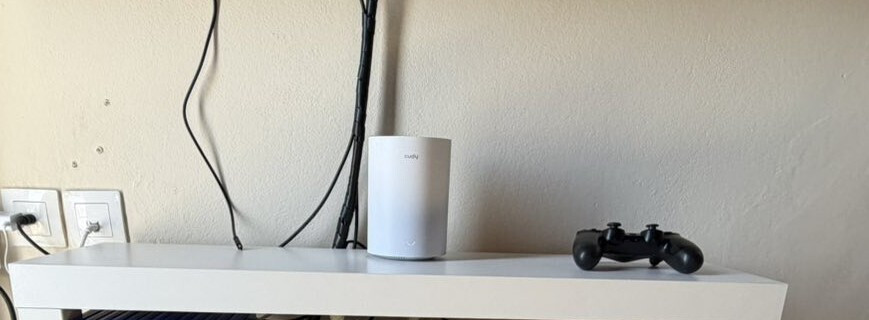
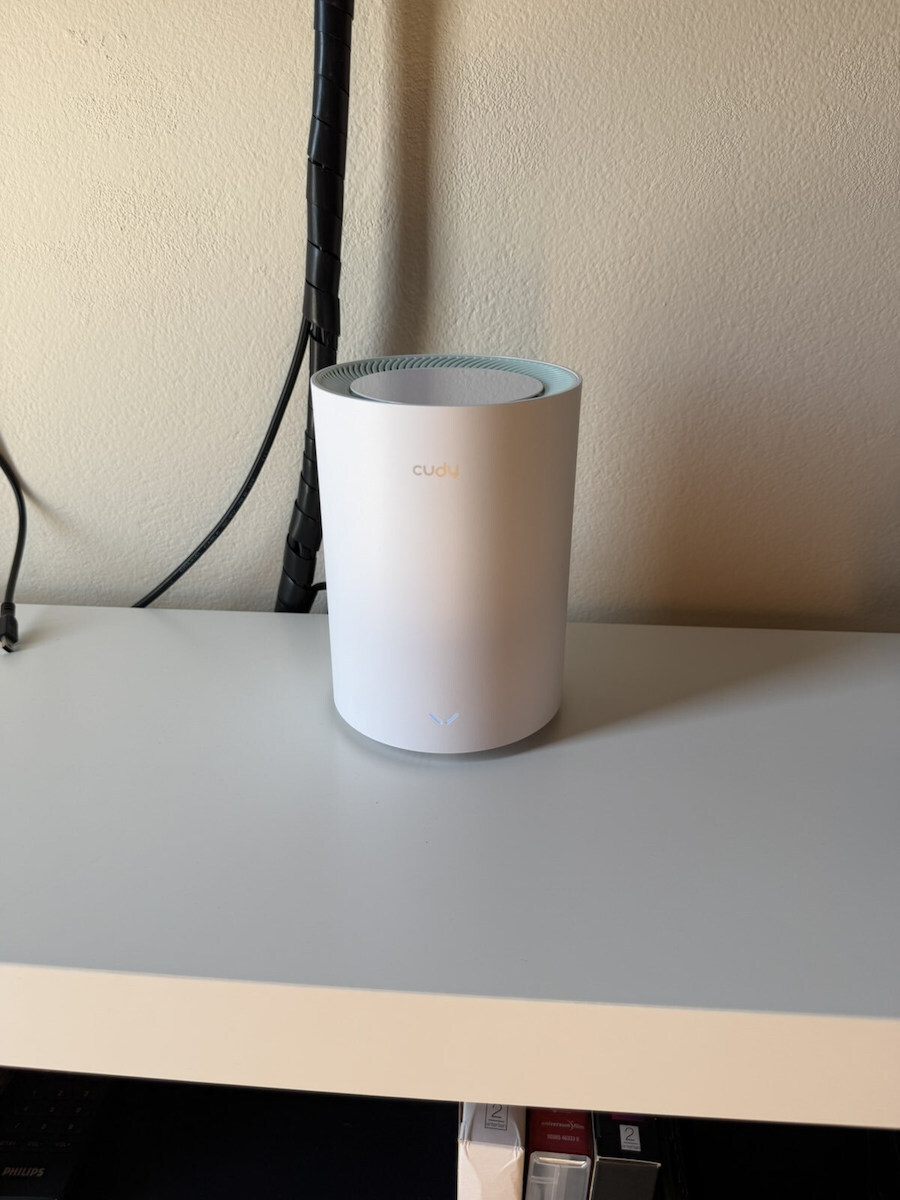
Cudy M1500 WiFi Mesh Network Access Point Wi‑Fi 6 Dual Band (2.4 & 5GHz) White

Wi-Fi offers speeds of up to 1201 Mbps, features 2 ethernet ports and 2 built-in antennas for uninterrupted internet browsing and signal coverage throughout the home.

The Mesh technology ensures...

Wi-Fi offers speeds of up to 1201 Mbps, features 2 ethernet ports and 2 built-in antennas for uninterrupted internet browsing and signal coverage throughout the home.

The Mesh technology ensures reliable and extensive Wi-Fi coverage, ideal for large spaces such as homes with many rooms, large offices, or outdoor areas. In a mesh network, multiple devices,...

See full description See full description
  • See all

Description

Description

Wi-Fi offers speeds of up to 1201 Mbps, features 2 ethernet ports and 2 built-in antennas for uninterrupted internet browsing and signal coverage throughout the home.

The Mesh technology ensures reliable and extensive Wi-Fi coverage, ideal for large spaces such as homes with many rooms, large offices, or outdoor areas. In a mesh network, multiple devices, known as nodes, work together to create a single, large, and continuous Wi-Fi network.

Designed to support up to 100 devices, it provides a more efficient network with fast loading times.

The installation ensures a stable and strong connection in all areas of the home, avoiding connectivity issues and signal loss. By using more than one Mesh Access Point, signal is achieved on multiple floors and rooms, making internet browsing seamless and fast.

With built-in PPTP/L2TP/OpenVPN/WireGuard VPN Client protocols, secure browsing is ensured, with the ability to enable encryption and DNS over TLS simultaneously.

Cudy seamlessly connects the entire home with reliable Wi-Fi, allowing streaming, surfing, or online gaming from anywhere.

Manufacturer

See full description

Specifications

Specifications

Technical Specifications

Frequency
Dual Band (2.4 & 5GHz)
Maximum WLAN Speed
1500 Mbps
Wi-Fi Generation
Wi‑Fi 6
IEEE Networking Standards
802.11 b/g/n, 802.11a, 802.11ac, 802.11ax
Wi-Fi Mesh Network
Yes
Ethernet Backhaul
No

General Characteristics

Placement
Indoor
Packaging
Single Kit

Installation Type

Ceiling
No
Wall
No
Board games
Yes

Important information

Specifications are collected from official manufacturer websites. Please verify the specifications before proceeding with your final purchase. If you notice any problem you can report it here.

See all specifications

Reviews (3)

Reviews

  1. 3
  2. 4 stars
    0
  3. 3 stars
    0
  4. 2 stars
    0
  5. 1 star
    0
Review this product

Reviews by our members

  • vagtor100
    5
    5 out of 5 members found this review helpful

    I would have deducted stars because I had trouble connecting one of the mesh units to my computer via ethernet, but I was rewarded with the result as I can now reach my 300 Mbps speed! If there are any instabilities etc., I will come back to write about it, but I don't think so!

    So, to have a direct internet connection, you connect it to its LAN port (not the WAN) with an ethernet cable to your computer and open 192.168.10.1 (if you get stuck, thank goodness for chatgpt). You enter the first password, a new one for the Cudy, then when it's time during the quick setup, you choose 'client' and enter your router's password just like when you connect to your wifi! You wait for a while, as I thought I was doing something wrong because it wasn't connecting, but it found it by itself and I had internet (it connected on the 5GHz band)! Note: the router is 8-9 meters away with a wall in between!

    So, don't waste money on powerlines anymore because it's hard for them to give you the speed, since there are other factors like your home's wiring (for me, the same powerlines only got 50 Mbps on a 300 Mbps line and 100 Mbps on a 100 Mbps line in another house!!! That's why I went with this solution). Very satisfied!!!

    P.S.: After disconnecting your router from power due to an outage or if you unplug it, when the power returns, there is a chance the Cudy will go offline... you won't notice immediately as the Cudy continues to act as an antenna but with much lower speeds, like 50 instead of 300... so you just do a quick setup again. Find its IP from your router's wifi, enter it in your browser and it opens the Cudy interface, enter the passwords you set before, log in, do a quick setup, connect it to your wifi with your wifi passwords just like you do on your phone, and you have 300 Mbps again!

    Translated from Greek ·
    Did you find this review helpful?
  • Verified purchase

  • I would have deducted stars because I had trouble connecting one of the mesh units to my computer via ethernet, but I was rewarded with the result as I can now reach my 300 Mbps speed! If there are any instabilities etc., I will come back to write about it, but I don't think so!

    So, to have a direct internet connection, you connect it to its LAN port (not the WAN) with an ethernet cable to your computer and open 192.168.10.1 (if you get stuck, thank goodness for chatgpt). You enter the first password, a new one for the Cudy, then when it's time during the quick setup, you choose 'client' and enter your router's password just like when you connect to your wifi! You wait for a while, as I thought I was doing something wrong because it wasn't connecting, but it found it by itself and I had internet (it connected on the 5GHz band)! Note: the router is 8-9 meters away with a wall in between!

    So, don't waste money on powerlines anymore because it's hard for them to give you the speed, since there are other factors like your home's wiring (for me, the same powerlines only got 50 Mbps on a 300 Mbps line and 100 Mbps on a 100 Mbps line in another house!!! That's why I went with this solution). Very satisfied!!!

    P.S.: After disconnecting your router from power due to an outage or if you unplug it, when the power returns, there is a chance the Cudy will go offline... you won't notice immediately as the Cudy continues to act as an antenna but with much lower speeds, like 50 instead of 300... so you just do a quick setup again. Find its IP from your router's wifi, enter it in your browser and it opens the Cudy interface, enter the passwords you set before, log in, do a quick setup, connect it to your wifi with your wifi passwords just like you do on your phone, and you have 300 Mbps again!

    Translated from Greek ·
    5
  • 0
  • 0
  • See all

Description & Specifications

Wi-Fi offers speeds of up to 1201 Mbps, features 2 ethernet ports and 2 built-in antennas for uninterrupted internet browsing and signal coverage throughout the home.

The Mesh technology ensures reliable and extensive Wi-Fi coverage, ideal for large spaces such as homes with many rooms, large offices, or outdoor areas. In a mesh network, multiple devices, known as nodes, work together to create a single, large, and continuous Wi-Fi network.

Designed to support up to 100 devices, it provides a more efficient network with fast loading times.

The installation ensures a stable and strong connection in all areas of the home, avoiding connectivity issues and signal loss. By using more than one Mesh Access Point, signal is achieved on multiple floors and rooms, making internet browsing seamless and fast.

With built-in PPTP/L2TP/OpenVPN/WireGuard VPN Client protocols, secure browsing is ensured, with the ability to enable encryption and DNS over TLS simultaneously.

Cudy seamlessly connects the entire home with reliable Wi-Fi, allowing streaming, surfing, or online gaming from anywhere.

Manufacturer

Technical Specifications

Frequency
Dual Band (2.4 & 5GHz)
Maximum WLAN Speed
1500 Mbps
Wi-Fi Generation
Wi‑Fi 6
IEEE Networking Standards
802.11 b/g/n, 802.11a, 802.11ac, 802.11ax
Wi-Fi Mesh Network
Yes
Ethernet Backhaul
No

General Characteristics

Placement
Indoor
Packaging
Single Kit

Installation Type

Ceiling
No
Wall
No
Board games
Yes

Important information

Specifications are collected from official manufacturer websites. Please verify the specifications before proceeding with your final purchase. If you notice any problem you can report it here.

Reviews (3)

  1. 3
  2. 4 stars
    0
  3. 3 stars
    0
  4. 2 stars
    0
  5. 1 star
    0
Review this product

Reviews by our members

  • vagtor100
    5
    5 out of 5 members found this review helpful

    I would have deducted stars because I had trouble connecting one of the mesh units to my computer via ethernet, but I was rewarded with the result as I can now reach my 300 Mbps speed! If there are any instabilities etc., I will come back to write about it, but I don't think so!

    So, to have a direct internet connection, you connect it to its LAN port (not the WAN) with an ethernet cable to your computer and open 192.168.10.1 (if you get stuck, thank goodness for chatgpt). You enter the first password, a new one for the Cudy, then when it's time during the quick setup, you choose 'client' and enter your router's password just like when you connect to your wifi! You wait for a while, as I thought I was doing something wrong because it wasn't connecting, but it found it by itself and I had internet (it connected on the 5GHz band)! Note: the router is 8-9 meters away with a wall in between!

    So, don't waste money on powerlines anymore because it's hard for them to give you the speed, since there are other factors like your home's wiring (for me, the same powerlines only got 50 Mbps on a 300 Mbps line and 100 Mbps on a 100 Mbps line in another house!!! That's why I went with this solution). Very satisfied!!!

    P.S.: After disconnecting your router from power due to an outage or if you unplug it, when the power returns, there is a chance the Cudy will go offline... you won't notice immediately as the Cudy continues to act as an antenna but with much lower speeds, like 50 instead of 300... so you just do a quick setup again. Find its IP from your router's wifi, enter it in your browser and it opens the Cudy interface, enter the passwords you set before, log in, do a quick setup, connect it to your wifi with your wifi passwords just like you do on your phone, and you have 300 Mbps again!

    Translated from Greek ·
    Did you find this review helpful?
  • Verified purchase

  • I would have deducted stars because I had trouble connecting one of the mesh units to my computer via ethernet, but I was rewarded with the result as I can now reach my 300 Mbps speed! If there are any instabilities etc., I will come back to write about it, but I don't think so!

    So, to have a direct internet connection, you connect it to its LAN port (not the WAN) with an ethernet cable to your computer and open 192.168.10.1 (if you get stuck, thank goodness for chatgpt). You enter the first password, a new one for the Cudy, then when it's time during the quick setup, you choose 'client' and enter your router's password just like when you connect to your wifi! You wait for a while, as I thought I was doing something wrong because it wasn't connecting, but it found it by itself and I had internet (it connected on the 5GHz band)! Note: the router is 8-9 meters away with a wall in between!

    So, don't waste money on powerlines anymore because it's hard for them to give you the speed, since there are other factors like your home's wiring (for me, the same powerlines only got 50 Mbps on a 300 Mbps line and 100 Mbps on a 100 Mbps line in another house!!! That's why I went with this solution). Very satisfied!!!

    P.S.: After disconnecting your router from power due to an outage or if you unplug it, when the power returns, there is a chance the Cudy will go offline... you won't notice immediately as the Cudy continues to act as an antenna but with much lower speeds, like 50 instead of 300... so you just do a quick setup again. Find its IP from your router's wifi, enter it in your browser and it opens the Cudy interface, enter the passwords you set before, log in, do a quick setup, connect it to your wifi with your wifi passwords just like you do on your phone, and you have 300 Mbps again!

    Translated from Greek ·
    5
  • 0
  • 0
  • See all
29,14 €
14,00 €   shipping cost