USB Hub

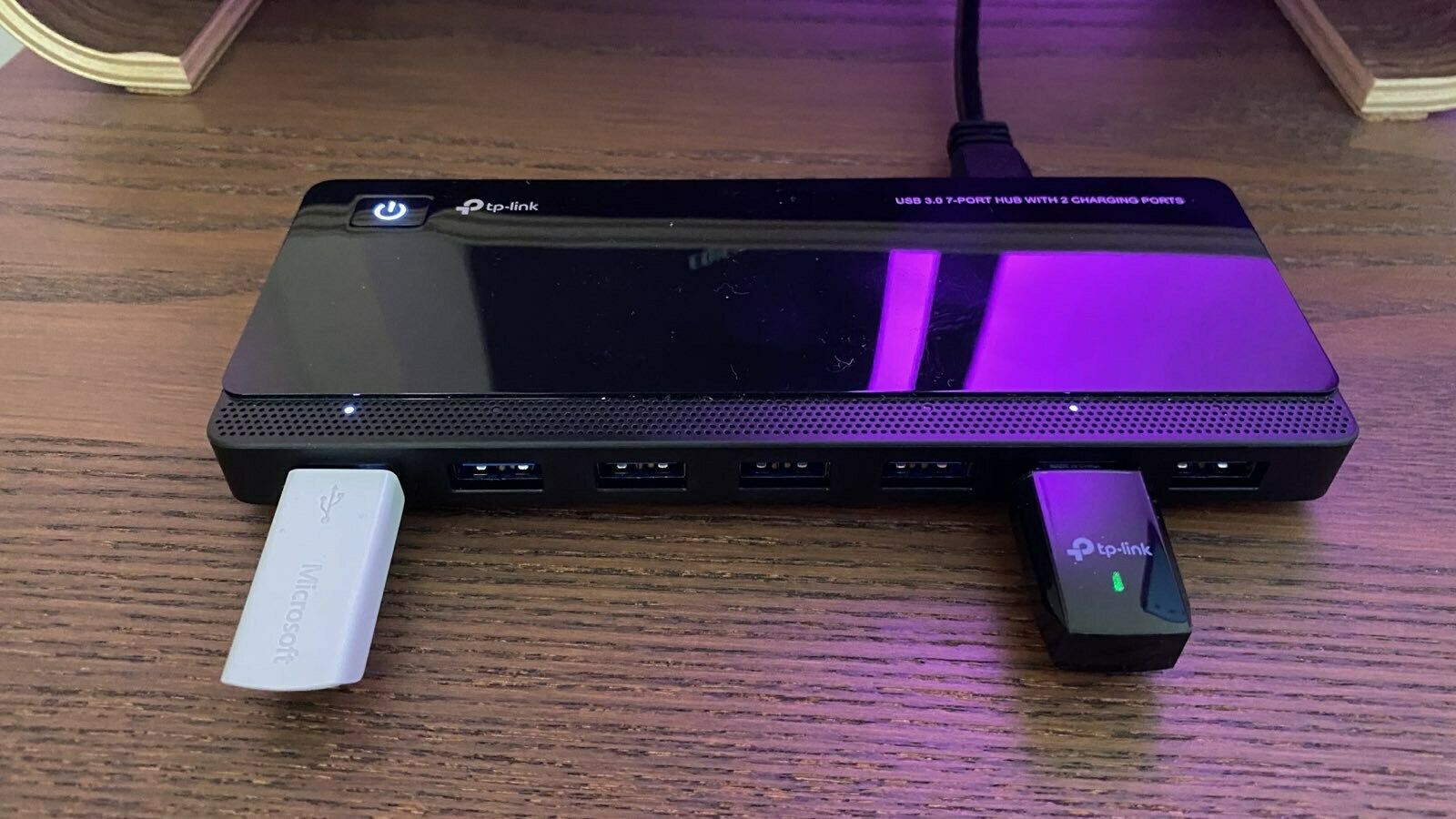
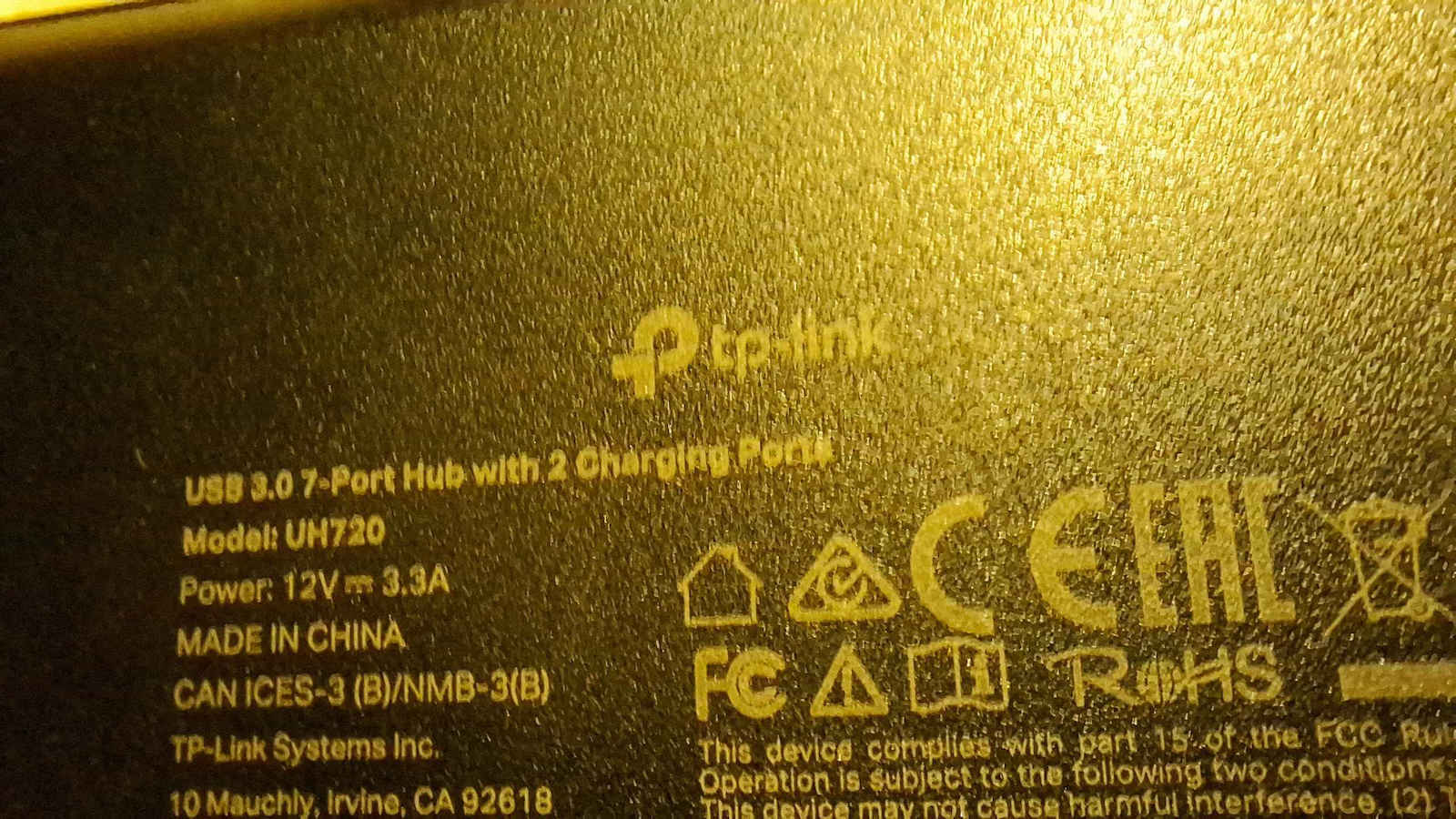
TP-LINK UH720 v5 Hub 7 Ports USB 3.0 with USB-A Connection

This USB Hub is ideal for connecting multiple devices simultaneously, offering 7 ports for excellent convenience. With support for USB 3.0 technology, data transfer speeds reach up to 5Gbit/s,...

This USB Hub is ideal for connecting multiple devices simultaneously, offering 7 ports for excellent convenience. With support for USB 3.0 technology, data transfer speeds reach up to 5Gbit/s, allowing you to transfer files quickly and efficiently.

It also features a dedicated charging port, enabling you to charge your devices without disconnecting them from...

See full description See full description

Description

Description

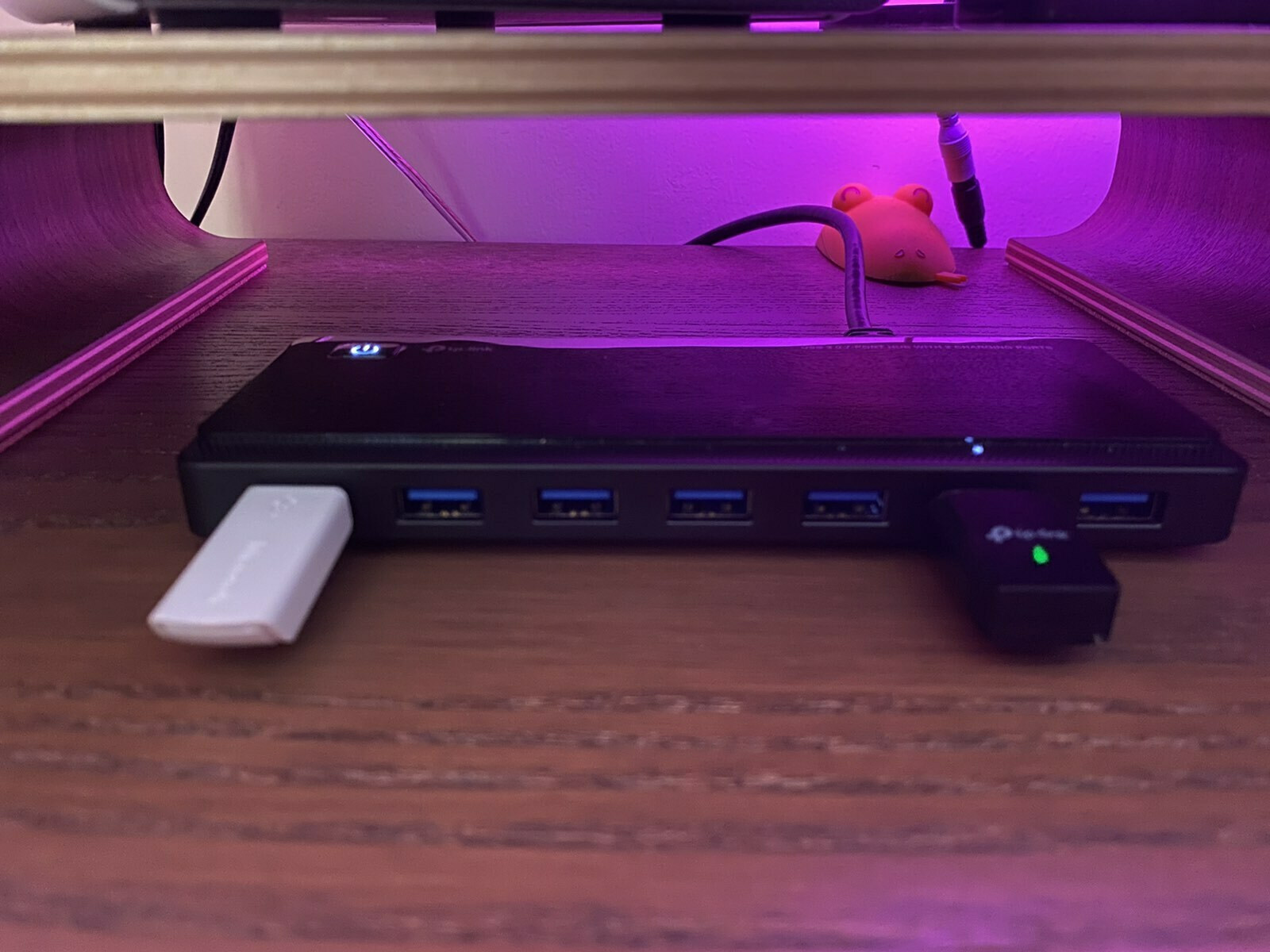
This USB Hub is ideal for connecting multiple devices simultaneously, offering 7 ports for excellent convenience. With support for USB 3.0 technology, data transfer speeds reach up to 5Gbit/s, allowing you to transfer files quickly and efficiently.

It also features a dedicated charging port, enabling you to charge your devices without disconnecting them from the Hub. The external power supply ensures that your devices are properly powered without affecting your computer’s operation.

  • 7 USB ports for efficient connection of multiple devices.
  • Supports USB 3.0 speeds for fast data transfer.
  • One charging port for easy device charging.
  • Connects to computer via USB-A.
  • External power supply for reliable power delivery.

Manufacturer

See full description

Specifications

Specifications

Interface
USB 3.0
Connecting to a Computer
USB-A
Quantity of Ports
7
USB
USB-A
Power
External Power Supply
Apple support
No
Power Delivery (PD)
No
Charging Port
Yes
Ethernet
No
Colour
Black

Important information

Specifications are collected from official manufacturer websites. Please verify the specifications before proceeding with your final purchase. If you notice any problem you can report it here.

See all specifications

Reviews (4)

Reviews

  1. 4
  2. 4 stars
    0
  3. 3 stars
    0
  4. 2 stars
    0
  5. 1 star
    0
Review this product

Reviews photos

Reviews photos
Reviews photos
Reviews photos
Reviews photos

Reviews by our members

  • jkarras
    5
    1 out of 1 members found this review helpful

    Verified purchase

    Purchased 2 of the same at €29 each for two computers. It seems expensive, unnecessary, and you hesitate to buy it at first glance for a USB 3.0 hub with Type A ports, and both I and everyone else have always had the eternal problem with the classic cheap unpowered USB hubs with 4 USB ports, which are suitable for mouse, keyboard, and maybe a flash drive, but were unsuitable for simultaneous connection of external hard drives, mobile phones for data transfer, etc., since they disconnect and may even destroy your data due to undervoltage.

    Let's go to the positives:
    - Immediate plug and play without drivers and it is instantly operational.
    - Large power adapter that comfortably supplies power to the 7 USB ports + 2 charging USB ports BUT in the manual it says that the 7 USB circuit provides a total of 3.5A (17.5W at 5V) and the 2 charging USB circuit provides 2.4A (12W at 5V). If you add them up (29.5W at 5V), there is 10.1W of the power supply left unused from the (39.6W ≈ 12V at 3.3A). I would like the 7 USB circuit to provide 5A instead of 3.5A for even more power to many loads, though it may not have been feasible for safety reasons in an overload scenario on one port.
    It may, of course, in peak power situations (i.e., when hard drives start up) provide more than 3.5A and then drop.

    In my own test, it reliably powered 4 USB external 2.5" hard drives (without their own power supply), 1 mobile phone for data transfer, and 1 USB flash drive, all operating without disconnections, and I had it connected to a simple USB 2.0 port from the computer's front panel, which couldn't even power a single 2.5" external hard drive on its own due to weak current. The powerful TP-Link Hub simply takes the signal from the computer and the power problem is entirely handled by its own power supply.
    Of course, if you connect it to a USB 3.0 port on the back of the motherboard, it will also provide the higher 3.0 speeds to all connected devices.
    (Note: USB 2.0 (0.48Gbps or 60mb/s, practically 35-40mb/s).
    - The Hub supports USB 3.0 level speeds (5Gbps or 625mb/s, practically around 400-500mb/s) for connected devices, which SHARE this speed if and only if you have connected it to USB 3.0 on the computer and if the connected devices and their cables are also USB 3.0.
    - The power and USB cables are about 1 meter each. (Note: If you use a USB 3.0 adapter from Type A female to Type C male on the USB cable, it can work normally on a computer with a Type C port or even a smartphone.
    And if you have a USB 3.0 adapter from Type C female to Type A male, you can also have a Type C output as long as there is universal compatibility from and to the USB standard.

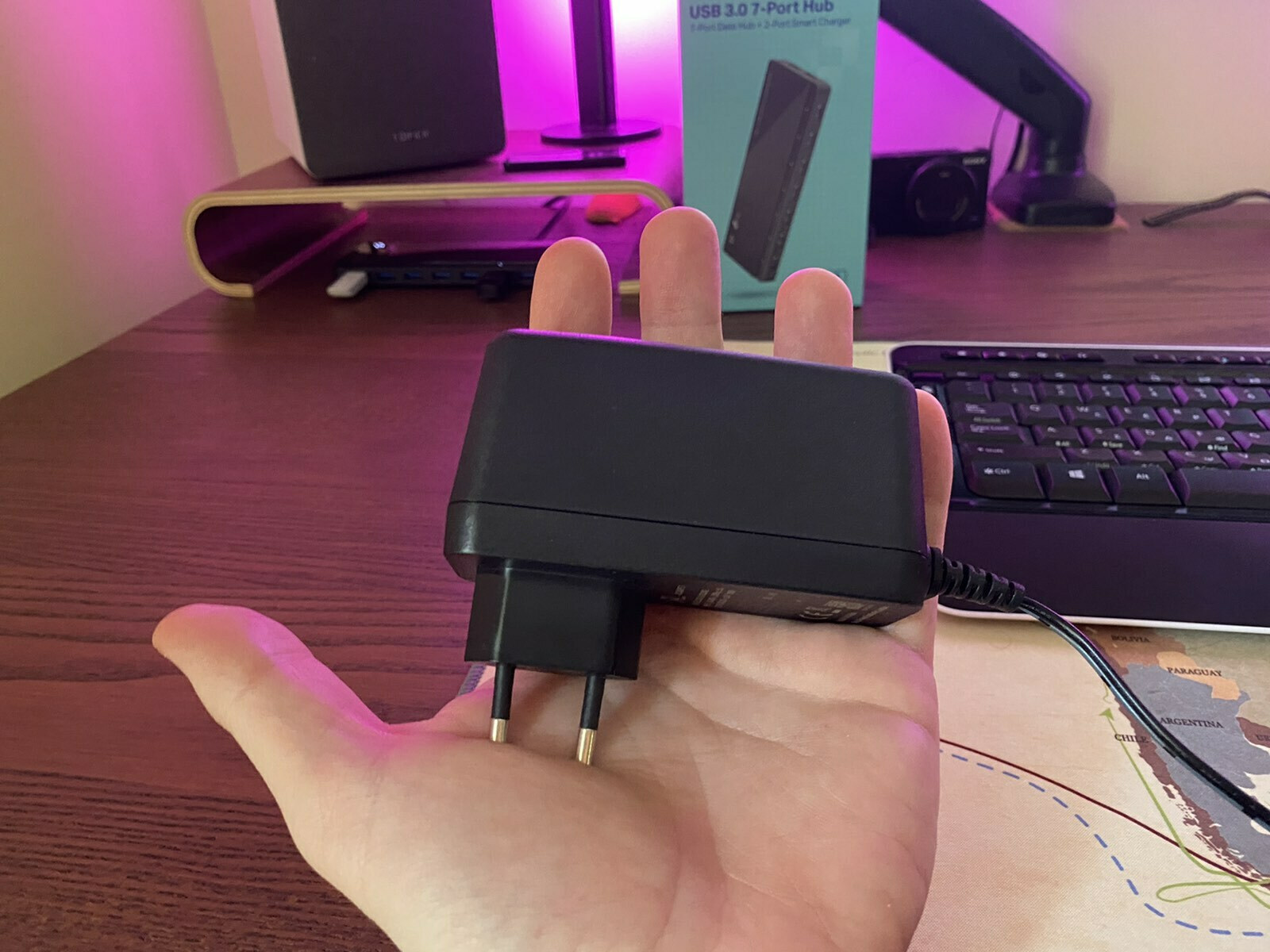
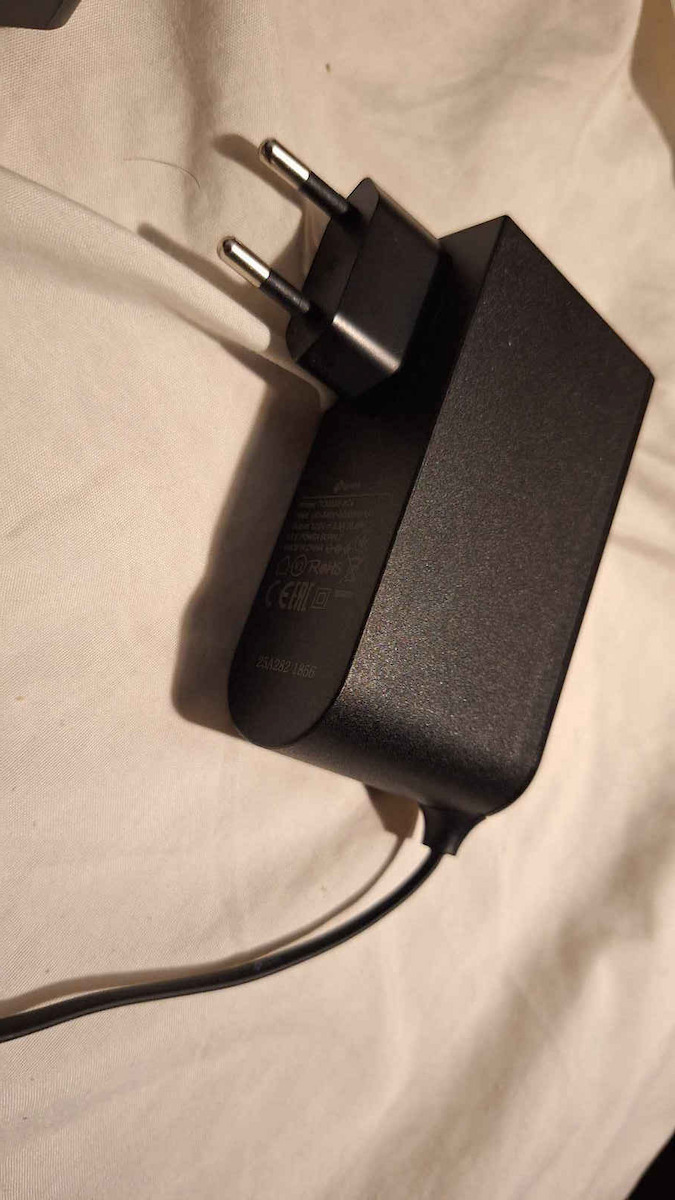
    The negatives are that the price is a bit steep, it could have included the Type A to Type C adapter, and the very bulky power supply reminds you of a rechargeable vacuum cleaner's power supply, as does its plug (the familiar DC barrel jack like on a router), which limits you to being near a socket. If the power supply was USB Type C, it would be flexible and could theoretically, if you have a power bank, provide (20W ≈ 2.22A at 9V and converted to 5V-4A, only for the 7 data ports), and in case of connection with the wall power supply, it could provide the 39.6W to all 9 ports, but anyway.

    It's best to connect each device 5 seconds after connecting the first, not all devices at once, and then turn on the Hub.

    TOTALLY WORTH IT, if you are a Power user, especially if you are a photographer, computer technician, programmer, you will just love it, it's very useful (it's no coincidence that for 11 years it's been the best Hub on the market). If you have many gadgets, hard drives, or are tired of disconnections and having to bend down to find an available port on your PC, or if you have a laptop with only two ports, you just connect it, put it on your desk, and you really have peace of mind. I have two PCs and even though they have powerful power supplies, if I connect 3 external 2.5" hard drives to the back motherboard ports along with mouse, keyboard, web camera, I had disconnections—this completely solved the eternal USB port problem.

    5 old and simple hubs were made obsolete by it.

    Translated from Greek ·
    Did you find this review helpful?
  • Verified purchase

  • Purchased 2 of the same at €29 each for two computers. It seems expensive, unnecessary, and you hesitate to buy it at first glance for a USB 3.0 hub with Type A ports, and both I and everyone else have always had the eternal problem with the classic cheap unpowered USB hubs with 4 USB ports, which are suitable for mouse, keyboard, and maybe a flash drive, but were unsuitable for simultaneous connection of external hard drives, mobile phones for data transfer, etc., since they disconnect and may even destroy your data due to undervoltage.

    Let's go to the positives:
    - Immediate plug and play without drivers and it is instantly operational.
    - Large power adapter that comfortably supplies power to the 7 USB ports + 2 charging USB ports BUT in the manual it says that the 7 USB circuit provides a total of 3.5A (17.5W at 5V) and the 2 charging USB circuit provides 2.4A (12W at 5V). If you add them up (29.5W at 5V), there is 10.1W of the power supply left unused from the (39.6W ≈ 12V at 3.3A). I would like the 7 USB circuit to provide 5A instead of 3.5A for even more power to many loads, though it may not have been feasible for safety reasons in an overload scenario on one port.
    It may, of course, in peak power situations (i.e., when hard drives start up) provide more than 3.5A and then drop.

    In my own test, it reliably powered 4 USB external 2.5" hard drives (without their own power supply), 1 mobile phone for data transfer, and 1 USB flash drive, all operating without disconnections, and I had it connected to a simple USB 2.0 port from the computer's front panel, which couldn't even power a single 2.5" external hard drive on its own due to weak current. The powerful TP-Link Hub simply takes the signal from the computer and the power problem is entirely handled by its own power supply.
    Of course, if you connect it to a USB 3.0 port on the back of the motherboard, it will also provide the higher 3.0 speeds to all connected devices.
    (Note: USB 2.0 (0.48Gbps or 60mb/s, practically 35-40mb/s).
    - The Hub supports USB 3.0 level speeds (5Gbps or 625mb/s, practically around 400-500mb/s) for connected devices, which SHARE this speed if and only if you have connected it to USB 3.0 on the computer and if the connected devices and their cables are also USB 3.0.
    - The power and USB cables are about 1 meter each. (Note: If you use a USB 3.0 adapter from Type A female to Type C male on the USB cable, it can work normally on a computer with a Type C port or even a smartphone.
    And if you have a USB 3.0 adapter from Type C female to Type A male, you can also have a Type C output as long as there is universal compatibility from and to the USB standard.

    The negatives are that the price is a bit steep, it could have included the Type A to Type C adapter, and the very bulky power supply reminds you of a rechargeable vacuum cleaner's power supply, as does its plug (the familiar DC barrel jack like on a router), which limits you to being near a socket. If the power supply was USB Type C, it would be flexible and could theoretically, if you have a power bank, provide (20W ≈ 2.22A at 9V and converted to 5V-4A, only for the 7 data ports), and in case of connection with the wall power supply, it could provide the 39.6W to all 9 ports, but anyway.

    It's best to connect each device 5 seconds after connecting the first, not all devices at once, and then turn on the Hub.

    TOTALLY WORTH IT, if you are a Power user, especially if you are a photographer, computer technician, programmer, you will just love it, it's very useful (it's no coincidence that for 11 years it's been the best Hub on the market). If you have many gadgets, hard drives, or are tired of disconnections and having to bend down to find an available port on your PC, or if you have a laptop with only two ports, you just connect it, put it on your desk, and you really have peace of mind. I have two PCs and even though they have powerful power supplies, if I connect 3 external 2.5" hard drives to the back motherboard ports along with mouse, keyboard, web camera, I had disconnections—this completely solved the eternal USB port problem.

    5 old and simple hubs were made obsolete by it.

    Translated from Greek ·
    1
  • 0
  • 0
  • 0
  • See all

Description & Specifications

This USB Hub is ideal for connecting multiple devices simultaneously, offering 7 ports for excellent convenience. With support for USB 3.0 technology, data transfer speeds reach up to 5Gbit/s, allowing you to transfer files quickly and efficiently.

It also features a dedicated charging port, enabling you to charge your devices without disconnecting them from the Hub. The external power supply ensures that your devices are properly powered without affecting your computer’s operation.

  • 7 USB ports for efficient connection of multiple devices.
  • Supports USB 3.0 speeds for fast data transfer.
  • One charging port for easy device charging.
  • Connects to computer via USB-A.
  • External power supply for reliable power delivery.

Manufacturer

Interface
USB 3.0
Connecting to a Computer
USB-A
Quantity of Ports
7
USB
USB-A
Power
External Power Supply
Apple support
No
Power Delivery (PD)
No
Charging Port
Yes
Ethernet
No
Colour
Black

Important information

Specifications are collected from official manufacturer websites. Please verify the specifications before proceeding with your final purchase. If you notice any problem you can report it here.

Reviews (4)

  1. 4
  2. 4 stars
    0
  3. 3 stars
    0
  4. 2 stars
    0
  5. 1 star
    0
Review this product

Reviews photos

Reviews photos
Reviews photos
Reviews photos
Reviews photos

Reviews by our members

  • jkarras
    5
    1 out of 1 members found this review helpful

    Verified purchase

    Purchased 2 of the same at €29 each for two computers. It seems expensive, unnecessary, and you hesitate to buy it at first glance for a USB 3.0 hub with Type A ports, and both I and everyone else have always had the eternal problem with the classic cheap unpowered USB hubs with 4 USB ports, which are suitable for mouse, keyboard, and maybe a flash drive, but were unsuitable for simultaneous connection of external hard drives, mobile phones for data transfer, etc., since they disconnect and may even destroy your data due to undervoltage.

    Let's go to the positives:
    - Immediate plug and play without drivers and it is instantly operational.
    - Large power adapter that comfortably supplies power to the 7 USB ports + 2 charging USB ports BUT in the manual it says that the 7 USB circuit provides a total of 3.5A (17.5W at 5V) and the 2 charging USB circuit provides 2.4A (12W at 5V). If you add them up (29.5W at 5V), there is 10.1W of the power supply left unused from the (39.6W ≈ 12V at 3.3A). I would like the 7 USB circuit to provide 5A instead of 3.5A for even more power to many loads, though it may not have been feasible for safety reasons in an overload scenario on one port.
    It may, of course, in peak power situations (i.e., when hard drives start up) provide more than 3.5A and then drop.

    In my own test, it reliably powered 4 USB external 2.5" hard drives (without their own power supply), 1 mobile phone for data transfer, and 1 USB flash drive, all operating without disconnections, and I had it connected to a simple USB 2.0 port from the computer's front panel, which couldn't even power a single 2.5" external hard drive on its own due to weak current. The powerful TP-Link Hub simply takes the signal from the computer and the power problem is entirely handled by its own power supply.
    Of course, if you connect it to a USB 3.0 port on the back of the motherboard, it will also provide the higher 3.0 speeds to all connected devices.
    (Note: USB 2.0 (0.48Gbps or 60mb/s, practically 35-40mb/s).
    - The Hub supports USB 3.0 level speeds (5Gbps or 625mb/s, practically around 400-500mb/s) for connected devices, which SHARE this speed if and only if you have connected it to USB 3.0 on the computer and if the connected devices and their cables are also USB 3.0.
    - The power and USB cables are about 1 meter each. (Note: If you use a USB 3.0 adapter from Type A female to Type C male on the USB cable, it can work normally on a computer with a Type C port or even a smartphone.
    And if you have a USB 3.0 adapter from Type C female to Type A male, you can also have a Type C output as long as there is universal compatibility from and to the USB standard.

    The negatives are that the price is a bit steep, it could have included the Type A to Type C adapter, and the very bulky power supply reminds you of a rechargeable vacuum cleaner's power supply, as does its plug (the familiar DC barrel jack like on a router), which limits you to being near a socket. If the power supply was USB Type C, it would be flexible and could theoretically, if you have a power bank, provide (20W ≈ 2.22A at 9V and converted to 5V-4A, only for the 7 data ports), and in case of connection with the wall power supply, it could provide the 39.6W to all 9 ports, but anyway.

    It's best to connect each device 5 seconds after connecting the first, not all devices at once, and then turn on the Hub.

    TOTALLY WORTH IT, if you are a Power user, especially if you are a photographer, computer technician, programmer, you will just love it, it's very useful (it's no coincidence that for 11 years it's been the best Hub on the market). If you have many gadgets, hard drives, or are tired of disconnections and having to bend down to find an available port on your PC, or if you have a laptop with only two ports, you just connect it, put it on your desk, and you really have peace of mind. I have two PCs and even though they have powerful power supplies, if I connect 3 external 2.5" hard drives to the back motherboard ports along with mouse, keyboard, web camera, I had disconnections—this completely solved the eternal USB port problem.

    5 old and simple hubs were made obsolete by it.

    Translated from Greek ·
    Did you find this review helpful?
  • Verified purchase

  • Purchased 2 of the same at €29 each for two computers. It seems expensive, unnecessary, and you hesitate to buy it at first glance for a USB 3.0 hub with Type A ports, and both I and everyone else have always had the eternal problem with the classic cheap unpowered USB hubs with 4 USB ports, which are suitable for mouse, keyboard, and maybe a flash drive, but were unsuitable for simultaneous connection of external hard drives, mobile phones for data transfer, etc., since they disconnect and may even destroy your data due to undervoltage.

    Let's go to the positives:
    - Immediate plug and play without drivers and it is instantly operational.
    - Large power adapter that comfortably supplies power to the 7 USB ports + 2 charging USB ports BUT in the manual it says that the 7 USB circuit provides a total of 3.5A (17.5W at 5V) and the 2 charging USB circuit provides 2.4A (12W at 5V). If you add them up (29.5W at 5V), there is 10.1W of the power supply left unused from the (39.6W ≈ 12V at 3.3A). I would like the 7 USB circuit to provide 5A instead of 3.5A for even more power to many loads, though it may not have been feasible for safety reasons in an overload scenario on one port.
    It may, of course, in peak power situations (i.e., when hard drives start up) provide more than 3.5A and then drop.

    In my own test, it reliably powered 4 USB external 2.5" hard drives (without their own power supply), 1 mobile phone for data transfer, and 1 USB flash drive, all operating without disconnections, and I had it connected to a simple USB 2.0 port from the computer's front panel, which couldn't even power a single 2.5" external hard drive on its own due to weak current. The powerful TP-Link Hub simply takes the signal from the computer and the power problem is entirely handled by its own power supply.
    Of course, if you connect it to a USB 3.0 port on the back of the motherboard, it will also provide the higher 3.0 speeds to all connected devices.
    (Note: USB 2.0 (0.48Gbps or 60mb/s, practically 35-40mb/s).
    - The Hub supports USB 3.0 level speeds (5Gbps or 625mb/s, practically around 400-500mb/s) for connected devices, which SHARE this speed if and only if you have connected it to USB 3.0 on the computer and if the connected devices and their cables are also USB 3.0.
    - The power and USB cables are about 1 meter each. (Note: If you use a USB 3.0 adapter from Type A female to Type C male on the USB cable, it can work normally on a computer with a Type C port or even a smartphone.
    And if you have a USB 3.0 adapter from Type C female to Type A male, you can also have a Type C output as long as there is universal compatibility from and to the USB standard.

    The negatives are that the price is a bit steep, it could have included the Type A to Type C adapter, and the very bulky power supply reminds you of a rechargeable vacuum cleaner's power supply, as does its plug (the familiar DC barrel jack like on a router), which limits you to being near a socket. If the power supply was USB Type C, it would be flexible and could theoretically, if you have a power bank, provide (20W ≈ 2.22A at 9V and converted to 5V-4A, only for the 7 data ports), and in case of connection with the wall power supply, it could provide the 39.6W to all 9 ports, but anyway.

    It's best to connect each device 5 seconds after connecting the first, not all devices at once, and then turn on the Hub.

    TOTALLY WORTH IT, if you are a Power user, especially if you are a photographer, computer technician, programmer, you will just love it, it's very useful (it's no coincidence that for 11 years it's been the best Hub on the market). If you have many gadgets, hard drives, or are tired of disconnections and having to bend down to find an available port on your PC, or if you have a laptop with only two ports, you just connect it, put it on your desk, and you really have peace of mind. I have two PCs and even though they have powerful power supplies, if I connect 3 external 2.5" hard drives to the back motherboard ports along with mouse, keyboard, web camera, I had disconnections—this completely solved the eternal USB port problem.

    5 old and simple hubs were made obsolete by it.

    Translated from Greek ·
    1
  • 0
  • 0
  • 0
  • See all
29,16 €
14,00 €   shipping cost