Monitors

Asus ROG Strix OLED XG27AQDMG Gen2 OLED HDR Gaming Monitor 26.5" QHD 2560x1440 240Hz with Response Time 0.03ms GTG

Key features:

  • WOLED 26.5 inches QHD (2560 x 1440)
  • Refresh rate 240 Hz
  • Response time 0.03 ms
  • OLED Anti-flicker technology
  • Artificial intelligence technology
See full description

Top specs

  • See all
The product is not available for shipping to the selected country.

Description

Description

  • Glossy 26.5-inch QHD (2560 x 1440) WOLED gaming monitor with 240 Hz refresh rate and 0.03 ms response time for immersive gaming
  • Highly efficient custom heatsink, advanced airflow design, and ASUS OLED Care features to reduce the risk of burn-in
  • ROG’s exclusive OLED Anti-flicker technology helps reduce flicker during refresh rate fluctuations
  • Third-generation WOLED technology delivers brighter, fully white windows, clearer text, and improved motion clarity.
  • Optional uniform brightness setting ensures consistent brightness levels
  • DisplayWidget Center software allows users easy access to OLED Care features and to adjust monitor settings using a mouse.
  • ROG Gaming artificial intelligence technology with AI-powered features to enhance the user’s gaming experience.

THE WORLD'S FIRST GLOSSY GAMING MONITOR ROG STRIX OLED XG27AQDMG

The ROG Strix OLED XG27AQDMG 27-inch gaming monitor features an exclusive glossy WOLED 1440p panel with a 240 Hz refresh rate, OLED Anti-flicker technology, and a 0.03 ms gray-to-gray (GTG) response time for immersive, fast-paced gaming. A large custom heatsink provides excellent cooling performance, while ASUS OLED Care features reduce the risk of burn-in to ensure the longevity of the OLED panel.


Exclusive Glossy Panel with Glass Design

This exclusive ROG panel delivers deep blacks and exceptionally sharp graphics under any lighting conditions, ensuring outstanding viewing experiences.

Dominate at 240 Hz

ROG OLED technology gives you the upper hand over the competition ― thanks to crisp 1440p graphics and ultra-smooth gameplay at an impressive 240 Hz.

OLED Anti-flicker

The exclusive ROG OLED Anti-flicker technology features three refresh rate ranges (Strong / Medium / Off) to reduce flickering during refresh rate fluctuations, while maintaining immersive gaming experiences.

20% brighter graphics

The latest generation OLED panel utilizes Micro Lens Array+ (MLA+) technology to deliver 20% wider viewing angles and 20% brighter images in fully white (100% APL) windows in SDR mode, compared to previous generation ROG OLED panels.

Clear Pixel Edge

The Clear Pixel Edge algorithm reduces green and red fringes on text and lines for improved reading experiences.

Advantages of OLED Technology

The exceptionally high contrast ratio offered by OLED technology ensures the deepest blacks and the most vibrant colors. In addition, the impressive 0.03 ms gray-to-gray (GTG) response time delivers ultra-smooth gameplay with low latency. These features make the XG27AQDMG ideal not only for gaming, but also for professional video and photo editing.

    ADVANCED CUSTOMIZED COOLER

    The custom passive heatsink found in the XG27AQDMG prioritizes heat dissipation. In addition, the rear cover of the monitor features upper vents that further improve cooling to significantly reduce the risk of burn-in.

    SCREEN PROTECTION

    ASUS OLED Care

    ASUS OLED Care provides timely pixel cleaning reminders, screen saver, screen shift function, and much more to protect the OLED panel and ensure the longevity of the display.

    • Pixel cleaning: Recalibrates the screen when it has been active for several hours. The process only takes a few minutes and is automatically activated when the screen is turned off*.
    • Screen saver: Automatically reduces screen brightness after two minutes of inactivity.
    • Screen shift: The positions of the pixels are slightly shifted periodically to prevent burn-in. Users can choose between different levels of movement.
    • Logo brightness adjustment: The screen automatically detects static logos on the screen and reduces their brightness to correct potential image quality issues.

    Aspect Ratio

    For players who usually use smaller monitors, the XG27AQDMG can display a 24.5-inch image, a 4:3 aspect ratio image, or a full-screen image with a 4:3 aspect ratio with deep OLED black borders around the image. For FPS players, playing in a full-screen 4:3 aspect ratio makes targets or character models appear slightly larger in the game, making them easier to hit.

      Uniform brightness

      When enabled, the exclusive Uniform Brightness setting of ROG in the OSD menu reduces the maximum brightness to keep levels consistent for better viewing—even when the size of bright white windows changes. It also makes marathon gaming sessions much more comfortable for your eyes.

      ASUS DisplayWidget Center

      The new DisplayWidget Center software allows you to easily change the monitor settings and functions related to OLED through a user-friendly interface using a mouse — so you don't need to access the OSD menu.

      Manufacturer

      See full description

      Specifications

      Specifications

      Main Specifications

      Panel
      OLED
      HDR
      Yes
      Curved
      No
      UltraWide
      No
      Diagonal
      26.5 "
      Resolution
      2560x1440
      Contrast
      1500000 :1
      Response Time (GTG)
      0.03 ms
      Refresh Rate
      240 Hz
      Aspect Ratio
      16:9

      Ergonomics

      Tilt Adjustment
      Yes
      Height Adjustment
      Yes
      Vertical Rotation
      Yes
      Horizontal Rotation
      Yes
      Wall Mountable (Vesa)
      100 x 100 mm

      Connectivity

      Connection
      DisplayPort, HDMI

      Additional Specifications

      Monitor Type
      Gaming Monitor
      Features & Functions
      FreeSync Premium, G-Sync Compatible, HDMI 2.1, USB Hub
      Speakers
      No
      Eye Comfort
      No
      Camera
      No
      Colour
      Black

      Energy Label

      Energy Consumption
      24 kWh/1000h
      Energy Class
      F

      Important information

      Specifications are collected from official manufacturer websites. Please verify the specifications before proceeding with your final purchase. If you notice any problem you can report it here.

      See all specifications

      Reviews (9)

      Reviews

      1. 8
      2. 1
      3. 3 stars
        0
      4. 2 stars
        0
      5. 1 star
        0
      Review this product

      Reviews photos

      Reviews photos
      Reviews photos
      Reviews photos

      Reviews by our members

      • AntonisDed
        5
        2 out of 2 members found this review helpful

        Verified purchase

        A truly huge difference and upgrade to my setup.

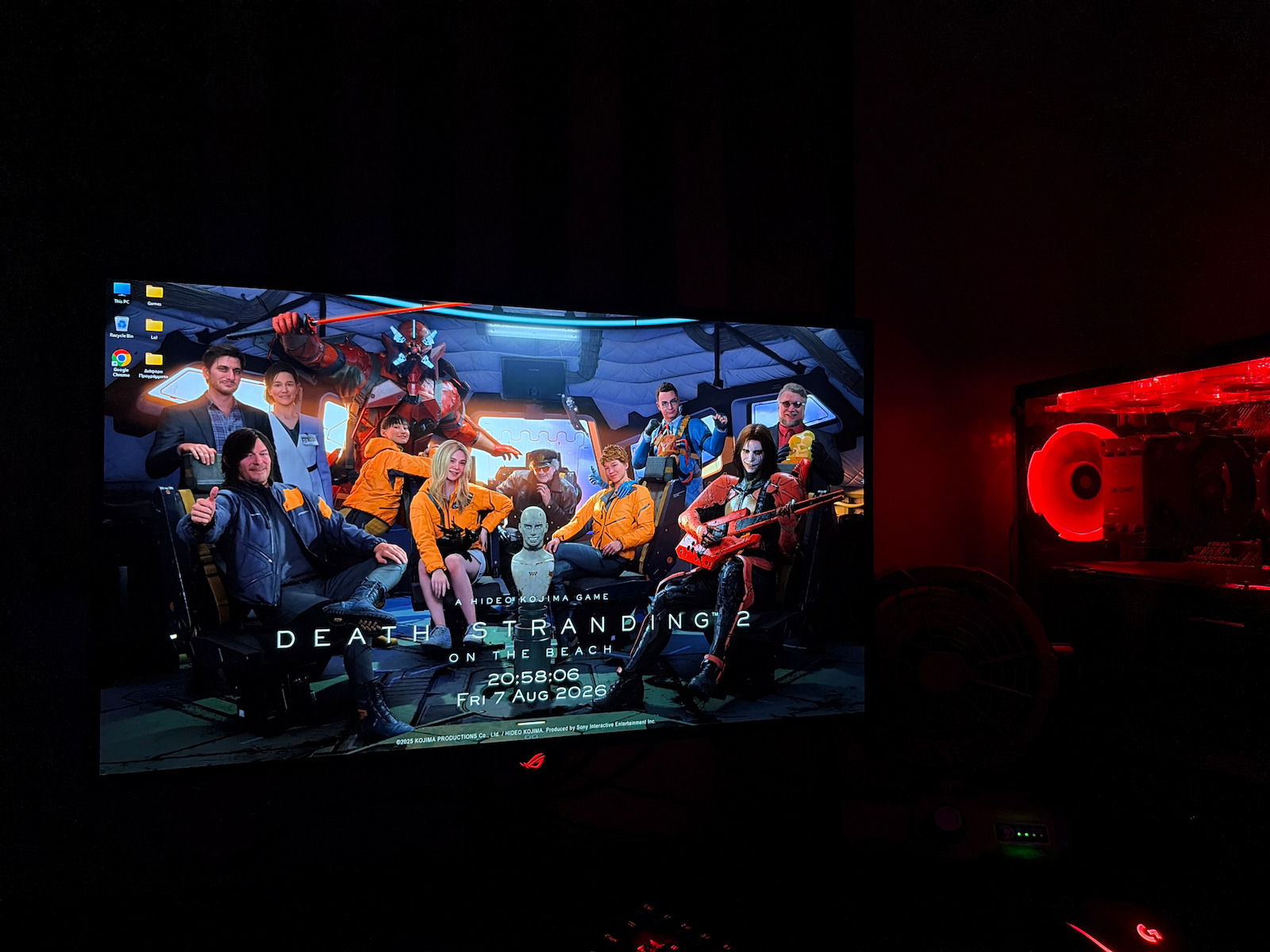
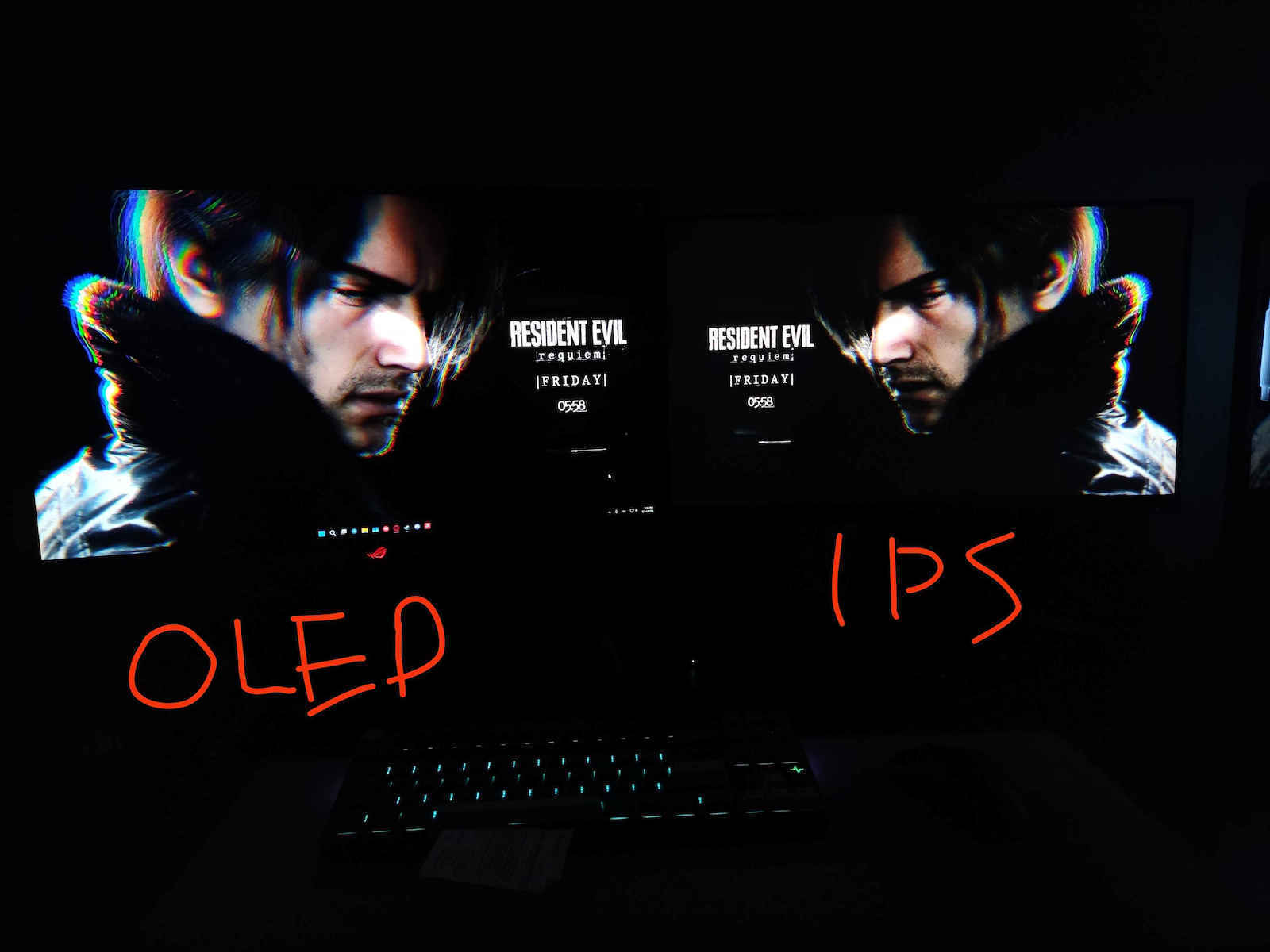
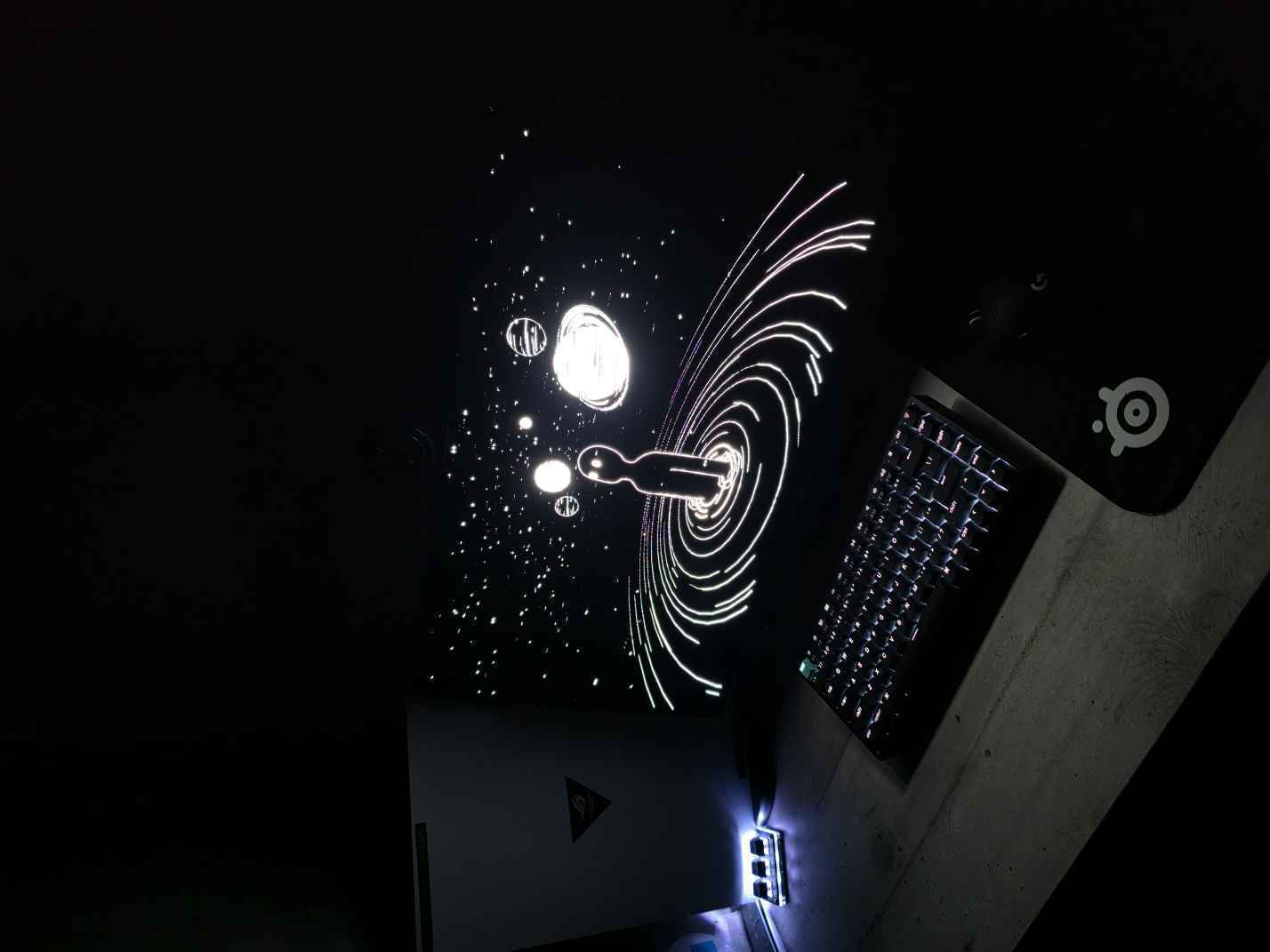
        I enjoy my time on the computer much more. The only negative I could say is that, because it is glossy, it is better in a dark environment, which can tire/irritate the eyes more quickly, but that can also be adjusted with lighting.

        Unfortunately, you can't see the difference through photos, only in person.

        Translated from Greek ·
        Did you find this review helpful?
      • Leyteris_Douloumpekis
        5
        2 out of 2 members found this review helpful

        My 1st day with the monitor and it is AMAZING for what it offers. I did my research and I believe I can help you with the settings that I think are the best

        If you want SDR
        Racing mode
        Brightness 50
        Uniform brightness on (if you are in a dark room)
        Contrast 80
        Wide gamut
        Color temp 6500K or 7500K
        Saturation 65
        Gamma 2.4

        Now for HDR
        Everything the same as above, just set
        HDR Gaming mode
        Saturation 75

        I hope I helped you. Personally, I prefer SDR even for gaming because it has more vivid colors, while HDR has more realistic colors. Choose whatever you want. I will update in the future about any possible issues.

        Translated from Greek ·
        Did you find this review helpful?
      • Argyr1s-_-
        5
        1 out of 1 members found this review helpful

        Going from an IPS monitor to this one, I have to say that I simply can't go back.

        Translated from Greek ·
        Did you find this review helpful?
      • Verified purchase

      • Verified purchase

      • Verified purchase

      • Verified purchase

      • A truly huge difference and upgrade to my setup.

        I enjoy my time on the computer much more. The only negative I could say is that, because it is glossy, it is better in a dark environment, which can tire/irritate the eyes more quickly, but that can also be adjusted with lighting.

        Unfortunately, you can't see the difference through photos, only in person.

        Translated from Greek ·
        2
      • My 1st day with the monitor and it is AMAZING for what it offers. I did my research and I believe I can help you with the settings that I think are the best

        If you want SDR
        Racing mode
        Brightness 50
        Uniform brightness on (if you are in a dark room)
        Contrast 80
        Wide gamut
        Color temp 6500K or 7500K
        Saturation 65
        Gamma 2.4

        Now for HDR
        Everything the same as above, just set
        HDR Gaming mode
        Saturation 75

        I hope I helped you. Personally, I prefer SDR even for gaming because it has more vivid colors, while HDR has more realistic colors. Choose whatever you want. I will update in the future about any possible issues.

        Translated from Greek ·
        2
      • Going from an IPS monitor to this one, I have to say that I simply can't go back.

        Translated from Greek ·
        1
      • 0
      • 0
      • See all

      Description & Specifications

      • Glossy 26.5-inch QHD (2560 x 1440) WOLED gaming monitor with 240 Hz refresh rate and 0.03 ms response time for immersive gaming
      • Highly efficient custom heatsink, advanced airflow design, and ASUS OLED Care features to reduce the risk of burn-in
      • ROG’s exclusive OLED Anti-flicker technology helps reduce flicker during refresh rate fluctuations
      • Third-generation WOLED technology delivers brighter, fully white windows, clearer text, and improved motion clarity.
      • Optional uniform brightness setting ensures consistent brightness levels
      • DisplayWidget Center software allows users easy access to OLED Care features and to adjust monitor settings using a mouse.
      • ROG Gaming artificial intelligence technology with AI-powered features to enhance the user’s gaming experience.
      THE WORLD'S FIRST GLOSSY GAMING MONITOR ROG STRIX OLED XG27AQDMG

      The ROG Strix OLED XG27AQDMG 27-inch gaming monitor features an exclusive glossy WOLED 1440p panel with a 240 Hz refresh rate, OLED Anti-flicker technology, and a 0.03 ms gray-to-gray (GTG) response time for immersive, fast-paced gaming. A large custom heatsink provides excellent cooling performance, while ASUS OLED Care features reduce the risk of burn-in to ensure the longevity of the OLED panel.


      Exclusive Glossy Panel with Glass Design

      This exclusive ROG panel delivers deep blacks and exceptionally sharp graphics under any lighting conditions, ensuring outstanding viewing experiences.

      Dominate at 240 Hz

      ROG OLED technology gives you the upper hand over the competition ― thanks to crisp 1440p graphics and ultra-smooth gameplay at an impressive 240 Hz.

      OLED Anti-flicker

      The exclusive ROG OLED Anti-flicker technology features three refresh rate ranges (Strong / Medium / Off) to reduce flickering during refresh rate fluctuations, while maintaining immersive gaming experiences.

      20% brighter graphics

      The latest generation OLED panel utilizes Micro Lens Array+ (MLA+) technology to deliver 20% wider viewing angles and 20% brighter images in fully white (100% APL) windows in SDR mode, compared to previous generation ROG OLED panels.

      Clear Pixel Edge

      The Clear Pixel Edge algorithm reduces green and red fringes on text and lines for improved reading experiences.

      Advantages of OLED Technology

      The exceptionally high contrast ratio offered by OLED technology ensures the deepest blacks and the most vibrant colors. In addition, the impressive 0.03 ms gray-to-gray (GTG) response time delivers ultra-smooth gameplay with low latency. These features make the XG27AQDMG ideal not only for gaming, but also for professional video and photo editing.

        ADVANCED CUSTOMIZED COOLER

        The custom passive heatsink found in the XG27AQDMG prioritizes heat dissipation. In addition, the rear cover of the monitor features upper vents that further improve cooling to significantly reduce the risk of burn-in.

        SCREEN PROTECTION

        ASUS OLED Care

        ASUS OLED Care provides timely pixel cleaning reminders, screen saver, screen shift function, and much more to protect the OLED panel and ensure the longevity of the display.

        • Pixel cleaning: Recalibrates the screen when it has been active for several hours. The process only takes a few minutes and is automatically activated when the screen is turned off*.
        • Screen saver: Automatically reduces screen brightness after two minutes of inactivity.
        • Screen shift: The positions of the pixels are slightly shifted periodically to prevent burn-in. Users can choose between different levels of movement.
        • Logo brightness adjustment: The screen automatically detects static logos on the screen and reduces their brightness to correct potential image quality issues.

        Aspect Ratio

        For players who usually use smaller monitors, the XG27AQDMG can display a 24.5-inch image, a 4:3 aspect ratio image, or a full-screen image with a 4:3 aspect ratio with deep OLED black borders around the image. For FPS players, playing in a full-screen 4:3 aspect ratio makes targets or character models appear slightly larger in the game, making them easier to hit.

          Uniform brightness

          When enabled, the exclusive Uniform Brightness setting of ROG in the OSD menu reduces the maximum brightness to keep levels consistent for better viewing—even when the size of bright white windows changes. It also makes marathon gaming sessions much more comfortable for your eyes.

          ASUS DisplayWidget Center

          The new DisplayWidget Center software allows you to easily change the monitor settings and functions related to OLED through a user-friendly interface using a mouse — so you don't need to access the OSD menu.

          Manufacturer

          Main Specifications

          Panel
          OLED
          HDR
          Yes
          Curved
          No
          UltraWide
          No
          Diagonal
          26.5 "
          Resolution
          2560x1440
          Contrast
          1500000 :1
          Response Time (GTG)
          0.03 ms
          Refresh Rate
          240 Hz
          Aspect Ratio
          16:9

          Ergonomics

          Tilt Adjustment
          Yes
          Height Adjustment
          Yes
          Vertical Rotation
          Yes
          Horizontal Rotation
          Yes
          Wall Mountable (Vesa)
          100 x 100 mm

          Connectivity

          Connection
          DisplayPort, HDMI

          Additional Specifications

          Monitor Type
          Gaming Monitor
          Features & Functions
          FreeSync Premium, G-Sync Compatible, HDMI 2.1, USB Hub
          Speakers
          No
          Eye Comfort
          No
          Camera
          No
          Colour
          Black

          Energy Label

          Energy Consumption
          24 kWh/1000h
          Energy Class
          F

          Important information

          Specifications are collected from official manufacturer websites. Please verify the specifications before proceeding with your final purchase. If you notice any problem you can report it here.

          Reviews (9)

          1. 8
          2. 1
          3. 3 stars
            0
          4. 2 stars
            0
          5. 1 star
            0
          Review this product

          Reviews photos

          Reviews photos
          Reviews photos
          Reviews photos

          Reviews by our members

          • AntonisDed
            5
            2 out of 2 members found this review helpful

            Verified purchase

            A truly huge difference and upgrade to my setup.

            I enjoy my time on the computer much more. The only negative I could say is that, because it is glossy, it is better in a dark environment, which can tire/irritate the eyes more quickly, but that can also be adjusted with lighting.

            Unfortunately, you can't see the difference through photos, only in person.

            Translated from Greek ·
            Did you find this review helpful?
          • Leyteris_Douloumpekis
            5
            2 out of 2 members found this review helpful

            My 1st day with the monitor and it is AMAZING for what it offers. I did my research and I believe I can help you with the settings that I think are the best

            If you want SDR
            Racing mode
            Brightness 50
            Uniform brightness on (if you are in a dark room)
            Contrast 80
            Wide gamut
            Color temp 6500K or 7500K
            Saturation 65
            Gamma 2.4

            Now for HDR
            Everything the same as above, just set
            HDR Gaming mode
            Saturation 75

            I hope I helped you. Personally, I prefer SDR even for gaming because it has more vivid colors, while HDR has more realistic colors. Choose whatever you want. I will update in the future about any possible issues.

            Translated from Greek ·
            Did you find this review helpful?
          • Argyr1s-_-
            5
            1 out of 1 members found this review helpful

            Going from an IPS monitor to this one, I have to say that I simply can't go back.

            Translated from Greek ·
            Did you find this review helpful?
          • Verified purchase

          • Verified purchase

          • Verified purchase

          • Verified purchase

          • A truly huge difference and upgrade to my setup.

            I enjoy my time on the computer much more. The only negative I could say is that, because it is glossy, it is better in a dark environment, which can tire/irritate the eyes more quickly, but that can also be adjusted with lighting.

            Unfortunately, you can't see the difference through photos, only in person.

            Translated from Greek ·
            2
          • My 1st day with the monitor and it is AMAZING for what it offers. I did my research and I believe I can help you with the settings that I think are the best

            If you want SDR
            Racing mode
            Brightness 50
            Uniform brightness on (if you are in a dark room)
            Contrast 80
            Wide gamut
            Color temp 6500K or 7500K
            Saturation 65
            Gamma 2.4

            Now for HDR
            Everything the same as above, just set
            HDR Gaming mode
            Saturation 75

            I hope I helped you. Personally, I prefer SDR even for gaming because it has more vivid colors, while HDR has more realistic colors. Choose whatever you want. I will update in the future about any possible issues.

            Translated from Greek ·
            2
          • Going from an IPS monitor to this one, I have to say that I simply can't go back.

            Translated from Greek ·
            1
          • 0
          • 0
          • See all