The Satechi Slim LX3 numeric keypad connects via a wired USB-C connection and includes a built-in USB-A adapter for devices with a matching port. It features a numeric keypad and navigation keys,...
The Satechi Slim LX3 numeric keypad connects via a wired USB-C connection and includes a built-in USB-A adapter for devices with a matching port. It features a numeric keypad and navigation keys, while the Mac/Windows mode switch adapts the keys to the operating system in use. The low-profile keys and slim design support typing, data entry, and working with...
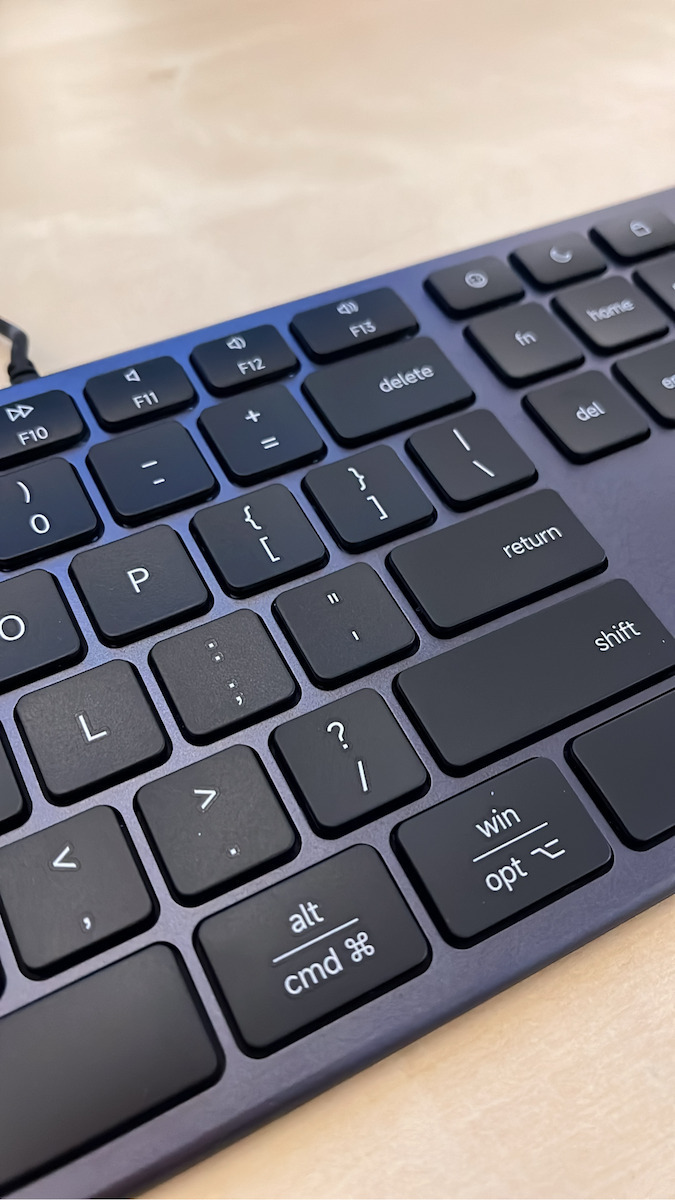
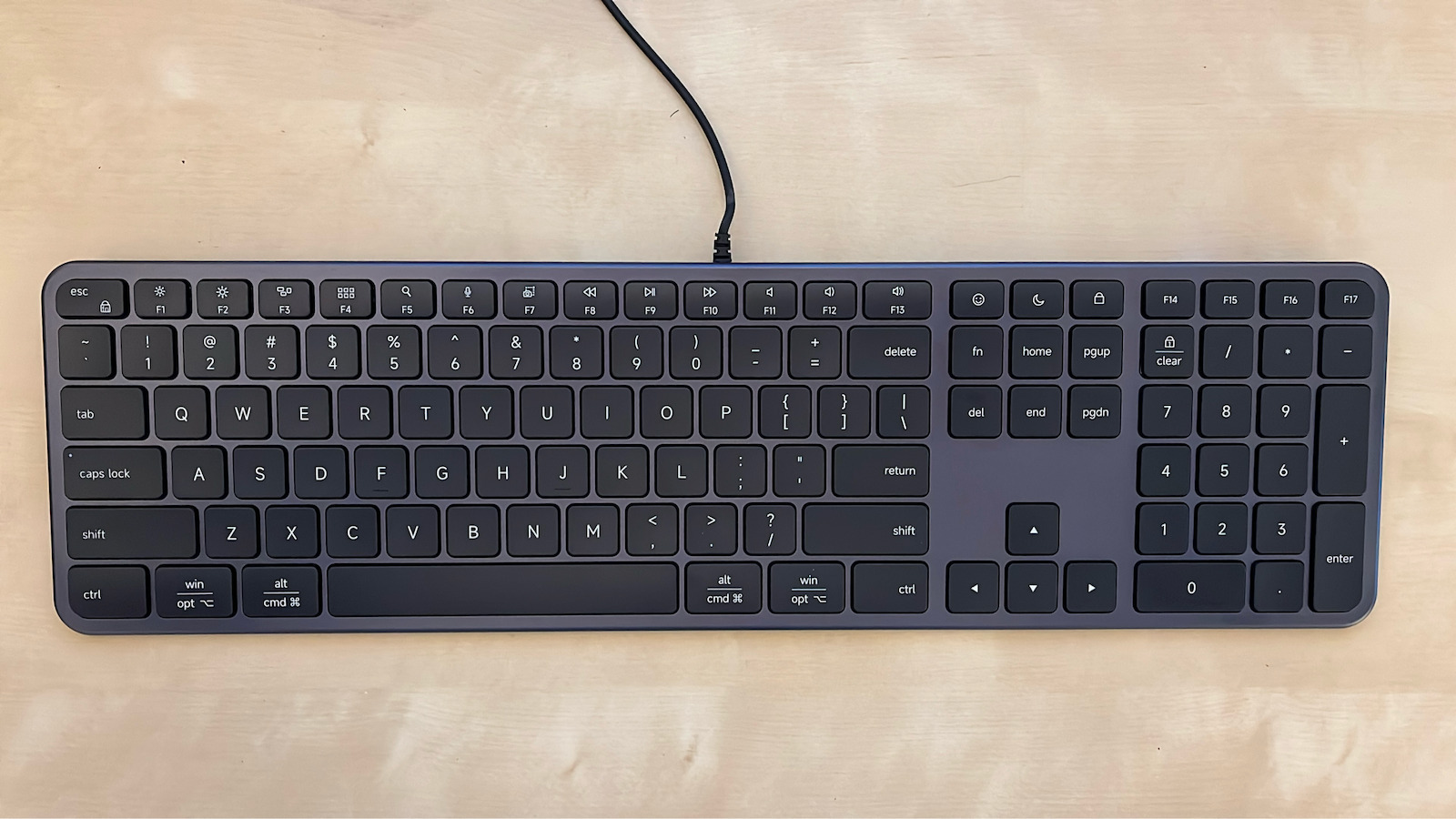
The Satechi Slim LX3 numeric keypad connects via a wired USB-C connection and includes a built-in USB-A adapter for devices with a matching port. It features a numeric keypad and navigation keys, while the Mac/Windows mode switch adapts the keys to the operating system in use. The low-profile keys and slim design support typing, data entry, and working with documents and spreadsheets.
The 120 cm cable lets you position the keypad on your desk without a wireless connection or pairing. It connects instantly, with no charging or installation required.
Type: Numeric keypad
Connection: Wired USB-C with built-in USB-A adapter
Layout: QWERTY
Numeric keypad: Yes
Navigation keys: Yes
Mode: Mac/Windows
Keys: Low-profile
Cable length: 120 cm
Compatibility: macOS, Windows, ChromeOS, iPadOS, and devices with a USB-C or USB-A port
Color: Black
Package contents: Slim LX3 keypad with integrated cable, user manual
Specifications are collected from official manufacturer websites. Please verify the specifications before proceeding with your final purchase. If you notice any problem you can report it here.
I switched from a Microsoft keyboard to this one and I’m very happy with it. I was looking for a keyboard with low-profile keys, a minimalist design, and the same layout as Microsoft keyboards. It has quite a few similarities to an Apple keyboard, while on the back it has a switch for selecting Mac or PC.
The cable is relatively short, but I connected it directly to my monitor, so it wasn’t an issue for me.
One small observation is the keyboard’s incline. If someone is used to keyboards with feet at the back, this will probably seem quite a bit flatter, as it doesn’t have much of an incline. Nevertheless, it’s easy to get used to.
Έκανα αλλαγή από πληκτρολόγιο Microsoft σε αυτό και είμαι πολύ ευχαριστημένη. Έψαχνα ένα πληκτρολόγιο με χαμηλά πλήκτρα, minimal σχεδιασμό και διάταξη ίδια με τα πληκτρολόγια της Microsoft. Έχει αρκετές ομοιότητες με πληκτρολόγιο Apple, ενώ στο πίσω μέρος διαθέτει διακόπτη για επιλογή Mac ή PC.
Το καλώδιο είναι σχετικά κοντό αλλά το συνέδεσα απευθείας στην οθόνη μου οπότε δε με δυσκόλεψε.
Μια μικρή παρατήρηση είναι η κλίση του πληκτρολογίου. Αν κάποιος έχει συνηθίσει πληκτρολόγια με ποδαράκια στο πίσω μέρος, αυτό πιθανότατα θα του φανεί αρκετά πιο flat, καθώς δεν έχει μεγάλη κλίση. Παρόλα αυτά συνηθίζεται εύκολα.
I switched from a Microsoft keyboard to this one and I’m very happy with it. I was looking for a keyboard with low-profile keys, a minimalist design, and the same layout as Microsoft keyboards. It has quite a few similarities to an Apple keyboard, while on the back it has a switch for selecting Mac or PC.
The cable is relatively short, but I connected it directly to my monitor, so it wasn’t an issue for me.
One small observation is the keyboard’s incline. If someone is used to keyboards with feet at the back, this will probably seem quite a bit flatter, as it doesn’t have much of an incline. Nevertheless, it’s easy to get used to.
Έκανα αλλαγή από πληκτρολόγιο Microsoft σε αυτό και είμαι πολύ ευχαριστημένη. Έψαχνα ένα πληκτρολόγιο με χαμηλά πλήκτρα, minimal σχεδιασμό και διάταξη ίδια με τα πληκτρολόγια της Microsoft. Έχει αρκετές ομοιότητες με πληκτρολόγιο Apple, ενώ στο πίσω μέρος διαθέτει διακόπτη για επιλογή Mac ή PC.
Το καλώδιο είναι σχετικά κοντό αλλά το συνέδεσα απευθείας στην οθόνη μου οπότε δε με δυσκόλεψε.
Μια μικρή παρατήρηση είναι η κλίση του πληκτρολογίου. Αν κάποιος έχει συνηθίσει πληκτρολόγια με ποδαράκια στο πίσω μέρος, αυτό πιθανότατα θα του φανεί αρκετά πιο flat, καθώς δεν έχει μεγάλη κλίση. Παρόλα αυτά συνηθίζεται εύκολα.
The Satechi Slim LX3 numeric keypad connects via a wired USB-C connection and includes a built-in USB-A adapter for devices with a matching port. It features a numeric keypad and navigation keys, while the Mac/Windows mode switch adapts the keys to the operating system in use. The low-profile keys and slim design support typing, data entry, and working with documents and spreadsheets.
The 120 cm cable lets you position the keypad on your desk without a wireless connection or pairing. It connects instantly, with no charging or installation required.
Type: Numeric keypad
Connection: Wired USB-C with built-in USB-A adapter
Layout: QWERTY
Numeric keypad: Yes
Navigation keys: Yes
Mode: Mac/Windows
Keys: Low-profile
Cable length: 120 cm
Compatibility: macOS, Windows, ChromeOS, iPadOS, and devices with a USB-C or USB-A port
Color: Black
Package contents: Slim LX3 keypad with integrated cable, user manual
Specifications are collected from official manufacturer websites. Please verify the specifications before proceeding with your final purchase. If you notice any problem you can report it here.
I switched from a Microsoft keyboard to this one and I’m very happy with it. I was looking for a keyboard with low-profile keys, a minimalist design, and the same layout as Microsoft keyboards. It has quite a few similarities to an Apple keyboard, while on the back it has a switch for selecting Mac or PC.
The cable is relatively short, but I connected it directly to my monitor, so it wasn’t an issue for me.
One small observation is the keyboard’s incline. If someone is used to keyboards with feet at the back, this will probably seem quite a bit flatter, as it doesn’t have much of an incline. Nevertheless, it’s easy to get used to.
Έκανα αλλαγή από πληκτρολόγιο Microsoft σε αυτό και είμαι πολύ ευχαριστημένη. Έψαχνα ένα πληκτρολόγιο με χαμηλά πλήκτρα, minimal σχεδιασμό και διάταξη ίδια με τα πληκτρολόγια της Microsoft. Έχει αρκετές ομοιότητες με πληκτρολόγιο Apple, ενώ στο πίσω μέρος διαθέτει διακόπτη για επιλογή Mac ή PC.
Το καλώδιο είναι σχετικά κοντό αλλά το συνέδεσα απευθείας στην οθόνη μου οπότε δε με δυσκόλεψε.
Μια μικρή παρατήρηση είναι η κλίση του πληκτρολογίου. Αν κάποιος έχει συνηθίσει πληκτρολόγια με ποδαράκια στο πίσω μέρος, αυτό πιθανότατα θα του φανεί αρκετά πιο flat, καθώς δεν έχει μεγάλη κλίση. Παρόλα αυτά συνηθίζεται εύκολα.
I switched from a Microsoft keyboard to this one and I’m very happy with it. I was looking for a keyboard with low-profile keys, a minimalist design, and the same layout as Microsoft keyboards. It has quite a few similarities to an Apple keyboard, while on the back it has a switch for selecting Mac or PC.
The cable is relatively short, but I connected it directly to my monitor, so it wasn’t an issue for me.
One small observation is the keyboard’s incline. If someone is used to keyboards with feet at the back, this will probably seem quite a bit flatter, as it doesn’t have much of an incline. Nevertheless, it’s easy to get used to.
Έκανα αλλαγή από πληκτρολόγιο Microsoft σε αυτό και είμαι πολύ ευχαριστημένη. Έψαχνα ένα πληκτρολόγιο με χαμηλά πλήκτρα, minimal σχεδιασμό και διάταξη ίδια με τα πληκτρολόγια της Microsoft. Έχει αρκετές ομοιότητες με πληκτρολόγιο Apple, ενώ στο πίσω μέρος διαθέτει διακόπτη για επιλογή Mac ή PC.
Το καλώδιο είναι σχετικά κοντό αλλά το συνέδεσα απευθείας στην οθόνη μου οπότε δε με δυσκόλεψε.
Μια μικρή παρατήρηση είναι η κλίση του πληκτρολογίου. Αν κάποιος έχει συνηθίσει πληκτρολόγια με ποδαράκια στο πίσω μέρος, αυτό πιθανότατα θα του φανεί αρκετά πιο flat, καθώς δεν έχει μεγάλη κλίση. Παρόλα αυτά συνηθίζεται εύκολα.