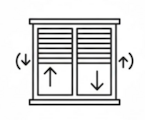
Roller Shutter: Special switch (usually double or with arrows) for raising and lowering electric shutters, awnings, or curtains.
Lighting: The classic switch for turning lights on and off in any room.
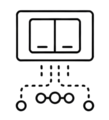
Command: A switch that does not directly control a device, but sends signals (commands) to a smart system to execute various predefined scenarios (e.g. "leaving home" scenario).
Recessed: It is installed inside the wall in special boxes, offering an elegant and flush finish.
Wall-mounted: It is screwed directly onto the wall surface without the need for any masonry work, making it the fastest solution for renovations or spaces such as garages and storage rooms.
Aller Retour: Allows you to control the same light from two different locations. It is ideal for the beginning and end of a hallway or for the room entrance and your bedside table.
Illuminated: Emits light to indicate whether the switch is on or to help locate it in the dark.
Battery-powered: They offer complete flexibility in placement. They are a practical choice for making your home smart easily and quickly. They do not require complex installation, as they are usually wireless and can be mounted anywhere with simple adhesive tape.
Medium: It is used when you want to control the same light from three or more locations (e.g. in large corridors or staircases). It always works together with two Aller-Retour switches at the ends of the installation.
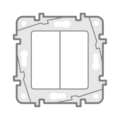
Basic: The classic wall switch for simple commands, with a rocker-type button, ideal for turning lights or other electrical devices on and off.
Card: A switch that is activated by inserting a card, often used in hotels or controlled areas, to turn on lighting or other devices.
Touch Button: A switch that operates with a light touch on the surface, like a smartphone screen, for modern and comfortable use without a mechanical button.
Rotary: A switch with a rotary dial that allows for adjusting intensity or selecting a function. It is commonly used for controlling lighting, volume, or functions in residential or industrial applications.
Screen: Smart control panel with LCD/LED screen. Allows control of multiple devices (lights, air conditioning, scenarios) from a single point.
Safety Light: It provides steady downward lighting. It acts like a small built-in light fixture, installed in place of a switch, and serves as a night light or for safe movement in corridors and staircases.
Motion Sensor: Automatically turns on the light when it detects motion in the area. Ideal for storage rooms, garages, bathrooms, and outdoor spaces.
RF: It means "Radio Frequency" and allows wireless communication and control without the need for an internet connection, using a remote control or other devices that support radio frequencies.
Wi-Fi: The switch is connected to smart devices via Wi-Fi network.
Z-Wave: The switch is connected to smart devices via the Z-Wave protocol.
ZigBee: The switch is connected to smart devices via Zigbee protocol.
Bluetooth: The switch connects to smart devices via Bluetooth.
Alexa: Compatibility of the switch with smart devices that work through the Alexa app.
Apple HomeKit: Compatibility of the switch with smart devices that work through the Apple Home app.
Google Home: Compatibility of the switch with smart devices that work through the Google Home app.
IFTTT: Automation ecosystem that connects the device with apps and other smart gadgets. Allows the creation of smart scenarios (Applets) for automatic operation based on location, weather, or other digital notifications.