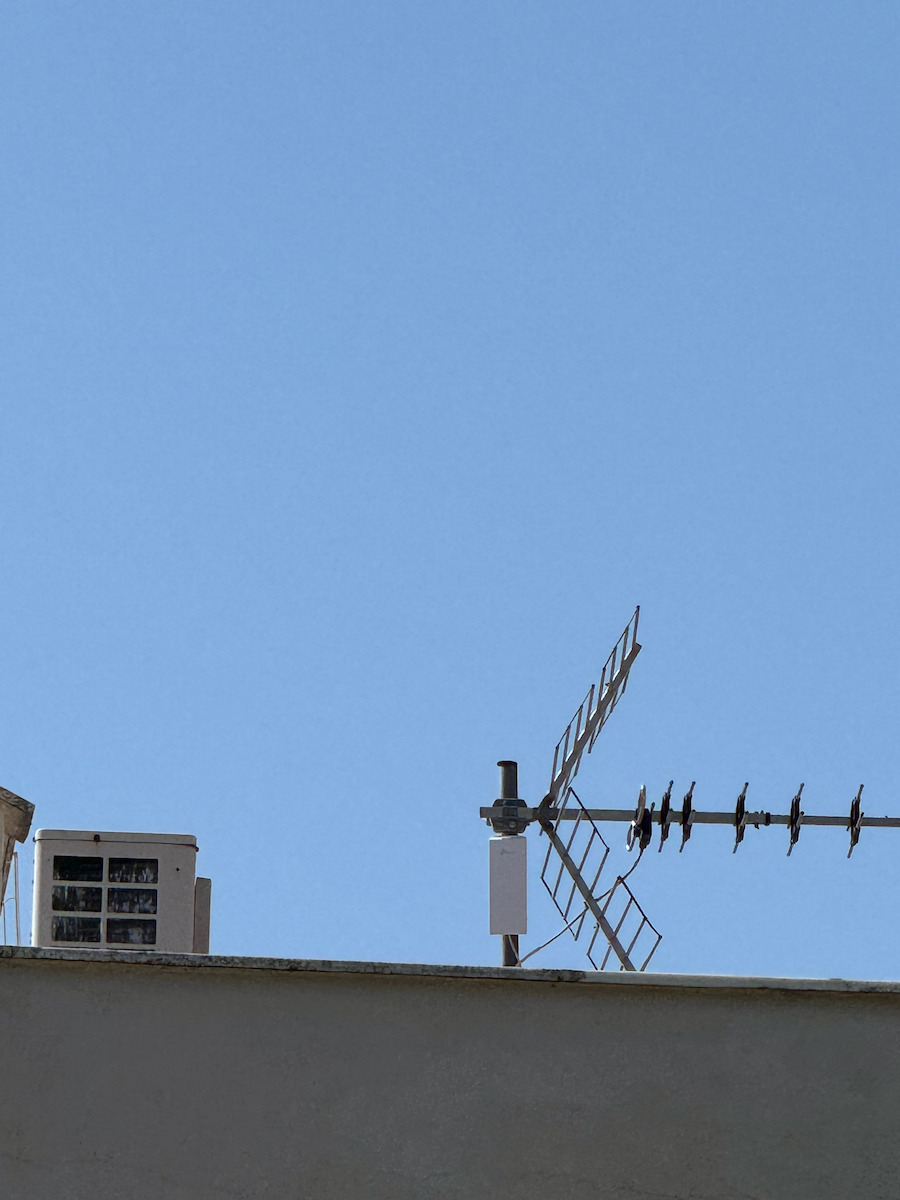
It is reliable, fast, relatively easy for those who know how to configure it, and waterproof. With the UTP cable, it can reach quite far distances (I have used it up to 60 meters away) while also sending power (POE function). The first versions (V1) had a strong signal up to 27dBm and were suitable for all tasks, while being comparable to the competition (e.g. nanostation M2) and cheaper. However, later on, TP-Link decided to limit the intensity through firmware to a maximum of 11dBm, and now the only useful function is for open spaces without obstacles and for short distances.
It doesn't make sense to have a directional waterproof external antenna with only 11dBm power, as it is not suitable for long-distance links, penetrating stone walls, or spaces with many trees. Essentially, TP-Link rendered it useless through the software. For the current price of around 30 euros, it is ideal for yards and normal open spaces, but not for anything demanding in terms of distances.
(01/2019) Edit:
Update for those who have the locked version V1.1 or V2 with power up to 11dB and have some knowledge of Linux console commands. We log in normally from a browser to the TP-Link menu, and open the console in Linux (it also works through a VM in Windows) and type:
ssh <space> <TP-Link username>@<TP-Link IP address>
For example, if the machine has IP 192.168.1.2 and the username is "admin," then we write:
ssh [email protected] and press enter.
We answer "yes" to the question and enter the password when prompted, and finally, when we see the prompt, we write "testmode" and it informs us that "testmode enabled"!
That's it!
If we now refresh the TP-Link menu page in the browser and go to the "wireless" category, we will see a new box at the top asking us which region we are in. If we select the United States of America, the signal power bar allows us to reach up to 27dB!
I haven't tested it on V3, so I don't know if it works, although I suspect that V3 is limited in capabilities anyway because it has a different board from V1 and V2, and in essence, it is a completely different product from V1 and V2.
Edit 26/06/2019:
I tried the above trick to unlock the WiFi signal intensity on V3 antennas, and it works there too!
I should mention that at first, I thought the "increase" was virtual and could only be seen through the antenna's software, but in a normal measurement with third-party devices (laptop with Wireshark and mobile with WiFi analyzer), the change in intensity was measurable and real!
P.S. For those who don't already have a PC with Linux, I recently tried it and it works as follows:
On a Windows machine, download the SSH client Putty (https://www.putty.org/)
Open a session there with the antenna's IP, selecting SSH, enter the username and password, and simply type "testmode" and press Enter.
It will inform us that "Testmode enabled," and from there, we can freely select the region from the antenna's Wireless menu, choose testmode, and set it to 27dB!
Είναι αξιόπιστο, γρήγορο, σχετικά εύκολο για όποιον ξέρει να το ρυθμίσει και αδιάβροχο
Με το καλώδιο UTP μπορεί να φτάσει αρκετά μακριά (έχω βάλει μέχρι και 60 μέτρα μακριά) στέλνοντας και ρεύμα (λειτουργία POE).
Οι πρώτες εκδόσεις (V1) είχαν ισχυρό σήμα έως 27dBm και έκαναν για όλες τις δουλειές ενώ ήταν ισάξια του ανταγωνισμού (π.χ. nanostation M2) και αρκετά φτηνότερα.
Αργότερα όμως η TP-Link αποφάσισε να τα θάψει κλειδώνοντας την ένταση μέσω firmware έως το πολύ 11dBm και τώρα η μόνη δουλειά που αξίζουν είναι για ανοιχτούς χώρους χωρίς εμπόδια, και για μικρές αποστάσεις.
Δεν υπάρχει νόημα να έχεις κατευθυνόμενη αδιάβροχη εξωτερική κεραία με μόλις 11dBm ισχύ, δεν κάνει ούτε για link μεγάλων αποστάσεων, ούτε να διαπερνά πέτρινους τοίχους, ούτε για χώρους με πολλά δέντρα, πρακτικά η TP-Link το αχρήστευσε μέσω του λογισμικού.
Για την τιμή που έχει τώρα κοντά στα 30 ευρώ, είναι ιδανικό για αυλές και νορμάλ ανοιχτούς χώρους, αλλά όχι για οτιδήποτε απαιτητικό σε θέμα αποστάσεων.
(01/2019) Edit:
Update για όσους έχουν την κλειδωμένη έκδοση V1.1 ή V2 με ισχύ έως 11dB και ξέρουν λίγο απο κονσόλα με εντολές σε Linux, κάνουμε login κανονικά απο έναν browser στο μενού του TP-Link, και ανοίγουμε την κονσόλα στο linux (λειτουργεί και μέσα απο VM στα windows) και γράφουμε
ssh<κενό><το username του TP-Link>@<την διεύθυνση IP του TP-Link>
π.χ. αν το μηχάνημα έχει IP 192.168.1.2 και όνομα χρήστη το "admin" τότε γράφουμε:
ssh [email protected] και πατάμε enter
απαντάμε "yes" στην ερώτηση και γράφουμε και το password πιο κάτω όταν μας το ζητάει, και τέλος όταν δούμε την δίεση, γράφουμε "testmode" και μας ενημερώνει ότι "testmode enabled"!
Αυτό ήταν!
Άν κάνουμε τώρα ένα refresh στην σελίδα του browser με το μενού του Tp-Link και πάμε στην κατηγορία "wireless" θα δούμε πάνω πάνω ένα box που δεν υπήρχε πρίν και μας ρωτάει σε ποιο region είμαστε, άν επιλέξουμε United States of America η μπάρα με την ισχύ του σήματος μας επιτρέπει να το φτάσουμε μέχρι 27dB!
Δεν το έχω δοκιμάσει σε V3 οπότε και δεν γνωρίζω αν λειτουργεί, αν και υποψιάζομαι ότι η V3 είναι περιορισμένων δυνατοτήτων έτσι κι αλλιώς επειδή έχει και διαφορετική πλακέτα απο τις V1 και V2 και στην ουσία είναι εντελώς διαφορετικό προϊόν από τις V1 και V2.
Edit 26/06/2019:
Δοκίμασα το παραπάνω κόλπο για ξεκλείδωμα της έντασης WiFi και σε κεραία V3 και τελικά δουλεύει και εκεί!
Να αναφέρω ότι στην αρχή πίστευα ότι ήταν εικονική η "αύξηση" και την έβλεπα μόνο μέσα από το software της κεραίας, αλλά σε κανονική μέτρηση με τρίτες συσκευές (Laptop με wireshark και κινητό με WiFi analyzer) η αλλαγή στην ένταση ήταν μετρήσιμη και αληθινή!
Υ.Γ. Για όποιον δεν έχει ηδη PC με Linux, το δοκίμασα πρόσφατα και λειτουργεί και ως εξής:
Σε μηχάνημα με Windows κατεβάζουμε το SSH client Putty (https://www.putty.org/)
Ανοίγουμε ένα session απο εκεί στην IP της κεραίας επιλέγοντας SSH, δίνουμε username & password και απλά γράφουμε "testmode" και Enter.
Μας ενημερώνει ότι "Testmode enabled" και απο εκεί και πέρα μπορούμε να επιλέηουμε ελεύθερα region απο το μενού Wireless της κεραίας, επιλέγουμε testmode και την βάζουμε στα 27db!