AIO CPU Liquid Cooling

LM240 Water Cooling AIO CPU with 2 120mm Fans and RGB Lighting

Key features:

  • Cooling: 240mm AIO Liquid Cooler
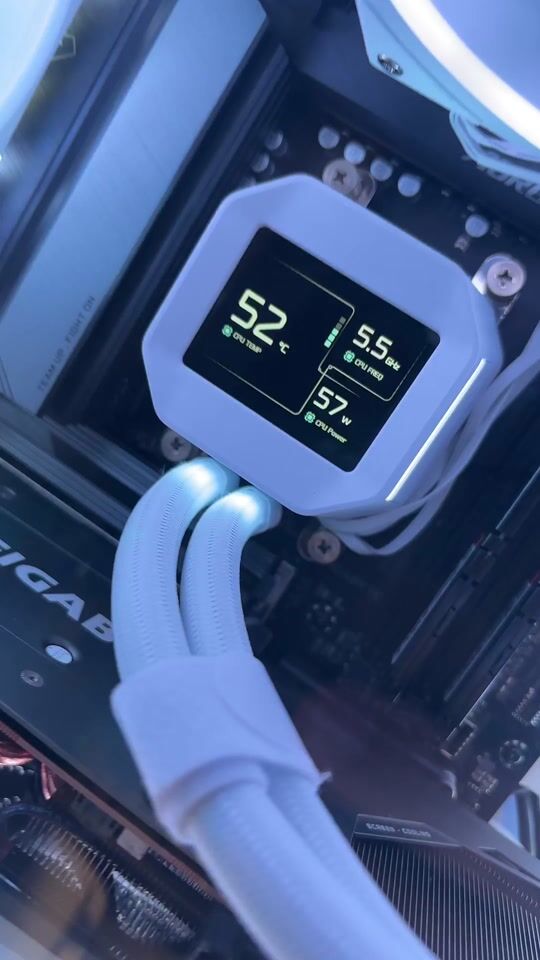
  • 2.4" IPS Display with MP4 Playback
  • 6th-Generation Pump, 2500–3600 RPM
  • 2x 120mm ARGB Fans
  • Anti-Leak Technology
See full description

Top specs

  • See all

Learn more about invoicing

Description

Description

The DeepCool LM240 AIO CPU liquid cooler delivers powerful thermal performance and unique customization options. It features a 2.4-inch IPS screen for displaying statistics or videos, a 6th-generation pump, two 120mm FL12 SE fans with ARGB lighting, and Anti-Leak technology for maximum reliability on modern Intel and AMD sockets.

Customizable 2.4" IPS Display

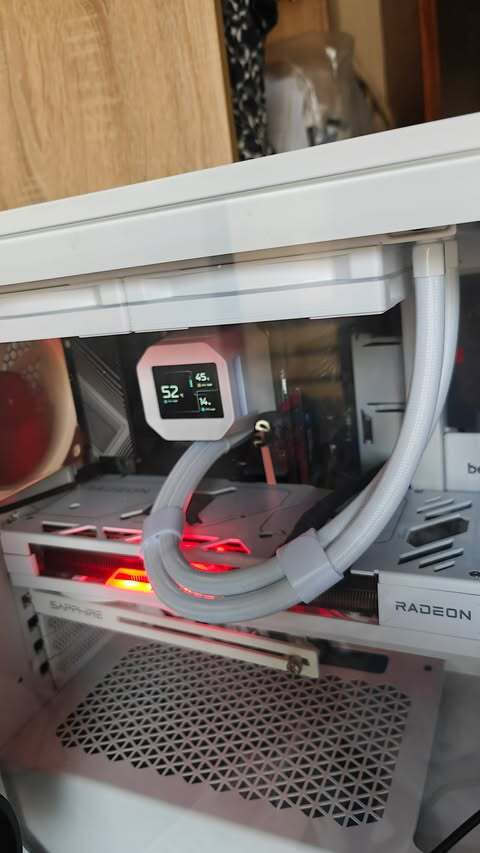
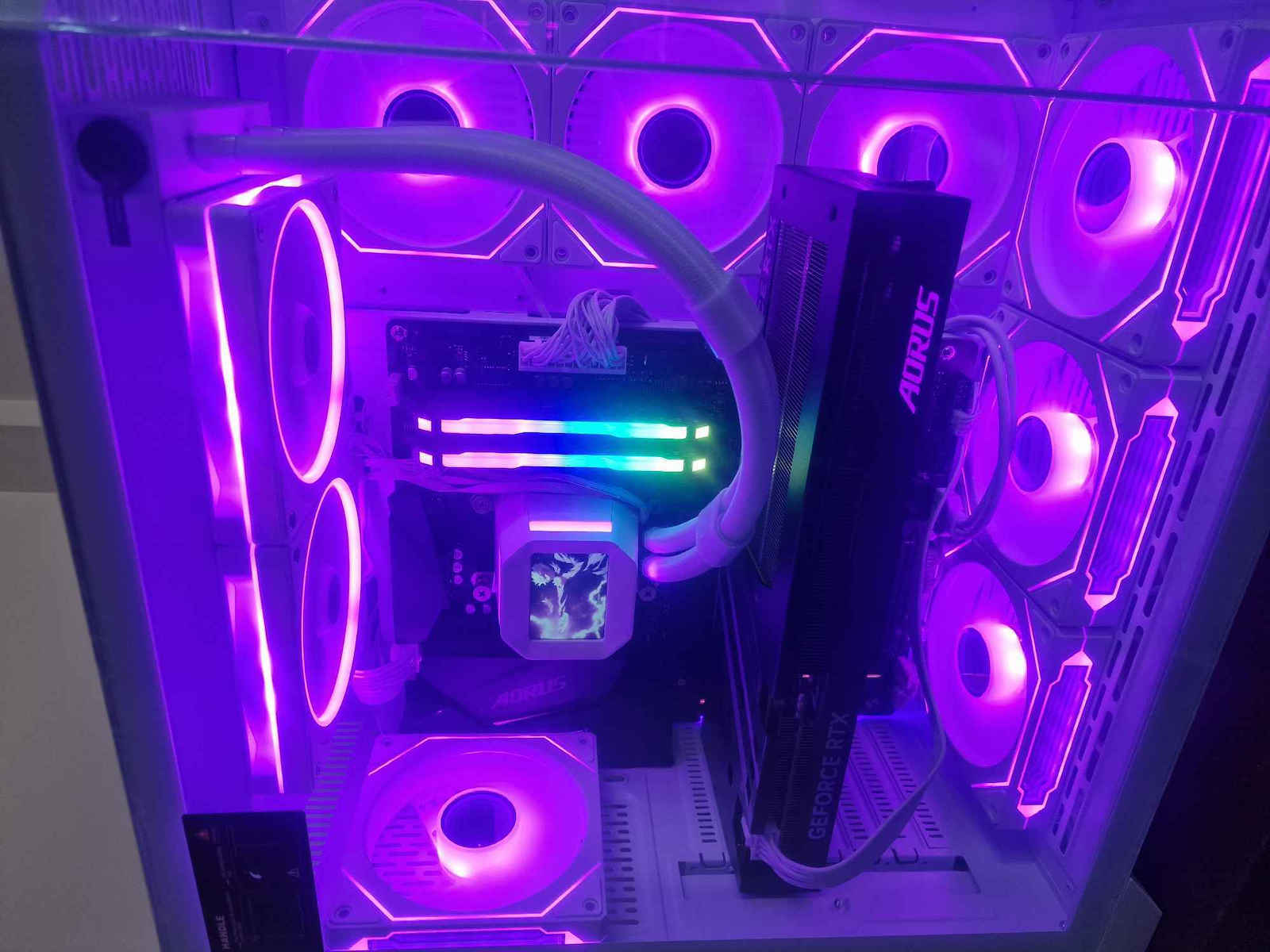
This AIO liquid CPU cooler stands out with its built-in 2.4" IPS display, which supports MP4 video playback. You can customize your system’s appearance by displaying real-time statistics, animations, images, or logos. This feature adds a dynamic, personal touch to the inside of your PC.

6th Generation Pump & Anti-Leak Technology

Equipped with a 6th-generation pump with PWM control, it maintains a steady coolant flow at 2500 to 3600 RPM for efficient heat transfer and quiet operation. In addition, DeepCool’s exclusive Anti-Leak Technology regulates internal pressure, minimizing the risk of leaks and providing long-term reliability.

FL12 SE Fans & Wide Compatibility

The 282 x 120 x 27 mm aluminum radiator comes with two 120 mm FL12 SE fans with hydraulic bearings and a speed range of 400 to 2400 RPM. It features ARGB lighting that syncs with the motherboard and supports the latest sockets, including Intel LGA 1851/1700 and AMD AM5.

Manufacturer

See full description

Specifications

Specifications

Main Specifications

Socket
1200, 1700, 1851, AM4, AM5
Radiator Size
Dual Fan
Fan Dimension
120 mm
Colour
Black
Tube Length
410 mm
Radiator Material
Aluminum
Lighting
RGB
Pump Display
Yes

Technical Specifications

Fan Speed (max)
2400 rpm
Fan Noise Level (Full Load)
36.07 dB
Air Flow
132.46 cfm
Air Pressure
3.27 mmH₂O: millimeters of water
Bearing Type
Hydraulic

Important information

Specifications are collected from official manufacturer websites. Please verify the specifications before proceeding with your final purchase. If you notice any problem you can report it here.

See all specifications

Reviews (20)

Reviews

  1. 16
  2. 2
  3. 3 stars
    0
  4. 2
  5. 1 star
    0
Review this product

Reviews by our members

  • tzitzibp

    Verified purchase

    This review is about the colour: White

    Excellent AIO for the money it costs. Installed on a 9600X AM5,
    30-minute stress test, 63°C max with ambient temperature 27°C

    Translated from Greek ·
    Did you find this review helpful?
  • This review is about the colour: White

    First impressions on 7800x3d are very good, it has reached 61 degrees max, I have no complaints, I haven't installed the RGBs that come with the fans, very beautiful and at a good price

    Translated from Greek ·
    Did you find this review helpful?
  • Pharos
    2
    1 out of 5 members found this review helpful

    Verified purchase

    This review is about the colour: White

    Good build quality, but when I install the drivers for the screen to work, the PC freezes after a while; I need to uninstall the drivers

    Translated from Greek ·
    Did you find this review helpful?
  • giannis.koufalitakis
    4
    5 out of 5 members found this review helpful

    Verified purchase

    I still don't have a complete picture but it seems decent. I deducted one star because with my previous CoolerMaster Master Liquid 240 Lite water cooler I had idle temperatures around 30°C, while with the DeepCool I'm around 35°C. However, these extra degrees are offset by the wonderful IPS screen that can display images, gifs, videos, or system information. The two-in-one cable for the fans is convenient. Time will show its durability and capabilities.

    Update: I suspect that the higher temperatures I see for the processor might be coming from the power supply, which in my case is located high up and right behind the motherboard and processor, so the power supply's temperature might be affecting the processor's temperature, even though the previous water cooler was in the same case! If this scenario is not the case (which would mean the CoolerMaster was superior in cooling), then maybe it's coming from the IPS screen of the water cooler.

    Translated from Greek ·
    Did you find this review helpful?
  • demisk

    Verified purchase

    This review is about the colour: White

  • Verified purchase

    This review is about the colour: White

    Very good choice! It lets you put any photo you want on its screen

    Translated from Greek ·
    Did you find this review helpful?
  • Verified purchase

    after about 2 months it started making an annoying noise

    Translated from Greek ·
    Did you find this review helpful?
  • Verified purchase

    This review is about the colour: White

  • Verified purchase

  • Verified purchase

  • Verified purchase

    This review is about the colour: White

  • Verified purchase

  • Verified purchase

  • Verified purchase

  • Verified purchase

  • Verified purchase

    This review is about the colour: White

  • Excellent AIO for the money it costs. Installed on a 9600X AM5,
    30-minute stress test, 63°C max with ambient temperature 27°C

    Translated from Greek ·
    0
  • First impressions on 7800x3d are very good, it has reached 61 degrees max, I have no complaints, I haven't installed the RGBs that come with the fans, very beautiful and at a good price

    Translated from Greek ·
    0
  • Good build quality, but when I install the drivers for the screen to work, the PC freezes after a while; I need to uninstall the drivers

    Translated from Greek ·
    1
  • I still don't have a complete picture but it seems decent. I deducted one star because with my previous CoolerMaster Master Liquid 240 Lite water cooler I had idle temperatures around 30°C, while with the DeepCool I'm around 35°C. However, these extra degrees are offset by the wonderful IPS screen that can display images, gifs, videos, or system information. The two-in-one cable for the fans is convenient. Time will show its durability and capabilities.

    Update: I suspect that the higher temperatures I see for the processor might be coming from the power supply, which in my case is located high up and right behind the motherboard and processor, so the power supply's temperature might be affecting the processor's temperature, even though the previous water cooler was in the same case! If this scenario is not the case (which would mean the CoolerMaster was superior in cooling), then maybe it's coming from the IPS screen of the water cooler.

    Translated from Greek ·
    5
  • 1
  • See all

Description & Specifications

The DeepCool LM240 AIO CPU liquid cooler delivers powerful thermal performance and unique customization options. It features a 2.4-inch IPS screen for displaying statistics or videos, a 6th-generation pump, two 120mm FL12 SE fans with ARGB lighting, and Anti-Leak technology for maximum reliability on modern Intel and AMD sockets.

Customizable 2.4" IPS Display

This AIO liquid CPU cooler stands out with its built-in 2.4" IPS display, which supports MP4 video playback. You can customize your system’s appearance by displaying real-time statistics, animations, images, or logos. This feature adds a dynamic, personal touch to the inside of your PC.

6th Generation Pump & Anti-Leak Technology

Equipped with a 6th-generation pump with PWM control, it maintains a steady coolant flow at 2500 to 3600 RPM for efficient heat transfer and quiet operation. In addition, DeepCool’s exclusive Anti-Leak Technology regulates internal pressure, minimizing the risk of leaks and providing long-term reliability.

FL12 SE Fans & Wide Compatibility

The 282 x 120 x 27 mm aluminum radiator comes with two 120 mm FL12 SE fans with hydraulic bearings and a speed range of 400 to 2400 RPM. It features ARGB lighting that syncs with the motherboard and supports the latest sockets, including Intel LGA 1851/1700 and AMD AM5.

Manufacturer

Main Specifications

Socket
1200, 1700, 1851, AM4, AM5
Radiator Size
Dual Fan
Fan Dimension
120 mm
Colour
Black
Tube Length
410 mm
Radiator Material
Aluminum
Lighting
RGB
Pump Display
Yes

Technical Specifications

Fan Speed (max)
2400 rpm
Fan Noise Level (Full Load)
36.07 dB
Air Flow
132.46 cfm
Air Pressure
3.27 mmH₂O: millimeters of water
Bearing Type
Hydraulic

Important information

Specifications are collected from official manufacturer websites. Please verify the specifications before proceeding with your final purchase. If you notice any problem you can report it here.

Reviews (20)

  1. 16
  2. 2
  3. 3 stars
    0
  4. 2
  5. 1 star
    0
Review this product

Reviews by our members

  • tzitzibp

    Verified purchase

    This review is about the colour: White

    Excellent AIO for the money it costs. Installed on a 9600X AM5,
    30-minute stress test, 63°C max with ambient temperature 27°C

    Translated from Greek ·
    Did you find this review helpful?
  • This review is about the colour: White

    First impressions on 7800x3d are very good, it has reached 61 degrees max, I have no complaints, I haven't installed the RGBs that come with the fans, very beautiful and at a good price

    Translated from Greek ·
    Did you find this review helpful?
  • Pharos
    2
    1 out of 5 members found this review helpful

    Verified purchase

    This review is about the colour: White

    Good build quality, but when I install the drivers for the screen to work, the PC freezes after a while; I need to uninstall the drivers

    Translated from Greek ·
    Did you find this review helpful?
  • giannis.koufalitakis
    4
    5 out of 5 members found this review helpful

    Verified purchase

    I still don't have a complete picture but it seems decent. I deducted one star because with my previous CoolerMaster Master Liquid 240 Lite water cooler I had idle temperatures around 30°C, while with the DeepCool I'm around 35°C. However, these extra degrees are offset by the wonderful IPS screen that can display images, gifs, videos, or system information. The two-in-one cable for the fans is convenient. Time will show its durability and capabilities.

    Update: I suspect that the higher temperatures I see for the processor might be coming from the power supply, which in my case is located high up and right behind the motherboard and processor, so the power supply's temperature might be affecting the processor's temperature, even though the previous water cooler was in the same case! If this scenario is not the case (which would mean the CoolerMaster was superior in cooling), then maybe it's coming from the IPS screen of the water cooler.

    Translated from Greek ·
    Did you find this review helpful?
  • demisk

    Verified purchase

    This review is about the colour: White

  • Verified purchase

    This review is about the colour: White

    Very good choice! It lets you put any photo you want on its screen

    Translated from Greek ·
    Did you find this review helpful?
  • Verified purchase

    after about 2 months it started making an annoying noise

    Translated from Greek ·
    Did you find this review helpful?
  • Verified purchase

    This review is about the colour: White

  • Verified purchase

  • Verified purchase

  • Verified purchase

    This review is about the colour: White

  • Verified purchase

  • Verified purchase

  • Verified purchase

  • Verified purchase

  • Verified purchase

    This review is about the colour: White

  • Excellent AIO for the money it costs. Installed on a 9600X AM5,
    30-minute stress test, 63°C max with ambient temperature 27°C

    Translated from Greek ·
    0
  • First impressions on 7800x3d are very good, it has reached 61 degrees max, I have no complaints, I haven't installed the RGBs that come with the fans, very beautiful and at a good price

    Translated from Greek ·
    0
  • Good build quality, but when I install the drivers for the screen to work, the PC freezes after a while; I need to uninstall the drivers

    Translated from Greek ·
    1
  • I still don't have a complete picture but it seems decent. I deducted one star because with my previous CoolerMaster Master Liquid 240 Lite water cooler I had idle temperatures around 30°C, while with the DeepCool I'm around 35°C. However, these extra degrees are offset by the wonderful IPS screen that can display images, gifs, videos, or system information. The two-in-one cable for the fans is convenient. Time will show its durability and capabilities.

    Update: I suspect that the higher temperatures I see for the processor might be coming from the power supply, which in my case is located high up and right behind the motherboard and processor, so the power supply's temperature might be affecting the processor's temperature, even though the previous water cooler was in the same case! If this scenario is not the case (which would mean the CoolerMaster was superior in cooling), then maybe it's coming from the IPS screen of the water cooler.

    Translated from Greek ·
    5
  • 1
  • See all
91,30 €
20,00 €   shipping cost